r/3Dprinting • u/PressStart1p • 18d ago
Troubleshooting Well I'm stumped (print issues)

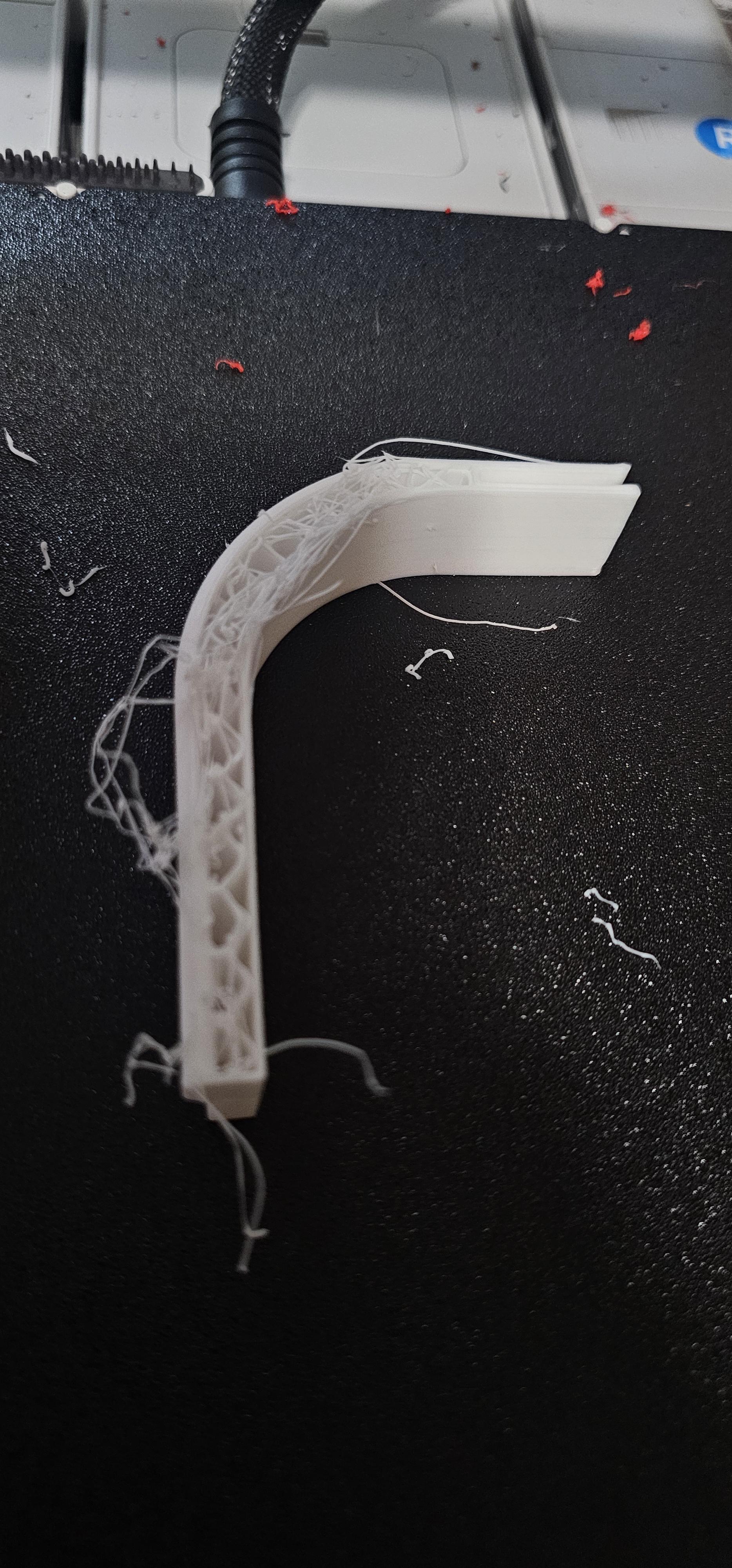
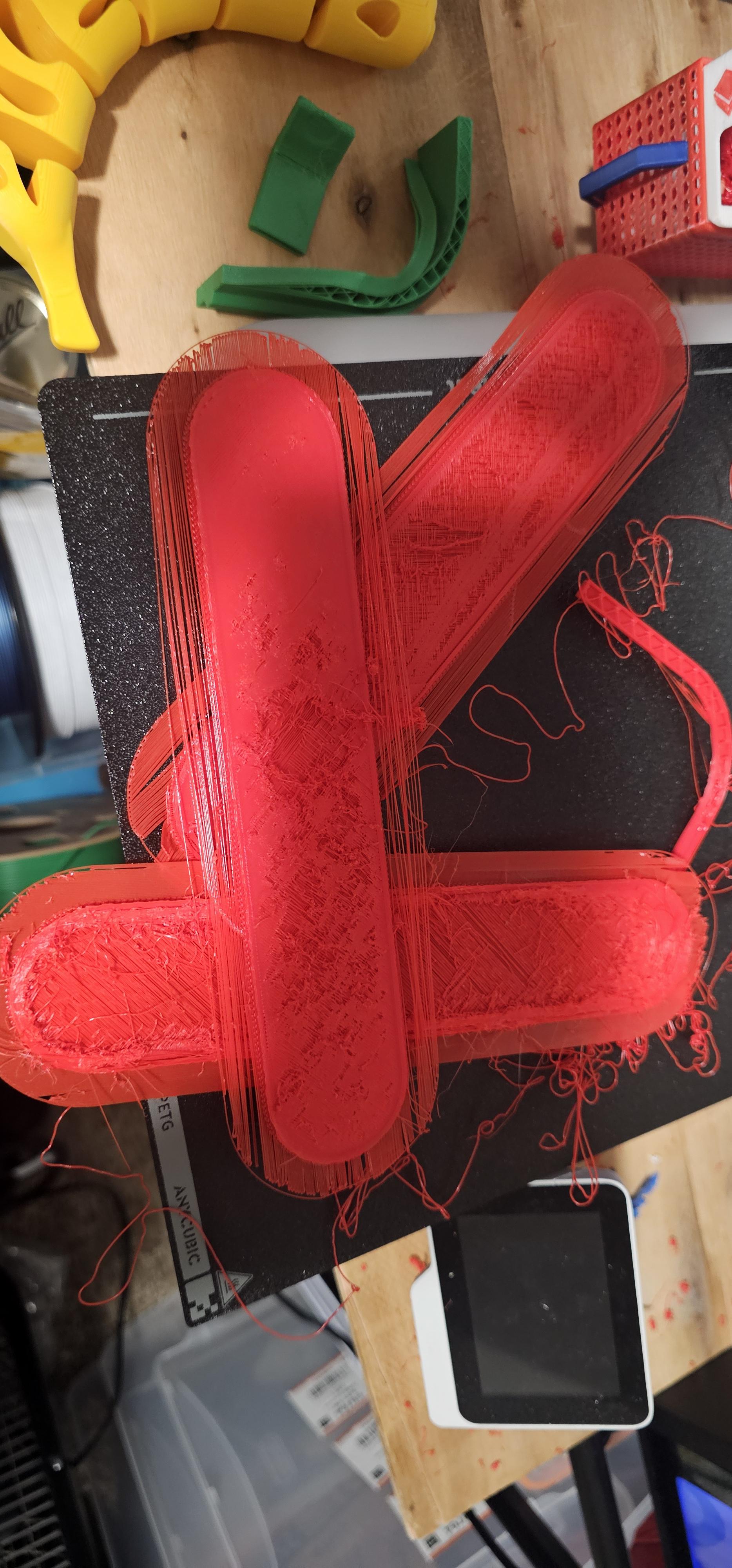
I'm not sure what changed, but after moving my Anycubic Kobra X back into the office from my dining room (may or may not have anything to do with it) , all my prints look like this. Just shredding everywhere but only after a certain point.
The red is petg, the white is pla+. Different settings. I've adjusted the z height several times on each model. Same result. I also updated the firmware in the middle of these attempts as a new one came out. No change. I've tried recalibrating as if changing nozzles. I even checked ro make sure the nozzle haddnt slipped down at all. The print starts just fine and after a certain point, it's like the nozzle starts to scratch. Now it's pulling prints off the plate. And I've cleaned the plate. Soap and water, then alcohol to remove any residue the water might have left.
What could be causing this? With multiple models and settings and materials?
Any help is appreciated. Thank you in advance.
1
u/PressStart1p 2d ago
Here is a timelapse of another print that just wont print.
1
u/AgentKyn 18d ago
Id start by looking at bed adhesion or seeing if your X Gantry is loose in any way.
1
u/Makeratory 3d ago
If it sticks fine and then gets knocked loose partway up, the bed usually isn't the real problem, the nozzle is catching something. Watch the print around where it fails: if edges or overhangs are curling up, the nozzle hits them on the next pass and pops the part off. More part cooling, a slightly lower print temp, or turning on a little z-hop for travel moves usually fixes that. Also worth checking the z-offset isn't so low that the first layer gets squished into ridges the nozzle drags through on layer two.
1
u/UmbrellaCommittee 3d ago
this page on all 3dp has helped me in the past. in the white print, i see elephants foot and warping.
collisions can happen when the corner of a model starts warping of the bed. that raises the whole side of the model, so it’s not where the print head is expecting it to be anymore.
if i had to guess, i’d say that you raised your bed temperature when you started seeing warping or adhesion problems, and that’s what’s causing the elephants foot. but the warping is still happening because you haven’t addressed the environmental problems that caused them in the first place. it could be too cold in your room, there could be a draft from a window or door, or there could be an air vent blowing on it. that’s where the enclosure i linked in my comment on your other post would help.
1
u/AutoModerator 18d ago
Hey there, I'm a bot and something you said made me think you might be looking for help! click here for our wiki entry on troubleshooting printers. If you still need help be sure to post plenty of information about your printing setup.
Here are a few questions that might be helpful
If you are new to reddit, please read the guidelines on reddiquette, self promotion, and spam.
Also please post a resolution to your problem when you find one so that we know how to help others with your problem!
I am a bot, and this action was performed automatically. Please contact the moderators of this subreddit if you have any questions or concerns.