r/editlines • • 9h ago

Uniform percentage slowdown or variable speed ramp when fitting B-roll to a locked voiceover?

Thumbnail
gallery
0 Upvotes

Caught between two client review calls in a coworking booth today with no USB-C hub for my scratch drive, I had thirty-five minutes to fit a wildlife sponsor clip of two tigers wrestling into a locked six-second voiceover window. Because our rough cut was already synced to cloud space, I popped the timeline open in CapCut Web and parked an untouched 100% duplicate on a muted reference lane before touching speed controls.

Testing a flat constant speed drop to 50% and 65% with audio pitch preservation toggled on reminded me how unforgiving timeline physics always are. Either you let the slowdown ripple-expand the clip duration to play every source frame and push downstream narration off beat, or you keep the six-second slot locked and lose the best tail frames.

Switching to a variable speed curve solved both problems in one pass. I ran the opening pounce briskly at 120% speed, dragged a smooth ramp transition down to 40% right across the mid-air leap so the motion felt weighty without stuttering, and exported a crisp PNG still frame on the peak contact pose so our sponsor stat graphic could hold legibly before action resumed.

Keeping that muted 100% reference clip underneath made it dead simple to compare pacing at a glance and reset bad curve experiments in two clicks. When you are fitting B-roll into a strict voiceover gap, do you reach for a constant speed percentage with trimmed tails first, or build a 120%-to-40% ramp so you keep the full action arc?


r/editlines • • 7h ago

Other Finessing cut points next to neighboring shots beats pre trimming in isolation

Thumbnail
gallery
0 Upvotes

Obsessing over frame-accurate in and out points before a clip even touches the timeline makes zero sense once neighboring shots force you to re-time the cut anyway. This week I bounced a YouTube gear review between my Windows office PC, phone B-roll uploads, and my personal laptop without a single offline-media popup or drive-format headache because the whole draft stayed synced inside CapCut Web's cloud space.

Dropping rough selects onto the track first lets you zoom horizontally right around the cursor instead of dragging tiny scrollbars, trim clip heads and tails with snapping enabled, and use ripple trims so closing a cut shifts downstream clips left without leaving accidental black gaps. Slicing a selected talking-head clip to insert a phone cutaway and rolling one adjacent edit point three frames wider to recover a clipped breath locked the pacing cleanly in context.


r/editlines • • 8h ago

Cutting dialogue and video on the exact same frame made my two-person ad feel robotic

Thumbnail
gallery
0 Upvotes

Listening back to my rough cut of a two-person testimonial ad from a hotel coffee shop yesterday, I spotted right away why the dialogue felt so staged. I had backed the shoot up to cloud space before flying out with a lightweight laptop, and opening the timeline in CapCut Web showed every single cut slicing video and audio on the exact same frame.

Cutting mouth to mouth misses the human reaction. Think of that classic textbook example of a lawyer reading a will aloud while the camera cuts early to a hopeful relative's fading smile as the voice keeps rolling underneath. Using that L-cut approach in the editor fixed our ad fast: I unlinked clip one's audio at the edit point, trimmed its video back two seconds to show the listener's reaction early, and extended clip one's spoken audio underneath clip two in that capital-L timeline shape.

Letting four lines trail under reaction shots softened the hard cuts better than any dissolve, though unlinked audio demands careful eyes on sync. When you detach audio for L-cuts in a browser timeline, how do you keep lip sync safe if a client trims an earlier line later?


r/editlines • • 10h ago

Avoiding overwritten tracks and clipped neighbors when nudging B-roll across timeline layers

Thumbnail
gallery
0 Upvotes

Dragging short two-second cutaways with a laptop trackpad while zoomed out on a dense edit is basically begging for accidental sync slips. Yesterday a remote shooter uploaded raw interview and product cutaway clips straight into our shared cloud space, letting me open the sequence in CapCut Web right away and tighten the B-roll stack without waiting forty minutes on a local drive transfer.

The sneaky trap whenever you start shifting clips around fast is forgetting how vertical track jumps and horizontal slides treat neighboring media. Pushing a selected cutaway up or down a track lane without checking what already sits at that timecode can overwrite an existing graphic or ambient bed, while sliding a clip left or right between packed neighbors directly eats into or extends the incoming and outgoing boundaries beside it.

  1. Pop the selected cutaway onto a clean upper video lane first so moving vertically between layers creates or occupies empty space instead of stomping over an existing clip.
  2. Zoom into the cut point and step the playhead one frame at a time until you land on the exact plosive consonant or hand gesture that motivates the switch.
  3. Nudge or slide the clip horizontally in tight 1-frame steps for precise sync, saving wider 5-frame jumps strictly for rough positioning before you zoom in.
  4. Scrub across both the outgoing tail before your cutaway and the incoming head after it to confirm neither adjacent clip boundary got clipped or left a black flash.

Knocking out those frame-level adjustments directly in the browser saved our afternoon review window while keeping every cutaway non-destructive. When you are tightening a crowded B-roll stack on a laptop, do you prefer sliding clips straight between adjacent neighbors on the same lane or lifting them onto an empty upper track first before trimming?


r/editlines • • 2d ago

Why multi track edits slow down from cursor hunting rather than slow cutting

Post image
0 Upvotes

Dragging individual track dividers up and down on a 13 inch laptop screen eats way more of my afternoon then actual cutting, yesterday i Had a 35 minute gap between calls and realised my USB-C hub for my scratch drive was still sitting at home because the rough cut was already synced to cloud space I popped the project open in CapCut web right in my browser to tighten as six layer YouTube tutorial sequence and working on a single compact display made every wasted trackpad trip obvious. most timeline Friction on a small screen comes from three habits, hunting clips with a cursor, fighting magnetic snapping on tiny slip fixes, and leaving every inactive track expanded to the same height. Once you stack dialogue, screen captures, B roll, callout graphics, and two audio lanes, global vertical Zoom stops helping because making your dialogue waveform readable, pushes your upper graphic tracks right out of view instead of resizing every lane together, collapsing, locked music and SFX tracks into thin strips while keeping only the active primary video and dialogue lanes expanded buys back nearly half the workspace on desktop setup. I lean on saved track height layouts so I never drag track borders manually and keeping that same selective height discipline inside the browser tab immediately killed the constant, vertical scrolling from there real speed, comes down to selecting clips directly under the play, head on active tracks rather than Lasso dragging boxes that snag background beds plus deselecting cleanly without clicking empty timeline, space and jumping your playhead pairing play Head selection with single frame nudges, let's you slip a callout card or B-roll Cut one or two frames into pocket when default snapping pulls. Toward a nearby cut when you are stuck cutting on a single laptop display without a second Monitor at what layer count do you stop expanding tracks individually and start collapsing or grouping secondary Lanes?


r/editlines • • 5d ago

Premiere Pro 2 hour Discovery Channel Network Rough Cut

Post image
17 Upvotes

r/editlines • • 5d ago

Timeline for a new video im working on!

Post image
14 Upvotes

r/editlines • • 14d ago

A two-minute dialogue scene from a TV series. Audio editing of a scene featuring a non-professional actor

Post image
8 Upvotes

colors orange, yellow and pink represents a different audio take

colors blue and green is a video track


r/editlines • • 19d ago

Premiere Pro Interview of a singer for a YouTube video

Post image
28 Upvotes

r/editlines • • Oct 08 '26

Premiere Pro Timeline for a 2026 cinema retrospective

25 Upvotes

r/editlines • • Oct 06 '26

Qual a opinião de vocês sobre a edição desse vídeo?

0 Upvotes

r/editlines • • Sep 24 '26

It took a month, but I did it.

Post image
30 Upvotes

r/editlines • • Sep 04 '26

DaVinci Resolve updated showreel for 2027

Post image
51 Upvotes

r/editlines • • Aug 11 '26

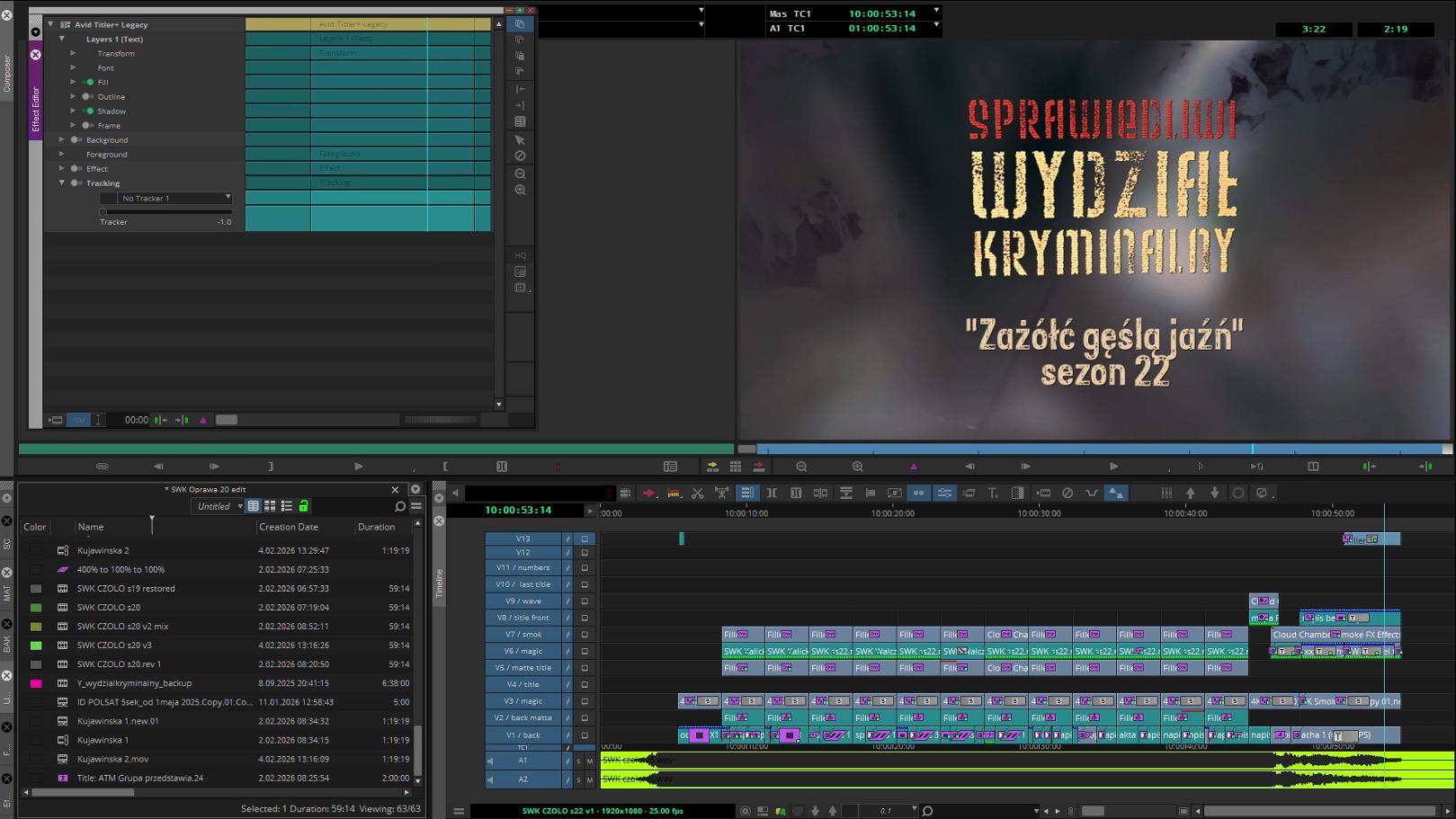
Avid The opening credits of a polish daily crime series "Sprawiedliwi Wydział Kryminalny"

Post image
17 Upvotes

In the episode title field, I check that Polish characters are displayed correctly using a test sentence that contains all Polish diacritical marks.

Video here


r/editlines • • Aug 10 '26

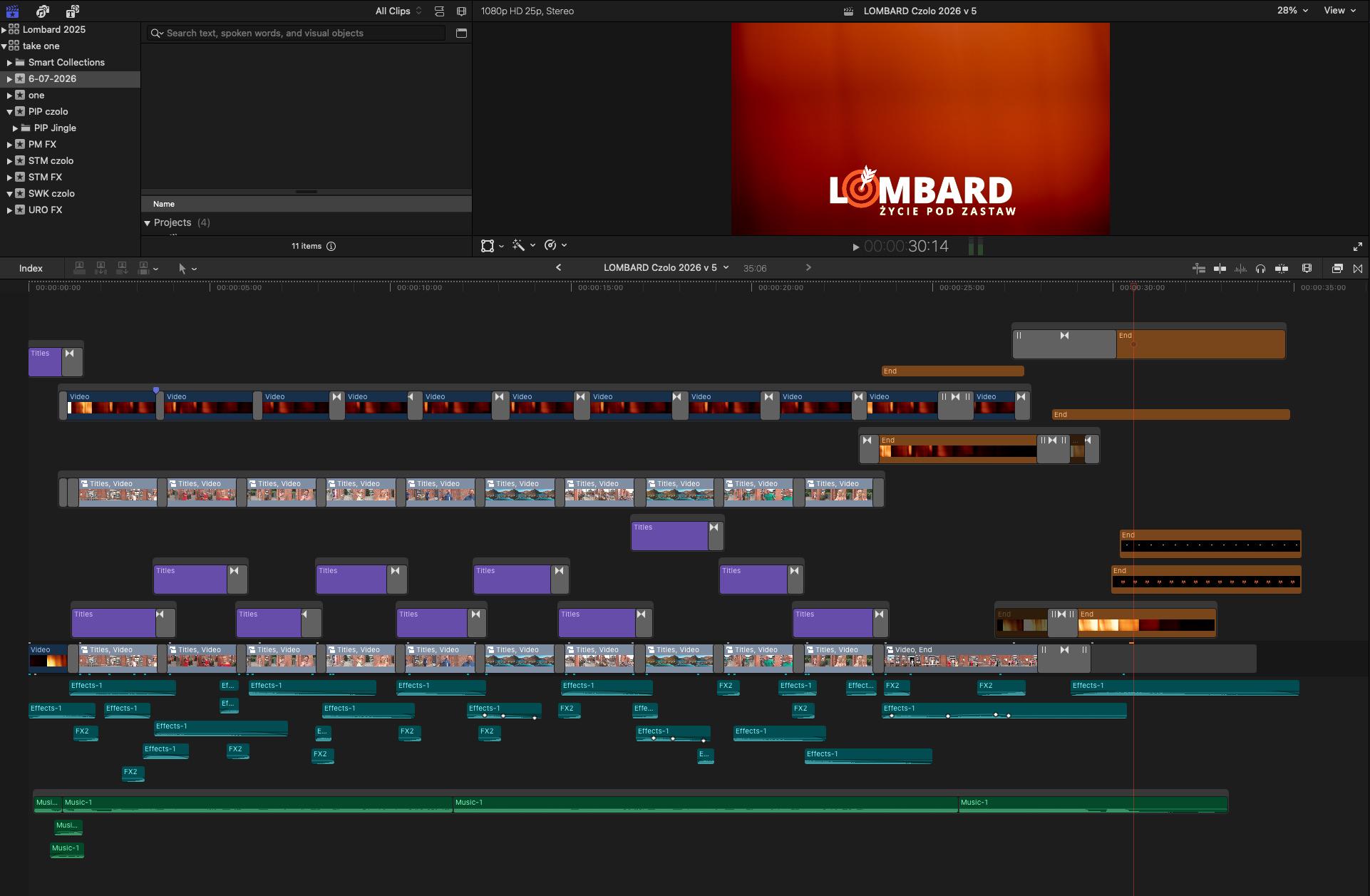
Final Cut Pro X The opening credits of a polish daily docu soap series "Lombard"

Post image
26 Upvotes

r/editlines • • Aug 09 '26

Final Cut Pro X The opening credits of a daily police drama series

Post image
36 Upvotes

r/editlines • • Aug 03 '26

Premiere Pro 41 Minutes of Me Getting a Platinum Trophy

Post image
11 Upvotes

I do a series where I earn my friends platinum trophies and they keep getting longer and more involved. It's always fun to see the final edit line to make sure all my colors look good :)

Vid HERE if interested


r/editlines • • Jul 31 '26

Avid Spider-Man Brand New Day Timeline (not mine)

308 Upvotes

found on IG Avid profile


r/editlines • • Aug 01 '26

Premiere Pro ELDEN RING YouTube video

Post image
33 Upvotes

My biggest project ever, most time was probably spent animating in blender. It's a nightmare, but I never have to look at it again.


r/editlines • • Jul 29 '26

Shortfilm I Edited together with another Editor

Post image
89 Upvotes

Was actually really really funny to send it back and forth towards each other. Also really interesting to let each other give it a try when something was difficult.


r/editlines • • Jun 23 '26

Vegas Pro Timeline For IT MAKES ITS WAY

Post image
249 Upvotes

hey whats up everyone i recently finished shooting my first short film, this was a tremendous project i decided to challenge myself with, let me know your thoughts!


r/editlines • • Jun 18 '26

A recent timeline i did in three days for a recap outcome for my production: zech films.

Post image
139 Upvotes

r/editlines • • Jun 16 '26

3 hours of network TV in a tidy timeline

38 Upvotes

3 hours of network television, 15 acts, 30 songs, multiple packages ... and a nice tidy timeline for mix, color and ultimately deliverables.


r/editlines • • Jun 01 '26

3 Weeks of Work (Got $700)

Post image
383 Upvotes