r/ElegooNeptune4 • • 3h ago

Help Need Help.. N4Max

2 Upvotes

Hey guys! So here's the situation .

I've grot a problem on my Neptune 4 Max (Usb-c version).
I started a new print. The printer Warmed up and once ready to print, it did reboot. I've tried a second time with a new file and same result. The printer warm up and once ready, the head goes down and it reboots. The screen shows the ''About machine'' section and I cant leave or goes anywhere else in the menu.

I've already tried to flash the eMMc card, replace it with another one. Every thing seems to look good until I start a new print (Multiple files from ORCA and the official slicer).

Anybody has been through a similar issue?

Thanks everyone


r/ElegooNeptune4 • • 13h ago

Question Moron Monday - What dumb move have you made with your N4?

4 Upvotes

So I'm printing the abdomen section of a life size Deadpool figure on my N4M. It's about 1.5 kilos of filament when done, even with 5% infill. Been going for about 30 hours or so, another few to go. Anyway, I got up this morning and it was making all kinds of chattering noises and vibration from the build plate, especially when it extended forward. Causing rough print in the infill at the back. Luckily it didn't effect the walls.

Totally didn't think about the weight and it trying to go at 100% speed. Turned that down to 60% and it seems happy now.

Bed slinger brain fart.


r/ElegooNeptune4 • • 1d ago

Loud Y Travel Noise & Failed Prints

5 Upvotes

Really hoping someone on here can help. Had a friend ask me to fix his Neptune 4 Max printer. But I am stumped. I have searched for days on the symptoms and tried everything I found. Here are the issues:

  1. Very loud vibration style noise when moving forward / back with it being louder with increased speed
  2. Ignoring the noise, it consistency jumps off pattern about ¼” into any print

What I have tried:

For printing problem:
a. Manual z offset calibration before and double checked after each bed calibration
b. Completed 2 passes of the 30+ point calibration
Added .4
c. Added Z Hop to both printer & filament settings

For noise:
a. Bed tracks cleaned and lubricated
b. Checked Z motor gear for looseness
c. Ran with it at dozens of different tensions with no difference in tone or volume

I am sure I did more but this is what I can remember. Adding video of Z noise.


r/ElegooNeptune4 • • 1d ago

Question Printing order?

Post image
2 Upvotes

Hey all! First time printer, just bought a Neptune 4 Max.

I’m getting the hang of this fairly quick, but one question I can’t seem to get the answer I’m looking for is with printing order. Am I able to dictate which order I can have something printed by layer? For example: I start the first layer for everything, then have the front objects printed, followed by the rest of the back object afterwards.

It just seems like it would be more efficient having the front two objects finished first, but the first layer for everything established

Cheers!


r/ElegooNeptune4 • • 1d ago

3d Printer Issues /

Thumbnail
gallery
3 Upvotes

I have been having a whale of a time trying to get my 4 Pro printing. I am having two main issues.

The first only affects one quadrant of the print bed. As I am facing the machine it is the right (my right) front (closest to me) quadrant. Prints will often appear a incomplete, as if for a split second here and there no filament is extruding. The rest of the print will be absolutely fine. I have cleared the nozzle to no avail.

The second I would guess is the z-offset but I have run through the gambit of -1.4 mm to -1.6 mm and still have hte problem. The nozzle or housing (not sure which) drags across the print and damages it.

I have attached pictures of my most recent attempt.


r/ElegooNeptune4 • • 1d ago

I feel like power loss recovery doesn't turn off through the touchpad

1 Upvotes

I might be paranoid from the Z offset nightmare you need to do to actually set the z offset properly, but I swear I turned it off and I got the exact same micro-stops from the machine's cache for the G code getting full or whatever. Its not humidity, its not seams, its micro stops like the power loss recovery. Could it be that it is not changingn through the tocuhscreen? Do I just need a firmware update? Do I need more memory? Im so confused


r/ElegooNeptune4 • • 1d ago

Help can't deal with settings

Thumbnail
gallery
2 Upvotes

Hi all

trying to calibrate my neptune 4 plus and have some shit

when calibrating - it looks perfect with basic geometry, but when I print some actual models - it have wobbling on walls + underextrusion at starts of the walls

I've tried to do calibration from start, but have no progress at all.

What should I check to have smth different from this shit?

I'm using Elegoo Neptune 4 Plus + 0.8 nozzle + Orca slicer.

Some settings are presented.

Tried to changed PA, wipe, retraction and changed speed\accelerations.
also checked belts, but they are looks fine and adjusting the pressure didn't help.

thanks in advance for any advice.


r/ElegooNeptune4 • • 2d ago

Elegoo Neptune 4 pro

2 Upvotes

Endstop z still triggered after retract.

n3f-h4nb-2 part have red light upon turning on and off, idle on have no light at all.

It was working fine before but when i upload and print a part with more height than usual i print, this happened.


r/ElegooNeptune4 • • 2d ago

Neptun 4 Plus – Y-axis movement issue.

2 Upvotes

I’m looking for some advice. I have a new Neptune 4 PLUS printer that hasn’t been assembled yet. When I move the bed (Y-axis) back and forth, it gets stuck every 7–8 cm. What could be the cause? I’ve checked the rollers, but I can’t see the issue.


r/ElegooNeptune4 • • 2d ago

Disaster struck today. Gummed up hot end

3 Upvotes

So TSOTL is my hot end is toast. Ceramic heater came off with the wad of PLA and broke in 2, another wire was also hanging. It’s dead. MY QUESTION: how bad is it to buy a replacement got end just like the stock one and save a few bucks or buy the elegoo replacement??


r/ElegooNeptune4 • • 2d ago

Question My printer has started making weird noises. Any idea what it is and if I should be concerned?

3 Upvotes

It seems this only happens during the pre-heat process before a print. I dont hear it when printing has begun


r/ElegooNeptune4 • • 2d ago

Help Orientation help with part

Post image
2 Upvotes

r/ElegooNeptune4 • • 3d ago

neptune 4 max

Thumbnail reddit.com
1 Upvotes

r/ElegooNeptune4 • • 4d ago

Help First truly failed print 1000 hours in

Thumbnail
gallery
8 Upvotes

Looked at my webcam and saw this. If it wasn’t for that misalignment 1/3 of the way up I’d say “wet filament” or something, but I’m assuming this is more likely the spool got caught or something? Suggestions? Neptune 4 plus.

It’s like it shifted 2mm whilst printing…so if not spool, print head knocked ?


r/ElegooNeptune4 • • 4d ago

What kind of error even is this?

7 Upvotes

Super noob here finding exciting new ways to break her secondhand 4 Plus. I replaced the extruder assembly after a blob of death incident, though in my tiredness, I forgot to actually stick the filament in it when I went to do a test print. Realized that, turned it off, loaded the filament, went to restart the print and this happened. The light flashes and it says it's starting up and to wait. Any idea what I did and how I can undo it?


r/ElegooNeptune4 • • 5d ago

Still impressed

Post image
44 Upvotes

This took forever and a day for the N4M to print but it turned out so well. A little post processing needed but it's definitely set me up for a great finished product.


r/ElegooNeptune4 • • 5d ago

Fixing my inconsistant Z-offset

Thumbnail
gallery
12 Upvotes

Those are subsequent print of the same file.

# Cold-state first-layer inconsistency — fixed with a temperature-based Z-offset compensation

I finally solved a first-layer inconsistency on my Elegoo Neptune 4 Plus that had been driving me crazy.

The same G-code, filament, Z offset, and start procedure could produce very different first layers depending on how recently the printer had completed another print:

- Starting after the printer had been idle for more than 10 minutes produced a bad, overly squished patch.
- Reprinting the exact same file immediately produced a good patch.
- Waiting 10 minutes before printing the same file again made it bad again.

Above reproduces the zoffset inconsistency consistently.

The test model is [First Layer Test Patch on Printables](https://www.printables.com/model/1921014-first-layer-test-patch).

## Attached pictures

The four attached pictures are ordered as follows:

  1. **Picture 1:** Bad patch from a cold start.
  2. **Picture 2:** Good patch printed again immediately, with no wait.
  3. **Picture 3:** Bad patch printed after waiting 10 minutes.
  4. **Picture 4:** Extruder-temperature graph for the tests.

Pictures 1–3 show the repeatable first-layer change. Picture 4 shows that the bed remained at temperature while the machine returned toward its idle/cold state between prints.

## Printer setup

Before these tests, I trammed the bed using Klipper's `SCREWS_TILT_CALCULATE`. My normal `PRINT_START` also runs an adaptive bed-mesh calibration for every print. The inconsistent result therefore occurred despite screw-tilt adjustment and a fresh adaptive mesh covering the test patch.

I use openNep4une with silicon spacers.

## What I mean by a “cold start”

In this post, a cold start does **not** mean that the bed is cold.

The bed remains heated between prints and is already heat-soaked. I call it a cold start when the printer has not printed for more than 10 minutes and the rest of the machine has returned toward its idle/cold state while the bed remains at temperature.

This distinction matters because I originally suspected bed heat soak. That did not explain the behavior: the problem still occurred after the bed had been held at 60 °C for a long time.

## What I found

The failure correlated with whether the machine had recently completed a real print. The extruder temperature at the moment `PRINT_START` began turned out to be a convenient measurement of that state, but I do **not** think nozzle temperature alone is the root cause.

That distinction is important because simply preheating the nozzle did not fix the problem. Printing only the skirt and walls as a warm-up did not fix it either. A good result followed a completed patch print, not merely a hot nozzle or a small amount of toolhead movement/extrusion.

Picture 4 shows the correlation I use for compensation: the good immediate reprint began while the machine was still in its recently-printed state and the extruder was hot, while the bad cold-start and delayed patches began after the machine had moved back toward its idle state and the extruder had cooled.

On my printer:

- In the cold/idle machine state, the effective Z position needed to move approximately **0.09 mm farther from the bed**.
- In the recently-printed state, no additional adjustment was needed.
- Using the measured extruder temperature as a proxy, full compensation at or below **60 °C**, no compensation at or above **160 °C**, and linear interpolation between them worked well.

For example, one print began at 85.2 °C. The macro calculated:

```text
TEMP_Z_OFFSET temperature=85.2C adjustment=0.0673mm config: bottom=60.0C top=160.0C height=0.09mm
```

The calculation is:

```text
0.09 × (160 - 85.2) / (160 - 60) = 0.0673 mm
```

I have not proven which physical component or accumulated machine state causes the shift. It may involve the probe, nozzle, toolhead, gantry, frame, or their combined geometry. Starting extruder temperature is only a practical proxy for how recently the printer completed a print. Preheating tests showed that nozzle temperature by itself is not sufficient to reproduce or eliminate the problem.

## Klipper macro

I sample the actual extruder temperature at the beginning of `PRINT_START`, before bed heating, homing, bed-mesh calibration, or nozzle heating changes it. This does not assume that the nozzle causes the shift; it uses nozzle temperature as an easily available indicator of the machine's cold versus recently-printed state.

The helper macro applies the full configured adjustment at or below the bottom temperature, no adjustment at or above the top temperature, and linearly interpolates between them:

```ini
[gcode_macro _APPLY_EXTRUDER_TEMP_Z_OFFSET]
description: Compensate cold-state Z clearance using extruder temperature as a proxy
variable_temp_z_offset_bottom: 60.0
variable_temp_z_offset_top: 160.0
variable_temp_z_offset_height: 0.09
gcode:
{% set EXTRUDER_TEMP = printer.extruder.temperature|float %}
{% set BOTTOM_TEMP = params.TEMP_Z_OFFSET_BOTTOM|default(temp_z_offset_bottom)|float %}
{% set TOP_TEMP = params.TEMP_Z_OFFSET_TOP|default(temp_z_offset_top)|float %}
{% set MAX_Z_ADJUST = params.TEMP_Z_OFFSET_HEIGHT|default(temp_z_offset_height)|float %}
{% if TOP_TEMP <= BOTTOM_TEMP %}
{action_raise_error("TEMP_Z_OFFSET_TOP must be greater than TEMP_Z_OFFSET_BOTTOM")}
{% elif EXTRUDER_TEMP <= BOTTOM_TEMP %}
{% set TEMP_Z_OFFSET = MAX_Z_ADJUST %}
{% elif EXTRUDER_TEMP < TOP_TEMP %}
{% set TEMP_Z_OFFSET = MAX_Z_ADJUST * (TOP_TEMP - EXTRUDER_TEMP) / (TOP_TEMP - BOTTOM_TEMP) %}
{% else %}
{% set TEMP_Z_OFFSET = 0.0 %}
{% endif %}
SET_GCODE_OFFSET Z_ADJUST={TEMP_Z_OFFSET}
RESPOND PREFIX="TEMP_Z_OFFSET" MSG="temperature={EXTRUDER_TEMP|round(1)}C adjustment={TEMP_Z_OFFSET|round(4)}mm config: bottom={BOTTOM_TEMP}C top={TOP_TEMP}C height={MAX_Z_ADJUST}mm"
```

At the beginning of my `PRINT_START` macro, I read the optional settings and call the helper:

```ini
{% set TEMP_Z_OFFSET_BOTTOM = params.TEMP_Z_OFFSET_BOTTOM|default(printer["gcode_macro _APPLY_EXTRUDER_TEMP_Z_OFFSET"].temp_z_offset_bottom)|float %}
{% set TEMP_Z_OFFSET_TOP = params.TEMP_Z_OFFSET_TOP|default(printer["gcode_macro _APPLY_EXTRUDER_TEMP_Z_OFFSET"].temp_z_offset_top)|float %}
{% set TEMP_Z_OFFSET_HEIGHT = params.TEMP_Z_OFFSET_HEIGHT|default(printer["gcode_macro _APPLY_EXTRUDER_TEMP_Z_OFFSET"].temp_z_offset_height)|float %}

# This must run before heating, homing, or bed-mesh calibration.
_APPLY_EXTRUDER_TEMP_Z_OFFSET TEMP_Z_OFFSET_BOTTOM={TEMP_Z_OFFSET_BOTTOM} TEMP_Z_OFFSET_TOP={TEMP_Z_OFFSET_TOP} TEMP_Z_OFFSET_HEIGHT={TEMP_Z_OFFSET_HEIGHT}
```

My slicer calls it like this:

```gcode
PRINT_START ... TEMP_Z_OFFSET_BOTTOM=60 TEMP_Z_OFFSET_TOP=160 TEMP_Z_OFFSET_HEIGHT=0.09
```

The three values mean:

- `TEMP_Z_OFFSET_BOTTOM=60`: at or below 60 °C, apply the full adjustment.
- `TEMP_Z_OFFSET_TOP=160`: at or above 160 °C, apply no adjustment.
- `TEMP_Z_OFFSET_HEIGHT=0.09`: the maximum positive Z adjustment, moving the nozzle farther from the bed.

The `RESPOND` line records the sampled temperature, calculated adjustment, and configuration in the Klipper console, which makes it easier to compare each print with the temperature graph.

## Important warning

The `0.09 mm`, `60 °C`, and `160 °C` values are empirical values for my printer. Do not copy the height blindly: a wrong Z adjustment can ruin the first layer or cause a nozzle crash. Start conservatively, observe the direction of the error, and calibrate it for your own machine.

Since adding this compensation, the cold-start patch, immediate reprint, and delayed reprint have been consistent.
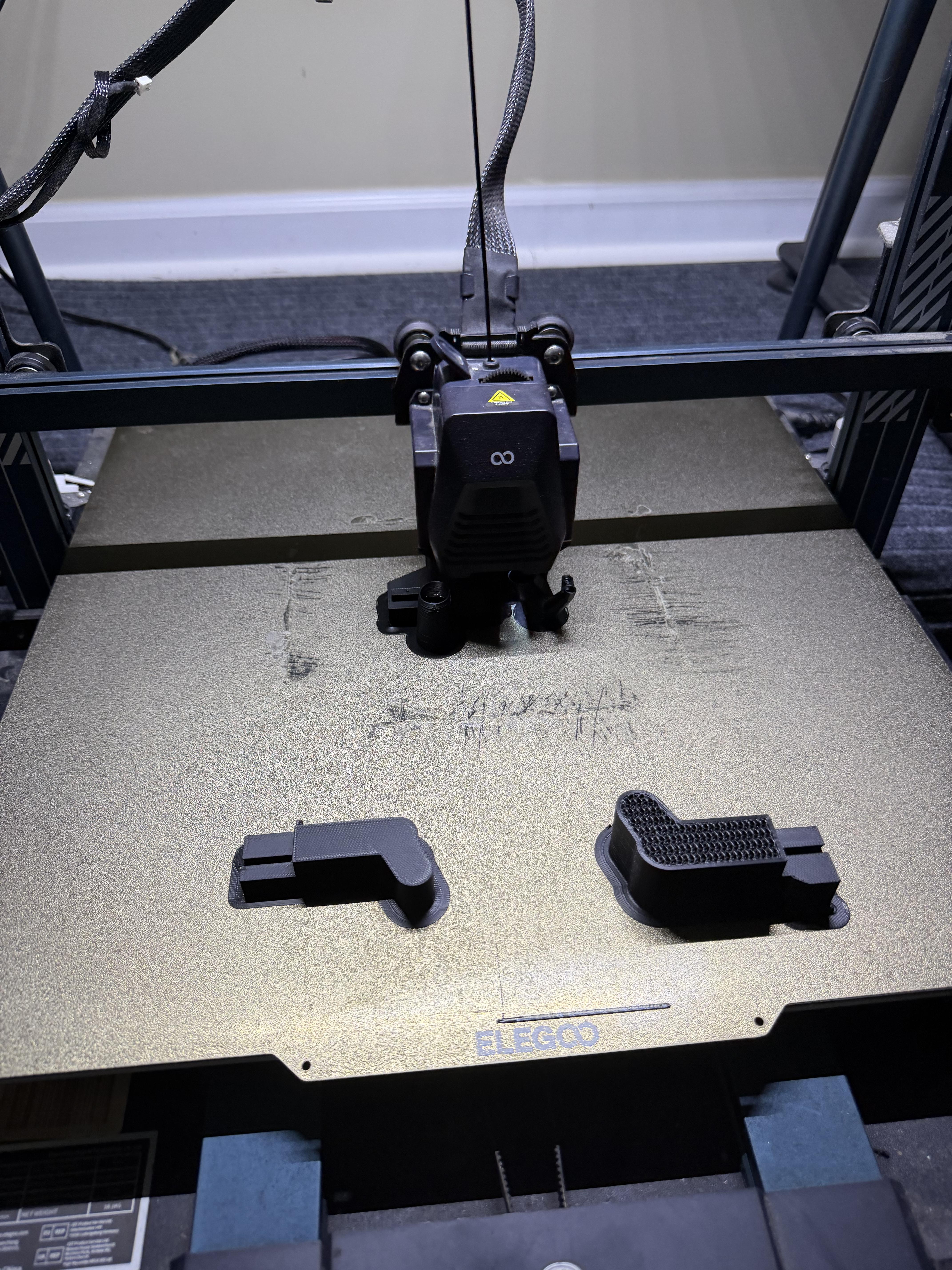

r/ElegooNeptune4 • • 4d ago

Can somebody help me identify the reason for this? I re oriented the pieces in the slicer but still happened again. Tysm!!

Thumbnail
gallery
2 Upvotes

r/ElegooNeptune4 • • 5d ago

Question Using Non Planar Printing on a Neptune 4 Plus?

4 Upvotes

So a couple of Videos I watched online told me to use Non-Planar Printing if I want to save filament & time. But after a bit of research I found a couple of people saying, because the nozzle dips down to follow a slope, a bulky print head or low-hanging cooling duct will crash into parts of the print that are already finished. It usually requires a long, pointy nozzle and a very slim hotend setup. Also that standard slicers (like default OrcaSlicer or Cura profiles) slice strictly in flat 2D planes. So Non-planar printing requires experimental slicer forks, custom G-code scripts, or multi-axis (4- or 5-axis) printer hardware.

Therefore I've come here to ask if anyone has tried it out with a Neptune 4 Plus? And if so how did it go/is it worth the risk? Also because since the Neptune 4s are bed-slingers, would that also not effect the non-planar printing pretty badly?


r/ElegooNeptune4 • • 5d ago

Elegoo Neptune 4 Max printer. Help!!

Thumbnail gallery
2 Upvotes

r/ElegooNeptune4 • • 6d ago

Elegoo Neptune 2/2D/2S core XY conversion

Post image
12 Upvotes

Has anyone tried using the Ender3NG project from RH3D—is it their Neptune 2/2D/2S? RH3D had already said that their project could be used with any Ender3-type printer. The issue with the 2/2D/2S is that the profiles have flat faces, which is solved by making plates to make holes. The main question would be the firmware for the board. I once saw a tutorial on YouTube on the channel "The Feral Engineer" where I modified a 2/2D/2S to use with Klipper. Do you think it's a good idea to revive our Neptune 2/2D/2S, and if so, what name do you propose for this conversion? I like Meteoor.

//////////////////////////////////////////////

Alguien ha tratado de usar el proyecto Ender3NG de RH3D es su Neptune 2/2D/2S? RH3D ya había dicho que su proyecto podía ser utilizado con cualquier impresora tipo Ender3, el tema con la 2/2D/2S es que los perfiles tienen caras planas, lo cual se soluciona haciendo platillas para hacer los agujeros, la duda principal sería el firmware para la placa, alguna vez vi en YouTube un tutorial en el canal "The Feral Engineer" donde modifico una 2/2D/2S para usarla con Klipper. Ustedes creen que sea una buena idea revivir nuestras Neptune 2/2D/2S, y si es así que nombre proponen para esta conversión? a mí me gusta Meteoor.


r/ElegooNeptune4 • • 6d ago

Hi.Need a little help with printer,my daughter has elegoo neptun 4 plus and she printed christmas reindeer but it didn't went well.Could it be that the suggested filament was PLA and she printed it with PETG or is it possible do it anyway and how? Please help...

Thumbnail
gallery
2 Upvotes

r/ElegooNeptune4 • • 6d ago

Parts and auxiliary fans stopped working on Neptune 4 plus

1 Upvotes

Hi,

I have an unfortunate problem with my Neptune 4 Plus printer, running OpenNeptune 4.

Neither my part fans nor the auxiliary fan are starting.

But the heat break, motherboard and power supply fans are working.

Fan settings in my printer.cfg are:

```

[controller_fan heatbreak+mainboard_fan]

pin: PC7

fan_speed: 1.0

idle_speed: 0.5

idle_timeout: 43200 ; 50% speed for 12h then OFF

shutdown_speed: 1

heater: extruder, heater_bed

stepper: stepper_x, stepper_y, stepper_z, extruder

[fan]

pin: PB7

[fan_generic fan3]

pin: PC9

[fan_generic fan4]

pin: PA8

[fan_generic fan5]

pin: PA15

```

Nothing happens when I click "Fan control" on the touchscreen or when I change the fan speed in fluidd.

The auxiliary fan is set to "on" on the switch.

Elegoo's wiki suggests the problem might be the motherboard https://wiki.elegoo.com/neptune/neptune-4-plus-max-fan-not-spinning but I really hope it is not that. And just because Elegoo doesn't have a replacement for my model in-stock 😉

I tried asking on openneptune's discord, but no lock so far.


r/ElegooNeptune4 • • 6d ago

Neptune 4 max screen stuck & the motherboard firmware version missing

1 Upvotes

We Have Neptune 4 Max We Follow this https://wiki.elegoo.com/en/neptune/neptune-4/image-installation-methods Now My Screen Stck The touchscreen always shows:Machine: Neptune 4225 × 225 × 265no firmware version