r/FirefoxCSS • u/Big_Leave804 • 14h ago
Code I hate the new rounded tabs in Firefox so I used CSS to make them square again

9
Upvotes
r/FirefoxCSS • u/sifferedd • Jan 02 '26
r/FirefoxCSS • u/Big_Leave804 • 14h ago
r/FirefoxCSS • u/SuperJibs_ • 2d ago
A faithful CSS theme and icon pack that restores Firefox's classic Proton interface and iconography on modern Firefox builds where the Nova redesign is enabled by default.
Github : https://github.com/JibsouX/firefox-proton-anti-nova-theme
r/FirefoxCSS • u/coccosoids • 2d ago

r/FirefoxCSS • u/Para_Boo • 4d ago

The worst part about the new native Nova theme IMO is the emphasis on rounded borders and pills and the overall much more spacious design: worse, the new Proton theme for Nova only changes the colours back and otherwise still uses all of Nova's geometry. With `browser.nova.enabled = false` being removed soon, I took matters into my own hands and set up my userChrome to restore Proton's geometry. The attached image is the new Proton theme for Nova (so this is *with* `browser.nova.enabled = true`), but with restored geometry. I sourced all CSS (except for the three lines for `#TabsToolBar`) by digging through the old Proton stylesheets, so for the most part the geometry is identical to Proton's rather than just an approximation.
I also made some cosmetic changes at the bottom of the stylesheet. The two interesting ones are:
restore the old native Proton behaviour of the url-bar's border where it will disappear once the results pop up (as native Proton used to do, and as every other browser still does it), and explicitly set the accent colors because any non-Nova theme now inherits these from the OS, which is particularly annoying for Linux users that don't use a full Desktop Environment.
The other two cosmetic changes I made are specifically for Nova, and remove the gradient around the selected tab as well as the gray border around the url-bar. I wanted to try out what Nova looked like with Proton geometry, and I must say with these cosmetic changes to declutter the toolbar it looks much better than Nova with its default geometry IMO. I'm actually considering running with this now instead of the Proton for Nova theme.
Anyway, I figured people here would appreciate if I shared my userChrome:
Note that I've set the accent colors to Nova's purple, but you can use the commented out code below to set it to Proton's blue.
:root {
  /* Border radii. Most borders in the ui eventually inherit from these one way or another. */
  --border-radius-xsmall: 2px !important; /* Nova Default: 4px, Proton Default: 2px */
  --border-radius-small: 4px !important; /* Nova Default: 8px, Proton Default: 4px */
  --border-radius-medium: 8px !important; /* Nova Default: 12px, Proton Default: 8px */
  --border-radius-large: 16px !important; /* Proton Default: 16px, [Undefined in Nova] */
  --border-radius-xlarge: var(--border-radius-medium) !important; /* Nova Default: 24px, [Undefined in Proton, but everything that uses it in Nova used border-radius-medium in Proton] */

  /* Border radius of items in most menus. Nova Default: xlarge, Proton Default: small. */
  --panel-menuitem-border-radius: var(--border-radius-small) !important;

  /* Tab Bar Geometry */
  --tab-border-radius: var(--border-radius-medium) !important;
  --tab-min-height: 36px !important;
  --tab-block-margin: 4px !important;
  #TabsToolbar {
    /* Hacky approximation of Proton spacing between tabbar and urlbar. */
    margin-top: -2px !important;
    margin-bottom: -3px !important;
    z-index: 2 !important;
  }

  /*
    Nova: "Remove" the gradient around the active tab by making it the same color as the rest of the tab.
    Gotta do it like this because outright removing it and/or setting a border color shows clipping artifacts.
  */
  --tab-border-color-accent: linear-gradient(var(--tab-background-color-selected), var(--tab-background-color-selected)) !important;

  /* Url Bar Geometry */
  --urlbar-height: max(32px, 1.4em) !important;
  --urlbar-input-container-padding: round(up, 1px, 1.0px) !important; /* Proton default: round(up, 1px, env(hairline)), but env(hairline) does not resolve in userChrome.css */
  --urlbar-basic-component-size: calc(var(--urlbar-height) - 2 * (var(--urlbar-input-container-border-width) + var(--urlbar-input-container-padding))) !important;
  --urlbar-inner-border-radius: calc(var(--urlbar-border-radius) - 1px) !important;
  --urlbar-border-radius: var(--button-border-radius) !important;
  --urlbarview-margin-block: 0px !important;
  --urlbarview-margin-inline: 7px !important;
  --urlbar-background-overhang-open: 0px !important; /* Computed urlbarview-margin block and inline in Proton */
  .urlbar {
    --urlbar-background-border: var(--urlbar-input-container-border-width) solid var(--toolbar-field-border-color) !important;
    --urlbar-background-border-open: var(--urlbar-input-container-border-width) solid var(--panel-border-color) !important;
    --urlbar-background-border-focused: var(--urlbar-background-border) !important;
    --urlbar-background-box-shadow-open: 0 2px 14px var(--chrome-box-shadow) !important;
    --urlbar-background-outline-focused: var(--focus-outline-width) solid var(--toolbar-field-border-color-focus) !important;
    --urlbar-input-container-border: var(--urlbar-input-container-border-width) solid transparent !important;
    --urlbar-input-container-outline-open: none !important;
    --urlbar-input-container-outline-open-focused: none !important;
    --urlbar-input-container-outline-offset-open: 0px !important;
    --urlbar-input-growth-open-inline: var(--urlbar-margin-inline) !important;
    --urlbar-input-growth-open-block: var(--urlbar-container-padding-block) !important;
    --urlbar-searchmode-switcher-panel-list-min-width: auto !important;
  }
  .urlbar-input {
    line-height: calc(var(--urlbar-height) - 2 * var(--urlbar-input-container-border-width)) !important;
  }
  .urlbar-input-container {
    border: var(--urlbar-input-container-border) !important;
  }
  .urlbar-input-container, .urlbar-background {
    border-radius: var(--border-radius-medium) !important;
  }

  /* BELOW IS GEOMETRIC NON-GEOMTERY CSS */

  /*
    Restore native Proton's behaviour where the URL-Bar's focused border-color disappears
    once the results overview opens. Proton implemented this by setting CSS rules for the border when
    the class "suppress-focus-border" does NOT exist on the URL bar. This appears to be dynamically
    added and removed as needed by Firefox; it still does this in Nova, but the CSS for Nova adds a rule
    that sets the value of `border` unconditionally. So we just add an overriding rule to make the
    border transparent whenever that class is on there, though it does rely on them not actually
    removing this behaviour in the future...
  */
  .urlbar:[focused]:is([suppress-focus-border]) {
    --toolbar-field-border-color-focus: transparent !important;
  }

  /*
    Accent colors: must be explicitly set, because since Nova every theme besides the default builtin theme
    cannot actually set accent colors and just inherits them from the OS (gtk on linux). Stupid change.
    https://blog.mozilla.org/addons/2026/09/29/nova-is-here-what-changes-for-your-firefox-theme/
  */
  /* Nova's default purple accents (looks quite good on Proton too) */
  --color-accent-attention: light-dark(var(--color-green-50), var(--color-green-20)) !important;
  --color-accent-primary: light-dark(var(--color-violet-50), var(--color-violet-30)) !important;
  --color-accent-primary-hover: light-dark(var(--color-violet-60), var(--color-violet-20)) !important;
  --color-accent-primary-active: light-dark(var(--color-violet-70), var(--color-violet-10)) !important;
  --color-accent-primary-selected: var(--button-background-color-primary-active) !important;
  /* Proton's default blue accents */
  /* --color-accent-attention: light-dark(var(--color-green-50), var(--color-green-20)) !important; */
  /* --color-accent-primary: light-dark(var(--color-blue-60), var(--color-cyan-30)) !important; */
  /* --color-accent-primary-hover: light-dark(var(--color-blue-70), var(--color-cyan-20)) !important; */
  /* --color-accent-primary-active: light-dark(var(--color-blue-80), var(--color-cyan-10)) !important; */
  /* --color-accent-primary-selected: light-dark(var(--color-blue-60), var(--color-cyan-30)) !important; */

  /* These must be manually set as, outside Nova, they still inherit the OS accents for some reason */
  --toolbarbutton-icon-fill-attention: var(--color-accent-primary) !important;
  --button-text-color-primary: light-dark(var(--color-white), var(--color-gray-70)) !important;
  --link-color: var(--color-accent-primary) !important;

  /* Nova: Remove the small gray border around the url-bar */
  .urlbar:not([focused]) {
    --toolbar-field-border-color: transparent !important;
  }

  /*
    Nova: "Remove" the gradient around the active tab by making it the same color as the rest of the tab.
    Gotta do it like this because outright removing it and/or setting a border color shows clipping artifacts.
  */
  --tab-border-color-accent: linear-gradient(var(--tab-background-color-selected), var(--tab-background-color-selected)) !important;
}r/FirefoxCSS • u/SuspiciousTry3 • 3d ago
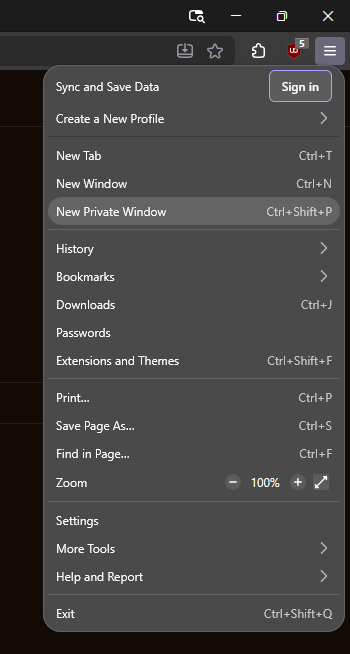
A recent update brought on these ugly rounded corners on the context menu. How do remove it? I had these on my CSS script and now it doesn't work.
/* Nova Rounding Adjustments */
:root {
--border-radius-xsmall: 1px !important; /* Nova Default: 4px, Proton Default: 2px */
--border-radius-small: 2px !important; /* Nova Default: 8px, Proton Default: 4px */
--border-radius-medium: 3px !important; /* Nova Default: 12px, Proton Default: 8px */
--border-radius-large: 4px !important; /* Proton Default: 16px, [Undefined in Nova] */
--border-radius-xlarge: 6px !important; /* Nova Default: 24px, [Undefined in Proton] */
}/* Nova Rounding Adjustments */
:root {
--border-radius-xsmall: 1px !important; /* Nova Default: 4px, Proton Default: 2px */
--border-radius-small: 2px !important; /* Nova Default: 8px, Proton Default: 4px */
--border-radius-medium: 3px !important; /* Nova Default: 12px, Proton Default: 8px */
--border-radius-large: 4px !important; /* Proton Default: 16px, [Undefined in Nova] */
--border-radius-xlarge: 6px !important; /* Nova Default: 24px, [Undefined in Proton] */
}r/FirefoxCSS • u/SuperJibs_ • 3d ago
A faithful CSS theme and icon pack that restores Firefox's classic Proton interface and iconography on modern Firefox builds where the Nova redesign is enabled by default.
Github : https://github.com/JibsouX/firefox-proton-anti-nova-theme
r/FirefoxCSS • u/Adryan19 • 5d ago
Hello! i'm having a problem regarding blur on Firefox. I'm using custom userChrome.css to make Firefox transparent and blur with wayfire on Arch Lxqt, all parts are transparent and blured, except sidebar and i don't know how to make it blured. Also, in Xfce with picom sidebar, with the same chrome.css is blured. Please, i need help!, Thank you!
r/FirefoxCSS • u/Acasiop • 6d ago
r/FirefoxCSS • u/sojournerx • 6d ago
Hi guys, I'm a newbie so please forgive my ignorance and sincere apologies beforehand! I'm missing the text from the settings menu, like so:
When I create a new profile with no custom css file, it appears just fine:
Could I pick your collective brains to point me in the right direction, as far as troubleshooting or where to look in my css file to correct this?? Again, I don't really know what I'm doing and installed most of this by monkey see, monkey do instructions from Aminomancer's github. Any and all help is greatly appreciated! Thank you.
https://github.com/aminomancer/uc.css.js#script-descriptions
Sorry, that's the link to the theme and scripts.
r/FirefoxCSS • u/twelvnighn999 • 6d ago
currently using Linux mint 22.3 (Cinnamon), recently found out about CustomCSSforFx and I was wondering if its possible to make the new firefox look something similar to firefox 29-40 (with the australis interface)

(what i currently have so far, im sure you will get what im going for.)
r/FirefoxCSS • u/McBobby03 • 8d ago
Can someone please post the userChrome.css for Tabs on Bottom for Firefox 160.0.
Thanks to a &$%&^@# hacker, I have to set up my computer right from scratch.
Please and thanks.
r/FirefoxCSS • u/ReggieNJ • 9d ago
r/FirefoxCSS • u/Vetrushka_or_smth • 9d ago
I am using Linux, and Firefox 156.0.
r/FirefoxCSS • u/jessamyn • 10d ago
I know just enough to be dangerous. How can I remove these tiny clock faces that have appeared everywhere?
Example: https://imgur.com/a/rbN4bpe
Thank you.
r/FirefoxCSS • u/bryvood • 11d ago
I tried searching but couldn't find an answer for my specific problem. I followed the advice on another thread on how to change the purple accent color on the settings page, but when I hover over another button, the hover accent is still purple.
I currently have this in my userContent.css
:root {
    --color-accent-primary: lightgreen !important;
    --color-accent-primary-hover: lightgreen !important;
	--color-accent-primary-active: lightgreen !important;
}
I thought "hover" would do the trick but it didn't change what I was wanting to change and now I'm at a loss.
r/FirefoxCSS • u/nugt-_- • 11d ago

r/FirefoxCSS • u/DarkholdSpell • 12d ago
How do i fix this annoying transparent suggestion box when clicking URL bar? For better context, i'm using Firefox v160.0 (flatpak version) on Linux (Ubuntu 26.04) and Add Water app as an add-on. Could this be the Add Water app problem? or the flatpak version problem?
r/FirefoxCSS • u/ackzilla • 12d ago
r/FirefoxCSS • u/Im_Special • 12d ago
So updated to FF160 today and now I'm noticing a few annoyances I didn't before, either they are new, or my old way(s) of hiding them now don't work.
In the URL bar "Select All", "Separator" and "Add website" at the bottom, I'm on the fence about "Select All" but I wanna try and hide it to see if I miss it enough :P
Now when highlighting text or links, I have two "Copy Link to Highlight" and "Copy Clean Link to Highlight" I would like to hide those.
Any help is appreciated, and thanks in advance.
r/FirefoxCSS • u/OddSikeliotGuidance • 13d ago
r/FirefoxCSS • u/Outrageous_Froyo_933 • 13d ago
Something like zen browser


