r/GetComputerHelp • u/Complete-Gas142 • 12d ago
Need Help figuring out why New setup is not working.

1
Upvotes
r/GetComputerHelp • u/Complete-Gas142 • 12d ago
r/GetComputerHelp • u/believeinyuna • 12d ago

r/GetComputerHelp • u/Ancient_Most_3103 • 12d ago
Hi everyone. I’m trying to connect my Mnn portable monitor to my iPhone 15 . I’ve tried using usb c to usb c while also having the monitor plugged with usb c to usb A into wall charger . Only that that appears on screen is no signal and then I get a message on my phone saying “ this accessory uses too much power”. My monitor works well when I use it with my ps5 connected via mini hdmi. I’m not quite sure what to do .
r/GetComputerHelp • u/ID_Keks • 13d ago
Hi, ive got this glitches in Camera movment. (Video)
I set my Monitor and Computer to 144 Hz and response Time to Standart.
When i set Both to 60 Hz These glitches are on there.
Can someone hell me please?
Thanks
r/GetComputerHelp • u/titeuffeur06 • 13d ago

Bonjour à tous, depuis quelques temps ( environ 3 mois) chaque mise à jour de mes pilotes m'affiche un message d'erreur mais l'installation s'est quand même faite correctement ( enfin je crois) mais depuis j'ai un petit problème chaque fois que je lance l'appli nvidia, mon 2ème écran s'éteint puis se rallume cela me le fait qu'avec l'appli nvidia.
quelqu'un saurait il d'ou cela peut venir?
Edit: je viens de me rendre compte que mon écran secondaire s'éteint et se rallume aussi quand je change la résolution de mon écran principal dans un jeu
r/GetComputerHelp • u/Personal-Ad-1919 • 13d ago
r/GetComputerHelp • u/MusicianAvailable523 • 13d ago
r/GetComputerHelp • u/Personal-Skirt-4895 • 13d ago
r/GetComputerHelp • u/sparrowsilk • 13d ago
r/GetComputerHelp • u/shiro_oub • 13d ago
r/GetComputerHelp • u/Tight-Opening-6327 • 13d ago
r/GetComputerHelp • u/souldere • 14d ago
Hey everyone, I’m running into a terrifying issue with my Acer Aspire Lite 16and could really use some advice.
Out of nowhere while I'm working, the screen starts glitching out. Until now it hadn't gone fully white, but whenever it happens, it suddenly resets/logs me out back to the regular Windows lock screen—though thankfully all my open windows and work are still there underneath once I log back in.
The main reason I'm panicking is that I have major exams coming up, and I can't afford for my screen to crash or glitch out mid-test.


r/GetComputerHelp • u/Same-Director3031 • 14d ago
r/GetComputerHelp • u/newkid1788 • 14d ago

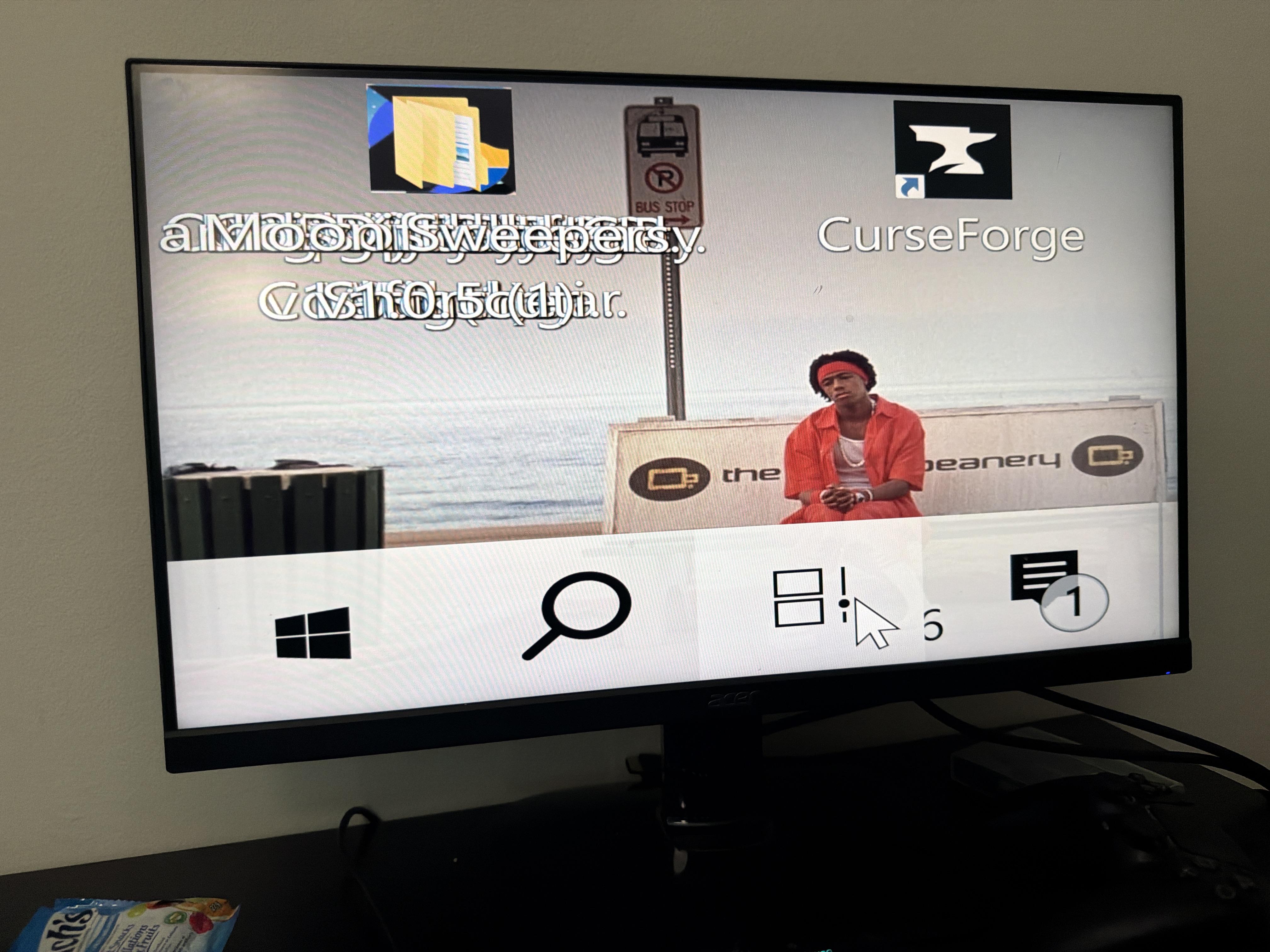
Booted up my laptop after several months of not using it and wanted to play some Helldivers. Came up to having these visual issues and not quiet sure what to do. Any help would be greatly appreciated! Thanks in advance!
r/GetComputerHelp • u/FEEDTHEGRINDER • 14d ago
r/GetComputerHelp • u/Valuable-Mango-7095 • 15d ago
r/GetComputerHelp • u/Thereisnolinkhere • 15d ago
r/GetComputerHelp • u/Exact_Influence_3172 • 15d ago
r/GetComputerHelp • u/Rare_Bedroom5460 • 15d ago
Hi everyone,
I’m having a frustrating issue with my ASUS ROG Zephyrus G14 (GA403UM, 2025 model) and I’m hoping someone here has experienced something similar.
The problem:
Whenever I connect my laptop to an external display via HDMI (I’ve tested both a TV and an external monitor), everything initially works fine. However, after approximately 5 minutes, Windows crashes with a blue/black screen showing the error:
VIDEO_DXGKRNL_FATAL_ERROR (0x113)
After the crash, the laptop screen stays black and the system doesn’t seem to restart properly.
Interestingly, the laptop works perfectly fine when no external display is connected.