r/ModifiedLightPhones • • May 04 '25

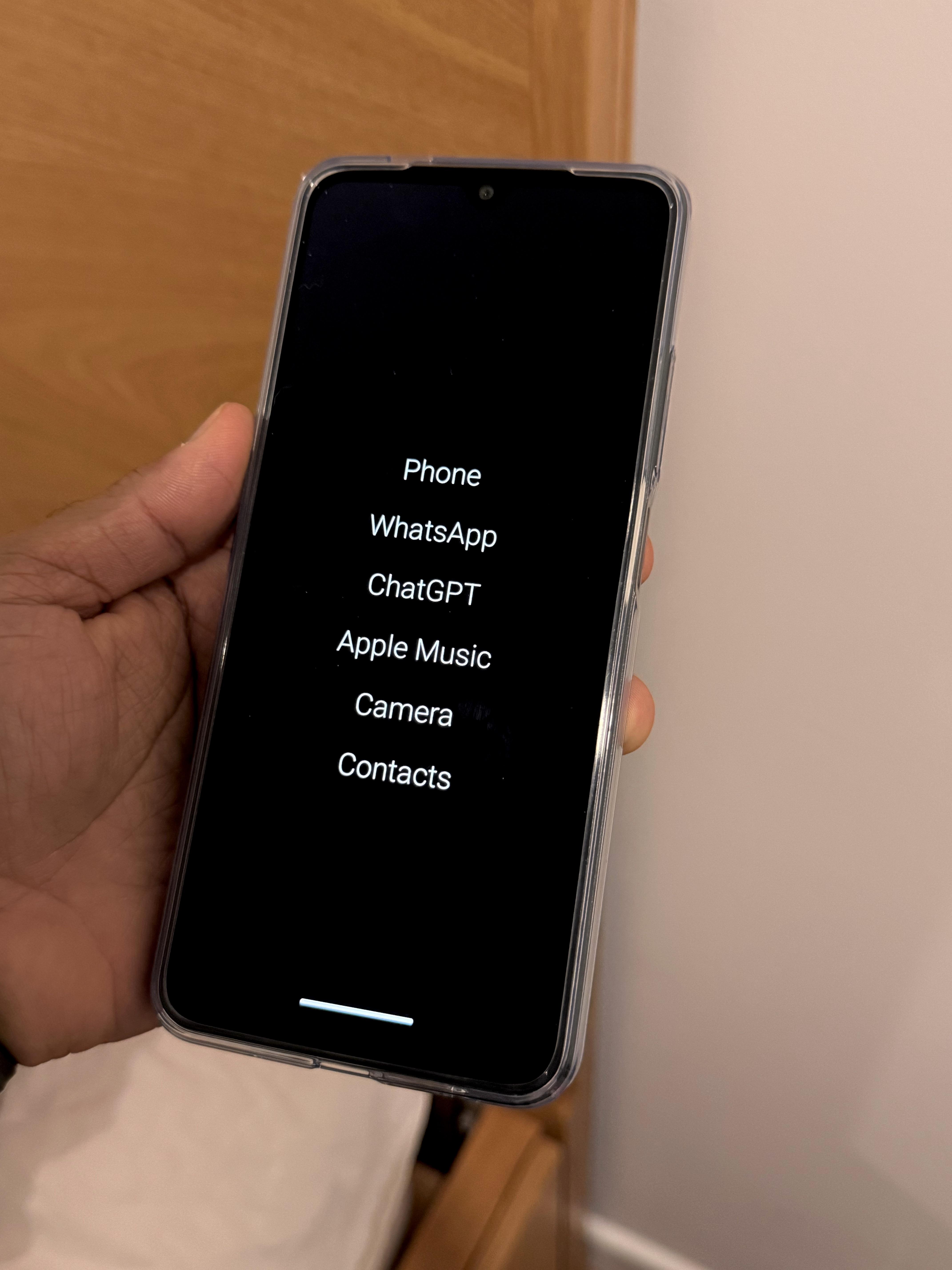
Lumia Mini ™

92 Upvotes

Installed Groove Launcher this morning, and while still a bit buggy/limited (wish I could theme ALL of the tiles/icons), using it as your launcher on the LPIII hardware specifically really does feel like having a baby Lumia or Lumia mini :)

If you want, you can download the apk directly from the groove launcher GitHub page if you search for it 🤙


r/ModifiedLightPhones • • Dec 18 '25

Resources My Setup

81 Upvotes

I have modded the DuckDuckGo browser to be more black with the Oled screen, modded the tuner from an open source apk, also the keyboard that you see in the browser is the open source simple keyboard modded my me to be completely black and remove the number hints on the letters so that it matches the aesthetics of the light OS.


r/ModifiedLightPhones • • Apr 28 '25

The Best Of Both Worlds™ (The ultimate LPIII ‘hybrid’ experience)

62 Upvotes

So a couple weeks (and lots of experiments) into my Android-ified LPIII journey, I feel like I’ve finally landed on a setup that feels the most true to the hardware, and like a solution that gives me access to what I find to be the best parts of LightOS and the ethos of the device and software…all while making it significantly more useful as a true daily driver that still helps reduce screen time and phone usage compared to a traditional smartphone.

Here’s a brief video of the setup, but here’s the specifics of my setup if you want to try the same. I can also shoot video and upload any specific questions you may have. Just comment and I’ll try my best to show and tell whatever I can ;)

  1. I decided to keep LightOS as my main launcher/UI. I really love the simplicity & focus of the LightOS podcast app, directions/maps, calendar and camera. I still have more tools than that enabled in LightOS so that I can continue to see if I find them useful compared to any Android counterpart, but having access to those right now directly from the homescreen is awesome.
  2. I’ve tried my best to “hide” the Android layer within the overall experience. Using Before Launcher w/ LL Akkurat as my custom font, center aligning the launcher like LightOS (and trying to visually match the font size as close as possible to LightOS’s launcher, my hope if that the “Android tools” feel as native as the Light tools do…at least at the entry point.

Additionally, using Key Mapper, I’ve hidden Android/Before Launcher behind a double click of the home button—while not having the single home button press mapped to anything in Key Mapper, that way it functions normally when in the LightOS layer. This way I can easily jump in and out of Android whenever I want, all while the top level UI feels as seamless and native as possible.

3) I go back and forth on this one, but by putting a color correction tile toggle in settings I give myself the option to keep things in b&w but able to pretty easily toggle color on if need be.

4) This isn’t specific to the UI, but to help make battery life significantly better and more manageable as a daily driver (and get more than a handful of hours of battery life) I’m keeping my LPIII in battery saver & data saver mode all of the time. Your mileage will vary depending on how and what you’re using your LPIII for, but I’ve kind of decided limiting background processes and overall device speed is worth it for the LPIII and what I’m using it for.

5) THIS ONE IS IMPORTANT!! (Actually I’m not sure if this will help, but it feels like a “better safe than sorry” thing to do) but go into developer settings and scroll down and toggle off “Automatic System Updates.” I know there’s been a lot of beef and animosity about running this kind of setup from Light diehards and Light themselves, but hopefully this allows for the option to avoid any further lightOS updates that may disable Android access. Personally, running this specific setup, I can’t think of any updates Light could make to LightOS that would supersede my want for a hybrid setup on the LPIII—so this feels necessary and a no-brainer.

6) SIDE NOTE: Since running in this set up, any restarts or crashes that may have happened in the background have either not happened, or been completely invisible to me on the surface. For example, this morning when I started using the phone I noticed that it was back in monochrome mode, even though I was had color correction off just before bed, so even though it must’ve restarted overnight, because of this specific setup, everything seemed normal and seamless :)

—————————

Some drawbacks of this setup to be aware of

  • This setup is essentially leaning into “hybrid mode” (or whatever we’ve decided to call it where LightOS and Android kind of coexist, but remove back gestures and global access to the notification shade) so because of this I have to be on the Before Launcher homescreen to access my notification shade (You can go into before launcher settings > gestures > swipe down to allow for a downward swipe to pull down the notification shade if you weren’t aware)
  • Additionally, because of hybrid mode, you need to setup/key map “back” and “recents/multitasking” to buttons on your LPIII. I have the scroll wheel button set up with single click for back and double click for recents/multitasking, but it’s up to you how to map those…I only bring it up because they’re pretty fundamental for navigation.
  • Lastly, because you’re using the Android layer, you’re still going to see the traditional Android lockscreen if you have the fingerprint scanner enabled—which I only bring up because it isn’t the cleanest in keeping up the complete LightOS illusion as mentioned at the top of my post. An option is to turn off screen lock, which would circumvent the Android lock screen, but that’s a personal call to make.

So anyways, yeah…I’m sure there are a couple/few more bits & bobs I probably missed in this (and I’ll update this as I continue to find better, more useful ways to run hybrid) but for now this feels like a holy grail way to use the LPIII.

A best of both worlds experience ;)


r/ModifiedLightPhones • • Apr 17 '25

So I guess I’ll go first? 🤷‍♀️

Thumbnail
gallery
57 Upvotes

Firstly, I’m so happy this sub opened up because the official one was feeling especially gatekeep-y, hostile…and even vaguely threatening. Tbh, I’m still a little freaked and looking over my shoulder, and feeling like maybe I shouldn’t post this because they’re gonna find this and come for me too—but I’m happy nonetheless…so ty 🥰🙏

K, with that out of the way!

Listen, I understand Light wanting people to stay on lightOS build because of the company’s ethos and mission—but having used the LPIII a few days now (and the Minimal Phone for about a week and a half before it) I find their current heel-digging to be a bit shortsighted. While their methodology and approach to phones is principled and commendable—especially in today’s day and age—that approach truly isn’t the only means to achieve their desired outcome in people’s lives.

They’ve designed, engineered and built an absolutely brilliant piece of hardware. It should honestly win every ID award and land in a few museums somewhere…it;s honestly that good. But it’s also a device whose core UX, even while running Android, is cumbersome (not bad) hindered (not bad) and full of inconveniences (kinda bad…we need Google Services! lol) when compared to normal, modern smartphones. Is it as “off the grid” as when it’s running the light launcher? Absolutely not.

BUT…

Given the limitations of the LPIII’s design (battery size, screen size, ergonomics etc) even just a few days into using it, I feel I can confidently say it accomplishes many of the goals they’ve set out to achieve, and still stays relatively true to their core mission in building a digital detox device…but now it’s just one that doesn’t throw the baby entirely out with the bath water.

As a Minimalist Phone owner as well, I feel like they both accomplish relatively the same thing—but just get there in different ways. With the MP01, the eink display causes just enough friction and annoyance to not make you want to pick it up every 5 seconds, doom scroll, get lost on TikTok/Instagram/YouTube for hours, but when you DO need to use it, all of the conveniences you need to exist in today’s world are there. With the LPIII (and again I’ve only had mine a few days) the experience has been similar—but rather than the eink display, it’s the form factor & screen size that makes it just annoying enough to not want to do all of those things.

But with both the MP01 and the LPIII, the makers have built stunning, OPINIONATED, counter-cultural objects that just beg to be used (despite you not ACTUALLY using them that much) They’ve threaded the needle in ways that most hardware makers can only dream. It’s a massive, Herculean accomplishment to have shipped what they have, both them AND Minimal—and I just hope they eventually come around to the fact that the idea of “detox,” and the utility of devices like the LPIII and MP01, are much more nuanced and more of a spectrum than they’re currently projecting :/

Anywho! So who’s gonna get Google Play services running on this thing? 😏


r/ModifiedLightPhones • • Sep 30 '25 Diamonds are Forever

Resources light phone iii modding guide

Thumbnail acrobat.adobe.com
51 Upvotes

new and improved light phone iii modding guide (jul 2026)

hello everyone! :)

it was requested of me from the discord community to redo and fix a lot of the issues from the old modding guide. after nearly a month working on this, i'm happy to announce that it is complete and as up to date as it possibly can be!


[click here for the new modding guide]

!! DO NOT SKIM READING THE GUIDE !!

(95% of most frequently asked questions have already been answered in the guide, you just need to read it.)


this document is a temporary placeholder until i can set up a website dedicated to the documentation as well as handling dcrs better, but i'm sure it will serve the community greatly. i will say it is mostly in order, but it wasn't meant to be read entirely from top-down. there's a lot of jumping between sections and it was meant to be tailored to the individual reading it. all changes have been documented and will continue to be updated as needed.

this has been an incredibly interesting endeavour of mine of being able to share my knowledge with everyone. from here, i'll be working on my other projects but i'm still continuing to work on this guide and there's so many more things i'm working on that will make it into the guide in the future!

thank you to everyone who helped me on this on discord, as well as the support from the community <3


additional notes:

to note, it is in adobe acrobat. this was to preserve the original ocr from microsoft word, and google docs honestly just doesn't compare. because it is such a large document, i highly recommend utilising the navigation pane on the right side of the screen that way you're not going to give yourself carpal tunnel trying to scroll through all of it.

comments are enabled and encouraged - you can post anonymously or sign-in with google, acrobat, etc. feedback is always welcome :)

if the link is not working, there is a good chance i took it down to upload additional changes. down time for this will never be longer than an hour.

dcrs are accepted and information can be found at the end of the guide. this was designed to be a living document that will continue to change and community input is important to ensure this guide stays up to date and i haven't missed anything.


change log:

the full change log can be viewed within the document under 'document change history'.

LATEST 20 jul. 2026 (v4.0)

  • includes sections for SDK and community-made tools.

19 dec. 2025 (v3.1.1)

04 dec. 2025 (v3.1)

20 nov. 2025 (v3.0)

07 oct. 2025 (v2.1)

04 oct. 2025 (v1.5)

30 sept, 2025 (v1.3)

28 sept. 2025 (v1.2)


- sir bloody sabbath


r/ModifiedLightPhones • • Feb 13 '26

Discussion Spotify client for the Light Phone III (Crosspost)

Thumbnail gallery
50 Upvotes

r/ModifiedLightPhones • • May 07 '25

I Fixed Everything Wrong With The LP3 (Video)

Thumbnail
youtu.be
44 Upvotes

Hello friends! I stumbled upon this today. I think it might help a lot of people here.

I was originally going to post this on the Light Phone subreddit but I think the vibe there has generally shifted to shunning modding/jailbreaking the LP3, correct?

Regardless, hope this helps a few people. Enjoy!


r/ModifiedLightPhones • • Aug 31 '25

Balancing Utility & Minimalism

Post image
41 Upvotes

Thanks for the wisdom on this channel & u/iamkory for going first. Thought I'd share my LP3 modding experience/setup.

Everyone has a distinct use case, but thought there might be interest in sharing this. For context, I work multiple roles that are email/diary heavy and have adequate resources to find this information via work or personal computers in a timely way. If someone needs me out of hours, I trust they will call me. I don't do on-call at present, so there's no life-threatening emergencies.

I used LP2 as a daily driver for 6+ months from Nov 2024, using an iPad Mini for everything else meantime. I'd had the LP2 since 2020, and used it for weekends at most. The enduring wait, friction and need for signal was such that I got a refurbished Z-flip 5 for a few months before the LP3 arrived. Curiously, the Z-Flip - made as minimalist as possible - would be my strong recommend as a minimal smartphone, it has a smaller, lighter form factor than LP3. (A post for another time & forum.)

Thus, I received my LP3 and went the mixed combo as per the pinned mod-guide. For someone with mild/mod late 1990’s computer chops at best, it was smooth and easy to follow. Thank you!

Additional optimisations to hold balance between function & utility:

LightOS Apps:

Phone/Podcasts/Settings/Hotspot/Album/Camera

Apps: (O-Launcher Home)

  • Signal - this is the main reason I modded the device
  • Music - (max 4-5 albums at a go, was having issues w/ LightOS music)
  • Password Manager
  • WhatsApp (with 15sec pause)

O-Launcher swipe Menu:

  • 2FA via Yubico
  • Banking App for daily cash account
  • OSMaps
  • SyncThing – key documents, music and LP3 photos to home computer in background.
  • Proton Calendar - (most likely thing to delete on this list at present)

Lockdown approach:

So, making it harder to further fiddle with the setup has also taken a bit of time to establish. I think this is one of the key tensions in the balance between LP3's utility optimisation & minimising intrusive device habits. If the device remains easy to tweak/play with in permanence, it's not achieving what I want it to do.

Hence,

  • Removed Time from the lock screen – this was pretty key in reducing glances. I wear a watch.
  • Triple click Home to go to O-Launcher Home Apps
  • Re-mapped the settings to some absurd combination that I have to intentionally press and am likely to mess up.
  • Hide all extra apps from O-Launcher swipe up menu
  • DigiPaws to force pause all nonessential apps & time sinks (incl WhatsApp, Calendar & SyncThing, and all the hidden ones)

Plus, other small tweaks:

  • turned on fingerprint security for lock
  • keymapped keyboard to disappear/reappear w/ long press volume keys in Signal/WhatsApp
  • keymapped torch to require both pressing the wheel & vol up to prevent accident on
  • added floating colour correction toggle over everything (mainly for Signal Photos/video calls/GIFs)
  • Set audio notifications so that the only sounds are the phone ringing, sms and one contact in signal.
  • no google/spotify on the device.
  • Paid for MacroDroid – Jamie has a way to purchase a serial key directly.
  • Tried Pi Music Player, but needed a G-Account to kill the ads, so swapped to Music Player Lite.
  • Also worth noting is since having the LP3 I've travelled domestically, using saved boarding passes via SyncThing & reservation details via Signal's "Note to self" function as backup.

To wit, I think LP3 is a wonderful device; I'm really happy with it. I love the friction and how it forces intentionality. The build is solid and the company philosophy is robust. I am hopeful that it can move into being the gold standard for non-smart phones that u/jbriones95 has predicted.

Right, that's it. Good luck with your Modding & hope someone out there finds this useful!


r/ModifiedLightPhones • • May 10 '25

how to lock down your android layer

37 Upvotes

Honestly I see the risk of fully killing the magic of "feeling light" when enabling the android layer.

We do not want just another minimalist-launcher-smartphone where we end up accessing unnecessary distractions again - at least for the ones who bought the device for the vision and not just for the form factor.

The approach of light in blocking you out completely is the most effective way of resisting temptation, period.

However when we are able to establish a way for users to add apps, but still lock down the experience in so far that no rabbit hole can be followed, modifying can actually happen in an appropriate way.

And there is a way. Therefore I also ask u/joelightphone to leave a backdoor to the android layer, so we can further explore this. The current Windows+N method seems to be a perfect balance in reachability.

Quick summary

I've achieved a non intrusive integration of the android layer and the additional apps while eliminating any* (see note at the bottom) possibility to do anything besides accessing the careful selected and installed apps.

Preparations

I've followed

Apps I've installed through Aurora Store

  • WhatsApp
  • Local Weather App
  • kDrive (Swiss File Cloud)

    • This automatically syncs all my photos (yes even the ones captures with LightOS to the cloud, which is freakin awesome and it also allows me to scan documents)
    • The working Photo-sync indicates that this could also work with Dropbox etc.
  • Spotify not, I prefer the simple Podcasts App within LightOS
  • that's it!

Key Mapper

  • If you map a key to a button (i.e. double press), it can happen that within LightOS the button looses its function (i.e. volume down, camera..) to avoid this, setup the mappings with "do not remap"

    • Still for the flash light "do not remap" is not enough, mapping to the scroll wheel button which by LightOS enables the Flashlight will disable the functionality completely
    • Yes I tried adding another trigger just to toggle the flashlight, which did not work
    • you have to try your mapping with "do not remap" or without it and see what works best
  • Therefore I ended up mapping the launcher to the Home-Button as a double press (without "do not remap")

    • This allows for a very elegant switch between LightOS Launcher and Before Launcher
  • In order to be able to record keys you need to reduce text and display size to minimum, after you setup everything, revert back by applying one + size each

System Settings

  • Fully disable mainly Chromium and all other apps that you never want to use, this includes Aurora Store etc. that you needed to set everything up
  • Keep Swipe Gestures disabled - this is key! It allows to open any additional apps without being able to swipe to anywhere else / loose the simplified LightOS experience. Absolute Key!!

Before Launcher

  • Set background to a full black image (you can just make a pitch black photo under a blanket)
  • Disable Notification View and App Drawer, basically disable everything
  • If you want to access settings, long press on an app within the launcher, this way you can access "launcher settings" -> "system settings" or add an app to the launcher that you need (except the ones we disabled previously)

Other Notes

  • Did not had any luck with setting up banking apps, the setup process got stuck

    • Solution: $ Cash is the way to go
  • Haven't tried Android Auto yet, would be really interesting..

* Now the final step would be to remove the "Before Launcher" mapping completely and only rely on direct access to the apps by mapping them to the buttons. This way there will be ZERO ways to access anything outside of LightOS and the additional Apps.

It would be to good to have a locked down launcher, which would not allow to leave the launcher over settings. Getting back to the android layer to fine tune anything would then happen through connecting the Keyboard with Windows+N again, which is actually a great, far enough way currently, please leave it as is ;).

Hope this helped anyone interested in keeping the android layer non-intrusive.


r/ModifiedLightPhones • • Apr 19 '25

Do you need a guide to modify your Light Phone 3?

33 Upvotes

Just wanted to know if people need a guide to modify this beautiful phone. If so give this a like and we’ll put up a guide - stay safe and happy Light friends


r/ModifiedLightPhones • • May 05 '25

LP3 with Moment Lens

Thumbnail
gallery
28 Upvotes

Let me preface this by saying the following. My main passion and means of income in life is through photographic print sales. My tools are film cameras, including instant film, 120mm, and 35mm. I have zero issues with digital, i simply have never found a camera that allows me the proper work flow (mentally). I have been in search of a way to utilize digital for a long time, using older medium format systems, and the newer Sigma FP, which is the closest I've come as a main driver. As is, the tactility and beauty of the LP3 truly solves half of the issues i have with digital systems. Simply stated, it puts a smile on my face just holding it. After years of shooting, this is something that is most important for me. Any tool that keeps me curious and exploring visually is the right tool. For a long time i adored the xperia phones, using the xz1c and xz2c, the former arguably the best compact phone of all time (until the lp3). Sadly most carriers have blacklisted it. BLAW BLAW BLAW. All this is to say that Light has created something remarkably special for those who intimately enjoy the visual world. I typically dont print larger than 5x7, with the occasional 8x10, so i'm not too concerned with sensor sizes. The rendering of the lp3 image is enough to create a nice starting point for me, expanding on the files with a bit of dodging and burning, curves, etc. Pair this with the tele lens that Moment offers, and you now have yourself quite a beautiful system with a normal field of view. I know these images are not for everyone, just wanted to offer a very unique experience from someone who has been waiting for something like this for a long time. I'll post more as i explore, but here are two very simple shots from around the house this morning. Much love.


r/ModifiedLightPhones • • Dec 01 '25

Resources Getting Started - Why You Should Modify Your Light Phone

27 Upvotes

We've had a lot of new modders and tinkerers come over to the subreddit lately, so the mod team would like to say:


Welcome to r/ModifiedLightPhones!


So you're here, you've heard about modifying your Light Phone or have heard of r/ModifiedLightPhones, interested or would like some additional information on what we do.


What is modifying?

Modifying is to change something slightly, often to improve it.

For the Light Phone, modifying the devices is a spectrum. Some people opt for a few changes to their devices so that it fits their particular use case or they want to modify it completely to essentially make it a different phone.


Why should I modify my Light Phone?

The whole purpose of modifying your Light Phone is to give you some freedom outside of LightOS.

Whether you like Light's LightOS or not, we all have something that we may not like about the phone. This could be:

  • LightOS is missing (insert app name)
  • I can't change xxx setting in LightOS
  • I want a better alternative to a 'Tool'
  • I have privacy or security concerns regarding the phone

    • i.e. lockscreen or automatic syncing

This isn't to say that these things can't be fixed in LightOS. However, some of us may want an alternative now instead of waiting for an update.


There's also the following arguments:

'If I modify my Light Phone, then that defeats the purpose of the phone'

OR

'If I modify my Light Phone, I'll be too tempted to use (social media/the internet/etc.)'


Modifying your phone does not have to defeat its core purpose of being a dumb phone / feature phone. It is completely possible to modify your device for a few select apps as well as removing certain things such as Chromium, or having a dedicated launcher that prevents additional modification or temptation (see Luma Strict fork).

That being said, if you know you're going to stray away from a social media or smartphone detox and have no self-control, modifying your Light Phone is not recommended.


What is the difference between Hybrid Mode and Full Android?

When modifying the Light Phones, we use two distinct use cases - Hybrid Mode and Full Android.

Both have their pros and cons and it is highly recommended you read each one to determine which fits you and how you use the phone.


Hybrid Mode - a use case for those who wish to use LightOS but require some additional applications for them to make a complete switch to the phone.

  • Pros:

    • LightOS will always be running unrestricted in Hybrid Mode. This allows you to switch between the Android layer and LightOS seamlessly.
    • The focus is still on primary use of LightOS, while giving users the freedom to side-load apps of their choice that may hinder a full switch to the Light Phone.
    • Ability to use LightOS and its features/sync.
    • Continuous software updates from LightOS without additional work required.
  • Cons:

    • Having multiple applications open at once and running in the background will drain your battery fairly quickly.
    • You do have the option of restricting and/or optimising some of your Android layer applications to help conserve battery life, but the downside is that you may miss key notifications from i.e. messaging applications.
    • You still might be plagued by existing LightOS bugs, glitches and random reboots.

To run Hybrid Mode successfully, you may want to opt to keep your Android layer presence to a minimum to conserve battery life and you’ll need some Hybrid Mode specific additions to help usability.


Full Android - for those who wish to remove LightOS on the phone and run a fully Android device.

  • Pros:

    • This may be for people who bought the phone for the hardware and/or don't like LightOS's embedded launcher.
    • Android is considerably more stable than LightOS meaning less bugs, glitches, random reboots, etc.
    • Better battery life. Without LightOS running, you won’t have an additional app constantly running in the background and draining the battery further.
    • More ability to customise the phone without Light being involved.
  • Cons:

    • More difficult to get FOTA (firmware over the air) updates and LightOS updates. Requires the use of ADB (SDK or Shizuku/aShell) and can be reversed.
    • Some features may need assistance with ADB to work.


Does modifying your Light Phone void the warranty?

Short answer: no.

Long answer: accessing the Android layer in any capacity will not void the warranty. However, modifying the device software to the point that it bricks or breaks the phone will void the warranty. If there is an unrelated hardware defect, the device would still be covered under warranty. (see comment from Joe Hollier)


Which apps will work?

  • All FOSS (free and open-source software) will work

    • Includes: Signal, WhatsApp
  • Some Google apps will work (with a severely limited version of microG/revanced)
  • Apps that do not require Google Play Services / Google Framework Services

    • Includes: Microsoft applications, Spotify
  • Some apps that require Google Play Services (the apps may complain but some features may still work)

    • Banking applications can be hit or miss
  • Social media (although not optimised for use on a square screen)

See also: What apps will work on the Light Phone? (MEGA THREAD)


We are not affiliated with r/degoogle, although they have plenty of alternatives that will work on the Light Phones if your main app will not work on the device.


Modding Guide(s)

Light Phone 3 - Modding Guide (includes comprehensive root guide for Light Phone 2 in 'Additional Guides')

Light Phone 2 - Android 11 Root Modding Guide

Light Phone 2 - Android Access


r/ModifiedLightPhones • • Apr 30 '25

…and so it begins?

Post image
27 Upvotes

Who’s gonna be the first?


r/ModifiedLightPhones • • Jun 01 '25

I made my own “light” phone

Post image
26 Upvotes

This is a secondary device where I’m trying to get a similar experience to that of the lightphone III.

I bought a cheap android device ($77,06 brand new) I installed a minimal android launcher(free) and uninstalled most of the apps. I just kept and added the ones that I needed at the moment (I may add more apps as needed, thinks like maps and transportation but not social media or games are allowed in this device). I also deactivated notifications and set up the screen to only black and white.

So far I’m super happy


r/ModifiedLightPhones • • Apr 18 '25

Fingerprint sensor works on android layer

25 Upvotes

Video shows my ring finger not working, then my index finger working to unlock the phone. It works surprisingly well. All you have to do is add a fingerprint in the security settings and enable the Lock Screen to unlock with fingerprint.

Using Before Launcher.


r/ModifiedLightPhones • • Jul 05 '26

Resources Standalone Spotify client for LPIII :)

Thumbnail
gallery
22 Upvotes

Hey guys, I've been working hard over the last 2 weeks to get this working just right, and now I'm really excited to release the first version of Phono, my standalone Spotify client for the Light Phone III. Please note that many changes + fixes will likely be coming down the pipeline, so keep an eye on the GitHub repo. Feel free to contribute as well!!!


r/ModifiedLightPhones • • Jun 24 '25

Got my light phone nicely set up!

22 Upvotes

Really excited to finally get this thing set up with Signal and the fingerprint reader to be untethered from Light's weird "dashboard-based" software. Huge shoutout to the pinned google doc author and everyone else in this sub who helped them, there was lots of stuff I would have struggled with otherwise!


r/ModifiedLightPhones • • Jul 20 '26

Resources [UPDATED] Light Phone III Modding Guide

Thumbnail acrobat.adobe.com
20 Upvotes

The modding guide (also linked above) that been used by the community since it's inception received a massive update following the release of the Light-SDK.


New guide additions!

- A dedicated section for the release of the SDK.

This includes:

  • Setting up developer mode
  • ADB & USB debugging
  • Installing external apps/tools
  • Disabling / enabling auto-foreground

- List of community-made tools for the LP3

(nod to awesome-light by garado and the Discord community).

- Minor fixes for ease and readability (because some people don't read).


Some other note-worthy guides included:

  • Applications and application compatibility
  • Disabling 5g (for battery optimization and signal stability if needed)
  • Further battery optimisation outside of LightOS
  • Full Android mode or Hybrid mode (if desired)


As a disclaimer, I am not liable if you mess up and/or brick the device. The guide was created to be as idiot-proof as possible to minimize the risks involved, but if you do something wrong, I am not at fault for it. There is risk to modding a phone.

IF you do not understand the more advanced parts of this guide, do NOT attempt them. If you do not have an understanding of what you are doing, you are far more likely to break something.

That being, said DO NOT SKIM. There's a lot of information included in the guide but it is imperative that you read through the guide(s) completely otherwise you may miss something.


Happy modding! - sir bloody sabbath


r/ModifiedLightPhones • • Mar 20 '26

Discussion Light Phone III Back Panel Customization

Post image
20 Upvotes

Half dbrand skin half carbon fiber vinyl warpe


r/ModifiedLightPhones • • Jan 09 '26

Discussion Made a weather app for my LP3 and about to find a new owner for device

Thumbnail
gallery
19 Upvotes

⁠• about to find a new owner for my LP3, if anyone interested, please ping me with DM • it’s barely used, no wears and tears, no scratches and any damage, matte protection screen on the screen from day one • tried to use it in hybrid mode, but turns out i have to many apps i use on daily basis, for home, for work etc, bring it as a second device is a bit gimmicky

so if any interest in the device, i’d give up on it for $499 with 2 original rubber cases in black and yellow


r/ModifiedLightPhones • • Oct 02 '25

Android Layer Lockdown is Embarassing [small rant]

19 Upvotes

While I vaguely understand that the existing system is vulnerable to compromise via the Android layer, it's ridiculous to "fix the loophole" when the official "operating system" (react app) doesn't even support using a fingerprint reader.

The promise of the light phone for so many people was the potential to simplify our lives by taking control of our digital environment, but Light continues to antagonize the community by making it impossible to meaningfully customize the device, expecting us to wait on their half-baked software forever. Super disappointing and embarrassing from a company I really looked up to before this device.


r/ModifiedLightPhones • • Apr 17 '25

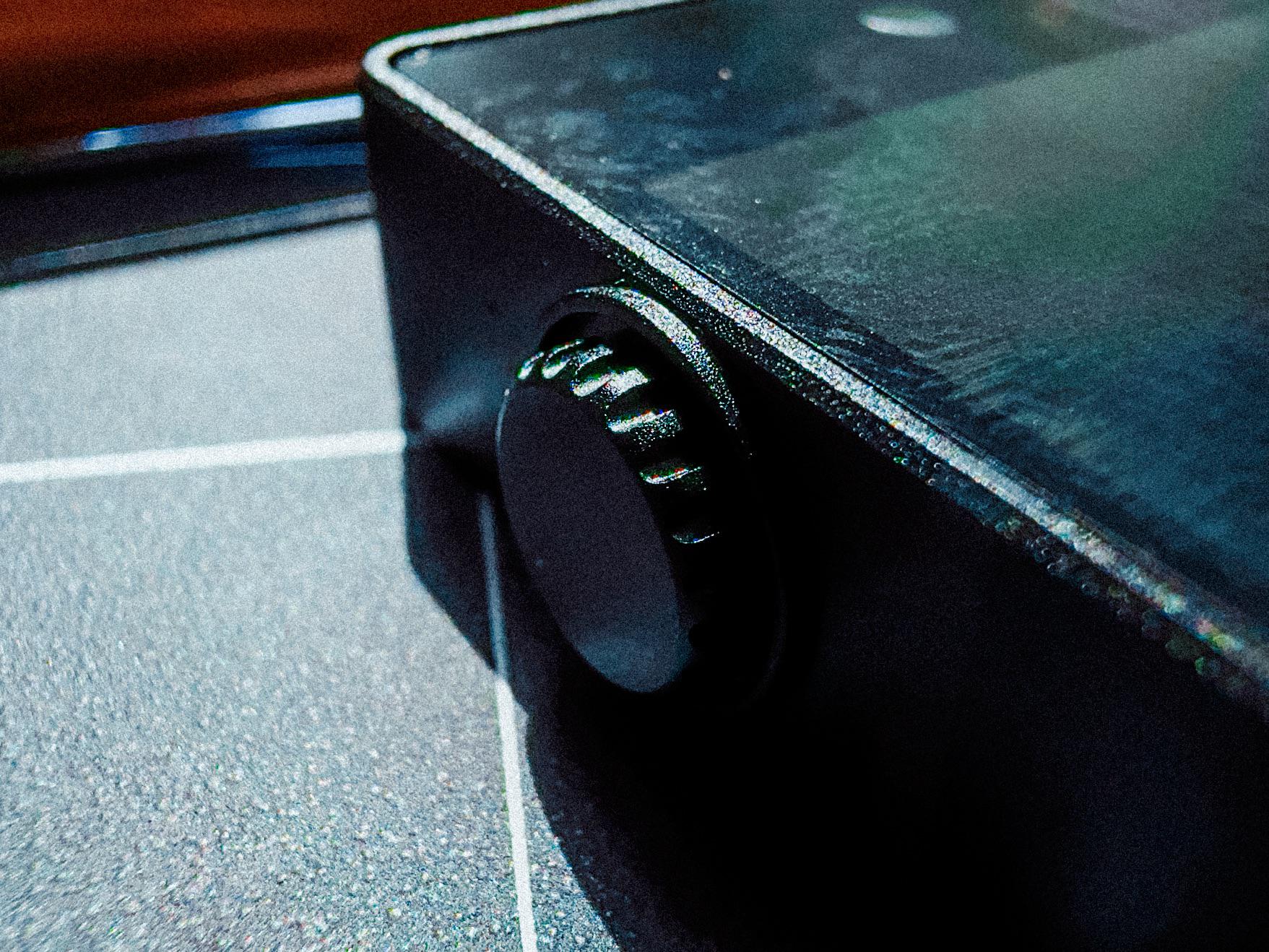
SCROLL WHEEL: Anyone else think this would be KILLER for scrolling through kindle/instapaper/etc?

Post image
18 Upvotes

From what I can tell Key Mapper needs click events to trigger actions (or maybe I’m just way too green a user with it lol) but was brainstorming what the scroll wheel could be used for, practically…and scrolling whatever is on the screen would be 🤯 prob will require deeper access though I’d imagine.

Anyways…what else? What do Y’ALL think would be the best use of the scroll wheel in the Android environment—barring we ever figure out access?


r/ModifiedLightPhones • • Dec 12 '25

Resources my current set-up

16 Upvotes

i wanted to share my set-up with you all, and maybe some of you may get some ideas from it! my focus for the light phone 3 was for strictly utility, battery optimisation and privacy. that's not to say that everything on the device is privacy-oriented, as there were some apps that don't have foss alternatives (i.e. greenify), but that is the ultimate goal. my set-up changes, but not as frequently as it once was when i was heavily tinkering with it. i generally have it at a nice happy spot and haven't had the need to tinker with it for well over two months.

=

homescreen

i currently use luma. out of all of the launchers i have tried and tested for my own use case as well as for the modding guide, luma has been the best so far. it's gentle on the battery, small storage and i do adore the ability to change app labels. you can see my use of it throughout the homescreen.

  • phone: right dialer
  • messages: textra (still working on finding a foss alternative that works with group texts and mms and doesn't crash).
  • signal
  • contacts: fossify contacts
  • weather: weather by vandamd
  • maps: herewego (sits in my work profile)
  • internet: ironfox
  • camera: opencamera
  • gallery: fossify gallery
  • spotify
  • pipepipe: it's youtube premium without needing an account or having to pay. includes .mp3 and .m4a downloads, background playing and pop-up player.
  • vlc: for running my downloaded videos. also can be used as a music player
  • calculator: fossify calculator
  • calculator++: scientific calculator
  • calendar: fossify calendar
  • notes: notesnook, syncs with my supernotes
  • clock: fossify clock
  • power planner: planner that syncs with my laptop and supernotes
  • proton mail
  • simplelogin: email alias service w/ proton to filter spam and for giving out email addresses.
  • keepassdx: password manager
  • keepassdroid: also password manager, but a temp fix until the yubikeys are ordered and arrive.
  • aegis: 2fa authenticator
  • pulse: brightspace

=

other apps

  • aurora store
  • bitchat: bluetooth mesh communications routed through tor. rarely use it, but keep it just in case of a blackout.
  • f-droid
  • file manager: fossify file manager
  • greenify: allows me to hibernate (kill processes / force stop) apps. i utilise this daily to keep my battery usage in check.
  • imagepipe: removes exif data from images
  • island: work profiles or 'island' for me to put my spyware and tracking apps, incl. banking apps. it sandboxes apps better than aosp android, and doesn't allow apps to see my sensitive and personal information on the 'mainland' part of the phone. there is also the ability to freeze downloaded apps (essentially disabling them but not removing them). i have done this with t-life and banking apps as well so they aren't waking up out of hibernation and trying to phone home without me being able to keep an eye on them.
  • keymapper
  • mullvad vpn: my main vpn for privacy purposes. i pair it with mullvad's dns servers to prevent dns leaks and protect my privacy online. set for 'always on' and 'block connections without vpn'.
  • neostumbler: allows me to scan for wi-fi networks, cell towers and bluetooth beacons.
  • netguard: vpn for the work profile that allows me to firewall my bad apps within the work profile from accessing the internet (unless i want them to).
  • obtainium
  • orbot: vpn, for those times where i want to use tor.
  • organic maps: for trails
  • pdf viewer: mj pdf, there isn't a dedicated pdf viewer on the light phone, and the browser works too, but not for every pdf.
  • redreader: foss reddit client
  • shizuku / ashell: for adb use if i'm feeling lazy.
  • tor
  • wikipedia

=

quick tiles

  • sensors off: turns off the microphone, camera, proximity sensor, etc. with a tile. phone calls are unaffected with this setting enabled. can be added through android developer settings. i also have a key map set up to automatically turn it off when i want to use the camera.
  • internet / mobile data
  • bluetooth
  • colour correction
  • location
  • do not disturb
  • airplane mode
  • mullvad vpn
  • battery saver
  • data saver
  • auto-rotate
  • screen record
  • extra dim: added through accessibility settings in android system settings
  • night light: automatically turns on/off the blue light filter at specific times
  • hotspot

=

settings

network & internet

  • wi-fi:

    • under saved network(s) and privacy: randomised mac address.
  • sims:

    • i set my data warning & limit to my monthly cycle and changed the data to reflect it.
    • preferred network type: lte/tdscdma/cdma/evdo/gsm/wcdma. i essentially use 4g/lte and will until t-mobile ultimately shuts it down. it's nicer on the battery and data usage, and isn't plagued by the obstacle problems of 5g/nr.
    • calling preference: call over mobile network
    • voice over cellular internet: this is volte, and is required for some networks including t-mobile.
    • automatically select network: enabled
    • allow 2g: enabled, especially for emergency calling.
  • data saver: on
  • private dns: all.dns.mullvad.net

connected devices

  • i don't use bluetooth often, and while nfc can be enabled i have no use for it, so i left it disabled.

apps

  • default apps: ironfox, right dialer ('phone') and textra
  • app battery usage: i explain this more in the modding guide under 'additional guides > battery optimisation'.
  • permissions: i have gone through every app and either enabled or disabled permissions as needed. obviously, not all permissions can be granted or revoked, so there is some limitations to this.

notifications

  • app notifications: i only allow notifications from select apps, as to not bombard my notification shade. greenify, keymapper, mullvad, netguard and signal (background) all sit in silent notifications. for actual notifications, i have allowed only textra, signal, keepassdx, clock, calendar, pipepipe, spotify, music player, obtainium, organic maps, phone, power planner, proton mail, quickstep, shizuku, vlc.
  • sensitive notifications: disabled
  • show sensitive / work profile notifications: enabled.
  • hide silent notifications in status bar: enabled (i do not need to see a mullvad, netguard or greenify icon persistently. the vpn icon is sufficient for me).
  • allow notification snoozing: disabled

battery

  • battery saver: on
  • battery percentage: show in status bar, enabled.

sound & vibration

  • phone ringtone: custom
  • media:

    • show media on lock screen: enabled
  • vibration & haptics: enabled
  • default notification sound: argon
  • default alarm sound: neon / custom ringtone
  • screen locking sound: enabled
  • dial pad tones, charging sounds, tap & click: disabled
  • work profile sounds: use personal profile sounds

display

  • lockscreen:

    • privacy: show sensitive content only when unlocked
    • show device controls: enabled
    • use device controls: enabled
    • double-line clock: disabled
    • always show time and info: enabled
    • wake screen for notifications: enabled
  • screen saver: off

accessibility

  • downloaded apps: greenify, key mapper and luma are on

security

  • screen lock: pin and fingerprint
  • more security settings:

    • use one lock: enabled
    • fingerprint for work: enabled

privacy

  • show passwords: disabled
  • show media on lock screen: enabled
  • show clipboard access: enabled (i had the reddit app on my s24u telling me it pasted from the clipboard. this toast message does come in handy for knowing things like that)

location

  • location: off 90% of the time
  • location services:

    • wi-fi scanning: off
    • bluetooth scanning: off

passwords & accounts

  • autofill service: keepassdx (allows me to autofill passwords and keepassdx is set up to immediately close databases once a login has been autofilled).
  • auto-sync personal data: off
  • work: nothing enabled

system

  • keyboard:

    • on- screen keyboard: magikeyboard (keepassdx) and futo keyboard
  • gestures: gesture navigation (not my favourite but helps with screen real estate).
  • developer options:

    • oem unlocking: disabled
    • quick settings developer tiles: only enabled sensors off
    • usb debugging: enabled
    • wireless debugging: enabled (for shizuku).
    • wi-fi scan throttling: enabled (reduces battery drain & improves network performance)
    • wi-fi non-persistent mac randomisation: enabled (device mac address changes every time it connects to a network with mac randomisation enabled)
    • mobile data always active: disabled.
    • transparent navigation bar: enabled
    • smallest width: 423-460 dpi. any more than that can cause quickstep to break.
    • always show crash dialog: enabled (shows a dialog every time an app crashes).
  • hardware feedback: disabled

=

use

depending on how heavy my usage is, i can see anywhere from 1-2 days on a single charge. i have quite a few things running in the background including dual vpns (which definitely take a toll on the battery).

that being said, i don't use the phone much either. it's a tool for me. i opted to keep it primarily utility-based (which is essentially why i bought the light phone 3 in the first place).

does social media work on it? yeah, but not well. it's almost pointless to try and use it. discord sometimes plays nice, but i rarely use it on the light phone. redreader is nice for reddit without reddit's tracking b.s. but it's not used much either. same thing with banking apps. i keep them but they're usually frozen or hibernated and do not see much use. i prefer doing things on my computer, especially for the screen real estate. the light phone definitely managed to maintain the friction aspect when it came to the screen, that's for sure.

i keep a very close eye on my device and all the fun things it's doing. generally speaking, i have a pretty tight leash on the apps i've downloaded. additionally, key maps make the usability so much easier and it's nice to be able to add and change key maps so that the nice hardware that came with the light phone 3 can still be used and repurposed.

i've ran full android like this for 4-5 months at this point, and it's been smooth sailing for the most part. it's been considerably more stable than lightos, i've encountered a whole whopping one bug. if you need any further information on some of the stuff i've talked about, a lot of it (key maps, battery optimisation, app suggestions and alternatives) all lie in the modding guide, otherwise feel free to ask me about the other bits of my set-up.

how do you all have your modded light phones set up?
(don't feel pressured to include everything like i did).

cheers!


r/ModifiedLightPhones • • Oct 13 '25

Resources Hybrid mode usage

16 Upvotes

So after 2 days of use of the hybrid mode here is my review:
I have the following apps installed:

Signal

Duck Duck go Browser

Tuner and Metronome

Weather by vandamd

Passes by Vandamd

Luna by Vandamd

Oss scanner

Keymapper

F droid

Aurora Store

i have these settings to save battery: Battery saver, dim display. destroy activities from developer options, no background processes from developer options, restricted battery usage for all apps, and disabled the apps on the android side that I don’t use. I had locations turned on for maps.

Started my day yesterday at 8 am at 100 percent, used the phone like normal, it was just messaging and calling yesterday, i went to bed with 80 percent, woke up in the morning with 70 percent used the whole day with some messaging and signal, its almost 20:00 now and my battery is at 50 percent. I am pretty happy with the results, looks like it would go for another day, in my experience the LP3 loses 10 percent overnight. If you have any questions feel free to ask below. For me i think i will continue using it in Hybrid mode as for me 3 days of battery life is amazing with all the apps i have now.


r/ModifiedLightPhones • • Jul 02 '26

Discussion LightOS SDK is now live!

Thumbnail
github.com
14 Upvotes