r/OnnStreamingTV • • Feb 12 '26

Guides/Tips Onn Quick Start Guide: Setup, Sideload + More Tips!

39 Upvotes

Quick Start Banner Image

This subreddit is community-run and not affiliated with Walmart or Onn.

If you're new to the sub please refer to this before posting. This guide and the Wiki will be updated to reflect any new updates, and contains resources that could be useful to all Onn users or potential buyers.  

To clear any confusion, this sub is for the Google TV based streaming devices Walmart sells under the Onn brand. Any questions about other unrelated Onn branded electronics should go elsewhere.

Quick Links

Many of the resources below may already offer answers to questions you have.

Related Subreddits

Subs relating to Onn’s OS and some of the commonly used apps. Some questions may be better answered elsewhere, searching/posting in the right sub often gets faster and more accurate advice.

New User Guide

These devices are pretty quick and easy to setup, but this guide will help you through the basics and suggest adjustments users commonly make.

First Power On

Pair your remote and select your language, choose between Google Home app setup or Manual setup. You must sign into a Google account regardless of setup method

After logging in and accepting the terms, you’ll be prompted to enable Google services. Many users choose to disable “Help improve Google TV”, as it does not affect functionality and reduces data collection.

When setting up the remote control for your TV, note that not every TV model is supported. You also may need to try multiple configurations even if your brand is listed.

Once setup is complete, you’re ready to start installing apps and streaming.

Sideloading

Direct links to illegal piracy or IPTV service apps are strictly prohibited in this sub.

Sideloading is the process of installing apps not available on the Play Store. It's often referred to as “jailbreaking” the device, but there is no true jailbreak for Onn devices.

Common methods of sideloading are Downloader, internet browsers, or uploading APKs/installing through file mangers.

You must enable the “Install unknown apps” permission for the app used to install.

While many sideloaded apps are safe and useful, this is also the easiest way to install malware. Use reputable sources and understand the risks. Consider scanning unknown APKs with VirusTotal.

Check out this guide for more tips on sideloading.

Tips and Troubleshooting

Developer Options

To enable developer options navigate to Settings > System > About > Android TV OS Build and click 7 times, you should see “You are now a developer”.

Common tweaks to developer settings include:

  • Setting Animation scales to 0.5x for snappier navigation.
  • Adjusting USB configuration if using external storage or peripherals.
  • Enabling USB or Wireless debugging for ADB access.

Only allow trusted sources to connect via ADB.

Launchers

Many users prefer third party launchers over the stock one, as they give more control over the home screen and remove Google's recommendation system.

Projectivy has a built in override, while many other alternatives will require disabling the stock launcher using a tool like Launcher Manager.

Button Remapping

Many users like to remap unused buttons, TVQuickActions Pro is a popular option that allows mapping more functions than just opening an app.

Mobile Apps on TV

Many mobile Android apps work when sideloaded, but some may require a mouse to navigate properly.

Emulation

Most Onn devices can emulate consoles up to PS1. RetroArch is a popular choice, supporting many consoles.

Performance varies by model and emulator config.

Setup Outside Supported Regions

Initial setup requires a US-based VPN connection, the VPN is usually not needed after setup.

Broken or Lost Remote

Use Google Home or other mobile apps as a temporary remote. Alternatively you could buy an official replacement or a compatible third party Bluetooth remote.

If you have a question or issue not covered in this guide, reference the resources linked at the top of the post, or do a search. For anything else unanswered, try making a post explaining what you've tried.


r/OnnStreamingTV • • Feb 12 '26

Guides/Tips Sideloading: General Guides & Tips!

17 Upvotes

Sideloading Image Banner

Quick Links

Wiki

FAQ

Quick Start Guide

How to Spot Fake Onn Devices

This guide will not tell you exactly how to obtain any media, it will just attempt to inform you how to do things safely. This is not an “anti-piracy” guide, but also will not be a step-by-step piracy guide.

Sideloading

Sideloading is simply the process of installing a third party APK not on the Play Store. You may have heard the term “jailbreaking” in reference to Android TV devices, but there is no jail to break, simply taking advantage of intended software functionality.

While many take advantage of sideloading for unofficial content acquisition, this sub strictly prohibits the promotion or sharing of such apps and services. What this guide will do however, is point you in the direction of more “official” methods of media acquisition available through Google Play. Alternatively, this guide can teach you how to try and stay safe when utilizing more “underground” methods of sourcing your media

Basics

To sideload you will first need an APK file on your device for an app you'd like to install. Downloader is probably the most common tool for downloads, you can find or generate short numerical codes that point directly to an APK download.

Once you acquire an APK using downloader, an internet browser, file manager, or other method, you must select the APK for installation. You should receive a prompt explaining the app doesn't have permission to install from unknown sources, and gives you the option to enable it. Once selected, you should be brought to a settings page with a toggle for the option. You should be able to complete the installation once you enable the permission and head back to the app.

You will need to complete the process to enable the permission on every app you would like to install through, including apps with built in updaters.

VPNs

When to use them and where they’re important

Many guides online will tell you to get a VPN as if its mandatory step, but most users likely don't need one. There are only a few use cases where they are truly necessary.

  • If you are trying to set up a box outside of a supported region.
  • Gaining access to geo-restricted content or apps.
  • If you are using any service that involves torrenting. It is always good practice to use a VPN for torrents, especially in regions that actively monitor IPs and issue fines.
  • If your ISP is blocking certain services or throttling speeds when using them.
  • Using a personal VPN such as TailScale or WireGuard to access self hosted services while you're not on your home network.

And that's about it. A lot of people assume piracy and VPNs go hand in hand, but if you are using a debrid service, direct streaming, or not pirating at all, a VPN is likely overkill and could slow your connection speeds. If you do need a VPN, there are plenty reputable ones available on the Play Store.

Staying Safe

When it comes to piracy apps, many can contain malware. Two questions you should keep in mind are, do I trust where this app is coming from and have I checked it for malware? Don't blindly trust every random Downloader code as good, be sure you're using a trust worthy source. Reliable sources often have open code, and GitHub pages are one of the most common ways to host open source code. Often times, closed source apps only available on a single website, are a red flag. No matter how trustworthy a source may seem, VirusTotal is a good way to snuff out malware. If a scan detects a concerning amount of flags, your APK is likely no good.

Tips For Staying Safe With Unofficial Apps

At the end of the day many piracy apps will come with some risks, it’s more about being aware of and staying on top of them. Here are some steps to stay on top of the apps on your device.

  • Only use trusted sources. Apps Stores like F-Droid or repositories like GitHub are known for reputable code. Try to do your own research and stick to publishers you know you can trust. Verify apps have open sources or are clean through anti malware. Be cautious of fake websites hosting malicious APKs, ensure you can trace your download to a reputable source.
  • Be cautious of apps that require their own proprietary video player app, reputable apps will often integrate ExoPlayer, mpv, or VLC instead. Some sketchy apps will hide the malware in the player, that way the main APK appears safe.
  • Be willing to admit defeat. As convenient as certain “all-in-one” sideloaded offerings can be, understand some things come at a price. Certain solutions just aren’t worth the data and resources siphoned from you in order to achieve it. When someone tells you an app may be malicious, don’t discount that for convenience.
  • Use VirusTotal, there may be certain false flags, but if more than a few pop up you can be fairly certain something is off with the app.
  • Try to leave Play Protect enabled. Play Protect may false flag certain modded or cracked APKs, but average users or anyone without a specific reason should leave it on. It is meant to target malware, not piracy services. There are plenty of piracy related apps not blocked by Play Protect, as they are clean from malware. Be sure to research your particular flags and deduce what is potentially malicious on your own.

Direct links to addons, plugins, scrapers, etc. are prohibited

Trusted Solutions

These are the options that are allowed on Google Play or permitted as topics in this sub.

  • Stremio: Officially permitted on the Play Store. A powerful media management tool with a variety of plugins available for media sources. This also includes any app that use Stremio addons, or a similar structure where content is only provided through extensions, not hosted in the app.
  • Kodi: Officially permitted on the Play Store. A powerful media management tool with a variety of plugins available for media sources. One of the oldest and most documented/supported media management options.
  • Plex, Jellyfin, Emby: Popular media server solutions with a variety of clients, both official and unofficial.
  • CloudStream: Not on the Play Store but has similar functionality to Kodi or Stremio where the community add-ons support further content.
  • Streamflix Reborn: An app for direct streaming from many different public third-party sources. Lightweight, reliable, clean on virus total, and open source on GitHub.
  • Debrid Services: There are a variety of debrid services available with different price points and benefits. These services act as a middleman for torrents, and are helpful for many add-ons in services like Stremio, Kodi, Cloudstream, and more. Debrids obscure IP’s and remove the need for VPN in most cases.

Check out our Recommended Apps list or the Awesome Android TV FOSS Apps list for more reliable apps to sideload.

Understand this sub is not intended to be “anti-piracy” and we don’t suppress any conversation we don’t have to. Reddit Moderation can be strict on piracy related subjects and we intend to stand in good favor. Enforcement against the piracy/IPTV rule will be the most strict and directly guided by Reddit’s standard.

Strictly blocked posts and comments:

Asking for illegal pirated content or app sources.

Requesting unofficial access to copyrighted material.

Linking to or promoting any unlicensed media or apps (Including Downloader codes).

Linking to plugins/add-ons/repos for copyrighted content, even if the parent app falls within the trusted solutions list.


r/OnnStreamingTV • • 4m ago

Question/Troubleshoot Hey Google find my remote locating the other Onn remote

2 Upvotes

I have onn 4k pro in the living room and bedroom. On both when I ask to find my remote, it's beeping the bedroom remote only. I'm not able to find the living room remote via hey Google. Only through the button. Any one know of a fix?


r/OnnStreamingTV • • 1h ago

Question/Troubleshoot Can’t control volume when I switch TV inputs.

1 Upvotes

So on my ONN 4k plus. When I change input to say play Xbox I can’t control the volume. I can regain it once I switch back to the tv input but never on the Xbox assigned input. What do I have to do?


r/OnnStreamingTV • • 3h ago

Question/Troubleshoot Do any Walmart Promo Codes apply?

Thumbnail
reddit.com
1 Upvotes

I've tried a pretty healthy amount of these, even made a new Walmart account. Do any promo codes work on for the Onn 4K Streaming Devices or are they just one big exception?


r/OnnStreamingTV • • 17h ago

Question/Troubleshoot On 4k pro 2026

11 Upvotes

How do you close out the apps after using them? Similar to the Nvidia Shield. On the remote you double tap a button and can easily close out any app. Is this not a function for the Onn 4K? I own a shield but bought this for a gift for Christmas and am currently setting it up. I am also using projectivy as the launcher. Also is there no power off button either? I haven't been able to locate it.

Any help would be appreciated.


r/OnnStreamingTV • • 7h ago

Discussion Anyone tried using their Onn 4k Pro outside of their own country?

1 Upvotes

From what I’ve seen the Onn devices are locked to the market they’re sold in. So if I buy one in the US then I have trouble using it in Canada without using workarounds. What happens if I try to take it with me on vacation, say to Mexico or Dominican, will I be able to use it? Would a VPN solve these issues?


r/OnnStreamingTV • • 1d ago

Discussion Wow, is everything just scalped these days?

17 Upvotes

I started looking for a streaming box because my TV has been really slow, and I've been trying to find one that sounds best for my needs. After researching, I found that the 4k Pro would be a great option...

Until I looked it up and it was sold out on Walmarts website. I was like "Okay cool, I'll see if others are selling it"

And then I see

$105 $125 $140 $155 $178

It seems like everything I happen to look for or get into is just grifted and scalped to hell. I didn't even know there was a market for these streaming devices, at least not enough to buy out stock and resell for 60% - 130% mark ups? I'll just have to keep an eye out I guess...


r/OnnStreamingTV • • 1d ago

Question/Troubleshoot No black Friday deal?

8 Upvotes

Is there a black Friday deal anywhere?


r/OnnStreamingTV • • 1d ago

Question/Troubleshoot Does anyone know why and how to get this to stop appearing?

Thumbnail
gallery
3 Upvotes

Its very frustrating. It is my first ever smart tv so idk if i am missing or not thinking of checking the right settings.

It would really help if someone could guide me.


r/OnnStreamingTV • • 3d ago

Question/Troubleshoot Connecting AirPods to your Onn?

3 Upvotes

Does it work?


r/OnnStreamingTV • • 3d ago

Question/Troubleshoot Trying to connect external hard drive to USB port on Onn 4K Pro v2. It doesn't work.

2 Upvotes

Hey guys. I recently bought an Onn 4K Pro v2 and set it up. I tried connecting two external hard drives(1 TB and 4 TB) which were formatted in exFAT but both did not work. I tried connecting two pen drives(32 GB and 64 GB), one of them FAT32, and the other exFAT, and those worked.

Any idea why my external hard drives aren't working? Is it because the USB port which I think is USB 2.0 isn't able to supply enough power to the hard drives? If that's the case, is there a fix for this? Or a workaround which will let me use my external hard drives on the device?

I was thinking of buying a USB Hub. But will that make a difference? Connecting a USB Hub to the USB 2.0 port won't do anything I suppose? I see that the device also has a USB C port which is used by the power supply. Can we buy a USB C hub with Power Delivery and connect it to that USB C port?

Would really appreciate any help. Thanks and regards.


r/OnnStreamingTV • • 4d ago

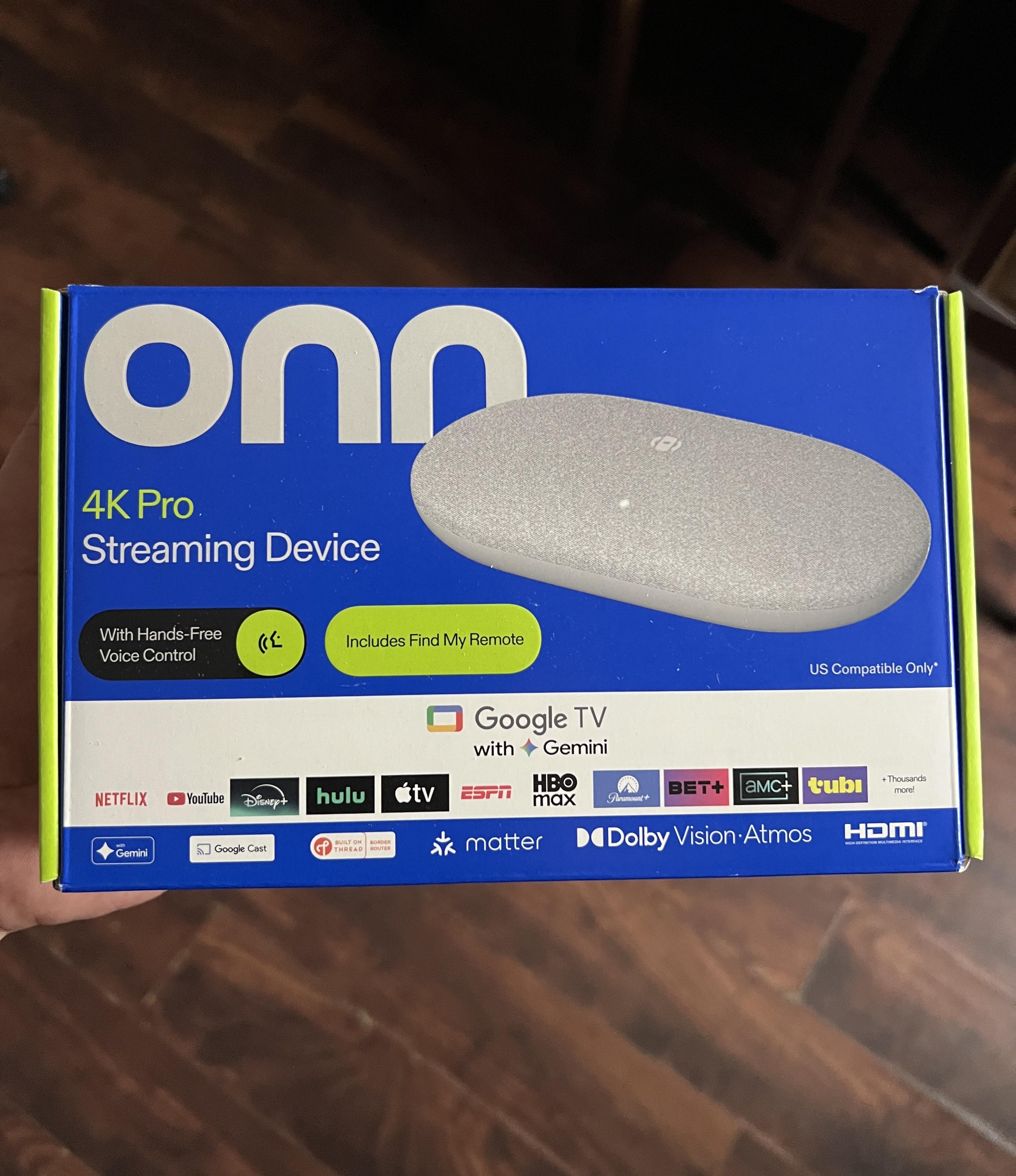
Discussion finally got mine

Post image
45 Upvotes

cannot wait to set this up


r/OnnStreamingTV • • 4d ago

News/Releases its coming

43 Upvotes

r/OnnStreamingTV • • 4d ago

Question/Troubleshoot Onn 4k box drops ethernet connection with wired adapters

4 Upvotes

I have two ONN 4k boxes that are connected to wired ethernet. In both cases, the connection will not work sometimes, and then suddenly start again. In one case, I have a USB-C powered hub connected to provide the ethernet ports, and in the other I have the old USB splitter that I had on the FireTv. In both cases they are using the old USB ethernet connections. In both cases these worked fine on the old FireTv sticks. Is there a particular setting that I am missing in order for these to work properly? In both cases these are the devices that are powered via the USB and not a power adapter


r/OnnStreamingTV • • 5d ago

Discussion Finally joined the Pro Club

Post image
116 Upvotes

Been looking for one for months now and finally caught the online restock a couple days ago. Came in yesterday and it’s great! Got mine for $60 luckily as I see that it’s $70 at most places now.


r/OnnStreamingTV • • 4d ago

Question/Troubleshoot Can I Get Frndly to Work With This From the UK?

2 Upvotes

Firestick stopped supporting it and even then it's a US only app. So can I download US only apps like Frndly in the UK?


r/OnnStreamingTV • • 4d ago

Question/Troubleshoot There used to be playback issues with the Pro. Has this been sorted?

0 Upvotes

concerning decoding certain files with certain codecs, the 2023 cheapo onn streaming stick had fewer issues than a pricier Pro 4k stick from 2024 i believe i had heard. Is any such thing going on with the new models?


r/OnnStreamingTV • • 4d ago

Discussion Support- Onn vs google

0 Upvotes

Debating between the 2 streamers, as far as support goes do you think the Onn will have long lasting support?


r/OnnStreamingTV • • 4d ago

Question/Troubleshoot Has anyone tried to declutter the 4K pro?

9 Upvotes

There are some tools out there to declutter android tv. Has anyone tried it with the 4K pro?


r/OnnStreamingTV • • 4d ago

Guides/Tips Help connecting my VHS to a smart TV with Onn portal

1 Upvotes

Okay sooo I have everything connected but for some reason it said it is not :( please helppp. What am I doing wrong?


r/OnnStreamingTV • • 5d ago

Discussion Scored a 4k Pro v2

Thumbnail
gallery
34 Upvotes

Got the right one off Walmart for way less


r/OnnStreamingTV • • 5d ago

Question/Troubleshoot how to connect Onn4k Plus

3 Upvotes

I have a Onn4k Plus connected to my TCL Tv through e-Arc. I can turn the tv on and off as well as control the volume, all through the Onn Remote. When I turn the Onn Device on, it automatically powers the TV on and when I shut off the Onn Device, it automatically turns off the TV. I can also adjust the Volume of the TCL TV through the Onn Remote.

My problem is how do I make the connections to add a TCL Soundbar and get all the same features? If I turn on the Onn Device, I want the TV and the Soundbar to come on automatically. If I turn off the Onn Device, I want to turn off the TV and the Soundbar automatically. If I raise or lower the volume, I want the soundbar to adjust up or down.

As I understand it, I can only use eArc between two devices and I am wanting three. At the same time, I am thinking there must be a way.

Thanks for any help figuring this out


r/OnnStreamingTV • • 5d ago

Question/Troubleshoot Not loading

1 Upvotes

I have a subscription but my “Tv service” all of sudden not working or loading. Anyone else ever had this issue? How to fix

Worked perfectly fine last night btw