I work as a software engineer but I'm also a hobby artist (have used SAI since around 2011), and so for the past 5 months I've been maintaining a wrapper that runs SAI on macOS with pen pressure. That let me build the same for Android tablets.
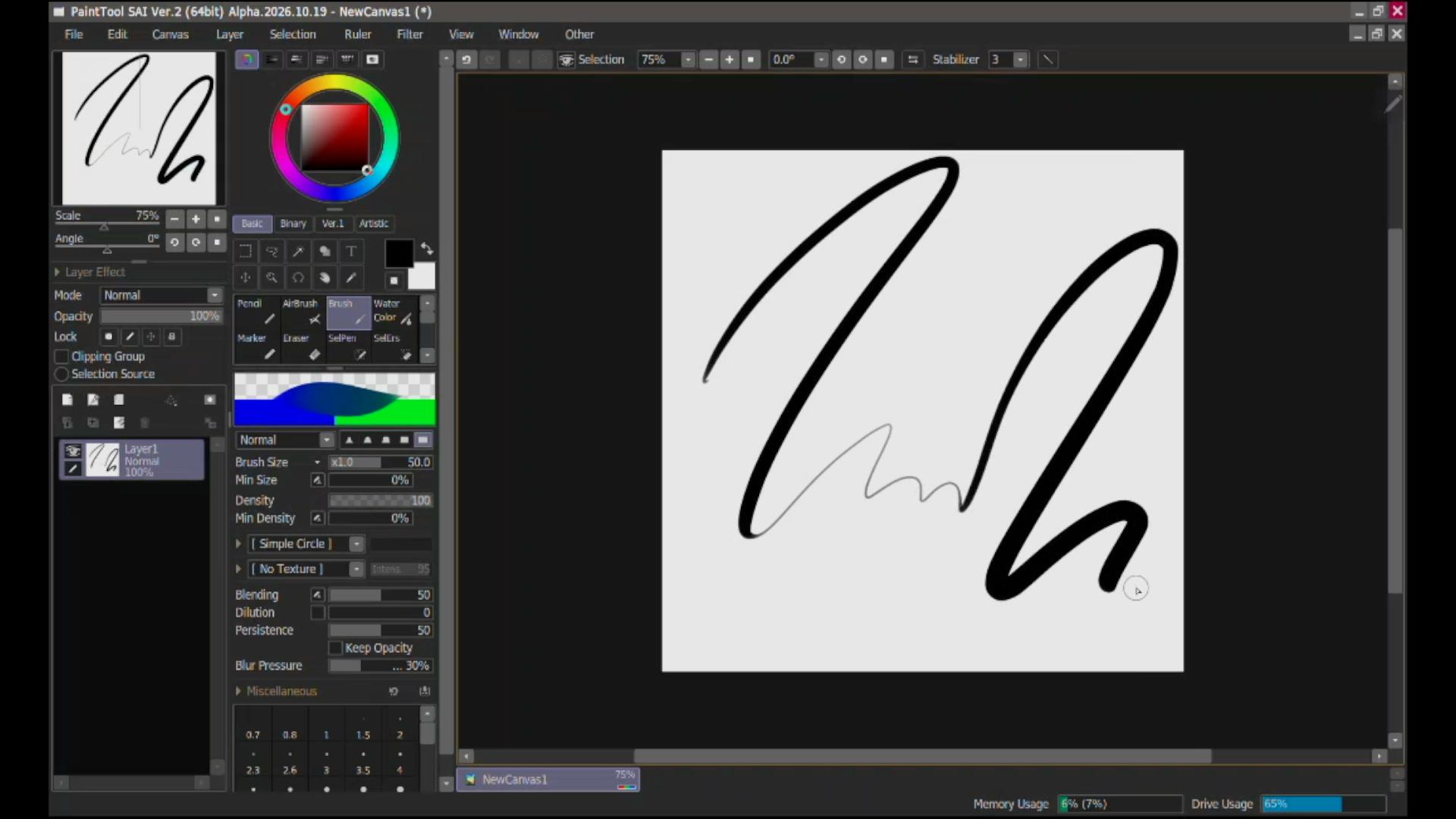
I tried it for fun without much hope, but it ended up working surprisingly well. SAI already runs well in Winlator (a Windows emulator for Android), but Winlator passes the pen as a mouse, so SAI never gets any pressure. My Android app adds a WinTab driver inside Wine, the same kind of tablet driver SAI uses on Windows, and feeds it the real pen pressure from Android. You still need to bring your own copy and licence of SAI, and then the app starts it full screen.
It's free and open source. I've only tested it on Samsung tablets/phones with S Pen, so feel free to test it on your device if you'd like.
https://github.com/ametrien/Paint-Tool-SAI-pen-pressure-Android
Edited (1): It has only been tested on PaintTool SAI Ver.2 (64bit) Alpha.2026.10.19 so far.
Edited (2): Added a quick start guide.
Edited (3): In the first 24 hours, people have tested it on Galaxy, Xiaomi, Huawei, Wacom and Ugee devices and sent reports (Here's a full list). Thanks to all of you, versions 0.4.19 to 0.4.25 added palm rejection, two-finger canvas rotation, brushes and textures in the device's Documents folder (easy access outside of emulator), drawing statistics, and fixes for a pen dot at the start of strokes (no hover pens), lost saves, and Bluetooth keyboards. Together we also worked out which SAI versions work and which don't, 2026 builds are fine, most older ones seem to draw without pressure. Thank you all for being so active and for the detailed reports!
After months of work on the macOS and Android versions in my free time, I am taking a break now that most things work for most people. I'll be back! GitHub issues are closed for now, so if you encounter a bug, please keep reporting problems and questions here in the comments. Replies may take a while. Thanks for your patience!