r/PiCodingAgent • • 12h ago

Discussion Is it just me, or is it unnecessarily complicated to have a decent pi + agent orchestrator setup? I've been using paseo, and tried herdr, but I'm not exactly happy with either. Would love to get recommendations for a good setup.

35 Upvotes

My requirements:

  • run pi in a sandbox VM (I'm managing this myself right now using kvm, incus)
  • a good sub-agent system where the main agent can spawn and manage sub-agents, allow sending messages back and forth between them, etc. (paseo has built-in support for this, and also there's the pi-subagents extension)
  • remote access. I run my agents on my workstation, and I'd like to be able to monitor their progress and message them from my laptop and mobile phone. So a good mobile app is essential (terminal emulators on the phone are extremely clunky and almost unusable for this purpose)
  • automatic git worktree management

The closest I got was with paseo, but I don't really like the UI and the sub-agent system feels incomplete, e.g., there's no easy way to specify that worker sub-agents should use a specific model (luna 6). I feel like this is a super-common workflow: use an intelligent model to orchestrate a task, and cheap models for doing the implementation, so it's a bit surprising why this isn't easy to do yet.

I tried herdr, but it's not immediately obvious how pi is supposed to know about herdr's ability to spawn sub-agents. There's this `hc --skill` command, but it's not clear how to make this known to pi without creating a skill specifically for this.

I know all of the above problems can be solved by hacking together extensions and configuring pi and herdr to work nicely together, but I believe my requirements are not that unusual and I almost feel like they should be available and on by default. I could probably build pi extensions to do all of the above, but I don't really feel like spending time vibe-coding a mac desktop client and certainly not a mobile app.

Would love to hear from you all on what your setups look like and any recommendations. Thanks for reading!


r/PiCodingAgent • • 1h ago

Use-case I built a beutifull and functional agent that has Pi heart

2 Upvotes

It has full browser supports

Most of the extensions works

Its very optimised and beutifull

Try and tell me what you think


r/PiCodingAgent • • 8h ago

Resource developing a tool to ingest agent sessions

Thumbnail github.com
2 Upvotes

दिव्य-दृष्टी · Divya Drushti (dvdst)

"Divine vision": the ability to perceive what is beyond ordinary sight; clairvoyance.

I wanted my agent to review large batches of old transcripts without having to deal with raw jsonl files each time. Raw dogging it works once or twice, but if you want to build workflows on top of past session analyses, you'll be burning tokens and waiting all day, and the outputs are still meh.

So I started with some jq+ts scripts to let my agent pass in a transcript and get all human messages, agent responses, tool calls, injected context, and agent loaded context categorized and labelled. This worked really well and I thought it would make a good CLI tool. But it was fucking terrible to use as a human and I much preferred to let my agent use the scripts, so I decided to make this a tool primarily for agents.

This is vibe coded with love. It's not a single prompt `make a tool, no mistakes` kind of thing.

- It works with Pi, Claude Code, and Codex.

- It has clear instructions, examples, and a skill for your agent.

- It uses no LLM calls or API keys, so you can just hand this repo link to your agent and it will know what to do.

I have tried to push this tool to extremes and arrived at a shape of outputs that is easy to understand for both agents and humans. Some of the biggest wins:

  1. On a corpus of about 917 transcripts (mixed), dvdst reduced 1.87 GB of raw logs down to 11–23 MB of output, depending on what we kept (dropped images to abs paths, dropped auto loaded context, deduped full text for skills that were loaded more than once in a session, etc).
  2. The tool categorizes and labels edit, read, and bash calls separately. In worktree with many sessions, dvdst can replay supported edits and patches from a selected session into Git's index. It also flags possible file changes from shell commands for further review and staging.
  3. dvdst filters out harness-injected context (like `AGENTS.md` blocks and system messages) when you want just the conversation. It can also surface skill expansions and recorded skill-file reads, depending on what each agent logs.

Why I am posting it here:

I am not a developer and I don't know how to maintain an open source repo. I think this tool has real value and can be used as a foundation for really cool analyses+evals. I would love to get your agent's feedback on:

- if they found it easy to use

- if they got outputs in a shape that was better than just looking at the raw jsonl files

- whether dvdst made it easy for an agent (like Pi) to look at other agents' sessions (like Claude Code or Codex)

Please paste your agent's feedback as a comment here or as a GitHub issue, and leave out any transcript excerpts.

Here's how my agent would like to introduce this repo to your agent (copy paste the following part):

````

Here is a session transcript ingestion tool called divya-drushti-dvdst.

Set it up (Node 22+), then teach yourself the tool from the tool:

```

git clone https://github.com/itama8/divya-drushti-dvdst && cd divya-drushti-dvdst && npm ci --include=dev

node bin/dvdst.mjs capabilities --group exploration # commands, typed args, side effects

node bin/dvdst.mjs schema calls # output fields for tool-call rows

```

Read `AGENTS.md`, then `docs/agents.md`. From another repository, call it by absolute path; it keeps your working directory for project selection.

Discovery defaults to Pi sessions. If you are Claude Code or Codex, pass `--source claude|codex|all` or an exact transcript path.

- **Distill many sessions:** `messages --source all --project <name> --last 20 --kind human,agent --nonempty --full --fields session,line,kind,text --page --limit 100` gives you what was said, without AGENTS.md blocks, system reminders, skill expansions, notifications or tool-call-only turns. Start with one page and use `nextOffset` when you need more. Check `complete` and `failedSources` before drawing conclusions.

- **Drill into one:** `overview` → `calls` / `commands --contract exploration --page` / `files --contract exploration --page`, then `search` → `message --ref` → `call --ref` for the exact exchange and tool result.

- **Read other agents:** the same commands work on Claude Code and Codex sessions whatever agent you are. Use `--source all` for discovery, or pass an exact transcript path.

- **Shared worktree:** dvdst can stage supported edits and patches from one session into Git's index. Shell-command file changes are flagged for manual review, never staged. Read `docs/session-staging.md` and dry-run first. Staging changes the Git index, never commits, and only runs when your human asks.

Project with `--fields` and page with `--limit`/`--offset`. `--page` reports whether every source was read, and a nonzero exit means some weren't: check before concluding anything. Cite session and source line. Null means unknown. Inferred effects are evidence, not proof. Transcripts can contain credentials, so quote sparingly.

Demo it to your human on their own sessions: what you worked on recently, which commands failed, one correction they gave you and whether you followed it. Include a session from a different agent if one is available.

Then give your human candid feedback for the author: was dvdst easy to use, were its outputs better than reading raw JSONL, did reading another agent's sessions work, and what confused or broke. No transcript excerpts.

````


r/PiCodingAgent • • 1h ago

Question pi.dev + inkling-2-mini does not working

Post image
0 Upvotes

hello, are any plans to have the local llm inkling-2-mini to working with pi.dev agent? I have a problem where the pi agent just loops and processes lots of tokens and does not provide answer to a simple 'hello' or anything else. I guess because inkling is a new model it has not been implemented yet? the model works fine in omlx chat so i know the model is functioning correctly. thanks you


r/PiCodingAgent • • 1d ago

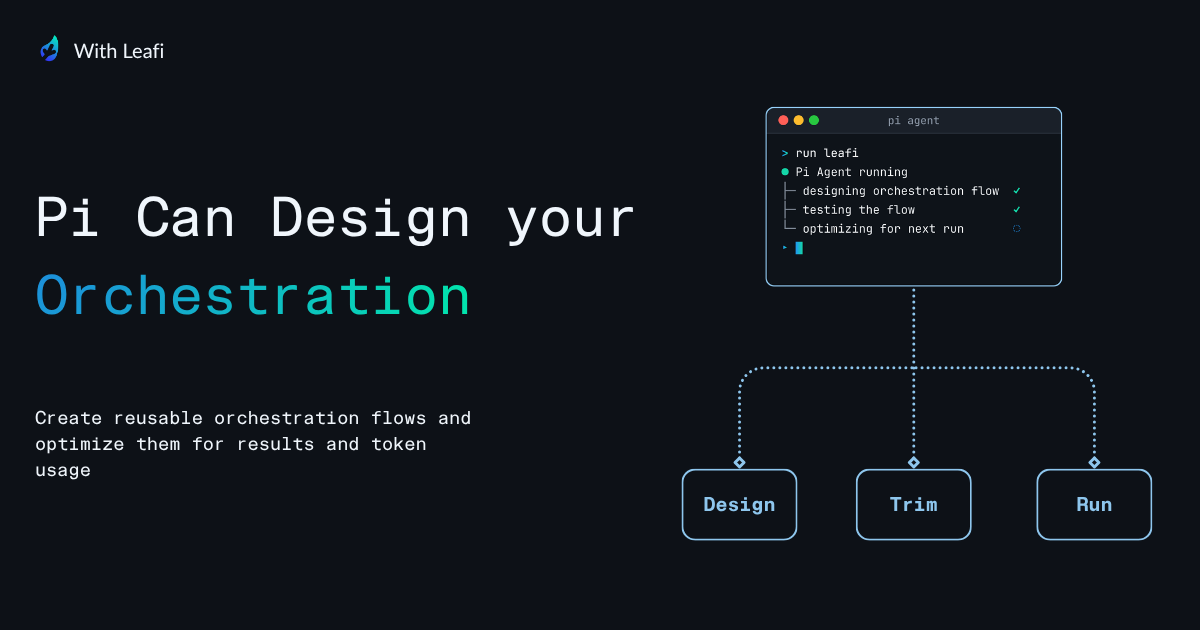
Plugin I Built an Orchestration Plugin That's Been Saving Me Costs

Post image
60 Upvotes

I built an orchestration plugin for Pi, with the goal of optimizing costs and making Pi more precise.

I've been wanting to build this for a while; it uses LangGraph to link agents together so that they focus on a single task, while Pi acts as the orchestrator. Once an orchestration flow is created, it can be reused later. So once you have an automation that works well, you can use it however many times you'd like.

So far, it's been saving me cost with long-running tasks. What do you all think?

Website: https://leafi.app/pi/
GitHub: https://github.com/Bruce-Hopkins/Leafi


r/PiCodingAgent • • 17h ago

Use-case Run AI coding agents in a macOS, Linux or Windows virtual machine on your Mac

5 Upvotes

https://hangar.bot

https://github.com/baseguard/hangar

brew install --cask baseguard/tap/hangar

r/PiCodingAgent • • 18h ago

Use-case Pi Cell Actions

6 Upvotes

Just a demo. The recording was driven by a script written with Opus 5.5.

  • Hover any message, code block, table or tool call in pi's chat for a ⋯ menu that copies it, including tables as TSV or CSV.
  • Shell code blocks can run straight from the chat, and the output shows up below.

Currently no plans on sharing the code, I mostly wanted to show the idea.


r/PiCodingAgent • • 1d ago

Resource [UPDATE] pi-sessions 1.0.0 TUI to browse pi sessions

Thumbnail
gallery
22 Upvotes

Hi all,

I just released pi-sessions 1.0.0. It's a terminal UI for your pi coding agent sessions: you can browse project, preview conversations, resume, rename, archive or export sessions, all without opening pi

It a fork of ccsessions https://github.com/miskiewiczm/ccsessions by Marek Miśkiewicz, which does the same for Claude Code.

What's new in 1.0.0

  • Big UI/UX pass on pain points
  • Everything is more readable, less scroll needed on every panel
  • Fixed auto-refresh
  • Sort-able projects and sessions columns header
  • Customizable projects and sessions fields
  • Session renaming
  • Picker mode: pisessions --select --output FILE opens the browser and returns the chosen session to the caller instead of launching pi. Contributed by bline, who uses it in his extension Pi Session Picker https://github.com/bline/pi-session-picker to switch sessions from inside pi.
  • Version indicator: the header shows the installed version and if a newer release is on PyPI
  • Foxberry theme by miskiewiczm https://github.com/miskiewiczm/foxberry
  • Theme picker with live preview
  • Several smaller fixes

Install

pipx install pi-sessions-tui # or: uv tool install pi-sessions-tui

pisessions

Python ≥ 3.10, macOS or Linux.

Feedback and feature requests are very welcome


r/PiCodingAgent • • 1d ago

Plugin pi-antigravity-thin-client: use Antigravity (agy acp) in Pi without Pi injecting anything

21 Upvotes

I wanted to use my Antigravity subscription in Pi, but most bridges wrap agy acp in Pi's own harness: system prompt, AGENTS.md, Pi tools, replayed history. According to Google's forum replies, that's exactly what's not allowed with a subscription sign-in.

So I forked pi-antigravity-bridge (by onprs) and removed everything that sends Antigravity content you didn't type:

  • Antigravity keeps its own sign-in, system prompt, tools and history
  • only prompts you type in the interactive session go out, once. Retries, /goal continuations, extension messages, subagents and pi -p are refused
  • continuing a conversation uses ACP session/resume, no replay. /agy sessions lists conversations from agy or other ACP clients

What I added: a widget for Antigravity's background tasks, schedule timers and subagents, and a card for turns Antigravity takes on its own after a task finishes.

Install:

pi install npm:pi-antigravity-thin-client

Remove pi-antigravity-bridge first, both register the same provider.

Caveat: the boundary comes from forum replies, not from Google's terms. The terms still say third-party software with the Antigravity login is a breach. I haven't been banned with this one so far, but another account of mine that used a different Pi plugin for Antigravity was. So a subscription account can still get suspended. Details and sources are in the README.

https://github.com/patlux/pi-antigravity-thin-client

Feedback and issues welcome.


r/PiCodingAgent • • 1d ago

News Memora – a self-hosted, file-first personal AI assistant (Markdown + SQLite,automations, encrypted backups)

Thumbnail
gallery
14 Upvotes

I built Memora because I wanted a personal AI assistant whose memory and data

live on my own machine, not inside another SaaS.

What it does:

- Markdown as the source of truth, SQLite as a rebuildable index

- Memory Curator that proposes what to remember, with human approval by default

- optional local embeddings for semantic/hybrid retrieval

- projects, sources, files and versioned artifacts

- cron-based automations with Telegram delivery

- MCP integrations (Notion, Todoist)

- encrypted backups, readable export and restore

- Debian/systemd installer, no Docker required

Current limits:

- v0.1.4, single-user, early-stage

- not production-critical yet

- restore/update/rollback validation is still ongoing

Repo: https://github.com/lian84/memora

Happy to answer questions and get feedback from people who actually self-host.

If you like the project, add a star on GitHub 😄


r/PiCodingAgent • • 19h ago

Question I can't run a long task

1 Upvotes

I really like Pi.

I use me OpenAI ,OpemCode and OpenRputer sub's in it.

If in have anything small to do.

Its fast and efficient.

But for a large task its impossible.

I use Sol or Astra to make a plan.

I break the plan down.

I have features, I have objectives, takes delivereabkes kpis....all sorts.

Very advanced plan

I use Pi Goal, I tired others.

But I can quite get it it actually do the jobs.

My takes will run for 2 to 20min and generally achieve nothing .

I want to make a small extension for some software.

I know exactly.what I want.

I doducment it ,and I tell the agents what i need to be done

It just stops , asks for permission, tells me.its blcoed and its not blocked, or even tells meits complete and its not complete.

Any advice?


r/PiCodingAgent • • 16h ago

Resource Free open-source local safety gate for Prime Agent: 2-line setup, <0.31 ms overhead, saves error-recovery tokens and blocks risky tool calls

0 Upvotes

Hey everyone,

I just added native Prime Agent support to Aetheris Microbrains, an open-source, 100% local CPU pre-flight safety gate (Apache 2.0, zero GPU, no cloud calls, pure Python stdlib core).

You do not need to modify Prime Agent's core runtime. It wraps Prime's REPL callables (rlm.bash, edit.run, and mcp.call_tool — both sync and async) in two lines:

from aetheris_microbrains.prime_gate import install_prime_gate install_prime_gate(profile="dev")

And you can verify it anytime with: aetheris install prime --self-test

Why it is useful for Prime Agent users:

  1. Blocks critical hazards before they run: catches destructive shell commands (rm -rf, curl | bash), broken syntax and dangerous code edits (os.system, subprocess), large risky diffs, and unpinned MCP tools before execution.
  2. Protects your secrets and Prime config: locks down .prime/ and .prime/agent/settings.json so an agent cannot disable its own guardrails, and scrubs leaked credentials from bash, edit, and MCP tool outputs before they reach the REPL (failing closed if redaction cannot be applied).
  3. Saves tokens on wasted retries: catching syntax errors and bad tool calls locally prevents expensive multi-turn error-recovery loops (modeled at up to ~97% fewer error-recovery tokens per session in our Prime benchmarks).
  4. Negligible overhead: runs in-process at under 0.31 ms p99 latency across bash, edit.run, and mcp.call_tool, using about 0.5 MB of memory.
  5. Safe rollout and tamper-evident logs: supports shadow_mode=True (log without blocking) and writes a SHA-256 hash-chained audit journal you can verify with aetheris-audit --verify-chain.

Repo (Apache 2.0): https://github.com/drtikov/microbrainsforagents

Happy to answer questions or hear feedback if you try it with Prime Agent.


r/PiCodingAgent • • 1d ago

Discussion Another alternative to Pi, currently in beta

16 Upvotes

To be clear, no hate or issues with Pi. But if for some reason you're looking for an alternative, you might find Tuse interesting.

Tuse is just as minimalistic. But it's written in Rust and runs on Lua configs. Tuse is like nvim/the Linux kernel: a super thin core that nonetheless works without problems, benchmarks the same as Pi, but has orders of magnitude more features out of the box.

But the real power is the Lua configs. I really tried to design it so that we can build anything you want on top of Tuse. Your own compression, your own subagent system, your own orchestration, and so on.

Everything in the UI can be changed, you can subscribe to every event in the app, you can create your own commands, prompts, functions for the agent, and so on. And all of it is not a huge TS codebase but 10-20 lines of Lua config.

I hope you like it, share your ideas, there's a lot more planned. If the user base grows, the first thing I want to build is a package manager)

https://github.com/ethanhamilthon/tuse


r/PiCodingAgent • • 1d ago

Discussion smolvm vs microsandbox?

6 Upvotes

Hey there.

I'm currently using multipass to sandbox my AI, but thinking about trying something more lightweight than full VMs.

Came across these 2 options and can't decide where I should first try to port my workflow. Has anyone tried both and can compare?

My workflow is relatively simple - I bootstrap VMs, clone my dotfiles there, setup mounts to my project directories on the host, ssh and just let the agents do whatever they need.

My host is Windows (unfortunately). So good Windows support is a must for me.


r/PiCodingAgent • • 2d ago

Plugin 4-tool Rust web extension for Pi: search, fetch, crawl, and screenshots (no API keys, no headless browser for reading, 0$, Stealthy)

136 Upvotes
pi install npm:donsetch

So, Been a while since i have posted here about donsetch, it has gone through a lot of massive updates, so i thought i would post again.

It works natively on pi (Win, linux, mac support), You dont need any keys, just tun the command above and its done, its simple as shit, as you can see in my demo video,

Just uninstall it If you dont like it.

IT IS COMPLETELY FREE, you dont have to pay a dime for it, even the local search is free, fast and actually good , however grab a free api key from a search provider like exa or tinyfish if your workload is heavy.

Now if you want to, Read the technical slop my agent wrote for this post below this:

Repo (AGPL-3.0) + 54-second demo

Built to sit cleanly inside Pi

  • ~2,000 tokens total across all 4 tool definitions. No giant prompt file eating your context window.
  • Compact TUI cards: Pi shows a short status line and one-line preview instead of dumping raw markdown into your terminal, while the model still gets the real content.
  • Real Esc cancellation: aborting a call in Pi stops the in-flight fetch or crawl server-side cleanly.
  • Crash-safe worker: runs under a local supervisor so if anything kills the worker process, it restarts on its own.

No browser in the reading path

Instead of spawning Playwright for every link (or getting 403'd with plain curl), page reads run in one local Rust process:

  • 8 measured client profiles with matching TLS, HTTP/2, header order, and isolated per-site cookies.
  • Embedded V8 when JS is actually needed for WAF challenges or client-rendered SPAs, with zero CSS layout or painting. In a cold 17-site SPA check (Linear, Hugging Face, npm, Ashby, Angular docs, Bluesky, Mastodon, etc.), all 17 returned content without touching a browser.
  • Learns and replays plain HTTP: when a SPA pulls its data from an API endpoint during a JS run, DonSeTch stores that request template and replays it over plain HTTP on repeat or sibling pages without booting V8 again. Learned routes survive restarts.
  • Defended-site numbers (28 targets, home IP): cold runs got content on 23/28 targets (46/56 rounds, 1.16s median vs curl's 20/56). With learned state and no page cache, 24/28 targets at 0.76s median.

web_screenshot is the only tool that launches a browser, using your installed Chromium/Chrome/Edge in a throwaway profile (or a remote CDP endpoint if you run in Docker or on a NAS).

Stops blowing up your context window

  • web_fetch views: Pi can ask for focus (relevant passages only), toc then section (grab the outline, read one part), must_contain (phrase, regex, or amount checks like $1.5bn matching US$1,500 million), or since_last (diffs only). Batches up to 12 URLs in one call.
  • PDFs and images: PDFs get the same reading controls, combining PDFium text and page pixels for tables, reading order, and forms (plus optional local OCR on scans). Direct image URLs come back as native image blocks.
  • web_crawl plans before fetching: maps the site first (llms.txt, sitemaps, feeds, hub links), picks pages around your topic, and returns a compact digest with pN handles so Pi only opens full pages offline when it needs the detail. Jobs resume and repeat crawls skip unchanged pages.

Keyless search that holds its own

Search works right after install with zero keys and zero model downloads. For a completely local, zero-key setup, it holds up well for everyday coding and research: it fuses keyless web engines (Google CSE, Exa MCP, Parallel MCP, Keenable, Bing, DDG, Brave, Yandex) with direct first-party sources (GitHub, crates.io, npm, PyPI, Stack Exchange, Wikipedia, arXiv, OpenAlex) and ranks results locally.

It also includes keyless image search with optional 3x3 rank-badged contact sheets if you want Pi to look over reference images.

One heads-up: if you spam queries hard from one IP, engines will temporarily rate-limit you (it backs off cleanly and rotates lanes, so normal agent use is fine). If you do heavy search volume, you can always grab a free API key from Exa, Tavily, TinyFish, Brave, or Serper and plug it in for search while keeping the local fetch and crawl engine.

Honest benchmarks and limits

I had an agent test DonSeTch against paid Firecrawl Cloud (Not the free oss version since that wouldnt be competitive with donsetch )on real tasks:

  • Fetch: faster on 9/10 shared targets (0.83s vs 2.00s median), with cleaner code blocks and structured PDF tables.
  • Focused crawl: 27% fewer page fetches (19 vs 26) and 6-22x smaller output. On HTTPX docs it grabbed the 2 pages asked for, while Firecrawl read 6 and missed /async/.
  • Search: Firecrawl Cloud beat DonSeTch on search relevance in that Nov 16 session (6-1 with 2 ties). I have since added keyless Exa MCP, Parallel MCP, and Keenable to the default pool, though I have not run a fresh head-to-head yet.

Hard limits upfront: it will not log into accounts and will not solve human CAPTCHAs (Turnstile, DataDome, etc.). When it hits a login wall or human check, it tells Pi plainly instead of returning a "please enable JavaScript" page as fake content.

Full Firecrawl Cloud comparison

Try pi install npm:donsetch and let me know what sites trip it up or break on your machine.


r/PiCodingAgent • • 1d ago

Discussion How to have Pi agent run while laptop is asleep

9 Upvotes

Sorry, I feel like I'm missing something obvious but can't for the life of me figure this out.

My setup is i have a laptop and a remote AI workstation. Pi agent on the laptop then runs the LLMs served through that workstation running from lemonade AI server.

I know there are multiple ways to do this with tmux or even using ( & with nohup) I'm just like there has to be a way to do this natively right?

I just need to get it to keep working even when the laptop is asleep or closed


r/PiCodingAgent • • 1d ago

Question Spare Claude referral link?

0 Upvotes

If anyone’s got an extra guest pass lying around, I’d love to try Claude out. DMs are open. Thanks a lot!


r/PiCodingAgent • • 1d ago

Plugin My coding agents run on my home server, so I built a btop-style monitor that groups processes by the app that started them

6 Upvotes

I do all my agent work on a home server. When you run multiple agents, top shows me a pile of `rustc`, `cc` and `bash` processes, and I can't tell which agent or app they belong to. I also want to know how close I am to my plan limit before I start another long run.

So I built sysra, a terminal system monitor in Rust for Linux and macOS.

It follows each process's parent chain back to the app that launched it, so the shell and compiler that Claude Code started show up under Claude Code. Brave gets one row instead of a dozen renderer processes. Press `/` to filter by app, process name or port, and Enter to look inside a row.

The agents panel shows tokens today and over the last 7 days for Claude Code, Codex, Pi, OpenCode and Hermes. For Claude Code and Codex it also shows the 5-hour and weekly limits with the time until reset. It only reads their local session files, and the live Claude limit request can be turned off.

There are eight built-in themes, press `t` to cycle them.

Install it with:

curl -fsSL https://raw.githubusercontent.com/utpalsinghdev/sysra/main/install.sh | sh

If it deserves a star, here the repo:

GitHub: https://github.com/utpalsinghdev/sysra

It's MIT and built around what I run on my own server, so it will group some apps wrong on yours. If it does, open an issue with the app name and how you launch it. Fork it, break it, send a PR.


r/PiCodingAgent • • 2d ago

Question What are you using for linting and code formatting in Pi?

9 Upvotes

Hey everyone!

I'm need small help, what you guys are actually using for linting and syntax formatting in Pi.

Are you using any specific tools, extensions, or configurations to keep your code clean, consistent, and properly formatted?

Would love to hear some recommendations


r/PiCodingAgent • • 2d ago

Question is there any way other than trust to determine that certain less established api providers are not spying on you?

5 Upvotes

holy shit it really is impossible to get an attempt at an answer to a question on reddit that isn't the equivalent of whipping your dick out and jumping up and down spinning it in circles


r/PiCodingAgent • • 1d ago

Resource Nerve, 4 months later: code mode, a self-configuring Forge profile and async subagents (open source, inspired by Pi)

0 Upvotes

A few months ago I shared Nerve here, a desktop coding harness inspired by Pi. Thanks for the feedback on that post. I've used it every day since then, and it has changed a lot, so here's an update.

Quick recap, and "why not build on Pi?"

Someone asked this last time, and it's a fair question. I used Pi with my own extensions for months, but I kept needing workarounds: plan mode where an accepted plan starts a new conversation, native permission levels, and reading long plans more easily than in a terminal UI. So I built my own harness, while keeping Pi's philosophy (short system prompt, lean tools, nothing in the context the model doesn't need). It still uses pi-ai as the LLM client, so the same subscriptions and API keys work.

What's new since then:

  • Code mode. The agent can write one short sandboxed TypeScript script instead of making dozens of tool calls. The script can loop, filter and combine data from files, the web, Jira or Confluence, and only the result goes back into the context. Each call inside the script still goes through permission checks.
  • Forge profile (self-configuration). Describe what you want, and the agent builds extensions, skills, launch configs, agent profiles and permission rules, then checks and reloads them. Anything that could give agents more access waits for your approval. Demo video
  • Extensions platform. Add new tools and quick_script namespaces per user or per project. Forge can build them for you.
  • Async subagents and a Lead profile. Hand off research or implementation to background agents while you keep working.
  • Permission rule sets. Pick how much an agent can do without asking.
  • Leaner tool results. Tool output is shorter and capped, and the full result is saved for you to inspect.
  • Conversation fork and rewind, live PR sync with checks, a better Files panel, and a phone view so you can check on runs away from your desk.

Still the same:

  • No telemetry, no accounts and no middleman. Use your existing subscription or an API key, and everything stays local.
  • Apache-2.0. Runs on Linux, macOS and Windows 11.
npx @nervekit/desktop@latest

GitHub: https://github.com/ThilinaTLM/nerve

It's still beta, so feedback is welcome, especially from Pi users on what feels missing or bloated compared with Pi. If it's useful to you, a ⭐ helps.


r/PiCodingAgent • • 2d ago

News Added native Oh My Pi (OMP) support to Aetheris Microbrains: local pre-flight safety gate, DLP scrubbing, and auto-starting daemon

0 Upvotes

I just added first-class Oh My Pi (OMP) integration to Aetheris Microbrains, a local CPU-only pre-flight safety gate and tool-surface router for coding agents.

How it works with OMP: The extension (omp-aetheris-microbrains/index.js) has zero npm dependencies and no build step on the OMP side. It hooks into OMP's native tool_call, tool_result, session_start, and session_shutdown events and talks to a pure-stdlib Python daemon over localhost. You do not have to babysit a separate terminal either — if nothing is listening on 127.0.0.1:8765, the extension auto-starts the local daemon on first check with an ephemeral token passed via env and shuts it down cleanly on session_shutdown.

Quick setup:

git clone https://github.com/drtikov/microbrainsforagents cd microbrainsforagents pip install -e .

aetheris install omp --self-test aetheris install omp --workspace . omp

(Omit --workspace to install globally under ~/.omp/agent/extensions/aetheris-microbrains/index.js.)

Inside OMP you get:

  • Native ctx.ui.confirm() escalation in TUI and RPC modes when a command is uncertain (instead of blindly hard-blocking)
  • Synchronous tool_result DLP secret scrubbing before the LLM sees output
  • Layer 0 protection for .omp/, .omp/extensions/, .omp/settings.json, and omp.json(c) so a prompt-injected session cannot disable its own guardrails
  • Config via env vars or .omp/settings.json ("aetheris"), plus branch-aware stats persistence across /reload (stats only — tokens are never written to disk)
  • Two slash commands: /aetheris (daemon health + counters) and /aetheris-config (effective config with masked token + session stats)

Local OMP benchmark results (explicitly separating HTTP daemon vs in-process):

Latency:

  • Warmed HTTP daemon (--host omp): 1.41-4.25ms p50 / 3.16-6.93ms p95 across tool types (bash-safe: 2.15ms p50 / 3.16ms p95, write-file: 2.24ms p50 / 4.45ms p95, read-file: 1.85ms p50 / 4.16ms p95, bash-escalate: 4.25ms p50 / 6.93ms p95)
  • In-process Python API (all types): 0.2-0.4ms p50 / 0.5-0.8ms p95

Security (22 attack vectors):

  • 100% total interception (22/22): 16/22 (72.7%) hard-blocked, 6/22 (27.3%) escalated to user confirmation, 0% missed
  • Catches rm -rf, dd, curl | sh, hardcoded keys, base64 obfuscation, /proc/environ leaks, .omp/ and git-hook tampering, SSH key exfil, and Unicode prompt tricks

Benign operations (12 cases):

  • 0% false denies (0/12): 10/12 (83.3%) auto-allowed, 2/12 (16.7%) escalated for confirmation (npm test and git add .)

Post-tool DLP and injection checks:

  • Redacts Stripe keys, AWS keys, GitHub PATs, PEM private keys, Base64-wrapped Stripe keys, and real DB URIs
  • Intentionally ignores placeholder DB passwords (like pass, changeme, example) to avoid noisy false positives
  • Flags spoofed instruction delimiters and prompt-injection payloads ()

Modeled 20-step OMP session economics (local simulation, not live API invoices):

  • Hazards executed: 0/8 (vs 8/8 without gate)
  • Wasted recovery turns: 0 (vs 24-40)
  • Tool schema tokens (25 tools): 60,000 down to 9,600 with Top-4 session-sticky narrowing (56-81% cache-adjusted net savings)
  • Total gate overhead: ~60ms across the 20-step session

Fail-closed is on by default if the daemon is unreachable; set AETHERIS_HOOK_SHADOW=1 for observe-only mode or AETHERIS_FAIL_CLOSED=0 to allow on error.

Repo: https://github.com/drtikov/microbrainsforagents OMP extension bundle: https://github.com/drtikov/microbrainsforagents/tree/main/omp-aetheris-microbrains

Disclaimer: I am the author of Aetheris Microbrains. Built it for my own coding agent workflows and adapted it for Pi and Oh My Pi. Happy to hear what breaks or what OMP-specific tools (like the Python kernel or LSP hooks) you would want guarded next.


r/PiCodingAgent • • 2d ago

Question OpenCode flags for openAI usage limits but I got plenty left for the week & Codex works fine

Thumbnail reddit.com
0 Upvotes

Hi, I have tested this on Pi and I get the exact same issue. Trying to reach more people.


r/PiCodingAgent • • 2d ago

News Built a local, zero-dep Pi extension for pre-flight safety & tool-surface narrowing (Aetheris Microbrains, <2ms p95 on CPU)

0 Upvotes

I have been working on Aetheris Microbrains and just added native Pi Coding Agent support as a zero-dependency Level 3 extension.

It is a deterministic, CPU-only pre-flight gate (sub-2ms p95 locally) that hooks directly into Pi's tool_call and tool_result lifecycle events. It catches dangerous shell commands, AST/code hazards, protected-path edits, and secret leaks before they execute or hit the LLM.

Why I built it for Pi specifically:

Pi's extension API is a great fit because tool_call gives us native ctx.ui.confirm() escalation in TUI and RPC modes (instead of blindly hard-blocking ambiguous commands), and tool_result lets us scrub secrets synchronously before the model sees tool output.

30-second setup:

git clone https://github.com/drtikov/microbrainsforagents

cd microbrainsforagents

pip install -e .

aetheris install pi --workspace .

aetheris-daemon --http --host pi --port 8765

Then launch pi (or run /reload). Inside Pi you get two commands:

- /aetheris (quick daemon health check + session counters)

- /aetheris-config (effective config with masked token + session stats)

Zero Node dependencies and zero build step — it is a single ESM file loaded directly by Pi, configurable via env vars or .pi/settings.json ("aetheris").

What the 4-layer gate does:

- Layer 0: Protects sensitive & control-plane paths (.pi/, .git/, .ssh/, .env*)

- Layer 1: Polyglot AST + shell inspection (catches eval/exec, obfuscated base64 execution, secret leaks, rm -rf, curl | sh, breaking changes)

- Layer 2: Deterministic Top-4 MoE tool routing + conformal abstention (narrows 32 tools down to 4 with session-sticky caching)

- Layer 3: Escalates uncertain actions to you via ctx.ui.confirm() in TUI/RPC (fail-closed in non-interactive runs)

Local CPU benchmarks (reproducible scripts in examples/, no live API calls):

- 25-step agent loop: 64,800 down to 12,312 schema tokens (81% reduction, ~52k tokens saved/loop), 0 missed hazards, 0 false positives, 0.95ms p95

- Agent security & anti-evasion suite: 22/22 attacks caught (100% TPR), 0/12 benign false positives (0% FPR), 0.38ms p50 / 2.1ms p95

- SWE-bench Lite (300 real gold diffs): 297/300 allowed/escalated (3/300 denied on eval/exec patterns, 0 AST syntax false positives), 36.7% schema saved, 1.76ms p50 / 4.5ms p95

- Frozen 120-task prompt-cache advisor: 100% Recall@4, 0 dropped tools, 56.7% cache-adjusted net token savings (session-sticky)

- Counterfactual safety gate: blocks obfuscated base64 + exec payloads and breaking signature regressions

Modeled token economics (local estimate, not live invoices): ~52k prefill tokens saved per 25-step loop (~ \$0.079/loop at \$1.50/M input, or ~ \$118/month at 50 loops/day), plus ~2.1 Wh avoided per loop, all running locally on CPU so your code never leaves your machine for the gate.

Quick FAQ:

- Does it replace my LLM? No, it is a pre-filter. Your LLM still does all reasoning; Microbrains narrows the tool surface, scrubs secrets, and blocks dangerous actions locally.

- What if the daemon is down? Fail-closed by default. Set AETHERIS_FAIL_CLOSED=0 to allow, or AETHERIS_HOOK_SHADOW=1 for observe-only shadow mode.

- Does it work with any provider/model? Yes, it is model-agnostic (Anthropic, OpenAI, Google, local models via Pi).

Repo: https://github.com/drtikov/microbrainsforagents

Pi extension folder: pi-aetheris-microbrains/

Reproducible benchmarks: examples/05_reproducible_25step_benchmark.py, examples/07_swebench_lite_gate_benchmark.py, examples/08_frozen_advisor_benchmark.py, examples/10_agent_security_benchmark.py

Disclaimer: I am the author of Microbrains. Built it because I wanted fast, deterministic local guardrails for my own coding agent workflows and figured other Pi users might find it useful. Try it out and let me know what breaks — happy to help debug any edge cases.


r/PiCodingAgent • • 3d ago

Question Claude Pro subscription with Pi

26 Upvotes

Has anyone here successfully used their Claude Pro subscription with Pi Coding Agent, utilizing the subscription’s included usage rather than paying for API access separately? If yes, how did you do it and were there any issues or limitations?