r/ReadEra • • Jul 05 '25

Looking for mods

7 Upvotes

Looking for someone to help me moderate because I'm clearly to busy ... Reading haha. Seriously. DM if you'd like to be a mod.


r/ReadEra • • Jul 17 '22

r/ReadEra Lounge

8 Upvotes

A place for members of r/ReadEra to chat with each other


r/ReadEra • • 3d ago

​A cleaner, ad-free Moon+ Reader alternative for Android [promo code: REDDIT365]

Thumbnail
gallery
0 Upvotes

​I built an Android e-reader called ReaderML and I'm looking for feedback from this community.

​It supports PDF & EPUBs, but my main focus was fixing PDF text reflow so PDFs actually read like real ebooks—keeping the original headings, lists, and bold/italics instead of turning into a wall of plain text. It also auto-generates a Table of Contents and has a clean UI with zero ads.

​The reader is completely free to use. There are also optional AI tools (summaries, translation, definitions, etc.)

ReaderML

Use code REDDIT365 to unlock the AI tools free for 1 year.


r/ReadEra • • 5d ago

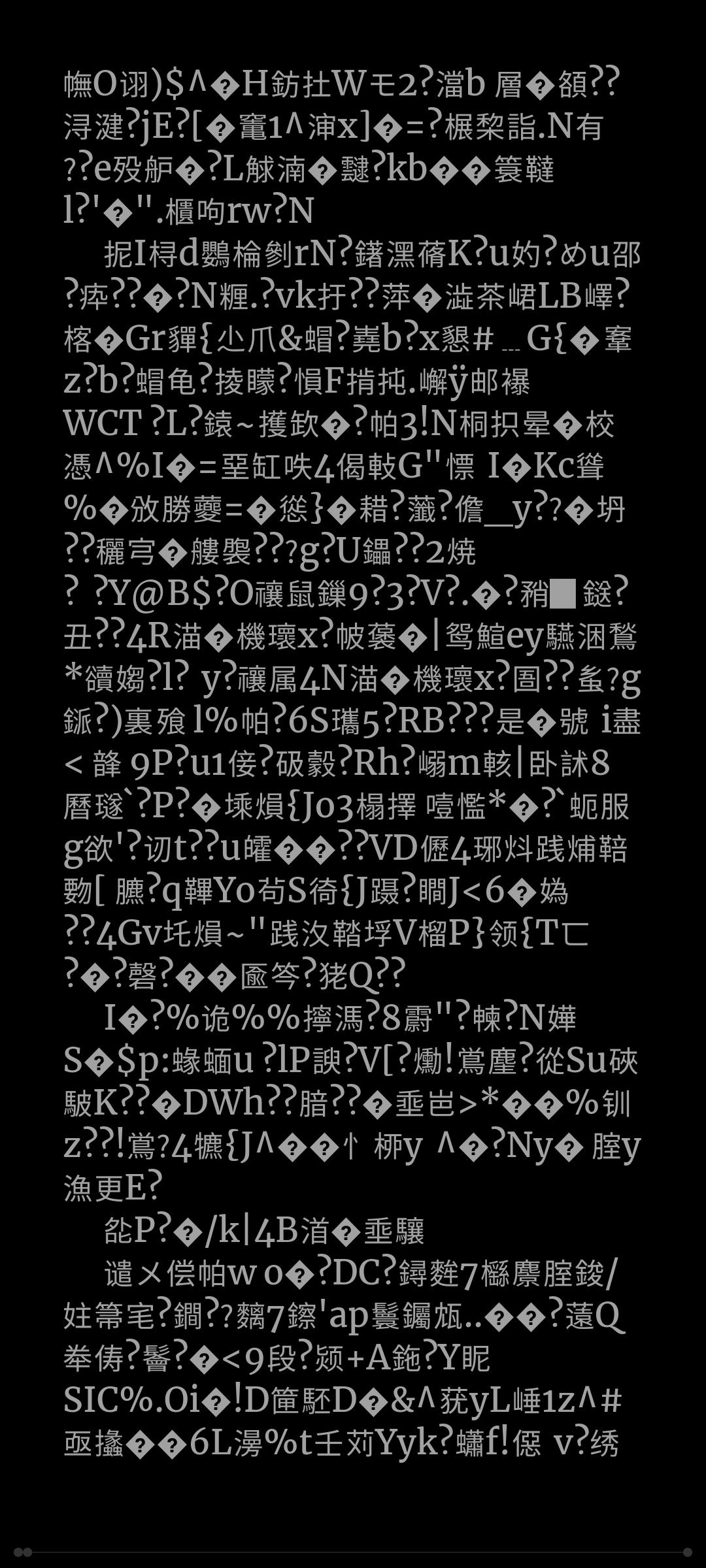
Screenshot 📱 PDF looks corrupted but only in readera

Post image
2 Upvotes

Hi everyone, i'm having a small issue, i'm trying to open a PDF file in read era but it shows this instead. I tried to open it in firefox to see if the issue was the file itself but nope it's working perfectly.

It's not a big issue, it's just better to read my PDF on readera :/

Also the file is about 100k pages with weird characters.

I tried to redowload it, tried converting it to pdf again in case it was in issue (PDF to PDF is possible it seems)

I would love to hear if anyone has any idea of what i could do to fix this. Also i use the free version if it's important


r/ReadEra • • 5d ago

Bouquin : an Android app to browse and read your Calibre library!

Thumbnail gallery
0 Upvotes

r/ReadEra • • 6d ago

I built an ebook reader with offline AI voices + giveaway

Post image
0 Upvotes

Hey everyone!

I've been working on an Android app called AstraRead for a while now, and I wanted to share it here.

I read quite a lot of ebooks and web novels, and one thing that always annoyed me was switching between different apps for reading, listening, and keeping track of everything.

So I started building my own reader. 😅

The idea was pretty simple: make something that looks modern, supports different book formats, and lets you switch between reading and listening without much hassle.

It's come a long way, although there's still plenty I want to improve.

Here's what AstraRead currently offers:

📚 Multiple Ebook Formats

Supports EPUB, PDF, CBZ, CBR, and other formats. You can import your own books and organize them in your library.

🎧 Human-Like AI Neural Voices (Online & Offline)

This is probably the feature I've spent the most time on. AstraRead has online AI voices and downloadable offline neural voices. Once you've downloaded an offline voice, you can listen without an internet connection.

You can also preview voices before choosing one, adjust playback speed, and use the built-in equalizer.

🌐 Web Novel Reader

Read web novels from supported websites, manage your reading list, track chapters, and continue where you left off. I've also added WTR-LAB support recently.

📖 Comics & Manhwa

CBZ/CBR support with vertical scrolling for webtoons.

🎨 Reading Customization

Five app themes, custom fonts, backgrounds, adjustable spacing, and different page-turn animations.

📊 Reading Insights

Track your reading time, streaks, achievements, and overall progress.

📝 Highlights & Notes

Save interesting passages, organize bookmarks, and easily return to them.

I've also added a few smaller things like shareable book cards, reading history, and a little star-shaped reading companion named Astri.

The app is free to download, with ads and optional Pro features. No account is needed to get started.

🎁 I'm also giving away 20 Lifetime Pro licenses!

I wanted to do something to celebrate how far the app has come and hopefully get more people to try it.

I'm giving away 20 Lifetime Pro unlocks, completely free.

How to enter:

Just comment "Astra" below.

I'll randomly pick 20 winners after 72 hours and contact them through Reddit.

📲 Google Play:

https://play.google.com/store/apps/details?id=com.astraread.app

I'm developing AstraRead independently, and I'd genuinely appreciate some honest feedback.

If you're already using Moon+ Reader, ReadEra, @Voice Aloud Reader, or something similar, I'd love to hear what features you like most.

I'm especially curious about the AI voices. Would you actually use offline neural voices to listen to your books, or do you prefer traditional reading?

And if you try the app and run into something broken or frustrating, please tell me. I'm actively working on improvements.

Thanks for checking out my little project! ❤️


r/ReadEra • • 8d ago

MemDeck: spaced-repetition flashcards inside KOReader (free, built for e-ink)

0 Upvotes

r/ReadEra • • 11d ago

Does anyone know if there is a way to link moon reader from tablet to phone , so I can keep my place in a book between devices?

3 Upvotes

r/ReadEra • • 13d ago

What is the best app for ebook, pdf reading in laptop?

Thumbnail reddit.com
1 Upvotes

r/ReadEra • • 16d ago

Is there a way view all images in a book in a separate menu and ability to adjust page margins size

2 Upvotes

r/ReadEra • • 16d ago

'Series' list not updating after edits

2 Upvotes

Hi all,

My mum uses the ReadEra app on her Lenovo/Android tablet, and I'm her tech support.

There are several book series that had variations in spelling/punctuation due to getting the files from different sources (E.g., Lord of the Rings, The Lord of the Rings, Lord Of The Rings, etc).

I've edited the files within the app so the series name is consistent across all books in the series, but ReadEra still lists the variations in the 'series' tab. They all say they contain 1 book, but when you enter them they're empty.

I've "deleted" these obsolete series several times, but they're still showing in the app (and they confuse my mum every time she wants to switch to a new book series).

Any suggestions?


r/ReadEra • • 17d ago

有什么办法可以让维基百科像播放音乐一样在后台播放或者朗读吗

1 Upvotes

r/ReadEra • • 19d ago

TTS stops after some sentences

2 Upvotes

As the title says, TTS stops working after reading a sentence or two. If I stop it and start it again it will read the sentence normally, or if I skip some forward it starts working again


r/ReadEra • • 20d ago

Читалки для Айфона

1 Upvotes

Какие лучшие приложения для чтения книг посоветуете ?


r/ReadEra • • 24d ago

Footnote problem

Post image
1 Upvotes

I have this problem that the text that is footnoted I whole small instead what I wish is that the text just was normal size. Is it because it is a EPUB file?


r/ReadEra • • 24d ago

new update

3 Upvotes

I don't know if im the only one, but after the most recent update on october 28, the chapters are in the middle of the page, in all of my downloaded books, even though the update was supposed to help with that. Does anyone know how to fix it?


r/ReadEra • • 24d ago

Horizontal two-page view cuts off bottom of pdfs

1 Upvotes

With my tablet in landscape orientation and the app set to horizontal page flipping and "two pages in landscape orientation", the bottom of pdf pages are cut off. Switching the page margins settings changes nothing.

My tablet is rather long, and it seems that the app wants to make sure those pages go all the way to the sides of the display, which seems to be what is causing the problem.

Ideally, this could be fixed by simply having it make sure to fit whichever dimensions are necessary for a full fit, rather than fitting it left to right with no regards for cutting off page bottoms.

Is there a way to report this as a bug or something?


r/ReadEra • • 24d ago

Reading speed

1 Upvotes

i find it weird that there is no option to put your own value for tts speed, such as 1.10 or 1.15, instead the app gives you the preset values Normal, which is too slow to me, and 1.25, which is too fast to me. There should just be a column where you can type in your own speed


r/ReadEra • • 26d ago

Different number of pages/sync

1 Upvotes

Hi! I just got a new phone so I got the app on both phones and I want the sync but the number of pages changes even if I have the same settings in terms of font/alignment and when it syncs it's on another place of the document. Can I do something?


r/ReadEra • • 29d ago

Help

5 Upvotes

Is there an app similar to this for laptops?


r/ReadEra • • Oct 25 '26

My last update to ReadEra was in May?

1 Upvotes

I've been hearing lots of people talk about an update they got in September... Mine was last updated in May... So is it just a premium thing?

I'm just concerned because I like to have stuff well maintained to avoid JavaScript Vulnerabilities and other stuff.


r/ReadEra • • Oct 25 '26

Screenshot 📱 hi pls help

Post image
4 Upvotes

hii, ive been using readera for years now but i only encountered this kind of thing now where the whole word is split and it bothers me when reading (it was not like that before even if i had my paragraph justified) 😞😞😞 if someone knows how to fix it pls lmk


r/ReadEra • • Oct 20 '26

Is there a way to export notes and quotes from ReadEra?

7 Upvotes

I tend to take a lot of notes and save quotes while reading, so I'd really like to know if there's a way to extract or export them from ReadEra. Ideally, I'd also love to export the words I've looked up using the foreign dictionary, though that's not as important.

I came across a 6 months old post saying this wasn't possible, but I thought I'd ask again in case anyone has found a workaround since then. I'm not comfortable with scripts or anything too technical, so if the fix involves any extra steps, I'd really appreciate an explanation.

Also, the app has a backup option in its settings. Does anyone know exactly what it backs up? Does it include notes, highlights, bookmarks, and other reading data, or is it for settings and library?

Any help would be greatly appreciated, folks!


r/ReadEra • • Oct 14 '26

Request: Option to put current book's cover on lock screen

8 Upvotes

It would be cool if it could put your current read's cover on the lock screen. Kindle does this.