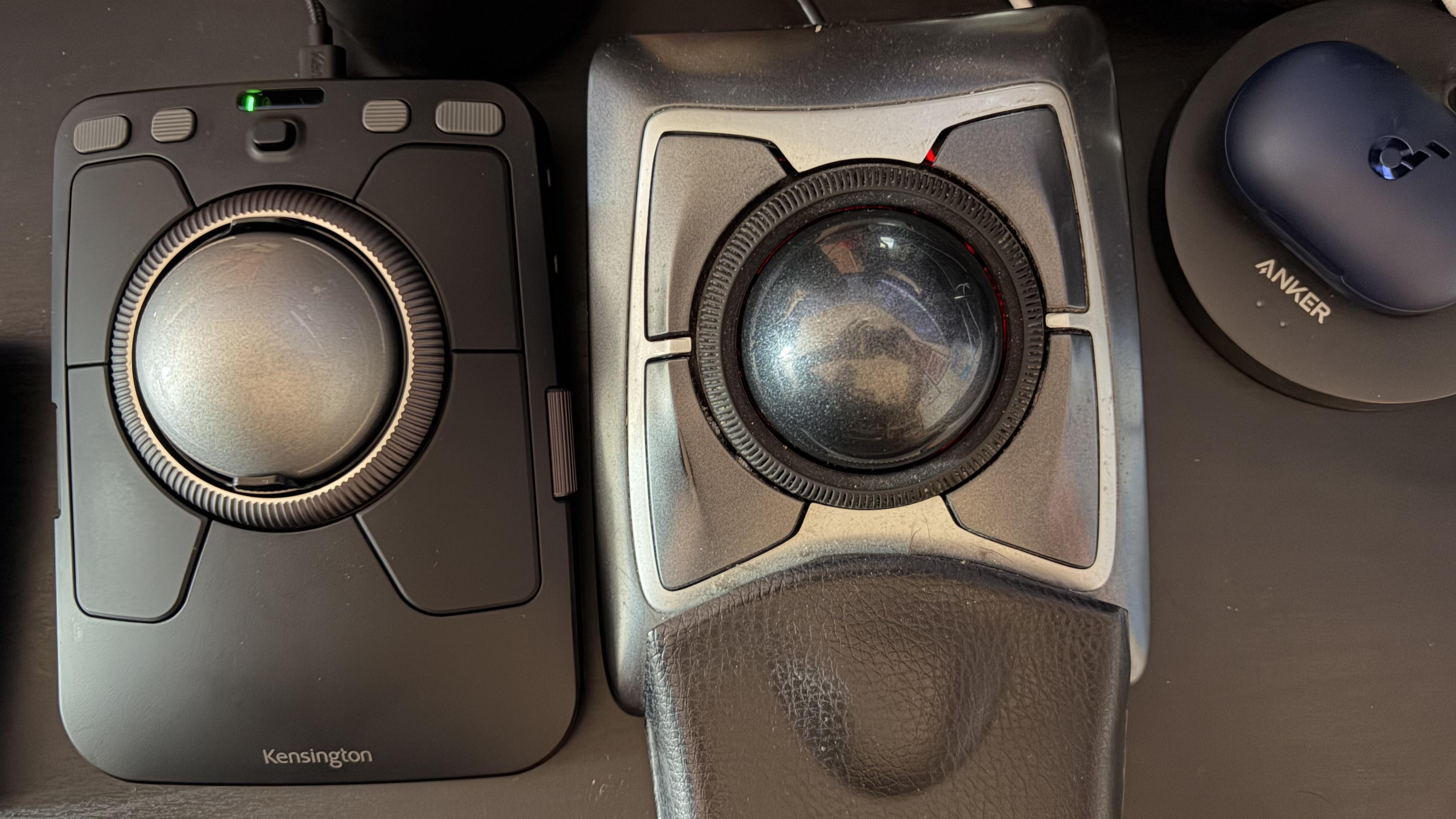
My TB900 EQ finally arrived. It feels a lot like my old TB800, and the dead zone I noticed on the TB800 is gone. I could feel the difference right away. Of the finger-operated trackballs I’ve used, I’d put it second only to my efog Endgame.
I use SteerMouse with all my trackballs to keep my per-app mappings and button chords consistent. The TB800 is officially supported, and I’m hoping the TB900 gets the same treatment. In my testing, SteerMouse recognized three standard mouse buttons. The other five sent keyboard or media inputs, and I couldn’t get either side wheel recognized. Kensington Konnect covers the usual settings, but I’d like to use the same mappings and chords as on my other trackballs.
I emailed the SteerMouse developer to request TB900 support. I included the button mappings, Device Analyzer output, and product IDs for wired USB, the 2.4 GHz dongle, and Bluetooth. I also sent screenshots of the default button and scroll settings.
Here’s how it compares with my other trackballs:
- Nulea M512 — I swapped in silent switches, and it tracks fine with my green ball. It has no scroll ring, but I use its two side wheels for vertical and horizontal scrolling. SteerMouse recognizes every button and both wheels.
- ProtoArc EM06 — Onboard memory is its biggest plus. SteerMouse recognizes five of the seven buttons. With no scroll ring or wheel, I dedicate a button to drag scrolling. It sounds minor until you scroll all day.
- efog Endgame — Still my favorite. With my modified firmware, SteerMouse recognizes all eight buttons and both side wheels. I also get twist scrolling and can tune everything from the sensor to the button behavior. The 3D-printed finish is a little rough, but the flexibility makes up for it.
The TB900 felt stable over USB, the dongle, and Bluetooth, with no noticeable polling issues in normal use. The clicks are loud in a quiet office, much like my TB675. If they keep bothering me, I’ll probably swap in silent switches.
If SteerMouse adds support for the extra buttons and both side wheels, I can see the TB900 becoming my daily office trackball.
UPDATE — TB900 EQ and SteerMouse
Yoshi from SteerMouse got back to me much sooner than I expected and sent me a TB900 device definition file to try. It works really well on my setup. SteerMouse now recognizes all eight buttons, and I can assign a separate action to each direction of the right-side wheel.
I also captured both directions of the left-side wheel in Device Analyzer and sent the logs to Yoshi. I’ve asked if those two directions can be made independently assignable as well, just like the right-side wheel.
Big thanks to Yoshi for the quick response and for sending a file I could test right away.
UPDATE 2 — All eight buttons and both side wheels are working in SteerMouse
Yoshi pointed me to Wheel → Roll Left / Roll Right in SteerMouse, where I can assign an action to each direction of the left-side wheel. With the TB900 EQ device definition file installed, all eight buttons are configurable, and both side wheels work the way I want. I’ve set the left-side wheel to scroll and the right-side wheel to tilt.
I’ve asked Yoshi if I can share the file with anyone here who wants to try it ahead of an official SteerMouse release. I’ll update this post once I hear back.
Big thanks to Yoshi for the quick turnaround and for helping me get everything working!
UPDATE 3 — TB900 EQ SteerMouse file available
Yoshi gave me the go-ahead to share the TB900 EQ device definition file. If you’d like a copy, just DM me your email address and I’ll send it over.
Thanks again to Yoshi for getting all eight buttons and both side wheels working in SteerMouse!