r/VitaPiracy • • Oct 29 '19 Bravo

Everything Vita Hacking Easy Step-by-Step: For English Patches and Game Back-Ups

890 Upvotes

This is literally everything you need to hack your Vita and PS TV in nice, simple, step-by-step directions. I had a hard time figuring all of this out after watching a bunch of tutorials so I thought I'd share what I learned.

UPDATE: After downloading H-Encore 2 and Vita Shell, the first thing you should download is the Modoru vpk. Then downgrade to 3 60 or 3.65 firmware and then install Enso vpk to keep your Vita on 3.60 or 3.65 firmware permanently. This is very important. It will make all of the apps much more compatible since every app works on 3.60 and 3.65.

Alright here we go!

On PC:

Download H-Encore 2 on github.com

Download FinalHE on github

Download Autoplugin for Vita on github

Save all of these downloads on an external device in a folder. Name it PS Vita Hacking

Download Content Manager Assistant from Sony. Google it and download it.

Start FinalHe

Hook up PS Vita to PC

Copy content from FinalHE to PS Vita through Content Manager on your Vita

This should install H-encore 2

Start H-encore 2 app from Vita's home screen

Download Vita Shell from H-Encore 2 app.

Install Henkaku on H-Encore 2

Copy Autoplugin over from PC to uX0: in Vita Shell app. 

Start Autoplugin

Download NoDpDRM and Repatch from Autoplugin app

Create a RePatch folder in Vita Shell in uX0:

Download the game you want on your PC.

Once the download is finished, open the app folder on PC and copy it's contents (PCS####) over to the apps folder on your Vita in Vita Shell, uX0:, apps.

If there is an English patch file, copy the RePatch folder contents of the game from your PC to the RePatch folder on your Vita in Vita Shell, Ux0, RePatch

Then in Vita Shell, press Triangle on your Vita and then click Refresh Live. 

DO NOT UPDATE VITA

If an update comes out, go to Henkaku settings and select "Spoof firmware" and then select it as the then current firmware. 

Start H-Encore 2 every time you want to access Vita Shell and any other hacked app. 

Done.

Add-On Content/DLC:

Create an "addcont" folder in Ux0:

Put the addcont folder contents from the game file on your PC into the addcont folder on your Vita in Ux0:

Put the license folder contents from the game on your PC into the license folder on your Vita in Ux0:

Put the patch folder contents from the game on your PC into the patch folder on your Vita in Ux0:

Done.

SD2Vita:

Format micro sd card

Go on Vita

Click on the Autoplugin app. 

Select install SD2Vita plugin.

Open Vita Shell on Vita.

Press start on Vita in Vita Shell and change the primary memory card to SD2Vita under Ux0:. Your Vita memory stick should be under maO: 

IMPORTANT: If you take the SD2Vita out and put a physical PS Vita cartridge in your Vita, make sure you put the game in after you start your Vita. If you start the Vita with game already in the game slot, the Vita may ask for you to format your memory card. If this happens, don't format. Instead, select no and then turn off PS Vita and take out the game cartridge. Then turn it back on, get to the home screen, and then put in the game cartridge.

Done.

Downgrading Firmware and Installing Enso:

On PC, download the latest version of Modoru on github.

Find and download Vita Firmware 3.65. Google it and then download it. It should be a PSP2UPDAT.PUP file.

Download latest version of Enso on github

On Vita, open H-encore 2 and then exit.

Connect PC to PS Vita using Vita Shell.

Copy Modoru vpk over to Vita, uX0:, data.

Install Modoru by selecting Modoru vpk in Vita Shell, uX0:, data and then selecting "install". Then delete Modoru vpk in the data folder. Make sure you delete Modoru vpk once the app is added to home screen, otherwise this will not work. 

Under apps in Vita Shell, find Modoru folder.

With Vita Shell opened, on PC, copy over contents of PS Vita 3.65 firmware folder (PSP2UPDAT.PUP file) over to uX0:, apps, Modoru folder. 

Copy PSP2UPDAT.PUP over to uX0:, data in Vita Shell. 

On PC, copy over Enso.vpk to uX0: in Vita Shell. 

Install Enso by clicking the Enso vpk and then select "install" in Vita Shell. 

Open H-encore 2 on Vita and select "reset Tai-hen"

Open up Vita Shell again and navigate to uX0: and find the tai folder. 

Rename tai folder to "tail". The tai folder plugins must not be active in order for Modoru to work. 

Then reset Vita.

Once it resets, open H-encore 2 and exit.

Find the Modoru app on Vita homescreen and open it. 

Follow the directions in Modoru app and make sure it will install Vita firmware 3.65.

Once it is finished, your Vita will restart.

Once it boots back up, open up H-encore 2 and then exit.

Then open up Enso app and follow the directions to permanently hack your Vita to 3.65 firmware.

Once Enso is installed, you won't need H-encore 2 anymore. 

Open up Vita Shell and find the "tail" folder in uX0: and rename it back to "tai".

Then exit Vita Shell and open Auto Plugin app on Vita homescreen and install whatever plugins you want. The most important plugins are NoNpDRM, rePatch, and ReFOOD.

Your Vita is permanently hacked and good to go! Done.

Other Notes: For Higher Firmwares: 

If triangle crashes Vita Shell, then press "start" first in Vita Shell and click "Restart Vita Shell" and then try clicking triangle to refresh area. 

Never ever delete PCS9006. This is the file for the H-Encore 2. 

Note: If you want to simply apply English patches to Japanese game cartidges you already own, avoid placing the downloaded game's app folder contents since the app folder will be the actual game cartridge once you put it in your Vita.

For PS TV: All the steps are the same, except you need to connect to your PC through wifi first in the Content Manager to transfer over H-encore 2.

Then the rest of your connections to PC will be in Vita Shell through FTP connection, using FileZilla on PC or any similar PC application.

PS TV: If you don't know how to use FTP connection:

First, make sure your PS Vita is on the most current firmware.

Go on your PC and start FinalHE. Connect to your PC using Content Manager on Vita and transfer over H-encore 2 to your PS Vita.

Once H-encore 2 is installed, open H-encore 2 app on Vita and then install Henkaku and download Vita Shell in H-encore 2. Then exit.

Open up Vita Shell and place the Modoru vpk in the data folder in uX0:, data. Then place the 3.65 firmware file (PSP2UPDAT.PUP) in the same data folder.

Install Modoru through Vita Shell and then delete the Modoru vpk in data once the Modoru app is on your home screen.

Copy the PSP2UPDAT.PUP file from the data folder to the Modoru folder in uX0:, apps, Modoru.

Place Enso vpk on the root of your PS Vita memory card. Do not start Modoru or Enso yet though.

Place Auto Plugin vpk on the root of your PS Vita memory card.

Take your memory card out of your PS Vita (when it is off) and insert it into your PS TV and follow the steps to install Modoru and then once your PS TV reboots itself, start Enso and permanently hack your PS TV on firmware 3.65.

Start Auto Plugin on PS TV home screen and install NoNpDRM, rePatch, and reFOOD plugins.

Done.

Note: This will not work if your PS Vita memory card is from any firmware other than the most current on your PS Vita. It has to be the current firmware in order to use the memory card otherwise PS TV will ask you to format your memory card. Once you hack the PS TV to 3.65 and set up Enso, you can use the memory card between PS Vita and PS TV on 3.65 firmware.

Once you have your PS TV set up, then downgrade your Vita using Modoru and Enso. Vita is much easier to hack than PS TV imo.


r/VitaPiracy • • 13h ago

Super Mario Galaxy for PS Vita, Version 3.0: full 960×544 resolution 60fps, and INTRODUCING native PS Vita Galaxy Multiplayer

781 Upvotes

Hey everyone,

Sorry this version took a minute.

Version 3.0 is a huge jump from 2.0. The game still runs natively on the Vita's CPU and GPU (using your own Wii USA RMGE01 disc files), and now most of the game runs at full native 960x544 at 60 FPS, Quality mode gets hardware 2x MSAA at 30 FPS, shaders load in less than half a second with no first-visit hitching, and we've added the first-ever Super Mario Galaxy multiplayer for both local and online play.

What's New in 3.0 (Highlights Since 2.0)

Super Mario Galaxy Multiplayer (2-4 Players, Local & Online)

  • Play Together (Co-op): Run through galaxies together in the same world. Switches, Star Bits, purple coins, regular enemies, and Power Stars count for the whole group. If you fall, you float back to a teammate in a rescue bubble (with the camera following you until they pop you out).
  • Star Race: Race each other to the same Power Star from a shared countdown with a timer, standings, series points, and small start delays for the last winner to keep rematches competitive.
  • Easy to jump in: Pick Multiplayer right after the title screen. There are no host/join menus to mess with. Anyone on the same Wi-Fi just shows up on the gathering screen with their 3D character head, and the leader hits START.
  • Ways to play: Same Wi-Fi, Nearby (Vita-to-Vita, no router), Far-Away Friend Codes, and Online Play through galaxy.psvita.dev (Play with Anyone, Friends, and Star Race Leaderboards, with Cloudflare TURN relay for tougher routers).
  • 6 characters & chat: Mario, Luigi, Toad, Yellow Toad, Cosmic Mario, and Cosmic Luigi, plus quick phrases and typed chat (with per-player mute).
  • Protected saves & reconnect: Sessions are encrypted, a dropped Wi-Fi connection tries to put you right back in for up to 75 seconds, and multiplayer saves to its own Team Files so your single-player save stays separate unless you choose to play on it.

Native 960x544 at 60 FPS (Plus 2x MSAA Quality Mode)

  • Performance Mode (Smooth Motion, default): Runs locked at full native 960x544 and holds 58-60 FPS across most of the game on a real Vita (Good Egg, Gusty Garden, Freezeflame, Battlerock, Space Junk, Toy Time, Sea Slide, Bowser Jr., Honeyhive at 59.9 FPS, Melty Molten at 55-59.6 FPS, and 2-player Flipswitch at 60 FPS).
  • No more choppy 48-50 FPS: When a really heavy area or busy 2-player planet (like Good Egg in co-op) can't hold 60, it drops cleanly to an even 30 FPS instead of stuttering around 48-52, then tries 60 again automatically once things calm down.
  • Quality Mode (Full Detail): Locked 30 FPS at native 960x544 with hardware 2x MSAA, anisotropic filtering, and sharper character detail (tested locked 30.0 FPS on Dreadnought and Melty Molten).

5,401 Precompiled Shaders (~0.4s Load)

  • We harvested 5,401 shaders directly on a real PS Vita across every galaxy, midpoint, boss fight, all 7 power-ups, multiplayer menus/puppets, and Settings. They preload into RAM in about 0.4 seconds on startup. On a clean cold-boot test across Title, Observatory, Good Egg, Honeyhive, Beach Bowl, Melty Molten, and Dreadnought, it compiled 0 shaders during gameplay.

New Home Bubble, LiveArea & Splash Art

  • Updated 8-bit palette artwork for the Vita Home bubble, LiveArea backdrop, Start gate, and launch splash (content-rev 5).

Vita Controls & Features

  • Front touch screen: Tap to collect Star Bits, use menus, or hold to grab Pull Stars.
  • Optional rear touch aiming: Slide a finger on the back pad like a trackpad to move the Star Bit pointer while keeping your thumbs on the sticks and buttons (resting fingers are ignored).
  • Tilt steering with auto stick fallback: Tilt to steer Manta Surfing and Star Ball (Select re-centers). If your Vita's motion sensor is dead or stuck, the game detects it and switches steering to the left stick automatically.
  • In-game Settings: The old LiveArea Settings tile is gone. Open Settings from the first screen or hit Triangle in the pause menu. Clean 2-mode Picture picker, button remapping, camera zoom (1.0x to 2.0x), automatic Vita system language detection (EN / FR / ES / DE / IT), and Save and Start Again so display/language changes apply right away.
  • Safe Saves always on: Saves now write through a checked temp file with an automatic .mpbak backup so a crash or power cut won't corrupt your file.

Bug Fixes & Improvements Since v2.0 (30+ Fixes)

Crashes & Freezes

  • Fixed the Bee Mushroom and power-up transformation crashes (Ice Flower, Spring Mushroom, Rainbow Star, electric shocks) for both Mario and Luigi.
  • Power-ups no longer get consumed and wasted if their form models aren't loaded yet.
  • Fixed the Comet Observatory and Kitchen Dome crashes caused by graphics memory getting freed while the GPU was still using it.
  • Fixed infinite black screens on galaxy loads in Performance mode and crashes from resolution changes right after a stage loads.
  • Fixed false "Taking longer than usual" stall warnings while shaders are still actively compiling, and improved crash logging (log.txt + psp2dmp).

Visuals

  • Fixed the black-hole white flickering and crosshair glitch when falling into a black hole.
  • Fixed missing fog and swapped textures on objects caused by shader fog-slot mismatches.
  • Fixed Mario's blinking ground shadow on small planets and Dreadnought's start disc.
  • Fixed distant objective objects (Toads, Lumas, Rosalina, bunnies, switches, bosses) getting culled in Performance mode.
  • Cleared out the bad precompiled shader glitches from 2.1 (all 5,401 shaders in 3.0 were built on real Vita hardware).

Performance, Stutter & Audio

  • Fixed the 20-second periodic micro-hitch (the "little stutter here and there") by spreading thread checks across frames.
  • Removed the old 48 FPS pacing cap (Beach Bowl jumped from 48 to ~60 FPS with far fewer stutters).
  • Fixed music cutting out during heavy loading by chunking big memory-card reads into 512 KiB slices so audio streams don't wait behind them.
  • Fixed resolution-switch skips (~1 ms swap now) and menu-open hitches, cut out constant 100 ms dev-log card writes, and sped up boot time.
  • Under-the-hood speedups: leaner split vertex shaders, half-precision fog, 1-byte intensity textures, faster ARMv7 vertex welding, 4x faster CPU texture swizzling, fewer shadow/water/heat-haze GPU passes, 8-10 MiB more free VRAM at Honeyhive, and a fresh 8-route CPU PGO profile.

Controls, Camera & Multiplayer Polish

  • Fixed coins, Star Bits, Launch Stars, and Pull Stars just outside the frame freezing at 1.5x zoom, plus auto-easing zoom back to 1.0x for Pull Stars and fixed dome shots.
  • Fixed Bowser's planet on the edge of the Galaxy Map not being selectable.
  • Fixed Settings occasionally locking up with "Controller disconnected", and added OLED-safe keep-awake so the screen doesn't dim during cutscenes or long sessions.
  • Multiplayer fixes verified on real Vita hardware: smoothed out remote player movement (no more jumpy teleporting), locked even 60 / even 30 multiplayer pacing, stopped players from pushing each other off the landing spot during fly-ins, fixed Luigi's body disappearing during face-first launch-ring fly-ins, fixed the camera staying behind when you're in a rescue bubble (plus preventing a second death right after popping), brought back camera zoom (L/R) in the multiplayer pause menu, sped up the gathering screen, and hardened group restarts.

How to Install / Update & Recommended Plug-ins

  • Updating from 2.x: Just install Galaxy-Vita.vpk right over your old install in VitaShell. Your game files, saves, settings, and optional HD texture pack all stay intact. If LiveArea still shows the old bubble or Settings tile, run Refresh LiveArea in VitaShell.
  • Fresh install: Grab CBOC Vita Installer (Windows / Mac / Linux), pick Super Mario Galaxy, point it at your Wii USA (RMGE01) disc image, and hit Install. Make sure libshacccg.suprx is set up on your Vita.
  • Strongly recommended plug-ins for full 60 FPS: The game works fine without any extra plug-ins, but to hit the 58-60 FPS numbers and smooth 2x MSAA Quality mode, I strongly recommend:

    • CapUnlocker (capunlocker.skprx) to unlock the Vita's 4th CPU core.
    • PSVshell / PSVshellPlus (or your preferred overclock plug-in) set to 500 MHz CPU / 222 MHz GPU / 222 MHz BUS (the game detects your 500 MHz profile and leaves it alone automatically).

Quick heads-up on multiplayer: 2-player Wi-Fi Play Together and our online server (https://galaxy.psvita.dev) are live and tested, while two physical Vitas together, Nearby (ad-hoc), far-away codes across real routers, and 4-player console sessions haven't had much real-world console mileage yet. Definitely back up ux0:data/smg/saves before trying multiplayer just in case, and if you run into anything weird please open an issue on GitHub with ux0:data/smg/log.txt.

Links

Hope you guys have a blast with it!

CBOC Vita


r/VitaPiracy • • 5h ago

Shinobi (PS2, 2002) running natively on PS Vita via static recompilation – early WIP (v0.1.0)

47 Upvotes

Hi all! I’ve been working on a port of Shinobi
(PS2, 2002) to the PS Vita – not emulation, but static recompilation: the game’s MIPS code is translated to C++ and compiled for the Vita’s ARM CPU.

Where it is now (v0.1.0, very early):
• Boots to the title screen and main menu, menus run at a stable 30 fps
• The GS now draws on the Vita’s GPU through vitaGL – before that the menu ran at under 1 fps on the CPU
• Sound works (SPU2 + CRI ADX streams), memory card saves work
• The IOP (PS2 sound/IO processor) modules are translated to native code too

Not there yet:
• Cutscenes play without video (no FFmpeg on the Vita build yet) – next on the list
• In-game levels load but are still very slow (VU1 vector programs mostly interpreted, 3D on the GPU not finished)
• Not playable yet, no release for now

Full disclosure: this whole thing is heavily vibe-coded – I’m new to recompilation and C++, and most of the code was written with an AI assistant (Claude) while I tested every build on real hardware.

Updates soon.

Lil video attached.


r/VitaPiracy • • 13h ago

Mario Strikers Charged (Wii) for PS Vita, Version 2.0: 60 fps, up to full 960×544 resolution, and PS Vita Leaderboard Multiplayer

183 Upvotes

Hello again,

Just wanted to say thanks to everyone who played v1.0 and v1.1 and took the time to send feedback, bug reports, and stadium clips. Reading what actually broke or slowed down on real consoles is what drove most of this update.

A quick note on the version jump: v1.2 was briefly shared and pulled back, so v2.0 rolls in everything from that along with a few more months of performance, graphics, stability, and networking work.

Mario Strikers Charged for PS Vita v2.0 is out now. Like before, this is a native Vita build rather than emulation or streaming. You still need your own Wii USA (Rev 1) disc copy, and no Nintendo files or artwork are included in the download.

Highlights in v2.0

  • Smooth 60 FPS by default: SMOOTH 60 is now the default frame rate mode. Matches run at 60 fps using dynamic 3D resolution that steps up to full native 960x544 whenever the GPU has room, while keeping the HUD, menus, title screen, and Mega Saves locked at native 960x544. When things get hectic, it steps down cleanly (60 to 45 to 30) instead of hitching, then climbs back to 60 once the action clears. If you prefer max sharpness everywhere, you can switch to 30 LOCKED anytime in VITA SETTINGS for steady 30 fps at native 960x544 with 2x MSAA.
  • Online Multiplayer (Beta): Host a private room and share a short invite code with a friend, jump into unranked PLAY WITH ANYONE, or play RANKED MATCH with season and daily rankings. You can check the live web leaderboard at strikers.psvita.dev/leaderboard.
  • Local Multiplayer (Beta): Play another Vita next to you using Same Wi-Fi or Nearby mode. (Multiplayer is marked Beta while two-Vita testing continues. v2.0 is required to connect online, so make sure both Vitas are updated.)
  • 4,281 prebuilt Vita shaders: Built on a real PS Vita across all 17 stadiums, 12 captains, 11 power-ups, menus, replays, Mega Strikes, and Mega Saves. This cuts out almost all first-time shader stutters during matches, with roughly a 1.2 second warm-up on boot.

Features & Quality of Life

  • Redesigned in-game VITA SETTINGS: Pause any match and open VITA SETTINGS (or OPTIONS > VITA SETTINGS from the main menu). Everything lives in one app now across five pages with plain descriptions, a reset button, ONLINE ACCOUNT, and REPORT A PROBLEM. No separate Settings VPK or extra bubble needed. (Hold L + R on launch for Safe Start if you ever need it.)
  • Automatic artwork from your disc: On first launch, the game builds its own loading screen, LiveArea background, START gate, splash screen, and circular Home bubble right on the Vita from your extracted disc files. No copyrighted art is shipped in the VPK, and it will not overwrite custom icons. (LiveArea and loading screen show up right away; on manual VPK installs, reboot the Vita once so the Home bubble refreshes, or use CBOC Vita Installer to brand it ahead of time.)
  • English, Spanish, and French: Change the language in VITA SETTINGS and both the disc's text and all of the Vita menus, guides, loading screens, and online screens switch together.
  • Optional plug-ins for extra 60 FPS headroom: The game runs fine on a stock homebrew Vita with no plug-ins (it requests 444 MHz CPU / 222 MHz GPU & bus automatically). If you want the best 60 fps headroom in heavy stadiums, two optional plug-ins help a lot: PSVshell / PSVshellPlus (500 MHz CPU / 222 MHz GPU & bus overclock, automatically detected and left untouched) and CapUnlocker (unlocks the 4th CPU core; v2.0 detects and uses it automatically with no config edits to offload audio and background work, and falls back cleanly to 3 cores if not installed).

Bug Fixes & Stability

  • Pipeline Central and The Dump: Pipeline Central runs much better with a tuned reflective floor and mist setup. The Dump fixes rain and shadow flicker, kickoff hitches, and an issue where the game could stay stuck at 30 fps after lightning storms cleared.
  • Mega Strikes and Mega Saves: Fixed distracting mid-scene resolution jumps during Mega Strikes, and locked Mega Save gloves and balls to native 960x544.
  • Crashes, video, and audio: Fixed C2-12828-1 out-of-memory crashes during heavy stadium intros, added software video fallback if the hardware decoder stalls on a cutscene, added keep-awake protection so the screen doesn't dim during loading or matches, and fixed audio recovery after sleep/resume.
  • Saves and progression: Saves and settings now write atomically with automatic backup and damaged-save recovery (Strikers2.bad). Unlock All now defaults to OFF so trophies and stadiums unlock normally, and all locked stadiums work properly (you can still turn Unlock All back on in VITA SETTINGS).
  • Easy upgrade: You can install v2.0 right over v1.0 or v1.1 without losing your saves, settings, or disc files.

Links

Let me know how it runs on your Vita, and if you run into any online or stadium bugs please send a report in-game or open an issue on GitHub.


r/VitaPiracy • • 3h ago

[Release] Mushihimesama Vita

Thumbnail
gallery
32 Upvotes

r/VitaPiracy • • 13h ago

[WIP]Destroy All Humans! 2 Vita Screenshots

Thumbnail
gallery
126 Upvotes

Here are some screenshots with performance metrics of how Destroy All Humans! 2 currently runs in game for PS Vita. It's currently pretty stable at 30 fps but I'm aiming to push it further and have it run as smoothly as possible before release.


r/VitaPiracy • • 17h ago

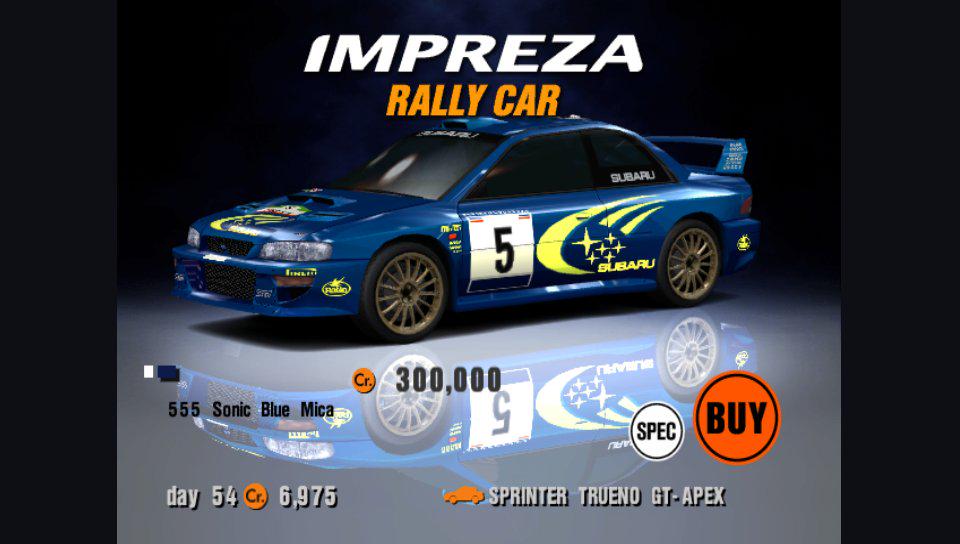
GT3 vita is here. Who would’ve thought?

Thumbnail
gallery
229 Upvotes

r/VitaPiracy • • 13h ago

Vitadhoc for PS Vita, Version 2.0: 60 fps, smooth upscaling, online multiplayer, full screen, up to full 960×544 resolution, and PS Vita exclusive features

100 Upvotes

VitAdhoc 2.0 is finally up.

The last public release (v1.3.1) only did GBA, GB, GBC, and SNES. 2.0 brings it up to 11 consoles in one native Vita app: GBA, GB, GBC, NES/FDS, WonderSwan/Color, SNES, Genesis/Mega Drive, Sega CD, Master System, Game Gear, and SG-1000. Everything shares the same home screen, controls, save-state layout, and settings menu, so you don't have to set up separate RetroArch cores or per-system overrides.

New consoles

  • NES and Famicom (FCEUmm): supports .nes, .fds (bring your own disksys.rom), .unf, .unif, plus touch-screen NES Zapper.
  • WonderSwan and WonderSwan Color (Beetle WonderSwan): .ws, .wsc, .pc2, automatic portrait/landscape rotation, 75 Hz to 60 Hz motion blending, and unswapped physical buttons (Circle = A, Cross = B) even on Asian Vitas.
  • Sega Genesis/Mega Drive, Master System, Game Gear, and SG-1000 (Genesis Plus GX in md.bin): 6-button default layout (Square/Cross/Circle = A/B/C, L/Triangle/R = X/Y/Z), dedicated-core YM2612 FM audio on Genesis, and an optional No sprite flicker toggle for the 8-bit Sega systems.
  • Sega CD / Mega CD (also in md.bin): .cue+.bin, .iso, .chd, and .m3u multi-disc playlists with in-game disc switching, a read-ahead thread, per-game backup RAM, and configurable RAM cartridge (512 KB default). Needs your own region Sega CD BIOS.

Online multiplayer with 5-character room codes

You can now host a game and hand a friend a 5-character code (vitadhoc.psvita.dev) to link up over the internet without touching router port forwarding or making an account. It tries direct UDP P2P first and drops back to a Cloudflare relay automatically if a router or phone hotspot blocks direct traffic. There's also an "Always use the relay" setting if you don't want to expose your IP.

This works for GBA Link Cable (including cross-version trades like Ruby/Sapphire or FireRed/LeafGreen, with cached cart transfer and an in-app cartridge picker), GBA Wireless Adapter, GB/GBC Link Cable (including Gen 1/2 Time Capsule), Vita-to-Vita save and state sharing, and 2P play on NES, WonderSwan, SNES, Genesis, Sega CD (single-disc), Master System, and SG-1000. Local Same Wi-Fi, Ad-Hoc (Nearby), same-console split screen (GBA and GB/GBC), and the built-in GBA Mystery Gift receiver are all still in there too.

Quick note: the vitadhoc.psvita.dev server and Cloudflare relay are live and passed our automated and live-relay checks (138/138 + 9/9 smoke), and real two-Vita sessions over different home networks and hotspots are ready for people to try out.

Wide View and picture defaults

Out of the box, VitAdhoc now defaults to Fit screen, Ambient Glow (5/10), Wide View Auto, and Image quality Auto. Wide View doesn't stretch the image. It keeps the real game sharp in the middle and fills the left and right sides using extended tilemaps/nametables, learned level data, or soft edge falloff:

  • GBA Wide View is on by default (On + any game with Soft edges, toggleable per game).
  • NTSC NES Wide View now renders full-height at 956x544 with no top/bottom black bars, plus 2x upscaling (xBRZ 2x, MMPX 2x, Scale2x) or Sharp Bilinear.
  • SNES and Sega Wide View run at 60 fps by default with NEON-accelerated xBR/MMPX.
  • GB and GBC now default to 4x xBRZ (640x576 scaled cleanly down to 604x544 Fit). GBA and WonderSwan start at 3x xBRZ.

A per-frame governor watches frame time in Auto mode and steps smoothing down before a frame drops (never turning off Wide View or dropping below 60), then brings it back up when the scene lightens. If you pick a manual setting, it stays locked. All 11 systems share 0 to 10 sliders for Ambient glow, Scanlines, LCD grid, CRT mask, and LCD ghosting, console colour profiles (including GBC Auto palettes for original GB carts and an OLED PCH-1000 profile baked into the LUT), and Smooth 50 Hz mode for PAL games.

Speed on real PS Vita hardware

Tested on a physical Vita at 500 MHz via PSVshell (runs at 444 MHz stock if you don't use PSVshell):

  • Generic GBA self-modifying code speedup: rewrote gpSP's SMC translation cache (SMCR_MAXVER=256, Move-To-Front LRU, hash pre-filter, 1.5 MiB carve) with zero per-game checks or CRCs. Any GBA game or ROM hack that rewrites code in RAM (CFRU, ipatix hq_mixer, pokeemerald hacks like Pokemon Unbound, Radical Red, Inclement Emerald, plus official SMC games) stops thrashing the dynarec, and it stays bit-exact. Pokemon Unbound battles went from 34.08 fps to 60.0 fps (JIT compile time dropped from 10.69 ms to 0.051 ms, cache reclaims went from 531 to 0). Golden Sun and Mario Golf also run at 60.0 fps with Wide View on.
  • SNES and Genesis 60 fps fixes: fixed a 30 fps pacing deadlock and a Core 0 scaler helper wakeup bug in snes.bin and md.bin. Super Mario RPG (SA-1) went from 28.8 to 59.8-59.9 fps, Yoshi's Island (Super FX 2) went from 30.0 to 59.9 fps, Super Mario Kart (Mode 7) went from 30-46 to 60.0 fps, Gunstar Heroes went from 30.0 to 60.0 fps with both xBR 2x and Wide View on at the same time, and Sonic 2 went from 30.0 to 59-60 fps.
  • NES and GBC: Super Mario Bros. 3 holds 60.0 fps in full-height 956x544 Wide View with 2x xBRZ (1.17 ms avg), and GBC (cgb-acid2 on Gambatte) holds 60.0 fps at 4x xBRZ (0.11 ms avg, 21% load).
  • Boot, launches, covers, and menu lag: cold boot to the home screen went from 5+ seconds down to 55.8 ms by deferring cheats.db init (4,880 ms down to 0.016 ms; 2,886 ROMs across 11 systems scan in 2.74 s). Launching SMB 3 inside a 1,091-ROM NES folder dropped from a 40+ second freeze to 3.6 s cold / 0.88 s warm, and Golden Sun in a 925-ROM GBA folder dropped from ~18.4 s to 2.87 s. Cover checking now uses persistent HTTP/1.1 Keep-Alive sockets and grabs box art before title screens (checked 249 of 930 covers in about 10 seconds over Vita Wi-Fi), and landing on a new game in the menu no longer hitches (capped to 1 GPU upload per frame, CDRAM texture reuse, lock-free loader pools, and D-pad tap latching).

Everything else added since v1.3.1

  • Optional cycle-accurate Gambatte core for GB/GBC alongside TGB Dual (TGB Dual also got major fixes and now passes 11/11 cpu_instrs, dmg-acid2, cgb-acid2, and 13/13 sound tests).
  • Quick Response (1-frame run-ahead) on GB/GBC, NES, WonderSwan, SNES, and Sega.
  • RetroAchievements on all 11 systems with Hardcore mode, progress counters, near-unlock markers, leaderboards, and an in-game Achievements viewer in SNES and Sega.
  • Built-in cheat database with 7,005 games (151,936 cheats) plus live Search memory (including GBC banked WRAM) on every console.
  • Ten save-state slots with thumbnails, slot lock (L), and undo (R) on all 11 consoles, automatic backups before overwriting saves, two-way RetroArch save sync, and manual save export.
  • Right-stick Rewind and Fast Forward (including normal-pitch audio) enabled by default on every system.
  • Triangle console picker, custom Collections, Most played / Not played yet views, read-only import of RetroArch and Emu4Vita++ .lpl playlists, .7z support everywhere .zip works, and a Game title vs File name toggle.
  • Save Clip (10-second animated PNG), Game Boy Camera (Vita front/back cameras or camera.png) and Game Boy Printer (PNG export), Rear Touch mapping with a 12% grip inset, Left stick mode option, Button Test, Light/Dark theme, Large text and High contrast, 8 UI languages (with Japanese, Chinese, Korean, Greek, and Cyrillic text rendering everywhere), and an opt-out daily GitHub update check.

Install or update

  • Updating from 1.x: install VitAdhoc.vpk right over your existing bubble (GBAD00001) in VitaShell or with the CBOC Vita Installer. Don't uninstall first, or you'll wipe your bubble setup. Your ROM folders, saves, states, covers, and settings stay put (still worth backing up ux0:data/GBAdhoc/ first).
  • Fresh install: install the VPK, open it once, and put ROMs in ux0:data/GBAdhoc/roms/, any ux0:ROMS/<System>/ folder (GBA, GB, GBC, NES, WS, SNES, MD, SMS, GG, SG-1000, SegaCD), or existing RetroFlow folders.
  • BIOS: an open-source GBA BIOS is built in. You only need your own BIOS files for Sega CD (ux0:data/GBAdhoc/bios/) and Famicom Disk System (disksys.rom).

Links

A few of the newer things (Sega CD disc streaming, NES Zapper touch calibration, GB Camera hardware timing, and two-Vita online sessions over different routers/hotspots) haven't had wide community testing yet, so if you hit any game bugs or connection snags, drop a comment or open an issue on GitHub with the game name and region.


r/VitaPiracy • • 17h ago

[WIP] Metroid Prime 2 Vita

185 Upvotes

I already did part of the port almost two weeks ago, went back to it the day before I released my Metroid Prime port. So, here's a short video of what's been done. Since the sequel still uses the same engine as the first game but updated, it didn't look that long to fix the graphics.


r/VitaPiracy • • 11h ago

A Stable JadeEmpire PS Vita Port

54 Upvotes

Hello lovely people!

I recently changed jobs, and so I tried to make the most of my corporate Claude subscription before leaving, lol. Since September, I've been hard at work porting the Android version of Jade Empire to the PS Vita.

I've managed to get it quite stable, even in intense fighting scenes, with FPS consistently in the high 20s to 30 (capped at 30 and with overclocking enabled), with a small hiccup here and there. I still want to develop it further, as there's much more to do in terms of QoL, but I'm starting a new job now and won't be able to test it as diligently. Hence, I've published it on GitHub to gather people's feedback, logs, etc.

So, here's a link to my GitHub, where you can get the VPK and all further instructions. If you encounter any issues, let me know and I'll attempt to fix them.

https://github.com/Arterious/jade-empire-vita

Enjoy!


r/VitaPiracy • • 12h ago

A funny introspection

Post image
62 Upvotes

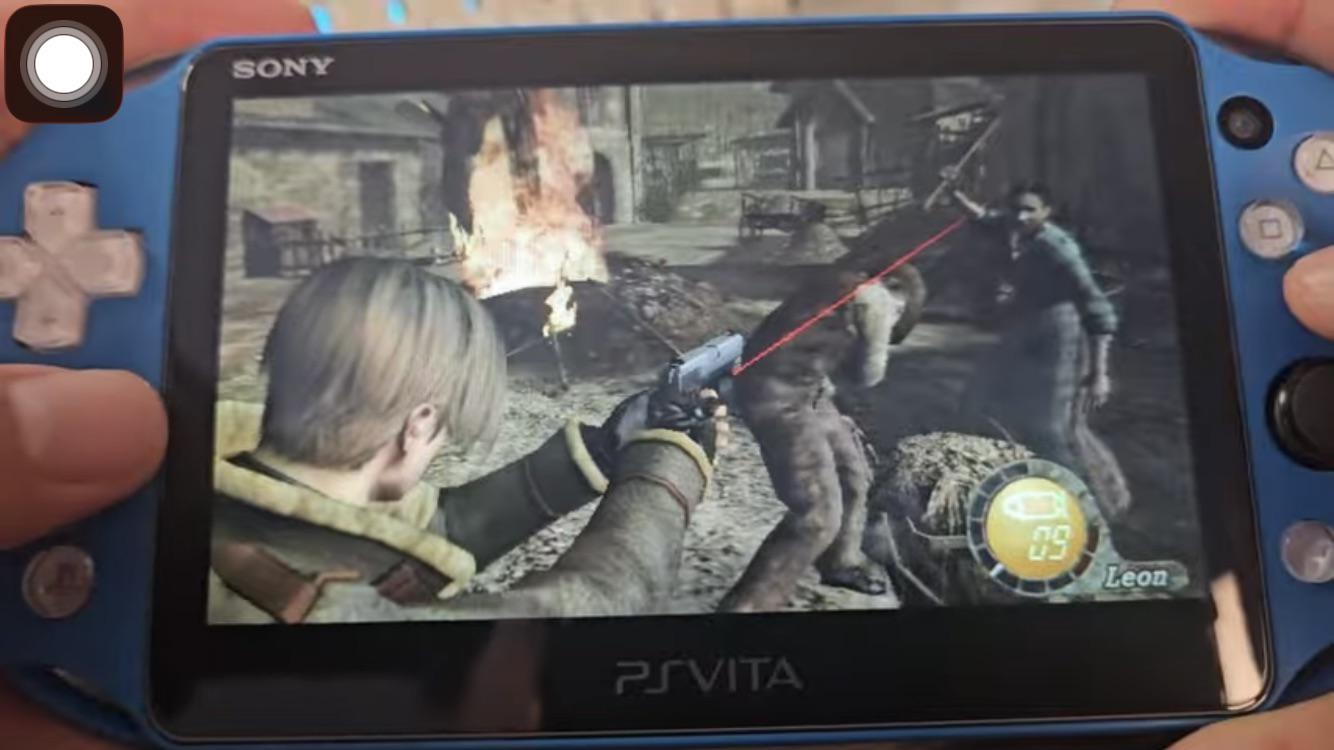
I still can’t believe that we lost the RE4 port from rinnegatamante just because another dude launched a vibe coded version,which runs like shit and even is not the complete game XD
And like the cherry on the cake,Was forgotten after a week and never updated,lmao.


r/VitaPiracy • • 15h ago

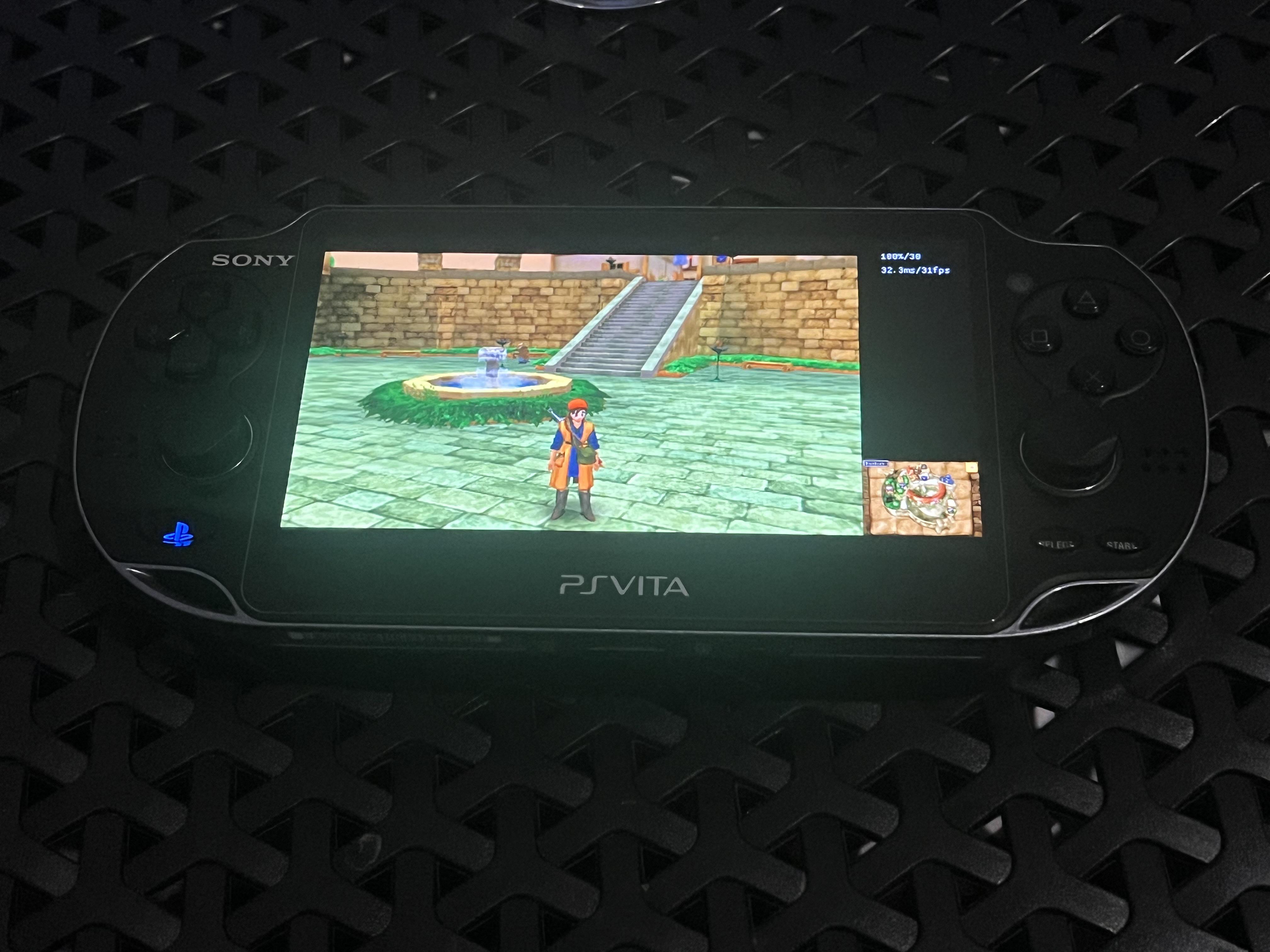
Question This is a dream come true. Dragon Quest VIII being playable on Vita now is not mentioned enough!

Post image
120 Upvotes

r/VitaPiracy • • 13h ago

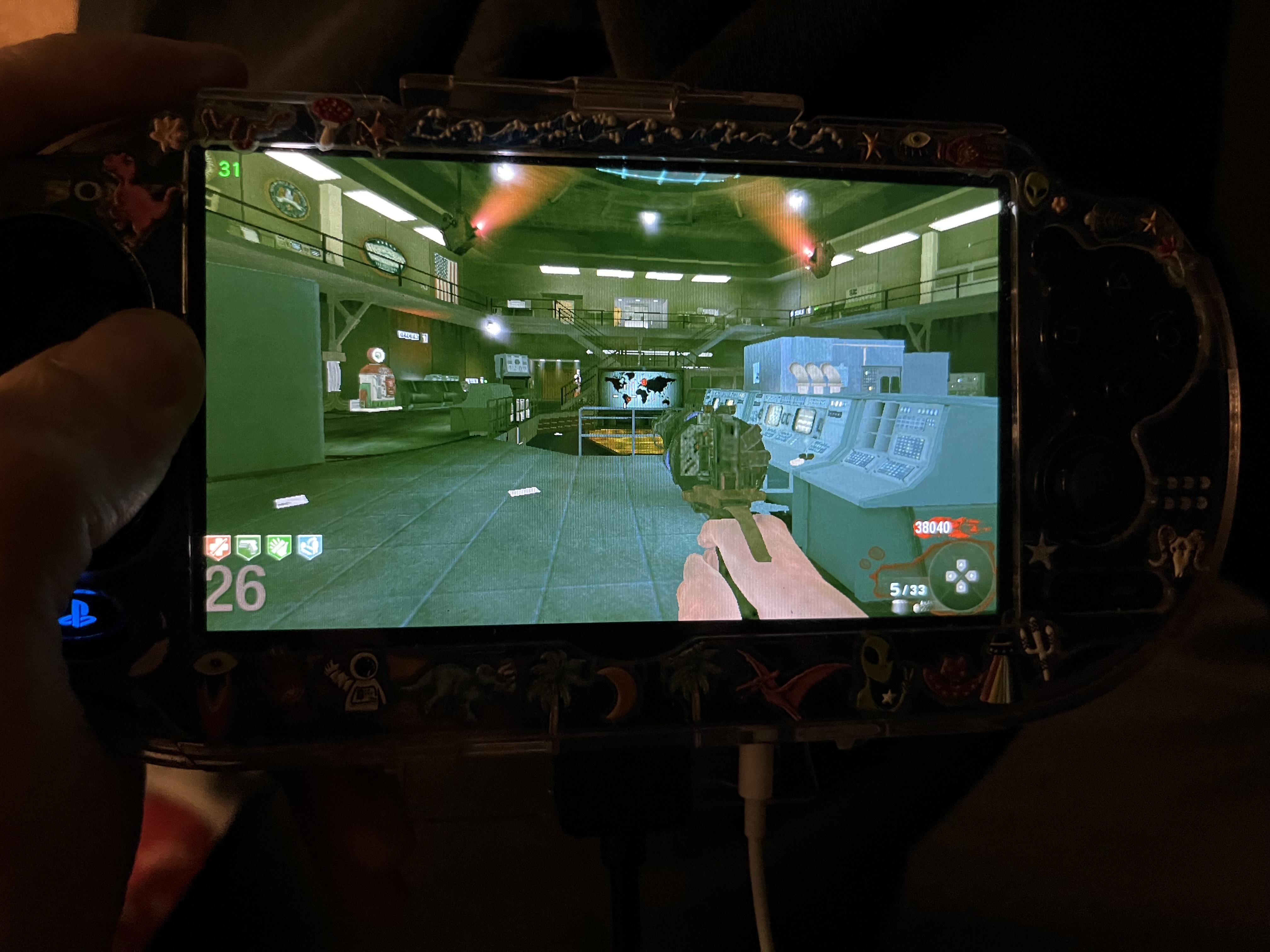
Bo1 zombies appreciation post

Post image
63 Upvotes

five on vita hits different. huge respect for the dev. Some of the invincibility glitches even work!


r/VitaPiracy • • 15h ago

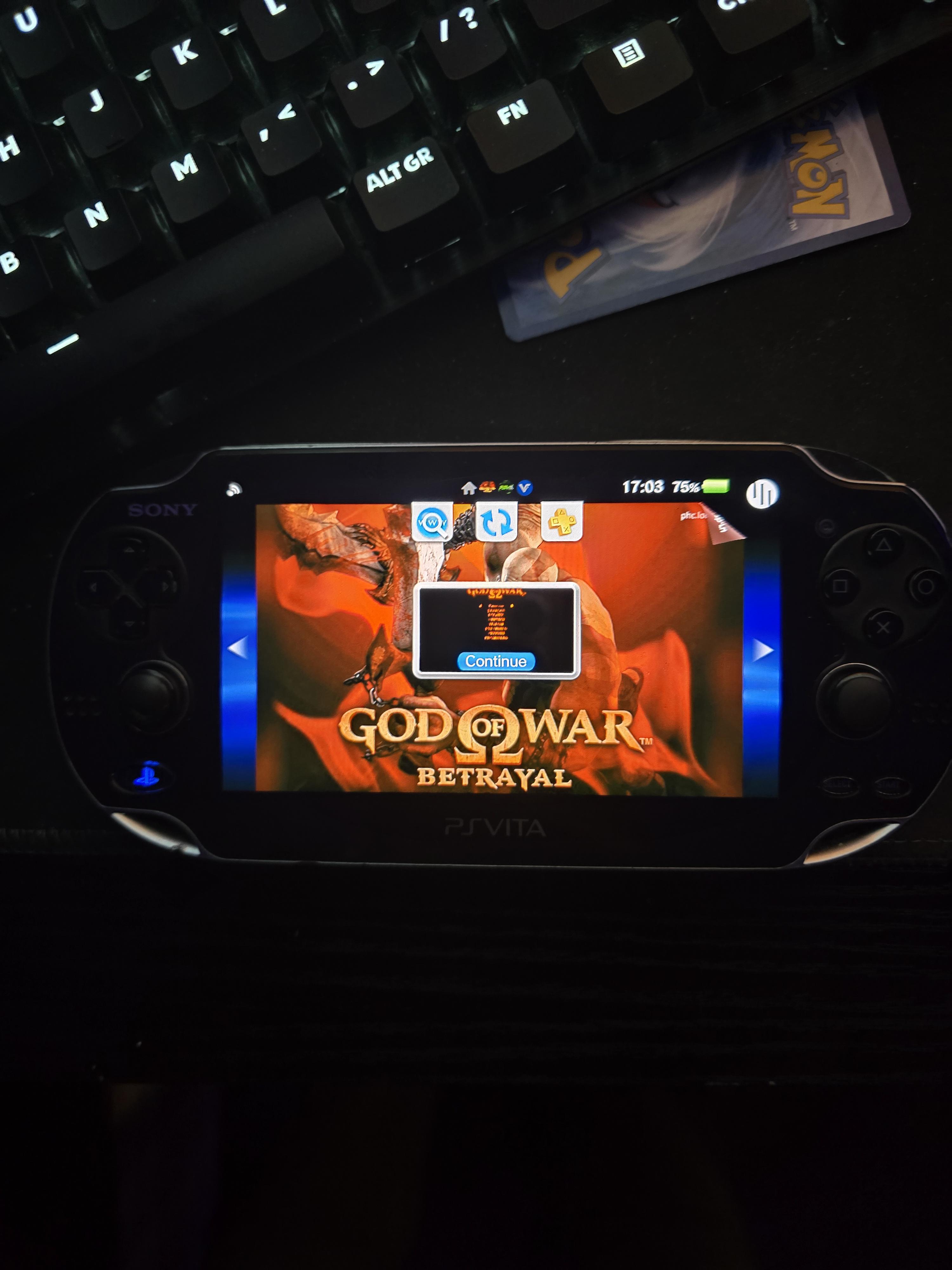
Thank you !!!

Post image
75 Upvotes

I remember asking if porting this was possible and i didnt kno anyone was interested in making it happen, thanks to the person that ported this will be marked as my 8th god of war game i will have complete


r/VitaPiracy • • 18h ago

Gran Turismo 3 Vita v.1.0 is out

Post image
119 Upvotes

New update by rinn ! Now available here : https://www.rinnegatamante.eu/vitadb/#/info/1899

My previous post : https://www.reddit.com/r/VitaPiracy/comments/1y4no0y/comment/19t6ik4tkfcis/

https://github.com/matt-pulsipher/GT3-revisited (You can play online too - PC, Mac, Linux, Android and Quest players can race together, on any region's GT3 disc (Online).)


r/VitaPiracy • • 17h ago

60fps GT3 A-Spect on vita

78 Upvotes

r/VitaPiracy • • 11h ago

Psvita is amazing

25 Upvotes

I was able to play last of us remastered and god of war. Thank to guy who made it possible i dont now how to add or hashtag them . The app plus vita


r/VitaPiracy • • 9h ago

Five Nights at Freddy’s 2 on PS Vita (v1.0.2) - Update 2 Gameplay

Thumbnail
youtube.com
16 Upvotes

Hey guys! Update 2 (v1.0.2) for the FNaF 2 Vita port is finally out

Huge thanks to everyone who played it and reported bugs. Pretty much everything in this update came from your reports, so keep them coming!

Here's what got fixed:

- Turning left with touch in the office works properly now. Before, if you looked right, you could only turn back left by tapping the very top or bottom of the screen, which was super annoying

- Toy Bonnie and the mask finally work like in the original. When you put the mask on, he stays in front of you while the screen flickers and then leaves. Before, he just vanished instantly

- Subtitles are readable again (they were showing up darkened)

- Pressing Select + Start doesn't randomly turn the camera anymore, it only mutes the phone call

- The 4:3 option in the settings actually works now

- Vibration works if you play on PS TV with a DualShock

- Joystick size in the settings now also affects the arrows in the minigames

- The Data Tool on Windows doesn't just close by itself anymore

If you're already on the last version, just install the new VPK over it. Your game data stays the same.

Gameplay video

Download

You still need your own FNaF 2 Android APK (2.0.7 or 2.0.6) and the Data Tool to get the game files, they're not included.

If you find any bugs, let me know here or on GitHub and I'll fix them in the next update.

And if you like what I'm doing, subscribing on YouTube and following me on GitHub really helps. If you want to support me even more, you can donate here: DONATION LINK ❤️

More FNaF ports coming soon 👀


r/VitaPiracy • • 13h ago

Question AniDownload + Aniku (WIP) – PS Vita / PSTV Anime Streaming & Downloading Project

35 Upvotes

I'm currently working on two PS Vita applications:

**1. AniDownload**

- A dedicated anime downloading application.

- Allows users to search for and download anime episodes.

- Downloads are saved directly into `ux0:data/Aniku/`.

- The goal is to make downloaded episodes accessible to Aniku for offline viewing.

- **Download reliability is currently hit or miss.** Some episodes download successfully, while others may fail during the downloading process. Not every episode is guaranteed to download properly.

**2. Aniku (WIP)**

- An online anime streaming application for PS Vita / PSTV.

- Currently experiencing issues loading MP4 stream URLs correctly.

- I'm still working on fixing the streaming functionality.

**Alternative approach: AniWatch integration**

If I can't resolve Aniku's streaming issues, I may release AniDownload as a standalone application instead.

Another possibility is to use **AniWatch**, the recently released PS Vita / PSTV application, as the main anime platform.

The idea would be:

- Use AniWatch for online anime searching and streaming.

- Use AniDownload for downloading episodes.

- Save downloaded anime directly into AniWatch's data directory under `ux0:`.

- Make downloaded episodes accessible through AniWatch rather than maintaining a separate Aniku application.

**What would you prefer?**

  1. Continue developing AniDownload + Aniku as two separate applications.
  2. Release AniDownload as a standalone anime downloader.
  3. Integrate AniDownload with AniWatch so downloads and anime searching work through AniWatch's existing setup.

**Development disclosure:**

This project is AI-assisted, with **Claude and OpenCode** helping with development, coding, debugging, and implementation. I'm still testing and working through issues as development progresses.

Both applications are works in progress, and some features may not work reliably yet.

I'd appreciate feedback and suggestions from the PS Vita / PSTV community, especially developers familiar with MP4 streaming, download reliability, Vita application data directories, and media integration.


r/VitaPiracy • • 11h ago

[Update][Release]Tenkaichi3Decomp-Vita 1.3(Online Multiplayer) discord

Post image
22 Upvotes

I created a discord so people can share codes. Working on it now. Enjoy! And please respect eachother https://discord.gg/N2dbFMvvf join the discord! Let’s play some matches. Played some online matches the other day And it worked perfectly like we were in the same room.


r/VitaPiracy • • 20h ago

Rinne’s Gran Turismo 3 port just released and it is amazing!

Thumbnail x.com
109 Upvotes

Just played it, can’t believe how good it runs.


r/VitaPiracy • • 10h ago

FNAF 1 on PS Vita - Update 6 is out | Full changelog for Updates 4, 5 & 6

Thumbnail
youtube.com
16 Upvotes

Hey everyone! Update 6 for my unofficial Five Nights at Freddy’s PS Vita port is out. The public release is v1.0.6, and the Vita app version is 00.28.

Thank you to everyone who played through the nights, left a comment, opened a GitHub issue, or recorded an Android comparison. Those reports helped me narrow down issues with the lights, cameras, and jumpscares. I didn’t make separate posts for every change in Updates 4 and 5, so here’s the full rundown of all three updates.

Already have a public version installed? Install the new VPK over it in VitaShell and keep ux0:data/fnaf1/ and your saves. For a fresh install, use the Data Tool with your own supported Android 2.0.7 copy.

Update 4 — v1.0.4 · Vita build 00.26

  • Fixed CAM 1B, the Dining Area. When Bonnie and Chica are both there, the feed stays on Chica’s pose. Bonnie appears if he’s still there after she leaves.
  • Included the Windows, macOS and Linux preparation paths in the release Data Tool ZIP.
  • Updated the title-screen label to Update 4.

Update 5 — v1.0.5 · Vita build 00.27

  • Preloaded all four lit doorway views, including the ones with Bonnie or Chica outside. Turning on a light while a door is closing can use the cached image right away.
  • Preloaded the opening frames of jumpscares so the animation and sound can start sooner. Later frames load during playback, and the renderer holds the closest loaded frame if the next one is late.
  • Fixed Circle resetting the title screen. Your selection, animation and music stay in place. Circle still takes you back from submenus.
  • Improved startup messages for missing UI files, incomplete game data and older data formats. Retrying after copying the files reloads your existing save.
  • Updated the title-screen label to Update 5.

Update 6 — v1.0.6 · Vita build 00.28

Office and controls

  • D-pad and touch panning now match the analog stick at full tilt. You can also look around the office during the visible stages of a power outage.
  • Reduced the stretching at the edges of the office and camera views. The office background, doors and lit patches now share the same perspective grid to keep the left doorway and Bonnie’s eyes aligned during flicker.
  • The door light and its buzz now cut out together using the Android version’s random rule. The panel button stays lit while the light is switched on. Pressing a jammed light button plays the jam sound.

Cameras and attacks

  • CAM 4B now gives Chica priority when she shares the room with Freddy. The feed stays on her poses while she’s there.
  • The selected camera feed starts loading while the monitor is down and gets priority as it opens. The camera border and REC indicator stay cached, and the REC blink starts visibly each time the monitor opens.
  • Once Bonnie or Chica is ready to attack, the jumpscare triggers as soon as the monitor finishes lowering. Office controls lock during that transition. Breathing can be heard while the monitor is still up.
  • Foxy’s running frames and later jumpscare frames load earlier, including when another animatronic is nearby. Foxy’s run is interpolated between game ticks, and the renderer can hold a loaded frame if the next one is late.

Startup, night transitions and progress

  • The warning and Freddy newspaper fade in from black and fade out before the next screen. Both wait for the image and fade layer before drawing the first frame, which removes the brief full-image flash.
  • The title screen prepares while the warning is on screen. The menu appears with its music, and loading the night’s sounds runs separately from menu playback.
  • New Game shows the Freddy newspaper before the night card. Continue goes straight to the saved night’s card. Both use the original white flash animation and intro sound.
  • The original small Android clock appears on a black screen after the 12:00 AM card disappears, replacing the Preparing… text while the office loads.
  • The Night 5 paycheck screen now plays its music. Continue stays on Night 5, and Night 6 unlocks as a separate menu item. Older saves that showed Night 6 under Continue are corrected on load.
  • Checked Night 5’s base power drain and Foxy’s power penalties against the Android data. A simulation without extra power usage finished with about 29% left.
  • The Vita app now displays Five Nights at Freddy’s, with lowercase at. The main menu restores the original Android v 2.0.7 label in its original font, size and position. Ported by nox and Update 6 (v 1.0.5) sit in the top right, clear of the stars and unlocked menu items. The GitHub release tag is v1.0.6.

If you’d like to keep testing, please share anything you find here on Reddit, in the YouTube comments, or on GitHub. If something breaks, tell me your build number, which night or camera you were on, and what happened right before it. A short video helps with timing, flicker and audio bugs. GitHub Issues

If you want to support the Vita ports, subscribing on YouTube helps. I’m also getting GitHub Sponsors ready. Once it opens, any amount you’re comfortable contributing is appreciated. YouTube channel · GitHub Sponsors

What’s next - FNAF 2 Update 2 should be out in about an hour. I’m aiming to post FNAF 3 tomorrow. If I can’t make it tomorrow, I’ll post it the day after.

Thanks again for playing and helping me improve the ports!


r/VitaPiracy • • 10h ago

BioShock IOS on Android

Thumbnail
youtu.be
15 Upvotes

Any work to bring this to vita soon?