r/coolgithubprojects • • 9d ago

Ruscal: A Turbo Pascal to Rust Transpiler

Thumbnail github.com
1 Upvotes

Ruscal is a fairly complete and well-tested Turbo Pascal to Rust transpiler, so you can run your old Turbo Pascal programs on modern computers. It supports mixing Rust and Turbo Pascal, embedding either way. It also supports graphics, including turtle graphics. I also included tools for pretty-printing Turbo Pascal and converting old binary files to JSON. Great pain was taken to ensure accuracy with the original Turbo Pascal.


r/coolgithubprojects • • 9d ago

I made a free OSS alternative to Granola (Mac/Windows/Linux) [MIT License]

Thumbnail github.com
2 Upvotes

r/coolgithubprojects • • 9d ago

I built an open source image editor

Thumbnail github.com
4 Upvotes

I built an open source image editor, inspired by photoshop, paint.NET and krita. The underlying framework to this is a UI framework I created called Donkeh UI. It has a CSS engine, a rendering & layout engine, and some nice CLI tools. I wanted to test the capabilities of this framework and created a little image editor with it.

PixelDotNet User Guide
Release PixelDotNet v1.0.0 · OpenCreativeSuite/PixelDotNet

It's open source, free, has no telemetry, no required account, just good old offline editing.


r/coolgithubprojects • • 9d ago

I built a plain-text working protocol that stops coding agents from reporting untested work as verified — one honest benchmark so far

Post image
0 Upvotes

I got tired of agent answers reading confidently whether or not the thinking underneath was sound. So I wrote down the behaviour I wanted as rules and shipped it as an open instruction framework: ØMEGA Modus.

What it is: a ~7 KB Markdown skill (plus a 12 KB method reference) that tells the assistant to fix a rigor mode before working — QUICK for reversible low-stakes work, STANDARD for normal engineering, DEEP for anything irreversible or externally visible. Small tasks stay three-line answers; only risky work opens the full check set. It is not a runtime, not a framework, contains no executable code.

The rules that changed my own sessions most:

Evidence state, stated exactly, because I do not want to sell you anything: there is ONE real paired run — identical task, same model, rubric pre-registered before results. Without the rules 6/9, with them 9/9. In that same run the without-rules pass was actually faster and shorter. Single observations, not a claim. The full benchmark (15 scenarios, 3 replications each, with and without, including a negative scenario) is still ahead; until then there is no speed or token advertising anywhere in the project.

It runs on Claude Code, Codex CLI, GitHub Copilot, Gemini CLI, Cursor, OpenClaw, or as a ChatGPT paste — same rules on every one, one canonical file, seven thin adapters. Apache-2.0, no binaries, no account, no cloud service. The repo also ships the 15 evaluation scenarios with a 0–2 rubric so you can run the behavioural checks against your own model instead of taking my word.

Repo: https://github.com/MichaelS1011/0mega-Modus

Feedback on the benchmark design in particular would help — I would rather have it critiqued now than discover the hole after publishing numbers.


r/coolgithubprojects • • 9d ago

I wrote a 2D FEM solver in Python for electric motors (matched FEMM within 0.3%) - Looking for inputs

Thumbnail gallery
1 Upvotes

r/coolgithubprojects • • 9d ago

[C#] NETworkManager – a free, open-source network toolbox for Windows: RDP, SSH, PowerShell, VNC, IP/Port Scanner, Traceroute, DNS and more in one app

Thumbnail gallery
38 Upvotes

https://github.com/BornToBeRoot/NETworkManager

NETworkManager puts the tools you need to manage and troubleshoot networks into one app, so you don't have to switch between a dozen small tools.

What it does:

  • Remote access: Remote Desktop, SSH/Telnet/Serial (PuTTY), PowerShell and VNC, embedded in tabs that you can drag out into their own windows
  • Scanning & monitoring: IP Scanner, Port Scanner, Ping Monitor, Traceroute
  • Lookups: DNS, Whois, RDAP, IP Geolocation, OUI/MAC vendor and ports
  • Network: WiFi Analyzer, LLDP/CDP capture, Network Interface (change IP/DNS settings), Neighbor Table, Firewall and Hosts File Editor
  • Profiles: save your hosts once (optionally encrypted) and connect, ping or scan them from any tool

Highlights of the new release:

  • Complete UI redesign: new layout, rounded corners, a new icon set, 7 new themes and 9 new accent colors
  • Run command (Ctrl+Shift+P): type ping 10.0.0.1, dns example.com aaaa, subnet 10.0.0.0/16 /24 or rdp @server-01 and it runs right away, with suggestions and a global hotkey to open it from anywhere
  • Traceroute map: shows where each hop is located on an offline world map
  • RDAP: a new tool for the modern, JSON-based successor of Whois (domains, IPs, ASNs)
  • WiFi Analyzer: shows which networks are new, gone or changed since the last scan, with optional notifications
  • Faster scanners: IP and Port Scanner now use async concurrency
  • Better tabs: tabs as wide as their title, and dragged-out tabs can be dropped anywhere on another tab bar
  • ARM64 builds

Free, GPLv3, no telemetry. Available as an installer, a portable version, and on WinGet and Chocolatey.

Short preview:


r/coolgithubprojects • • 9d ago

I built OrcaCompass, an open-source model router for Orca

Post image
3 Upvotes

TL;DR: For anyone using Orca to orchestrate coding agents, here's an open-source skill that helps automate model selection and make better use of existing AI subscriptions.

Hey everyone!

I've been working on an open-source tool called OrcaCompass that helps Orca make smarter decisions when assigning tasks to workers.

Instead of manually deciding which agents and models to use, OrcaCompass considers what each task requires and what your existing subscriptions can handle.

It evaluates task complexity, model capabilities, benchmark data, reasoning effort, and subscription usage to recommend suitable models while accounting for remaining quotas and reset windows. You can also configure your own agent and model preferences.

The goal is to make Orca more autonomous while getting better use out of the agents and subscriptions you already have.

Supported agents: Claude Code, Codex, Cursor, Grok Build, and Antigravity, with basic support for Muse and OpenCode.

Install: npx orcacompass install

GitHub: https://github.com/manomilano/orca-compass

Documentation: https://manomilano.github.io/orca-compass/


r/coolgithubprojects • • 9d ago

Brysk - A free macOS Finder alternative with split panes. Written in Rust.

Thumbnail gallery
1 Upvotes

macOS's Finder hasn’t kept up with how we work. Working across folders still involves too much switching between tabs and windows.

I’m working on Brysk, a free, open-source macOS file manager written in Rust. It keeps two folders side by side, with indexed filename search and more control over file transfers.

You can queue copies, pause/resume them, and verify copied files. Space key opens previews for images, video, PDFs, code, and archives. There’s also batch renaming, Finder tags, and Git status.

Speed and memory use are a big part of the work. In recorded testing on Apple silicon running macOS 26, the release build measured approximately 111 MB physical memory footprint (208 MB RSS), with search indexing enabled. The filename index separately held 480,000 names in 39 MB of memory.

You can download Brysk here. It requires macOS 13+, supports Apple silicon and Intel, and ships as a signed and notarized DMG.

The source code is on GitHub under the MIT license. Brysk is based on rustyfiles, with extensive changes made for macOS.

It requires macOS 13+, supports Apple silicon and Intel, and ships as a signed and notarized DMG.

It’s still early. If you try it, I’d like to hear what feels slow, awkward, or missing. Star the repo if you’d like to keep track of the project.


r/coolgithubprojects • • 9d ago

I made a free, open-source Mac app for Ring cameras: every camera live in your menu bar, it tells you who came (DPD, Royal Mail, someone knocking), and it can record without a Ring subscription...

Thumbnail github.com
1 Upvotes

r/coolgithubprojects • • 9d ago

I built BootScribe (v3.0.0) – A lightweight, open-source GUI tool to manage UEFI/NVRAM boot entries and stop Windows updates from hijacking GRUB or rEFInd

Post image
3 Upvotes

Hi everyone!

If you dual-boot Windows 10/11 with Linux, you probably know the frustration of a Windows update resetting your UEFI boot order or forcing `{bootmgr}` back to the top, hiding GRUB or rEFInd.

Instead of fighting `bcdedit` commands manually every time, I built **BootScribe**, a lightweight, portable, open-source Python utility for Windows to manage NVRAM/UEFI boot entries safely from a clean dark-mode GUI.

I just released **v3.0.0**, and I’d love to share it and get your feedback!

### ✨ What BootScribe does:

* **Shield & Redirect `{bootmgr}`:** Dynamically points the native Windows Boot Manager path to your preferred `.efi` bootloader (`rEFInd`, `GRUB`, `systemd-boot`, etc.) so Windows updates don't break your dual-boot menu—and lets you restore the original path with one click.

* **Full NVRAM Boot Entry Control:** View all detected `BootXXXX` entries, change boot priority order, set defaults, enable/disable entries, rename, delete, or trigger a **One-Time Boot** (*Boot Next*).

* **Command Preview & Safety First (New in v3.0.0):** Before executing any critical NVRAM modification, BootScribe now shows the exact `bcdedit` commands it will run and asks for explicit confirmation.

* **Bilingual UI (New in v3.0.0):** Full instant switching between **English** and **Spanish**.

* **Backup & One-Click UEFI Reboot:** Export/restore your BCD configuration before making changes, or reboot straight into your BIOS/UEFI firmware (`shutdown /r /fw`).

### 🔗 Links & Download

* **GitHub Repository & Source Code:** https://github.com/Ricokstar/BootScribe

* **Download v3.0.0 (`BootScribe-v3.0.0-win64.zip`):** https://github.com/Ricokstar/BootScribe/releases/tag/v3.0.0

*(Note: Since it's an unsigned indie executable that modifies boot entries, it requires Administrator privileges and may trigger Windows SmartScreen on first run. All source code is open and auditable in the repo, and the release binary is compiled directly via GitHub Actions).*

Feedback, bug reports, and feature suggestions are super welcome!


r/coolgithubprojects • • 9d ago

WEEBOX 1.2.0 is finally here. On Windows, Android, Android TV, Mac and iPhone

Thumbnail gallery
0 Upvotes

What's new:

Community

- Kibi: Weebox's currency, earned by watching

- Character cards to collect, with limited banners

- Kibi shop: emotes, sounds, banners, avatar frames, room decor, gifts to friends

- Discord emotes, animated and still, in packs: in messages and as reactions in rooms and live events

- Soundboard in rooms

- Custom profile

- Weekly rankings and season predictions

- Live events (quizzes, challenges, live viewing) and the Hall of Legends

- Discord account linked to Weebox

Player

- Picture colour in the player: brightness, contrast, saturation, gamma and five presets

- Setting to turn off the brightness and volume swipe gestures on phones

Reading

- Comics in Reading

- Import of a Mihon library or a list file (CSV, MyAnimeList export)

- MyAnimeList in the Library and in Reading

- AniList manga list and chapters downloaded for offline reading

- SIMKL, MangaBaka and TorBox sign-in

Sources and downloads

- New Spanish sources

- New 18+ content: two more doujin sources, a doujin found by its number, a Spanish video source

- Downloads play in Weebox, and open in VLC or mpv on a computer

App

- New design on phones

- Catalogue tags and genres translated into the 11 languages

- App optimisation: smoothness and reported problems resolved

Download on website: https://weebox.pages.dev

GitHub: https://github.com/RimamashiroHina/Weebox/releases/latest

Discord: https://discord.gg/jBM4xkwYHz

Link your Discord account in Weebox and get 3,100 KibiWhat's new:

Community

- Kibi: Weebox's currency, earned by watching

- Character cards to collect, with limited banners

- Kibi shop: emotes, sounds, banners, avatar frames, room decor, gifts to friends

- Discord emotes, animated and still, in packs: in messages and as reactions in rooms and live events

- Soundboard in rooms

- Custom profile

- Weekly rankings and season predictions

- Live events (quizzes, challenges, live viewing) and the Hall of Legends

- Discord account linked to Weebox

Player

- Picture colour in the player: brightness, contrast, saturation, gamma and five presets

- Setting to turn off the brightness and volume swipe gestures on phones

Reading

- Comics in Reading

- Import of a Mihon library or a list file (CSV, MyAnimeList export)

- MyAnimeList in the Library and in Reading

- AniList manga list and chapters downloaded for offline reading

- SIMKL, MangaBaka and TorBox sign-in

Sources and downloads

- New Spanish sources

- New 18+ content: two more doujin sources, a doujin found by its number, a Spanish video source

- Downloads play in Weebox, and open in VLC or mpv on a computer

App

- New design on phones

- Catalogue tags and genres translated into the 11 languages

- App optimisation: smoothness and reported problems resolved

Download on website: https://weebox.pages.dev

GitHub: https://github.com/RimamashiroHina/Weebox/releases/latest

Discord: https://discord.gg/jBM4xkwYHz

Link your Discord account in Weebox and get 3,100 Kibi


r/coolgithubprojects • • 9d ago

DiyarDesk: A cross-platform (Linux, Windows, Android) adaptive wallpaper that reacts to your desktop icons [GPL-3.0]

Post image
1 Upvotes

Hi everyone,

Hi everyone, I am the developer of DiyarDesk, an open-source (GPL-3.0) adaptive desktop wallpaper engine and I would like to share this with you all as I think it attempts to solve a rather fun UX problem in a rather unique way.Most desktop wallpapers are static pieces of art that get muddled by your desktop icons which usually are of a totally different color to the background.

Some technical details I'm proud of:

Cross-platform: The app runs natively on KDE Plasma 6, X11, wlroots Wayland (Linux), Windows, and as a live wallpaper for an Android Tablet (in a custom app).

Local & Private: No AI / No Cloud Accounts / No Telemetry. Everything (WebGL/Canvas rendering) is run locally on your computer.

Custom Themes: We include 23 default themes, but we also allow for import of custom themes via .zip, .deskland and even single .html files that use shaders as well as add backgrounds and video’s.This project will be implemented using Python/GTK for Linux, C#/WinForms/WebView2 for Windows, and Kotlin for Android.

DiyarDesk is a community fork of Deskland (upstream: https://github.com/BLEZZ0102/Deskland). A few words on the architecture, the theme importer and any other bugs you find would be great.


r/coolgithubprojects • • 9d ago

I missed Samsung's Modes & Routines on other Android phones, so I built an open-source alternative (no root, 100% offline)

Thumbnail gallery
1 Upvotes

r/coolgithubprojects • • 9d ago

Culler - a local, open source software factory

Thumbnail gallery
81 Upvotes

Human attention is paramount.

Culler is an open source software factory whose user experience and dashboard reflect that premise.

It runs containerized agents on your Mac, finds work worth doing, and presents you a queue of comprehensible review packets with their rationale.

Its agents run as five roles in the following order:

  1. Strategist proactively proposes high-leverage work based on your open-ended Vision.
  2. Arbiter judges each proposal and promotes the most effective one.
  3. Worker works the task in its own repository copy.
  4. Verifier checks the work against acceptance criteria and asks Worker to correct any gaps.
  5. Packager creates an illustrative review packet meant for a human mind.

Configure each agent role with your AI model of choice. Put your smartest model as Strategist and a workhorse as Worker.

Depending on the AI provider used for a run, Culler leverages one of three proven harnesses: Codex, Claude Code, or OpenCode. Configure agents to run with your ChatGPT or Claude subscription. Or use API keys compatible with any of the 200+ providers supported by the OpenCode catalog.

If you have already concrete work in mind, either define new tasks yourself or with the help of Collie, your Culler assistant.

Culler opts out of shipping its own memory system and instead uses Openwiki. After initializing the wiki for you, and on a schedule, Scribe pores over recent changes in the Project to maintain it.

The wiki serves three purposes:

  1. Acts as index into the repository's ground truth to enable more efficient search for agents.
  2. Acts as a knowledgebase to help the Strategist prioritize work.
  3. Provides a viewer so you can re-familiarize yourself with your project as it continually develops.

For agent observability, Culler uses AgentsView. It supports each trace format Culler uses. It allows for inspecting context, tool calls, token usage, and other metrics.

On security, Projects are never mounted into agent containers. Each container run receives only a Git copy of the repo, and only changes approved by you are merged back onto the host. Agent credentials never reach inside the container. Culler runs a proxy on the host that swaps dummy tokens for real ones when model requests are made.

Next on the Roadmap - Worksources and MCPs:

Enable smooth integration of additional services to allow agents to query/leverage data from them. Instead of seeding work only from your Vision, use connected data sources such as Github Issues, Linear, Gmail etc. to act as Worksources.

---

I built Culler with the solopreneur and project junkie in mind. Start from scratch. Or import your active/retired projects, give a description of what you imagine the project to be, and let the emergent properties of gradient descent work its magic.

https://github.com/vinchenkov/Culler


r/coolgithubprojects • • 9d ago

I'm building my own video and music player based on libmpv2 with Avalonia UI (Linux only)

Thumbnail gallery
1 Upvotes

r/coolgithubprojects • • 9d ago

CodeGraphy Lite (MIT) — local STDIO MCP server & AST dependency graph that doesn't hide skipped files

1 Upvotes
Small open-source Python tool (`pip install codegraphy-lite`) I built for people using Claude Code, Cursor, or Codex on medium repos.

Two things annoyed me about existing AST indexers: they silently truncate files when you hit a cap, and they pretend a static skeleton is the whole truth even when a file uses `getattr` or `os.environ`.

So in v1.0.2:
- Raised the file cap to 150 and made truncation explicit (`truncated: true` + `skipped_files` list in the MCP response).
- Added a quick local web visualizer (`codegraphy-lite . --scan --no-browser --port 8000`) so you can actually see what depends on what before an agent touches it.
- Runs 100% locally over STDIO MCP, Python 3.9+, works on Linux, macOS, and Windows.

Repo: https://github.com/Vindettobkb/CodeGraphy-lite
PyPI: https://pypi.org/project/codegraphy-lite/
Playground: https://codegraphy.software/#playground

If it chokes on any weird Python import patterns in your codebase, open an issue and I'll fix it.

r/coolgithubprojects • • 9d ago

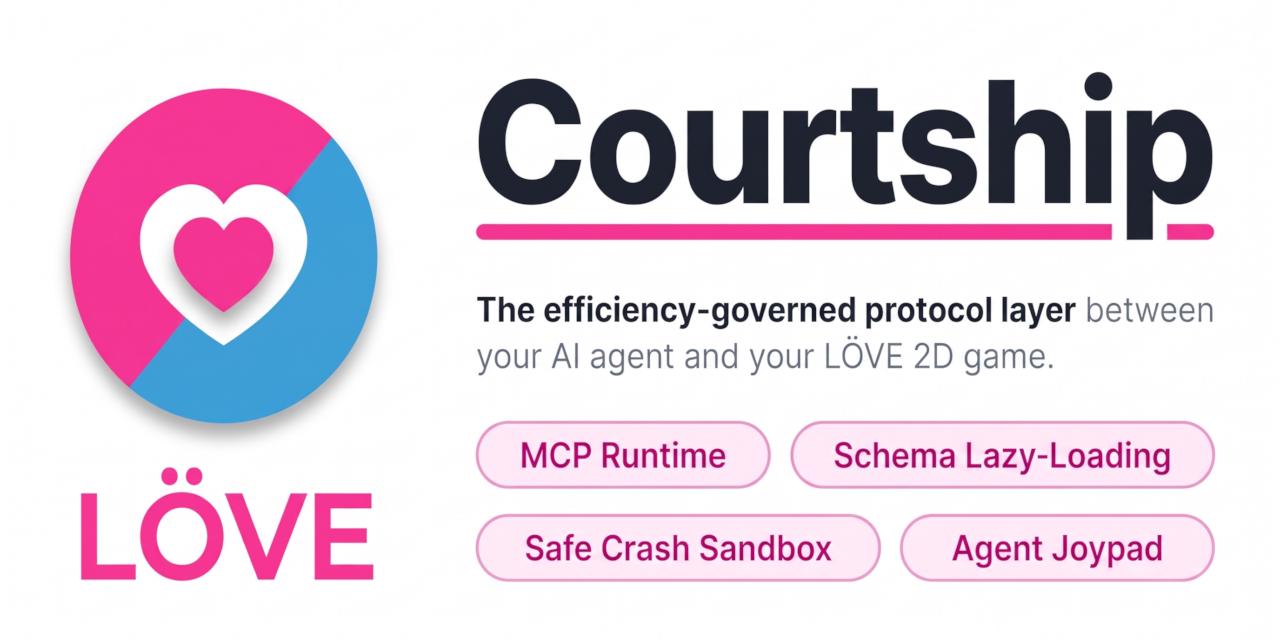
Courtship, an MCP server for LOVE2D that keeps token use down

Post image
0 Upvotes

I built Courtship because my LOVE game work kept blowing up context. Raw MCP bridges dump the whole game state and docs every time, so the agent spends tokens on stuff it does not need.

Courtship keeps 5 small tools loaded, about 340 tokens. Everything else loads on demand when the agent asks for it. It can run Lua in the game, simulate keyboard input, step frames at a fixed dt, and catch crashes without killing the bridge. There is an offline LOVE 12 docs index too, so it does not need to fetch docs every time.

On the suites I ran, standing context dropped 76.5 percent, and per task spend dropped about 53.4 percent compared to the raw baseline. The numbers are in the README.

Repo: https://github.com/grimmdev/Courtship

Registry: io.github.grimmdev/courtship

Install: add court proxy to your mcp.json, or run the Docker image ghcr.io/grimmdev/courtship:latest

I am the author. If you use LOVE with Claude Code or Cursor, I want to know what breaks first, or what workflow this does not cover.


r/coolgithubprojects • • 9d ago

WebCraft Pro – 43 Reusable AI Agent Skills for Better Web Engineering

Post image
0 Upvotes

Hey everyone!

I've been using AI coding agents like Codex, Claude Code, and GitHub Copilot to speed up web development. But I noticed a recurring problem: generating code is easy; consistently following engineering standards is harder.

Agents can produce generic interfaces, overlook keyboard accessibility, introduce unsafe code patterns, and miss performance considerations.

That's why I built WebCraft Pro.

It's an open-source, framework-agnostic engineering toolkit designed to help developers and AI agents follow a structured web development process.

What's included:

- 43 reusable Agent Skills covering web engineering.

- An eight-stage development lifecycle, from design through browser QA and release.

- 13 engineering templates for structured implementation and reviews.

- GitHub Actions for repository validation and automated checks.

- Playwright keyboard and focus tests.

- An on-demand browser accessibility checker using axe-core.

- A Node.js static security-pattern audit for code examples in repository Markdown files.

It supports OpenAI Codex, Claude Code, and GitHub Copilot.

I also want to be clear about the limitations: these automated checks are engineering guardrails, not a complete application security scanner or a guarantee of accessibility. Manual review and project-specific testing are still essential.

Project: WebCraft-Pro

I built this because I wanted something more structured than relying on prompts alone.

I'd appreciate honest feedback:

  1. What engineering checks do you expect AI coding agents to run before opening a pull request?
  2. Which skills or workflows would you add?
  3. Would this fit into your existing development workflow?

Thanks for taking a look!


r/coolgithubprojects • • 9d ago

DropTidy - A Downloads Folder Organiser

Thumbnail github.com
2 Upvotes

Hey everyone! I built DropTidy, a lightweight, open-source Windows utility that automatically organizes messy Downloads folders in the background.

Like most people, my Downloads folder constantly fills up with random .exe installers, PDFs, ZIP archives, and images. I wanted a fast, native-feeling tool that sorts everything cleanly without needing bloated background services or subscriptions. Some features are:

  • Sorts your files with one click or runs automatically in the background to move new downloads into Images, Documents, Installers, Archives, etc.
  • Gives you a dry-run preview first so you can see where everything is going before it actually moves any files.
  • Catches duplicate files so you aren't wasting storage.
  • Has an undo button in case you want to revert the last sort.
  • Completely free, open-source, and runs 100% locally on your PC.

GitHub Repo: https://github.com/ahmeto55/DropTidy

I'd love to hear any feedback, bug reports, or feature ideas you have!


r/coolgithubprojects • • 9d ago

StradaOS 2.24: two premium themes, free for everyone, as a thank-you for ~9,000 downloads (free, open-source launcher for Android car head units)

Thumbnail gallery
13 Upvotes

StradaOS, a free, open-source (GPL-3.0) launcher for Android car head units. It's a regular APK: no root, no flashing, no ads, no accounts. Uninstall it and your screen goes back to how it was.

The project just passed ~9,000 downloads and 356 stars on GitHub, so 2.24 ships two premium themes for free:

- Aurora: translucent glass cards over a soft ring of light, a big clock, cover art with a progress ring around it, a mixed speedometer and a "Map only" button.

- Cobalto: night blue in three columns. The map fades into a round-cover music player, and your car card shows the speedometer, a photo of your car and the next maintenance.

Both have light and dark versions and adapt to landscape and portrait (Tesla-style) screens. They're in Settings → Personalization, next to 4 free layouts.

Full transparency: future premium themes will be unlocked with a donation. Every feature stays free and the code stays open.

What else it does today:

- Built-in turn-by-turn navigation on OpenStreetMap: search, voice, rerouting, and approximate offline routes with a downloaded map. Off by default; base code by contributor nothanks91.

- Offline maps you download from the app

- GPS speedometer: digital, analog or mixed

- Maintenance reminders (oil, filters, insurance…)

- Your music on the home screen, and Android Auto by cable with Open Headunit

- 10 languages, Android 4.1+

🌐 Website: https://lordnordic-debug.github.io/StradaOS

💻 GitHub: https://github.com/lordnordic-debug/StradaOS

☕ Ko-fi: https://ko-fi.com/stradaos

What head unit are you running? Tell me the model and Android version and I'll check if it works.


r/coolgithubprojects • • 9d ago

Draft to Deploy: turn a link, topic or screenshot into a captioned, voiced short video

Post image
1 Upvotes

I built this because editing a short for every release or blog post took me an afternoon. You give it a link, topic or screenshot, and it reads the source, writes the script, voices it and renders a captioned 9:16 video. The video attached was made by the pipeline itself.

The design choice I'd like feedback on: the model only writes text. It fills fixed scene templates, and code validates the output with zod and deals the look. You lose some freedom compared to free-form AI video, but get far fewer broken frames and made-up facts.

- AI-assisted: Claude Code writes scripts, HyperFrames renders (open source, by HeyGen)

- TypeScript (strict), MIT licensed, tests and CI

- `npm run demo` renders a sample with no API keys

- Needs Node.js, Chrome and FFmpeg; the full pipeline also needs Claude Code

- Only tested on macOS so far; Linux and Windows reports welcome

- Good-first-issue tickets are open if you want to contribute

Repo: https://github.com/istealersn-dev/draft-to-deploy


r/coolgithubprojects • • 9d ago

Mnemolith: memory for AI coding tools that knows when it's stale, now with team memory in your repo

Thumbnail github.com
1 Upvotes

Each memory is tied to the files it depends on and flagged when they change. Team memories are plain files reviewed in PRs. Local, MIT, works with Claude Code, Cursor and Codex.


r/coolgithubprojects • • 9d ago

keeping track of all my study materials was a mess, so i built something

Thumbnail youtu.be
1 Upvotes

Windows search matches file names, which doesn't help when the thing you need an image or content is inside a PDF, a PPT or a screenshot.

Juno indexes the contents instead: PDF (scans too, via OCR), PPT, Word, Excel, text in photos. Press Ctrl+Alt+L anywhere and search by keyword or by meaning. Results point to the page or slide, and Enter opens it there. Everything is indexed and searched on your PC.

It has an MCP server. Link it up to Claude Code, Codex, Cursor or VS Code from Settings → AI tools → Connect, and your agent can search your docs and your code by what the code does, by symbol name, and by what calls it. In a test with Claude Sonnet 5.5 (109 questions, 1,080 sample files), Claude got 97% right with Juno against 91% with its own Glob, Grep, Read and shell, at about a third of the tokens.

Stack: Python, SQLite FTS5 + EmbeddingGemma 2 on a bundled llama.cpp, merged with reciprocal-rank fusion.

Windows only for now: https://github.com/ScriptSage1/Juno

Feedback welcome, especially on the code search.


r/coolgithubprojects • • 9d ago

nimaid: Render Mermaid diagrams to PNG, GIF, and SVG in pure Nim (1.9 MB binary, zero Node/Chromium dependencies)

Thumbnail gallery
2 Upvotes