r/coolgithubprojects • • 3d ago

New moderators needed - comment on this post to volunteer to become a moderator of this community.

5 Upvotes

Hello everyone - this community is in need of a few new mods, and you can use the comments on this post to let us know why you’d like to be a mod here.

Priority is given to redditors who have past activity in this community or other communities with related topics. It’s okay if you don’t have previous mod experience. Our goal, when possible, is to add a group of moderators so you can work together to build the community.

Please use at least 3 sentences to explain why you’d like to be a mod and share what moderation experience you have (if any).

If you are interested in learning more about being a moderator on Reddit, please take a look at these resources:

Comments from those making repeated asks to adopt communities or that are off topic will be removed.


r/coolgithubprojects • • 15h ago

Liquid glass in rust

Thumbnail gallery
141 Upvotes

I was playing around in claude code and it gave me a pretty good and quite nice looking liquid glass UI framework, which looks close to apple's liquid glass, not only with the refraction and chromatic aberrations but with animations and everything else, although it's not done and needs more work.

Feel free to clone the repo or download the code and use it as you like !

Let me know what you think and if you would like to see any particular features from Apple's liquid glass, shoot me a dm, i would be happy to add them.

Crate Github repo


r/coolgithubprojects • • 42m ago

I built Clip Studio — a free, 100% local open-source alternative to OpusClip (DSP + local Whisper + YOLOv8 + 12h Live DVR + YouTube/IG Auto-Pilot)

Thumbnail gallery
5 Upvotes

Hey r/selfhosted!

I got tired of paying $30+/mo for cloud clipping tools (OpusClip, Vizard, etc.) and waiting to upload gigabytes of raw gameplay/livestream footage, so I built Clip Studio — a 100% local, MIT open-source web studio built with FastAPI + HTMX + FFmpeg.

GitHub: [https://github.com/anderj14/clip-studio](https://github.com/anderj14/clip-studio)

What it does locally (zero paid AI APIs):

- Fast highlight detection without heavy LLMs (33x realtime): Uses classic DSP (RMS dB energy, positive loudness flux, grayscale frame-diff normalized via Median/MAD Z-score) + FFmpeg -skipframe noref. Analyzes a 1-hour 1080p60 video in 75 seconds on a regular Mac/CPU.

- Karaoke subtitles & top hooks (no libass required): Runs faster-whisper (small, CPU int8) locally for word-level timestamps and burns highlighted subtitles + hooks via Pillow RGBA PNGs + ffconcat + native FFmpeg overlay.

- 9:16 Auto-Framing: YOLOv8n person tracking (follow), fixed anchor, or full-frame blur for multi-person podcasts/streams.

- Zero-storage YouTube Live Monitor: Scans live streams in configurable blocks via 12h parallel MPEG-DASH DVR (even using negative live timestamps like -2:10:23 -> -1:00:00) or real-time HLS, cuts only peak clips, and immediately deletes the raw temp block (0 GB retained).

- Multi-channel Auto-Pilot: Isolated profiles (separate folders, presets, languages, and OAuth tokens), collision-free YouTube Shorts scheduling (chains right after your last publishAt + optional quiet hours), and spaced Instagram Reels publishing via official Meta Graph API rupload.

Runs completely locally on 127.0.0.1:8765. Would love feedback, feature ideas, or PRs from the community!


r/coolgithubprojects • • 2h ago

Simple, fast & open-source PDF editor

Post image
4 Upvotes

Hello, firstly im not the developer of this project, im just a user of this and its a great project that you might want to look at it

Its word-sys's PDF Editor, so according to Github page: word-sys's PDF Editor is a simple and user-friendly tool developed for Pardus, Debian and other Linux distributions, focused on editing text, image and object content in PDF files. Developed from scratch in the spirit of #MilliTeknolojiHamlesi and TEKNOFEST 2025 to meet the need for a simple, free, open-source PDF editor in the Linux ecosystem, word-sys's PDF Editor serves both corporate and individual users, does most of the important and common jobs that other paid PDF Editors does and has lots of features which are easy to use, including those who prefer the Turkish language interface. So its a free and open source PDF Editor, does similar job compared to Adobe Acrobat Pro, but free, and for Linux.

When i switched to Mint 3 years ago this wasnt existing, weeks ago i found this on PDF editing softwares place and it looked different than other editors, especially the UI that different, looks easy to use for beginner or something. Well it might will be the replacement for Adobe Acrobat Pro on Linux for me.

Whats more interesting that there is 1 active developer on this project, unlike other PDF Editor projects that has more people doing together.

Anyways i found that might be a interesting project so i wanted to share, i think developer actually shares its improvement as version releases so you might want to check him and its Github page: https://github.com/word-sys/word-sys-pdf-editor


r/coolgithubprojects • • 13h ago

I made Mirada, a small open-source teleprompter for Linux that sits under your webcam and only scrolls while you talk

Thumbnail gallery
31 Upvotes

I record short videos and do a lot of video calls, and I kept looking down at my notes instead of at the camera. So I built Mirada: a teleprompter that docks as a thin strip at the top of the screen, right under the webcam, so your eyes stay close to the lens while you read.

What it does:

- Notch mode: a strip centered under the webcam, always on top. Or a floating window you can move and resize.

- Voice-activated scrolling: it scrolls while you're talking and waits when you pause. It only measures microphone volume, locally. No speech recognition, nothing leaves your machine.

- Sections: lines starting with # become sections; jump with 1–9 or PgUp/PgDn.

- Hover to pause, arrow keys for speed, mirror mode for beam-splitter glass.

- Optional phone remote over your local Wi-Fi (off by default, needs a secret link).

Install (no sudo, everything goes to ~/.local):

git clone https://github.com/jleiva831/mirada.git

cd mirada && bash install.sh

Python + Qt (PySide6), MIT license.

Honest limitations:

- On Wayland it runs through XWayland so it can stay on top. Works on GNOME and KDE; native Wayland may lose always-on-top.

- Linux has no standard way to hide a window from screen capture, so share a single window rather than your whole screen.

- Voice tracking is volume-based, so a noisy room or loud keyboard can make it scroll. Lower the sensitivity or use a headset.

- The UI is in Spanish for now. Translations are very welcome.

Disclosure: I'm the author, and I built a big part of the code with an AI coding assistant. I reviewed and tested it, and it has tests and CI, but I'd love more eyes on it.

The images are renders of the real app; in the demo GIF the microphone input is simulated.

Feedback I'm looking for: does it work on your distro/desktop? Is the notch size right on HiDPI laptop screens? What would make it useful for your recordings?

https://github.com/jleiva831/mirada


r/coolgithubprojects • • 22m ago

Torrent streaming audio player

Post image
2 Upvotes

Resonance is an audio player designed for streaming music directly from torrents.

It searches for music using the open catalog, automatically locating the corresponding torrent and linking it to the album.

You can add music to your library, include tracks from your personal collection, create playlists, and both download and seed content.

The player features spectrum analysis and an exclusive "bit-perfect" mode for lossless formats.

Supported playback formats — FLAC, ALAC, WAV, AIFF, MP3, AAC, and DSD (DSF and uncompressed DFF).

Streaming is available for FLAC and MP3.

For play music you just need to connect the trackers in the settings.

Download from GitHub


r/coolgithubprojects • • 3h ago

Free, Open source, modern, performant Git GUI with unique features

Thumbnail getgityas.com
4 Upvotes

I (With the help of AI for all the haters and boomers who cant adapt to the new ways of working) built https://getgityas.com and open sourced it for free. Its offline-first and always completely free competing with enterprise software like GitKraken. It has unique features like speed mode and dragging files into IDEs to focus on them. Please give it a star if it helps you out on my GitHub https://github.com/yasir-fayrooz/GitYas-GUI


r/coolgithubprojects • • 1h ago

I built a free, local advent calendar with 24 personalised surprises made for you by your own coding agent.

Post image
2 Upvotes

I wanted to see what my AI agent would make if, for once, it wasn't fixing my bugs.

So I built Advent Agent. From December 1, your own agent makes a surprise for each day's door. You don't see what it made until the day arrives and you open the door. Everyone's agent makes different things depending on the context they have about you.

It's written in TypeScript, MIT-licensed, and runs locally. No account, extra API keys, or telemetry. Gifts open in sandboxed iframes.

I built it, and I'd genuinely appreciate bug reports: https://github.com/DeskMenace/Advent-Agent

Run `npx advent-agent` and you get a wooden advent calendar with 24 envelopes in your browser. Let me know what your agent ends up gifting you. I'm curious! Could also share what I got while testing it (it's a mix of weird, cute and funny).


r/coolgithubprojects • • 2m ago

Hatchlight: um prompt, vários modelos de imagem locais lado a lado (MIT, Tauri + Bun)

Thumbnail github.com
1 Upvotes

Hey everyone! I've been building Hatchlight, an open-source tool to generate images and videos with lots of AI models at the same time. Everything runs on your own GPU or through your own API keys. There's no account and no telemetry.

Why I built it: I kept jumping between ComfyUI, A1111 and a bunch of provider dashboards just to see which model handled a prompt best. Hatchlight sends one prompt to several models at once. Each result shows how long it took and what it cost, and the app ranks the models based on the results you pick.

What it does:

  • 🆚 Side-by-side comparison across local and cloud models, with time and cost for each result
  • 🏆 Personal model ranking built from your picks
  • 🎭 Saved characters and styles (LoRAs included) that you can reuse in the app, the CLI and other tools
  • ✏️ Editing: use a result as a reference or as a video's first frame, inpaint, crop, 4× upscale
  • 🧩 Custom models: load LoRAs and SDXL/SD 1.5 checkpoints, train SDXL LoRAs, or point it at your existing ComfyUI/A1111 model folders
  • 💬 Built-in assistant that helps you choose models and write prompts. It always asks before any paid action and sticks to a spending limit
  • 🗂️ Searchable local gallery that saves the prompt and settings for every result

Models:

  • Local: SDXL Turbo, SDXL, SD 1.5, FLUX.1 schnell, FLUX.2 klein, Z-Image, Qwen-Image, Wan 2.1/2.2 (video), Real-ESRGAN
  • Cloud (BYO keys): fal, Replicate, OpenRouter, OpenAI, Google Gemini (FLUX, GPT Image, Veo, Kling, Wan…)

Ways to run it:

  • Desktop app for Windows, macOS (Apple Silicon) and Linux, built with Tauri
  • From source: bun install && bun run build && bun run start
  • Docker server for a household or small team, with a separate account and gallery for each user
  • CLI + MCP server, so agents like Claude Code can use your models
  • OpenAI- and A1111-compatible APIs, so tools like Open WebUI can plug straight in

Stack: React, shadcn/ui, Tailwind, Bun, Tauri. MIT licensed.

Your data, keys and images stay on your machine, and the server only listens on localhost. About 8 GB of VRAM runs the fast models, and with no GPU the cloud models still work.

🔗 https://github.com/gentil93/open-reel

Feedback, issues and stars are all very welcome! I'm especially keen to hear which models or workflows you'd want next.


r/coolgithubprojects • • 20h ago

Made a simple per-app audio mixer for streaming on macOS. Sharing in case it helps someone else

Thumbnail gallery
37 Upvotes

Hey all,

Something about me first: I'm not a "real" Mac developer. I vibe coded this for my own streaming setup. It's been working well for me, so I thought I'd share it in case anyone else is dealing with the same headache.

If you've streamed from a Mac, you probably know the problem. macOS has no built-in way to control how loud each app is, let alone send a different mix to your stream than to your headphones. I was setting things up in Audio MIDI Setup, plus a few other places, and every change meant digging through several windows. What I wanted was one control panel I could open quickly and run everything from.

So I built Cablebay. It's basically a small mixing desk for your Mac:

  • Every app that plays sound gets its own channel strip with a level meter
  • Each channel has two faders: one for what you hear, one for what goes to your stream
  • The stream mix shows up as a virtual mic ("Mixer Stream") you can pick in OBS, Discord, Zoom and so on
  • That means you can play music quietly for yourself while it's louder on stream, or keep a Discord call in your ears but off the stream
  • Your mics can be channels too
  • There's a little patch bay where you drag cables to send an app to a specific output. I know that's a bit extra, but I like it
  • It lives in the menu bar or a floating panel, so it's always one click away
  • Optionally, it switches back to your chosen output when AirPods connect and macOS changes it on you

Some honest caveats:

  • It's ad-hoc signed. I don't pay for an Apple Developer account, so macOS will warn you the first time and you'll need right-click → Open (or Privacy & Security → Open Anyway).
  • It needs the "Screen & System Audio Recording" permission. That's how macOS lets apps tap other apps' audio. It never records your screen. The code is all on GitHub if you'd rather check that yourself.
  • The virtual mic is an optional driver install that needs your password.
  • macOS 14.2 or newer only.
  • I'm one person and I built this for my own setup, so there will be bugs and edge cases I haven't hit. If something breaks, please tell me and I'll try to fix it.

There are polished paid tools for this, like Loopback and SoundSource, and if you need something rock solid they're probably the better choice. This is just a free, open-source option for people who want something simpler, all in one place.

It's free and MIT licensed, and there's a one-click uninstall in the settings if it's not for you.

GitHub: https://github.com/nimasarabi/Cablebay

Feedback is very welcome, including "this doesn't work with my setup." Thanks for reading!


r/coolgithubprojects • • 46m ago

Census – sweep every business of one category in a whole city from Google Maps, deduped by place ID

Thumbnail github.com
2 Upvotes

r/coolgithubprojects • • 1h ago

[Chrome extension + Rust helper for real per-tab RAM] - TabCurb

Thumbnail github.com
1 Upvotes

r/coolgithubprojects • • 1h ago

What do you think of this TUI?

Post image
1 Upvotes

I've been working on a TUI for pinterest-dl and wanted to share a preview here

It lets you browse Pinterest results, preview images, check media details and manage downloads directly from the terminal

I've put quite a bit of time into the design and tried to make it feel more like a proper media browser rather than just another CLI downloader

I'd genuinely like to know what you think about the UI and whether there's anything you'd change or improve

If you're curious about the project, here's the repo

https://github.com/monji024/pinterest-dl


r/coolgithubprojects • • 1h ago

NotebookLM alternative, Space themed with ELEVENLABS API

Thumbnail github.com
1 Upvotes

r/coolgithubprojects • • 1h ago

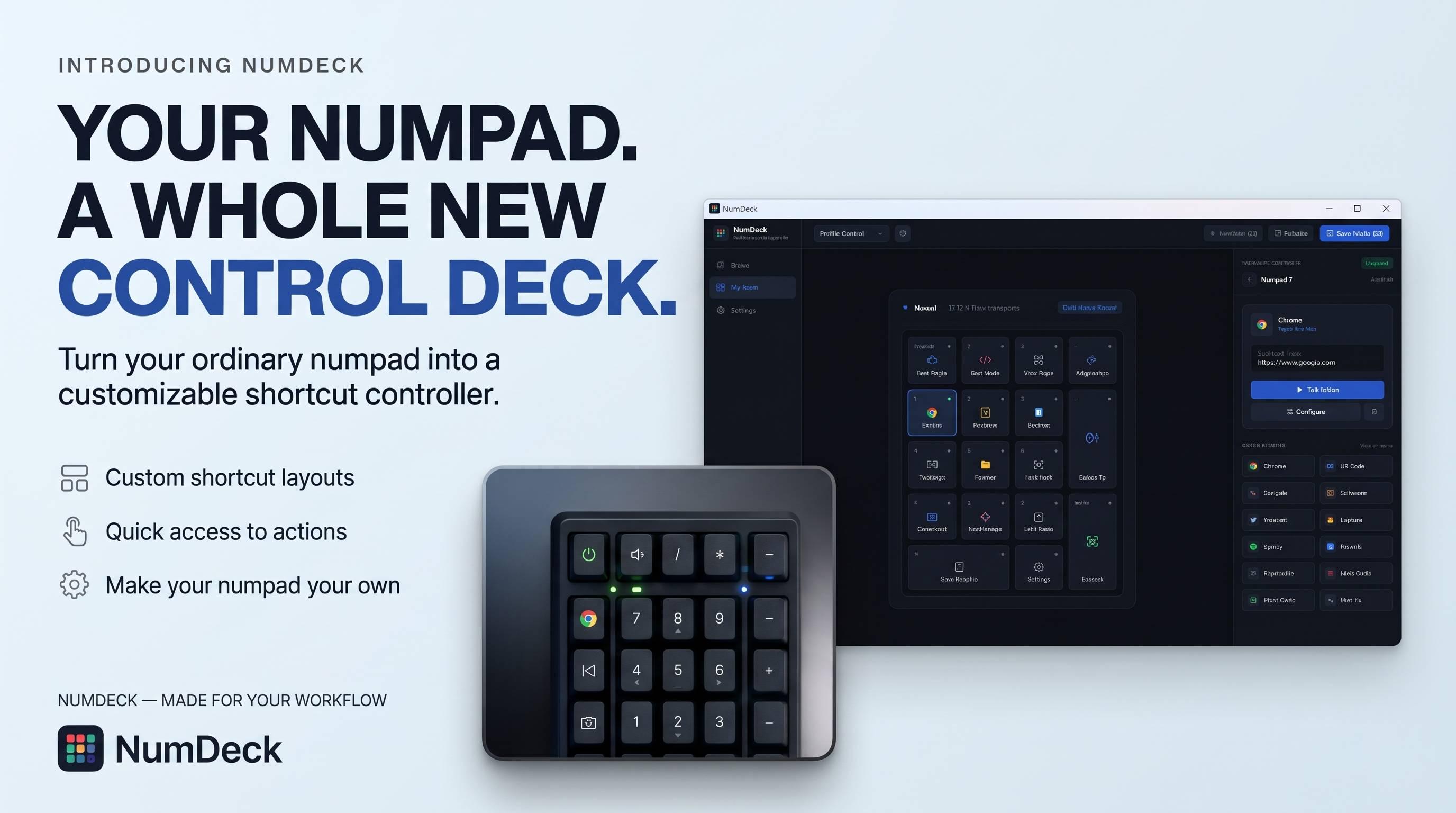
I turned my numpad into a Stream Deck-style controller with NumDeck

Post image
1 Upvotes

r/coolgithubprojects • • 1h ago

Ever wanted to lead a dev team? I turned my Claude Code team into a virtual office you can walk around

Thumbnail gallery
0 Upvotes

Dev House just got a major upgrade: Your AI software team now works in a virtual 3D office

A few months ago, I shared Dev House, a project that lets you build your own software team using Claude Code.

Each team member is a separate, real Claude Code session with its own role, model, permissions, and skills.

Now, it just got a major upgrade. Dev House is now a virtual office you can actually walk into and manage.

Imagine leading a software team where every teammate is an AI agent. You walk around the studio, interact with your team, assign tasks, and watch them work.

What's new?

  • Whiteboard planning: Write your brief on the whiteboard. The planner reads it and creates a plan covering goals, files, and task ownership.
  • Real task hand-offs: The planner calls teammates over, assigns tickets, and sends them back to their desks to start working.
  • QA talks to developers: Before testing, QA visits the developer's desk to understand what changed and how to run it. It then tests the implementation and files bugs.
  • A proper ticket board: A Jira / Azure DevOps-style board with status, priority, estimates, owners, assignees, tags, and full history. Cards update live as the team works.
  • A branch per ticket: Every ticket gets its own Git branch. You can review changes through a PR-style diff page or open the branch directly in your IDE.
  • Direct communication: Walk up to any teammate or click on them to see what they're currently working on and chat with them.
  • Your own desk: The "My Computer" interface at the lead desk gives you access to the board, team, and pipeline controls.

What makes it different?

You still build and configure the team yourself. Choose any roles, models, permissions, and workflows.

Most importantly, every member is an independent Claude Code session. It's not one prompt pretending to be five different agents.

Supports Windows, macOS, and Linux.

GitHub

https://github.com/SinghAbhinav04/dev-house

The project is fully open source.

I'd love to hear your feedback:

If you could lead your own AI software team, what would you want your agents to do next?

Would also appreciate bug reports, feature suggestions, and contributions!


r/coolgithubprojects • • 1h ago

fck canopy2, fck alcove, fck droppy. fck arkcurates. fck voxelwall. I have opensourced the best notch app for mac. completely free.

Post image
0 Upvotes

r/coolgithubprojects • • 1h ago

Swift Package for PCC and foundation models

Thumbnail github.com
1 Upvotes

I decided to build a swift package for using Private cloud compute and Apple's local models, I found it difficult to find the correct places to use them, and there was nothing out there to do it for me automatically, so I built my own!

Its still pretty early, it works on calibration of latency, and adjusts the model used based on request latency, it continuously re-calibrates the more its used based on the users device

Fully open-source, so you can go check it out!


r/coolgithubprojects • • 1h ago

GitHub - selsie/DeepSeek-Chat-Archive-Migrator: DeepSeek Chat Archive Migrator (with Image Hosting & Persona Continuity)

Thumbnail github.com
0 Upvotes

Free local Python toolkit to rescue & migrate large DeepSeek exports (600MB+ ZIPs, images & persona continuity)

With the recent restrictions on DeepSeek conversations, I wanted to rescue my own chat archive without uploading a ~600 MB export (60 MB of raw JSON alone) to some random web wrapper.

How to get your DeepSeek export first: Click your username in the bottom-left corner → Settings → Data → Export (DeepSeek will email you a download link for the ZIP archive).

Since Gemini doesn't natively support DeepSeek exports (only ChatGPT-formatted conversations.json imports)—and basic converters only dump plain text while losing branching, local attachments, and conversational context—I put together two lightweight, local Python scripts (standard library only, Python 3.9+) to bridge the gap:

  • ChatGPT-compatible Gemini import: Converts DeepSeek exports into the conversations.json format Gemini's native importer expects.
  • Tree-accurate reconstruction: Follows DeepSeek's parent_id message graph in exact chronological order.
  • Image preservation: Rewrites local relative attachment paths into hosted URLs so images don't break.
  • Persona & context continuity: Packs custom context framing so continuing long-running chats in Gemini feels seamless.
  • Human-readable archive: Also exports clean, individual JSON files per conversation if you just want a readable local backup.

Everything runs 100% locally on your machine with zero external pip packages. Hope it helps anyone else looking to back up or migrate their chats!


r/coolgithubprojects • • 2h ago

If you're non technical and you're sick of Github, made this for you

Thumbnail gallery
1 Upvotes

r/coolgithubprojects • • 2h ago

A zero-dependency unified system monitoring and management tool for Linux

Thumbnail gallery
1 Upvotes

Hey, firstly im not the developer of this project, i have been watching this project for a while until suddenly UI got a massive upgrade, with other things.

So according to GitHub page, now: PULS is a zero-dependency unified system monitoring and management tool for Linux. Combines kernel telemetry with native Linux system administration in a single, ~1.6 MB static binary with zero external Rust crates. Bundles monitor hardware telemetry, Linux PSI pressure stalls, ZRAM & block I/O latency, manage system and more things, according to Github.

So i wanted to test if its true or not. I want to clearly say this: None of the existing monitor projects includes this much data in one single thing. With last update, he added even more things like CPU affinity, live kernel sysctl parameters etc. Its big, but this update changes some crutial things. PULS no longer depends on any dependencies, he removed all of them and created them separately, lightweight but only for his project, so it lowered RAM and CPU usage with binary size too compared to v0.9.4.

I dont know when will v1.0.0 come but this tool might be good for users wanna get every single telemetry data out of their systems, i just wanted to share it because of this update. (For some reason, normally word-sys shares this type of updates he makes but last time i check he didnt)

Anyways here is the GitHub link for the project for people might want to look at: https://github.com/word-sys/puls


r/coolgithubprojects • • 6h ago

Estimate a prompt's token cost before it's sent and block it over a limit (OpenCode and Claude Code, MIT)

Thumbnail github.com
2 Upvotes

r/coolgithubprojects • • 2h ago

SoduWork — an open-source workbench that runs multiple AI agent harnesses

Post image
0 Upvotes

SoduWork is an MIT-licensed AI agent workbench, currently in public beta.

Instead of replacing tools like Pi, OpenCode, Qwen Code, or Codex, it connects them through a shared workspace.

Tasks can have acceptance criteria, a separate AI review step, and human sign-off. Reusable methods can also be saved as versioned plugins and shared with a team.

The setup includes a desktop client and an optional self-hosted Hub.

A couple of limitations worth knowing: switching harnesses doesn't transfer running processes or browser sessions, and self-hosting the Hub doesn't automatically mean inference happens locally.

Repo: `mdiri-ai/SoduWork`

The project's own code is MIT licensed; third-party components retain their respective licenses.


r/coolgithubprojects • • 2h ago

NotUnreachable - Simple self-hosted file sharing for your homelab

Post image
1 Upvotes

NotUnreachable - A simple, secure way of sharing your homelab files with anyone. No need to reupload your files, just map your local folders and/or an SMB shares and share anything.
https://github.com/przemczan/not-unreachable


r/coolgithubprojects • • 2h ago

HybridCoder: local Qwen does the coding, cloud models only step in when it gets stuck, so you spend far fewer API tokens.

Thumbnail gallery
0 Upvotes

Small local coding models (I use qwen2.5-coder:7b on a 6 GB laptop GPU) handle routine work but struggle with larger multi-file tasks and with fixing their own failures. Cloud models handle those well, but running everything through them burns API credits.

HybridCoder splits the work so each model does what it's good at:

  • Cloud models plan and rescue. For architectural or cross-module tasks, a cloud model (NVIDIA NIM by default, Gemini as fallback) writes the plan. If the local model's fix still fails its tests after two attempts, one cloud repair gets the diff and the exact error.
  • The local model does the bulk of the work. Qwen via Ollama writes the code, applies the edits, and makes the repair attempts. Small fixes and routine coding never leave your machine.
  • Verification keeps it honest. Edits are exact search/replace patches, checked before writing. Related tests (or a frontend build) run after each change, and failures feed back into the loop.
  • Cloud models are swappable. Model IDs, API keys, and endpoints are configured in .env or the settings panel. You can change the Gemini or NVIDIA model, or point the cloud provider at any OpenAI-compatible endpoint, without touching the code.

The goal is cloud-level capability on hard tasks, with the token-heavy generation done locally so API usage stays limited to planning and the occasional repair.

Results so far: On a 20-task benchmark of small Python bugs, 17 of 20 passed an independent pytest run. Local Qwen made 13 repair attempts and only 4 tasks needed a cloud repair. These are small isolated tasks, so I'm not claiming it generalizes to big repos, and I haven't yet measured token savings against a cloud-only run.

Stack: FastAPI backend, React UI, Ollama, Gemini, NVIDIA NIM. Windows 10/11, Python 3.11+, Node 18+. Cloud keys are optional, so it also runs fully local.

GitHub: https://github.com/RiteshNipane/HybridCoder

Feedback welcome on the routing and repair logic.