Microphones and mic arms: Wave Go, Wave:3 MK.2 (on its own or bundled with a mic arm), Wave DX, Wave Mic Arm MK.2 and more
Cameras and teleprompters: Facecam MK.2, Prompter and Conferencing Kit +
Marketplace: 30% off plugins, icons, profiles and more from participating Makers, plus 30% off Voice Focus
Starting November 27: use code BLACKFRIDAY at checkout for 15% off sitewide through November 30. The code can't be combined with other offers, and some products are excluded.
ㅤ
📺 Not sure what to get or have some questions?
Join our streams to chat with the team, get advice on gear and keep up with what's on sale.
With Wave Link 3.5, fire off sounds from a built-in soundboard, keep your audio on the device you want with Smart Switch, and see where every sound goes with Audio Flow. Running two PCs? Wave Cast now lives inside Wave Link and sends up to five mixes each way between them.
ㅤㅤㅤㅤㅤㅤㅤㅤㅤ
🎛️ Built-In Soundboard
Bring in the clips you already have, trim them to the perfect moment, and play them with a click, a keyboard shortcut or a Stream Deck key. Your soundboard gets its own channel that you can add to any mix, so you decide how loud it is on stream, in voice chat and in your headphones.
Sort sounds into categories, add fades, or set them to loop.
Hit shuffle to play a random sound from a category.
Drag a sound onto the Stream Deck app to set up a key in one move.
ㅤㅤㅤㅤㅤㅤㅤㅤㅤ
🔀 Smart Switch
Plug in a headset and Windows decides where your sound goes, whether you like its pick or not. Now Smart Switch hands that decision to you. Choose which devices matter most, and Wave Link keeps your audio on the top one that’s connected. Pop in your earbuds and your audio moves over. Put them away and it’s back on your speakers.
ㅤㅤㅤㅤㅤㅤㅤㅤㅤ
🗺️ Audio Flow
Not hearing something? Open Audio Flow to find out why. It maps your whole setup, from inputs through channels and mixes to your outputs. Click anything to trace its signal path, and check the issues panel for muted outputs or channels that aren’t routed anywhere.
ㅤㅤㅤㅤㅤㅤㅤㅤㅤ
🖥️ Built-In Wave Cast
You asked to send more than one app’s audio between your PCs. Wave Cast now lives inside Wave Link and sends up to five whole mixes each way, effects and all.
Send your game, Discord and mic to your streaming PC as separate channels, so you can balance each one for the stream and your recordings.
Hear stream alerts and chat sounds from your streaming PC in your gaming headset.
Adjust levels, add channels or create mixes on the other PC without switching computers.
Wave Cast is sold separately on Elgato Marketplace. Both PCs need the same Wave Link version.
ㅤㅤㅤㅤㅤㅤㅤㅤㅤ
💾 Wave Link Backup and Restore
Wave Link now backs up your channels, mixes, device settings and soundboard automatically, including before every app update. Save your own backup before you try something new, and roll back to any of them whenever you need to. Want one setup for streaming and another for work? Save a backup of each and restore the one you need. If you’d like that as proper profiles, let us know.
🎬 OBS Studio Backup and Restore
Some Wave Link driver updates make Windows treat your audio devices as new, and OBS Studio resets your audio sources. Wave Link now backs up your OBS audio setup, saves a fresh backup before an update like that, and offers to restore it afterwards, relinking your devices, levels, track assignments and source and scene audio settings in a few clicks. It takes a one-time connection to OBS Studio 28 or later:
In OBS Studio, open Tools → WebSocket Server Settings, turn on Enable WebSocket server, and click Show Connect Info to see your port and password.
In Wave Link, open Settings → OBS Studio, enter the port and password, and connect.
Turn on Auto-connect on startup. From then on, Wave Link backs up your OBS audio setup automatically.
🎚️ Mixer Listening Control
Mixes is now called the Mixer. A new Listening to control in its toolbar shows which mix you hear on your main output device, and switching to another mix takes one click. Wave Link also warns you when no mix is selected or your main output device isn’t available.
↔️ Compact View Layouts
Compact view now comes in a horizontal layout too, so a small, wide mixer can sit on a second screen or a horizontal display like the Corsair XENEON EDGE.
ㅤㅤㅤㅤㅤㅤㅤㅤㅤ
🌐 Language Support
Wave Link is going global, and it now speaks your language. Choose from 14: English, German, French, Spanish, Italian, Dutch, Danish, Swedish, Russian, Portuguese (Brazil), Portuguese (Portugal), Japanese, Korean and Chinese (Traditional). Wave Link follows your system language, or you can pick one in Settings.
🛠️ Improvements & bug fixes
Channels can now be removed from the right-click menu.
Dragging channels and mixes to reorder them in the Mixer now shows a preview of the item and exactly where it will land.
Muted mix headers now turn red, matching muted channels.
Refreshed icons throughout the app.
Dialogs with a close button now also close with a click outside them.
The double audio warning now clears when the mic is muted in the Personal Mix again.
Wave Link now shows a notification when a driver update is needed, even while it runs in the system tray.
Fixed an issue that could cause a rare system crash after the PC woke from sleep.
Fixed a crash at startup that could happen when a virtual audio device failed to start.
Fixed an issue where Wave Link could freeze when a locked default output device was disconnected and reconnected.
Fixed an issue where a new mix with no outputs still played audio on the Windows default playback device.
Fixed an issue where the default output device wasn’t added to the Personal Mix on a fresh install.
Fixed an issue where Wave Link briefly showed no connected hardware device at startup, even with one connected.
Fixed an issue where newly installed apps and games didn’t appear in the app list right away.
Fixed an issue where a channel’s level meters on Stream Deck froze after the channel was reordered.
Fixed an issue where some muted channels showed a red tile instead of their volume in a mix when volume sliders were hidden.
Fixed an issue where a Wave device disappeared from the sidebar after its channel was removed and Wave Link restarted.
Fixed an issue where Wave Link’s virtual audio devices kept a removed channel’s name in Windows.
Fixed an issue where a custom channel icon turned transparent in the channel dialog when more than three apps were added to the channel.
Fixed an issue where channel and mix names were too dark or too bright after changing the color theme outside the Mixer.
Fixed an issue where sidebar icons were off-center in the collapsed sidebar while a Wave device was muted.
Fixed an issue where reopening Wave Link from the system tray didn’t bring it to the front and shrank the window to its minimum size.
Fixed an issue where drag and drop from File Explorer could stop working after the driver installer restarted Wave Link.
Fixed an issue where updating an audio plugin from Elgato Marketplace reset its settings.
Fixed an issue where Stream Deck didn’t update when the headphone volume was changed in Wave Link.
Fixed an issue where Stream Deck actions for output devices showed as unavailable after a driver update.
Fixed an issue where the Wave Control Stream Deck action was missing the Mic/PC Mix option after switching from a Wave XLR Pro to another Wave device.
Wave XLR Pro: Mix headers now show a badge and tooltip while the hardware mixer is in use.
Wave XLR Pro: Fixed an issue where “Driver missing” appeared after Windows removed the virtual audio device.
Wave XLR Pro: Fixed an issue where the screen for switching between the software and hardware mixer didn’t match the rest of the app.
Wave XLR and XLR Dock (first generation): Fixed an issue where the device page was incomplete after reconnecting.
Recently got the 4K S for my PS5 and a Facecam 4K. Really just needing to get 2 Key Light MK.2s now, but eventually a XLR Pro and a USB Dock to replace the XLR functionality with my Stream Deck +, that way I can use both my Wave DX and headphones on my PC and PS5.
TLDR Is the Deck+XL too big? What would you choose between the 2 setups in the title and why?
I have been using a Deck XL for the past 5 years for productivity and home control (not a streamer). Even though it was not a cheap purchase at that time, it got its money's worth.
Dials for me are a very big feature and this is why I am considering of geting a Deck+ or a Deck+ XL.
I am afraid that de Deck+ XL might be too big for a desk setup, not sure... and this is why I am considering have a Deck XL & Deck+ instead.
Anyone has any experience of transitioning from a Deck XL to a Deck+ XL? Or having 2 Decks on the desk?
Hola amigos, tengo un problema a la hora de querer transmitir mi Redmagic Astra a mi laptop mediante un adaptador Ugreen 10919 y una captura Elgato 4k X... Después de conectar todo correctamente, la capturadora enciende el led azul pero en tiktok live studio o en el programa de Elgato aparece solo una pantalla negra, ya intenté de todo y nomás no encuentro como hacer que se vea
I am aware of this thread but none of the solutions there have worked for me.
As of 2 days ago, I can suddenly no longer launch Wave Link at all. I was using it daily without issue but now any time I click the application, nothing at all happens.
I've tried completely reinstalling it but I get the following error:
App installation failed with error message: 0x80073CF6: While preparing to register the request, the system failed to register the windows.diagnosticServiceModule.undocked extension due to the following error: Package could not be registered.
As mentioned, solutions like forcing the installation to C: did not work. I tried installing 3.4 and got the same error but when I used the earliest installer I had - 3.2.5.3731 - it installed completely fine and launched. It then immediately automatically updated to the latest version before I could disable auto-updates. When it restarted, it finished the installation and I was back to square one with it not launching at all.
I've recently started using Wave Link 3.0 and have set up several separate audio channels to give me more control over my audio within OBS.
For example, I've created a Music channel within Wave Link and assigned Spotify to it. I've then added the Music channel as an Audio Output Capture source within OBS.
However, I've noticed that any audio effects (VSTs) I apply to the Music channel within Wave Link don't seem to carry over to OBS. OBS appears to be capturing the unprocessed audio instead. They do carry over if I use a Stream Mix but I don't want that.
Is this intended behaviour, or am I missing something with my audio routing? Does OBS capture the virtual audio device before Wave Link applies its audio effects?
Ideally, I'd like to manage all my audio effects within Wave Link whilst retaining individual audio sources in OBS, rather than using a combined Stream Mix. Anyone had any trouble with this or know of a workaround?
Are there going to be more Black Friday/Cyner Monday discounts this month that have this capture card on sale? I know it went on discount multiple events this year and even last year's Black Friday, so it's just weird it hasn't yet now
I use the wave 3 and whenever I use voice focus or gate in wave link it either sounds off or just cuts off my words. I use it to stream so this ends up messing up my clips. So I settled for using neither and instead use expander and the low quality noise suppression on obs. However I wanted to see if anyone had better solutions.
I run Codebat Technologies Inc., a company registered in Ontario, Canada. We plan to publish a paid Stream Deck plugin on Marketplace and I have two questions the documentation does not answer. I would like to settle them before we start the build.
The plugin is a control panel for options traders. The plugin itself is written in TypeScript on Node.js with u/elgato/streamdeck v2. The trading logic already exists as a tested Python program that runs on the user's own computer.
Bundled runtime. May a plugin include and start a separate local executable, for example our Python core packaged as a standalone binary inside the plugin folder? The Node.js part would launch it and talk to it over a local connection. If this is not allowed inside the .streamDeckPlugin package, is it acceptable for the plugin to connect to a companion program that the user installs separately?
Product category. Does Marketplace review accept a plugin that places orders in the user's own brokerage account? Orders go out only when the user presses a key, through the broker's official API, with the user's own credentials. The credentials stay on the user's machine and are not kept in plugin settings. If this category is accepted, are there extra requirements we should plan for, such as disclaimers or regional limits?
One more request: could you point me to the full review guidelines? I found the submission checklist in the Maker Console docs but not the review criteria.
No plugins or anything, i'm talking about the overall pc's audio output, there is a noticable delay on the audio and i'm sentisitve as fuck to this.
Headphones jack plugged in the Elgato XLR Dock mk.2
I used to mix all of my sources with a Mini GoXLR on hardware level but it had issues, just got this combo and was wondering if there is something wrong with Wave Link
I recently bought Elgato 4K S which has 4k passthrough and 4k 60 capture, I believe in my source output I am getting 1440p but in my OBS I am only seeing 1080p to capture and stream. What could be the problem? is it my laptop hardware that is limiting it? or it maybe USB port?(I have it connected through USB c to USB A connector as I do not have a USB C port in my laptop). Could anyone help as I really wanna capture and stream in 2k/4k.
I tried running my ps5 through the elgato HD60 S. When no usb is connected the hdmi signal goes through just fine, but when i connect it to my macbook via usb c port it gets recognized in the Game Capture software but the monitor and the Scene editor now show a black screen while every once in a while it switches to a No Signal message that reads "Is the HDMI input connected" (which it obviously is as it works seemlessly as soon as I unplug the usb c).
The cable i use should be usb 3.0 and the port on my macbook pro should be compatible as well. Also the software doesnt complain about that so i figure all should be good here.
I bought an elgato 4k s to capture ps5 gameplay, i only have one monitor and one pc, when im recording the gameplay through obs I can't hear my ps5 gameplay, and if I change the obs setting to monitor and output, it introduces massive audio delay in the recording, how can I get around that? Any help would be massively appreciated
Ok so i just purchased a 4k pro, confirmed i have it connected to a proper pcie lane, have a ps5 specific hdmi cable from ps5 to hdmi in on 4k pro, displayport to monitor from gpu, but I am having issues once i start to play. ive tried nitlink and veyra and both at some point end up with the same issue so its not a program specifc problem. im running a 8300x3d, and rtx 4090, 65gb 7200 ram. so game will run fine for several minutes with no issues and then will freeze in either program, and also cause my pc to start stuttering to the point where i can barely use my mouse. rebooting pc fixes the issues and itll again work fine for awhile and then randomly lose signal/freeze. no clue wth is happening to cause this. ive shut down all extra programs in the background, disabled vrr, and hdcp.
Tried getting a fresh install, ending the tasks, changing permissions etc, running as admin & nothing is happening. I love having my audio dependent on an app that works whenever it wants to & is always hit or miss 🙃🙃
Title. Have it running at a smooth 60fps - looks amazing but I have a 45” ultrawide and not sure if it’s possible to get the resolution to match. Anyone try this with luck?
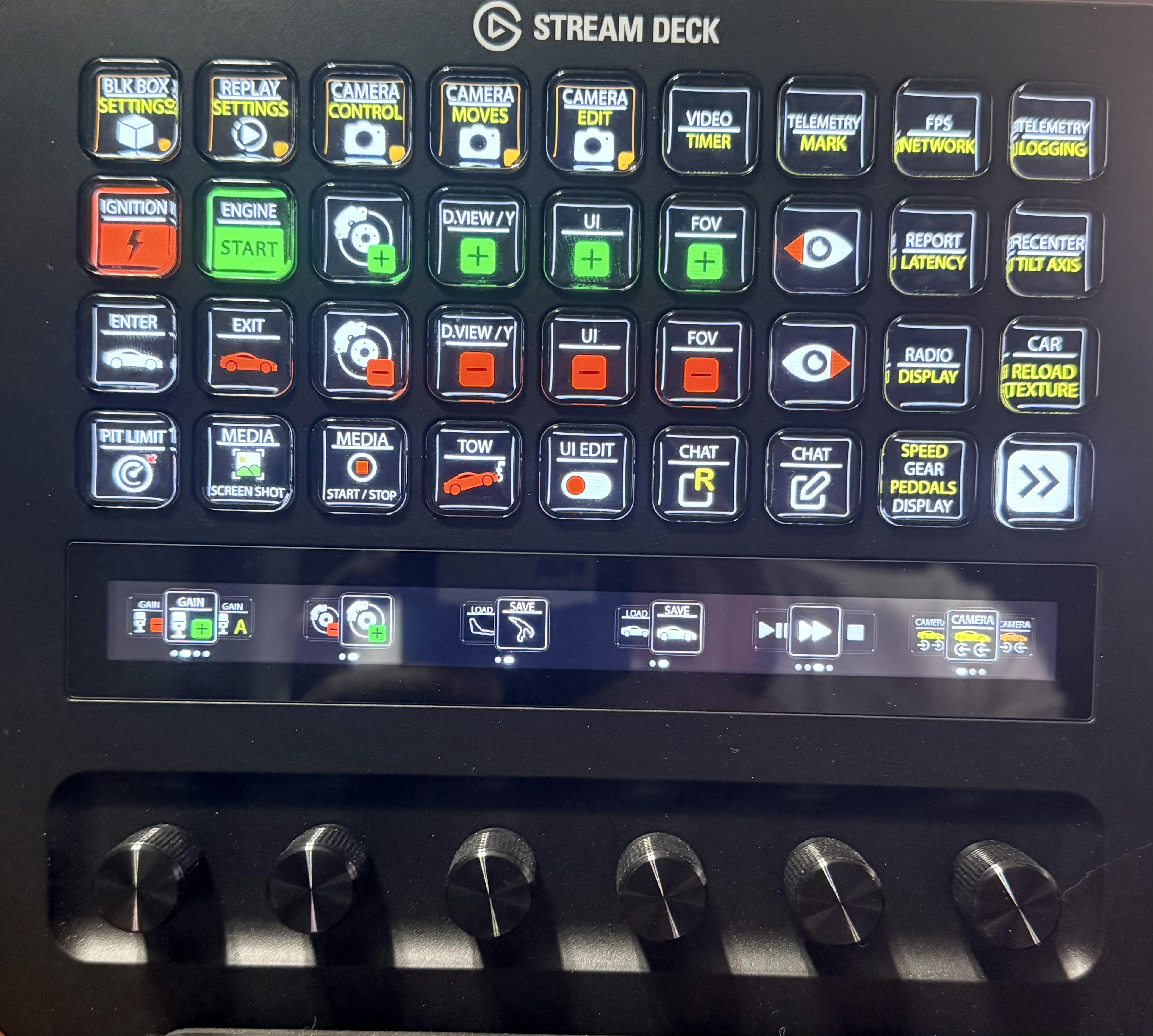
Hey guys I can’t get my Stream Deck binded to use in ACC, Lemans etc. I’ve tried AI searches on the topic and go through the binding but then get in the game with no success. I was hoping to program simple tasks like ignition, start, chat messages etc. Can anyone help? How do you use yours while in your sim?
So my wavelink all of sudden decided to die and stop working today, the app refuses to open or install or do anything, I’ve tried to uninstall all the files, do a bunch of work arounds the only way I got it work was by installing wavelink 3.0.0 and updating to 3.5 but now when try to install the drivers and restart the app it just goes back to the install page pls I need help
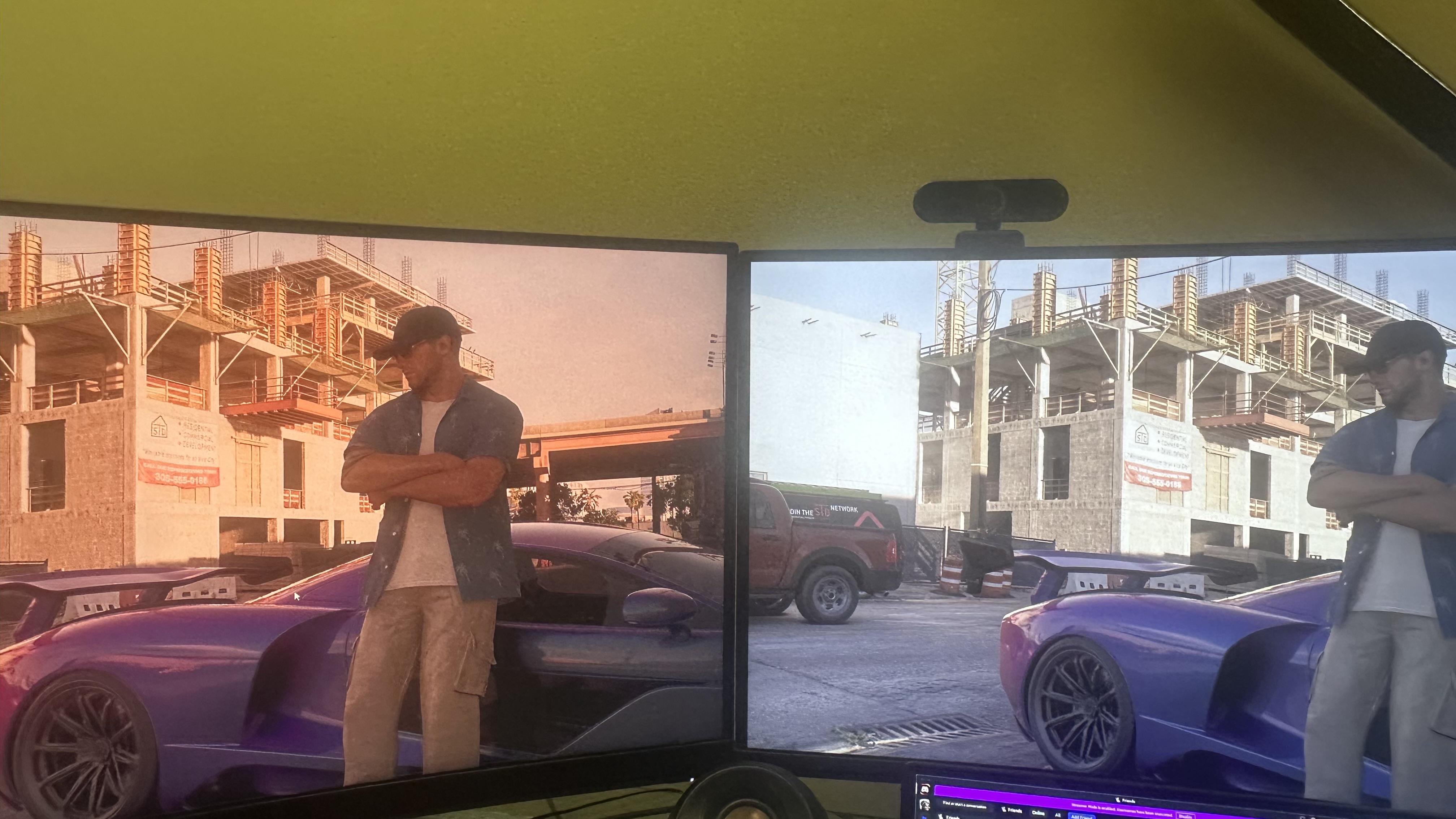
So I bought an Elgato 4K S recently and I’ve noticed that whenever I stream gta 6 the colour of the stream is much different than what I see while playing. Does anyone know what’s causing this or how to fix it?
My PC and Console are both using the same monitor, with one on DisplayPort and the other HDMI, so I can switch between player and full screen whenever I wish to. I have no problem when on HDMI Full Screen. It is only the visual issues within the player and recordings. And as you can see, the shaking only occurs in Ocarina, but once I it up, the screen displacement persists to all games on the console until I close and re-open the player, or turn the console off and on again.
I have tested in both Elgato Studio and OBS, and the same issue occurs on both software, which makes me believe it may be a setting in either the players or my HD60X for some reason isn't powerful enough to correctly record the gameplay. Any solution or explanation would be greatly appreciated!