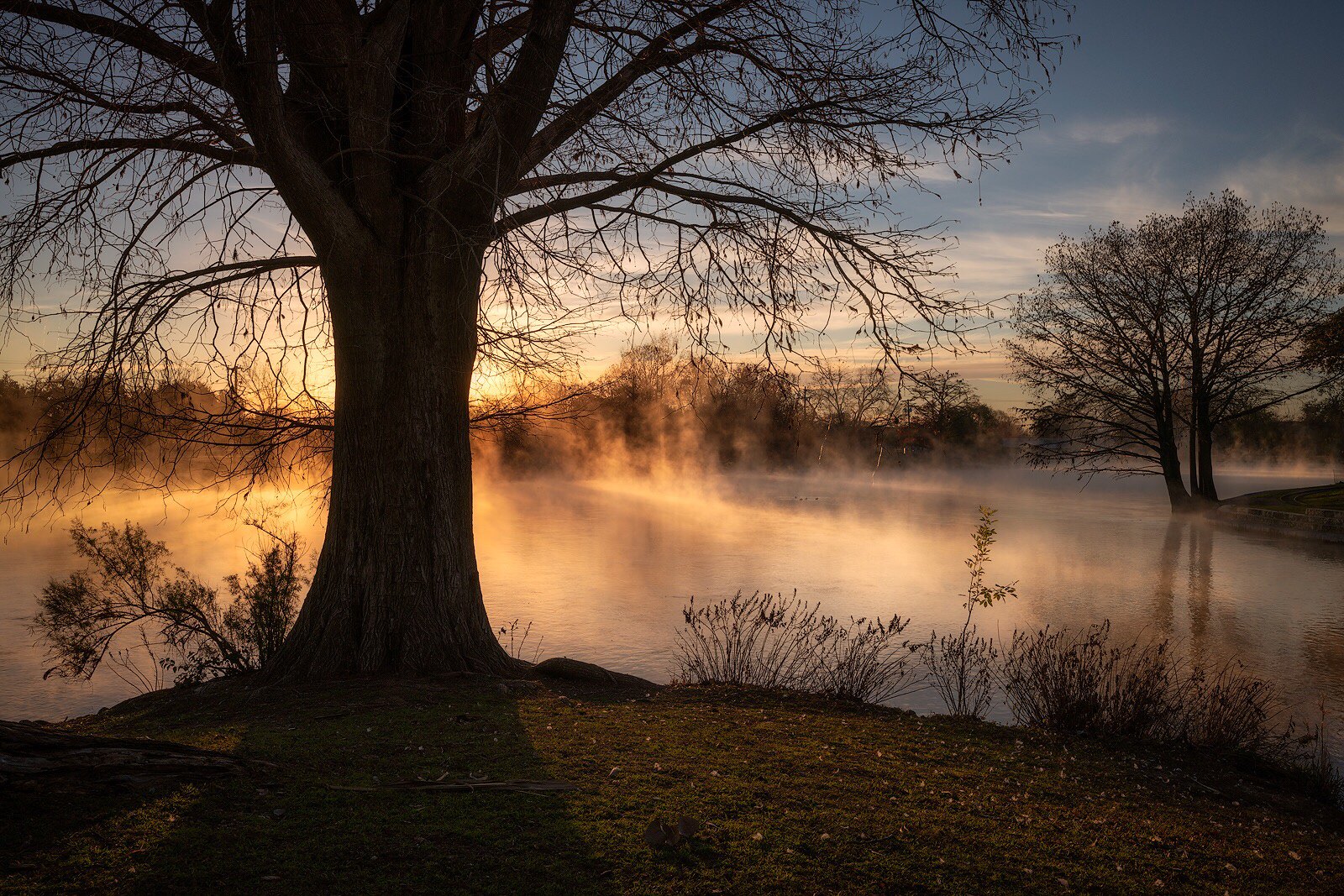
I was browsing the site as always and came across this profile. Went to his/her info page to see the most popular photos and it was this.
Seems like it was on explore approx. 10 years ago with 264 faves and almost 23k views.
Not gonna talk sh** about the profile or the photos but is there anything I am missing? This isn't the first time I come across a photo with ridiculous amounts of views and faves that don't fit the picture.
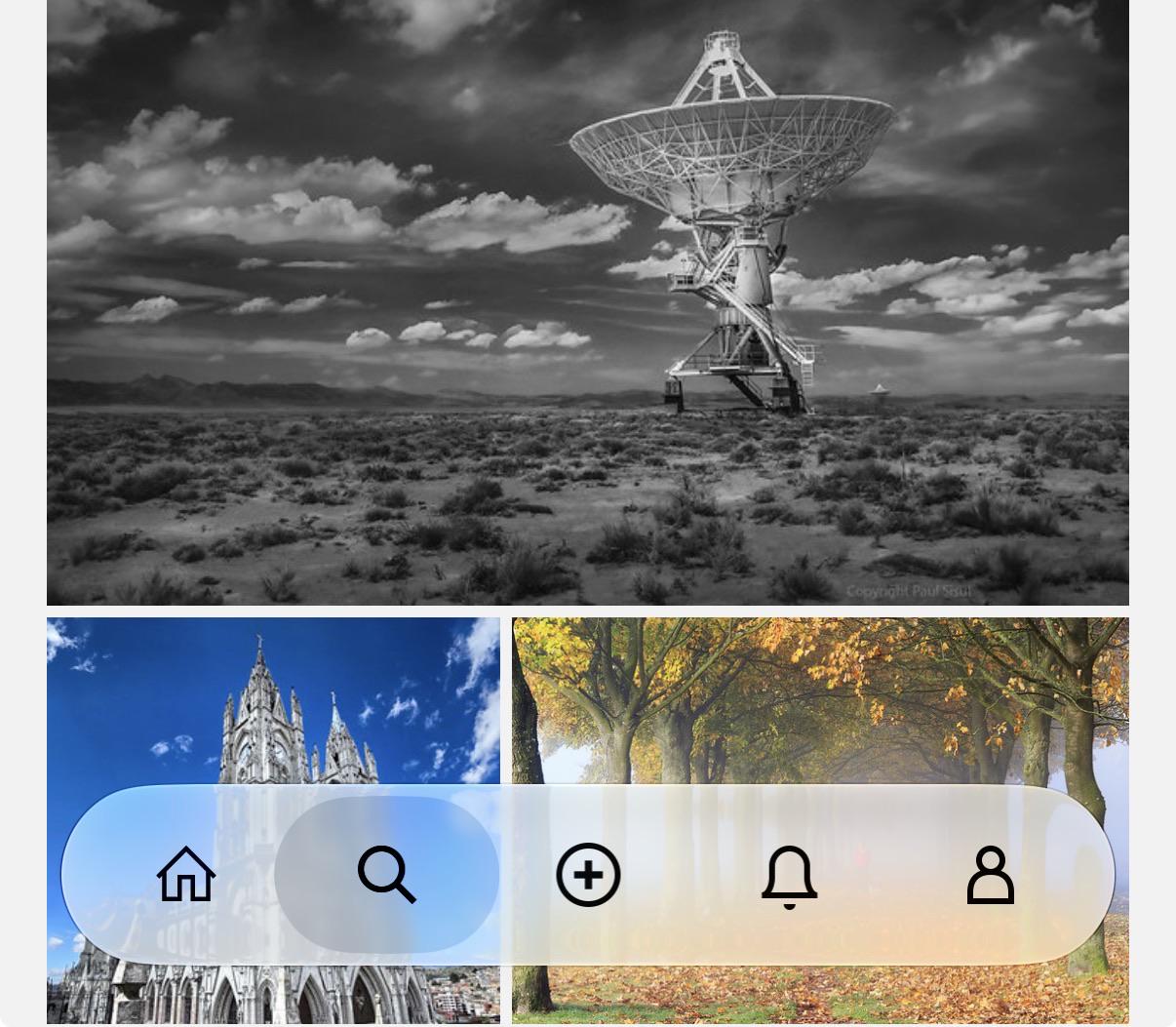
Hey folks any tips on getting the ios app working again? I cant see the search option on the search menu item. Almost like whole app is getting cut off in my screen.
Running iOS 27.3 , iPhone 13, deleted and reinstalled app( delete not offloaded) l, tried making a new profile and still no use. It’s been a nightmare using it as I don’t normally use the website to interact with the followers and phone is my primary. :(
IMO it's a pre-smarphone website designed to be navigated on a desktop browser. The apps don't deliver the same experience because it's not designed for your phone.
I’m Mike, an amateur photographer from Manchester. I created PictureHub as a friendly place for people to showcase their photographs without endless subscription demands.
Create a free account, build your own photography page, and discover work from other photographers. Members can like photographs and leave polite, constructive comments.
All experience levels are welcome, including younger photographers. Member uploads are reviewed to help keep the gallery suitable for everyone.
The upload button is new. Other buttons look different. The text for tags looks different (not sure if it's a new font or different kerning or what.) Also I swear the Flickr logo is significantly bigger on a few pages.
Over the last 21 years I have grown increasingly suspicious of any changes Flickr makes to the website.
Hi r/flickr. A short update on Photo Stream Assistant, the Flickr library manager for Mac and Windows I posted here. Three versions have gone out since the Windows launch, and most of what changed came from this sub.
Asked for here
Open on Flickr from a photo’s details: the photo’s own page on flickr.com, in the app’s Flickr window.
The map finds older photos. It showed your most recent geotagged photos first, so a big library never reached its older places (one of you had no Japan at all). Move or zoom the map, choose Show photos in this area, and every photo of that place appears, however old.
Finding people. Flickr has no search by name, so typing someone’s displayed name found no one. You can now paste a Flickr id or a profile address, and your contacts are found by their real name or part of it.
Fixed or better
Places works on large libraries. Flickr’s own places answer came back empty for libraries with thousands of geotagged photos. The app now reads your geotagged photos once and works out each one’s country, region and town on your computer, from the coordinates. Nothing is sent anywhere.
File sizes in Library health’s duplicates and look-alikes, and in a photo’s details, so you can keep the biggest copy. Flickr doesn’t report file sizes; the app asks its image server without downloading the photo.
The slideshow is sharp full screen (it was showing a 500 px copy) and names the photographer of someone else’s photo, one click from their photostream.
The arrow keys step through photos in a photo’s details, as in the slideshow.
Selecting no longer moves the grid. The selection bar used to push the photos down on the first click, so a double-click could land on another photo’s heart. Its row is always there now.
Hover buttons follow the thumbnail size you pick in Settings; on small thumbnails the first one was cut off.
Windows: Restore purchases finds a Pro Unlock bought on another PC, and says plainly when it finds nothing.
Still free, still one purchase
Free to download and use with no time limit; bulk edits work ten photos at a time. Pro Unlock is a one-time purchase, not a subscription, and it removes the limits and adds tags at scale, Library health, Insights, Places and backup. Everything still runs on your computer, signed in with your own Flickr account: no account with me, nothing stored anywhere else.
I don’t get it. I’m about to finally share my images on social media. Why doesn’t Flickr get the love it deserves? It’s a great platform, much more robust than Instagram in my opinion and the image quality far surpasses every platform that I’m familiar with.
The posts that don't display the thumbnail don't show the image in the mains post unless I manually click the icon not thumbnail) to expand it in the post itself.
I can't figure out what is causing this. I use the same URL format for each post, which is direct to the image.
I notice that the posts with a visible thumbnail get upvotes and comments, but the posts without a thumbnail have zero engagement, so it seems like it shows the same way for others.
Is it a Reddit thing? Flickr thing? Any suggestions?
I've been on flickr for some time. I've got 10k plus photos on there, so obviously I pay for a pro account. No, I'm not a "pro" I'm just paying to have the photos I like backed up for show, and for a lot of family stuff.
I've only just in the last few months noticed something that I keep going back to in order to see if it's just a glitch or what, but my photos are not zoomable on flickr. In other words, I upload at full size, 300 dpi, but if you look at my images, you can't zoom in for a closer look. I often zoom in on other peoples' images in order to allow the image to fill the screen to get the full effect, but if I click to zoom on any of my photos, it sarcastically tells me that the photo is already at full size.
This makes me think something else even as I'm typing. My photos are all soft focus on flickr as compared to on my screen when viewing from a local file.
Am I not paying enough or something? Since these are just stupid personal photos, do they assume I don't need any zoomed view? Or what am I doing wrong?
finally settled on flickr for my photo-sharing. Created an account. The site forced me to use a shitty username that it came up with, instead of my own unique username. It wasn't "in use". It just wouldn't let me create my own username. It also wouldn't save my bio. For a site that supposedly supports creative people, why the F does it treat users like robots, and tries to control your every move? I thought an old-school website would be better than all the crappy controlling big brother sites and apps out there.
Free, open-source Flickr analyzer that runs on your own computer. See your most-loved photos, best times to post, which tags bring views, a map of your shots, and what changed since you last looked. See trends, strongest subjects, camera and lens usage, and more. Forever free, this is vibe coded by Claude. I have Claude setup to check for issues weekly so if you have a request or bug please post it to github.
Update (1.6.8, Mac and Windows): Places now works on large libraries, the map can show every photo of an area however old, Open on Flickr from a photo’s details, people search by Flickr id, profile address or a contact’s real name, sharp slideshow, file sizes for duplicates. Details in the comments.
Hi r/flickr. When I posted Photo Stream Assistant here, the app I built to manage my own Flickr library, the most common reply was "is there a Windows version?". There is now, on the Microsoft Store.
What it is, for those who missed it
A desktop app for people whose Flickr library has outgrown the web page. It signs in with your own Flickr account and talks only to Flickr's API: no account with me, nothing stored anywhere else.
Bulk edits: titles, descriptions, tags, dates, privacy and location on many photos at once, selecting the way you would in File Explorer
Tags at scale: rename a tag across the whole library, merge two, remove one everywhere, unify tags written several ways (Flickr's site can't do any of this)
Library health: how many photos have no title, tags, location or album, suspicious dates, the same photo uploaded twice, look-alike copies and screenshots that slipped into the photostream
Insights: where this month's views came from and which photos earned them
Places and the map: browse by country and city, and give a location to the photos that never got one
Backup of the library to a folder on your PC, with titles, tags, dates and locations saved beside each photo
Upload that warns you before a photo already on Flickr, even retitled
My Feed, Activity, groups, albums, favourites, downloads at any size
On your PC, privately
Suggest tags and the look-alike check run on the PC itself: a small image model, plus Windows' own text recognition for screenshots and documents. No photo is sent anywhere, there's no per-photo cost, and nothing is written to Flickr until you've reviewed it.
Same app as on the Mac, almost
The Windows version has every screen of the Mac app and the same eight languages (English, French, German, Spanish, Italian, Portuguese, Russian, Chinese). Two things are Mac-only for now: suggested titles (they use Apple Intelligence) and spotting mirrored copies among look-alike photos.
Price
Free to download and to use, with no time limit: browsing, the map, stats, and bulk edits, downloads and tag suggestions ten photos at a time. A one-time Pro Unlock (not a subscription) removes the limits and adds tags at scale, Library health, Insights, Places, album curation and backup. It's bought through the Microsoft Store, so a Mac purchase doesn't carry over, sorry: the two stores don't talk to each other.
And for Mac users
The last Mac versions came largely from this sub: the sidebar puts your library first and folds by section, My Photos can open on Public or Not public, and a forgotten app password no longer locks you out for good.
It's a first Windows release, so I'd really like to hear what breaks on your PC. As before, I read everything here: bugs, missing features, things that annoy you.
Any fellow Flickr Pro members have any luck using their discount code for KEH? I tried using it on KEH orders but it never works, no matter what I try to purchase.
I have considered the exclusions. These don't apply to what I'm trying to order. Per Flickr support, the exclusions are:
Brand exclusions: Premium brands like Leica and Hasselblad are almost universally exempt from promotional discounts.
Condition ratings: The discount typically applies to standard graded used inventory (like Excellent, Bargain, or Ugly). Items marked as "Like New," "New," or sold strictly "As-Is / For Parts" are generally excluded.
Code stacking & sales: KEH only permits one promotion per transaction. If an item is already on sale, marked as clearance, or part of a sitewide special, a Pro perk code cannot be combined with it.
Non-gear items: Film stock, gift cards, batteries, and smaller third-party accessories don't qualify for gear discounts.
After reaching out to Flickr customer service multiple times, they just say they got a bad code from KEH or it must have expired. I have a support ticket open for over a month and they still cannot solve the issue.
I have also tried reaching out to KEH directly and they never respond. Emails are ignored. When I try calling they just say to reach out to Flickr.
This is very frustrating because a 5% discount on photo gear can add up to a lot. Has anyone had any luck using this perk?
As a pro member for 8 years there is something very wrong with Flickr. How can most members pay for PRO and its always broken. I have sent many mails to the staff to HELP fix the site its down, my images wont load, I see the same 5 people ALL the time. I realize they dont care! its ok to take my 89.00 a year but give me terrible service? its a shame really and I think WE are all being ripped off
TL;DR: Adios 3.0 turns your Flickr export into album folders of originals plus an offline website of your whole account. Click through a sample archive, or try the free demo. Discount code at the end.
in September I posted Adios for Flickr here. It's a tool to download all your Flickr photos and albums in original size: it takes Flickr's official account export, all those zip files without any albums, and turns it back into album folders with your original photos and videos. Thanks again for all the comments in that thread.
Today I'm happy, and honestly a little proud, to show you version 3.0. It's a big one.
The overview page of an archive built with Adios (sample account, stock photos)
Your Flickr, as a website on your own disk
Besides the album folders, Adios now builds your whole account as a website. Double-click it and it opens in your browser. No internet, no server, no account.
An overview of all your albums, grouped into your Flickr collections if you like, a page for every album, your photostream, highlights, a map, tags and statistics.
Titles, descriptions, comments, faves, views, groups, places and camera data are back next to your photos. Flickr puts all of that into the export as raw data. Adios reads it and puts it back where it belongs.
Pick any photo as the cover of your archive.
A lightbox with filmstrip, slideshow and full screen. Search and sorting on every page, keyboard shortcuts, six languages. It works on your phone and stays fast with 100,000 photos and more.
Every page carries everything it needs. Copy a single album folder to a USB stick and it still works on its own.
Make it look the way you want
32 themes, among them classic photo looks like Fine Art, Darkroom, Kodachrome, Paper or Graphite. Or make your own, with your own logo, fonts and colors: around 200 design tokens cover everything from textures and icons to the layout.
Or let an AI agent like Claude Code or Codex do it. This part is really built for it: every archive comes with a guide for agents, and the app has a command line. The agent can check its theme for mistakes, take screenshots of the pages, look at them and rebuild the archive by itself. You describe the look you want, it does the rest.
32 built-in themes, or your own (front, with a logo).
Your old videos play again
Every video gets a still frame and plays right in the page. Old formats are converted automatically, whatever you uploaded back then: AVI, WMV, old QuickTime files, 3GP from your first phone.
Put it online, if you want
A second, web-ready copy of your archive. It's just files, no database and no server software, so you upload it by FTP to whatever host you already have and share the link. You choose album by album what goes online, and by default only photos that were public on Flickr. Map, comments and videos each have their own switch. Your originals stay at home.
Stay in sync with Flickr
A few of you asked last time whether you can update your copy later without starting over. Now you can: Adios requests the export from Flickr, waits for it and downloads it. Later, one click on "Get the latest from Flickr" adds only what's new. Photos you delete on Flickr stay in your archive. If you're staying on Flickr, that's a complete copy at home that stays current.
No API key, no Pro account, no rate limits
Most other Flickr download tools go through Flickr's API. That means API keys, rate limits on big accounts, and since May 2025 free accounts only get 1024 px through it. Adios doesn't use the API at all. It works with Flickr's own account export, the one Flickr offers every member, free or Pro. That's why you get your real originals in full resolution, and why a big account doesn't turn into hours of throttled requests. Titles, descriptions, tags, dates and locations go into the photo files themselves too (EXIF and XMP), so Lightroom or Apple Photos pick them up. And everything stays on your computer.
Try it yourself
If you want to click around first, here's a sample archive (26 albums of stock photos). Or watch the 2-minute video to see it in action. The free demo builds your first five albums completely, website included. Adios runs on Mac and Windows. If you bought Adios before, 3.0 is a free update. Adios is a one-time purchase, no subscription.
Since this is the community where Adios started, the r/flickr code from last time is back:
RFLICKR5 → €24 instead of €29, valid until December 31, 2026
I'd really like to hear what you think of the new version. How does the archive look and feel with your own photos? What's confusing, what could work a little better? Small things are welcome too. And if something breaks on a big account, please tell me. I'll be around and answer everything.