r/ios • u/chaosnoctis • 19h ago
Support Sharing a photo to a group chat randomly selects single participant of the chat
reddit.com
3
Upvotes
r/ios • u/Expensive_Eye_1313 • 13h ago
r/ios • u/TopReward2956 • 5h ago
I need some urgent help regarding Apple Maps, Google Maps and WhatsApp location privacy.
On 16 November, I accidentally shared my Current Location pin through Apple Maps with someone on WhatsApp. It was my actual residential address.
The person has already opened/read the location message. When I tap the location message in our WhatsApp conversation now, it still opens in Google Maps and displays the location I originally shared.
I have since gone to my iPhone Settings → Apple Account → Find My, and my Share My Location is OFF. It also shows that the people listed under Family cannot see my location.
However, I am worried that the person who received the original location can still access my home address through the old WhatsApp message.
I understand that this was a one-time current location pin and not Live Location sharing. But I desperately want to know whether there is any way to:
Has anyone experienced this? Is there any technical solution, Apple setting, privacy setting or workaround that can actually invalidate an already-shared static location link?
Please help. This is a genuine personal safety and privacy concern, not just a general privacy question.
Thank you.
r/ios • u/Free-Difficulty9504 • 15h ago
r/ios • u/thebabyishabsurdity • 23h ago
Every time I start typing milk or eggs into my shared grocery list, the app pulls up six old versions from months ago with random notes still attached. Hiding completed items doesnt actually clear the clutter. You have to go into the menu and manually delete completed tasks every few weeks
r/ios • u/Electronicspendy • 1d ago
r/ios • u/Far_retrog • 16h ago

Hi everyone,
My iPhone XR is currently stuck on a white screen displaying “Swipe Up to Recover.” After entering my passcode, it displays “Attempting Data Recovery,” but the process repeatedly fails and prompts me to try again.
Unfortunately, I don’t have an iCloud or backup of the device and I absolutely want to avoid restoring the device, as it contains important photos that I need to recover. Here is the device’s history and everything I’ve tried so far:
At this point, I’m unsure whether replacing additional components could fix the problem. I want to avoid restoring. Thank you!
r/ios • u/sencemester • 1d ago

I’m aware it categorises automatically but these apps have been in different, proper folders where they belong by theme. Like Information & reading, Productivity, Travel.
r/ios • u/fraggy52 • 17h ago
i uploaded a new custom text notification sound to my phone the other day and changed one of my contacts text sound to that, but the old custom text notification is still playing.
is this a bug or do these no longer work? its the first time ive tried to change it in close to 10 years. i guess apple discussion forum was taken down so i can't see all of the solved threads in googles results :/
I’ve had my Iphone 13 for over 2 years now and never had any major bugs or issues. Yesterday was the first time something weird happened. So as I was chatting with Gemini the text that I‘m typing starts deleting by itself. I immediately closed browser and then it was ok. I thought maybe it was just a glitch. and now today when I was sleeping while listening to a video on yt (I always do that) I woke up to a different video. It was a yt short about hexane from some channel about chemistry and science. I thought ok maybe it accidentally switched to the next video (although autoplay is off) or maybe somehow accidentally clicked on recommended videos when I was asleep but no. It was actually that I searched “hexane” and opened a yt short. Wtf? I would understand if a random video from recoomended would play but how does that happen? For that to happen one had to close the video that I was watching then type hexane into a search bar and open a yt short. Weird. And I’m not paranoid or something it just that these two weird situations happened in a span of two days
r/ios • u/Flashy_Butterfly_864 • 1d ago
as the title says, since installing new ios on iphone 17 pro, every device i connect to is not working properly, once i connect in my car, its like the bass is destroyed, also same for headphones, did network reset, anything else?
r/ios • u/scrotumsniffles • 1d ago

flashlight still works just fine, but the icon is super dark/blacked out?
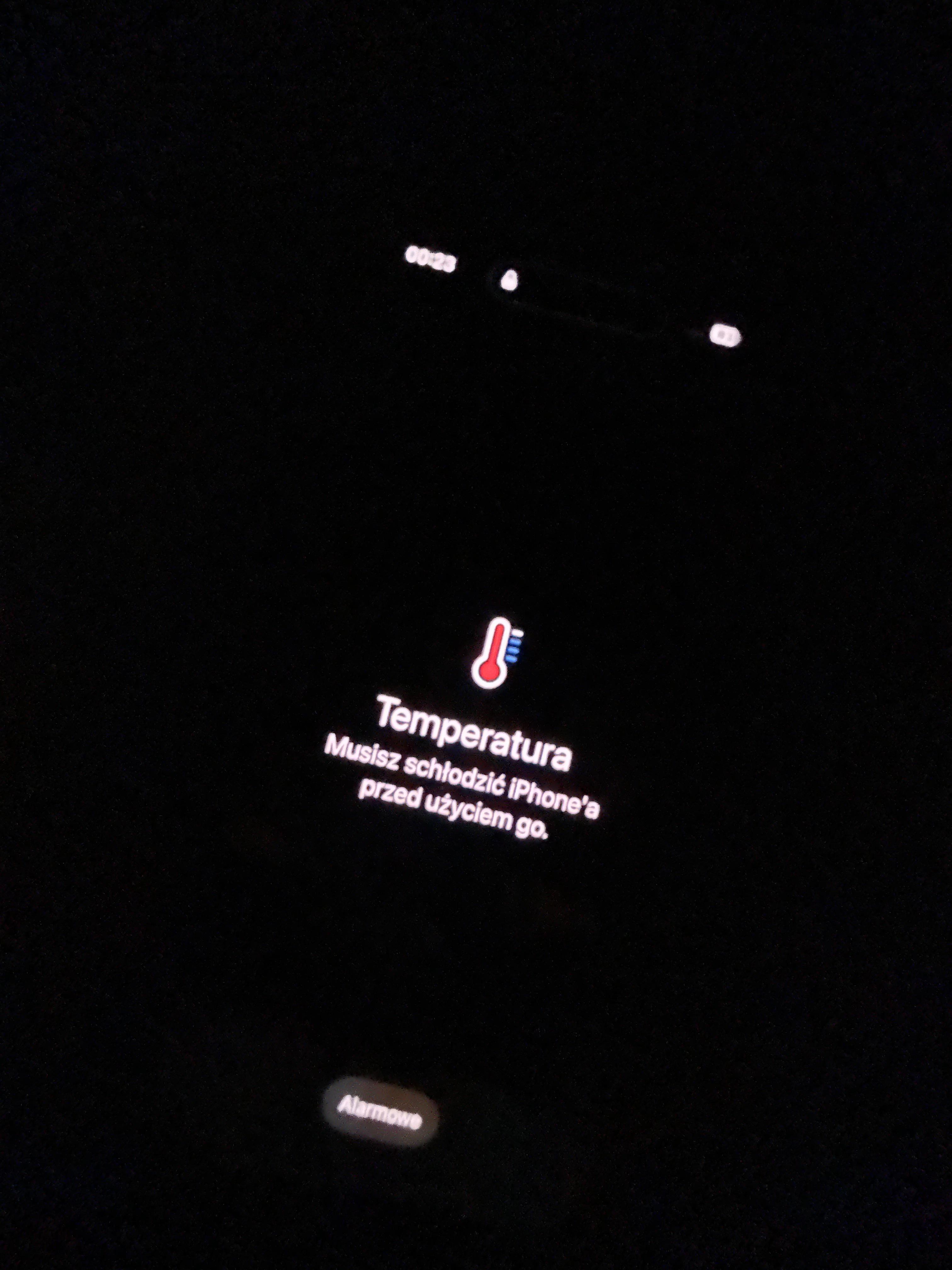
so, i got a iphone 16 from my brother and when i was watching tiktok on it, the temperature will pop up even if its cold or a little warm, somebody explain?
r/ios • u/Much_Negotiation1186 • 22h ago

after the ios 27 update from ios 26, my icon texts have gotten lighter and my icon backgrounds are no longer purely white. i’ve gone through all of my settings and i’ve tried everything
r/ios • u/Maleficent-Sand7774 • 22h ago
I mean, I get the privacy part, but what’s the issue with running a shortcut that runs when you get a notification from that app?
r/ios • u/Cautious_Mail_4413 • 1d ago
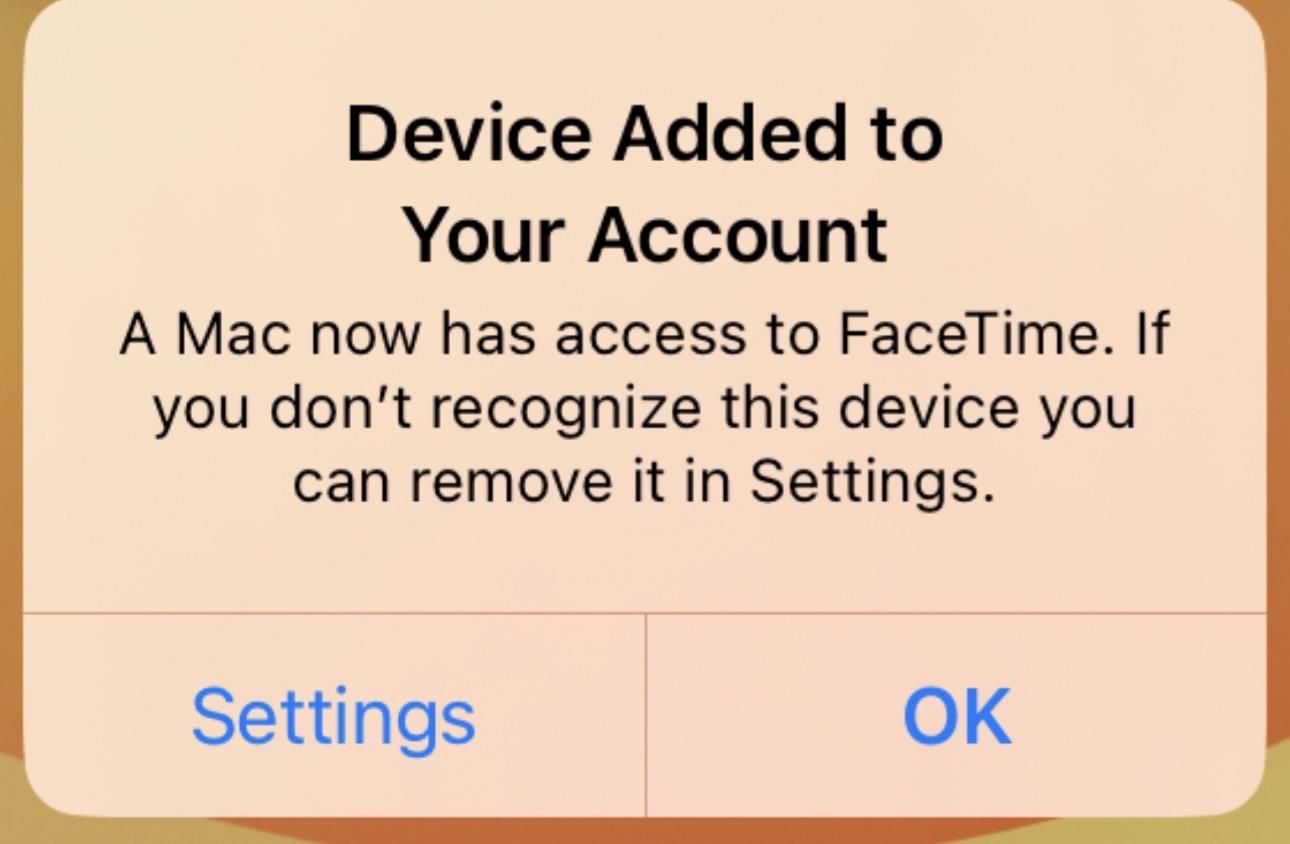
I suddenly received an actual iOS system notification saying:
“Mac now has access to iMessage. If you don’t recognize this device you can remove it in Settings.”
Here’s what happened, step by step:
I also checked Apple’s official website / iCloud, and only my iPhone appeared there.
I checked Text Message Forwarding and Messages → Send & Receive. No unfamiliar devices, numbers, or email addresses.
3. I checked my trusted phone numbers and Account Recovery settings. No unfamiliar recovery contacts.
I received no OTP codes, 2FA verification requests, or sign-in approval notifications.
4. I changed my Apple Account password immediately as a precaution.
5. A few hours after that, an unknown US number called me through FaceTime. I didn’t answer.
I deleted the suspicious iMessage, ignored the FaceTime call, and temporarily disabled FaceTime.
Current situation:
2FA is enabled.
Password has been changed.
Only my iPhone appears on both Apple’s website and iPhone settings.
No unfamiliar recovery contacts.
No suspicious message forwarding.
No unexpected OTPs or verification requests.
I’ve also found other people reporting similar “Mac now has access to iMessage” notifications, so I’m wondering if this could be an iOS/iMessage bug.
Could someone explain whether a Mac can successfully sign in to my Apple Account without triggering a 2FA verification process?
Is this possibly a false notification, an iMessage registration bug, or a security issue?
Would appreciate insights from anyone who
r/ios • u/Old_Organization208 • 1d ago
f you use the Stocks app to check YTD returns, take them with a grain of salt, especially for anything that moved big on Jan 2. Apple's engineers are a bit cuckoo with Stocks YTD math. I noticed my UNH YTD number in the Apple Stocks app didn't match my broker (Schwab) by about 2%, so I checked three tickers side by side today (11/27, same closing prices everywhere):
| Ticker | Yahoo Finance | Schwab | Apple Stocks |
|---|---|---|---|
| SPY | +6.80% | +6.80% | +6.61% |
| AAPL | +31.88% | +31.88% | +32.30% |
| UNH | +6.45% | +6.45% | +4.46% |
Yahoo and Schwab match to the hundredth. Apple is off on all three. And notice, they 'steal' some growth from the broad market and UNH but add fake growth to their own stock :) I'd say it's deliberate manipulation but I'm sure they are just bad product designers.
Why: everyone else measures YTD from the Dec 31, 2025 close. Apple measures from the Jan 2, 2026 close, so the first trading day of the year just disappears from their YTD. You can check it yourself by working backwards from today's price:
Apple says its data comes from Yahoo Finance 😂
P.S. Apple, if you're going to drop the beginning of the year from the stats, could you do the same for my age? I'd settle for the first 10 years. My cholesterol and blood pressure would thank you!!!
r/ios • u/causious • 1d ago
Why isn’t my mic shutting off when I close FaceTime
r/ios • u/Top-Complex-5325 • 1d ago
I was hoping to get my iPhone 4 up and running again to see if there’s any forgotten memories on there that I could export, but when I tried to power it on (it’s probably been about 8 years) I got a symbol of a charging cable and the iTunes logo.
Google says that I have to try and update it through iTunes but that didn’t work. I got the number 6 error message which isn’t to do with the app needing an update as it’s running the most recent version.
Is there any hope for bringing it back to life? I would happily pay a technician if it’s actually possible to fix these things.
r/ios • u/parhambrz • 18h ago

Hi. I'm curious to know if there's any app that doesn't pause the intended running processes in background? Not something the app itself decides like push notifications etc. Something that you start in the app and wait to finish like uploading a file, transferring something, rendering something or whatever long running process while you're not forced to keep the app in the foreground and don't touch your phone until the job is done. Even on the industry leading apps this basic feature fails miserably. I tried uploading large files into several cloud storages, backup photos on Google photos, sending files into any multi million dollar social media app, Facebook, Whatsapp, Instagram, sharing files with localsend, rendering videos from any video editor app that does the job in the app and not cloud. There are countless of examples. Is this a setting I'm missing or it's an iOS thing and it is just pointless to search for an app that works smart or i should stop calling iPhone an smartphone? Are there others that are frustrated to see the message saying keep the app in foreground until the job is done and you should not only stop touching your phone but also make sure your phone screen doesn't go off as of inactivity to prevent everything from being screwed?
r/ios • u/Dull-Pineapple1115 • 23h ago
In 2009 And 2010, My Parents Dosen't Like IOS, They Prefer Android And Samsung Over IOS
r/ios • u/Less_Low_6093 • 1d ago
Does anyone know which app provides this exact calendar widget on the iPhone Lock Screen?
I'm looking for the large, transparent calendar panel shown in the picture, featuring:
Is this a Live Activity or a third-party widget?
I'd really appreciate the app name, App Store link, and instructions on how to set it up.
I'm using an iPhone 17 Pro Max.
Thanks!
r/ios • u/Able-Capital-112 • 1d ago
my WhatsApp chat backup would take 19 gb and theres not enough iCloud storage. In iCloud settings theres a WhatsApp toggle for backup and its taking 44 gb. Are they the same? Am I good to set-up my new device?
