r/Logic_Studio • • 19d ago

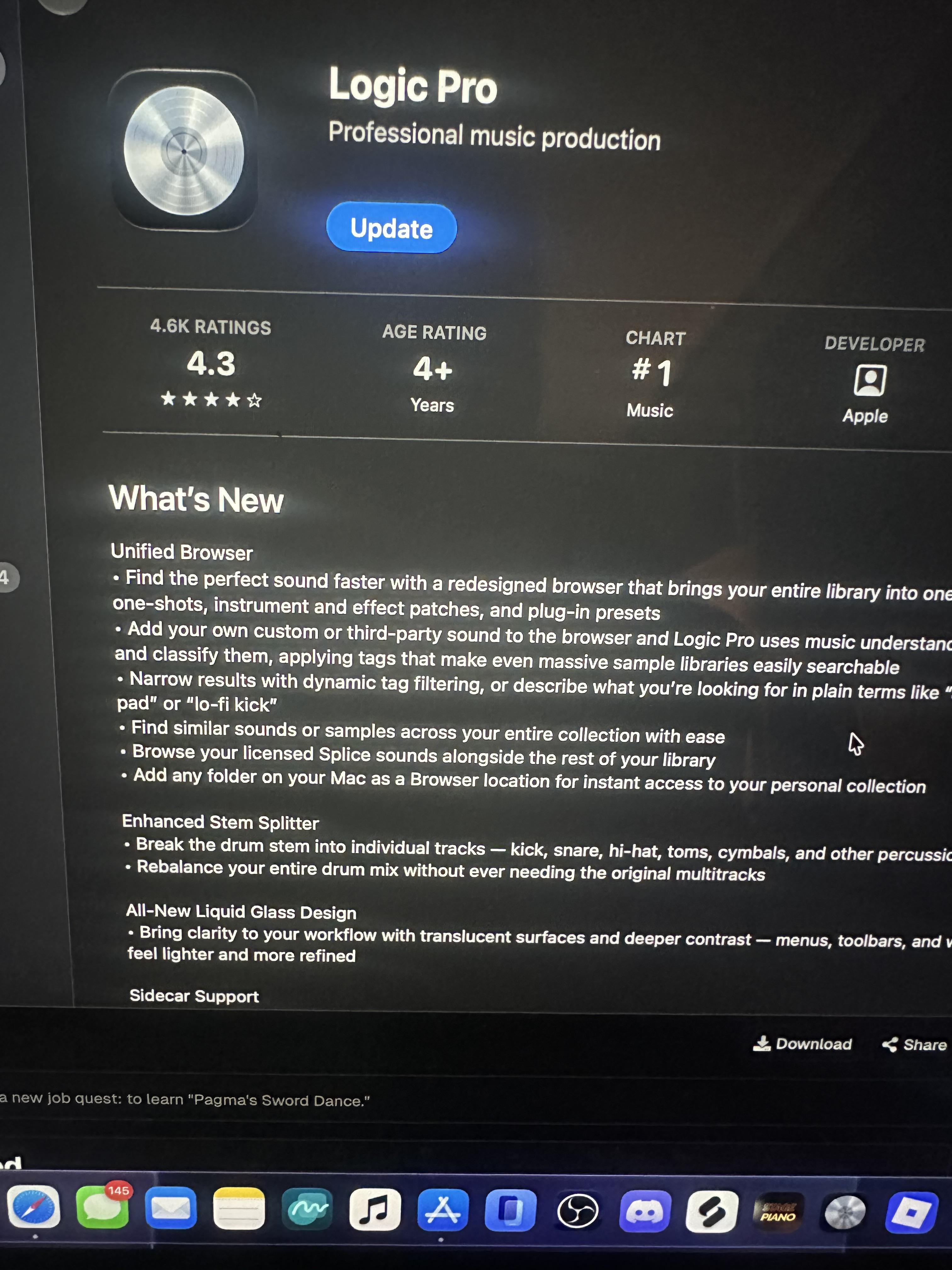
Logic 13 update is out now

Post image
308 Upvotes

r/Logic_Studio • • Feb 10 '26

Mods, could we update rule 7?

196 Upvotes

This sub is becoming predominantly people sharing their music. Yes, they're obeying the rule of it being a screen capture, but outside of it being a screen cap of Logic, there really is nothing sub-specific about these posts: They could be anywhere.

Most of the time people bait them with a title to get engagement, plug other links etc. It just doesn't feel like the spirit of the sub, to me.


r/Logic_Studio • • 16h ago

‘Reverse engineering’(?) 32 bit AU plugins to 64 bit (Roger Linn Adrenalinn Sync)

4 Upvotes

Hopefully this is acceptable to ask here.

I loved the AndrenaLinn Sync plugin but unfortunately it was never upgraded to 64 bit.

I saw a few videos on YouTube over the last few weeks about people reverse engineering plugins.

Is upgrading 32 to 64 something that can realistically be done using this technology?

thank you


r/Logic_Studio • • 19h ago

Mixing/Mastering Track splitting + Gain tool inside a Summing Stack... is there actually a cleaner way to handle wild vocal dynamics in Logic?

3 Upvotes

I used to be guilty of keeping a lead vocal on one single track and trying to automate my way out of everything, and honestly it always turned into an unreadable mess. Especially on big sessions where the vocal jumps all over the place, like going from super quiet, breathy whispers right into heavy chest singing, dry spoken or rap parts, and full on belting. Trying to automate 10 different plugin parameters and send levels on one channel just becomes a headache fast.

Lately I switched to a pretty strict workflow in Logic and it feels like night and day. First, I physically split every distinct vocal style onto its own dedicated track instead of fighting automation lanes. Before anything even hits the first compressor, I go through with Logic's Gain tool and manually ride the region gain on the clips so the level going into the chain is already in the right ballpark without choking the compressors on the loud hits.

From there, each split track just gets the specific tweaks that section needs (so the whisper track can breathe, the dry section stays super tight, and the belted hook gets controlled properly). Then I route all of them into one Summing Track Stack and do my core tone shaping, subtle dynamic EQ, and glue compression on the stack bus. That way, even if the arrangement shifts genres mid song, the voice still feels anchored in the exact same room and frequency pocket instead of sounding like it randomly switched mics.

Honestly, after trying a bunch of different setups over the years, I'm pretty convinced this combo is as clean and rock solid as it gets in Logic for complex vocals. Genuinely curious how everyone else tackles massive dynamic swings like this though. Has anyone actually found a cleaner workflow in Logic that beats splitting tracks into a Summing Stack, or is this pretty much the gold standard?


r/Logic_Studio • • 1d ago

Troubleshooting I deleted my sound library so I could have enough space for a system update, but now I can't get it back

Post image
7 Upvotes

r/Logic_Studio • • 1d ago

Troubleshooting Errrgh Browser problems

Post image
3 Upvotes

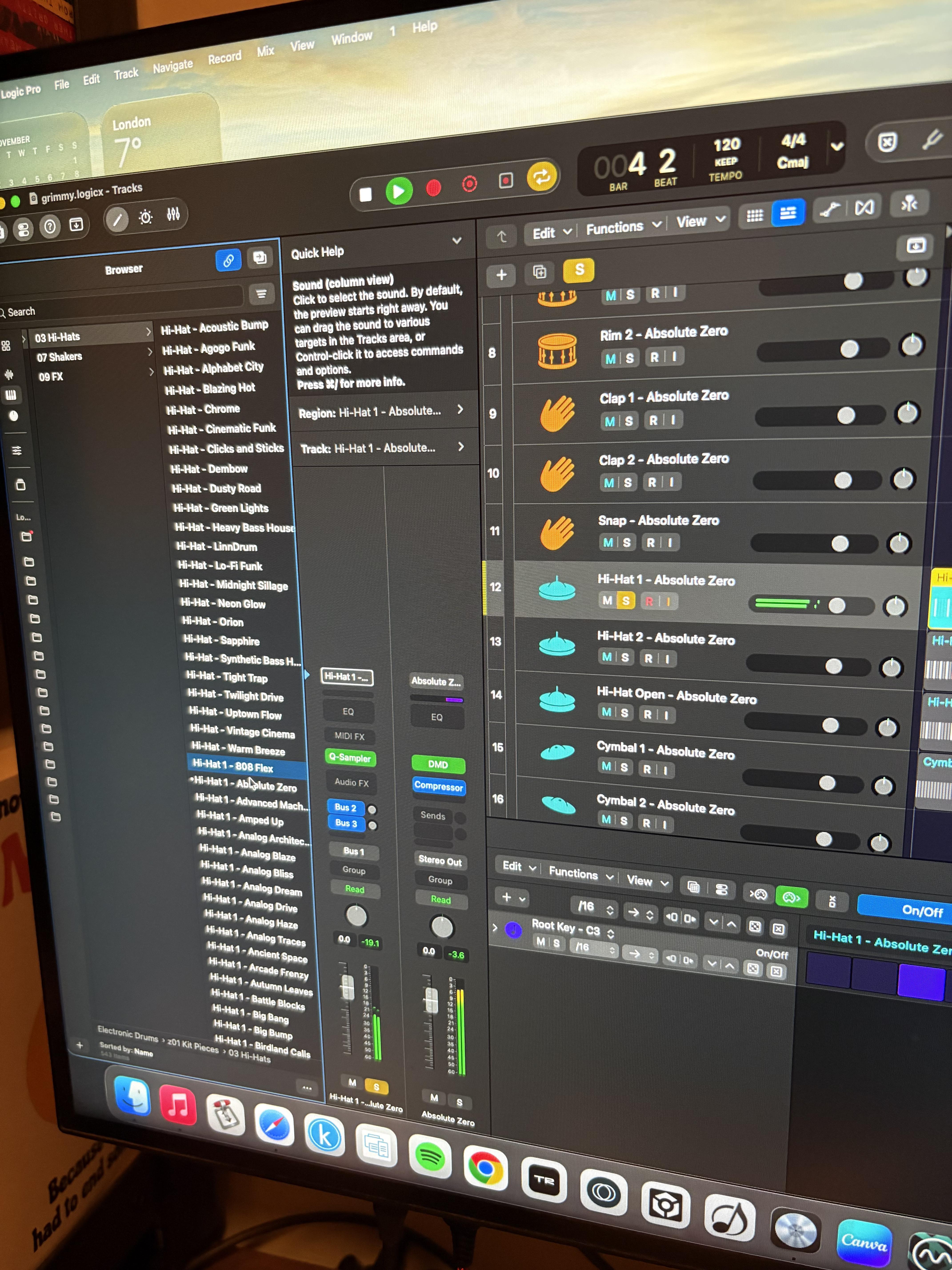
Logic 13 user…Asked this before and got half an answer. So before the update when I had a drum stack I could change any part to a different kit by very simply clicking on a kit name in the left browser.. I cannot now do this and it just plays the kit sound rather than loading the kit into my track stack.. so in the pic I have the absolute zero kit and I am happy with the kick but want to change my hi hats… how the fun do I do this with one click from the browser on the left like I did in L12


r/Logic_Studio • • 1d ago

Went back to a saved project and my delay timing is off. Any idea how this could happen?

1 Upvotes

I was working on a project last night and I spent a good amount of time getting the delay send to hit just right. I went back to it today and now the timing is noticeably off. Any idea what happened?


r/Logic_Studio • • 1d ago

What is this invisible automation and how do I turn it off? What a useless & pointless & utterly miserable feature. Jesus Christ.

0 Upvotes

r/Logic_Studio • • 2d ago

Question How to use iPad to MIDI Control Desktop Logic Instruments

3 Upvotes

Hello!
Can anyone shed any knowledge on how to use the iPad as a MIDI controller? (ie. use iPad apps to send MIDI data to desktop logic to control software synths, etc.).

Thanks in advance!


r/Logic_Studio • • 2d ago

Solved What’s causing my regions to scatter randomly when making edits?

10 Upvotes

Logic Pro 10.7.9
MacOS 12.7.6

See the brief video for what’s going wrong, but basically I’m trying to edit grouped tracks, and any time I try to trim or extend regions, they move around independently of each other and go out of sync. Needless to say it’s driving me nuts.

I’ve tried SMPTE locking, fussing with the tempo settings, restarting Logic, restarting the computer… nothing so far has helped. What’s happening?


r/Logic_Studio • • 3d ago

Solved Akai studio instrument collection causing logic to crash

3 Upvotes

Hi, I’m pretty new to logic and producing overall but I’ve had an issue with the akai plugin mentioned in the title that came with my midi. I have a track in logic for an assessment for my university course and it mostly uses these plugin sounds. For some reason right now whenever I go on it it won’t play the audio and says “an audio-unit plugin reported a problem which might cause the system to become unstable” I don’t have any idea why this is happening as everything is downloaded from legit places and the equipment is pretty much brand new. Any help please.


r/Logic_Studio • • 3d ago

Logic 13 is the worst update i have had since iOS 26

59 Upvotes

Recently, my Mac auto-updated Logic Pro from Logic 12 to Logic 13 and as much as I appreciate dark mode and the inclusion of a newer-looking, rounder UI I absolutely hate the new instrument browser. A lot of stuff that I do in Logic revolves around midi. really wish that Apple would allow you to downgrade, but of course, it’s Apple. They would never. Does anyone else have the same opinions?


r/Logic_Studio • • 3d ago

Feature Request Samples, yes; instrument, no in Browser in 13?

2 Upvotes

I use Logic, and I've always hated the fiddly way you add instruments to a track via the slots. So if I want to add the Spitfire Labs Splice soft piano instrument to a track, the most logical way would be to use the browser. I mean, it's on the left, big and there. But if it's not a Logic plug-in, tough. Why?!?

Ironically, the ancient sample libraries that I recently sorted using Claude work great and are even tagged automatically.

Now I know I can create channel strips of each of my favourites (even Claude thought this is a tough task for all presets), but why not allow some kind of standard where Logic just knows what instruments (and effects!) you have and puts them beside its own.

Or am I missing something? I hope I am.

If anyone knows how to do this for, say, Kontakt, let me know.


r/Logic_Studio • • 4d ago

Update: Logic Pro 13 but with the Logic Pro 12 theme [Classic mode]

Post image
126 Upvotes

A couple of weeks ago I posted I See Logic Pro, a free light theme for Logic Pro 13 (previous post: https://www.reddit.com/r/Logic_Studio/comments/1xsc2mp/update_i_made_the_logic_pro_13_light_theme_into_a/).

The most common reply was some version of: "I don't want light, I just want the old colors back." Fair enough. Version 1.2.0 adds a Classic mode for exactly that.

Apparently, Logic Pro 13 still ships the Logic Pro 12 color set inside the app. It just doesn't use it anymore. Classic tells Logic to use those colors again, and uses a matching curve for the parts that only exist in 13. Nothing in Logic Pro is modified. The app starts Logic Pro with the theme loaded, and if you open Logic Pro the normal way, you get stock Logic Pro.

To use it, download the app, select Classic in the sidebar, and click Start Logic Pro. The light presets are still there if you want them.

Download and source: https://github.com/karlingen/i-see-logic-pro/releases/tag/v1.2.0

Notes:

* It's obviously free and open source

* It only works with the standalone Logic Pro (the one-time purchase). It does not work with the Logic Pro that comes with Apple Creator Studio.

* The app isn't notarized, so macOS asks you to approve it the first time. The README has the steps

-

Thanks to everyone who left feedback on the first post, and especially to the person who asked for a "classic" setting. If something looks wrong in a window I haven't checked, post a screenshot and I'll be happy to fix it :)


r/Logic_Studio • • 3d ago

Feedback Request: DIY Punk Demo

9 Upvotes

G'day, me and my mates are in a Youth Crew band and we're recording a demo, I've started doing some production on the instrumental tracks and would love some feedback. This is a cover of 'Future Waves' by the band Mental. I have had very minimal experience with music production, and essentially took the lead with producing this demo. Want it to sound good of course, but not especially polished. All feedback, criticism and suggestions welcome and appreciated


r/Logic_Studio • • 3d ago

Troubleshooting Change in Input Monitoring ehavior

2 Upvotes

Hoping someone can confirm whether this is a bug, change, or I'm gaslighting myself and misremembering.

I'm running Logic Pro 12.4 on macOS 26.5.2 with a Behringer UMC204HD 2-channel interface. I only ever use Input 1 (set to stereo) for recording guitar/bass.

The problem: I can only turn on the Input Monitoring ("I") button on one audio track at a time. When I click "I" on a second track that uses the same input, the first one turns off. I'm pretty sure I used to be able to have it on for several tracks on the same input, which is how I monitored one guitar through multiple amp-sim tracks.

What I've checked: It happens in a brand new blank project with two audio tracks both on Input 1, so it's not my project file. Software Monitoring is on. "Input Monitoring only for the focused track and only when input monitoring is enabled (as in GarageBand)" is off. "Independent monitoring level for record-enabled channel strips" is off.

I've restarted Logic, my computer, and unplugged and replugged in my interface.

One thing that does work: I can have one track record-enabled plus one other track with "I" enabled, so two at once. But two tracks with "I" on and the same input doesn't work.

I know record arming requires a unique input per track (that's in Apple's docs), but I haven't found anything saying input monitoring has the same limit.

If anyone is able to shed any light on this situation I would appreciate it immensly.

r/Logic_Studio • • 3d ago

Troubleshooting getting the play, stop, and rec buttons working on my smk25

2 Upvotes

hey! i’m pretty new to all this and could use some help.

i have an m-vave smk25 and i’m trying to get the play, stop, and rec buttons working in logic pro on my mac, but i haven’t had any luck so far.

I'm on macOS 27.2.1 and Logic 13.0

has anyone figured out how to set them up? if you could explain it in simple steps, i’d really appreciate it. thanks!


r/Logic_Studio • • 3d ago

Question How to remove a sample loaded using the Browser's Replace feature on a Stem Splitter kick drum track?

2 Upvotes

I'm using Logic Pro 13's Stem Splitter to separate the drums from an audio.

I selected the extracted Kick stem track and opened the Browser/Library. Clicked on a kick drum sample, which replaced the original kick sound on that track.

Now I want to remove the replacement sample and restore the original kick stem sound, but I can't figure out how.

I noticed the Replace button in the Browser and toggled it off, but that only seems to prevent further replacements. It doesn't remove the sample that's already been loaded.

Is there a way to remove the replacement sample and restore the original extracted kick without using undo? Idk why this doesn't seem straightforward, I feel dumb.

Thanks!


r/Logic_Studio • • 4d ago

I built a free Audio Unit amp plugin with NAM sounds for Logic – would anyone like to try it?

4 Upvotes

’m a hobby guitarist and built an app called Jamsday for myself. It comes with Jamsday Amp, an Audio Unit plugin you can put on a guitar track in Logic Pro or GarageBand, on Mac and iPad.

The sounds are inspired by songs I like, and each one is built on a real NAM capture from TONE3000 (free TONE3000 account; the built-in amps work without one). Pick a sound, and Gain, Tone, Echo, Room and Level are there to adjust.

It’s free – you install the Jamsday app, and the plugin shows up in Logic’s Audio Units list.

Would anyone here like to try it and tell me what you think – good or bad?

https://apps.apple.com/app/apple-store/id6814633916?pt=128962646&ct=reddit-logic&mt=8


r/Logic_Studio • • 5d ago

Solved Problems Using Orchestra Elements or Spitfire Symphony in Logic

7 Upvotes

I previously had no problem using Sonus Orchestra Elements in Logic Pro. Suddenly, I am unable to use these or some other plugins in Logic. I have both the orchestra elements and the spitfire symphony in my native access app. However where other items in that app give me the option to “install”, the two I’ve mentioned here only give me the option to “add product”. When I click to add, I am asked to select a file location. I have tried several file locations (the main one being MacHD-library-audio-plugins-components and the other being machd-user-native instruments-installed products). In both of these situations and in several other I have tried, I have gotten a path error message. How do I get this to work?


r/Logic_Studio • • 5d ago

Opinions on FabFilter Pro-C with Logic

12 Upvotes

I got a question for FabFilter Logic users,

Does the Pro-C compressor offer many benefits compared to the stock logic compressor? I'm thinking of getting it and was wondering what other people had to say if it was much better than the logic one. I understand that the stock logic compressor has analog models, but I'm not really interested in that most of the time. Is the Pro-C a lot better or only a little bit?

Thanks :)


r/Logic_Studio • • 6d ago

Troubleshooting Has anybody figured out this situation?

Post image
29 Upvotes

I’ve updated the software to 13.0 and now I can’t even access the top buttons of this panel.. I was wondering if there are any settings to make it look as it used to? I’ve also noticed a lot of bugs and unnecessary adjustments but that’s a different story.


r/Logic_Studio • • 5d ago

Harmon-Muted Trumpet Sample Pack + Playable MIDI Sampler

1 Upvotes

Hi everyone! I'm very new to reddit and I thought I'd put myself out there.

I've started to release my own sample packs and as a professional trumpet player I've recently started recording and developing my own collection of organic trumpet samples.

If anyone wanted to check out my samples, there on Gumroad: https://gumroad.com/products

Also, if anyone has any advice for me, I'd be very grateful as this is also very new for me :)


r/Logic_Studio • • 5d ago

Troubleshooting How can I edit MIDI velocity in Logic like Ableton Live?

0 Upvotes

macOS Sonoma 14.8.8
Logic Pro 11.2.2

I'm an Ableton Live user, but I have to use Logic for personal reasons. This might be a pretty basic question, but I'm having trouble with MIDI velocity editing in Logic.

In Live, I can draw velocity values freely by hand. Is there a way to do the same thing in Logic? (See attached video.) In Logic, for some reason, it keeps drawing these weird lines, and I can only create velocity values along a straight line.

Also, in Live, I can select multiple MIDI notes, type in a number, and hit Return to snap all their velocities to that exact value. Is there a way to do that in Logic as well?