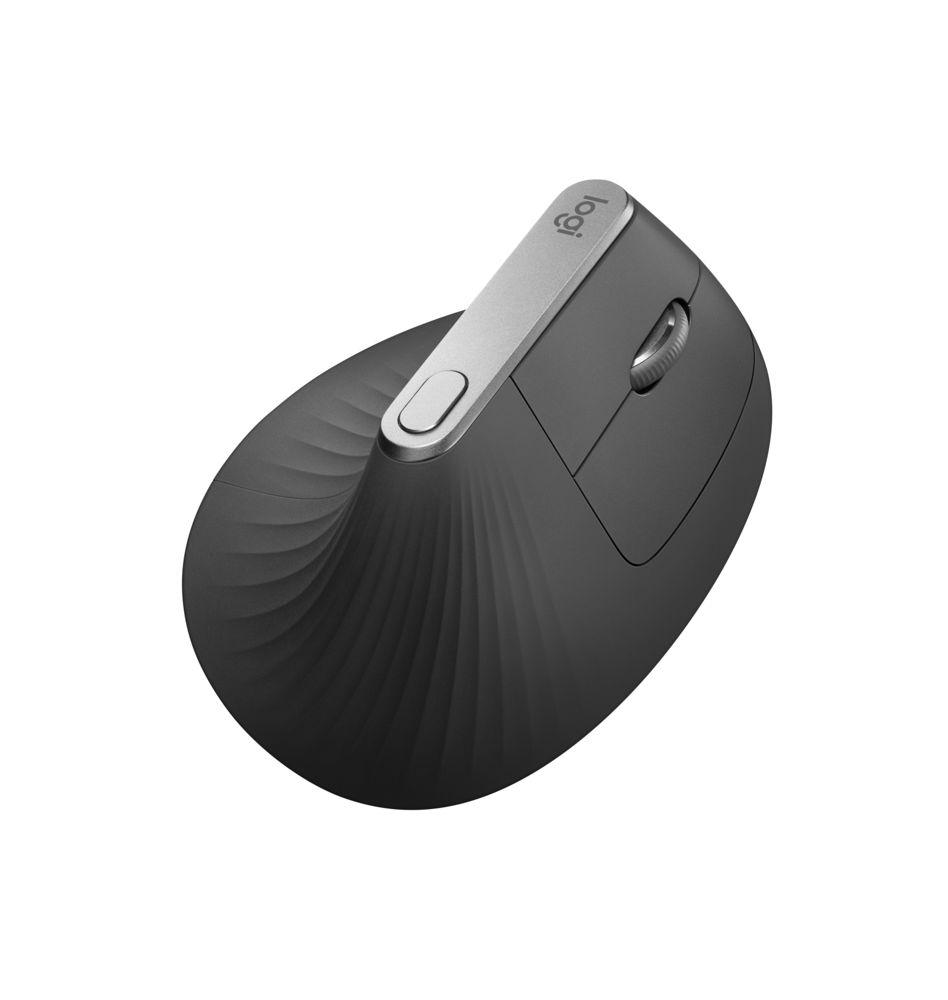
MX Vertical
Master Series / Ergo Series
Dimensions
H: 78.5 mm (3.09 in)
W: 79.0 mm (3.11 in)
D: 120.0 mm (4.72 in)
Weight
125 g (4.41 oz)
Sensor technology
Tracking technology: Logitech High Precision Optical Tracking
Sensor resolution: 4000 DPI
Nominal value: 1000 DPI & 1600 DPI
DPI range: 400 - 4000 DPI (in increments of 50 DPI)
Buttons
6 buttons (Left/Right click, Precision scroll wheel with middle click, Back button, Forward button, Cursor Speed Switch / DPI button)
Scroll
Scroll wheel: Mechanical precision scroll wheel with middle click
Horizontal scrolling: N/A
Battery
Type: Rechargeable Lithium-Polymer (240 mAh)
Battery life: Up to 4 months
Connectivity
Logitech Unifying USB Receiver (2.4 GHz), Bluetooth Low Energy (BLE 4.2), or USB-C wired connection
Multi-device pairing
Easy-Switch: Yes
Devices: Up to 3 devices
Variations
Handedness: Right-handed
Colors: Graphite
Size: Large / Ergonomic
Overview
The Logitech MX Vertical is an advanced ergonomic mouse engineered to reduce forearm strain and muscular fatigue. Featuring an ergonomic 57-degree vertical handshake angle, textured rubber palm and thumb grip, high-precision optical tracking, and an apex-mounted cursor speed switch, it delivers natural wrist posture and comfortable productivity.
Frequently Asked Questions
- What are the ergonomic benefits of the 57-degree vertical angle?: The 57-degree vertical incline elevates the grip plane into a natural handshake posture, significantly reducing muscular strain across the forearm, wrist, and shoulder girdle compared to traditional flat mice.
- Who is the MX Vertical designed for?: It is designed specifically for medium-to-large hands (palm-to-fingertip measurement exceeding 19 cm). Users with smaller hands are routed to the Logitech Lift.
- How does the apex Cursor Speed Switch work?: A single short press alternates between Pointer Speed 1 and Pointer Speed 2 presets. Pressing and holding the switch while moving the mouse left or right brings up an interactive on-screen speed slider in Logi Options+ for immediate velocity calibration.
- Can I use the MX Vertical while charging?: Yes, connecting the mouse via the included USB-A to USB-C cable enables active wired operation, allowing uninterrupted work while charging.
- Which wireless protocols does the MX Vertical support?: It connects wirelessly via the included Logitech Unifying USB receiver (Model R0068) or Bluetooth Low Energy (BLE 4.2). It does not support Logi Bolt receivers.
Common Problems & Troubleshooting
- Cursor skips or fails to track properly: The MX Vertical uses a High Precision Optical sensor rather than Darkfield technology and cannot track on clear glass, mirrors, or glossy surfaces. Test on an opaque mouse pad and clean the bottom sensor aperture with compressed air.
- Unifying receiver connection drops after switching devices: Disconnect the USB-C cable (wired mode overrides wireless RF), select the designated Unifying channel on the underside Easy-Switch button, plug the receiver directly into a motherboard USB port, and re-establish pairing using Logi Options+ or Logitech Unifying Software.
- Mouse does not respond or battery LED is solid red: Connect to a powered USB port using the USB-C cable. If deeply discharged, the battery protection circuit may require up to 10 minutes of continuous charging before the breathing green LED illuminates.