r/postprocessing • u/SashaKotr • 4d ago
After/Before

12
Upvotes
That was my go-to style last summer and a bit of autumn
r/postprocessing • u/SashaKotr • 4d ago
That was my go-to style last summer and a bit of autumn
r/postprocessing • u/Quiffler • 4d ago

Any feedback greatly welcomed!
r/postprocessing • u/sophia715 • 4d ago

shot a roll of expired film with a holga 120 for the first time
r/postprocessing • u/peterkz • 4d ago
I feel like it got too dark? What do you think?
r/postprocessing
•
u/thephlog
•
5d ago
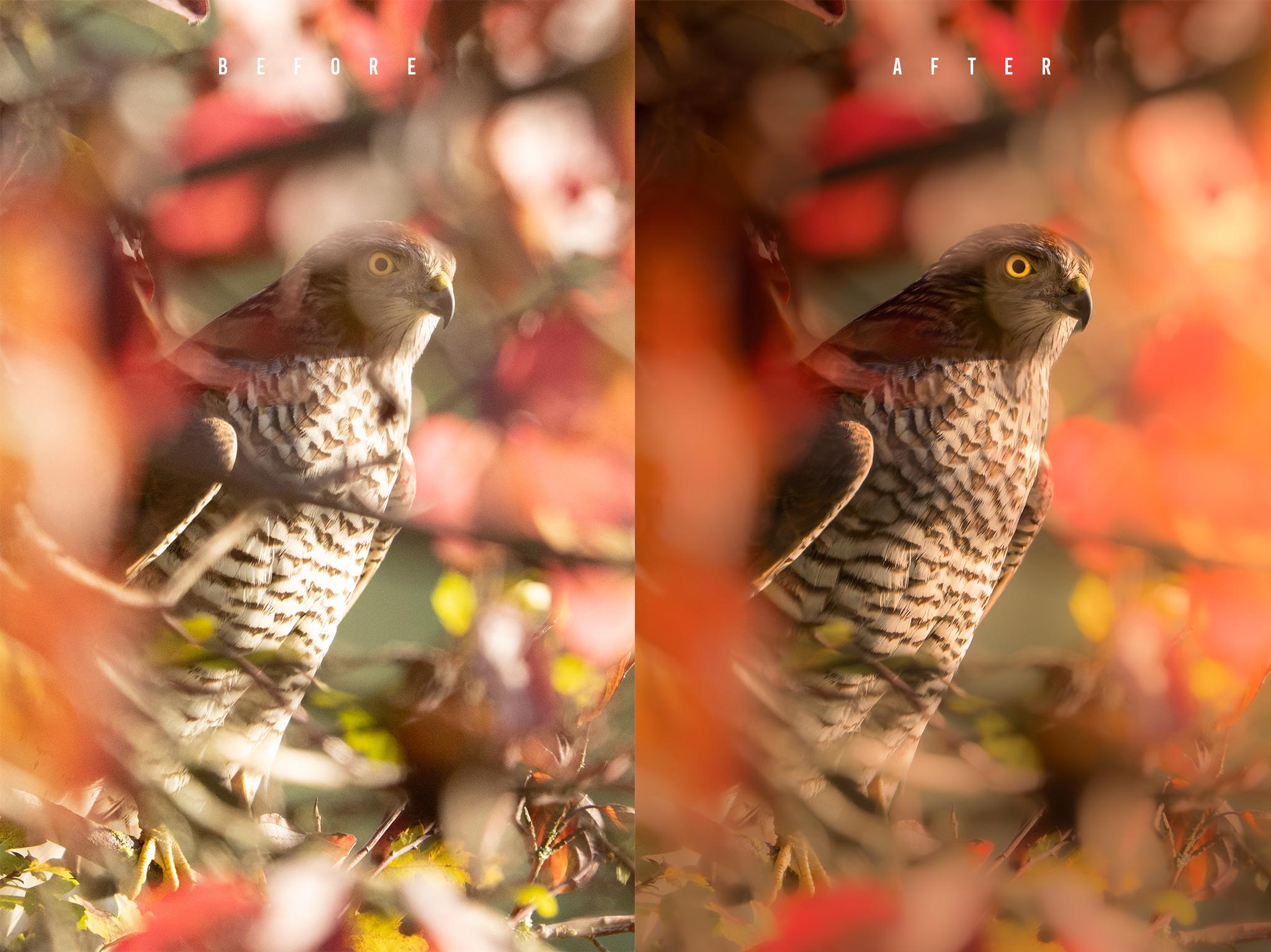
I had my camera pointed in this direction since I wanted to capture a small bird on one of the tree branches of this tree with intense red leaves, but to my surprise this BIG guy landed right there out of nowhere (seriously, I didn’t even have to move my camera one bit). I wanted to make him stand out a lot more, mostly by adjusting the exposure around the bird and make the areas softer as well.
Everything was done in Lightroom, the whole editing process can be seen in the video here: https://youtu.be/hQ_Q1y0IaEQ
First, I activated AI Denoise to keep it nicely noise free and cropped it from 4:3 to 3:4 (not included here in the before version). Then, I brought down the exposure and the highlights since the raw file was rather bright. I then slightly raised the shadows and added a bit of contrast and texture.
2. Masking
To separate bird from background I used a subject mask, subtracted another subject mask and adjusted the feather and edge slider so I have a fine, soft outline around the bird selected. I used this masks to further bring down the exposure and add contrast. Basically, this creates a dark edge within the subject.
Then, to make the background softer and inverted radial gradient was used (here a subject was was subtracted to make sure the bird stays sharp). I brought down clarity and texture to soften all those leaves.
To darken the outer edges of the image I used different linear gradients along the edges and started bringing down exposure. I also added some light coming in from the right side using a radial gradient and increasing the exposure and blacks.
Finally, to make the birds eye more piercing, I used an object mask to select it and brought up clarity, exposure, highlights and whites.
3. Colors
In the Color Mixer the saturation of the red and orange tones was slightly increased, while yellow was dropped
r/postprocessing • u/Renzyboy01 • 4d ago

What would help here? Old picture from Kodak Pixpro.
r/postprocessing • u/Express_Falcon5285 • 4d ago
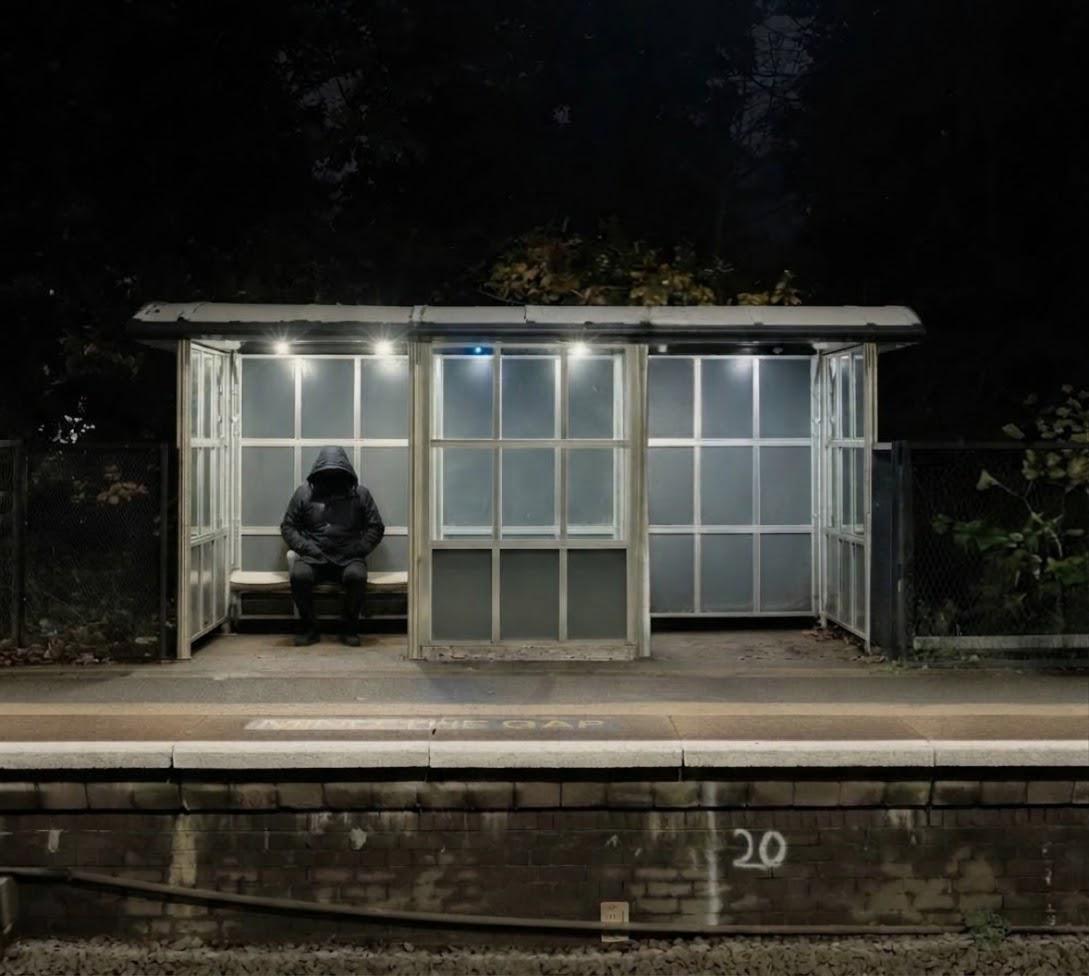
The shelter was shot and the figure added in post. Does it work? Any tips ?
r/postprocessing • u/Which_Dimension3401 • 5d ago

thoughts?
Edit: I’ve perfected it on my profile. Don’t know why but CC reddit wont me up upload it into the comments
r/postprocessing • u/Quiffler • 4d ago

I couldn't find the balance with the straightening, no matter how i spun it, it looked off?
r/postprocessing • u/corngotbannedagain • 5d ago

r/postprocessing • u/PatrickTheStarfihs • 4d ago
I’ve been looking for something to display my photos. I’ve looked at the Kodak mini 2 retro, and the Picpak. Which is better?
r/postprocessing • u/The-Confused-Robot • 5d ago

Here's an odd one. My attempt at emulating Technicolor Process 2 which uses only a red channel and a green/cyan channel. Did it because I spent too long reading about it and adjacent processes the past couple days.
I took the original color image and made two black and white layers, one with a red filter and one with a green filter. The red channel was toned blue-green, and the green channel toned red. The layers were combined and it made an acceptable color image (if I was a moviegoer in the 1920s). Reds and greens are adequately represented but blues are not, so pure blue tends to green and purple tends to red.
Of note: I tried an alternate version using blue-orange filtering but the lack of proper red and green means foliage is orange and skin looks a little jaundiced. Trying it with non-complementary color filtering introduces radical color casts in the direction of whatever color is over-represented. with orange-green filtration everything gets a green cast, trying to counteract the green with cyan or red toning introduces radical color shifts in wild directions, Lomochrome Purple style.
Anyway, I feel like I understand colorblindness now. Enjoy.
r/postprocessing • u/jongenomegle • 5d ago
Hey guys!
I am still a beginner and am trying to understand the elements of lightroom and the way and working order of editing I would like.
I am thinking of RAW batch editing by separating my workflow into some clear steps that I all will integrate as PRESETS.
I have also seen a short on it where a guy was basically editing everything though the panel on the left instead of sliding individual sliders.
Here is the order that I came up with:
If so, I want to have ready to use presets for colour and tone curves and colour grading etc.
4. Masking & Vignette: Ready to use subject AI masks, linear gradients or subtle vignette.
I have some questions that I wm now sure of.
It has been hard for me to understand because to me tone curves etc are somewhat overlapping with the basic panel.
Before I always thought a specific look would be applied also by using sliders of the basic panel. But then I always thought "how to implement consistency between photos then" since lighting can vary between photo to photo of course.
Appreciate your feedback!
r/postprocessing • u/Happydevil48 • 5d ago

I all, just looking for a bit of guidance, I imported images from my first trip overseas with my first camera from 2011, a Pentax ist D (6mp), wasnt a great camera to be honest, , but was wondering if this about the best i can hope for? Its not a great composition per se, but for a first timer back then, I thought it was ok 😄 I've been trying to push the colours up and do a bit better on the sky, but nothing seems to be improving yet... or am I litterally pushing a large rock up a very steep hill. I primarily use Darktable for editing.
r/postprocessing • u/cleyclun • 6d ago

Shot with Fujifilm X-T30 50mm F2. I am a JPEG shooter but sometimes try my luck with RAW photos.
r/postprocessing • u/Constant-Estimate-85 • 5d ago
¡Ey, gente! ¿Alguien ya probó los presets de Cine Series de Rusvisuals? La verdad me encanta ese look, aunque están bastante caros, así que me gustaría escuchar opiniones antes de decidirme.
Por otro lado, ¿alguien sabe de una receta de Fujifilm que dé una vibra parecida? Aunque imagino que eso quizá sea un poco más difícil de lograr en la cámara. ¡Gracias de antemano!
https://sailfish-grouse-bnl4.squarespace.com/store/p/cine-series-lightroom-presets


