Did you make something using React Native and do you want to show it off, gather opinions or start a discussion about your work? Please post a comment in this thread.
If you have specific questions about bugs or improvements in your work, you are allowed to create a separate post. If you are unsure, please contact u/xrpinsider.
New comments appear on top and this thread is refreshed on a weekly bases.
I'm Oskar from Software Mansion. About a week ago we released Reanimated 4.8 with stable Shared Element Transitions. They're now on by default (no more feature flags!) and I'm very eager to hear if you managed to try it already and what your experience with SET is so far!
In case you missed it, a quick summary of what landed:
Transitions animate the actual shared view itself (not a copy/snapshot), so live content like videos stays continuous
Use sharedTransitionTag + SharedTransitionBoundary - works with any navigator or even no navigator at all
Have you tried them yet? What worked well and did something feel off? Did the new customization options solve something for you? And what use cases are you most excited about, or perhaps still blocked on? All feedback helps!
Saw the stickman exercise post going around and wanted to share how I solved the same thing differently in my fitness app (Expo + three.js).
Same goal: I didn't want people leaving the app to check form on YouTube, and I didn't want to ship hundreds of MB of videos.
What it does. Each exercise plays a rigged 3D athlete doing the rep on the actual machine. You can drag to rotate around it and pinch to zoom, and the muscles being worked glow.
How. The trick is that almost nothing is a file. There's one rigged character model (~1 MB) and the rest is code. Each movement is a small spec (four phases, grip, camera angles, which muscles to light up) plus a function that poses the skeleton at any point in the rep. All 31 pieces of gym equipment, racks, cable towers, leg press, pec deck, are built from basic shapes in code. No model files for any of them.
Size. 100 exercises live right now. All the 3D code together is ~123 KB compressed, so roughly 1 KB per exercise, plus the one-time character.
Trade-off. It's heavier than a stickman (that 1 MB model, and it needs a GL view), but you get a real human on real equipment, which helps more with stuff like grip and bench angle.
Rendering is expo-gl + three.js.
Would love feedback, good or bad. Especially: does the realistic look help you, or would you rather have something simpler?
While working on React Native projects, I came across several audio-related requirements, such as background playback, lock-screen controls, audio interruptions, waveform visualization, caching, and playback management.
I noticed that these features often need to be handled separately, especially when working on music players and learning applications.
I recently came across an approach to bring these common audio features together in a reusable package called rn-audio-toolkit.
Some of the supported features include:
Music playback, replay, auto-play on skip, and track transitions.
Background playback with lock-screen and notification controls.
Audio interruption handling.
Waveform visualization, caching, and preloading.
Playback speed and volume control.
Custom notifications with album artwork and track details.
Presets for MUSIC, PODCAST, LEARNING, and EXAM.
TurboModules support for the New Architecture and compatible legacy setups.
Sharing the package here in case it's useful to anyone working on React Native audio functionality.
Would be interested to hear how others handle audio playback and background audio in their React Native projects.
My release had two approvals and every check green. The built app still contained a live secret key, a staging API URL, a preview EAS Update channel and a staging app link.
None of those were in the diff anyone reviewed. They get put in at build time, by env variables, app.config and config plugins, so they only exist in the final .ipa / .aab.
I made this little video to show the idea: the build is the bag, and nobody scans it before it boards.
The tool behind it is release-lint, which I wrote. It opens the built file on your machine and reports:
- secret keys in the JS bundle or Expo config (publishable keys are ignored) - localhost, LAN and staging hosts - staging domains in associated domains / App Links - a non-production EAS Update channel - debuggable or development-signed builds
Run it in your project:
npx app-release-lint
Free, open source (MIT), zero dependencies, nothing is uploaded.
Lost an evening to this, posting in case it saves someone else.
I bumped three from 0.186 to r187 in an Expo SDK 57 app (RN 0.86, three on expo-gl). The web build was fine and every test I had passed in Chrome. On an Android build the 3D view just fell through to my error screen.
The cause: r187's WebGLRenderer creates a FinalizationRegistry, and that isn't there on Hermes in my build. Chrome has it, so nothing I ran in a browser could catch it.
What I ended up doing:
pinned three to ^0.186.1
added a small node test that reads node_modules/three/build/three.module.js (plus three.core.js and three.cjs) and fails if it finds new FinalizationRegistry or new WeakRef. Now the next version bump fails in CI instead of on a phone.
A polyfill loaded before three would probably get you onto r187+, I just didn't want to ship one without proper device testing.
Bigger lesson for me: browser tests don't tell you much about Hermes. Anything that touches newer JS built-ins needs a quick check on a native build.
Is anyone running newer three on Hermes already? Curious if a polyfill was enough or if more broke behind it.
If you have a question about React Native, a small error in your application or if you want to gather opinions about a small topic, please use this thread.
If you have a bigger question, one that requires a lot of code for example, please feel free to create a separate post. If you are unsure, please contact u/xrpinsider.
New comments appear on top and this thread is refreshed on a weekly bases.
TalaDB is an open-source, local-first document and vector database powered by a shared Rust core, running across browsers, servers, and mobile apps.Supports structured queries, full-text search, vector similarity, and hybrid search — all without a dedicated database server.
Honestly, I’m just tired and looking for a reality check from other React Native devs here.
I’m a full-stack and mobile dev based in Italy. Over the past few years I’ve shipped production React Native and Expo apps for major brands like Burger King, Eurospin, Helvetia, and Wikifolio. I do the whole stack—custom Swift/Kotlin native modules, Reanimated and Skia animations, Fastlane/Maestro pipelines, plus full backends in TypeScript, Bun/Node, and Postgres. I have my own Italian VAT so I can work B2B contracts seamlessly, or go full-time.
For the last 4 months, I’ve been grinding every single day trying to find work. Freelance gigs, agency contracts, full-time remote roles across Europe, local jobs in Italy and Switzerland—I’ve tried all of it. Cold messaging founders, reaching out to old contacts, applying to hundreds of listings, pushing side projects to GitHub just to stay sane. And after 4 months, I have literally nothing to show for it. Zero clients. Zero offers.
Most applications go straight into a black hole. The few times I actually get past HR and do technical rounds, the company either freezes the budget or ghosts completely.
I genuinely don't get what's happening. If you’re actually landing React Native contracts or full-time roles right now:
- Where are you finding them? Because LinkedIn and standard job boards feel completely dead or fake.
- Is the RN/Expo market in Europe just completely cooked right now, or am I positioning myself wrong?
- How are you surviving dry spells like this without losing your mind?
Im talking about UI fps, JS fps, CPU usage. I know theres the development tool one if I shake my phone in expo, but published apps often perform better as they are more optimised. Also what are the metrics to look at aside from FPS and CPU usage?
I'm Mohamed, a Front-End Developer with 5 years of experience building web and mobile applications. I'm currently open to freelance projects, contract work, and remote opportunities.
🛠️ Tech Stack
React.js & Next.js
React Native & Expo
TypeScript & JavaScript
Tailwind CSS & Material UI
Node.js, Express & MongoDB
Firebase & REST APIs
💼 What I can help with
Building modern, responsive websites and web applications
Developing mobile apps for iOS and Android
Creating MVPs for startups and businesses
Converting UI/UX designs into functional applications
API integration and backend connectivity
Fixing bugs and improving existing projects
🚀 Featured Project: Running Training App
I recently built a running training mobile application using React Native & Expo, designed to help runners manage their training and improve consistency.
Features include:
Personalized training plans
Workout calendar
Weekly mileage and progress tracking
Pace and heart-rate zones
Structured workouts with warm-ups, intervals, and cool-downs
📱 The application is currently under review on the Apple App Store.
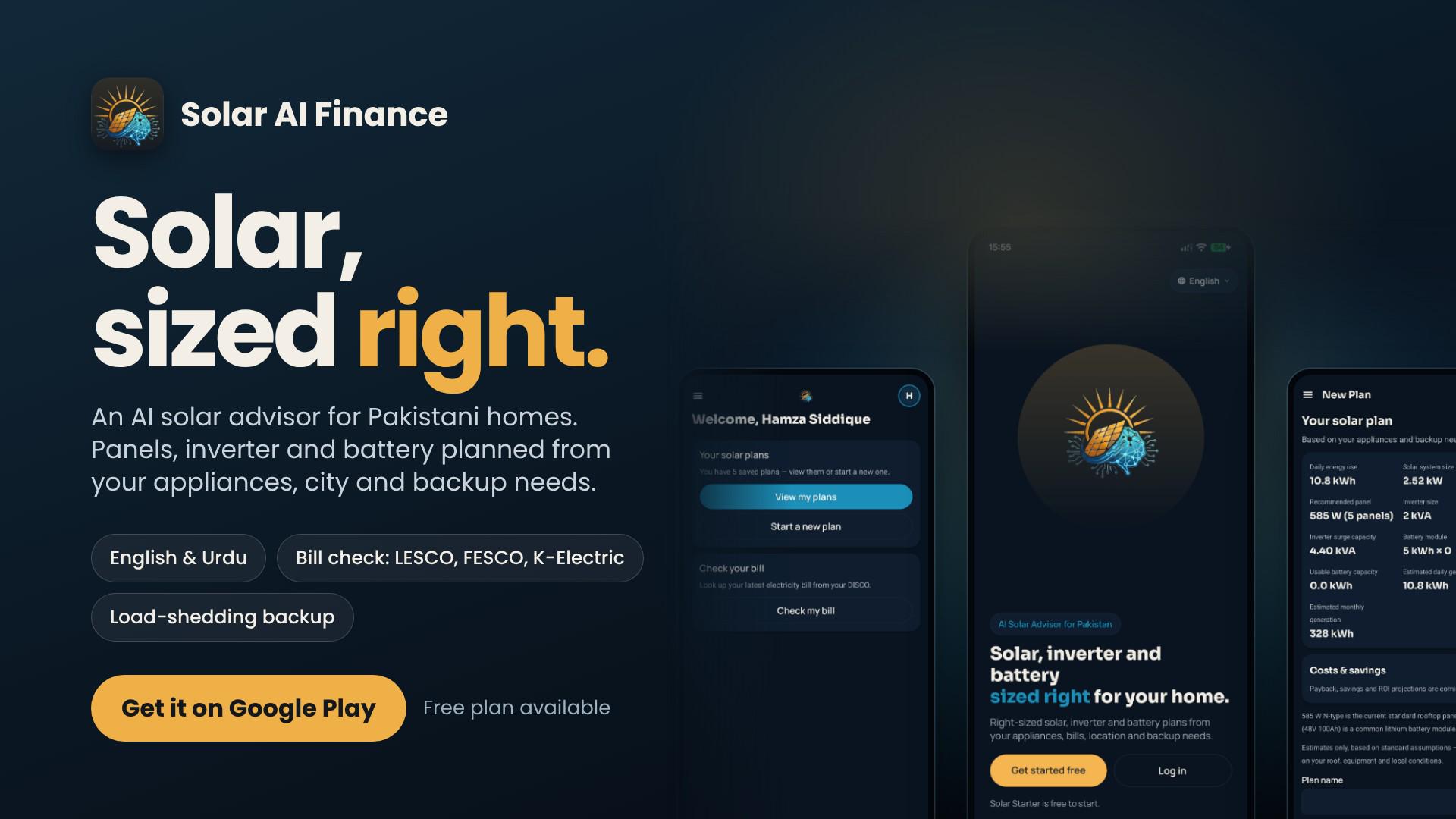
Just shipped Solar AI Finance, a solar planning app for Pakistani homes, and it just passed 50 downloads on Google Play.
The interesting part architecturally: the solar and financial calculations are a shared contract used by both the React Native app and the Next.js web app, so the same household gets exactly the same answer on phone and web.
Mobile: React Native, Expo SDK 54, Expo Router, react-hook-form, EAS Build and OTA updates.
Web: Next.js 16 App Router, Tailwind v4, server-generated PDF reports with React-PDF.
Backend: MongoDB, JWT auth, Groq for the AI assistant and bill data extraction, Cloudinary.
Other things I enjoyed building: full Urdu translation with right-to-left layout across the whole app, and a multi-step wizard that turns appliances and backup hours into panel, inverter and battery sizes.
Founders usually expect Apple to judge the big feature. In practice, the reviewer often stops much earlier: they can't sign in, can't find the privacy policy, or can't delete their account.
Most rejections I've seen come from small things, not the product itself:
- The basics are missing. No privacy policy, no way to delete an account, or no test login for the reviewer. Easy to fix, easy to forget.
- It crashes or looks unfinished. Reviewers try your app on real phones. A crash on opening, broken links or placeholder text can mean a quick rejection.
- Payments that break store rules. Selling digital content inside an app usually has to go through Apple's or Google's own payment system.
That last one catches a lot of people. A common mistake is adding Stripe first without checking Apple's and Google's in-app purchase rules. If someone pays to unlock something they use inside the app (digital goods or content, subscriptions, premium features, courses, in-game currency), you generally have to use Apple In-App Purchase and Google Play billing. You usually can't just drop in Stripe for those in-app unlocks.
Stripe or another card payment is the right choice for physical goods, and for real-world services like rides, food delivery and bookings. It's also fine for real-time person-to-person services, like tutoring or a 1:1 training session. On Apple, some enterprise sales made to an organization for its employees or students can use a method other than in-app purchase too.
There are limited exceptions, including reader apps and some US storefront rules on external purchase links, but they don't change the default: digital unlocks in the app go through the store.
Each of these mistakes costs days, and the launch date was probably announced already. The fix is simple: run a store checklist before you submit, and leave time in the plan for review and one round of changes.
Has an app store rejection ever delayed your launch?
I'm Ammar, a Senior Software Engineer with 8+ years of experience building web applications, mobile apps, and scalable digital products. I'm currently open to remote opportunities, freelance projects, and contract work.
📍 Location: Karachi, Pakistan | Open to Worldwide Remote Opportunities
I'm available for remote full-time positions, freelance projects, and contract collaborations. I also enjoy working with early-stage startups and teams looking for someone who can take ownership of a product from development through deployment.
Rate: Open to discussion depending on project scope and engagement.
If you have a project in mind or are looking for an experienced developer, feel free to reach out via DM or email.
Looking to implement OTA updates on a react native app. Expo EAS updates looks far too expensive for what it is and our scale. Was considering rolling something myself then stumbled across Hot Updater.
Code review looks at the repo, but what users get is the file your build produced. With env-switched app.config.ts, Expo prebuild and config plugins, the two drift apart. These are the mistakes I see most, and all of them are visible only in the built app:
1. A secret key in the JS bundle. Hermes bytecode stores strings as plain text, so anyone with the app file can read them. Publishable keys (Stripe pk_, Firebase, the Supabase anon key) are fine. Secret keys (Stripe sk_live_, AWS, OpenAI, a Supabase service_role key) belong on a server.
2. A staging or localhost API URL.EXPO_PUBLIC_API_URL set in the wrong EAS profile, a .env that wasn't swapped, or the emulator fallback http://10.0.2.2:3000 left in.
3. Staging domains in deep links. Associated domains (iOS) and App Links (Android) are often switched by APP_VARIANT. If the production build claims staging.example.com, universal links quietly break. On iOS, only the entitlements inside the signed executable show what really shipped.
4. A debuggable or development-signed build.android:debuggable="true", or an iOS build with get-task-allow (the App Store rejects it).
5. Source maps inside the app. A .map file or an inline sourceMappingURL gives away your original source.
Checking by hand: unzip the .aab / .ipa, then run strings on the bundle and grep for sk_live, localhost, staging, 10.0.2.2. For iOS deep links, run codesign -d --entitlements - Payload/YourApp.app.
I got tired of doing that by hand, so I wrote a small free, MIT-licensed CLI that does all of the above in about a second, with no upload and no dependencies. You can try it on a demo build with planted mistakes:
useLocationTracking — tracking lifecycle, status and syncing controls.
useLocationUpdates — access to location updates.
Hooks for convenience. Bare APIs for control.
I didn't want the hooks to become a limitation.
The library also exposes the underlying bare APIs for developers who need more granular control over tracking behavior, HTTP headers, geofences, schedules, odometer, diagnostics, the on-device queue and other capabilities.
You can start with hooks for a straightforward integration and move to the bare APIs when your application needs a more customized workflow.
Both interfaces operate on the same native tracking infrastructure. You're not switching to a different engine when you move beyond the hooks.
What actually runs underneath?
Android
Native Kotlin Foreground Service (foregroundServiceType="location")
AlarmManager-based self-healing watchdog
iOS
Native Swift CLLocationManager
CLBackgroundActivitySession on iOS 17+
Native background tracking infrastructure
Data integrity
Offline-first SQLite persistence
Duplicate-free transactional batch syncing
Retry handling during network interruptions
Recovery mechanisms designed for process termination and device reboot scenarios
The JS layer isn't responsible for keeping the tracking engine alive. The native infrastructure handles tracking, persistence and sync recovery independently of the React UI lifecycle.
Try the actual pipeline
I've published an evaluation package that allows developers to test the native tracking pipeline in debug builds before purchasing.
The goal was to make the integration simple without hiding the underlying capabilities or restricting developers who need more control.
Curious to hear how other React Native developers have approached reliable background location tracking across Android and iOS, particularly when the application needs to continue operating through process termination and network interruptions.