r/madeinpython • u/r_hayess • May 03 '26
I built an open-source Python scanner to automate the boring parts of web recon

0
Upvotes
2
Have you tried to zoom in the graph editor? usually there are keyframes that are close together and can't be seen if you don't zoom in
r/madeinpython • u/r_hayess • May 03 '26
u/r_hayess • u/r_hayess • May 03 '26
Hey everyone,
Whenever I start looking at a new target, i find myself like manually doin the exact same initial checks: looking for exposed '.env' files, checking if debug mode is left on, reading through security headers, and digging through JS files for hardcoded API keys. It gets tedious fast.
I wanted a quick way to automate this initial phase, so I built a Python CLI tool called SecretProbe
To be clear: this is NOT a replacement for massive tools like Nuclei or Burp Suite. It’s just a lightweight, standalone script I wrote to grab the "low-hanging fruit" without needing a complex setup.
What it currently checks for:
- Exposed sensitive files (.env, .git/, .sql backups, etc.)
- Missing or misconfigured security headers (HSTS, CSP)
- Debug mode enabled (Laravel, Django, Express, etc.)
- Hardcoded secrets in JavaScript files
- CORS misconfig and exposed admin panels
I used the "rich" library so the terminal output is actually readable, and it has a scoring system (0-100) that can export everything to a standalone HTML report.
Repo: https://github.com/rubysy/SecretProbe
I'm still learning and I know the tool is veryy far far from perfect, If any experienced hunters have time to check it out, I’d love to know what other "quick checks" or misconfigurations you always look for manually so I can add them to the engine. Feel free to tear the code apart guys
1
Prefer not to share specifics, anon for a reason
1
Variables, data types, loops, functions, conditionals — the boring stuff that every language has. once you get those down in one language, picking up another is way easier.
For web specifically: How HTML structures a page, how CSS styles it, how JS makes it interactive. That order matters
1
Learn the fundamentals first. AI is a great tool but it can't debug what you don't understand. If your code breaks and you have zero fundamentals, you're stuck waiting for AI to fix AI's mistakes.
HTML/CSS/JS is still the right starting point for web. Once you get the basics down, AI actually becomes 10x more useful because you know what to ask and whether the output makes sense.
Degree is optional honestly — portfolio and projects matter more these days.
1
Make sure he files a formal report specifically mentioning unauthorized access to his device and email. They have a cybercrime division for exactly this
u/r_hayess • u/r_hayess • May 02 '26
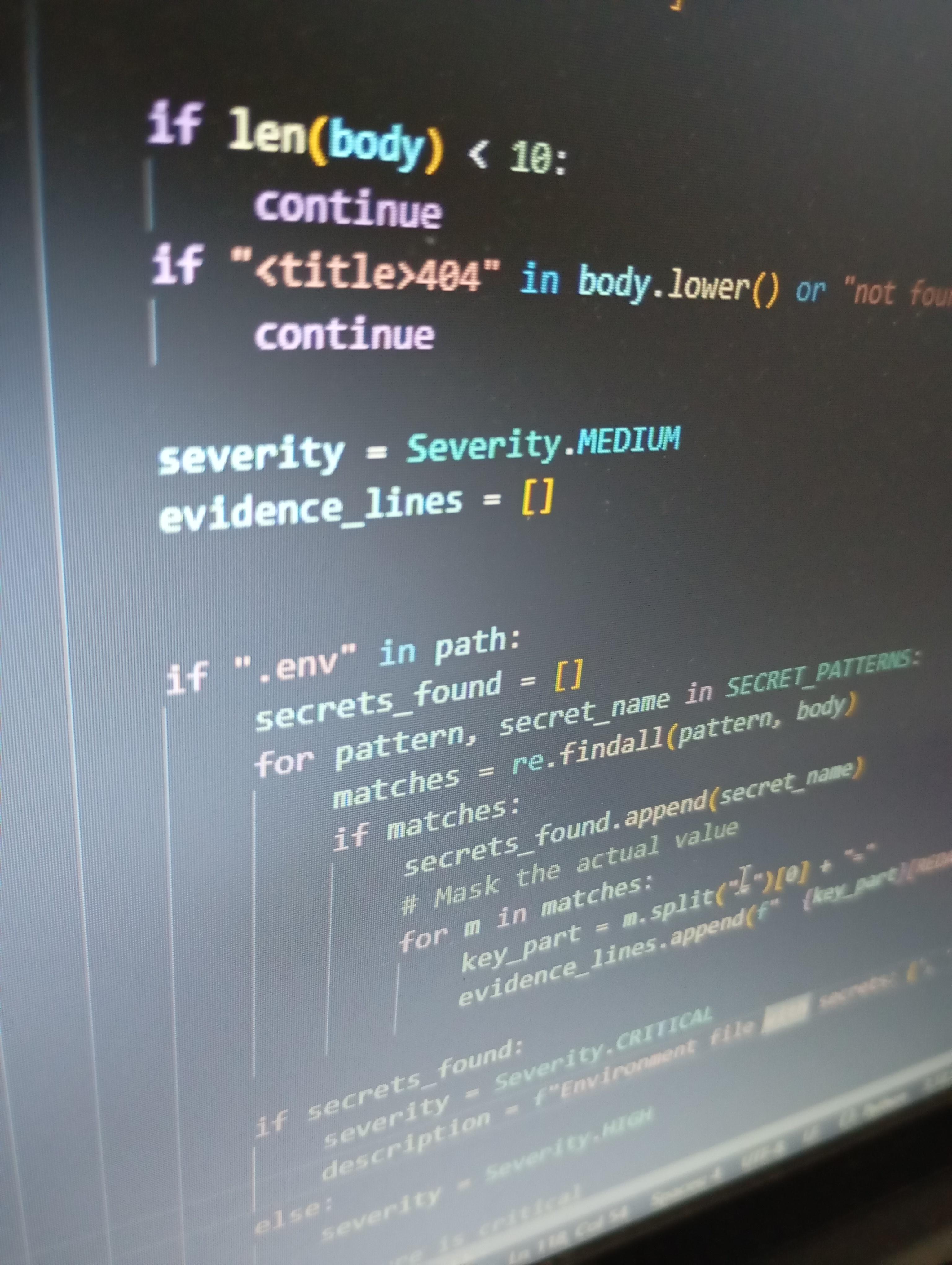
Been building this for a while, slowly getting there
9
First, get him to factory reset the phone asap and change ALL passwords from a different device — not the hacked phone. enable 2FA everywhere.
The videos are likely sextortion or psychological intimidation tactics. Don't engage, don't reply to whoever's sending them.
Good that he contacted police, but also report to cybercrime division specifically — postal police might not handle this. Document everything, save the videos as evidence but don't watch them more than necessary.
He's gonna be okay, this kind of thing looks scarier than it is when you know whats happening
1
Ah yes, forgot about that — JSON5 and JSONC do allow trailing commas which is a lifesaver honestly. Strict json is just unforgiving by design tho
0
To clarify, i meant that figuratively. Corporate work conditions you to think in structured ways. That's just how I write after years in infosec.
Might want to engage with content instead of just flagging AI on everything bro
1
Man, the trailing comma is the ultimate silent killer in JSON, we’ve all been there. JSON is very strict, so even one tiny character out of place makes the whole object unparseable. To stop debugging this manually, here is what pro devs use:
try {
  const data = JSON.parse(apiResponse);
} catch (e) {
  console.error("Invalid JSON detected!", e);
}
Stop looking w your eyes and let the tools do the work
-2
Bruhh, If only AI could feel the physical pain of writing a BRD for a simple API integration. 😹 The formatting is just to make it readable, man. Corporate life forces you to think in bullet points
4
Man, the trailing comma is the ultimate silent killer in JSON! We’ve all been there. JSON is very strict, so even one tiny character out of place makes the whole object unparseable. To stop debugging this manually, here is what pro devs use:
Linters & Formatters: If you use VS Code, install extensions like 'JSON Prettier' or 'ESLint'. They will highlight syntax errors in red before you even run the code.
JSON Validation Tools: Use online tools like JSONLint or browser extensions that format JSON responses. If it doesn't format correctly there, it’s not valid.
Schema Validation: For bigger projects, use something like JSON Schema. It doesn't just check if the JSON is 'valid', but also if it has the right structure (e.g., 'Does this user object actually have an email string?').
Try-Catch Blocks: Never assume an API response is valid. Always wrap your parsing logic in a try-catch block:
try {
  const data = JSON.parse(apiResponse);
} catch (e) {
  console.error("Invalid JSON detected!", e);
}
Stop looking with your eyes and let the tools do the work
-3
Wow, that escalated quickly. An explicit instruction to not assist Cybersecurity without approval isn't a 'process', it's a hostile environment. You're right—at this point, the BRD doesn't matter anymore.
Since your CISO is now involved, your best move is to document the Risk of Delay.
Stay professional, keep every email, and let the CISO handle the heavy lifting. Good luck, man. This is a tough one
2
Deep Door sounds like a nightmare for Windows environments. The fact that it focuses so heavily on persistence usually means it's messing with Registry keys, Scheduled Tasks, or even DLL hijacking to stay alive after a reboot.
For those looking to defend against this, what are the primary IOCs (Indicators of Compromise) we should look for in our SIEM? Is it making unusual outbound connections on non-standard ports, or is it mimicking legitimate system processes like svchost.exe?
Definitely going to update my log monitoring rules to look for suspicious PowerShell executions or unauthorized changes to startup folders. Stay safe out there
14
That is the million-dollar questionn, Deciding the 'next step' isn't about knowing the answer, it's about Working Backwards.
I. Define the 'Input' and 'Output': Before writing a single line, I ask: 'What data do I have, and what do I want to see on the screen?' The 'correct answer' is simply the shortest bridge between those two points.
II. The Pseudocode First Approach: I don't write code initially. I write comments in plain English:
III. Readability over Cleverness: If I have two ways to solve a problem, the 'correct' one is the one I can still understand 3 months from now. Don't go for 'fancy' one-liners; go for clear, maintainable logic.
You don't decide based on a textbook, you decide based on what the current 'broken' state of your app is telling you. Let the errors guide your next step
5
Dealing with a micromanaging CTO is often more of a psychology challenge than a technical one. Here’s the reality: to him, 'no production changes' doesn't mean 'zero risk'. He's likely worried about API rate limits, data privacy/PII leaks in the logs, or the cost of ingestion in the SIEM.
My advice to move this forward:
Speak his language: Instead of fighting the documentation, provide a 'Lite' version of the BRD/SDD. Focus on the 'Security & Compliance' benefits. Explain how this log forwarding will reduce MTTD (Mean Time To Detect) and actually protect his operations.
The Proof of Concept (PoC): Ask for a 1-week trial on a single, non-critical log source. Show him the dashboard and prove there is zero impact on performance.
Acknowledge the Gatekeeping: Sometimes CTOs gatekeep because they feel out of the loop. Keep him cc'd on the high-level progress but assure him the specialist team handles the 'boring' implementation details.
Documentation is a pain, but in corporate environments, it's your 'get out of jail free' card if something actually goes wrong later
43
Welcome to Tutorial Hell, It is 100% normal and almost every developer goes through this phase. It’s the gap between 'passive learning' and 'active problem solving'. Here is how you bridge that gap:
You're not learning the wrong way, you just haven't practiced failing yet. Start failing on your own, and the dots will start connecting! Keep going
2
Debian is actually a great choice because it forces you to learn how to install and configure your own tools, unlike kali which comes pre-loaded. It’s stable and lightweight. A few tips for your dual boot:
Good luck
2
As a fellow student, I can tell you that Bro Code is solid for getting the 'how-to' down. He’s very beginner-friendly and great at explaining syntax.
However, since you are a CS student, keep this in mind: YouTube tutorials often focus on coding, while your Uni will focus on Computer Science. Bro Code will teach you how to write a loop, but make sure you also study the underlying concepts like Data Structures, OOP Principles (Solid), and Memory Management from your textbooks or more academic sources like Mooc.fi (University of Helsinki Java Course).
Use Bro Code to get your projects running, but use the academic stuff to understand why it works that way. Good luck with Java
9
First of all, don't beat yourself up. Imposter syndrome is real, especially after 3 years when you realize how much you don't know. The gap between 'having a cert' and 'hands-on reality' is exactly where most people struggle. To gauge your gap, try these:
Real knowledge comes from breaking things and fixing them, not just passing exams. You got this
1
Excellent points by Substantial-Walk. To add to the 'Compromised accounts' part: a lot of this happens through Session Hijacking or Infostealers.
Hackers don't always need your password; they just need your session cookies. Once they get those (usually through a 'free tool' or 'game crack' you downloaded), they can bypass 2FA and drain your inventory in seconds.
This is also why you see so many cheap keys on 'grey markets'—they are often laundered through stolen credit cards. If the developer finds out, they revoke the key, and you lose the game. It’s a lose-lose for everyone except the scammer
2
No worries at all, happy to help! You’re right on track with 'changing pod resources', but it goes much deeper. In Kubernetes, the 60% configuration (YAML) looks like this:
So, you aren't just 'changing' things once; you're constantly refactoring these files to make the system more resilient and cost-effective. It's koding, but the output is a stable environment, not a UI feature
3
There is no magic 'level', but you need to understand the plumbing first.
Before diving into SQLi, make sure you know how a web app talks to a database (PHP/Python to MySQL). For XSS, you must understand how JavaScript interacts with the DOM.
My advice: Try to build a simple login form and a search bar yourself. Once you see how the data is handled, you'll naturally start seeing where it can be manipulated. You're already writing scraping scripts, so you're closer than you think! Check out the OWASP Top 10 for a structured roadmap
1
Think of the Developer as the Train Engineer (building the train) and the DevOps as the Track Layer.
The tracks (infrastructure) need constant maintenance and adjustment. Maybe today the train needs to go to a new station (new feature), so you have to 'configure' a new set of tracks. Maybe there’s a landslide (server crash), and you have to re-route.
In a modern setup, we don't manually fix things; we update the 'blueprints' (the config files) so the system can rebuild itself automatically. That constant tuning is where the 60% goes
1
I totally get why it sounds weird, in a perfect world, we wouldn't have to worry, but here's how the industry solves the 'expected port' problem:
You haven't heard of it because Standard Apps (like Spotify or Chrome) usually don't 'listen' for incoming connections from the internet—they only 'talk' out. Collisions only happen when you're building Servers
3
Why does this happen and how do I fix it?
in
r/SFM
•
May 03 '26
If you sure that there's no hidden keyframe, try to tangent mode. Select a keyframe in that area, right-click, then choose a tangent type such as "Spline" or "Flat"