r/winehq • u/KernelPanicLoop • 16h ago
Lol Gaming On Linux via WineHQ and DXVK.
2
Upvotes
r/winehq • u/Arucard1983 • 23h ago
Just for updating my progress. A screenshot is better than just text.
r/winehq • u/joealarson • 2d ago
I'm trying to make a portable 3d printing workstation using an old laptop that Windows 11 has rejected, so I've loaded Mint on it. Working great for a lot of things, but I want to have a 3D scanner attached, so I've got an old 3DMakerPro that I'm trying to use. Only they don't make their software for Linux. So I learned all about Wine and Bottles and it installs and loads okay, but when I try to run it I'm told that the software can't see the USB drive.
Now, with a little digging I've found that USB devices in Wine don't always work, and a few people have managed to hack workarounds by altering the driver files while the programs are running, but that was years ago. Is there any chance Wine has been updated and that there's a more simple workaround that I don't know about?
r/winehq • u/Blayer98 • 4d ago
Hey there, I'm currently trying to figure out why The Sims Medieval's 2.0 Patch and Pirates and Nobles is not running on Proton 11.0-2, but does successfully run under wine 11.22 downloaded via pacman on Arch Linux... TSM 2.0 and P&N does launch fune on Proton 7.0-6, but any version of Proton after that doesn't... I'm currently stumped and I'm not sure what's causing the issue...
r/winehq • u/Other-Dot-5240 • 4d ago
Hi, I'm having a little trouble launching GTA IV - Definitive Edition on CachyOS, whether using Wine or Proton (it's patched with Razor 1911), and it's really because of the crack that it isn't working (I've installed all the drivers and the entire 32-bit library). Does anyone have a solution? Thanks in advance^^
r/winehq • u/RODENTCAT • 5d ago
Title says it all, really. I've been troubleshooting and searching around the internet for ideas on how to do this. I finally have stuff mostly working, but I've hit a roadblock: the god damn logins ! Every time I need to login "via website", it opens a page in my browser (I've tried Firefox and Chrome), which I log into, and it's successful, but it doesn't ... connect ?? would that be the word ?
It doesn't connect back to the product manager, such as UJAM's app, or Native Instruments' Native Access. It just ends up doing nothing.
Any ideas ?
EDIT: I'm on Pop OS 24.04, using a Cinnamon DE (if that matters).
I also have a Windows 7 theme goin' if you're confused about that in the screenshot.

r/winehq • u/muradjabirdev • 9d ago

r/winehq • u/StoneBricc • 11d ago
Hi. I'm on Linux Mint 22 and I'm interested in getting the latest version of winetricks since I'm trying to get an English version of mfc42 (whatever that is) for something called pidgen.dll so I can play Halo 1 for PC. The only version of mfc42 available through the software manager's winetricks download is in German.
I tried following the instructions on Github.
Download the latest release from Github.
Extract the archive and cd into the extracted folder.
Run sudo make install to install Winetricks system-wide.
So I installed the source code zip file and then extracted it to a folder, and then I right clicked on the folder and opened it in the terminal. Then I typed in "sudo make install" and hit enter. Well, when I do that, I get a list of things that can be installed, and then the terminal is ready for me to input another command. But there's no more instructions so I don't know what to do next.
Any help appreciated.
r/winehq • u/Vayloo09 • 14d ago
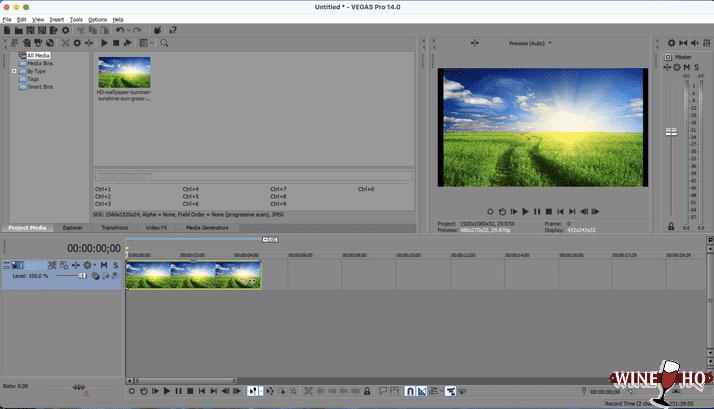
Used Wine 10.11 (via Sikarugir) to get this working.
r/winehq • u/Muted_Smile_8111 • 15d ago
r/winehq • u/ExyTheGuy • 16d ago
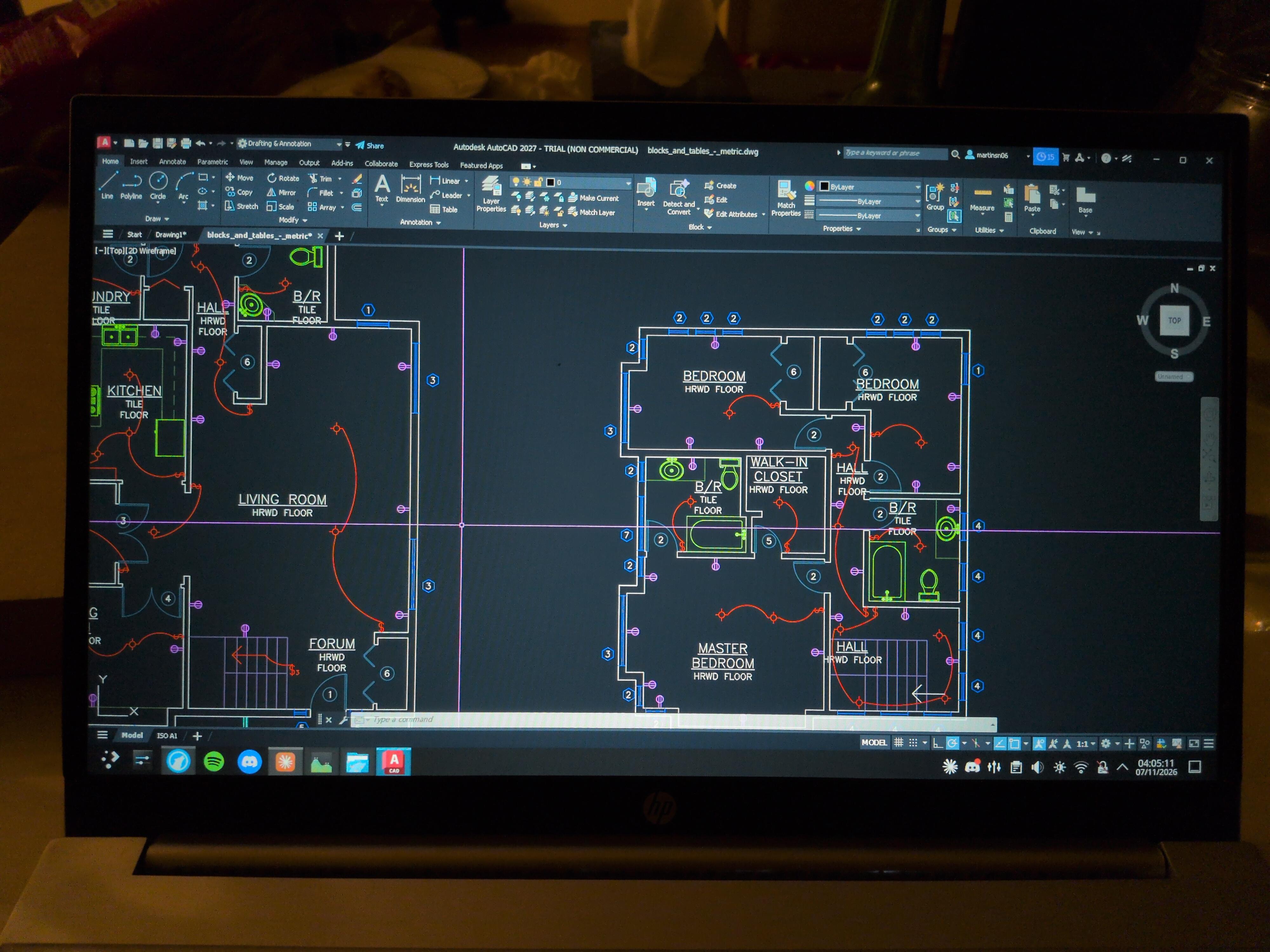
For now, thanks to the help of Claude Opus 5.5
r/winehq • u/The-9-Templars • 17d ago
Hello, I'm not that experienced with this stuff, so my b is this is obvious, but I can't figure out how to install Europa Barbarorum 2, a mod for Medieval 2 Total War, on my mac. The base game is ported to Mac, but the mod isnt. There are some old forum posts saying that you need to use wine to get the mod to work, so I have been trying that. But keep getting "Prefix creation exited with error" when I try to open the necessary exe via the advanced tab.
I have the development version of wine 4.011.
r/winehq • u/Suspicious_Wave_8199 • 17d ago
I'm trying to downgrade to wine 9.21 as it is the latest version of wine avalible that is compatible with some audio software I've used before (the software is yabridge if you're curious). Since I last used it, wine updated and I lost some dependencies for the older versions. I was able to download most of the needed dependencies except for "lib32-gettext". After looking around online I saw that it was abandoned. I'm willing to bet the code is out there but I'm not sure how to install it properly without the use of pacman or yay. Any guidance would be appreciated. I'm running on cachyos and I am up to date on all updates for my system.
r/winehq • u/Vukovii • 18d ago
SOLVED
kinda. Turns out the problem was not wine-related, had to delete some files and things work now!! Thank you to those who helped me out :)
I'm quite desperate here because I heard adobe was usable on wine now, and I was going to reinstall it on my laptop. However, whenever i input the < sudo pacman -Syu wine > I keep getting the same error at the end no matter what I do where it fails to satisfy dependencies. Attempting to just run wine results in "unknown command"
How do I fix this? Browser results have been quite useless.

r/winehq • u/Macro_Wav • 19d ago

Hello, I'm new to linux, running ubuntu studio and bitwig, and I'm trying to get EastWest Quantum Leap Symphonic Orchestra Platinum running. u/Bobb-o_Bob was able to do this 5 years ago on this sub, and I was wondering if anyone here managed the same and could help me out. I get this error after installling the installation center and trying to sign in. Has anyone had this issue?
r/winehq • u/BabushkaKing • 19d ago
Hello, everyone! I'm trying to get a randomizer mod running on Elden Ring, but it won't work. I've been following a tutorial and gotten to the point where I type wine EldenRingRandomizer.exe is terminal, but this is what I get in return:002c:fixme:winediag:loader_init wine-staging 11.21 is a testing version containing experimental patches.
002c:fixme:winediag:loader_init Please mention your exact version when filing bug reports on winehq.org.
006c:fixme:keyboard:klid_from_xkb_layout Unknown variant "winkeys"
libEGL warning: pci id for fd 30: 10de:1f02, driver (null)
pci id for fd 32: 10de:1f02, driver (null)
pci id for fd 33: 10de:1f02, driver (null)
libEGL warning: egl: failed to create dri2 screen
libEGL warning: pci id for fd 30: 10de:1f02, driver (null)
pci id for fd 32: 10de:1f02, driver (null)
pci id for fd 33: 10de:1f02, driver (null)
libEGL warning: egl: failed to create dri2 screen
libEGL warning: pci id for fd 30: 10de:1f02, driver (null)
00b4:fixme:wineusb:query_id Unhandled ID query type 0x5.
00b4:fixme:wineusb:query_id Unhandled ID query type 0x5.
00b4:fixme:wineusb:query_id Unhandled ID query type 0x5.
0024:fixme:winediag:loader_init wine-staging 11.21 is a testing version containing experimental patches.
0024:fixme:winediag:loader_init Please mention your exact version when filing bug reports on winehq.org.
0034:fixme:keyboard:klid_from_xkb_layout Unknown variant "winkeys"
00fc:err:virtual:virtual_setup_exception stack overflow 4992 bytes addr 0x6fffffc301c6 stack 0x1fc80 (0x20000-0x21000-0x1a0000)
I found one previous user with a similar issue and they fixed it by removing and reinstalling wine. I've tried doing that, but it hasn't worked. I've also tried to ignore it and launch the game, but that doesn't work either.
System Info:
System:
Kernel: 7.0.0-42-generic arch: x86_64 bits: 64 compiler: gcc v: 13.3.0 clocksource: tsc
Desktop: Cinnamon v: 6.6.9 tk: GTK v: 3.24.41 wm: Muffin v: 6.6.3 vt: 7 dm: LightDM v: 1.30.0
Distro: Linux Mint 22.3 Zena base: Ubuntu 24.04 noble
Machine:
Type: Desktop System: ASUS product: N/A v: N/A serial: <superuser required>
Mobo: ASUSTeK model: ROG STRIX Z590-A GAMING WIFI v: Rev 1.xx serial: <superuser required>
part-nu: SKU uuid: <superuser required> UEFI: American Megatrends v: 0232 date: 01/06/2021
Battery:
Device-1: hidpp_battery_0 model: Logitech Wireless Mouse MX Master 2S serial: <filter>
charge: 55% (should be ignored) rechargeable: yes status: discharging
CPU:
Info: 6-core model: 11th Gen Intel Core i5-11600K bits: 64 type: MT MCP smt: enabled
arch: Rocket Lake rev: 1 cache: L1: 480 KiB L2: 3 MiB L3: 12 MiB
Speed (MHz): avg: 917 high: 1002 min/max: 800/4900 cores: 1: 1000 2: 1001 3: 800 4: 1000 5: 800
6: 1000 7: 1002 8: 1000 9: 1001 10: 800 11: 800 12: 800 bogomips: 93888
Flags: avx avx2 ht lm nx pae sse sse2 sse3 sse4_1 sse4_2 ssse3
Graphics:
Device-1: NVIDIA TU106 [GeForce RTX 2070] vendor: ASUSTeK TURBO driver: nvidia v: 595.99.02
arch: Turing pcie: speed: 2.5 GT/s lanes: 16 ports: active: none off: DP-1,DP-2
empty: HDMI-A-1,Unknown-2 bus-ID: 01:00.0 chip-ID: 10de:1f02 class-ID: 0300
Device-2: Logitech HD Webcam C615 driver: snd-usb-audio,uvcvideo type: USB rev: 2.0
speed: 480 Mb/s lanes: 1 bus-ID: 1-11:8 chip-ID: 046d:082c class-ID: 0e02 serial: <filter>
Memory: total: 16 GiB available: 15.47 GiB used: 3.93 GiB (25.4%)
Processes: 387 Power: uptime: 9m states: freeze,mem,disk suspend: deep wakeups: 0
hibernate: platform Init: systemd v: 255 target: graphical (5) default: graphical
Compilers: gcc: 13.3.0 Client: Unknown python3.12 client inxi: 3.3.34
Game/Mod Info:
Elden Ring Complete. The randomizer mod is in the ModEngine-2.1.0.0-win64 folder. I have .NET, and Elden Ring itself is running off of Steam with no issues.
Wine Info:
Package: wine
Version: 9.0~repack-4build3
Priority: optional
Section: universe/otherosfs
Origin: Ubuntu
Maintainer: Ubuntu Developers <ubuntu-devel-discuss@lists.ubuntu.com>
Original-Maintainer: Debian Wine Party <debian-wine@lists.debian.org>
Bugs: https://bugs.launchpad.net/ubuntu/+filebug
Installed-Size: 136 kB
Provides: wine
Depends: wine64 (>= 9.0~repack-4build3) | wine32 (>= 9.0~repack-4build3), wine64 (<< 9.0~repack-4build3.1~) | wine32 (<< 9.0~repack-4build3.1~)
Suggests: q4wine, winbind, winetricks, playonlinux, wine-binfmt, dosbox (>= 0.74-4.2~), exe-thumbnailer | kio-extras
Breaks: libwine (<< 5.5-6), wine-stable (<< 3.0.1ubuntu1~)
Replaces: libwine (<< 5.5-6), wine-stable (<< 3.0.1ubuntu1~)
Homepage: https://www.winehq.org
Download-Size: 52,0 kB
APT-Sources: http://no.mirrors.blix.com/ubuntu noble/universe amd64 Packages
Let me know if you need anything else, I'll be glad to supply any info I can!
r/winehq • u/rarrona • 20d ago
I have PlayOn Home installed via bottles which runs on top of wine and it fails to connect to the server process. In looking at the logs the issue appears to be that the server process or the settings app which starts the server almost instantly checks the status of the server and the settings app and because of this the system crashes the server side of the app. Is there anyone familiar with bottles here and if so does anyone have suggestions on which runner used by bottles may be better able to facilitate the rapid status check? I have tried the soda 11.0.10 runner as well as the GE-Proton runner.
r/winehq • u/Jbrattin3 • 20d ago
I keep getting this error message that says wine stable needs to be updated.. I tried downloading it from a PKG file on their main directory. I have no idea what to do pls I just wanna play bo3 custom maps..
r/winehq • u/YOYOWORKOUT • 21d ago
Hi there,
I kown its not some type of stackoverflow, but I feel desperate...
First my setup :
+ I get wine latest, WINEPREX configured, dotnet48 installed thanks to winetricks.
+ I have a dotnet app ( deployed by clickonce on windows, I extracted the assemblies, and it works fine on windows10 + dotnet 4.8.1, hust by copying the assemblies on another machine )
THen my problem:
+ I can't get the app launching, it complains the is no dotnet 4.8 layer and exit.
Do you know guys if there is a magic trick to do?
Regards
PS : AI does not help, so I posted here hoping there would be real humans in front of the screen.
r/winehq • u/Personal-Lettuce8380 • 21d ago
r/winehq • u/Amorphh • 23d ago
Hi i'm pretty desperate cause i have been trying to run games on my pc with wine like i did before, but since the beggining of the year when gtx1050 changed drivers to the legacy ones 580xx i can't make anything run and i tried lot of things without any luck, no lutris, heroic launcher or bottles are working all end up giving the same error
Arch Linux, Hyprland (Wayland), XWayland
NVIDIA GTX 1050 with driver nvidia-580xx-dkms and lib32-nvidia-580xx-utils
glxinfo and vulkaninfo confirm NVIDIA is working system-wide
egl-wayland and lib32-pcsclite are installed
Problem:
Wine 11.19 fail to open winecfg and installers also tried wine-stagging and stable and same result
Errors: MESA-EGL: egl: failed to create dri2 screen and nodrv_CreateWindow.
Disabling winebus.sys removes the loader_section deadlock, but the EGL error persists.
What I've tried:
Forcing X11 (wine reg add ... Graphics /d x11)
Forcing GLX (UseEGL = N in HKEY_CURRENT_USER\Software\Wine\X11 Driver)
WINEDLLOVERRIDES="winevulkan=d" and winebus.sys=d
env -u DISPLAY winecfg
Reinstalling NVIDIA 580xx drivers from scratch
Lutris, Bottles, and Heroic all fail with the same EGL/nodrv errors
Is this a problem to happen to all of legacy nvidia drivers? is there any solution that i haven't tried that could work? i searched during months in forums it was never the same problem or a least the solution given was not working, it's seems wine is somehow not knowing how to talk to my GPU?
thank you.
r/winehq • u/SnooDoggos2389 • 24d ago
Hey there,
I installed FL Studio on Fedora Linux with Wine. It's working well, other then the fact the Timeline, Volume Monitor and Mixer are laggy for whatever reason. Does anyone know ho to stop the lag or at least limit it? This is annoying...