r/AnaloguePocket • • Jul 02 '26

/r/AnaloguePocket Mod Rules Update

99 Upvotes

Hey guys, it's been a while. Just going to keep this short and sweet.

I've been inundated over the last couple of years with people asking for more moderation. I have purposefully been mostly hands-off, and only moderated severe violations (links to ROMs, severe user harrasment, etc.) but based on some of the stuff I've seen recently, things have gotten a bit worse, so I'm going to change things a bit.

Firstly, I will enforce moderation more strictly. All existing rules apply, but if I'm on the fence, instead of erring towards "let them figure it out", I'll just remove stuff.

Second, I've seen quite a few posts that are sus recently. Posts of pictures to scalpers or other sales of products, which are designed to look like you're complaining about the scalper, but really it's most likely a covert sales tactic. In the spirit of the original moderators "No sales, ever" rules, I will from now on remove any content that gets reported that has links or pictures to any sales platform like eBay, Facebook Marketplace, Craigslist, etc. You can of course still share links and photos of the Analogue official website. In addition, don't be cheeky and post a photo of your hardware and then say "but I might sell it, idk". I have always let that slide, but since people have wanted more moderation, this is one change I am going to make.

Third, and this isn't new either, harassment rules apply to all your fellow active Reddit users. Yes, even if that Reddit user is a public figure. Do not harass people.

Finally, I'm planning to bring on additional moderators in the near future since all the other mods besides me are now inactive.

Thanks, that's it. Feel free to leave your thoughts and your complaints below.


r/AnaloguePocket • • Oct 30 '22

Analogue Pocket Quick Start Guide

493 Upvotes

Preface

If this gets sent to you from any unsolicited source please be wary. I recently got sent a link to this post unsolicited from a reddit user in a spam like message request trying to 'help' me. I am not sure if any malicious intent was there but stay safe everyone online.

Analogue Pocket Quick Start

So you have (or soon will have) a new Analogue Pocket and you are looking to get everything setup with minimal fuss. This guide will walk you through a basic setup as well as how to get OpenFPGA cores up and running.

Basic Setup and Usage

Analogue Pocket is fairly easy to get up and running with carts. First main thing most people will want to do is get updated firmware and make sure basic settings are where you want them.

  1. Load a Micro SD card with the latest Analogue Pocket Firmware on the root of the drive. Firmware found here. Micro SD card must be formatted FAT32 or ExFat.
  2. Load Micro SD card in Analogue Pocket and power on. A progress bar should appear if your pocket is updating. If no bar appears it is on the version of the firmware you added to the Micro SD card.
  3. On first boot there is an EULA that you must accept.

From here you are dropped into the main Menu where you can jump into carts. Carts can be inserted and removed while Pocket is on as long as a game is not running, per official sources.

Pocket runs GBA and GB/C games without and adapter. Game Gear, PC Engine/TurboGrafix, Lynx, and NeoGeo Pocket Color games with an adapter.

Notes: Pocket will charge on non-USB PD chargers but will be very slow. Analogue suggests a 18W USB-PD Charger.

Dock Setup

If you have a dock and are on a reasonably recent firmware updating the firmware on Dock is very simple. With the most recent versions of the firmware all you need to do is keep the Firmware file from the update on the root of your SD card and insert the Pocket into the Dock. If the Dock needs an update you will be prompted on the Pocket Screen and you can accept with the right face button (A). A progress bar will be displayed.

The Dock disables the face buttons in most cases. Once the dock is displaying an image via HDMI you need to connect a controller. Controller support is currently being updated review the support documentation for what controllers are supported as it is changing with updates.

Pairing controllers

  1. Enter Pairing mode

    1. With a controller go to menu and navigate to the controllers section. Press A on a slot to pair controller.
    2. With no controller, press button on back of dock to enter pairing mode.
  2. Start pairing mode on your controller. This will vary from model to model.
  3. Front light on dock will blink white while in pairing mode. When controller is paired and connected LED will be solid white. One LED will light for each controller connected.

Notes: If you are not able to use the included power supply due to not using US Region plugs make sure you get a USB PD Charger that supports 18w Fast charging. If you do not you may experience issues.

GB Studio

GB Studio is a platform for indie developers to create Game Boy games that will run on original hardware or via software emulation. Recent versions of this software have been updated to have an export tool that will create a version that is playable on Analogue Pocket directly. Additionally third party developers have created tools that will convert original ROM files to the .pocket format for play on Pocket. This has largely been over taken by OpenFPGA cores however at the time of writing there are still reasons you may want to use GB Studio mode.

How to Use GB Studio Mode

  1. Put your .pocket files on your SD Card in the GB studio Folder in the root of the drive.
  2. In the main menu navigate to the Tools section then, GB Studio, then Play Creations.
  3. Pick your game from the list.

Converting Original Roms can be done in a few ways but the easiest is to just use this tool. Please note that this method is largely considered obsolete and so you may not get further updated roms on this tool.

GB Studio mode is limited compared with carts and OpenFPGA versions of playing games. The main thing people will note is games that are not MBC5 Compatible may have issues. Most games are fine but things like RTC will not work nor will you be able to use any extra hardware that is missing on the other weird mapper titles.

OpenFPGA Cores and Updaters

Ah yes what we were all waiting for. OpenFPGA is the platform on Analogue Pocket for third party Developers to create cores. While you can install these cores manually (and need to in some cases) the easiest way to get these up and going for most people is to run one of the updater scripts.

Some options for folks on updaters in no particular order below.

Tool and AuthorLinkUpdates?Type of updater
Pocket_Updater by RetroDrivenLinkFirmware and CoresWindows Gui
Pupdate by mattpannellaLinkFirmware and CoresCross Platform CLI based application
Pocket Sync by Neil-Morrison44LinkCores with firmware down the lineCross Platform GUI tool.

These updaters will fully set up your pocket with cores and have different interfaces based on your needs. They should set up the cores to be ready to go with all you need to add being your rom files in the /Assets/"platform"/Common folder for the appropriate Platform.

A current list of Cores and were to find them for further support is listed here.

FAQs

Q: Can I use screen modes with the new openFPGA Cores?

A: Yes! Screen modes now are added for openFPGA cores and the core maintainers are adding which screen modes are available to individual cores.

Q: Can I remap buttons on Pocket?

A: Yes but its limited. Currently you can move shoulder buttons to XY on GBA Carts, and turn on Super Game Boy Mode that maps B to Y and A to B while in GB games. OpenFPGA cores have full remapping in current firmware.

Q: My game works in my Game Boy/GBA/Game Gear but not on pocket?

A: In most cases original hardware is less sensitive to minor adjustments in cart position and often will read games that are dirtier than reproduction cart slots will. Often you need to clean your carts to get a good solid connection. I recommend opening the cart, and using very high percent (93% or more) Isopropyl Alcholol to clean carts. Additionally if you can take them out of the shells and allow them to fully dry before putting them back in the shell. IPA can attack ABS plastic which is what most shells are made of and can cause them to crack. Do not blow in carts, the moisture in your breath may make the connection better temporarily but it also causes them to oxidize faster and that oxidization can spread.

Q: Can I use save states/Memories in openFPGA Cores?

A: Memories are a function that needs to be built into the core from the start. Some cores like the Game Boy and GBA cores from Spiritualized have this function but it is not on all cores at this time. It is not trivial to add this and needs to be added per core. Do not bother core developers to add this functionality.

Q: How do I get to the menu in docked mode on openFPGA cores?

A: It is somewhat controller dependent but if you have no home button it should be Down+Select, you may need to hold it longer than expected.

Q: I'm having issue XYZ in an openFPGA core, where can I get help?

A: Starting out on the developer's github page is going to be the fastest way to get the issue fixed. You can look for other user's submitted bugs as well there.

Q: When are we getting XYZ core?

A: New cores are dropping all the time and the best way to figure out new stuff is to follow the developers.

Q: Can cores read zipped roms?

A: No.

Q: My question wasn't asked above.

A: Feel free to ask questions below or as posts as usual. If the sub starts to get flooded we will likely create a weekly questions thread to reduce spam but have at for now.

Updated 12/17/24: Corrections based on current state of the device. Added Preface because someone spam messaged me my own post, like who does that.


r/AnaloguePocket • • 5h ago

PocketLotus2: Lotus Turbo Challenge 2 (Archimedes) on the Pocket via openfpgaOS, with two-Pocket link play

5 Upvotes

I have ported the Acorn Archimedes version of Lotus Turbo Challenge 2 to the Pocket. It is a static recompilation: the original ARM program is translated to C and runs on openfpgaOS, matching the original frame for frame.

  • The complete first-disk game at the original 50 Hz, with music and sound
  • Two players on one docked Pocket with the game's split screen
  • Two players on two Pockets over the link cable, each with its own car full screen
  • Names and password with the d-pad; high scores and options saved

There is no download: the core contains the game, so you build it from your own disks. On Windows that is a double-click and about a minute. See https://github.com/Buyukcaglar/PocketLotus2#building and https://github.com/Buyukcaglar/PocketLotus2#game-content.

Not yet tested: link play on two real Pockets, the second-disk courses and two controllers on a Dock. If you try any of them, please tell me how it went.


r/AnaloguePocket • • 1d ago

MIRLO 64 v1.0 released!

98 Upvotes

Hi there! I’m publishing today release v1.0 of Mirlo 64, the Nintendo 64 core for Analogue Pocket. This release is a bit special. Here are some highlights of Mirlo 64 v1.0.

Two cores!

Now you get to choose:

- Mirlo 64: Focused on compatibility and accuracy.

- Mirlo 64 Enhanced: Better graphics performance (RSP and RDP clocks overclocked to 93.75 MHz, a 50% increase).

The main focus of Mirlo 64 is compatibility, and from my testing, this release should be compatible with almost the entire original Nintendo 64 library. I’ve also tried to make the core as close to the original hardware as possible - and while it’s not cycle accurate, it’s pretty close. Maybe some day we’ll get there.

Mirlo 64 Enhanced trades off some compatibility for GPU clock speed. Please note it will improve fps of games only when the GPU was the bottleneck. For instance: Wave Race 64, Perfect Dark, Donkey Kong 64, Jet Force Gemini.

Built-in Game Shark

You can now enable cheat codes. A cheat code database is included with the core. Just select one of the Game Shark options, and upon loading or restarting a game, the menu to choose cheats will appear. You can supply your own codes via a .gs file if you want something that is not included in the db.

32-bit color depth and deblur options

32-bit colors make the colors look more vibrant, bypassing color encoding limitations of the Nintendo 64. Deblur makes games not go through anti-aliasing, in case you like that. You can sort of preview how it’ll look while playing.

Up to two Transfer Paks

You can load up to two Game Boy games in Transfer Paks from your SD storage. One of them can be a physical GB cartridge. Pokémons can be easily traded from cart to SD, for instance.

The Pocket has an odd limitation: if you “Load Game” from within the core, this feature stops working. So make sure you start the core with the game you want, like this redditor did!

Save states, game regions, game sizes

All game regions and game sizes (up to the original 64 MiB cart size) are supported. Save states are supported too! They take a little while, but they work!

4p support with Dock or Analogizer

The core supports 4p multiplayer with the Dock, although the Dock itself has some controller support limitations. If you own an Analogizer, you can even plug in original N64 controllers! The Analogizer is only supported in Mirlo64 (not the Enhanced version).

As usual, you can get this update via any of the pocket updater tools, or you can grab the release manually if you prefer. Games need to be in .z64 format. If you need to convert from the more common .n64 format please use any of the converters available online.

The journey developing Mirlo 64 has been a lot of fun. The resources of the Pocket FPGA are at the limit with this release, so I think the core will see only small improvements from here on.

Enjoy!

- https://github.com/tortugaveloz/MIRLO64/releases/tag/v1.0


r/AnaloguePocket • • 44m ago

USB C Cable for Dock

Thumbnail amazon.com.au
1 Upvotes

Does anyone know if you can use a USB extension cable connecting the pocket to the dock. If so, does this one I linked work? Thanks


r/AnaloguePocket • • 1d ago

This is the best protection I found at MUJI

Post image
116 Upvotes

r/AnaloguePocket • • 1d ago

Pictures & Videos Wear & Tear on Supreme Pocket

Thumbnail
gallery
95 Upvotes

a little show & tell for you guys here. I know I’ve seen plenty of comments surrounding the supreme analogue pocket and how the red chrome will wear off. Well… it did. I have over 150 hours on this thing and many flights. I’m sure within a year it will be half exposed metal and half red chrome.

yes, I know the supreme logo is tacky. It was the cheapest aluminum model I could get without going through a scalper.


r/AnaloguePocket • • 16h ago

Question MCon with Analogue Pocket

0 Upvotes

Question, has anyone successfully paired an MCon controller with an Analogue Pocket? I’ve paired loads of controllers to this device, but this one doesn’t seem to even show on the screen when searching for devices to pair.


r/AnaloguePocket • • 1d ago

Apple //e core for the Analogue Pocket

23 Upvotes

The Apple IIe was the third major model in the Apple II series, introduced in January 1983 after the original Apple II (1977) and the Apple II+ (1979). It quickly became the most common and longest-lived configuration of the platform and can run the large majority of the Apple II game library.

Beyond just announcing the existence of this core,
I'd like to invite the community to give the Apple //e games a try!

https://github.com/Newsdee/openfpga-apple2e

I want to make the Apple II game library as accessible as possible in "consolized" form, so it can be experienced on the Pocket without a dock (as much as possible at least).

Several features have been added to help in that regard:

  • Memories/Save States are supported
  • On-screen virtual keyboard for quickly entering any key not mapped to the gamepad
  • Loadable joy-to-key profiles (customizable per game), with up to 12 keys mappable
  • Options to manage the analog stick (absolute vs. relative d-pad mode, axis recentering)
  • Mockingboard sound with fine-tune volume options to mix against the beeper and floppy drive noise

So: give the core a test drive and let me know if you need suggestions for games or have issues with specific titles. There is plenty to discover in this capable computer, that is sadly no longer talked about too much!

What's in the box

The core is a cut-down (and slightly enhanced for Pocket) version of the MiSTer core which I've been curating for a few years, with help from many contributors. This Pocket version drops some features to focus solely on gaming-related functionality (e.g. I don't plan to add CP/M support, and I've only added one floppy disk drive for now)

How to get started

  • You will need .woz floppy disk images or .hdv hard disk images
  • Look for "Total Replay" or "Mini Replay" in the usual places as a start.

If you need to convert a floppy to .woz, you can do so with CiderPress2 (FOSS):
https://ciderpress2.com/

And if you want to create your own joy2key profiles you can use this:
https://newsdee.com/mister/apple2joy2key/
(send me your game-specific files and I can add them to the repository)

On-Screen Keyboard in the core

r/AnaloguePocket • • 23h ago

Revolution x arcade port possible?

2 Upvotes

Good morning,

I was wondering if anyone was planning or wanted to make a Revolution x Arcade core for the Analogue pocket? It’s an amazing game that I don’t see anyone talk about anymore.


r/AnaloguePocket • • 1d ago

Dock blue light

Post image
8 Upvotes

It doesn’t show as well on the picture but the first LED light is blue. The Pocket documentation doesn’t even mention a blue light. So what exactly does this mean?


r/AnaloguePocket • • 2d ago

MD+ for analogue pocket

38 Upvotes

Here's a video of it during testing! Wait, what? It seems to be working fine...

It's my next project.

Please watch the video until the end!

Yellow: MD core
Green: MD+ core


r/AnaloguePocket • • 1d ago

Sega System 32 core for Analogue Pocket — Initial release supporting Golden Axe and Spider-Man

26 Upvotes

Hey all! I wanted to share a core I've been working on for the Sega System 32 arcade hardware.

This project started because I wanted to play Golden Axe: The Revenge of Death Adder on my Pocket. It was originally going to be a standalone core, but along the way I decided to see if I could support additional games.

The core is based on Meathax's excellent Sega System 32 MiSTer implementation, which I've been adapting and expanding for the Pocket.

The initial release supports two games:

  • Golden Axe: The Revenge of Death Adder (US, ga2u)
  • Spider-Man: The Video Game (World, spidman)

Both games have been tested extensively on real hardware, including complete two-player playthroughs using the Pocket Dock. Three- and four-player support is also included, although I haven't fully tested that on hardware yet.

The core is still new, and I'm continuing to work on expanding compatibility with additional System 32 games.

Installation

I've also released a companion ROM-building plugin for pupdate and Pocket Sync to make setting up the games easier. Just provide your own MAME ROM sets, and the plugin generates the files needed by the core.

The plugin can currently be installed directly from GitHub, and I've submitted it for inclusion in the openFPGA plugin catalogue.

GitHub / Download:
https://github.com/mmnbass/openfpga-System32

ROM-building plugin:
https://github.com/mmnbass/pocket-plugin-System32

Please let me know if you encounter any bugs or issues by submitting an issue on GitHub and I'll happily take a look!

Disclosure: I developed this core with AI assistance, much like I use AI-assisted tools in my day-to-day work as a data engineer. I know some people prefer not to use AI-assisted projects, so I wanted to be transparent about that.


r/AnaloguePocket • • 2d ago

The ps1 emu has save states and sleep mode now.

30 Upvotes

I tested it with sotn and surprised both these features work.


r/AnaloguePocket • • 2d ago

Demake rabbit holes are the best...

Post image
76 Upvotes

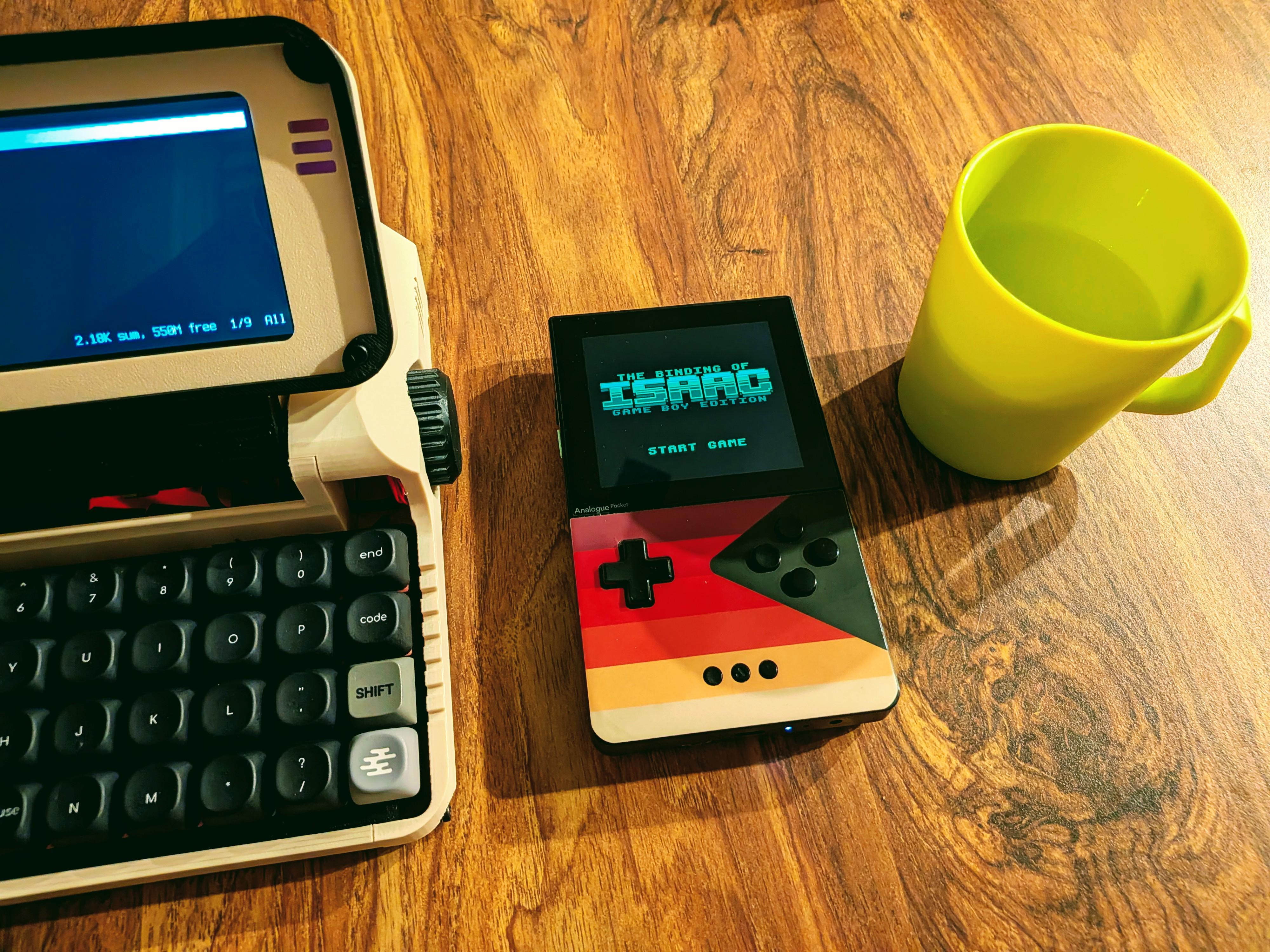
Was playing the demake of Half-Life and now Binding of Isaac? Props to the fans creating them. Too good.


r/AnaloguePocket • • 2d ago

Finally bought a dock!!

Post image
77 Upvotes

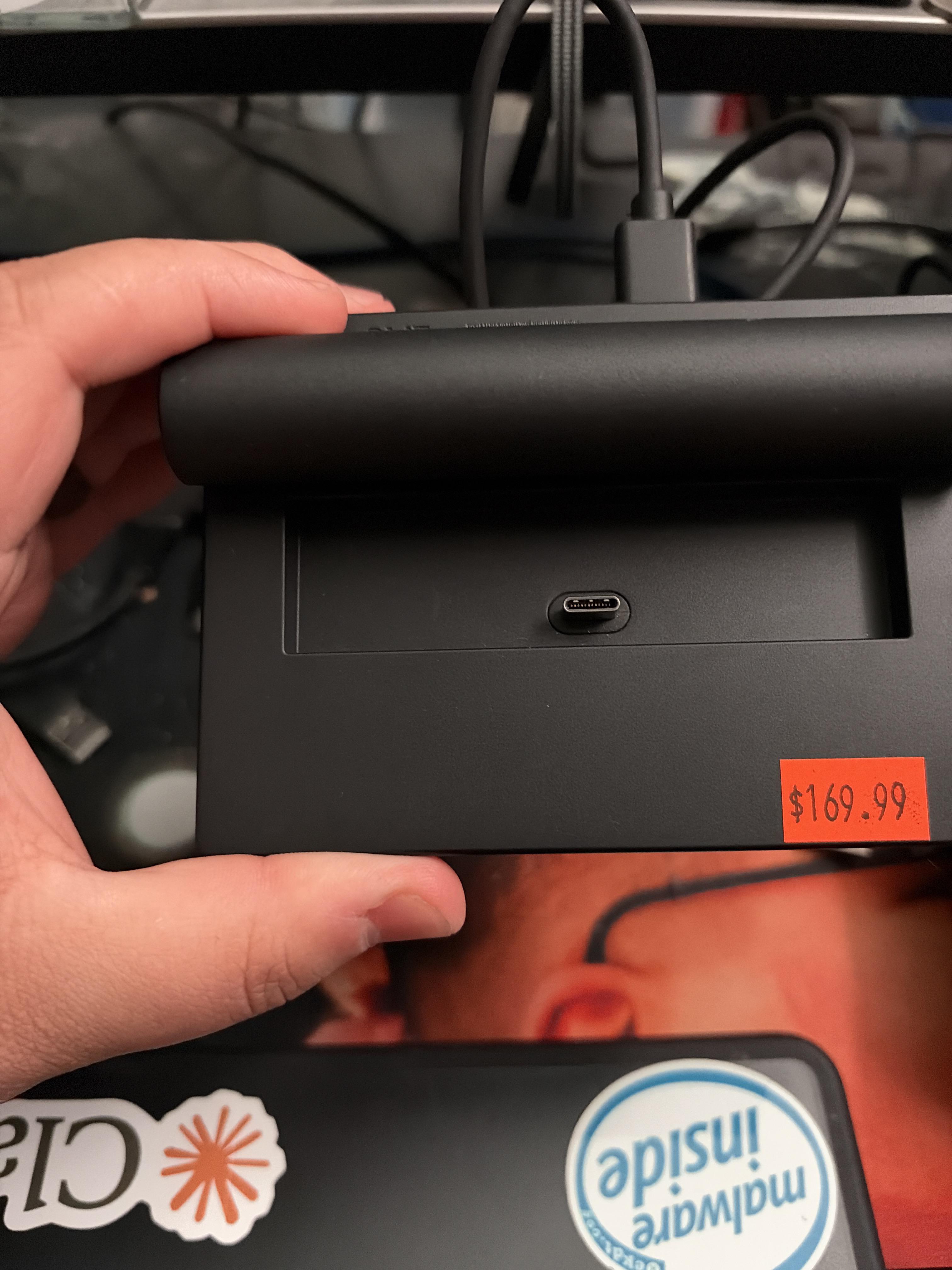
Price on body, talked them down to 160 flat. Cables are still brand new looks like it was barely used. Looked at the website and for a brand new one with shipping and tax would’ve been very similar in price! Happy have it finally.

What games/projects have y’all been rocking?


r/AnaloguePocket • • 3d ago

I carried my AP everywhere for almost 2 years. ❤️

Thumbnail
gallery
502 Upvotes

In a few months, it’ll be two years. I take my AP everywhere with me. It makes me feel less lonely living far from my hometown and working in the capital.

For a new graduate adapting to life in a new city, it’s like having a little safe space to escape to, a small piece of childhood that makes a big difference, especially when you have no friends or family around.


r/AnaloguePocket • • 1d ago

raspberry pi as controller for Pocket?

1 Upvotes

Hi all,

Can anyone point me towards projects/info/whatever to make a Raspberry Pi (or similar) act as a controller to a Pocket that it is connected to over USB?

I would like to have inputs sent to the pocket programmatically as if a controller was connected. specifically for "taking" pictures at regular intervals with a connected gameboy camera.

I googled/github'd around but search is so poisoned everything was for connecting a controller to a pi. What i want is the reverese. The Pi as a controller emulator

Thought this subreddit was a likely a place as any to find someone who has run across something like that


r/AnaloguePocket • • 3d ago

Core MSU-1 + save states to the SNES core for Analogue Pocket (0.8.5)

85 Upvotes

Spent the last few days improving this. I fixed the BGM stuttering and added a hotkey for loading save states. To load, just hold the Analogue button and keep Down pressed for a sec.

This is the last SNES core I'll be posting here. Thanks for all the support, and have fun with it :)

Please check!! Setting > Memories > Enable Quick Menu & Thumbnail View

One more thing you've been waiting for might be coming soon!

https://github.com/moongommoongom/Moongom


r/AnaloguePocket • • 2d ago

Question Am I using the N64 Core right?

3 Upvotes

I had a question about the video quality on the current (0.9) release of the N64 core.

I kinda go back and forth between using my Pocket docked and undocked. But when I'm docked, I noticed the core's image is kinda...not great compared to like an emulator on my computer. It's only with the N64 core too, I've tried the Saturn and PSX cores and neither look this blocky.

This is what it looks like with no filters on at all.

This is what it looks like with the 32-bit Color option turned on and the Trinitron filter on which in my opinion looks a little better but still not great.

Could it be where I'm getting my files from? I've sourced my roms from two different sources and one of them makes things look a little better but over all, it still looks a little blocky. Any recommendations from anyone?


r/AnaloguePocket • • 2d ago

Waterfield Leather Case

15 Upvotes

I set a reminder today to buy the new chocolate leather Waterfield case for analogue packet. The thing sold out by the time I was checking out.

I’m getting so tired of everything being some bs “limited edition drop.” 🙄

https://www.sfbags.com/products/analogue-pocket-leather-pouch


r/AnaloguePocket • • 2d ago

ZOMBIVILANCE || OUT NOW ON ITCH.io for $6.66

2 Upvotes

ZOMBIVILANCE OUT NOW @ ITCH.io

https://kojohan.itch.io/zombivilance

For $6.66

Stay alive for 10 waves a night... for 10 nights...

Gear up and come back better with XP Kills Power-Up bar.

Survive a Rogue like storm of incoming enemy varieties.

Save up for a grenade or machine gun to fend off waves.

Give our 4-man studio a buck for a sweet gameboy dream rom.

Coder/Chip Tuner/Box Artist/Team Leader

By :: WIDE EYES Stewdeos

Score by :: MONSTR


r/AnaloguePocket • • 2d ago

anaglogue pocket butterscotch core

Post image
2 Upvotes

So uhh is there a way to get it work?


r/AnaloguePocket • • 3d ago

I’m a 53-year-old gamer with very little computer experience. I wanted it so bad I made it happen. Took 10 hours, but I have nine consoles and three handhelds with full libraries in my hand. This would’ve been science fiction to 10- year-old me

Thumbnail
gallery
365 Upvotes

r/AnaloguePocket • • 1d ago

Question My new Analogue-pockets sd cards slot doesn't work?

0 Upvotes

As you can see the micro sd just doesn't click?

I'm not really an expert on computers so I don't really know the issue. If someone could help me out it'd be much appreciated