r/AndroidAuto • 2021 Kia Soul Turbo | Zfold8 • Oct 16 '26

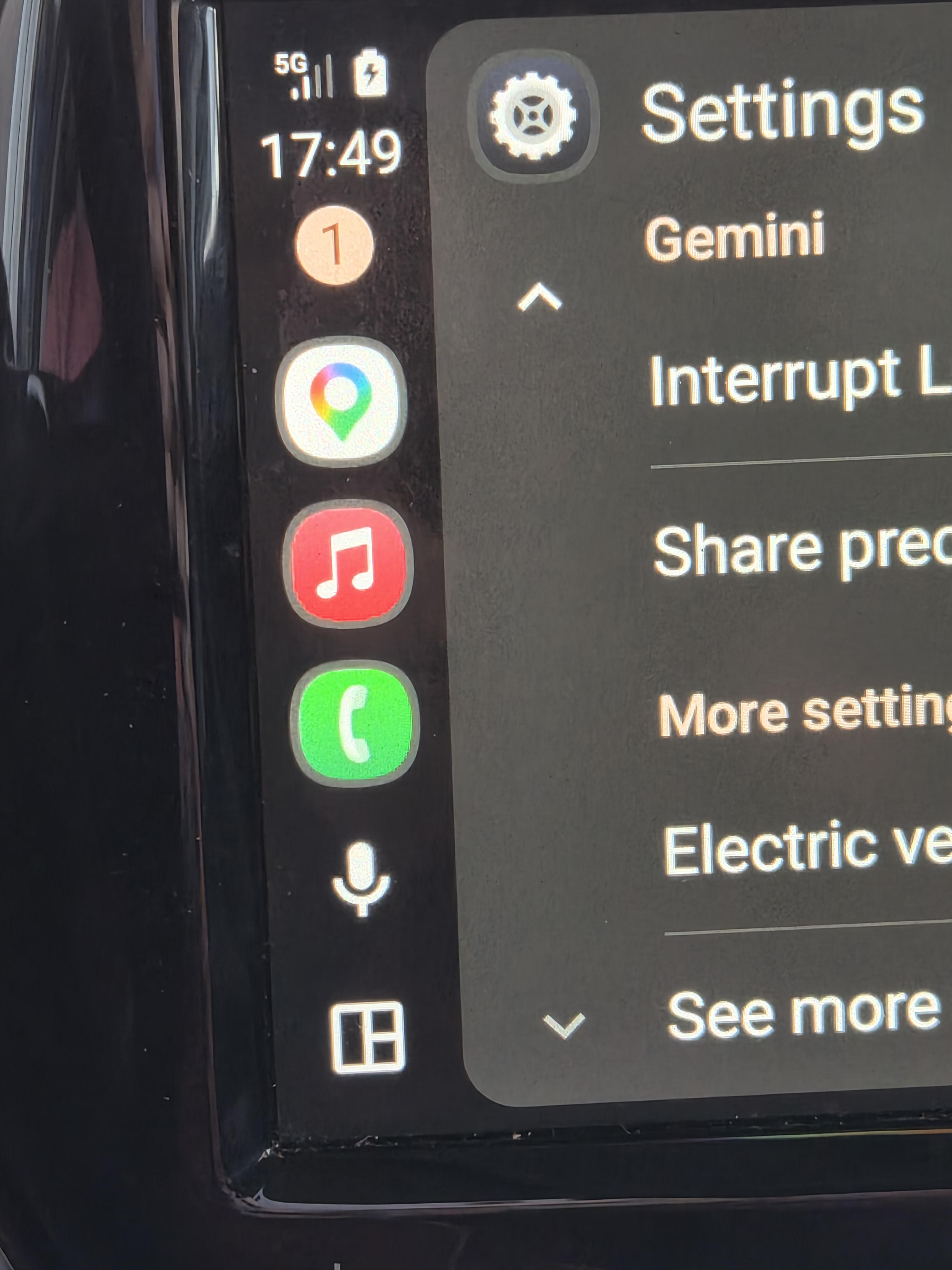
AA User Interface Icon assistance!
Post image

I'm a very new Android user (3 days ago) from iOS for 10+ years. Is there a way to change the three icons on the side? Thanks!

32 Upvotes

14 comments sorted by

24

u/IDDQD-IDKFA 24 Kia Niro EV | Samsung S23 | Android 16 Oct 16 '26

Use different apps. Those are your active map, music and phone app. If you use Spotify, it'll change to Spotify.

1

u/VisibleExercise5966 2019 Subaru Impreza |idoing 9.7"|Pixel 10 Pro XL|Android 12/16 Oct 18 '26

Mine shows Uber. I never use Uber. No idea how it's on mine. 

2

u/keithkings00 2020 Camaro SS | Stock | Galaxy S20+ | Android 13 Oct 18 '26

Delete it from your AA

-3

u/obsoletemomentum 2021 Kia Soul Turbo | Zfold8 Oct 16 '26

Thanks! Can I change the phone to messages?

14

u/IDDQD-IDKFA 24 Kia Niro EV | Samsung S23 | Android 16 Oct 16 '26

Why would you initiate a text message on the screen instead of saying "hey google text mom i'm going to be late"?

But anyway, I don't think you can.

2

u/obsoletemomentum 2021 Kia Soul Turbo | Zfold8 Oct 16 '26

Because that's what I've been doing since May 2021 until now. You tap the person's name and it says "what do you want to say to (name)?" I know there's a learning curve from iPhone, I was just curious.

7

u/angrycatmeowmeow 18 Audi S5/Q7 | Rotary | Audi MMI | Fold 7/16 Oct 17 '26

I've never really thought about changing those icons. I really only use maps and Spotify, and they're always side by side on the screen. As far as texting goes if you have a text you'll get an icon by the clock and tapping that will take you to a list of messages. If I need to text someone I just press the steering wheel button and say "text Bob I'll be there in 5" and Gemini picks it up, so there's really no need to manually select or specify a contact first before stating your message.

3

u/djdsf 24' Dodge Hornet | S26U | 16 Oct 17 '26

So, you have to click around and press the buttons to be able to text someone instead of just saying their name and not have to take your eyes off the road? Is that really how it goes on Apple? That's wild

-1

u/Celriot1 Pls edit this user flair now Oct 17 '26

Other guy is mistaken, you can do that. Just click the app drawer and go to Messages. Then the phone icon will be replaced with the Messages app.

Things like Discord can be placed there as well.

0

u/obsoletemomentum 2021 Kia Soul Turbo | Zfold8 Oct 17 '26

Hmm thanks for this but the phone icon stays in the same position on the bottom.

1

u/Celriot1 Pls edit this user flair now Oct 17 '26

Hmmmm, I just checked for you and could replace my discord icon with messages no issue (using taskbar widgets so it shows on the bottom). However my phone icon is in the middle, maybe because I don't have a music app enabled?

Try unchecking your music apps in the Auto settings under "Customize launcher". I'm sure you wouldn't actually want to stay that way (I use the cars music app) but it would confirm the solution nonetheless.

2

u/TheAgedProfessor 2024 Honda Prologue Elite | OEM HU | Samsung A35 | Android 16 Oct 17 '26

If you tap the icon at the very bottom, it'll turn the display to split screen, tap it again and it should pull up all your apps... you should be able to get to Messages from there. Whether it will ever replace the three "most used" icon, I'm not sure, I've never tried.

If you tap the phone, usually that will bring up a pallete of contacts, and if I remember right, if you tap on one, there's the option to call or text that contact.

But really, like someone else said, I tap the mic and just say "text [contacts name]".

5

u/uncruel42 2025 Subaru Crosstrek | Stock | Galaxy S25 | Android 16 Oct 17 '26

Those three icons are, more or less, the apps you've used most recently. Tap that grid icon at the bottom left until it shows all your apps, and then select among those.