r/AndroidAuto • u/K-Nekolaeb 2018 Charger r/T | Uconnect 4C NAV | S22 Ultra | Android 16 • 8d ago
Connection, Disconnection, Freezes, Crashes Android Auto Error 8 after battery disconnect
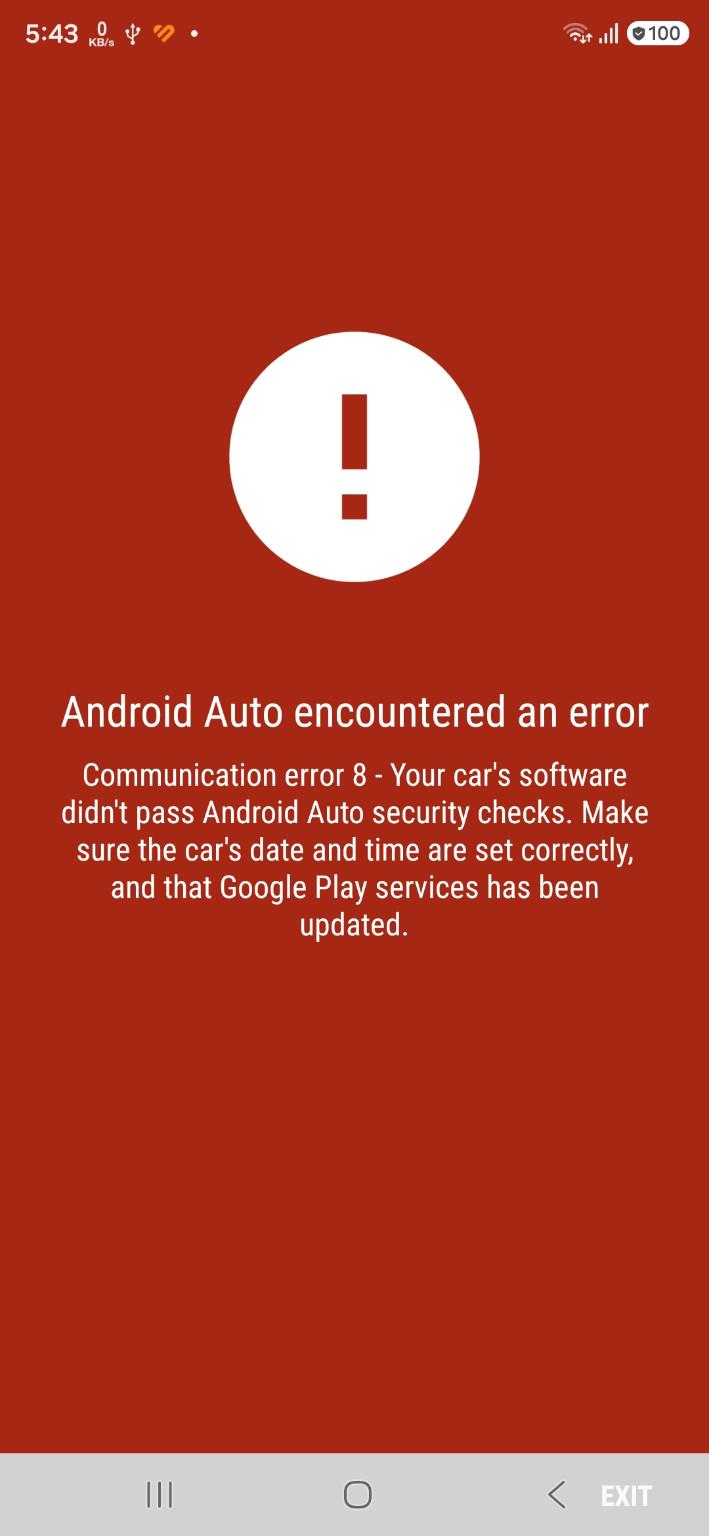
Hey everyone, I’m getting Android Auto Communication Error 8 on my 2018 Dodge Charger r/T with Uconnect 4C NAV (8.4-inch). Android Auto worked before the battery was disconnected and some fuses were pulled and reinstalled while troubleshooting a high-beam issue.
I’ve tried two Android phones, including a Galaxy S22 Ultra, and both show the same error. The message says the car’s software didn’t pass Android Auto’s security checks and asks me to check the car’s date and time and update Google Play services.
The clock on the Uconnect now shows the correct time, and the built-in navigation shows my correct location. I have Sync Time With GPS enabled, but there’s no Set Date option. I suspect the radio’s internal date may be wrong after the power loss, but I haven’t found a way to verify it.
Has anyone had this happen after disconnecting the battery? Is there a way to read or set the Uconnect’s internal date, either through Dealer Mode or with an OBD-II tool on a Windows laptop? If a firmware update fixed it for you, which version were you on, and how did you confirm whether your radio was UAQ or UCQ before choosing the update file?
Thanks for any pointers.
4
u/skibik1964 2017 Chevy Colorado | My Link | Pixel 9A | Android 16 8d ago
I am not familiar with Dodge's UConnect but I had the exact same issue last spring after doing a battery disconnect to clear an issue with remote start. You need to dig through the settings on UConnect to find the date. For my Chevrolet Colorado with MyLink it took some digging but I finally found where to set the date. Do a google search for your system to see where to find the date.
2
u/OkieDeric 2018 F150| Sync 3| Various | Android 10 - 16 8d ago
I think if you turn off sync time with gps it shows you the manual date options. Its been a while since I've looked at uconnect though.
2
u/ViolenceJoe Pls edit this user flair now 8d ago
Same problem for me, have not been able to find a solution.
1
u/Stevecaboose 2024 Civic SI | OEM | S21Ultra | Android 15 7d ago
Like others said its probably a time related issue. AA uses a certificate to make a secure connection to the head unit. One of the validation checks for the certs is date/time. You can see this behavior on your web browser if you change the time and try to connect to some web sites. There might be other security checks that do require the gps sync to validate time, like others have said. I dont have a clear answer for you but there might be forums for your vehicle that would have people that might have experienced the same thing.
1
u/telijah 2007 Ford F-150 | DUALAV DMCP10W | Google Pixel 9 Pro 7d ago edited 7d ago
Have you tried doing this with key in Run position, without starting the actual engine, and disabling the GPS sync as well? Page 10 under Multimedia > UConnect Settings says you should be able to set the date specifically https://vehicleinfo.mopar.com/assets/publications/en-us/Dodge/2018/Charger/8633.pdf
1
u/Apollo__404 Kwid 2022 | Media Nav Evolution | Galaxy Note 9 | Android 10 7d ago
Alguém já achou uma solução? Eu precisava arrumar meu galaxy note 9 Android 10 Q Eu havia instalar a versão do AA 18.0 e deu esse mesmo erro Minha multimida é Media nav evolution da Renault
1
u/AutoModerator 8d ago
Your post has been removed by AutoModerator.
Having disconnection problems? You may find our FAQs helpful, especially 1 and 2. If you've already tried several USB cables, cleaning out your phone's USB port, and checked your apps battery optimization settings (Settings - apps and notifications - AA, Spotify, etc. - Battery - Battery optimization - turn off), please notify the moderators so that they can review/approve this post.
I am a bot, and this action was performed automatically. Please contact the moderators of this subreddit if you have any questions or concerns.