r/AndroidNativePorts • u/ImpressiveBass8179 • 1d ago
🤔 [Question] Please help
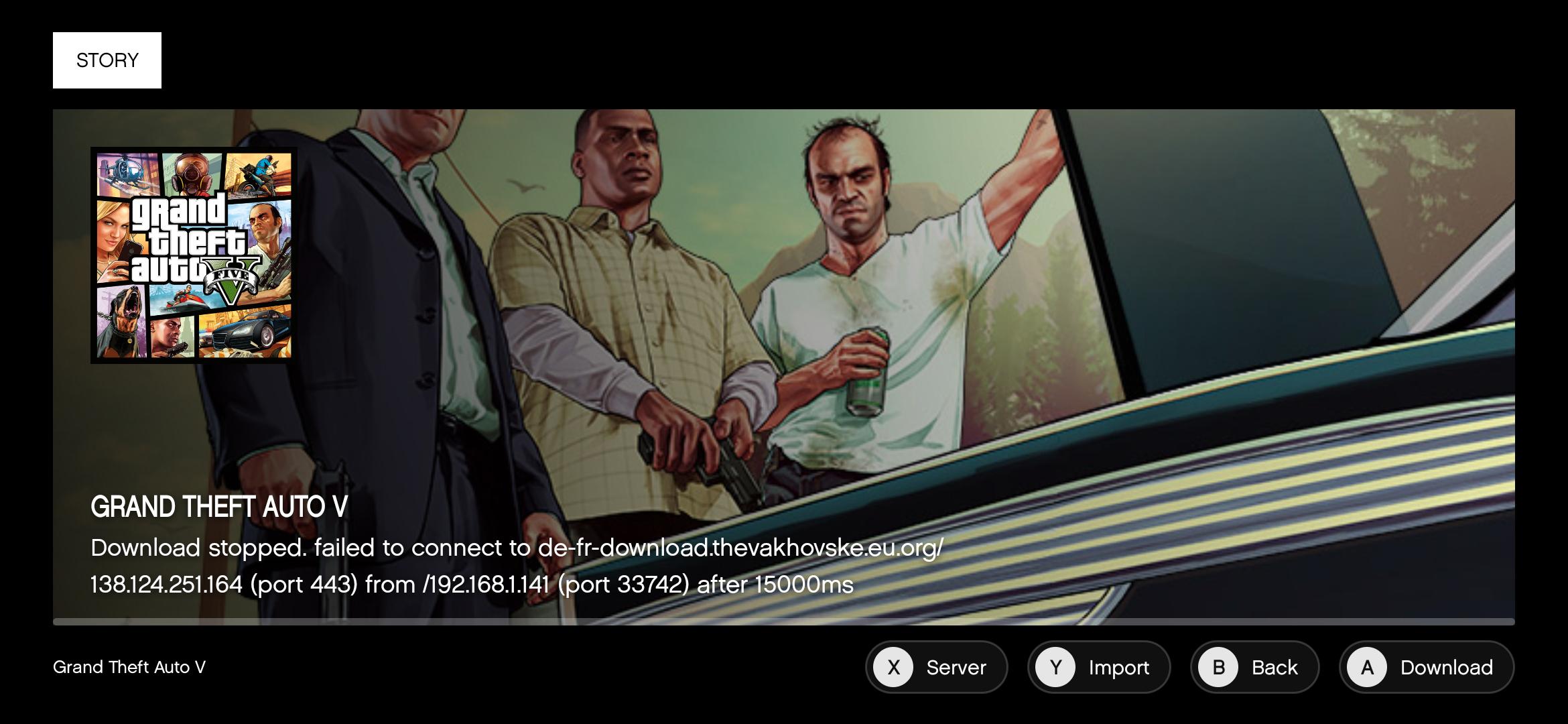
Why does it do this??? My device is 23plus already did all the steps properly.. please help
0
Upvotes
2
u/GSMILZO 1d ago
Copy the game data files in a new folder inside the main storage directory instead of android>data.
Open the game. Not finding the data it should ask you to manually select the folder in which they are. Select the one you created.
I had the final version of the apk and by doing this I solved the problem of the game not finding files in the protected android>data folder.
1
u/dhhtraveler69 1d ago
Download the data file (around 64 gb) and paste in android data folder
3
u/SouL_Sarpy 1d ago
Same issue, i have the zip file too (63 gb something) but when I import still it trying to download the file then the same screen which you’re getting
1
u/RED_PHONIX44 1d ago
The servers are not working
1
u/Famous-Departure8280 1d ago
Can anyone give me the links to the launcher of gta5 port and if u can add the data file too
1
u/enthamwoney 20h ago
Use vpn bro had the same issue and was solved then import the files