Hi everyone! You no longer need a PC to process your stack. I've built a separate app: AstroLab Edit - full astro post-processing on the phone, easy to pick up even for a beginner.
Feed it a linear stack (from AstroLab Stack, Siril, DSS, APP - FITS/TIFF/PNG) and it turns it into a finished photo:
• a step-by-step wizard: crop → background and light-pollution removal → colour → stretch → export;
• background neutralization and star-based white balance;
• automatic processing choices: two styles (restrained and vivid), then six expressiveness levels you pick by looking at live previews;
• sensor banding correction, star-core protection, highlight guard for bright cores like M42;
• export: 16-bit TIFF/PNG at full resolution, or JPEG straight to the gallery.
Like Stack: everything on-device, the app has no internet permission, no ads, no accounts, no analytics.
The app shows up on Google Play a few minutes later.
Requirements: Android 12+, 64-bit.
What would really help right now: run your own stacks through it (especially from Siril/DSS/APP or a Seestar, I need stacks from different programs!), tell me which look you picked, and anything that's confusing or broken. Post here or email familytoolsua@gmail.com
When your stack from Sequator or another astrophotography stacking program is ready, we can proceed to post-processing. I'll describe this process step-by-step using primarily free software.
At the time of writing this article, the appropriate version of GraXpert for us is 3.1.0rc2. This version contains all the necessary tools for beginning post-processing:
Background Extraction - removing background gradients and correcting light pollution
Denoising - reducing digital noise
Deconvolution - mathematically "undoes" blurring
Initial Setup
After installation and launch, select the Advanced tab, which is located on the right side of the program interface. Choose AI model versions for the utilities.
Next, click Load Image and select your stack.
Cropping (if necessary)
If needed, crop the image. When activating the 2nd option, a yellow frame will appear around the image, which we can adjust using the yellow circles in the upper left and lower right corners. After completing the cropping, click "Apply crop".
Important: Save each processing step as a separate file so you don't accidentally lose your processing results, then load this file using the first "Loading" option.
Step 1: Background Extraction
Now we can proceed to using the AI utilities. Select the following parameters for Background Extraction and click Calculate Background:
You can try changing the Smoothing value in either direction and check the result by clicking Calculate Background again.
Save the result in a separate file and load it through "Loading".
Step 2: Denoising
Move on to the Denoising utility. The Denoise Strength value depends on your needs. The higher the value, the fewer details are preserved. I suggest starting with 0.5, and then comparing results by increasing the value:
Save the result and activate the Deconvolution utility.
Step 3: Deconvolution
This utility has two parameters: Deconvolution Strength and Image FWHM. To determine the latter parameter, we need the Siril program, which we will also use in the second part of the astrophotography post-processing tutorial.
After launching Siril, drag and drop your last saved image into the program's workspace
Select Tools → Image Analysis → Dynamic PSF
Click the Detect stars button (this is the first button)
Wait for the result, then click Average PSF (the next button after Detect stars)
Calculate the average value using the formula: (FWHMx + FWHMy) / 2
In my case: (4.39 + 3.90) / 2 = 4.15px. Round to 4.2px and use this value in GraXpert.
Deconvolution Settings:
Image FWHM: Use the calculated value (e.g., 4.2px)
Deconvolution Strength: I suggest setting this to 0.3 for start
By increasing Deconvolution Strength parameter, you improve details, but you may distort the final image and get artifacts, so try different values while evaluating the final result.
Don't forget to save your work!
Additional Step: Stars-only Deconvolution
We improved the details of our objects, but not the stars. Select Stars-only in the Deconvolution Method and set the Deconvolution Strength parameter to 0.1, as it is quite aggressive. Click Deconvolve Image and check the result.
Conclusion
This concludes the first part of the astrophotography post-processing tutorial. In the next part, we will cover image stretching using Siril and use the StarNet utility.
Summary of Steps:
Load your stacked image into GraXpert
Crop if necessary
Background Extraction - remove gradients and light pollution
Denoising - reduce digital noise
Measure FWHM in Siril using Dynamic PSF
Deconvolution - improve sharpness
Stars-only Deconvolution - improve star sharpness
Save each step separately to avoid losing your work progress
Acquired with POCO X7 Pro on a phone holder screwed on top of my telescope.
Around 200 subs, 13s exposure, 3200 ISO, DNG with DeepSkyCamera, no tracking, Bottle 5.
This part of the sky was directly above me, so best possible case for me. Same stacked image but with different amounts of processing. I like all of them, but I'm most happy with the last one where I managed to pull out the heart and soul among the red nebulosity. There are many DSOs in this pic: Pleiades, Andromeda Galaxy, Triangulum Galaxy, The Double Cluster, California Nebula. Which to be fair I WAS NOT aiming for lol. I just wanted to see what I could pull out of one of the thinnest parts of the milky way, and when I checked Stellarium afterward I was like: "Oh.. There are so many DSOs here, cool".
I'm super happy about it, especially seeing the red nebulosity which is particularly hard to get with a smartphone. I cropped the image, but there are undeniable stacking artifacts on the edges because I wanted to fit all the nearby DSOs.
Processing done completely in Siril, especially playing with different types of curves to get the right detail and not blow anything out. I've also done Starnet++ star removal and played with the curves there as well. The blackpoint really made the sky dark which is how I achieved the last two photos.
First image is stacked and processed, second is a single frame.
Taken with POCO X7 Pro, basic 2-axis adapter through SkyWatcher P130 STARQUEST II 130/650.
This is around 50 frames at 1s exposure, 3200 iso, DNG taken with DeepSkyCamera app. On the preview the nebula was faintly visible with the screen brightness cranked all the way. I'm still trying different targets with this scope and my phone. It's far from easy mainly due to the bad eyepieces that came with the scope and the mount that is constantly overweighted even during visual observing.
Subs stacked and processed in Siril. I did use Starnet++ and Full Resynthesis to get the perfectly round stars, because in my opinion it worked for this photo. Finished with light touches in Lightroom to up the contrast and colors a bit.
SVBony 406P ED Spotting Scope BST Starguider Eyepiece 25mm (17x Magnification) MSM Tridaptor Fairphone 6 Acuter AZ Merlin Mount 269 Lights 2-4s ISO 3200 (20 Darks) 388 Lights 2-4s ISO 3200 (20 Darks, 20 Flats, 20 Biases) Photos taken with DeepSkyCamera Pro Stacked and processed with Siril and GIMP Bortle 6
My plan: 1500+ frames with 8 sec exposure (3,5h) to get some details of these "small" galaxies. The result: 650 Frames with 2 or 4 sec exposure (20-40 min)
This is a tough target for my setup and location. There are no bright stars especially in the middle of the picture. I was literally shooting a black screen. I had to search for the last visible star and go 2,5 black screens to the left and check the result on the photo. With 8s stars started to trail so I tried to go down step by step. With 7s there were no star trails but the image was much darker. So, ISO up and go. Due to the setup procedure and the short time frame (trees were coming close) I decided to shoot 80-100 pics before re-aligning and hoping that deep sky stacker or siril would do the magic (turns out, they didn't :))
After three nights I had 1600 x 7s expoosures (so I thought). But Siril and Deepsky Stacker did not succeed to register/stack any of my pics (too dark, not enough stars, tracking not accurate enough, ...). I digged quite deep into tweaking the registration process but no chance.
Then I started to write my own crop/registration script with the help of AI, initially thought as a 1-2 weeks project. 6 months later I managed to rescue 650 of the 1600 frames. This should have been at least 75 minutes exposure time.
During the process I also noticed that there was an incompatibility between my Phone and deepsky camera. My Phone can only do 1, 2, 4 or und 8s exposures. So the 7s I used in DSC were not supported. I guess thats why the images appeared that dark from the beginning. I don't know what the fallback exposure time is. I guess it will be 2 or 4 seconds. So instead of the planned 3,5 hours I ended up with 20 or 40 minutes.
6 months of work for one picture. Is the result worth it? Haha, no. But it was fun nonetheless. If you know where to look, you can see the galaxies. I guess thats all that I could squeeze out of the pics. Next year I will have another try.
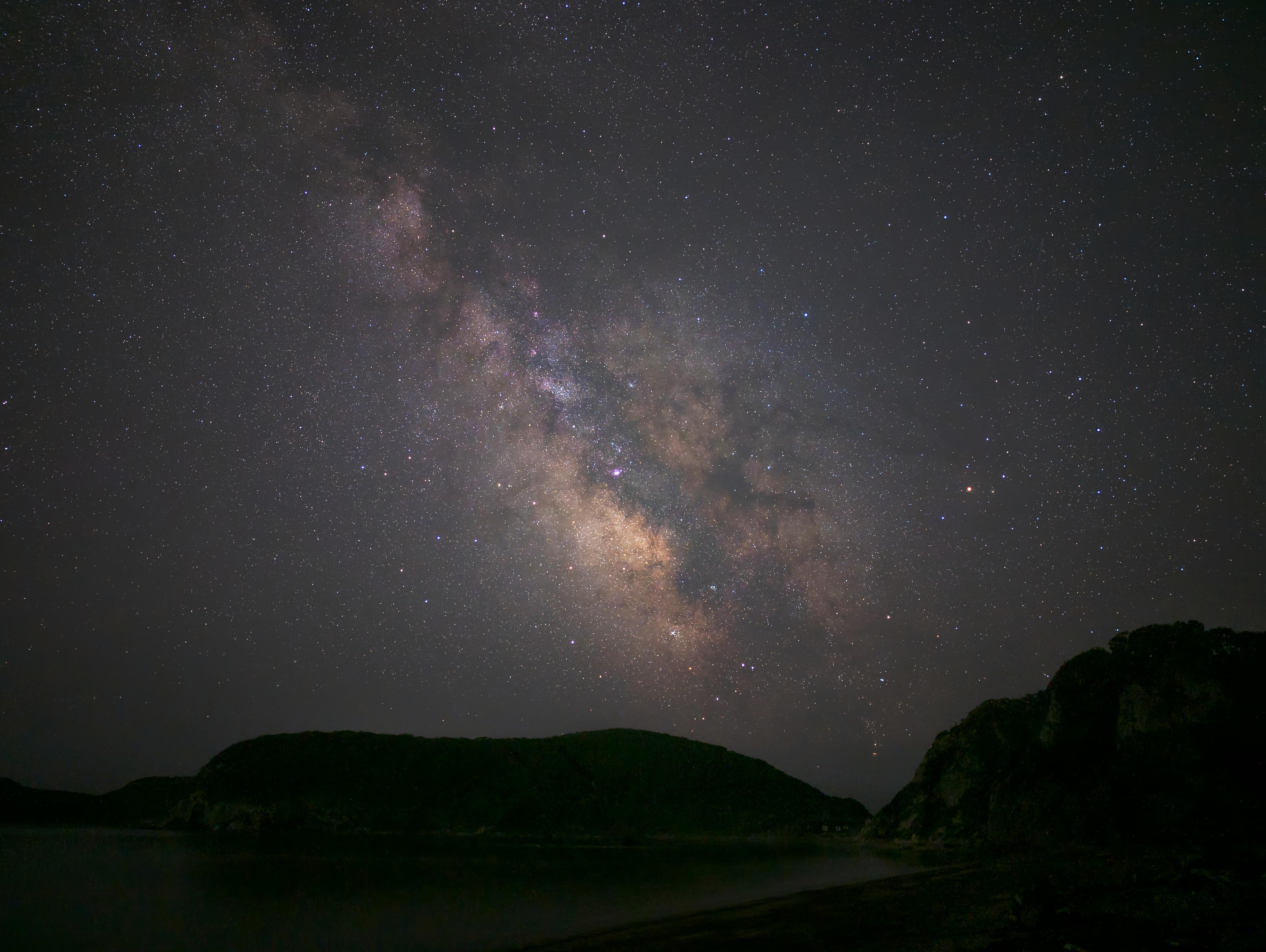
This is my 1st attempt at astro photography using a smartphone, I live in a very heavily light polluted area and finally got the chance to visit someplace suitable for photographing the sky.
Captured this wide-field shot of the Milky Way stretching from Cassiopeia and Perseus down through Auriga and Taurus, with the Pleiades (M45), Hyades + Aldebaran, Double Cluster, and even M31 peeking in near the upper right edge.
Equipment & Acquisition:
Phone: Honor Magic 6 Pro (main sensor, f/1.4, Pro mode RAW/DNG)
Mount: Standard tripod (untracked)
App: DeepSkyCamera Pro
Exposure: [50 x 10s, ISO 1600]
Location: France (Bortle 4)
Processing:
Post-processing, stacking & color calibration in Siril and Lightroom Mobile
Im really proud of this first one because I feel like im really gaining traction with understanding astronomy and astrophotography since starting this journey about 8 months or more ago.
I manually increased the brightness, contrast, sharpness & definition levels of the images using the native gallery app. Shots are at 25x, 55x & 70x zoom. Note how the sky transitions from blue to bluish black in space as zoom increased.
I was trying to catch Uranus for so long, but every time I got close to it I thought it was a star because I was looking with the H20 mm eyepiece but this time, I checked the stellerium and looked at the exact spot the Uranus were. But all I got is this, just a tiny little disk which is a bit oval because of the shaking that occurs when you press a button on the phone.
Scattando con il mio s22 ultra in raw, e leggendo dei più esperti, i file raw degli smartphone non sono veri raw ma DNG. Bene, quando provo a caricare questi DNG su sequator, sequator mi dice che non supporta questo formato e neanche gimp (photoshop alternative). Quindi la mia domanda è, per impilare su sequator usate la foto PNG/JPEG, oppure convertite i file DNG? Se si con cosa? Grazie.
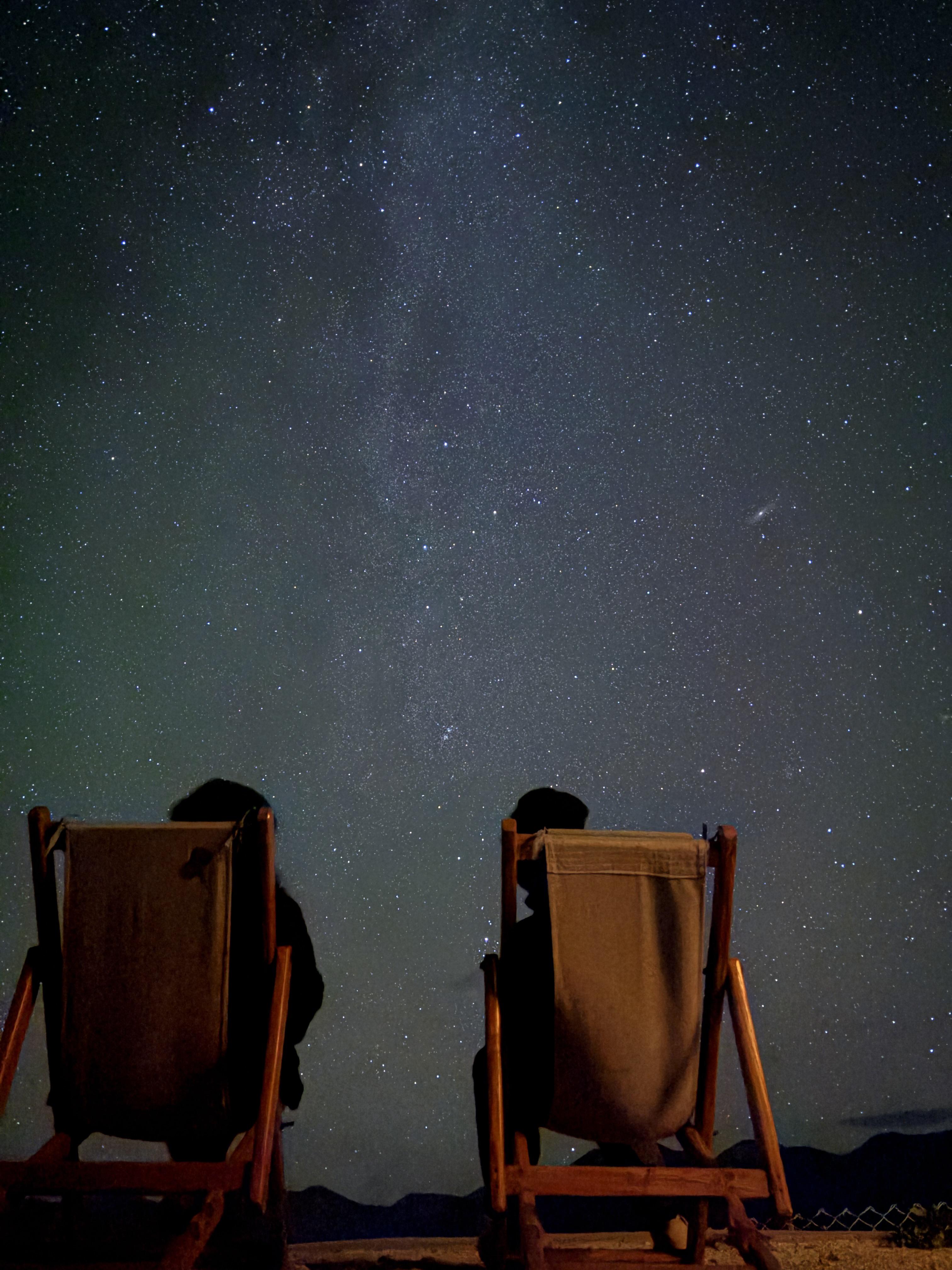
Back in my college days (around 2012), I always imagined stargazing with the love of my life. It was one of those little dreams I kept manifesting for years. And finally, when I got to live that moment, I captured it on my iPhone 16. But here’s what makes this picture even more special: almost 15 days later, I realised that I had unknowingly captured the Andromeda Galaxy! A moment I had dreamed of back in college, now a beautiful memory, with an unexpected little piece of the universe captured in it. Honestly, this picture makes me happy to the core. ❤️✨
Back in my college days (around 2012), I always imagined stargazing with the love of my life. It was one of those little dreams I kept manifesting for years. And finally, when I got to live that moment, I captured it on my iPhone 16. But here’s what makes this picture even more special: almost 15 days later, I realised that I had unknowingly captured the Andromeda Galaxy! A moment I had dreamed of back in college, now a beautiful memory, with an unexpected little piece of the universe captured in it. Honestly, this picture makes me happy to the core. ❤️✨
Captured an untracked 20-second 4K 60fps drift video from my rooftop and stacked the best 30% (~358 out of 1,193 frames). Really happy with how cleanly the ring shadow across the globe came out.