r/AzureVirtualDesktop • u/Surya321_ • 14d ago
Sysprep error
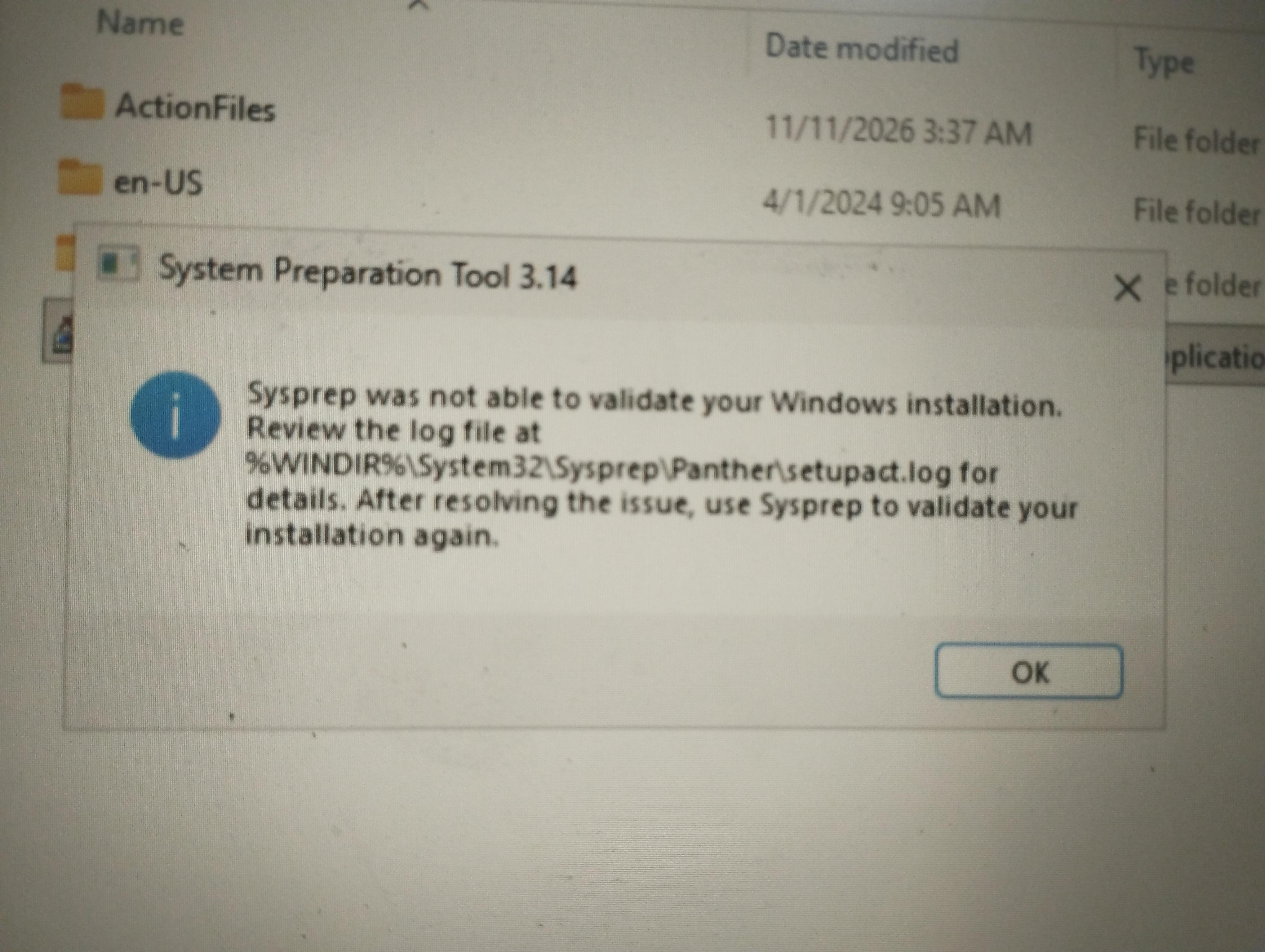
Could any one please help , I am creating a golden image to publish to azure compute gallery, while I am running sysprep I am encountering this error
2
Upvotes
3
u/AccomplishedEmploy52 14d ago
Check the outputted log file. It will either be because the C drive is encrypted with BitLocker or a provisioned app issue.
16
u/oubeav 14d ago
Read the dang log.
I’m willing to bet you have to remove some random Appx package like Handwriting Ink thing or something stupid. Sysprep can be maddening.
9
u/Yannos2 14d ago
Check the error log but in my experience this is usually due to Store Apps being provisioned for a user. Try deleting all Windows profiles that you don't use, deprovisioning that app (check error log to know which one) or provisioning for all users.
1
u/Surya321_ 14d ago
This is AVD
1
u/Surya321_ 3d ago
Thanks to everyone who respond, it is resolved I removed ink handwriting and turned off but locker and company portal package it worked successfully
4
u/GravyAficionado 14d ago
Check the sysprep logs in the panther directory - C:\Windows\System32\Sysprep\Panther
This started happening to me a couple of months ago with my packer image builds. I had to decrypt the C: before sysprepping to fix it.
1
u/salmonlogger 14d ago
Create your image with the custom image bullet instead of manually
1
u/TangoCharlie_Reddit 14d ago
“Review the log”. Fails to review log, seeks Reddit to answer it for him with crystal ball. Jesus wept. I feel more people need to shit on very lazy posts like these, don’t encourage them.
1
u/Tall_Significance294 8d ago
You read the logs, look for the error and then figure out what it wants, hit me up if you need any assistance
3
u/IraRavro 14d ago
Start by disabling Bitlocker and Secure Boot. Why Microsoft had these two enabled by default on multisession images is beyond me.
2
u/wsfrazier 13d ago
Did you even read the logs? Usually it's because the Ink/Handwriting/Language appx in my experience. There is a way to edit the sysprep config to completely skip checking appx provisions, which is what I usually do. Can't find the steps to do that at the moment.
2
u/Al1301 13d ago
Just follow the prompt, at the end of that page you will find the error, most of the times is handwriting.ink, maybe bitlocker, maybe and app setup for a user,
1
u/BerserkerModeOn 14d ago
You have something in your image that sysprep is unable to process. Look at the setuperr log in the panther directory. It might be bitlocker or it might be one of the provisioned apps.
1
u/kennyv704 14d ago
For me I had to delete windows ink which was a pre installed on the avd image
1
u/pjmarcum 14d ago
Almost always Store Apps that need to be removed. Check the referenced log.
1
u/iamtechy 14d ago
As everyone has mentioned already, it’s a Store app, BitLocker or SecureBoot, and in my case it was Sophos AV agent which needed to be installed with golden image command and tamper protection disabled so that sysprep would complete.
1
u/Dtrain-14 14d ago
What’s the error log say?
1
u/jpnd123 13d ago
This must be a troll, because we have like 8 replies asking for what the log says and OP is just like naw, you guys figure it out.
1
u/SJW_Todd 13d ago
I had notepad++ installed on a multi session image and it prevented sysprep like this.
1
u/Beefcrustycurtains 13d ago
Bitlocker enabled? Image failed with bitlocker enabled, had to shut it off.