r/BOOX_Tiles • • 6d ago

News & Updates Picco 1.1 Is Here! Native EPUB Support & More

Post image
146 Upvotes

Heyyy guys,

We've been seeing all the cool stuff you guys have been sharing lately, from custom wallpapers to 3D printed Picco cases. Seriously, you guys are so creative! Keep 'em coming!

Alright, back to the main event!

What's New in Picco 1.1?

1. Native EPUB Support

No more converting files! You can now open EPUB books directly on Picco, including EPUBs stored on your microSD card. Just start reading!

2. Set Your Time Zone & Time Manually

We saw some of you having issues with the time being off, so we've added the option to set your time zone and time manually. After updating, head to Settings and make sure your time zone and time are set correctly!

3. Cloud Fonts

Want a different font? You can now download fonts straight from the cloud with just one tap. No manual importing needed.

4. Fresh New Home Screen Themes

We've added more themes to choose from, and just pick whichever fits your vibe!

5. Better SD Card Folder Management

Finding and organizing your books on your SD card is now a lot easier.

6. More Bookshelf Sorting Options

You can now sort your books by filename or date added.

7. New Bookshelf Views

Switch between list view, cover view, and more. Whatever works best for you!

8. Bookshelf Search

Got a lot of books? You can now search your bookshelf to find what you're looking for.

So, What's Coming in Picco 1.2?

We know there's still a lot on your wishlist! Here's a little sneak peek at what we're working on for Picco 1.2:

1. Dictionary

This one, along with highlighting, has been requested a LOT. And yep, we're working on both. You'll be able to look up words while reading without switching devices.

2. Highlighting

Found a quote you love or something worth remembering? You'll be able to highlight it right in your book!

3. Wireless Book Transfer

Connect to your Picco's hotspot and transfer books wirelessly. No cables needed!

4. More System Font Options

Custom TTF fonts and cloud downloads are on the way. Pick whatever font you like!

5. Better Hyphenation & Text Layout

We're improving line breaks and hyphenation based on different languages, so text looks more natural and easier to read.

6. Factory Reset

You'll be able to reset your Picco to its factory settings.

These are the main features we're planning for 1.2, but the final features and release timing may change.

And that's it for this update!

Go give 1.1 a try, and let us know what you think! If you run into any issues or have more ideas, drop them in the comments.

Thanks again for all the love and support! 💛

BOOX Team


r/BOOX_Tiles • • 14d ago

News & Updates Picco Dev Log #01 | What We've Been Working On!

Post image
125 Upvotes

Hey everyone!

So happy to see more of you getting your Piccos and sharing where you take them! We love seeing your posts, and we've also received lots of feedback on reading, book transfers, and system features.

That's why we're starting a little series called Picco Dev Log to share what we're working on, what we're fixing, and what's coming next!

01 | Picco 1.1 Sneak Peek

One question we've been getting a lot, and one that's been around for a while, is: "When can we read EPUB files directly?"

Good news! That's actually one of the main things we're working on for version 1.1! This update focuses on EPUB reading, fonts, the bookshelf, and file management.

Reading & Fonts

  • Native EPUB Support: Just put your EPUB files on a microSD card and start reading.
  • Cloud Fonts: Download fonts with one tap, no need to import them manually.

Themes & Personalization

  • New Home Screen Themes: Choose from different styles to make your Picco feel more like yours.

Bookshelf & File Management

  • Improved SD Card Folder Management: Find and organize your books more easily.
  • More Sorting Options: Sort your bookshelf by filename or date added.
  • New Bookshelf Views: Switch between list view, cover view, and more.
  • Book Search: Quickly find the book you're looking for.

Pretty exciting, right? Hopefully you won't have to wait much longer!

02 | Issues We're Working On

Besides adding new features, we've also been working on some of the issues you've reported recently. Here are a few that have come up quite a bit:

Margins Resetting After Sleep

Some of you mentioned that your custom margin settings reset to the default values after Picco goes to sleep. We're already working on a fix!

Paragraph Spacing & Layout Issues

We've also heard about extra paragraph spacing that can't be completely removed, as well as layout issues with certain books. We're working on improving these too.

Internal Hyperlinks Not Working After EPUB Conversion

Some users noticed that internal links, like those for chapters and footnotes, stop working after file conversion. We've noticed this issue and are working on adding support for these links.

Can't Set the Time Manually

Yep, this one! It's probably one of the most common things you've brought up recently. Quite a few of you have noticed that the time on your Picco doesn't match your local time.

For now, you can connect to Wi-Fi to sync the time. We also know you'd like to be able to set it manually, and that's already on our list of features to support. Hopefully it won't be too long!

And one more thing! Dictionaries! We know a lot of you have been waiting for this one. We're already working on it, but it'll need a little more time.

We've also noted your suggestions about chapter progress, pages remaining, a 12 hour clock, UI font size, and text highlighting. These are still being discussed, though. We'll need to look at our development priorities and figure out what we can work on next.

03 | A Quick Note About the iOS App

The BOOX Tiles iOS app is officially available on the App Store now!

If you're still using the TestFlight version, we'd recommend switching to the official App Store version. Cuz TestFlight builds expire after 90 days. Once a build expires, you won't be able to keep using that test version. So we'd recommend installing the App Store version to avoid any issues later on!

04 | One Last Thing!

We know there's still plenty of room for Picco to improve, and we totally understand wanting certain features to arrive sooner.

Development and testing take time, and sometimes we need to reproduce an issue several times before we can figure out what's causing it. So unfortunately, we can't always fix everything right away.

That's also why we sometimes ask you to submit feedback through the app. It makes it easier for us to test and track down the problem.

If you run into a bug, feel free to send it through Settings - Help & Feedback in the app, along with your feedback logs. That really helps us figure out what's going wrong.

And of course, you're always welcome to share your thoughts here in the community too! We might not always reply right away, but we do our best to follow up whenever we see your posts or comments.

So whether you prefer sending feedback through the app or posting here, both are totally fine. Just go with whichever works best for you!

Alright, that's it for our first Picco Dev Log!

Have a good one, guys! 💙

BOOX Team


r/BOOX_Tiles • • 1h ago

Is The Odyssey pre-installed on the BOOX Picco?

1 Upvotes

Hey everyone!
I recently bought a brand-new BOOX Picco from Amazon, and I noticed that The Odyssey was already in my library, even though I don’t remember downloading it.
I also couldn’t find the book in files, which I thought was a little strange.
The device came in sealed packaging, and all the other books in my library were downloaded by me.
Just wondering, does anyone else with a BOOX Picco have The Odyssey pre-installed? Is this normal?


r/BOOX_Tiles • • 4h ago

Picco accessories

0 Upvotes

Hey everyone, I’m really disappointed in the lack of accessories boox has for the Picco. Id do anything for glass screen protectors and a flip case.

Anyone have an idea if Boox will come out with that?


r/BOOX_Tiles • • 1d ago

AO3 girly hours

Thumbnail
gallery
35 Upvotes

Thank you, Boox, for leaving the Picco able to be flashed with custom firmware!


r/BOOX_Tiles • • 22h ago

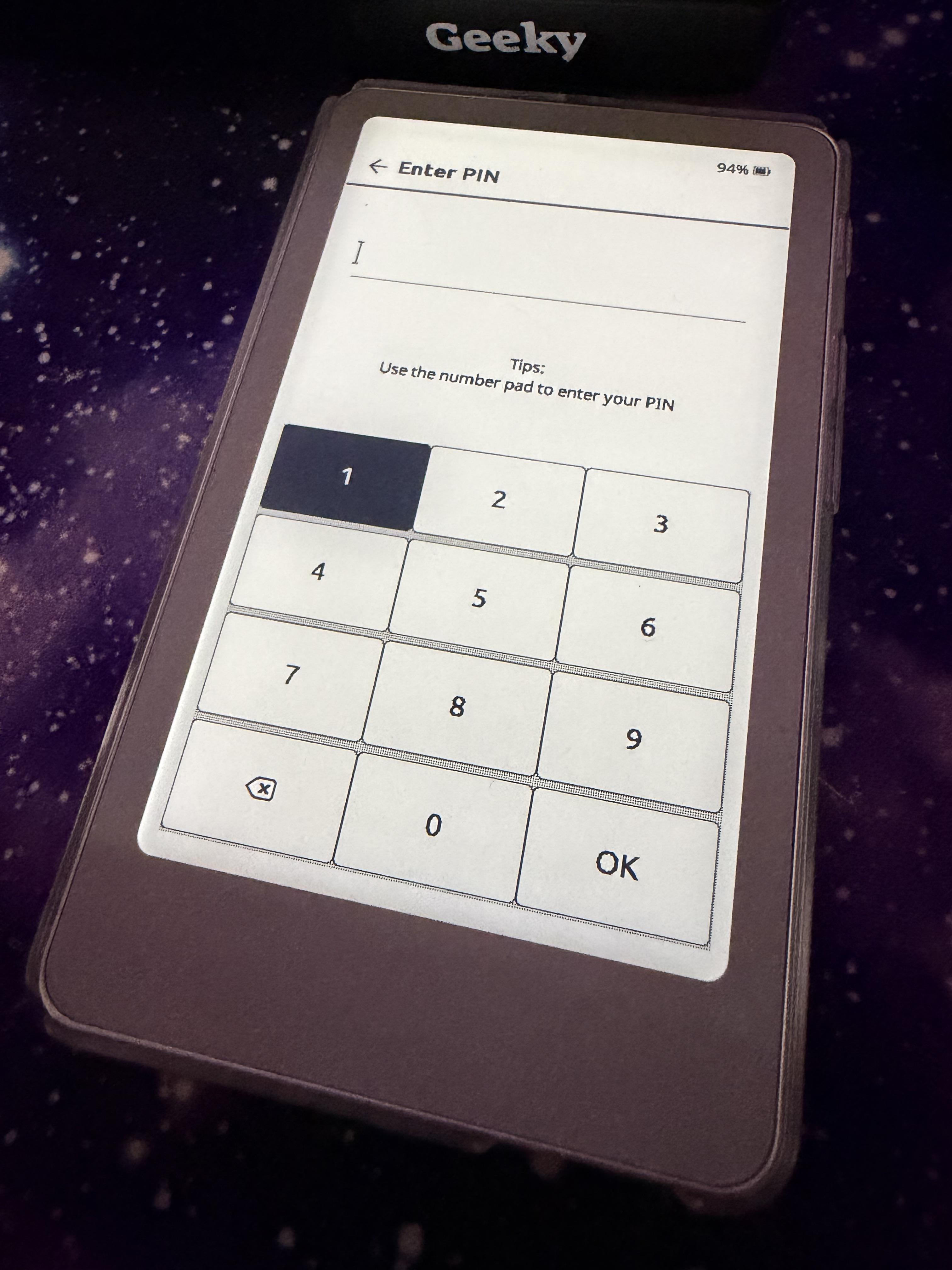
Encrypted PIN

Post image
10 Upvotes

I know what the ladies like. I’m pushing it to CrossPoint, we shall see if they take the code and add it to future updates.


r/BOOX_Tiles • • 12h ago

Is it worth waiting to get a Picco?

1 Upvotes

Someone wants to buy me a Picco for Christmas and I can currently get one on Amazon (UK) but I’ve heard people have had problems with loose buttons; will the next official restock be a new and improved batch or shall I just get it off Amazon now?


r/BOOX_Tiles • • 23h ago

Extremely slow page turns on Picco with CrossPoint Anyone else experiencing this?

6 Upvotes

I first installed CrossPoint on my Picco and tried using it for a while, but the noticeably slow page turns really bothered me, so I switched to CrossInk.
CrossInk was faster than CrossPoint, but the page-turning speed still wasn’t acceptable to me.
Then I tried Ink Pro. The page-turning speed was good, but I didn’t really like the software, so unfortunately I ended up going back to the original firmware.
I’d really like to use CrossPoint again, but the page turns are incredibly slow.
Has anyone else experienced this issue on the Picco? Is this normal, or could there be something wrong with my device?


r/BOOX_Tiles • • 1d ago

Formatting troubles: bullet points etc

Thumbnail
gallery
7 Upvotes

Hi! I just got my boox picco and so far I find reading on it very comfortable. I have several questions about text formatting though. As this is my first e-reader, I don’t know if those are common issues or if they are specific for picco. I don’t even know if the problem is with the wrong font, the epub file itself or the firmware (I’m on native 1.1.1 firmware)

* Can I somehow prevent a single quotation mark from skipping to the next line of text?
* Can I make bullet points or quotes format properly?
* On the matter of fancy formatting, can I make some Unicode symbols appear? I don’t need all hundreds of thousands of them, I need like three or four, I just want some fancy text breakers and a couple of uncommon brackets. Idk if it’s a stupid question, but can I, like, sideload them or something? [That was a font issue, I just had to check whether the font I wanted to install supports specific glyphs I needed]
* Chapter titles are the same size as the body, can I consistently make them, for example, twice as big? [This, and also specific alignment of some paragraphs, was fixed by switching from „adaptive layout“ to „original layout“]

Here’s a photo of the page on picco and the same page on my phone to illustrate some of the problems

Edit: I will just add solutions in brackets when I get them, in case anyone has a similar situation.


r/BOOX_Tiles • • 23h ago

Picco - Is this normal behavior when finishing a book?

0 Upvotes

I’m using the original firmware on my Picco. When I finish a book and press the next page button after the last page, nothing happens. I have to manually exit the book.
Also, even though the book shows 100% completion, it doesn’t disappear from the home screen. I have to remove it manually.
Is there something wrong with my device, or is this just how the original firmware works?


r/BOOX_Tiles • • 1d ago

Page turn on screen not working.

0 Upvotes

I recently upgraded Picco to 1.1.1 firmware and now turning pages both up and down quit working. The touch screen works fine. Any touch zone that is on menu works fine, but any touch zone for page up and page down does not work. I can change the zone to Menu and it works fine. Is there a known issue with firmware 1.1.1?


r/BOOX_Tiles • • 1d ago

Bold/italic font not displayed

5 Upvotes

How can I make a font other than system one display e.g. chapter titles in bold?

With system font the titles are bold but with any other downloaded (e.g. Bookerly) whole text is regular. Obviously I downloaded standard, bold, italic Bookerly and I can see them installed on the device but I have to explicitly choose one of these.


r/BOOX_Tiles • • 1d ago

Boox picco Languages

3 Upvotes

Hi guys,

Which languages does Boox picco with the original system support?

Does it has Arabic language?

How would it work with German books (it has some specific letters like ä, ö, ü, ß)?

Would it be good if you buy it and try the Crosspoint to try reading Epud in Arabic? Or would you just wait until Boox picco solves the issue with languages?

If you buy it from Amazon and try a crosspoint but find out that you don't like it, can you just go to the original system and return it to Amazon? Or is this bad for the other people who buy this device again?

If it is bad how can you ensure that the languages you need are supported?

I use English in all my devices as the main device language but I like to read in different languages... I've searched and there is until now no details about the supported languages.. AI said it would be better to think about Xteink X4 pro but it doesn't support all books forms and it's only with 256 Gb extension and looks a little breakable..

I find Boox picco gorgeous and supporting 1 Tb is really amazing, has anyone tried this or would it crash by 1 Tb memory card?

Thank you


r/BOOX_Tiles • • 1d ago

Feature Requests, Roadmaps and Changelogs

2 Upvotes

What’s the best way to drop a feature request? Is there a public roadmap of planned and available features (and a central changelog of when what feature was added)?

I’ve got a concrete example: I’ve noticed that a word like Quite (with a capital Q) should be displayed as a ligature but isn’t. The font I’m using supports ligatures and so does vanilla CrossPoint (I haven’t tested it on an actual device yet but I should be supported). Do you plan on backporting ligature support? If so, where does that sit on your roadmap?


r/BOOX_Tiles • • 2d ago

Picco clock keeps going wrong after the update

18 Upvotes

Before the latest update my Picco had no time issue. Now that there's more settings the clock won't stay correct.

Time zone is set right. I set the time manually and it goes wrong again after a while. It doesn't sync with the app, Wi-Fi, or the time zone setting. I use the latest version.

Is anyone else seeing this since the update, or is it just my device? And if you found a fix, I'd love to hear it.


r/BOOX_Tiles • • 2d ago

Is the loading delay on Boox Picco normal?

3 Upvotes

I’m using the original 1.1.1 firmware. Every time I unlock the device to continue reading, there’s a brief loading screen. Even though it’s short, it’s pretty annoying.

Is this normal? Is there any way to fix it?


r/BOOX_Tiles • • 3d ago

Handmade case! :D

Thumbnail
gallery
24 Upvotes

I got inspired by all the Moleskine covers and made my own out of a bit of rigid art board I had lying around and one of the few pieces of fabric I have left from Joann :P


r/BOOX_Tiles • • 2d ago

Palma 1 for sale

0 Upvotes

Palma 1 for sale in NYC/Long Island area. Like new condition and barely used. Will come with original box and case.

Not really wanting to ship so please be in the area.

Also have a Meebook Q78 for sale

Contact me if interested

===================================

I've moved on from e-ink, I don't get the eye fatigue from regular screens, rarely read outside where e-ink might matter and can fake it with a regular screen with color temp, grey scale, and do not disturb.

Credit Boox and the Palma for showing me that the best size ereader is a phone-sized one though.


r/BOOX_Tiles • • 3d ago

News & Updates Picco 1.1.1 Just Dropped, Go Give It a Spin!

Post image
53 Upvotes

Heyyy guys,

Picco 1.1.1 is now live! We packed in some bug fixes and polish on top of 1.1.0, so go ahead and update to give it a try!

Here's what's waiting for you in 1.1.1:

1. Native EPUB Support

No more converting files. Open imported EPUB books directly, including ones on your SD card and start reading right away.

2. One-Tap Cloud Fonts

Download new fonts straight from the cloud with just one tap, no manual importing needed.

3. Fresh Home Screen Themes

Pick from multiple home screen themes to match your style and vibe.

4. Better SD Card Folder Management

Finding and organizing books on your SD card is now much easier.

5. More Bookshelf Controls (Sort, Views & Search)

Sort by filename or date added, switch between list and cover views, and search your bookshelf to find any book.

That's it for 1.1.1!

Go update your Picco, test it out, and let us know if you run into anything. Enjoy! 🩵

BOOX Team


r/BOOX_Tiles • • 3d ago

Boox Picco 3D Printed TPU/PLA flip case

Thumbnail
gallery
8 Upvotes

I'm not wild about the existing cases commercially available or 3D printable. So I asked Claude very nicely to design me one. It took a few iterations, but the end result is quite nice.

To do the mixed TPU body/flap and PLA (or any other plastic) lid requires a machine with an AMS or multiple heads. There is a TPU only version which works, but there ends up being a little stringing and droops across the USB bridge. Both easily removed.

Features

  • Secures the Picco: The stock Picco magnetic case isn't used to secure it. Instead the TPU holds it in place.
  • Creased living hinge: two defined fold lines with a stiff spine between them, so the flap folds the same way every time and closes flush on the case.
  • Magnetic closure: a pair of 5 x 1 mm disc magnets, one in the bottom edge of the case and one in the flap. They snap the flap shut flush and hold it closed in a bag.
  • Raised rim: stands 1.5 mm proud of the screen, so the closed flap never touches the screen.
  • Covered buttons: the page-turn rocker and power button sit under a thin TPU skin, with raised pads you can find by feel.
  • Function switch: a large window with flared edges so your fingertip can reach the slider.
  • USB-C: a full-height notch that clears chunky plugs, with a solid bridge across the top.
  • Fingernail scoops: on both sides and the bottom edge, for flipping the cover open.
  • Finish: fuzzy-skin texture painted on the outer walls, a Hilbert-curve pattern on the bottom, and an octagram-spiral pattern on the flap.
  • No microSD access: pop the reader out to swap cards.

This is my first design of something using AI. The process was pretty painless and definitely took way less time than iterating designs myself using Fusion 360. Getting the hinge just right would have been many reprints, for example.

Makerworld Link

Printables Link


r/BOOX_Tiles • • 3d ago

Boox Picco 3D Printed TPU/PLA flip case

Thumbnail gallery
7 Upvotes

r/BOOX_Tiles • • 3d ago

Wrong clock time

9 Upvotes

The clock time was fine when I was using the version 1.05. Then I updated to 1.1.1 - after updating, the time was not my local time. It wouldn’t change if I connect the Picco to Wi-Fi or my phone; also, although I could set it manually, it becomes around 30minutes quicker than the real time after a day. Anyone has same issue or idea?


r/BOOX_Tiles • • 3d ago

BOOX Picco – Font Issue After the Latest Update

3 Upvotes

After the latest update, my favourite system font on the BOOX Palma no longer displays all characters correctly. The biggest issue is with the Polish quotation mark „.
Has anyone else noticed similar problems? Does this also happen with other languages?


r/BOOX_Tiles • • 3d ago

New life for an old Moleskine

Thumbnail
gallery
57 Upvotes
  1. Find an old 2.5x4 Moleskine
  2. Cut out pages and back pocket
  3. Cut down color matched cover page to a slip and glue in to cover open internal binding slot
  4. Design and 3d print a slip-in tray
  5. Glue in and put a book on top until dry
  6. Read and enjoy!

3d print model: https://makerworld.com/en/models/3647355-boox-picco-tray-for-2-5-x-4-notebook-cover

Materials used:

Filament: https://www.amazon.com/ELEGOO-Filament-Plastic-Spool-Black/dp/B0D421WLJ4
Glue: https://www.amazon.com/Aleenes-Purpose-Tacky-Glue-8-Ounce/dp/B00178KLEY


r/BOOX_Tiles • • 3d ago

Boox Picco Flip Case, 3D printed TPU + PLA

0 Upvotes
TPU+PLA Flip Case for Boox Picco

I'm not wild about the existing cases commercially available or 3D printable. So I asked Claude very nicely to design me one. It took a few iterations, but the end result is quite nice.

To do the mixed TPU body/flap and PLA (or any other plastic) lid requires a machine with an AMS or multiple heads. There is a TPU only version which works, but there ends up being a little stringing and droops across the USB bridge. Both easily removed.

Features

  • Creased living hinge: two defined fold lines with a stiff spine between them, so the flap folds the same way every time and closes flush on the case.
  • Magnetic closure: a pair of 5 x 1 mm disc magnets, one in the bottom edge of the case and one in the flap. They snap the flap shut flush and hold it closed in a bag.
  • Raised rim: stands 1.5 mm proud of the screen, so the closed flap never touches the glass.
  • Covered buttons: the page-turn rocker and power button sit under a thin TPU skin, with raised pads you can find by feel.
  • Function switch: a large window with flared edges so your fingertip can reach the slider.
  • USB-C: a full-height notch that clears chunky plugs, with a solid bridge across the top.
  • Fingernail scoops: on both sides and the bottom edge, for flipping the cover open.
  • Finish: fuzzy-skin texture painted on the outer walls, a Hilbert-curve pattern on the bottom, and an octagram-spiral pattern on the flap.
  • No microSD access: pop the reader out to swap cards.

This is my first design of something using AI. The process was pretty painless and definitely took way less time than iterating designs myself using Fusion 360. Getting the hinge just right would have been many reprints, for example.

Makerworld Link

Printables Link