r/CyberAdvice • • Oct 21 '26

How to Protect Yourself Against Phishing

12 Upvotes

Phishing is one of the most common ways people lose money, passwords, and personal information. Attackers impersonate trusted companies, banks, government agencies, delivery services, coworkers, or even friends to trick you into clicking a malicious link, opening an attachment, entering credentials on a fake site, or approving a login.

It arrives through email, text messages (smishing), phone calls or voicemails (vishing), social media, QR codes (quishing), and more. AI has made many messages more polished and personalized, so grammar and spelling are no longer reliable giveaways. The core defense is simple habits: pause, verify independently, and never let the message control how you respond.

Spot a Phishing Message in Seconds

Look for these common red flags:

  • Unexpected urgency or threats: “Your account will be locked in 24 hours,” “Act now or face penalties,” “Suspicious activity detected,” or “Confirm immediately.”
  • Requests for sensitive information: Passwords, one-time codes, Social Security numbers, bank details, or payment information. Legitimate organizations almost never ask for these via unsolicited email, text, or call.
  • Generic or mismatched greetings: “Dear Customer” or “Dear User” instead of your name. Or the display name looks right but the actual sender address does not.
  • Suspicious links: Hover (desktop) or long-press (mobile) to preview the destination. Look for slight misspellings, extra characters, unfamiliar domains, or shortened URLs. The displayed text may say “bank.com” while the real link goes somewhere else.
  • Unexpected attachments or QR codes: Especially invoices, documents, or “scan to verify” codes you weren’t expecting.
  • Pressure to bypass normal processes: “Don’t tell anyone,” “Use this specific link,” or “Call this number right away.”

If something feels off (even if the message looks professional) treat it as suspicious.

How to Handle Suspicious Messages

  1. Do not click, open, reply, or download anything in the message. This includes “unsubscribe” links in suspicious emails.
  2. Verify independently. Go to the official website by typing the address yourself, using a bookmark, or opening the official app. Call the organization using a phone number from their real website, a statement, or the back of your card—not any number or link in the message. Caller ID can be spoofed.
  3. Report it, then delete it. Most email providers have a “Report phishing” or “Report spam” option. Forward phishing emails to the Anti-Phishing Working Group at reportphishing@apwg.org. For texts, forward to 7726 (SPAM). You can also report to the FTC at ReportFraud.ftc.gov.
  4. Trust but verify even familiar senders. A compromised friend’s or coworker’s account can send convincing messages. Confirm unusual requests (especially involving money or codes) through a different channel.

Secure Your Online Accounts

Phishing often targets credentials so attackers can take over accounts. Strong account hygiene limits the damage.

  • Use unique, strong passwords (or better, passkeys where available) for every important account. A password manager generates and stores them securely so you don’t reuse passwords or rely on memory. One breach shouldn’t unlock everything else.
  • Enable multi-factor authentication (MFA) on email, banking, shopping, social media, and any other sensitive accounts. Prefer authenticator apps, passkeys, or hardware security keys over SMS when possible—SMS codes can be intercepted or phished more easily. Even if a password is stolen, MFA usually stops the attacker.
  • Watch for MFA fatigue or code phishing. Never share one-time codes or approve unexpected login prompts. Legitimate services will not ask you to read a code to someone over the phone.
  • Review account activity and sessions periodically. Revoke old or unrecognized devices and logins.

Protect Your Devices and Browser

  • Keep your operating system, browser, apps, and security software updated. Updates often patch vulnerabilities that phishing or malware can exploit.
  • Use the built-in phishing and safe-browsing protections in modern browsers and email services. Enable spam filters and any available anti-phishing features.
  • Be cautious with public Wi-Fi and consider a reputable VPN when using untrusted networks.
  • Preview links carefully and type important site addresses manually or from bookmarks. Password managers can also help—they typically won’t autofill credentials on look-alike domains.
  • For QR codes, inspect the destination if possible before proceeding, and prefer official apps or typed URLs for payments or logins.

Channel-Specific Tips

  • Email: Check the full sender address, not just the display name. Be wary of unexpected password resets or invoice attachments.
  • Text/SMS (smishing): Delivery notices, bank alerts, and “missed package” messages are common. Never click the link—check the official app or site yourself.
  • Phone/voice (vishing): Hang up and call back on a number you look up yourself. AI voice cloning makes familiar voices less trustworthy. Never share codes or remote-access permission.
  • QR codes (quishing): Treat unexpected QR codes like any other link. Prefer scanning only codes from sources you trust and control.

If You Think You’ve Been Phished

Act quickly:

  1. If you entered credentials, change the password on the real site immediately (and anywhere else you reused it). Enable or strengthen MFA.
  2. If you clicked a link or downloaded something, run a malware scan with updated security software and monitor accounts for unusual activity.
  3. Contact your bank or credit card company right away if financial information was involved. Watch statements and consider a fraud alert or credit freeze if identity information was shared.
  4. Report the incident to the FTC (ReportFraud.ftc.gov), the FBI’s IC3 (ic3.gov), and the affected organization.
  5. Notify family or contacts if your accounts were compromised and used to send more phishing.

Additional Habits That Help

  • Slow down. Urgency is a classic tactic—legitimate requests can usually wait a few minutes while you verify.
  • Limit what you share publicly. Attackers use social media and leaked data for more convincing spear-phishing.
  • Educate family members, especially those who may be less familiar with current tactics.
  • Regularly review privacy settings and connected apps/accounts.

Phishing succeeds when people act before thinking. Building the habit of pausing and verifying through a channel you already trust stops the majority of attempts. Combine that with unique credentials, MFA, and basic device hygiene, and you become a much harder target.


r/CyberAdvice • • May 24 '25

New Rule: No more VPN discussions (due to spam)

7 Upvotes

Over the past year, we've seen a rise in VPN-related spam across many subs. We previously had users cross-posting their spam from other subs to r/CyberAdvice, but we got it removed.

To prevent further spam and maintain the quality of discussion here, effective immediately, we will no longer allow any discussions about VPNs. There are many other subs where you can talk about VPNs, and we encourage you to explore those.

Thank you for understanding and helping us keep this community valuable for everyone!


r/CyberAdvice • • 1h ago

watch out for this

Thumbnail
gallery
0 Upvotes

Recently people have been making websites with keyword to promote certain packages for certain problems people regularly have on Linux

I wanted to know my antigravity usage though my terminal, asked what the command was, it gave me a npm to download a package to show me my usage...

Please be careful, you have no idea what's in this package, this could very well be a virus


r/CyberAdvice • • 2h ago

Looking for explanation

Post image
0 Upvotes

Whenever I enter into location service from privacy and security, I come across astronomy but whenever i look for this app i cant find out. Can anyone explain whether it is a feature or app?


r/CyberAdvice • • 4h ago

IT-Sicherheitsvorfall bei SNIPES

Post image
1 Upvotes

Erst Deichmann nun Snipes..


r/CyberAdvice • • 4h ago

How Should Smart Devices Be Secured on a Shared Network?

1 Upvotes

Smart devices have become part of everyday life. We connect televisions, cameras, speakers, printers and even household appliances to the same Wi-Fi network that we use for our laptops and phones. 
 
Most people probably do not think twice before connecting a new device, especially when the setup takes only a few minutes. 
 
However, not every connected device receives regular security updates or has strong default settings. A poorly secured device could potentially become an entry point for someone trying to access other parts of a network. 
 
Network segmentation, changing default passwords and keeping device firmware updated can help reduce these risks. Yet, these measures are not always considered when setting up a home or small office network. 
 
Do you think ordinary households should take IoT security more seriously, or are these precautions mainly necessary for businesses and larger networks? 


r/CyberAdvice • • 7h ago

Woke up to an unknown “trusted” device on my Apple ID

Thumbnail reddit.com
1 Upvotes

r/CyberAdvice • • 17h ago

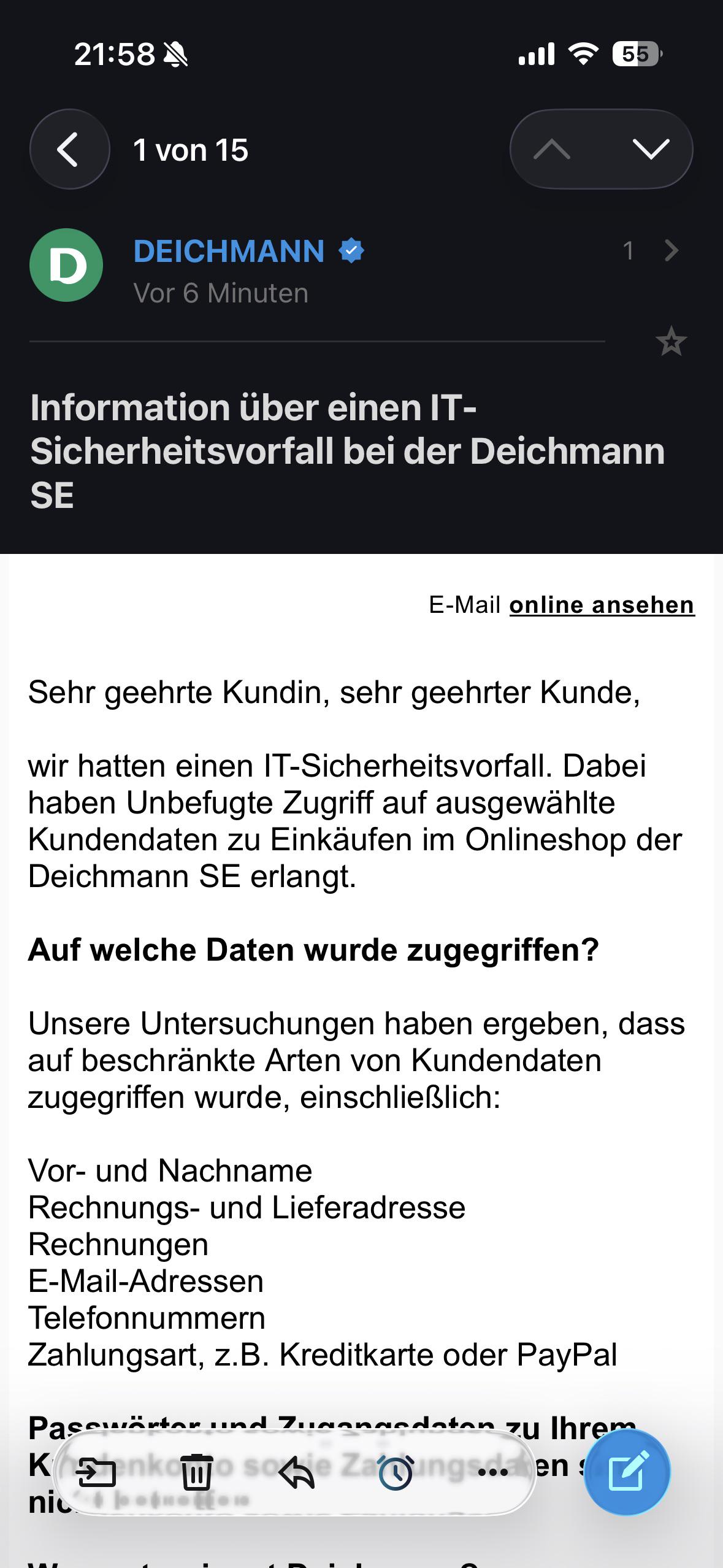
Deichmann IT-Sicherheitsvorfall?

Post image
5 Upvotes

Ist das echt ? Die Email war: info@email.deichmann.de


r/CyberAdvice • • 14h ago

Think that you’re anonymous online? AI can blow your cover

Thumbnail
news.northeastern.edu
1 Upvotes

r/CyberAdvice • • 14h ago

Help. Is there anyway of knowing if my account is hacker free?

Thumbnail reddit.com
1 Upvotes

r/CyberAdvice • • 15h ago

Remotely Managed Accounts revealed on my iPhone and my smart tv

Thumbnail reddit.com
1 Upvotes

r/CyberAdvice • • 15h ago

Did someone hack me?

Thumbnail
gallery
1 Upvotes

r/CyberAdvice • • 1d ago

Second-hand hardware

3 Upvotes

Besides certified refurbished, how much should used networking devices be scrutinized? Modem, router, switch, wifi access etc? I am skeptical of used harddrives.

Who operates an isolated device to test these before incorporating into their network?


r/CyberAdvice • • 1d ago

How do these WhatsApp “hack” work?

Thumbnail reddit.com
2 Upvotes

r/CyberAdvice • • 1d ago

Cyber bullying and harassment

3 Upvotes

Guys I have been suffering from cyber bullying and harrassment ,

There is a group of people who is texting me and my family members my neighbourhood via various Instagram accounts , Facebook and Whatsapp numbers I don't know what they want why are they doing this . Me and my family are suffering from a lot of mental trauma . I have logged three complain at our national cyber crime portal but now the attacker is telling his name and threatening us by showing our national identity card details , and by texting everyone related to us and connected to us by various means I am in too much stress that I want to kill myself thats what he wants I know the person who is doing this I have his socials , official accounts but I don't know how to track them and what to do about them . Please is there is anyone who can help me out in any means to track them and get the proofs against them .

Please help me out or reach me out via dms.

I am an f20 from Pakistan.


r/CyberAdvice • • 1d ago

Hackeo

0 Upvotes

Hola alguien me puede ayudar a recuperar una cuenta de Google que una persona me la robo. Y la quiero recuperar por qué tengo en esa cuenta unas cosas que necesito.😭😭🙏


r/CyberAdvice • • 1d ago

My friend is in trouble please help plz read the body

Thumbnail reddit.com
1 Upvotes

r/CyberAdvice • • 1d ago

Google account hacked with an old e-mail, please help.

Thumbnail reddit.com
1 Upvotes

r/CyberAdvice • • 1d ago

PSA: Black Friday scam texts are asking for your 2FA code this week. Here's how it works 👇

Thumbnail
reddit.com
1 Upvotes

r/CyberAdvice • • 2d ago

What's the best identity theft protection service right now?

7 Upvotes

Hey everyone, I'm looking for the best identity theft protection service after a recent breach exposed a bunch of my personal info (email, phone, and some account details).

I’m feeling pretty uneasy heading into the holidays. With all the extra shopping, online orders, and general chaos this time of year, the last thing I want is to deal with identity theft on top of everything else. I’ve been looking into extra protection and spent some time comparing five main services people keep recommending.

I'm just an average user trying to make sense of this, so correct me if I got any details wrong or missed something important. Prices are approximate and based on information available as of today.

1. Aura - Best overall identity protection service

Aura seems like one of the more straightforward all-in-one options. It bundles identity and credit monitoring with basic digital security tools (VPN, antivirus, password manager) under one subscription. Every plan also includes three-bureau monitoring.

Aura also does data broker removal and home/auto title monitoring. Insurance is $1M per adult (up to $5M on the family plan). They offer a 14-day trial and 60-day money-back guarantee on annual plans.

One thing that stands out in user reviews is its relatively straightforward setup, real time alerts, and US based customer support.

Aura pricing

PlanAnnual (per month)Monthly billingCoverageInsurance
Individual$12$151 adult, 10 devices$1M
Couple$22$292 adults, 20 devices$2M
Family$32$50Up to 5 adults + kidsUp to $5M
Kids$10$13Kids onlyNot included

2. Coveron - Best value for identity protection

Coveron (formerly NordProtect) comes from the company behind NordVPN. It focuses on identity monitoring, scam protection, and financial security. Full plans include three-bureau monitoring on the top tier, dark web scanning, financial alerts, and extra tools like NordVPN, antivirus, and Incogni data removal.

It offers up to $2M in identity theft recovery coverage plus separate limits for cyber extortion, home title fraud, online fraud, and cyberattacks. Recovery support includes a case manager, meaning it isn't fully automated.

Note: U.S. residents only, with some geographic exclusions on benefits (e.g., New York). Comes with a 30-day money-back guarantee. Best rates usually require paying for 1 or 2 years upfront.

Coveron pricing (approx.):

PlanMonthly1-Year (per mo)2-Year (per mo)Key notes
Scam Protection$12.49~$5.99~$4.99Basic scam/dark web
Identity Theft Protection$18.49~$6.99–7.99~$5.99–6.991-bureau + $2M insurance
Full Protection$30.49~$10.99–11.99~$9.99–10.993-bureau + VPN/antivirus
Full Couple/Family—HigherHigherMulti-adult + kids

3. LifeLock - Great identity protection coverage, but expensive

LifeLock (by Norton) is one of the most recognizable identity theft protection services.

It offers three main individual plans. Core monitors two bureaus and has lower stolen-funds limits. Advanced and Total add three-bureau monitoring, more account alerts, and higher reimbursement (up to $1M stolen funds and $3M total on Total, plus scam reimbursement on higher tiers).

Liefelock includes restoration specialists on every plan, as well as automatic data broker removal. Annual prices tend to renew at the same rate. It comes with a 30-day trial and 60-day money-back on all annual plans.

The biggest downside seems to be the price, especially for the higher tiers. Still, some people prefer going with an established company that has been in this business for years.

LifeLock pricing for 1 adult (approx.):

PlanAnnual totalEffective monthly (annual)Monthly billingBureausStolen funds limit
Core$124.99~$10.42$12.492Up to $25K
Advanced$199.99~$16.67$19.993Up to $100K
Total$349.99~$29.17$34.993Up to $1M

4. Identity Guard

Identity Guard emphasizes monitoring and is cheaper than most (at least on an entry level). The Value plan covers dark web, SSN, and basic alerts, though it skips on credit monitoring. Total and Ultra add three-bureau monitoring, credit locks, and extensive support. Ultra also adds white-glove fraud assistance and higher insurance limits that go up to $5M. Insurance on lower tiers is generally $1M.

One thing to watch out for is pricing. Identity Guard frequently offers discounts for the first year, but renewal prices are considerably higher.

Identity Guard pricing (approx., individual; renewals higher):

PlanMonthly rateFirst-year annual (examples)Renewal annualNotes
Value~$7.50As low as ~$54–$90~$108No credit monitoring
Total~$16.67~$120–$200~$2403-bureau monitoring
Ultra~$25.00~$180–$300~$360Higher insurance/support

5. IDShield

IDShield (from LegalShield) stands out for its restoration process. If your identity is stolen, licensed private investigators help you deal with the situation and work through the recovery process.

Plans are simpler: you mainly choose between 1-bureau or 3-bureau monitoring. It includes dark web, SSN, financial monitoring, data removal tools, VPN, antivirus, and password manager. Reimbursement goes up to $3M for covered expenses. Family plans cover two adults plus dependents. Surprisingly, there are no annual discount so you pay the monthly rate. Comes with a 30-day money back guarantee.

IDShield pricing (approx., monthly):

Plan1-Bureau3-BureauCoverage
Individual$14.95$19.951 person
Family$29.95$34.952 adults + kids

Any other good identity theft protection services to consider?

All in all, each of these services seems to have their strengths. Any other options I missed?

Aura seems to be perfect for individuals and families wanting everything in one place. Coveron is solid if you're comfortable paying upfront for a longer subscription. LifeLock offers substantial coverage on its higher tiers, although it isn't cheap. Identity Guard could work for someone who mainly wants basic monitoring, while IDShield stands out for its hands on recovery assistance.

Has anyone used these recently? Which one would you actually recommend for someone in my situation (post-breach, wanting solid monitoring + recovery help without overpaying)? Any gotchas with renewals, alerts, or customer service I should know about? Appreciate any real feedback!


r/CyberAdvice • • 1d ago

Cyber bullying and harassment

1 Upvotes

Guys I have been suffering from cyber bullying and harrassment ,

There is a group of people who is texting me and my family members my neighbourhood via various Instagram accounts , Facebook and Whatsapp numbers I don't know what they want why are they doing this . Me and my family are suffering from a lot of mental trauma . I have logged three complain at our national cyber crime portal but now the attacker is telling his name and threatening us by showing our national identity card details , and by texting everyone related to us and connected to us by various means I am in too much stress that I want to kill myself thats what he wants I know the person who is doing this I have his socials , official accounts but I don't know how to track them and what to do about them . Please is there is anyone who can help me out in any means to track them and get the proofs against them .

Please help me out or reach me out via dms.

I am an f20 from Pakistan.