r/Ender3V3KE • u/Apprehensive_Bee792 • 3h ago
Troubleshooting Ender 3 V3 KE Nozzle overextrudes(?)

1
Upvotes
r/Ender3V3KE • u/Teense • Feb 18 '24
It's been almost a month since I got the V3 KE as my first printer. In that time, I've learned a few things that I'd like to share.
You may notice on this subreddit is that it depends on how well the printer is assembled and it really varies from piece to piece.
If your V3 KE has a problem right off the bat, reclaim it immediately and insist the manufacturer is at fault, these printers aren't perfect, but they're value for money.


These are all my findings for new owners of this printer. If you still have a recommendation, post it in the comments, I'll be happy to add it to the list.
I'm keeping the post up to date, check out the comments too, you'll find more great advice.
r/Ender3V3KE • u/2k6kid50 • Dec 20 '24
For those looking for troubleshooting help, please read below to ensure you can get the best help from our community.
There have been countless posts with insufficient information or poor video/picture quality leading to less helpful interactions.
Please keep the following in mind when looking for help from the sub.
Thanks to U/AskMeWhyIFish for the suggestions
Happy Printing!
r/Ender3V3KE • u/Apprehensive_Bee792 • 3h ago
r/Ender3V3KE • u/NullDrift_ • 12h ago

Printing this with 0.6 line widths on a 0.4 nozzle. The rings are 1 mm.
Everything comes out great in my opinion but there are two spots, recurring (on 3 of the 3 printed parts so far) where one side of one honeycomb cell is "weak" or faded as you can see. For reference I've put one of the many good sides.
My settings, (apologies for lack of unit of measurement, I know you know):
SUNLU TPU 95a on an Ender 3 V3 KE Ran calibration before printing
OrcaSlicer 2.5.2
Bed 55
Nozzle 200 for all layers
Volumetric speed 4
Fan 50%
All speeds at around 30/45 and first at 15
Z Hop zero
Retraction 0.8 at speed of 25 also for deretraction
Flow rate 1
Pressure advance 0.045
I have no idea why this happens recurringly on probably the same walls, it seems like a geometry difficulty as that specific angle on the bed is causing issues.
Any idea is welcome!
r/Ender3V3KE • u/Modern_Modernity • 23h ago
It has happened two times, both times I just turn it off and then on and the sound dissappears, but I have the concern that something is wrong with my printer. The printer is relatively new and I haven't used it a lot.
r/Ender3V3KE • u/Modern_Modernity • 21h ago

I have been using the nebula camera and it's very good actually the only problem I have with it is that the AI error detection always gives me false positives that's why I deactivated the option of stopping the print if an error was detected.
r/Ender3V3KE • u/Tartaglia5543 • 1d ago

just wanted to show this insane first layer i got today, i let it keep going out of pure curiosity
calling it a fluke b/c i tried printing again and it worked fine (image 3 on left) guessing this was just a bed leveling bug tbh
not significant but just wanted to share
r/Ender3V3KE • u/SkiPMurfT • 3d ago
Hey everyone, I recently came across OpenKE and found out it's a fork of GuppyScreen made for the Ender 3 V3 KE. Honestly, I like its interface a lot more than the original GuppyScreen, and I'm thinking about installing it. I wanted to ask if anyone here is using it and how it's been working for them. Is it stable? Does it have many bugs or issues? I'm also a bit worried about the screen stopping working or having trouble going back to the original Creality firmware. Is it worth installing, or is it better to stick with the original GuppyScreen? I'd like to hear some real experiences before giving it a try. Thanks!
r/Ender3V3KE • u/abbassav • 4d ago
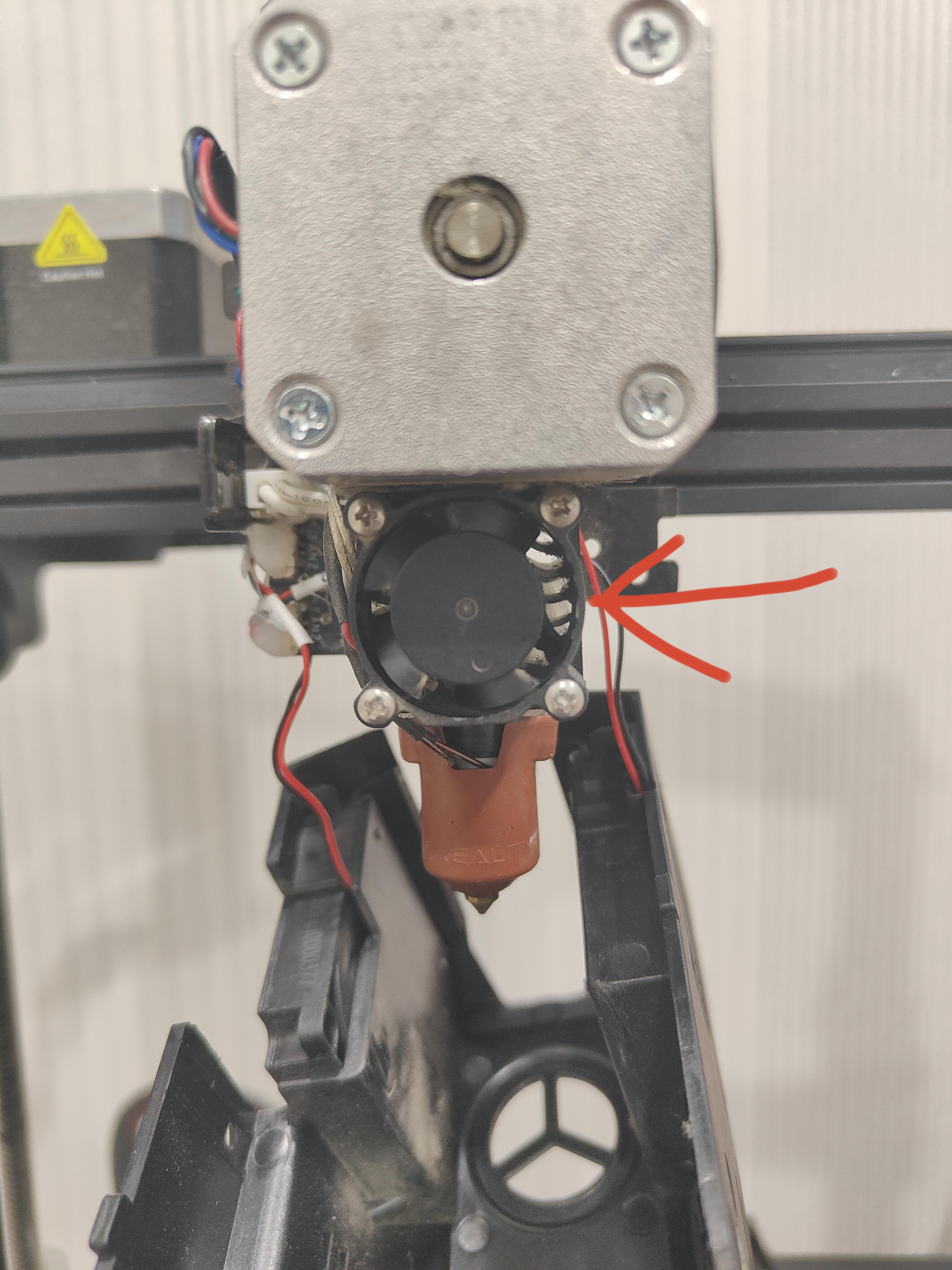
The heatsink fan of my KE has a broken blade and is causing vibrations, and also I assume is causing heat creep.
My question is, can I use a generic 2510 12v fan from Amazon to replace it or should I buy the official Creality fan?
The generic ones are like INR 300 (~$3) while the one from Creality is like INR 3500 (~$37).
I'm relatively new to 3D printing (about 6 months of experience) and the KE is my first printer. Any and all help is appreciated, thanks for reading.
r/Ender3V3KE • u/NullDrift_ • 6d ago

UPDATE 2 - 11/25/2026 (evening): YES!!! Amazing print, this looks as good as PLA, insane. Thanks, everyone!
Photos of the successful print: 👉 https://imgur.com/a/t4ng1T5
UPDATE 1 - 11/25/2026 (afternoon): Photos of the current build: 👉 https://imgur.com/a/jim93VY
I've taken the time to print mods for my Ender 3 KE that improve its overall printing performance:
💻 My Filament and Process Settings at the time the issues appeared (updates above notwithstanding): 👉 https://imgur.com/a/LxHh948
Hi everyone,
I'm printing for the first time with TPU 85A by Siraya. I did my calibration and printer some test parts and all was good.
When I printed this... This happened.
I'm thinking the problem might be in the model because it's just one line width at 0.4/0.6 and I was printing this in 95A which worked fine... But I am not sure this is viable for something so soft like 85A.
I recently moved my Retraction to Length 2.5 and speed 40, including Deretraction. This looked good on test models and stringing was basically close to nothing.
I'm just hoping I can get more insights here before I start again. Maybe you folks can recognize an issue right here (and again, it's possible it's my design).
I don't want to use any AI to get help, I'd rather wait and get help from real people.
Tbanks! 🙏
r/Ender3V3KE • u/Cold-Eggplant1271 • 7d ago
r/Ender3V3KE • u/ImGirlan • 7d ago
r/Ender3V3KE • u/Lorkanus • 7d ago
Hi folks, My extruder started making "jumping" noises to I took it off, cleaned and readjusted it and fitted it back on.
Now neither the bed or the hotend will heat. There are no error codes. but when you enter a target temp it flashes the orange heating icon for a second then goes back to the grey ambient temperature reading (which are both normal room temp).
I Replaced the hotend and thermistor and have reseated all the connections but it is still the same.
Other than the motherboard having dies while the printer was powered down is there anything else I can try?
Thanks.
r/Ender3V3KE • u/numero908 • 7d ago
Hi! I have a problem with my V3 KE, when I start a print, it will home the Y axis and do some very light movement in the X axis as if it had pressed the endstop switch, independently of the actual toolhead position. So if the toolhead was at the middle of the rail when I started the print, it will crash the other end of the rail (skipping steps) until it settles almost in position because of the skipping. The only way I have to prevent it is manually moving the toolhead to the X=0 position when starting the print (to where endstop would be being triggered) so it doesn't start with an offset because it won't auto home that axis
The printer prints well after that and doesn't have skipping or layer shifting mid print
Have you experienced this? What should i try?
r/Ender3V3KE • u/Civil-Reflection1762 • 7d ago
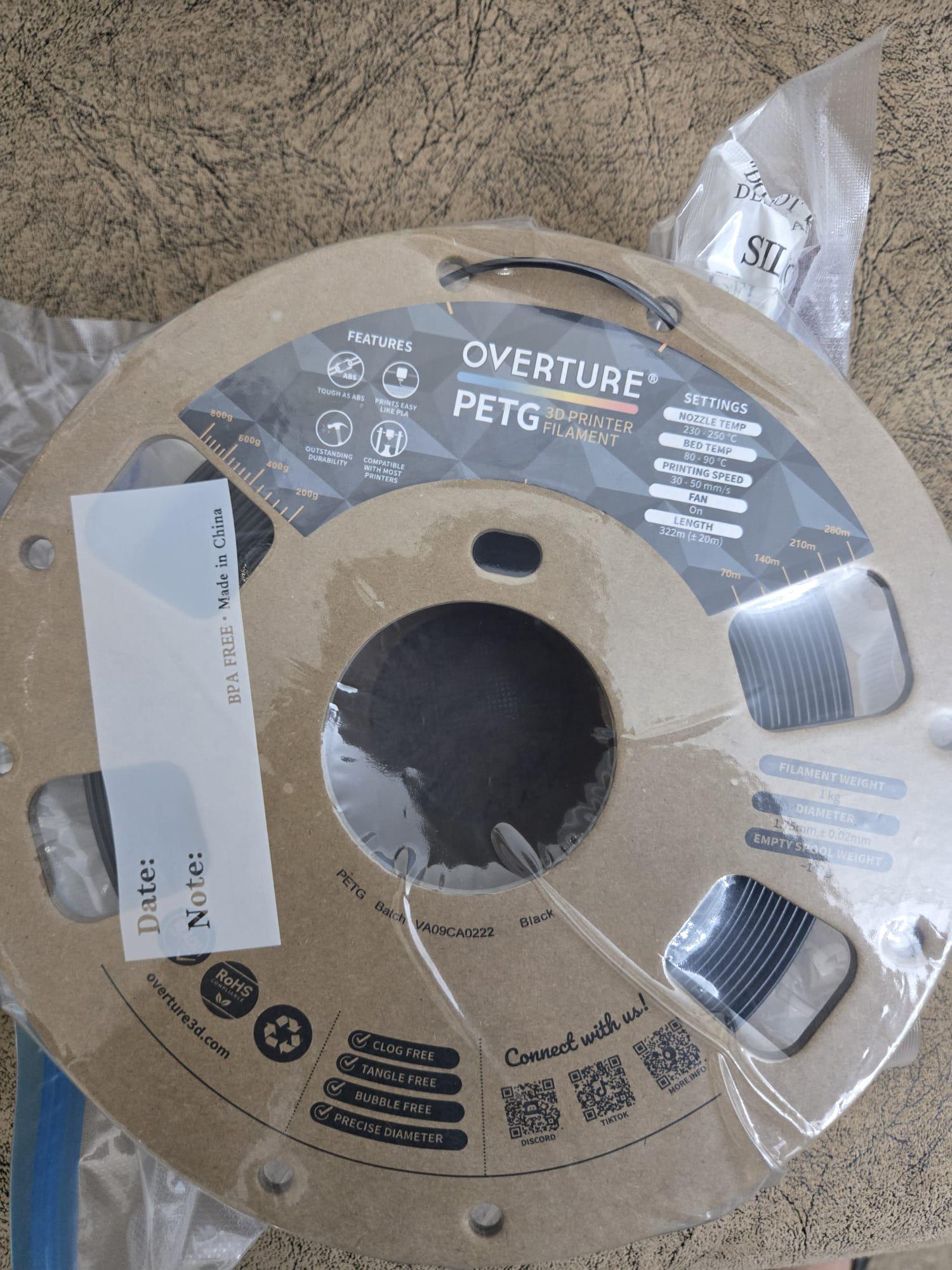
Hey everyone, I’m having an issue with this specific spool of Overture Black PETG
I’m using the default Creality Print PETG profile (with the bed temp set to 75°C for better adhesion), and every other PETG filament I’ve used prints completely fine with it. However, with this specific spool, I’m getting noticeable stringing and uneven/visible layer lines.
A couple of extra details:
Does anyone have tips or specific slicer settings that worked well for getting clean prints with Overture PETG
r/Ender3V3KE • u/SoaringSorrow94 • 8d ago

Trying PETG out for the first time and have tried watching a couple videos making changes to volumetric speed, temps, retraction, fan adjustments, etc. Still looks like doodoo lol. Any tips or advice or maybe settings you use? Thank you
Filament is Anycubic texture Grey PETG
r/Ender3V3KE • u/Manuker • 8d ago

Im replacing my heatsink fan with a new larger one. But stupidly didnt take a before picture. Does it go in from the left hand side or the front? A really stupid question I know.
r/Ender3V3KE • u/SiverTongue2 • 8d ago
I've been trying to print in TPU for the first time and i've came across an issue with the sprite extruder not being able to grip tight enough to have proper extrusion. It seems the gears are just too far apart to not slip. Im also able to fairly easily pull the filament out by out even with max tension.
Has anyone experienced this and is there any solution to this, larger idler, coating the gears or something?
r/Ender3V3KE • u/ZeroDayBurn • 9d ago
r/Ender3V3KE • u/xodotis • 10d ago
Hello Creality Engineering Team,
I would like to report a potential firmware bug affecting the Ender-3 V3 KE during filament changes using PAUSE/RESUME.
Environment
/usr/data/printer_data/config/gcode_macro.cfgProblem description
During multicolor printing with manual filament changes, the printer intermittently experiences nozzle scraping and print defects immediately after resuming.
The issue is particularly noticeable when printing multiple objects simultaneously.
After a PAUSE command, the printer raises the Z axis, moves the toolhead to its parking position, and waits for the filament change.
When RESUME is executed, the nozzle sometimes scrapes the previously printed surface, leaving visible marks and occasionally damaging fine features or causing filament accumulation.
Normal printing operations work correctly, and the scraping is not observed during ordinary travel moves.
Potential root cause
While inspecting the firmware macros, I identified a numerical precision inconsistency:
The PAUSE macro stores z_safe_pause as a floating-point value, but the RESUME macro retrieves it using an integer conversion:
{% set z_resume_move = printer['gcode_macro PRINTER_PARAM'].z_safe_pause|int %}
This truncates the decimal portion of the saved Z displacement, potentially introducing a positioning discrepancy during resume.
Proposed correction
File: /usr/data/printer_data/config/gcode_macro.cfg
The following changes were applied to the RESUME macro:
z_safe_pause|int → z_safe_pause|float> 2 → > 2.0z_resume_move - 2 → z_resume_move - 2.0Z-{z_resume_move} → Z-{z_resume_move:.3f}The modified configuration was successfully loaded after restarting Klipper.
This correction preserves floating-point precision throughout the Z recovery calculation.
Validation status
The configuration change has been applied successfully. Additional repeated print testing is still required to confirm whether it eliminates the intermittent scraping behavior completely.
Requested action
Could your firmware engineering team please:
A similar issue has also been discussed in the Creality Community Forum:
https://forum.creality.com/t/ender-3-v3-ke-shifting-layers-after-pause/15220
Thank you for your attention. I hope this technical report helps improve the firmware reliability for other Ender-3 V3 KE users.
Best regards
r/Ender3V3KE • u/laidbackdave • 10d ago

I’ve had my printer for about a year and a half and I only use it periodically to solve problems around the house. It generally works really well, but today after a few months of not printing I had a bad result. Before doing this print I dried the filament in my dehydrator overnight at a temp of 145-160F, the temp fluctuates constantly. The filament is CREALITY CR-PLA. My nozzle temp was 240 and the bed was 70. Any advice or input is greatly appreciated.
r/Ender3V3KE • u/Smooth-Succotash4697 • 11d ago

r/Ender3V3KE • u/LowExpectations3750 • 11d ago
I have had this printer for about 2 1/2 years, new out of box. I'm a pretty low duty cycle hobbyist user, only print PLA, never made any mods to the printer. It has worked pretty much flawlessly the entire time and I feel like I have it dialed in for my needs.
Two weeks ago I shut it off after printing a small project box. A few days ago upon power up it runs (more or less normally) for 15 seconds to a couple of minutes, then jumps back to the "machine powering up" screen. Sometimes the touchscreen isn't responsive after this and I have to cycle power. When it did run for more than a few seconds it would respond to "home xy" and heat the build plate so I thought the power supply was probably OK.
First thing I did was check all the connectors and screws.
I've tried reflashing the firmware (which finished successfully), now it does the same thing but loops back to the "choose your language" screen. I got a new Nebula module, but it does the same thing and keeps looping back to the start up screen. No error messages have ever shown up.
Seems like there are only 3 main components here - Nebula module, main board and power supply. Only reason I suspect the main board is that it probably has the regulators for all the lower voltage parts. Any ideas what is at fault here or what I can check next?
r/Ender3V3KE • u/tymek010 • 12d ago

Hello im looking to buy ender 3v3ke secondhand and i found one with very good discount but with broken bed cable (look photo). Will this be very hard to repair? Is there a way to get to the place where this cable goes? For context I own a soldering station and know how to use it but and got some experience in electronics but this would be my first printer and I dont want this to be unrparable fix.