r/EveHome • • 1d ago

Eve Flare Replacement charger for Eve Flare

4 Upvotes

Hey everyone,

I received an Eve Flare (Model: 20EAX9901) as a gift, and my charger stopped working. Since Eve doesn't seem to sell replacement charging pucks/adapters separately (or i just didn't find any), I wanted to check if anyone here has a spare one lying around (maybe from a broken lamp) that they'd be willing to sell or part with.
I'm located in Hungary (EU).

Thanks in advance!


r/EveHome • • 3d ago

Eve Thermo

0 Upvotes

Eve Thermo doet het niet op mijn iPhone 16


r/EveHome • • 11d ago

Eve Light Switch No fade on/off for the Eve Dimmers??

3 Upvotes

I bought some Eve Dimmer switches bc I love the look of my standard Eve switches. I was shocked to see there is no fade on / fade off setting when you flip the physical switch?? My TPLink $20 switches have had that feature since at least 2020. Crazy that a high end switch as expensive as this doesn’t let you customize that. For a high end home, that Lutron type fade is something hard to live without once you’ve had it.

Anyone figured out a hack or workaround? Going to return them if not, it might seem petty but I have some very high end LED light fixtures and the fade looks so great I can’t live with them abruptly flashing on and off.

What’s also dumb is It is already an existing setting in matter that Eve is choosing not to expose. They don’t even have to program anything new??


r/EveHome • • 12d ago

Eve Cam feed suddenly too dark

2 Upvotes

I've had the Eve Cam for about a year and it's worked well until now. A few days ago I noticed the four red LED lights on the Cam that are usually lit at night when I'm home are no longer lit. I think they have something to do with night vision, although the camera is set to be disabled when I'm home. The next time I left my home at night I checked the feed and it was extremely dark, almost pitch black. I turned off the night vision and turned it back on and the feed was back to normal and I could see everything very well via night vision. But the next day it went back to almost pitch black. I turned off night vision again and without turning it back on, in the feed I could see pretty much everything because of some light spilling in from another room. Then I turned on night vision and I could see everything again but this time via night vision. So it's not even that night vision isn't working right. Even the regular vision feed at night doesn't work properly, until I toggle off the night vision setting. That makes this extra odd.
Obviously this is a problem because the camera is useless at night unless I manually switch off/on night vision every night (and even then I don't know if it goes back to black after a couple hours.
Anyone else experience this or have any ideas? Thanks


r/EveHome • • 15d ago

Eve Thermo kalibriert sich täglich (leider nachts)

5 Upvotes

Moin zusammen, ich habe zwei Thermo Gen4 via Matter an einem Samsung Smartthings Hub.

Mir ist aufgefallen, dass beide Thermostate sich täglich kalibrieren, sprich einmal komplett öffnen und schließen.

Das passiert leider zu nicht kontrollierbaren Zeiten, und im Schlafzimmer leider genau um 1:00. Und da die Thermostate nicht gerade leise sind, suche ich nach einer Möglichkeit die Kalibrierung entweder zu deaktivieren oder wenn möglich zeitlich anzupassen. Gibts da was?

Ps ich habe die beiden gebraucht bereits mit Matter Code gekauft falls das relevant sein sollte und nie über die Eve Plattform gesteuert, nur Smartthings.


r/EveHome • • 17d ago

Will Eve Thermo receive certification for hydraulic balancing?

5 Upvotes

Hi everyone,
I was wondering if there are any plans for the Eve Thermo to receive TÜV certification for hydraulic balancing (hydraulischer Abgleich), similar to products from other manufacturers like tado° and Homematic.
Has anyone heard anything about this or received any information from Eve?


r/EveHome • • 17d ago

Eve Energy Gradually moving over to Eve Energy plugs from Wemo -- Eve appears to be much more reliable

11 Upvotes

I've used Eve smart wall switches for years and found them to be rock-solid when used with Apple's Homepods -- but for some reason remained loyal to wonkier WEMO smart plugs.

Lately I've been having trouble adding automations to the WEMO plugs, so out they go, gradually, in favor of Eve Energy smart plugs. So far, so good!


r/EveHome • • 26d ago

Eve Door & Window Door&Window Sensor

4 Upvotes

I’m having trouble with my door sensor since I changed the battery. I finally got it added back to the Eve App and Apple Home. Now it will not stay connected. Could it be the new battery causing the issue?


r/EveHome • • 28d ago

Rechargeable batteries for Eve Thermo

8 Upvotes

I have more than 40 Eve Thermo 4th generation thermostats at home. I first powered these with conventional alkaline AA batteries. But the thermostats often became flaky well before the Eve App showed that the batteries were discharged, for example with 40 or 45 or 50% charge remaining. Replacing the batteries fixed this.

I have found a good solution: a specific model of rechargeable 1.5v batteries based on Li-Ion 3.7v cells plus an internal DC/DC converter.

There are a number of brands/types of these 1.5v Li-Ion AA batteries, but IMO most are unsuitable. This is because they produce a steady 1.5 volt output until they are almost completely discharged. Then they switch to a 1.1 volt output, then shut off entirely. This means that the Eve App shows full battery charge for a long time. Then from one day to the next, the remaining charge drops to almost zero. Then the Thermo goes offline.

The good solution, which I have now tested extensively, is the XTAR model AA CLR 4300. These are 1.5V AA rechargeables with 2700mAh capacity. The important feature is that during about 70% of the discharge cycle they have a constant 1.5v output. Then, when about 30% charge remains, the voltage starts to smoothly ramp down. See the red curve below.

Red curve shows the battery output voltage as a function of the charge withdrawn from the battery.

These batteries work well in my Eve Thermos. The capacity shown in the Eve App is typically 90% or 95%. As soon as the Eve App shows charge below 70%, the batteries are mostly discharged (see curve above) and can be removed and recharged. But there is no urgency to this. Unlike the conventional shut-down type (dotted blue curve above) you have plenty of time to swap them, and the performance does not get flaky.

The only disadvantage to these batteries it that (a) they cost about 6 Euros each and (b) they require a special charger (I use a XTAR VX4 V2). In my case, with lots of Eve Thermo, it is worth it. The fact that the batteries maintain a constant 1.5v over most of their discharge cycle means that the thermostats are reliable and not flaky, and the linear discharge curve means that you have plenty of warning when it is time to recharge them.

Note: I am not associated in any way with XTAR. Just enthusiastic about these batteries for this application.


r/EveHome • • Oct 29 '26

Updated firmware for Eve Thermo 4th generation

41 Upvotes

This web page from the Connectivity Standards Alliance:
https://csa-iot.org/csa_product/eve-thermo/
shows that Eve Systems has certified firmware version 3.6.5 for the Eve Thermo 5th generation (SKU 20ECD1701). This firmware supports Matter version 1.4.1 .

The web page above shows that this same 3.6.5 firmware is also certified for the Eve Thermo 4th generation (family variant, SKU 20EBP1701). So far, the latest firmware that Eve Systems has released for Eve Thermo 4th generation is version 3.5.2, supporting Matter version 1.3 .

Could Lars (the Eve Systems Reddit spokesperson, see link below) please explain why this newer firmware, which is certified for Eve Thermo 4th generation, has not been issued for Eve Thermo 4th generation?
https://www.reddit.com/user/meeteve_official/
It has been about 16 months since the the last firmware update for Eve Thermo 4th generation. Many of us who own these are eager to get the 3.6.5 update. We hope that this will address some of the issues that we have encountered.

EveHome followers: if you care about this topic, please (1) follow the link above, and send Lars a short note asking him to reply, then (2) upvote this post to indicate your interest to others.


r/EveHome • • Oct 28 '26

Reseting Eve Thermo Control

3 Upvotes

After a recent Homepod Mini OS update, two of my 8 Eve Thermo Control lost their connection. After 16 hours, they had still not reconnected.

To reset these WITHOUT losing any of the configuration settings, simply hold the reset in the back for about five seconds and then release it. The display will invert/flash a couple of times and then it will reboot.

Unlike the documented factory reset, which also involves front panel buttons, this will NOT do a factory reset and loose the configuration settings.

I have no idea why Eve Systems does not document this simple procedure.


r/EveHome • • Oct 23 '26

Ditched my outdoor motion sensor

8 Upvotes

In January this year, I bought an Eve outdoor motion sensor to turn lights on my deck on and off.

It was to replace an old Hue motion sensor that had a cracked shell - and my intent was to move to Matter devices.

Last night, I tossed it in the trash and put a new Hue outdoor motion sensor back up in it's place.

During my less than 1 year of use, I've had to reset and re-pair it with my Home setup multiple times. I have somewhere in the region of 30 Matter devices in my Home, many further away than the motion sensor, some outdoors, too - including an Eve weather station on Matter - and none of them have been as unreliable as this one motion sensor.

So, back to Hue I've gone.

I get the impression Eve has walked away from many of their products, I don't find the power switches particularly reliable in Home - but this one particular device, was shockingly bad.

No real point to this, just sharing my frustrations!


r/EveHome • • Oct 21 '26

Eve Energy Matter Upgrade - permanenter Verbindungsfehler zum Zertifizierungsserver

5 Upvotes

Ich versuche seit Tagen vergeblich meine Eve Energy Geräte auf Matter upzudaten. Egal was ich bereits versucht habe, erhalte ich immer einen Verbindungsfehler zum Zertifizierungsserver.

Den Fehler erhalte ich bei all meinen Energy Geräten

  • FritzBox und Thread Board Router (Homepod mini) neu gestartet
  • Energy Steckdosen zurückgesetzt und neu in Apple Home eingebunden
  • Mit iPhone und iPad versucht

Hat noch irgend jemand einen Ansatz was ich draüber hinaus versuchen könnte?

VG


r/EveHome • • Oct 18 '26

I’m done with Eve

35 Upvotes

Garbage products that not even Eve stands behind and refuses to honor their own warranty. I thought to Eve Aquas this spring. The first one barely lasted a month before the valve stopped opening and closing and ran our outdoor faucet for 48 hours. I contacted Eve support and the minute they found out I didn’t buy it from them they refused to honor a warranty and forced me to go back to the authorized dealer to replace after the 30 day return period. Now the second died at the end of the summer. These are the last two products I’ll ever buy from them.


r/EveHome • • Oct 18 '26

Eve Energy Eve Outlet vs Smart Plug Thread Signal

5 Upvotes

Hey all, does anyone know if there a difference in signal strength of Thread broadcasting between the Eve Energy smart plug vs the Eve Energy Outlet? All the outlet boxes in my home are metal; not plastic. With that said im wondering if that would interfere with or diminish the Thread signal on the outlet vs using the external smart plug if my goal is to help increase my Thread coverage. Thanks in advance!


r/EveHome • • Oct 05 '26 Bravo

Recovering Eve Matter-over-Thread devices after deleting an Apple Home: successful rebuild and lessons learned

13 Upvotes

Recovering Eve Matter-over-Thread devices after deleting an Apple Home: successful rebuild, IPv6 findings, and lessons learned

I’m sharing this because the discussions here helped us recover a setup that initially looked unrecoverable. After an accidental Apple Home deletion, multiple previously working Eve devices would no longer commission into a replacement Home, even after accessory resets and attempts with the correct Matter codes.

We eventually recovered commissioning and normal operation without replacing the affected hardware. The successful intervention was a staged rebuild of the Apple Home/HomePod environment. Several variables changed together, so this is a documented recovery case—not proof of a single root cause.

The recovery described below took place on 4 October 2026. The results are functional checks performed during recovery; I cannot yet claim long-term stability.

Our environment included one HomePod mini serving as the permanent Apple Home hub and Thread border router, Eve contact sensors and smart plugs, an iPhone 15 Pro used by the Home owner, additional iPhones/iPads, and a UniFi network with multiple VLANs and access points. We also had a Philips Hue Bridge and an iPad running Controller Hub. The iPad’s Controller Hub role was separate from the HomePod’s Thread border-router role.

The HomePod was on 27.0 before and after the rebuild; the verified post-restoration build was 24J361. This recovery did not depend on downgrading it.

What failed initially

The original Home disappeared from multiple Apple devices. The deletion appeared to have been initiated through Controller for HomeKit; its effect extended to the shared Apple Home configuration.

When trying to add the Eve devices again, we repeatedly encountered:

  • Accessory Not Found
  • Unable to Add Accessory
  • Pairing Failed
  • Attempts remaining at “Connecting” before timing out.

Resetting accessories, removing and reinserting batteries, moving devices closer to the HomePod, and removing obsolete entries from iOS Matter settings did not individually resolve the problem. For at least one affected device, we checked that the saved Matter code corresponded to that device’s serial number.

Some entries in Settings → General → Matter Accessories still displayed the deleted Home’s name. That looked significant, but it was not evidence that those accessories were actively connected to the old Home. We never inspected their live Matter fabric tables.

Apple distinguishes removing a stored setup-code record from iCloud Keychain from removing a connected service. Those operations should not be treated as interchangeable with a physical factory reset. Apple’s explanation of Matter accessory records and removal options.

The IPv6 investigation produced useful evidence, but no “enable IPv6” fix

We verified the commissioning phone’s actual VLAN assignment rather than relying on the Wi-Fi name. The owner’s phone was moved onto the same IoT VLAN as the HomePod for the recovery test.

Before rebuilding, local diagnostics already showed:

  • A locally advertised IPv6 ULA prefix and SLAAC addressing.
  • A route towards a distinct Thread off-mesh-routable prefix through the HomePod.
  • Successful IPv6 pings to both the HomePod’s LAN link-local address and its LAN ULA, including a test across two access points.
  • A discoverable _meshcop._udp border-router advertisement.

These observations had limits: pinging the HomePod’s LAN interface did not prove reachability of an individual Thread accessory, and a discovery advertisement did not establish that Matter commissioning was working.

We made no global IPv6 or multicast configuration changes during the successful recovery procedure. UniFi’s network configuration displayed IPv6 as “None,” yet the local IPv6 observations above were present.

Thread’s local IPv6 requirements should be distinguished from Internet/WAN IPv6 service. Thread border routing supports locally generated ULA prefixes when an upstream prefix is unavailable. Thread Group’s Thread 1.3 technical paper, section 4.1.

The failed-attempt logs also discouraged a premature IPv6 diagnosis

A filtered iPhone commissioning log contained repeated discovery timeouts. It did not establish successful PASE session setup or progression into Thread provisioning and operational discovery.

That matters because device discovery, PASE, network provisioning, and operational discovery are different commissioning stages. A failure early in discovery is insufficient evidence of a broken operational Thread/IPv6 path. The filtered log was incomplete, so we treated this as a diagnostic indication rather than definitive proof of the last stage reached. Matter commissioning stages.

The sequence that worked for us

The following involved deleting the already problematic replacement Home. We preserved the available configuration first; this would be a consequential procedure to apply to an otherwise working installation.

  1. Preserved recoverable configuration and setup codes. We saved Controller backups and independent copies, and checked the correct Matter codes. The Hue bridge and its native lighting configuration were retained.
  2. Removed the HomePod while the affected Home still existed. We checked that it actually disappeared from Home, reopening the app where necessary. A button press alone was not accepted as confirmation.
  3. Deleted the affected replacement Home and verified synchronization. On the Mac, Home continued to show its initial welcome screen after quitting and reopening. We also checked that the Home had disappeared from the owner’s iPhone and iPads.
  4. Temporarily reduced the number of participants. After checking that deletion had propagated, we powered down secondary clients and old mains-powered Thread devices for the initial test. Unplugging those devices temporarily stopped their participation; it did not erase their stored credentials. We did not factory-reset the iPhones or iPads.
  5. Restored the HomePod mini through USB using Finder. We waited for Finder’s explicit factory-restoration success message, created a fresh Home, and configured the mini in it. We verified its presence as the home hub and its actual LAN/VLAN assignment. Apple documents this USB restoration procedure for the mini. Apple’s HomePod reset and restoration instructions.
  6. Used one factory-Matter Eve Door & Window as the pilot. This sensor had undergone the manufacturer’s reset procedure. We removed its obsolete iOS Matter accessory record and used the Matter code from its original label. We started with this single sensor near the HomePod and commissioning phone, before reintroducing Hue or the rest of the installation.
  7. Verified real operation before expanding. Pairing succeeded. We physically opened and closed the contact and observed Open → Closed → Open in Apple Home on the Mac. The commissioning iPhone was kept off for that check, so success was not judged solely from control on a Thread-capable phone.
  8. Tested recovery after a normal HomePod restart, then added more devices. A subsequent physical contact change appeared in Home Activity after the restart. We then added an Eve Energy and verified Off → On → Off from the Mac with no load attached. Additional Eve devices were recovered incrementally, and the other Apple clients were brought back into use.

There was an official basis for testing that removal order: Apple’s developer Thread Test Plan, test case TCBR002, describes removing border routers and then deleting the Home to clear stored preferred-network credentials. Its FAQ also discusses clearing the preferred Thread network through Home removal. This is developer test documentation, not a guarantee that every consumer synchronization problem is repaired by those steps. Apple Thread Test Plan.

Several practical lessons were easy to miss

  • Confirm the exact accessory generation and pairing method. We initially misclassified one contact sensor as HomeKit-only; its label showed it was factory-Matter. For Eve devices upgraded from HomeKit to Matter, the generated Matter code replaces the original HomeKit code and remains necessary after a reset. The upgrade cannot be reversed by resetting the accessory. Eve’s upgrade documentation.
  • Check the selected Home in every app. During later recovery, an accessory that failed to add through Controller was successfully added through Eve—but landed in an unintended default Home. A successful pairing message does not confirm that the intended Home received it.
  • Refresh the app before diagnosing stale device state. After the HomePod restart, an old Open tile remained visible even though Home Activity recorded the contact closing. Quitting and reopening Home exposed the correct current state.
  • Preserve independent systems that still work. Hue continued to control its lights through its own app. We re-added its existing bridge without factory-resetting the bridge or bulbs, then recovered names and room assignments for 44 lights. Three Hue lights remained unresponsive; their organizational recovery was verified separately from connectivity.
  • Treat configuration recovery and pairing recovery separately. Our Controller backups were valuable for recovering names, rooms, and configuration. They did not automatically re-establish the Eve pairings in this recovery. We re-added accessories and reconstructed their organization.

What remains unproven

We cannot say whether the decisive factor was preferred Thread-network state, Apple Home synchronization, the HomePod’s local state, commissioning-client state, isolation of old participants, or an interaction between them. We also cannot certify that every historical Thread credential was erased from every Apple device or cloud record.

Starting with Thread before reintroducing Hue made the test easier to interpret. It does not demonstrate that adding Hue first caused the earlier failures.

What we can report is that previously unpairable Eve hardware commissioned again after this staged rebuild, delivered real sensor updates, and continued reporting after a HomePod restart. That result gave us a practical recovery path when repeated accessory-only resets had not been sufficient.


r/EveHome • • Oct 02 '26

Any luck getting the outdoor light to turn off at a set time?

2 Upvotes

I have an automation to turn on the light when motion is detected and to turn off after a couple minutes, but it rarely, if ever, seems to work.


r/EveHome • • Sep 30 '26

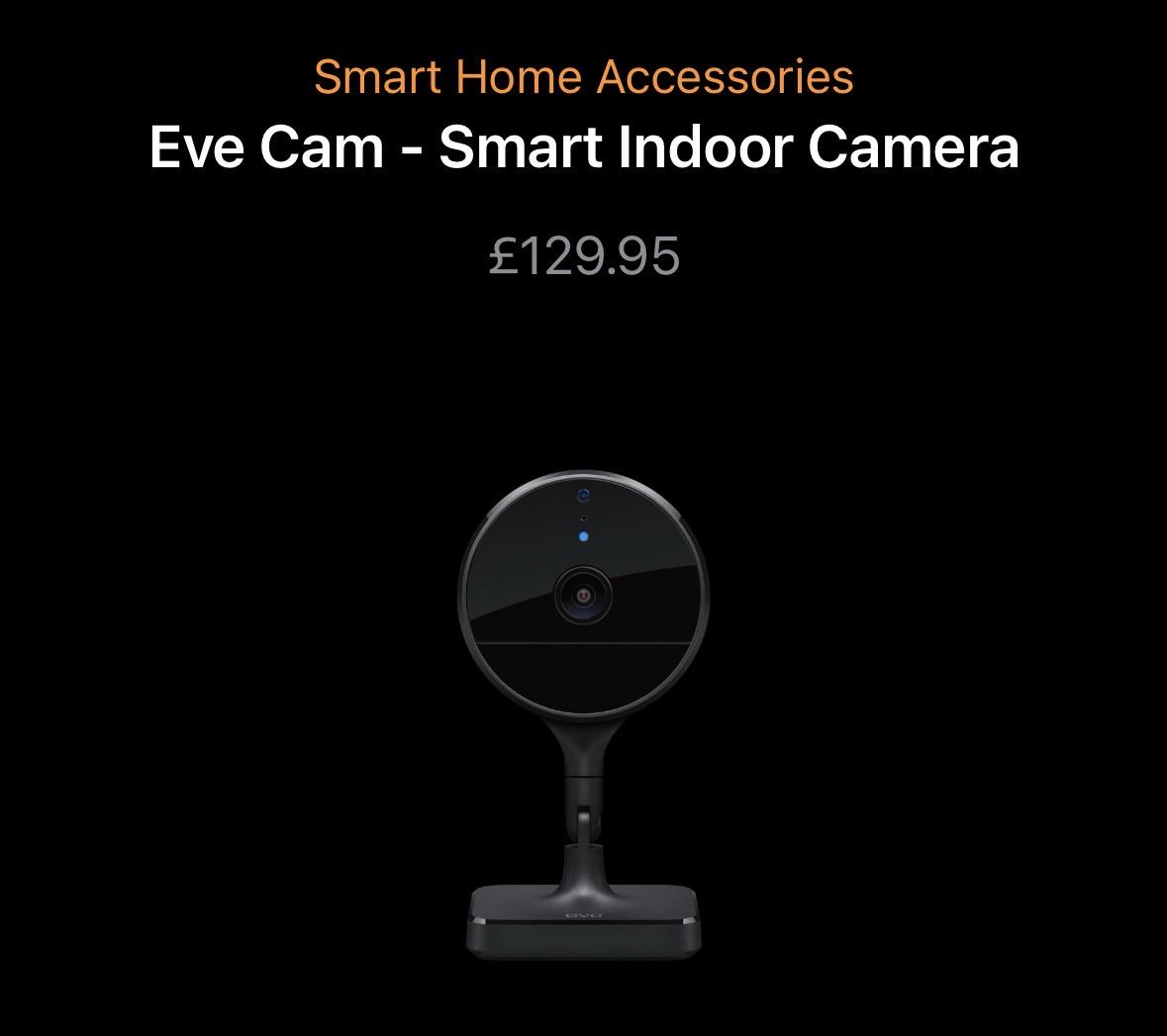
Eve Cam receives an FCC grant under SNE-IDC-003

Post image
7 Upvotes

Eve Systems LLC received an new FCC ID SNE-IDC-003 approval for EVE Cam, model IDC-003.

Public images and label External photos (six-page PDF; shows the camera and measurement views): https://fccid.io/SNE-IDC-003/External-Photos/External-Photos-9684478 Label and location exhibit: https://fccid.io/SNE-IDC-003/Label/Label-and-Location-Info-9684479 FCC filing: https://fccid.io/SNE-IDC-003


r/EveHome • • Sep 20 '26

HomePod update to version 27.0 with Thread v 1.4.0 TREL (Thread Radio Encapsulation Link) support

74 Upvotes

I have a home with 72 Eve Thread/Matter devices and four homepod minis as Apple ecosystem hubs. The house is large, with (currently) 11 Eve Energy thread routers, but in the past I have had many issues with poor thread networking and unreachable devices.

The latest HomePod Software update version 27.0 provides Thread library version 1.4.0 support for the first time, previously the support was Thread version 1.3. One of the features that I am excited about is that Thread 1.4 provides support for TREL (Thread Radio Encapsulation Link). This means that my four homepod minis, which are all attached to my home's WiFi network, can now pass Thread traffic between themselves via the WiFi network.

The HomePod Software 27.0 update does seem to have improved the functioning and response speed of the Eve App quite a bit. For example the "at a glance" page now updates the status of all of the devices within a few seconds. Previously it took much longer.

I have been able to verify that TREL is functioning. From an iPhone using the "Discovery" App I can browse the local domain. The final entry _trel._udp shows all four HomePod minis. I can also verify this from the command line 'dns-sd -B _trel._udp local.' on a Macbook connected to my local WiFi network.

This is good news: it means that thread traffic between the Hubs can now travel via the home WiFi network, which provides a high quality and high bandwidth link between different areas of the house.

I would be curious to know if others using an Apple ecosystem with Apple Hubs see similar improvements from the version 27 update.

Note: watching the status of _trel._udp availability has been useful, because it showed that one of the HopePods has a flaky WiFi connection. So the TREL service for that Hub was being removed from time to time.

See here (pages 16-19) for more information about TREL:
https://www.threadgroup.org/Portals/0/Documents/Thread_1.4_Features_White_Paper_September_2024.pdf


r/EveHome • • Sep 15 '26

Eve Energy Eve Energy Outlet Firmware

21 Upvotes

Will the Eve Energy Outlet ever be updated to 3.5.0 to match the power consumption features that are now available for the Eve Energy Plugs in Apple Home in iOS 27?


r/EveHome • • Sep 09 '26

wtf is this the camera from the pits of hell.

Post image
8 Upvotes

I need help. I am trying to get my Eve Cam to work for 5 straight hours. I just need to keep an eye on my dogs. This was not cheap. I have 5G broadband that uses the Three mobile network at home and I’ve been talking to AI and have tried everything it has suggested. Re-configuring all my WiFi settings. (Turning off PMF, disabling single SSID) and then connecting my phone to the 2.4GHz network whilst pairing with the eve cam. NOTHING works. It’s still just showing a freeze frame and then a loading wheel and then just disconnecting completely. Is it even possible to get a stream on mobile WiFi with this product. ???!!!


r/EveHome • • Sep 06 '26

Having trouble adding an Eve Weather

3 Upvotes

Hoping someone might have some ideas for me on this one. I just got an Eve Weather to play around with, and am having a heck of a time getting it to pair… I have a couple of 3rd gen Apple TV 4Ks, and I’m trying to add it via the Home app (and the Eve app). I keep getting a “Thread border router required” error, though, and I can’t figure it out. The instructions indicate the Apple TVs should work. Any idea what I might be screwing up?


r/EveHome • • Sep 05 '26

Eve Outdoor cam reset issue

3 Upvotes

recently I need to change my network setup and remove both my outdoor cam from HomeKit, then nightmare starts. there is one I never able to successfully press the reset button and just stand at the ladder trying 20-30mins and nothing I can do about it. another one is easy to find out the reset button but I never able to reconnect it again. either saying you need to restart your accessory, or something like object not found. I'm using 2.4Ghz wifi and if I'm not scanning code but using other method I do see the option of the camera but whenever I put the digital code it's telling me the setup code is wrong. Man, it's just killing me and I don't know what I can do to them


r/EveHome • • Aug 16 '26

Eve Aqua Update: Eve Aqua + Home Assistant users rejoice, after 7 years it appears HA 2026.9 will finally map SetDuration

18 Upvotes

https://community.home-assistant.io/t/eve-aqua-water-valve/126856/52

Subscribed to this thread and it appears a solution has finally been merged into HA/is staged for 2026.9

Wanted to share the good news here!

Edit: Context on setup [Eve Aqua, HA 2026.8, ZBT2, BT Adapter]

  1. Get a feasycom bluetooth adapter, add it to HA
  2. You can use the "HomeKit Device" integration to add legacy "homekit over thread" devices that pair via bluetooth
  3. Once added, you can migrate the device to your existing matter-thread network by using the transfer thread credentials button. This might take a few tries with a sleepy device.
  4. It's now on your thread network just like if it was a matter device