r/FantasticalCalendar • u/CartographerScary692 • 15d ago
Log in error
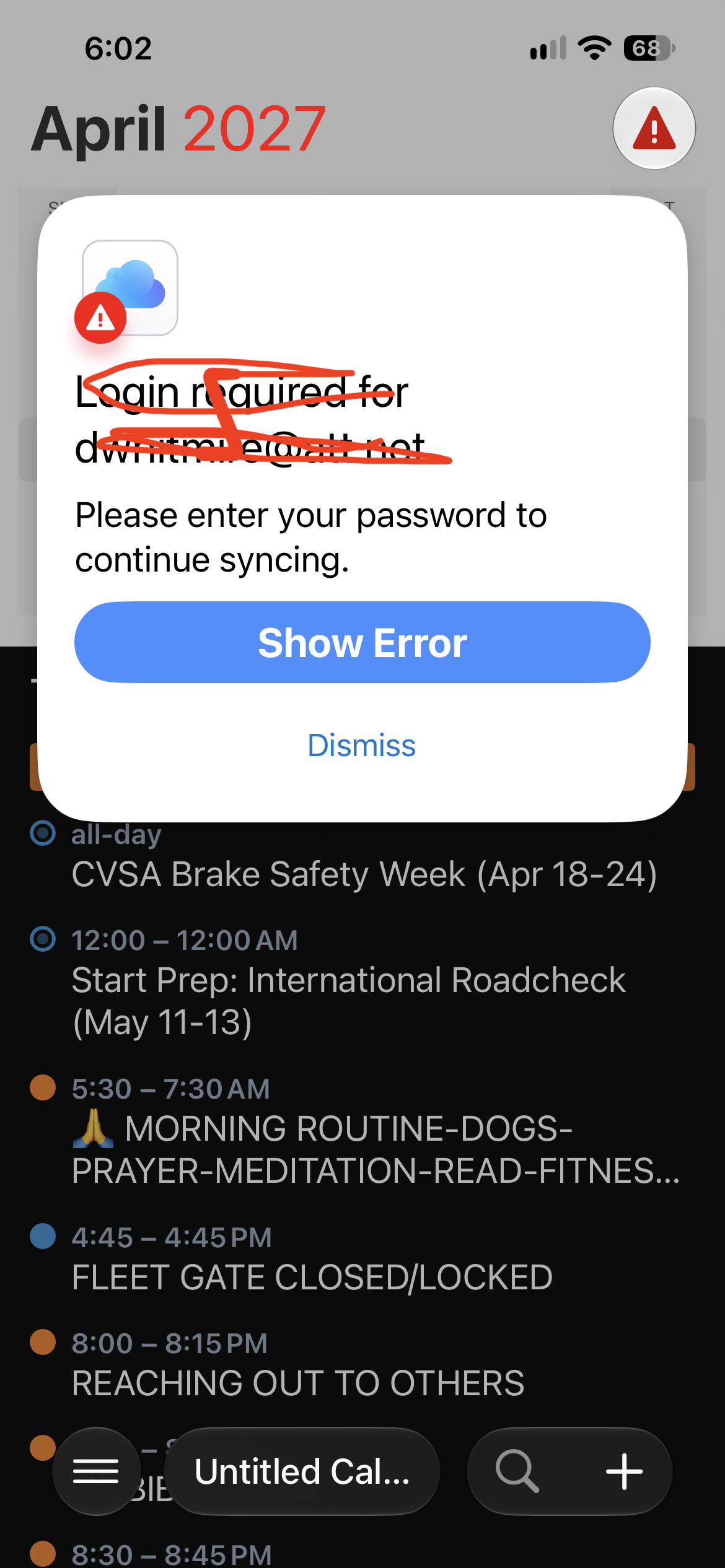
Anybody getting a sync warning error failure to sign into iCloud.
1
Upvotes
r/FantasticalCalendar • u/CartographerScary692 • 15d ago
Anybody getting a sync warning error failure to sign into iCloud.
1
u/kenzgates 15d ago
Yes just saw it few min ago
1
u/danroesser 12d ago
If it doesn't get fixed soon, I'll need to move my Calendars from iCloud to Google. So annoying.
1
u/Valuable_Appeal3035 15d ago
iCloud was down for a bit. Probably related
1
u/Jayden_mk 15d ago
Constantly for weeks. Closing and reopening the app will usually fix it, it’s never actually incorrect (which I learned after redoing my app specific password more times than I care to admit)
1
u/flexibits-support 15d ago
Unfortunately there was an issue on Apple's end that they confirmed to us, and they have been working to get that fixed. If you want to reach out to our team at flexibits.com/contact they can keep you updated as we get more info from Apple.
1
u/itsreallyunquietome 15d ago
I get this all the time with my login to O365/ Exchange for my work mail - prob twice a week @ least
1
u/flexibits-support 10d ago
Hello, We have just been informed that Apple found an incorrect rate limiting mechanism on the server side that was causing this issue in Fantastical, and they have fixed that on their end. If you are still seeing the errors, please try the following.
On the Mac:
- Open Fantastical
- Click Help in the menu bar and select "Diagnostics & Troubleshooting"
- Scroll down to the Accounts section
- Right click on the iCloud account in the list
- Click "Reset Accounts"
- Wait for the account to finish syncing as indicated by the green check to the right of the account name
On iOS:
- Open Fantastical > Settings
- Scroll down and tap "Help"
- Tap the option for "Diagnostics & Troubleshooting"
- Scroll down to the Accounts section
- Tap and hold on the iCloud account
- Tap "Reset Accounts"
- Wait for the account to finish syncing as indicated by the green check to the right of the account name
If that still doesn't help, reach out to our team at flexibits.com/contact so they can let Apple know the fix did not work correctly. Thanks!
0
u/CartographerScary692 15d ago
Hard part is it won’t accept any password I have.
0
u/CartographerScary692 15d ago
It’s kinda bugging the shit out of me.
0
u/[deleted] 15d ago
[deleted] — view deleted comment