I recently wrapped up work on a Savage Worlds Fallout module for my own table, and as part of that work, I put together a working Pip-Boy character sheet. I'm pretty proud of the sheet, so I thought I'd throw a quick video together to showcase it.
Here's what it does:
The knobs switch between STATS, ITEMS and DATA, and the dial steps through the sub-tabs. It clicks like the real thing, too (though you can turn the sounds off).
Wounds, Fatigue and Rads show as rows of boxes you can click. Rads eat into your Wound boxes and show up in red, and the rad gauge in the corner keeps track.
Your portrait shows up on the STATS screen, tinted green, with your armor readouts for head, arms, torso and legs.
Pick any attribute or skill and roll it right from the Pip-Boy.
Your Edges, Hindrances and ancestry abilities are all there with the full text.
ITEMS covers Weapons, Apparel, Aid, Misc and Ammo, plus your carry weight, Armor and caps.
Attack with a weapon, equip gear, pop a Stimpak or eat a meal, all without leaving the Pip-Boy.
DATA has your Quests and Notes, pulled from whatever journals your GM has shared with you.
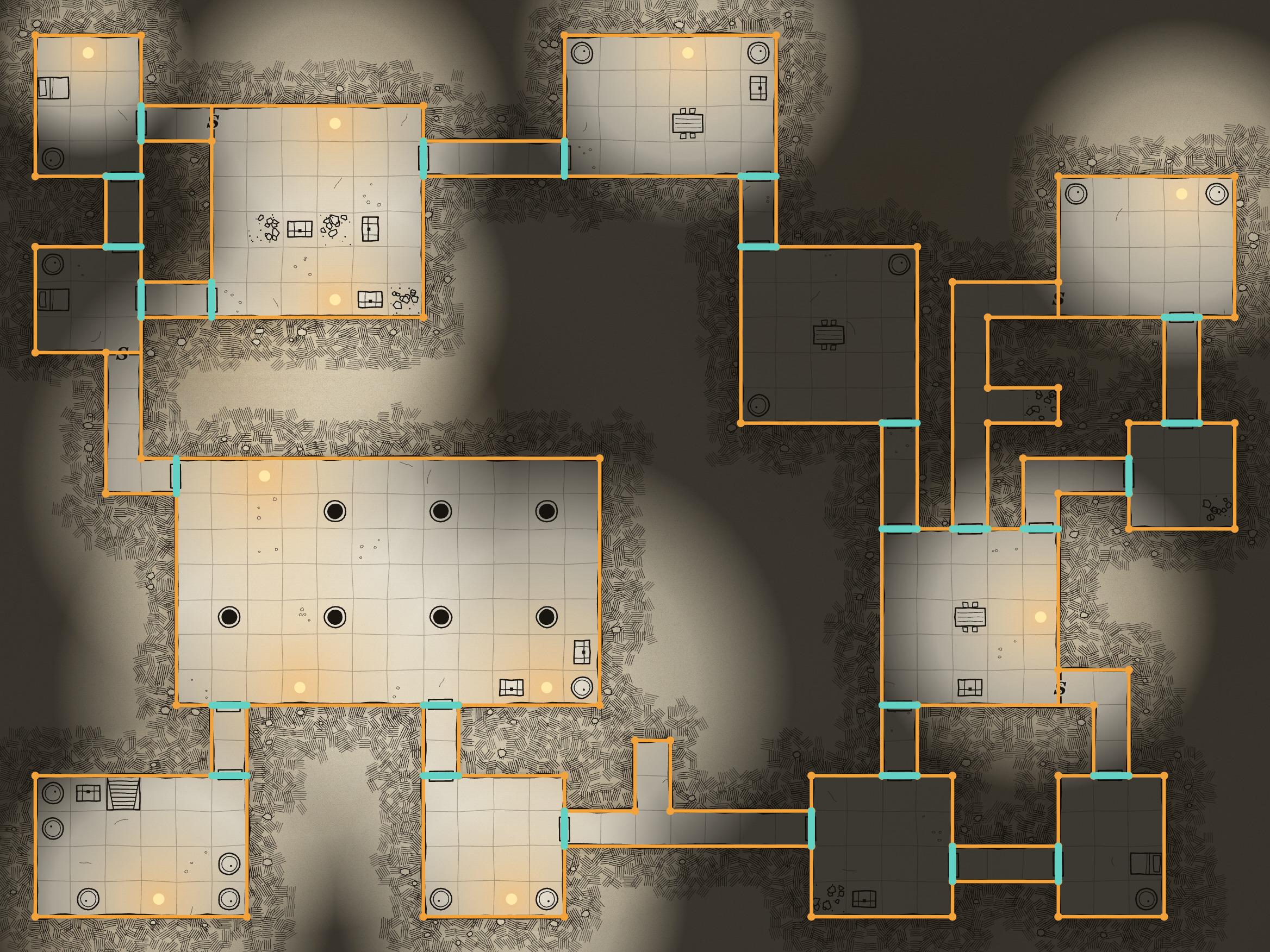
There's a working map, with a world view and a local view. Locations stay as outlines until you discover them.
And yes, the radio works. Tune in to Fallout radio on your own computer while you play, and the GM can add their own stations.
I really love that Foundry gives me the freedom to explore creativity like this.
Big thanks to ABBSTractGraphics for the Pip-Boy frame, and to the League of Raconteur Explorers for the map icons, map assets, and token art!
I seem to be having issues with multi-level maps and occlusion using regions. I have a player token (Green) on the roof of a given map (level 4), and they can somehow see an NPC token on the first level that has 2 occluding surface regions between the player and NPC (the first region has a hole in it).
Each region has the following settings:
Placed on the level of which the region will act as a ceiling. EX: The ceiling region of level one is placed on level 1 and level one only.
Each region reaches from the top to the bottom of its corresponding level (1: 0-10, 2: 10-20, 3: 20:30, 4: 30-40)
Each ceiling region has a single "Define Surface Behavior" enabled.
Each behavior is set to "Top" placement, as they act as ceilings. The behaviors restrict everything and occlude.
It seems to me like the hole from the first floor ceiling penetrates through all of the other ceilings as well, as once the lower token is far enough away from said hole, it disappears from the upper token's view. However, patching the hole in the first floor ceiling does not seem to change the behavior here at all (as in both tokens can still see each other if they are near where the hole used to be).
Please let me know if you need anything else from me. The ceiling regions are the purples and pinks. I have probably missed something glaringly obvious.
Hey guys, I'm using foundry version 14 stable for my campaign and I'm running into the issue where when the players move their token it rotate the token. I know I can rotate lock in the setting but that remove the players ability to manually rotate their character for roleplay interactions. Is there any mods that can fix this issue I'm having? I've already tried auto-rotate but it doesn't work on this version of foundry
Welcome to my newest module, Gambit's Enhanced Drawing. This module is available to Ace of Spades+ tiers in Early Access. The Early Access period will last for ~2-3 months!
Enhanced Drawing is a suite of quality of life improvements and general enhancements for Foundry's existing drawing tools to hopefully make drawing a quicker and more enjoyable experience. Checkout the Foundry package page for additional detail and some relevant screenshots!
The biggest updates to drawing are a top level toolbar and context aware options panel where you can very quickly swap between tools, get quick dropdown access to some new tools, and super easily change colors, line widths, brush styles, borders, and more!
Another really useful addition imo is a new Whiteboard system. Whiteboards display above the foundry canvas and can be drawn on for notes, overlays with semi-translucent backgrounds, general doodles that shouldn't display on canvas, etc
I've always loved how magic channeling is portrayed in anime and certain video games. And since my tabletop sessions already feel almost like playing Baldur's Gate 3, but with the complete freedom you'd expect from a tabletop RPG, I decided to create this module to bring that same kind of experience to my players.
Description: Boss options are easiest to forget while the GM is resolving everyone else's turns. Boss Effect Reminder posts the available actions and remaining cost after a PC acts, while the choice can still affect the round.
It also whispers when a failed save can use a remaining legendary resistance. D&D 5e action buttons stay available from the reminder card.
Access starts at First Mate on the r2Plays Patreon. Link Patreon on your Foundry profile, then it appears in Add-on Modules. Requires D&D 5e and Foundry v13 to v14.
Patreon:
First Mate ($10) gets every Foundry module. Cancel and you keep what you already have. You just stop getting later updates.
Captain has a free week with no obligation. That week includes everything I build: Android and iOS apps, websites, and all the modules.
A la Carte Modules:
Boss Effect Reminder is $9.99 on its own.
One of the biggest complaints with the Patreon model is yet another subscription.
Every Patreon only project I build is also available as a one time purchase option. You can purchase the module for the cost of a one month Patreon membership at the tier it is provided, $9.99 for First Mate which covers the majority of the projects, or $14.99, the tier at which the larger adventure modules are also included.
After checkout you get an email with your Foundry content key, and you can also sign in at cms.futurehax.com/ with the purchase email to see it. To redeem it, open Foundry's Purchased Content page, paste the key and activate it, then install the module from Foundry's package installer (Add-on Modules, Install Module).
AI Disclosure:
This module was developed with the assistance of AI coding agents. It was not vibe coded. I have around 15 years of software engineering experience, and I rely on that background to plan, architect, review, and test every module before it reaches a user's world. You are welcome to grab the free Patreon trial, download the module, and inspect the code yourself if you have the desire.
AI-assisted development is the norm across the software industry now. Foundry modules are built with JavaScript and TypeScript, and Node.js is heavily used on the development side. I develop on Ubuntu, a popular Linux distro.
I include this section so you can make an informed decision about what you install. If you'd rather build your own version, the post and video describe exactly what the module does. Point your own AI coding agents at them and go from there.
I'm thinking about starting a DCC campaign at the beginning of the new year and was just looking at the store. I noticed that some adventures have the maximum compatibility of 13, while others have 14. For those of you with experience running DCC on this VTT, how accurate is this, please? I don't want to buy a product and it have issues. Also, again those with experience DCC on this VTT, any recommendations for someone about to start a campaign on this VTT with this system? Thanks for any information about your experiences with this. If I'm over looking a question that you think is important, please feel free to add your input. Take care all and thanks again!
Example: The players are in a map that has a cavern. Outside is bright because of the sun, but inside the cave there is only darkness. How do i adress this? If the system is relevant, i'm using pathfinder 2e.
[system agnostic] Sorry if this is the wrong flair but I’m basically trying to figure out if there’s a way, preferably with Monks Active Tiles, that would allow me to activate a tile as it were a button and take me to which ever scene currently has a specific character token on it.
The purpose of this is to emulate hitting “continue” on a video game main menu and being taken to where you last left off. It’s for a solo campaign and I want to try and automate going from a landing page each time i log on to just immediately jumping to where my PC token was last at.
I just got a new PC and I downloaded foundry on it again. I have access to my old computer, but I want to know if there's any way to move the worlds and stuff I had on my old device over to my new one, as I have a campaign currently in action, plus some solo campaigns that it would be a pain to to try and transfer manually if I didn't have to.
System: D&D 5e (dnd5e system). Foundry VTT verified on v14.
Description:
I'm Andrew (Ctrl Alt Defeat). I built this for my own table and it's the same tracker I use every session in the games I run. My players kept losing track of Inspiration and Prestige across sheets and notes, so I put it all in one window, and now I'm sharing it with anyone who wants it.
It opens on login for the GM and players, and Alt+Q toggles it.
One row per player character with Inspiration and Prestige counters, each with +/- buttons and hover tooltips for the rules text
Changing a value posts a short chat card (for example "gained Inspiration") with an optional sound
Animated wanted-poster status line with a bounty the GM can edit, plus several poster styles
Crew Reputation bar the GM sets and players can see
HUD tab with a quick action economy reference you can send to chat
Settings for UI scale, caps, which elements show, and custom sounds
What you're seeing in the video:
The HUD tab with the action, bonus action, reaction, free and move reference
The Characters tab, where each player character's Inspiration and Prestige go up and down with the +/- buttons
The chat cards on the right announcing each gain or use
The Crew Reputation bar under the character list
The gear panel at the end with UI scale, display options, caps and sound settings
Install: grab it from the Patreon post below and enable it in your world. It's free for personal and community use.
Ok, so I'm a brand new user, and this thing is... advanced. I imported a map, got my walls up, got the lighting down, and created actors and tokens... and now I'm stuck. I can't add the actors to the scene. As in, I can't physically drag them to the map.
The only modules I have active are Statblock Converter, Tokenizer2, and Dice so Nice. The check says all the packages are verified for the version of foundry I'm using (13.351) so I don't think its the modules. I assume this is user error.
Related to this, i also cant add monsters from the compendium to scene at all. I can create them as npc actors, but not import stat blocks, or place their tokens on the map Its very frustrating, any help would be appreciated.
A few weeks ago I shared Rutz's Tactics View here: a module that shows your existing 2D battle maps in 3D, in the style of tactics RPGs. Since then, more than 200 of you have bought it, and the response has been wonderful. Thank you!
What I'm most grateful for is the feedback. Your comments here and on Discord have been detailed and constructive, and thanks to them there have been bug fixes and updates almost every week.
What it does
Walls and doors you've drawn in Foundry become 3D walls automatically, and doors still open and close.
Scene and token lighting, token vision and fog of war. Walls facing the camera lower so you can see into rooms, and anything still hidden shows as a silhouette.
Your token art becomes paper standees, and you can give a token its own picture just for this view.
Tiles as floors, roofs or standing boards. Sequencer/JB2A animations, FXMaster weather, Splatter and Ionrift Waterline.
Foundry VTT v13 and v14, including v14's native scene levels.
Recent Updates
Version 2.8.0 is out now, and nearly everything in it came from your requests:
Ionrift Waterline support: its water moves on the 3D floor, with ripples around wading tokens.
Area effects (webs, fog and more) fit their squares exactly: Flat, Layered or Volume.
Top view (Y) shows tokens just as the 2D canvas does, rings included.
Darkvision looks like Foundry's, grey and bright (PF2e too), and the GM sets how bright.
Tokens you can only hear show as Foundry's wave outline.
Players can follow the GM's camera.
Also: map detail up to 256 px per square, see-through fences and a lattice wall look, boards at any angle, door hinges, door markers that stay out of the way in combat, Daggerheart range bands, Ctrl+Z for effects, a Performance tab, and lots of fixes.
Answers to the questions from last time
Is it automatic? Walls and doors are. Heights aren't: Auto setup makes a rough first pass from your walls and map colours, then you paint ledges, stairs and platforms with a brush or a colour magic wand (half squares and diagonals too). Heights are saved with the scene, so it's a one-time setup per map.
Which systems? Any system on a square grid. I play PF2e myself, and D&D 5e and Daggerheart tables use it too (hold Alt to see Daggerheart's range bands around a token). Distances use your scene's grid units (feet or meters). Hex grids aren't supported.
How is it different from Isometric Perspective? That tilts the 2D canvas. Tactics View builds the map in 3D out of blocks, so ledges and walls really exist, you can turn the camera, and your 2D scene stays exactly as it is.
Multiple floors or bridges? Foundry v14's native levels work: each level has its own heights, walls, lights and tokens. Overhangs you can walk under aren't possible yet, since each square has one ground height.
Flying tokens? Shift+E / Shift+Q raises or lowers a token in 5 ft steps.
The outlines are too thick. Set them to None, Thin or Thick and pick a colour. Each player chooses their own.
Do updates cost extra? No. You pay once and every update is included. Install it through Rutz's Vault and it updates in Foundry like any other module.
How do I buy it on Patreon? Open the post below and scroll to the bottom: the module is sold on its own there.
Do I need a membership? No. You don't need to be a member to buy it, and paid memberships are completely optional. If you join as a free member, you'll get an email whenever an update goes out. Paid members get 20-30% off all my modules (with more on the way!).
AI disclosure: I used Claude to assist with some coding tasks and to refine my English writing (I'm Korean). There's no AI art. The module uses your own maps and tokens.
Thank you again for all the feedback! Come join the Discord to see how others are using the module in #map-showcase, share your own maps, and drop bug reports or ideas anytime.
My players and I prefer using things one at a time, but we don't like scrolling our sheets and clicking 3-4 times for each one, especially not mid-combat. That's what this project is: a mix of feedback from my players and fellow GMs to speed up combat, while still maintaining engagement.
This module is also fully compatible with modules like Automated Animations, BLFX, and J2BA.
One-click features
Fire your crossbow and Sneak Attack is right there in chat. One click adds it to the weapon's roll, so the GM applies a single number instead of needing to add up 2 or more. Divine Smite asks which slot to spend. Eldritch Smite adds its force damage and knocks the creature Prone, and nobody has to touch the token. Brutal Strike, Hunter's Mark, Hex, Colossus Slayer, Savage Attacker and Divine Strike all work the same way.
Bonuses
Tactical Mind sits under the check. Click it for the extra 1d10, and if you still don't pass, a second click refunds the Second Wind. Bardic Inspiration, Peerless Skill, Precision Attack, Indomitable and Heroic Inspiration share that row.
Reactions
A creature hits your spellcaster by just a few numbers? A Shield button appears on the GM's attack card. Cast it from there, and the hit turns into a miss. Cutting Words, Parry and Combat Inspiration react the same way.
Advantage & Disadvantage
Conditions, long range and an enemy standing next to your ranged caster all set Advantage or Disadvantage before you roll, and each one shows as a tag in the roll window. If the GM rules otherwise, click the tag off. Walk up to a Paralyzed creature and your attack becomes a Critical Hit on its own.
Masteries
Push shoves the goblin 10 feet from the chat card. Pushed it somewhere silly? The same spot on the card undoes it. Graze, Topple, Cleave, Slow, Sap, Vex and Nick live there as well.
Multiple rays, without recasting
Scorching Ray, Magic Missile and Eldritch Blast leave a button on the chat card for the next ray, dart or beam. It counts them from the slot you cast with, or your level for Eldritch Blast, so there's no recasting and no guessing how many you have left. Shift-click to fire everything that remains. When Chromatic Orb rolls matching d8s, a leap button turns up under the damage, and the orb can keep leaping as many times as the slot level allows.
Templates that remove themselves
Lose concentration and your Moonbeam disappears with it. Spirit Guardians snaps onto your token and follows you around, with no template to place. The dragon breathes, everyone inside the cone is targeted, and the save tray fills itself. When the dragon's turn ends, the scorched cone leaves the map, as Fireball and every other instant area does.
Turn based effect prompts
A goblin ends its turn inside Spirit Guardians and the caster gets a prompt. One press rolls the save and the damage. Moonbeam, Cloudkill, Wall of Fire and more do the same. When the zombie hits 0 hit points, Undead Fortitude asks for its save and stands it back up at 1 HP.
Easy initiative grouping
Bundle creatures together into as many initiative groups as you like.
Everything has a toggle
The settings window sorts by class and type. Export and Import carry your setup to your next world.
If you already have it, update it like any other module.
Supported features and spells will keep being added. If something is missing that you think should be there, or something in the bag misbehaves, let me know on Discord what you clicked and what happened, and I'll look into it.
I'm trying to get the loft and roof of the barn to be hidden at the same time when mousing over the loft. Mousing over the part of the roof that doesn't overlap with the loft correctly hides the whole roof. Mousing over the part that overlaps with the loft only hides that section of the roof as well as the loft (hopefully the screenshots make it clear what I mean by this).
Does anyone have any idea what might be causing this, and if so how to fix it?
Anyway to make the region for this spell being cast take up the entire orange rectangle or at least for targeting to take effect for tokens that are within it?
Just wanted to share my new module, SC Combat Wheel!
I know theres already quite a few combat trackers out there, so I wanted to try something a bit different.
I think the biggest difference is probably the amount of customization. You can choose between 3 layouts (Wheel, Carousel or Slider), move it around, resize it, change colors, portraits, add visual effects, sounds and a bunch of other stuff.
And the nice part is that each player can have their own layout and style, if the GM allows it. So you might prefer the wheel while another player uses the carousel, and thats totally fine :)
Another feature I really wanted to add is what I call Virtual Positions.
Basically, you can add extra turns to the initiative order that aren't tied to any actor or token. They can represent lair actions, environmental events, reinforcements, or pretty much anything you can think of.
You can even attach macros, sounds, messages, RollTables and other consequences to them, so stuff happens automatically when their turn comes up.
Oh, and the module is system agnostic, works with Foundry v13 and v14.
It's also free! You can grab it through the Shattered Codex Download Hub using the free Patreon tier.
Just finally updated to v14 and now this box has appeared on every single UI element, preventing me from clicking the + button to create new items on character and npc sheets. Wtf is it and how do I turn it off?
I have never felt more stupid as I feel when trying to make a Foundry VTT Game System. I complained for paragraphs twice, but don't want to come across as that guy, so I deleted it all twice. Could anybody please point to a Foundry v14 guide of any kind? The changes to ActorSheet that nobody clearly explains what changed and how to upgrade are tanking my resolve. Maybe I'm just not in the right circles to easily get these answers. Thank you in advance.
[EDIT: Rereading, this wasn't very helpful. I'm pretty comfortable with JS, CSS, and HTML. I think it's the rather intimidating API of Foundry that's the problem]