Sorry if it’s been asked before. My doctor recently switched me to the Libre 3, and since switching, I cannot keep it on my right arm. No matter what I do, it won’t stick. I even tried to shave the arm first to make sure there were no little hairs, but that didn’t do anything to help. I keep it on my left arm, as long as I move it around I shouldn’t have many issues, right?
The manual states that during first 24 hrs after sensor insertion the readings need to be checked with a manual finger prick as the readings are not reliable. Thus the published 15 day lifespan is psure "hooey". The functional lifespan is 14 days. Shame on Abbott Pharmaceuticals.
Hey everyone! A few days ago I posted here about the nightstand glucose app I made for a friend's son, and honestly I wasnt expecting so many people to try it out and send feedback. Really appreciate it. I also wanted to share some of the images you guys sent me!
Ive been coding nonstop these past few days and just pushed a couple updates with a bunch of things you guys asked for.
First of all, the full english version is finally live on the Play Store now!
I also added a possible compression low notice during sleep hours, so if there is a sudden drop after being stable it shows a small reminder to double check with a fingerstick (it never silences or delays real alarms though). There is also a new 8h summary card you can export as an image with your graph and time in range, and I just fixed a bug where some people couldnt share it.
For people having trouble with regions, I added Dexcom Share Japan with region auto-detection, plus more LibreLinkUp servers (UK, Latin America, UAE, etc.) and fixed some session stuff so it doesnt randomly disconnect. I also added a quick interactive walkthrough when you first log in so you can test the alarm sounds, snooze and resizing without waiting for a real alert, and made the settings screen way faster.
Just a reminder that it is still completely free until November 25th before I switch it to a small paid app, so feel free to grab it while its free and let me know if anything breaks or what else I should add. Thanks again guys, and if you want to share your setup I would love it!
Ok this honestly just makes me laugh. No judgement for what my blood sugar did lol I ate something was at the airport so I chose a banana and hash browns😅. The part that makes me laugh is that my blood sugar was straight up ⬆️ but it said ➡️😂and it was glucose going high at 180 but it glitched and said glucose going low😂😂 there ain’t nothing about that that’s going low hahaha. Same thing with the next one I had gone up then steady and it said glucose going low🤷♀️. Idk why it’s doing that but the number is accurate oddly enough.
As sensitive as this subject is, I have finally been enraged often enough with Freestyle Libre that I have to take action and warn as many others in as many ways as I can, starting here, to stay as far away from Abbott's Freestyle Libre 3 Plus (as well as any other Libre) as you possibly can!!! My blood sugar is hard to control, and monitoring it should nit be the huge problem that Abbott makes it!! Between the attachments that frequently take over 20 minutes of working with to properly scan, to those that simply never scan and have to be replaced in a very frustrating process, to those that work for a day or two and then fail and put the process back behind square one.... All of the problems cost money and, more importantly, valuable time and mental/physical energy. Replacing a bad sensor through the mail is a nuisance, but wasting prescription money on sensors that don't work is even worse!!!! Still worse is losing faith in your providers, losing irreplaceable data due to equipment inadequacies, making poorly informed dietary choices due to missing, inadequate, or possibly false data all work to defeat the purpose of the CGM!! I have worked with Abbott for over two years because my doctor says it's a good system and the one I had before was unreliable. Can anyone please recommend a system to help me save my life???
Why does the glucose graph not show the data that’s reported. For example, click the graph near a peak or valley. You won’t find the high value that is shown of the screen.
Just came back from pharmacy, they wanted $500 for 6 Libre 3+ sensors!! I am type 2 diabetic, on Medicare, and not on insulin. I’m screwed!! Bye bye Libre.
Two days down, it’s finally back. My husband’s Libre 3 is connected to his Omnipod and I was not able to see his numbers on LibreView for over two days.
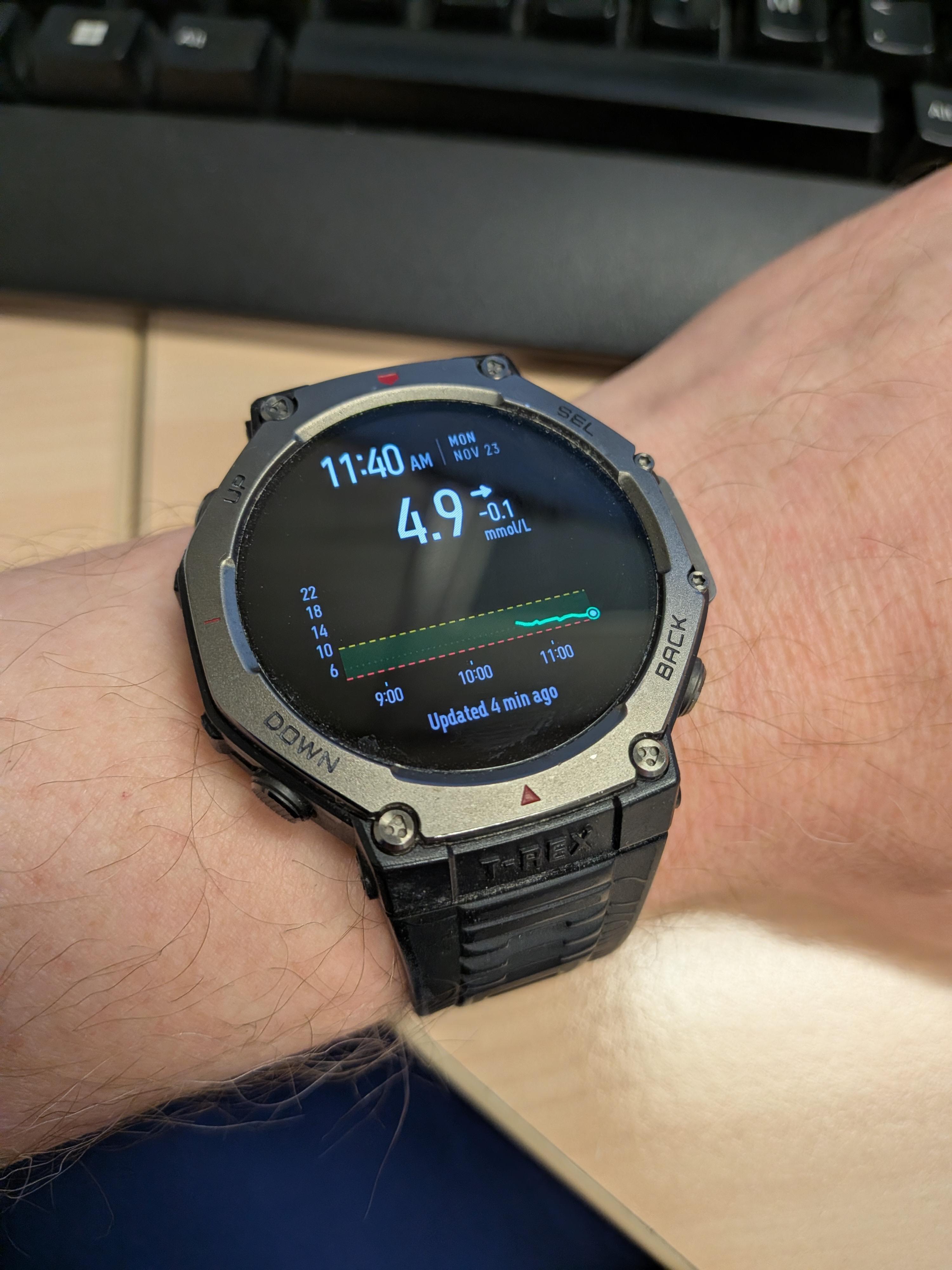
Hi all, Gregor here. Back in September I shared T1 Arc here, the free, open-source Android app I built to see my Libre readings, insulin, meals and the rest of my health data in one place. I use a Libre with an Omnipod myself. Thanks for all the comments on that post. Version 1.8.0 is out now, and it's the biggest update since then:
A redesigned app. Today now leads with your latest reading, coloured by your own range, with a quick Log sheet underneath. Tap or drag the chart to see a reading with the meals and notes around it. Settings has a search box, History opens with a summary, and text and buttons are bigger.
A better notification and widget. The glucose notification and home-screen widget now show your reading first, and with AAPS or Nightscout they show IOB and COB too.
Glucose alarms. Low, urgent low, high, very high and missing-reading alarms, with built-in or your own sounds, snooze and a night schedule. Nothing sounds until you turn them on. They're a back-up, so keep your Libre app's alarms on as well.
AndroidAPS on the same phone. If you loop with AAPS, T1 Arc can read the glucose, IOB and COB that AAPS shares on your phone. It only reads: it never sends anything to AAPS or your pump.
Cycle tracking. Optional period tracking with a calendar, flow and symptoms, stored encrypted on your phone and included in your backups.
More ways to see your ranges. Time in range now sits alongside tight range (3.9–7.8 mmol/L, 70–140 mg/dL), your own range and the Glycemia Risk Index, and Compare goes up to 90 days.
Tarv1s, with more AI choices. Tarv1s gives short answers first and answers more questions about your records on your phone, without any AI. If you do want AI, you can now use your ChatGPT plan, or your own OpenAI, Gemini or Claude key.
And more: longer battery life, a bedside view, a morning overnight summary, sensor and site age, manual meter readings, CSV exports, a one-page clinic report and a quiet alert when there's an update.
Libre readings come through LibreLinkUp, so that connection needs to be working. If you use Juggluco or xDrip+ on the same phone, T1 Arc can read from those instead.
It's still free and open source. Your health records stay on your phone, there's no T1 Arc backend collecting them, and AI is optional.
Please read the release notes before you install or update. They cover setup, the alarms, what was tested and the known limitations.
New to T1 Arc? Open the download link on your Android phone (Android 8 or newer) and install it. You don't need a computer. Already using it? Make an encrypted backup first, then install over the top. Don't uninstall it first.
Tarv1s is still a work in progress, so please check the records behind its answers. It doesn't recommend insulin doses.
Happy to answer questions here. And if you give it a go, I'd love to hear what works for you and what's still awkward.
hola a todos, ayer en mi celular Motorola edge 60 Fusion actualize mi celular a Android 17, pero freestyle me dice perdida de señal a cada rato, que puedo hacer? o simplemente esperar a que freestyle lo actualize
The last few days I have had my phone die fast to where it shuts off. I learned it was the Libre 3 app from my settings/battery. Anyone else have this issue and how have you corrected it. Going from 44% to 0% in a half hour is wild
Sou novo por aqui mas hoje resolvi ajustar um sofrimento antigo. Cada sensor free style LIbre possui um offset em relação ao valor real, é comum ser -20 mg/L, +10Mg/L, etc etc. A ABBOTT nunca quiz implementar uma informação customizável no seu app para definirmos este offset a partir ndas medições na ponta do dedo.
Eu queria gerar um app para Iphone mas no momento não tenho um MacBook para programar, entao monter um estratégia diferente que usa os atalhos do iphone e o App scriptable, para ler os dados on line usando o LibreLinkup e então somando o offset das medias do dedo informados pelo usuário.
Com isso ao final tem-se na tela do Iphone um Widget com as leituras, com o offset corrigido e Glicada estimada.
Deixei todos as instruções e código em um github publico para quem tiver interesse.
I am type 1 diabetic myself, diagnosed 8 years ago and been using dexcom until 2024 before i switched to libre. I really want to use libre as my research topic for my masters as this is something i am really passionate about. I am looking to researching the integration of libre with other health and fitness apps for my dissertation at Kings College London. Since i am a user myself, i have noticed a couple of things i wished libre the app could do better. I wish i could connect my glucose data to other apps like my fitness pal or Strava, even with smart watches like Garmin and fitbit (please correct me if this is a function that i have not been aware of). I just want to get a better understanding of how exercise, food and daily activities affect my blood sugar.
I sometimes feel like there is a lot of useful data across different apps, but no easy way to bring everything together and see the bigger picture. I was just wondering if anyone else has experienced something similar, or if there are other features you wish Libre had? I am still in the early stages of choosing my research focus, so I’d love to hear whether this is something other users experience and whether it could be worth exploring further for my assignment.
I would appreciate any comment or feedback on this!
I've had type 1 for about 15 years and use a Libre 2 Plus. Something I always missed was being able to glance at my glucose without picking up my phone: at my desk, while gaming, watching TV, or at night.
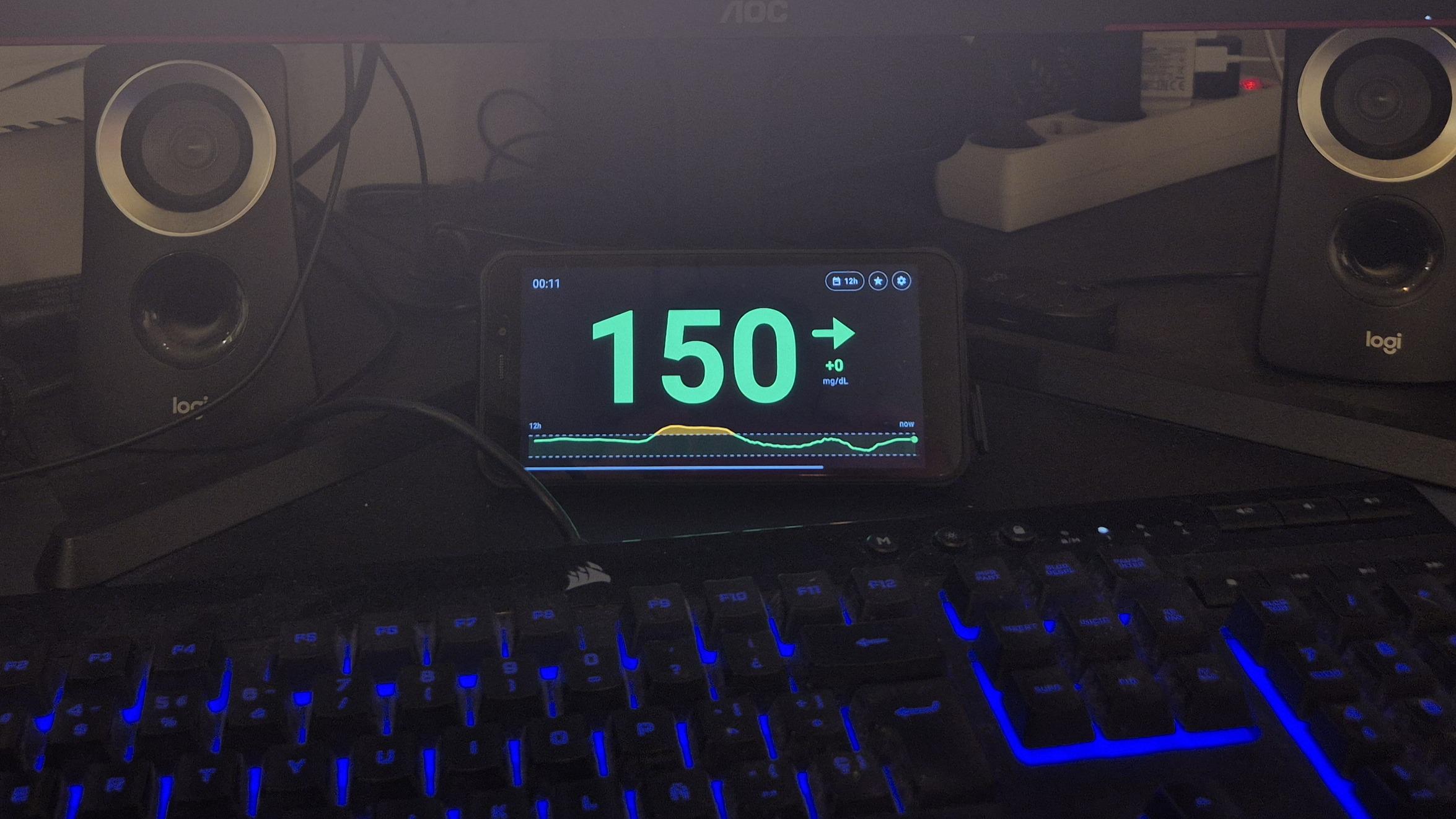
So 1 month ago I built GlucoDisplay for me and my mother to use and just recently decided to share it here: a free Android app that turns a spare phone (an old one is perfect) into an always-on display of your readings, using your LibreLinkUp account. It's meant to be a quiet screen you glance at, not another alarm.
Big number, trend arrow, change per minute and a graph of the last hours
8 layouts (giant number, dashboard, stats, bedside…), night mode with its own dimmed brightness
Comes back by itself after a restart or power cut, and updates itself
English, Spanish and Catalan. If you need another language let me know.
No ads, no tracking, no account needed, just sign in with the LibreLinkUp account and receive the data.
Important, please read:
- It's not a medical device and has no alarms on purpose. Keep the alarms on in the official LibreLink / LibreLinkUp apps.
- It's an unofficial, independent app, not affiliated with Abbott. It reads the same data the LibreLinkUp app gets, so it could stop working if Abbott changes things.
- You need a LibreLinkUp follower account (you can invite your own second email from LibreLink).
- Android only, installed from GitHub (not the Play Store). Google Play Protect currently flags it as "potentially harmful" if you scan it. I believe it's a false positive caused by the permissions an always-on display needs, and I've asked Google to review it. Details are in the README of the project, so feel free to wait for that if you're unsure.
It's a personal project, and feedback is very welcome, in the comments or as a GitHub issue. Please don't post emails or passwords in issues, they're public.
1. The Libre 3 Plus matches—or beats—typical glucometers in the 51–80 mg/dL range
I am always looking for ways to get the most accurate readings out of my Libre 3 Plus. Recently, I discussed the science behind using a blood glucose meter to calibrate a CGM, but I overlooked an important nuance: in the 51–80 mg/dL range—the zone where we often reach for a fingerstick to double-check for hypoglycemia the 70 mg/dL threshold—the Libre 3 Plus is as accurate as, and sometimes outperforms, typical commercial glucometers.
This is backed up by Table 3 (reproduced in the figure above) from the Libre 3 Plus clinical trial results. Specifically, in the 51–80 mg/dL range, nearly 95% (actually 94.1%; I ignored the 0.9% difference) of readings fall within ±15%/±15mg/dL of the reference value—matching the strict ISO accuracy standard required for blood glucose meters, as detailed below.
(For completeness, sections 2 and 3 from my previous post are reproduced below.)
I've used the FLwatch third-party app for a couple of months without any issue switching between the Libre 3 plus app. I need to replace my sensor. I disconnected from the FLwatch app and tried connecting to the Libre app and I get these errors. My alarms are fine. I’ve toggled Bluetooth on and off. I’ve closed the app. I’ve turned my phone off and on. Nothing works.
If I delete the app and reinstall it will I lose all my data? Or does anyone have any solutions on how to fix this?
Edit: The companion app LibreLinkUp is different. It’s acting like and looking like the Libre 3 Plus app. There is no way to link to my doctor’s practice anymore nor is there a way to connect FLwatch. What’s going on? Does anyone else use LibreLinkUp to connect 3rd-party apps?
Help please ,not sure if this topic has been covered but getting lots of sensor errors on my libre 2 sensors..im using a honor phone all has been fine up until about 2 weeks ago .contacted abbotts but just said phone not on there supported list, I need help thankyou