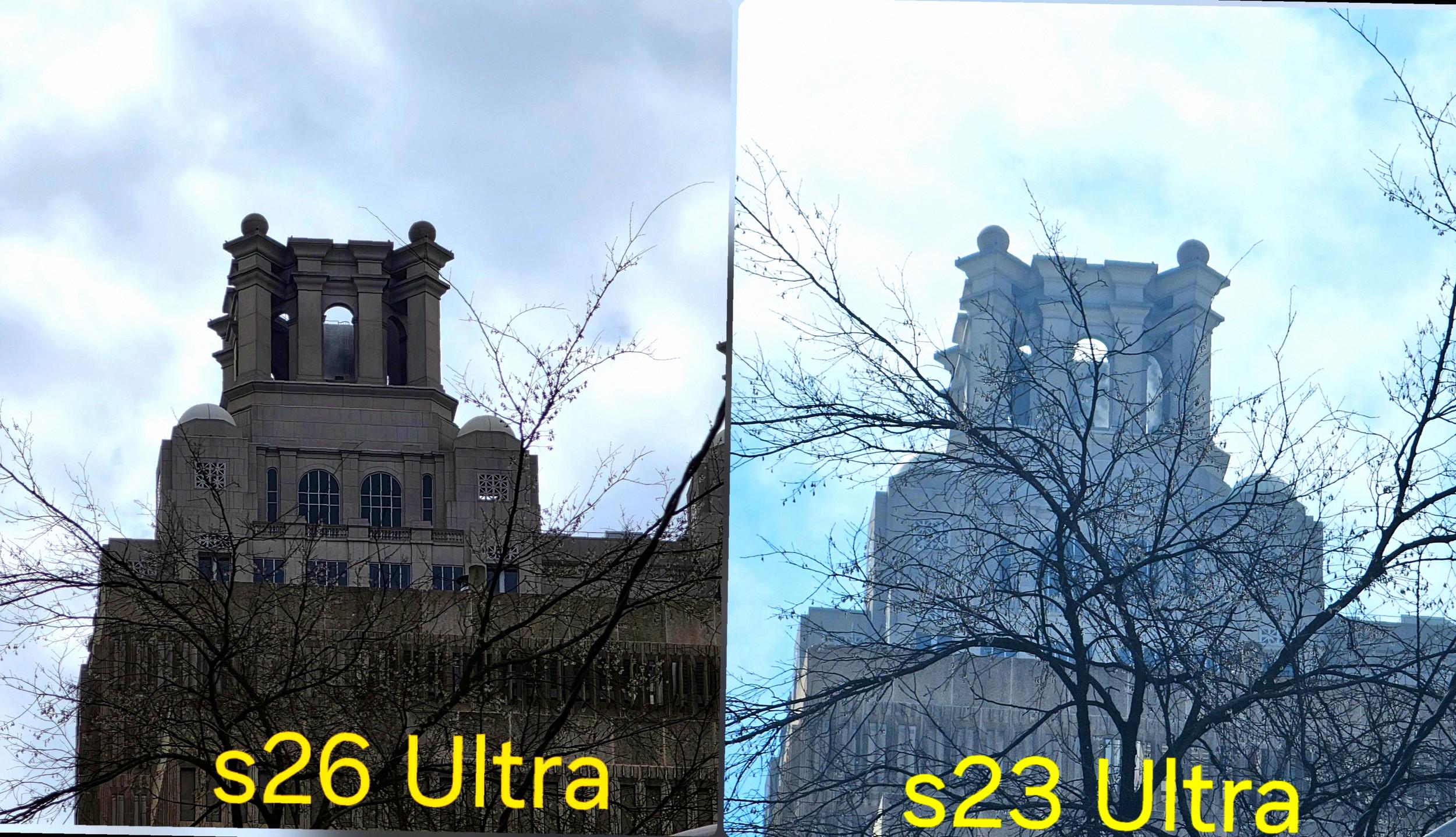
I often see comments asking which GCam people are using when some pictures are shared here, so I decided to create this post to share two versions I use.
To use GCam, you'll need to install a modded GCam apk and then load a config file to improve the quality. Some users think this is "too hard", but it's a one time setup and it's actually easy. After understanding how it works, you can do it less than 2 minutes.
This is a long post, but I recommend taking the time to read it if you want to try GCam. It will give you a better idea of how things work and what to expect.
Updated on: 11 July 2025 (updated suggested config for BigKaka's 8.4)
⚠️ GCam isn't for everyone
If you want something with 0 bugs that is always fast, use the stock camera instead.
This is for people who want to extract more from the hardware. It's for those who want to see details in a dark part of the picture or to see a nice tree in the background when they zoom in, not what looks like a painting; For people that don't mind some quirks and are okay with spending 5 or 10 minutes reading a post like this.
Keep in mind that this is a community mod, not an official app. People are taking the stock camera app from Google Pixels and modding it to work on other hardware. It will inevitably have bugs. We're also installing an apk file, not something from the Play Store.
🔽 Download GCam for the S23 Ultra
The S23 series use a Snapdragon SoC on all variants and GCam works fairly well. Versions from modders like BigKaka, Hasli, Shamim, etc, will work.
Since you need to use GCam with a config, my suggestions are based on good configs:
⭐️ BigKaka GCam 9.2 + JavaSaBr's config:
Description and instructions:
The best option for the average user, almost everything works (not slow motion), and it can be fast while giving you quality pictures. A good "safe" option.
JavaSaBr's config has different variants. There's an explanation at the end of the download page, but it's essentially a question of how much sharpness you want. I either use "sharp" or "medium". You can download more than one, test it, and then pick the best one for you.
To use it:
Don't get scared, I'm just being very detailed. Takes ~5 minutes:
- Download the apk file (here).
- Download the config (here). You can download more than one and try them later.
- Install the apk by clicking on it. Accept any warnings about sideloading the app, that's normal.
- Open the app, give it the permissions needed.
- Move the config (or configs) file to the folder
/Download/AGC.9.2/configs/ - Open GCam, click on the "profiles" icon (top right corner) then click "load config" (screenshot). It will list files you've moved to the folder, select the one you want to load and then "load".
GCam is now installed and a config is loaded 🎉. You don't have to do this again.
Now, if you click on the profiles icon again (top right corner), you will have some profiles there: screenshot. The "balanced" profiles take quick pictures, while the MaxQ are a bit slower, but better in low light or when you want more details. LDR = lower dynamic range, HDR = higher dynamic range. Astro is good for night pictures/astrophotography. Sports is good for pictures with movement.
You can use one by default and then switch profiles depending on the situation. There's no right profile, just use what you prefer/the best one for what you want to do.
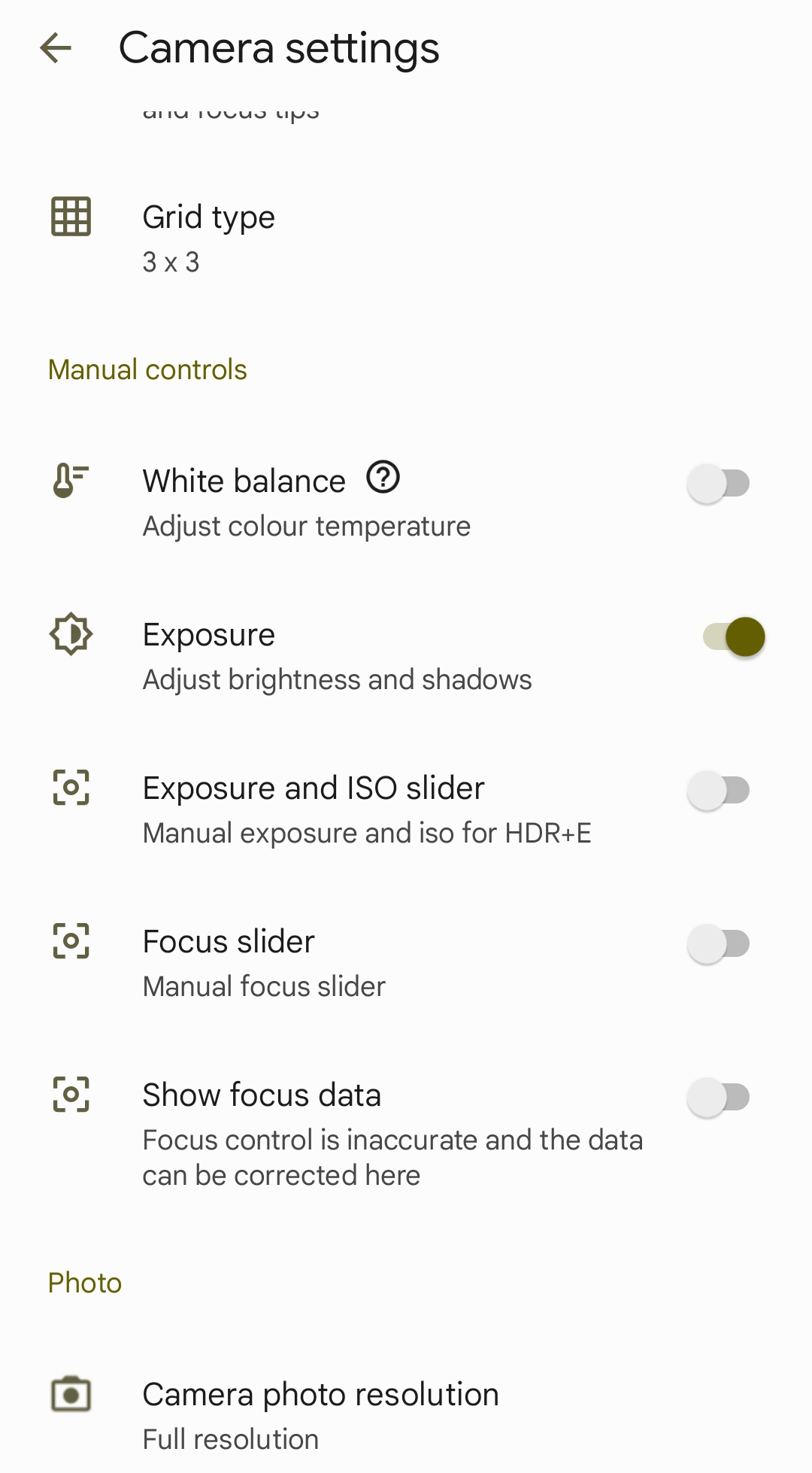
Remember that you can change things you don't like in the settings. Eg, add lines to the viewfinder, enable location, change the default name for files, etc. Don't be afraid of exploring, but don't take it too far to avoid becoming overwhelmed.
If you want to try a different config or just go back to the default settings for the config you're using, just load the config again (step 6).
Tip about video + lens switching: You'll notice that there's an "ex" button together with 10x, 3x, etc. That results in a black screen in photo mode, but you select it while in video mode, it allows you to move between all cameras as you zoom in and out.
⭐️ BigKaka GCam 8.4 + EGOIST-based config:
Description and instructions:
This is a more "advanced" config for people that want to extract the most out of the Ultra's hardware. The focus is on quality. It breaks some of the niceties of GCam, like the "level bar", tracking zoom, scan of QR codes, etc. Changing lens requires 2 clicks instead of one. Quality should be very good.
The config linked above is based on EGOIST, but I changed it to make it simpler to use (eg: no manual controls, but you can enable it in settings > manual controls) and to fix dark pictures in HDR+/ZSL mode.
The instructions are on the config page, which I recommend reading. The main difference compared to the version above is that you also have to download/load a "lib file". It's really easy, but I'm mentioning it just in case.
Regarding the profiles, you'll want to use either the "main" or "bright" profile (for quality) or the "motion" profile (for speed/when there's movement). "Motion" is a better profile for day to day stuff, when quality isn't a priority.
Note: The initial config shared for this version was abcdefv3.agc. It still works, but the one above (changed by me) fixes dark HDR and makes it a more "automatic version". If you want the original config, either use abcdefv3.agc or go to EGOIST's group on telegram (@Gcam_EGOIST). PLEASE DON'T ASK FOR SUPPORT IF YOU USE MY "s23u-simplequality.agc", only if you use the original config.
⭐️ Hasli's LMC 8.4 + JavaSaBr's config:
I don't use it myself, but has been suggested in the comments.
Instructions:
- Download the GCam apk (here).
- Download the config (here).
- Install the apk, open the app, give it the permissions needed.
- Move the configs to
/LMC8.4/. This folder is located in the root of your storage (next to DCIM, Downloads, etc). Create it yourself it doesn't exist. - Load the config by opening GCam, double-click the dark area around the capture button > select config and "load".
Swipe down on the viewfinder to see some controls. HDR+ On (fast) is used by default. If you want better dynamic range and better low light quality, enable HDR+ Enhanced (the option on the right). Keep in mind that Enhanced takes longer to capture the picture.
Like any configs, feel free to add a grid to the viewfinder, change the file name, enable/disable location data, etc.
Tip: This version has a "star/light trail" mode when using Night Sight that creates light trails. You can create interesting photos with this mode and a tripod.
ℹ️ Questions:
Is GCam always better than stock?
No. Even if Samsung's processing isn't as advanced as Google's, sometimes it will perform better.
What's a config?
A config(uration) file is just settings. Someone installed GCam, made changes to the settings, and shared it with us. This way we can load these optimized settings without changing everything ourselves.
Can I use GCam without a config?
Yes, but quality won't be as good as it could be. If you want to use GCam, use it with a config, otherwise it's better to use stock.
What's a lib file?
It's similar to a config file, but it works at a much lower level. It can do things that configs can't, so some people create these libs that can change the level of noise, colours, etc.
I don't like something the config adds, can I change it?
Yes. Config serve as a base, then you can go into the settings and make your changes.
For example, I usually enable the view finder grid (so I can centre things more easily), disable sounds, enable location, increase video recording bitrate, sometimes disable some of the stuff in the viewfinder, etc.
Why so many apk files and which one to use?
You can find a longer explanation here, but essentially Samsung (and other brands) restrict access to all cameras to certain apps. So modders use this and release the same version under different "package names"... then we have to use one that has access on our phone.
For Samsungs, we need one with a "samsung" package name (usually the ones ending in _ruler.apk, _scan3d.apk, and _samsung.apk). For example, the apk with the _ruler.apk ending has the package name com.samsung.android.scan3d, which is an app from Samsung that allows you to measure things. The _scan3d.apk one is similar. The _aweme.apk (TikTok package name) also can be used on the S23 series.
This means that we can have multiple GCam from the same or different modders installed side-by-side. This is useful as we can install a new GCam without removing the old one or simply have multiple installed because they give us something different.
My GCam is crashing right away, why?
You've likely installed the apk with the wrong package name (see point above). We need one of the apks "whitelisted" by Samsung.
Too many settings, I'm overwhelmed!
Keep it simple.
In BigKaka's mod, the first two settings are more for people creating configs. The options the average user might need (eg: disable sounds, enable/disable raw, file name, etc) are under that and is easy to change.
You shouldn't be afraid of exploring, but you don't have to do it.
Can I take 50MP or 200MP pictures?
No. Samsung restricts access to the full resolution. All 3rd party cameras apps are limited to 12MP.
The GCam mods linked here support upscaling, but it's not real resolution directly from the sensor.
Zoom in and out without manually changing cameras?
On this phone, in photography mode, you have to manually switch lenses. If you select 1x and zoom 3x, it won't switch to 3x.
In video mode, it works on some GCams. For example, the first GCam above (BigKaka's 9.2 + JavaSaBr config) has a lens called "ex". If you select it, it won't work for photography, but in video mode, it allows you to switch between all lenses as you zoom in and out.
Fast camera switching?
The way GCam mods work require a quick "restart" when we switch cameras so it loads the settings for that camera, so no, not possible if we want to maintain quality.
Video recording and GCam
Video recording, especially things like stabilization and slow motion, will work much better on the stock camera. There's nothing we can do, so I recommend using the stock camera if you want the best video quality possible.
Why does GCam ask for a specific permission?
GCam is a camera app, so it will need at least access to the camera and microphone (for videos). If you want location data to be included with the pictures, then it also needs access to accurate location. Since these mods use config files and libs, it also needs to access your storage to load them, so it will ask for file access.
Do I need to use Google Photos?
No, but since there's a processing delay and features like motion photos, having Google Photos installed is a good idea as it knows how to handle the delays or specific files of Google Camera.
Good app to compare results?
There are many apps to compare two pictures side by side. I like to use "VES - Image and Photo Compare" (Play Store and F-Droid) as it's free, has no ads, and is open source.
ℹ️ Avoid camera protectors and keep cameras clean!
Not everyone knows this, but the glass in front of the camera is very important and most - if not all - camera protectors are of low quality. See this recent post if you want to see the quality drop.
Bad protectors (or bad lenses, like the ones in low-end phones) create lens flare and blurrier pictures. If you want to protect the lens, it's better to use a thicker case.
For similar reasons, keep your lenses clean. If the lenses touch our skin, it's likely to get a bit "hazy" or "foggy" because of our sweat/any cream we've used. Some types of fabric are better than others for this. Sometimes a t-shirt is enough... but nothing beats a microfiber cloth used to clean glasses (and wash it with soap from time to time too).
✅ That's all!
If you have questions, leave them below, and I'll try to help if I know the answer.
There's also a telegram group (@GcamS23) with almost 5k users and forum thread on XDA developers which you may want to follow. You may also find some help over at the GCam sub ( /r/GCamPort/ ).