r/GalaxyTab • • Oct 01 '26 Popcorn

Announcements Tab S12+ and Tab S12 Ultra: the official Q&A megathread!

59 Upvotes

Got questions? Got answers to someone's question? You're in the right place! Samsung just announced the Galaxy Tab S12+ and Ultra, and this is the place for everything you want to know, and general discussion regarding it. But here are a few bullet points...

  • Samsung claims the Ultra can last 23 hours on a single charge with an 11,600 mAh battery (which is the same as the S11 Ultra) with 45W charger
  • S12+ has a 10,600 mAh battery (also 45W charging)
  • Tab S12 Ultra supports Wi-Fi 7, the S12+ supports 6E
  • Both the S12 Ultra and S11 Ultra have the same profile, basically the same weight
  • S12+ has 5G where as the S12 Ultra is still Wi-Fi only (edit: S12 Ultra will have 5G in other countries... thanks for the report!)
  • They both run off of a MediaTek Dimensity 9500
  • FULL Adobe Photoshop comes pre-installed on the Tab S12 series (with a 4 free months trial) this is the first time Photoshop has come to Android tablets
  • Both are available October 7th starting at $1,199.99 for the S12+ and $1,399.99 for the S12 Ultra, a $200 increase from the S10+ and S11 Ultra

As we expected with this launch, the prices of RAM being high definitely contributed to the price hike.


r/GalaxyTab • • Sep 26 '26 Bravo

Community Improvement Feedback Post: what would you like to see to improve your experience here?

6 Upvotes

Hey everybody. Latrell (u/yayoshorti, the mod) here...

I made a post a little bit ago saying that we were going to be switching all support questions over to r/SamsungSupport, and it received a lot of pushback.

So I figured, instead of pushing and focusing on that, I thought I'd ask if you have any annoyances or things you'd like to see improved here. If you have any suggestions, please sound off! Big or small. As long as it's under my control.


r/GalaxyTab • • 8h ago

Apps New drawing app for android (free)

Thumbnail
gallery
57 Upvotes

Hey guys! I'm currently trying to make a new little drawing app (free) for android as I just got my first touch tablet too!

I was wonderign if anyone here would be interested in helping out by just checking and maybe giving some feedback? My goal is to create something pretty simple and tablet friendly but with all the tools most people would need. It's not fully done yet but it's available to try already!

https://play.google.com/store/apps/details?id=com.daybreakstudios.inko

I'm so excited about this little project!


r/GalaxyTab • • 10h ago

Brand new Tab S10+ owner!

Thumbnail
gallery
77 Upvotes

Very happy to finally upgrade from the S9 FE! Am loving the tablet so far! Surprisingly no One UI 9 but still amazing. Any suggestions on things to do? Also the keyboard case stand is sooooo much better. Also, should I put a screen protector on? Never used one on my S9 FE since launch and kinda wanted to use the anti reflective screen of the s10+ so idk if a screen protector would be worth it.


r/GalaxyTab • • 1h ago

A11+ UI 9 The Geekbench 6 & 7 Scores

Thumbnail
gallery
5 Upvotes

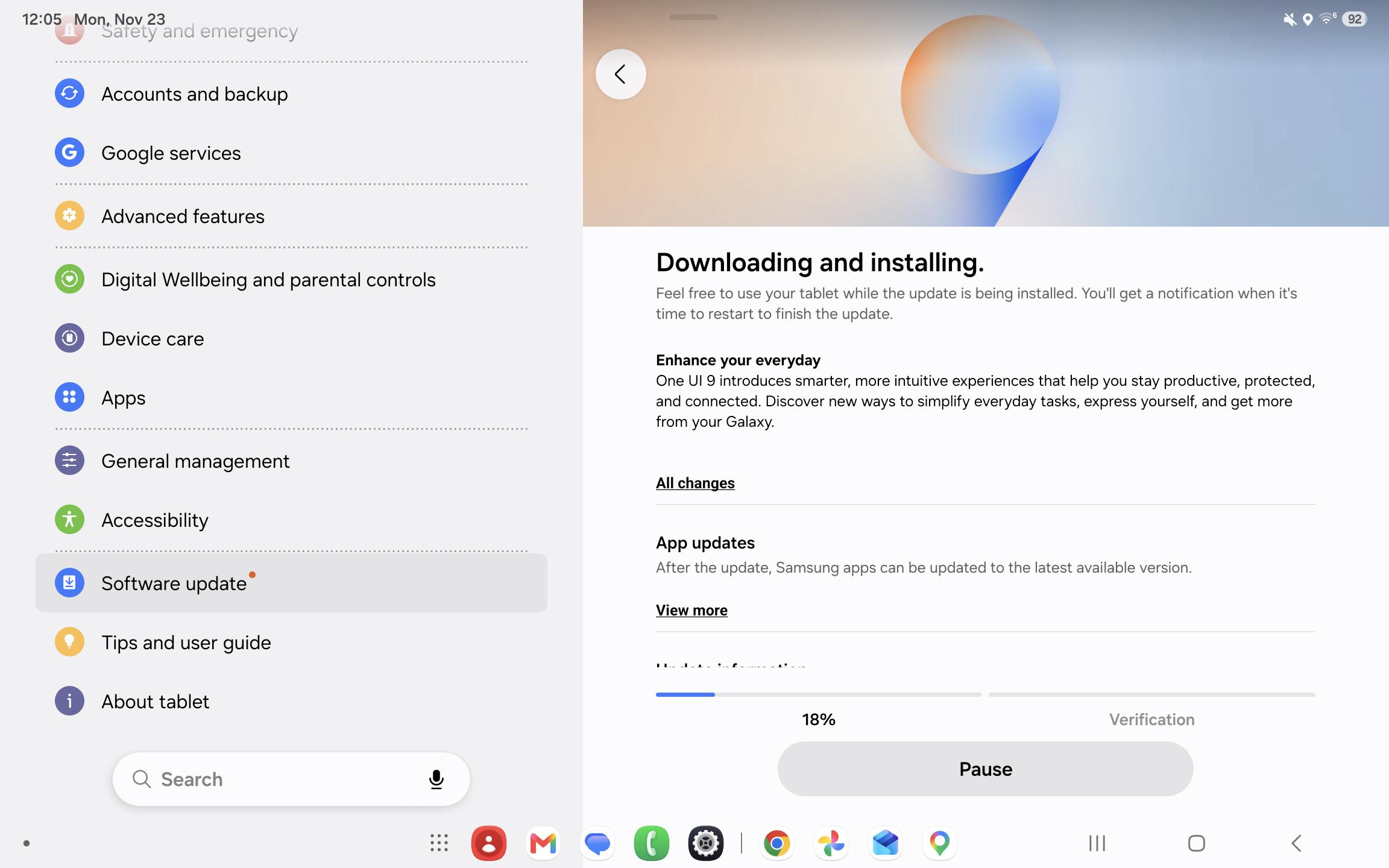
I updated my A11+ to UI 9 and I had to run the Geekbench 6 & 7 tests....

I know performance might increase a bit in the next few days yet performance is almost identical. In Geekbench 6 it's like 8 points slower in single core and 7 points faster in multi-core.

Visually UI 9 is almost identical to UI 8.5 but definitely feels smoother than UI 8.5...

I run Smart Launcher so there are no obvious changes as far as I can tell.

-------------------------------------

On a side note the A11+ must be more premium than the S10 Lite as my S10 Lite is still on UI 8.5


r/GalaxyTab • • 3h ago

One UI 9 available now for Tab A11+ (USA)

Post image
6 Upvotes

r/GalaxyTab • • 6h ago

Software updates One UI 9 Is Here For The s10fe United States

Post image
8 Upvotes

r/GalaxyTab • • 5h ago

Software updates Tab s8

Post image
4 Upvotes

Guys i think this is it one last dance 🥲


r/GalaxyTab • • 10m ago

Galaxy tab s8 ultra replacement

Thumbnail reddit.com
1 Upvotes

r/GalaxyTab • • 25m ago

Galaxy Tab S9 (SM-X710) Suddenly Black Screen — Still Running, Wi-Fi Working, No HDMI or USB Detection — Possible Firmware Issue?

Thumbnail reddit.com
1 Upvotes

r/GalaxyTab • • 31m ago

Concern (Solution) Battery not charging Samsung Tab S9

1 Upvotes

I wanted to share this issue I had in case this solution helps someone else.

SOLUTION SUMMERY: Try charging the tablet with a USB A to USB C cable (NOT C TO C), and be sure that charger is connected to the wall, not a power bank. I don't know if It could work conected to a PC, notebook etc, or something like that I'd recommend a wall brick, it doesn't have to be fast, its just to get that initial 1% (If I were you I'd let it charge 'till 5% at least)

The problem I experienced:

I was using my tablet at 3% battery when it suddenly turned off. I left it charging with a Ugreen 45W charger for over half an hour and it appeared as charging (showed the white circle) but still no percentage and it wouldn't turn on.

I tried connecting it to a slower power bank (Ugreen as well) and it showed a yellow triangle with a lightning (although it was being drained).

After a while I decided to connect it with a slow charger to the wall, a samsung 15W USB A to USB C. It instantly displayed a percentage and I could turn it on.

Cause:
My best guess is that it's an issue with the USB-PD negotiation, high speed chargers do to determine what voltage to send through.

USB C uses diverse voltages to increase wattage without burning the cable and choosing this value uses some power, meanwhile USB A defaults to (I think) to 5V or 12V and therefore doesn't need power to get power. That being said, samsung fix this, it shouldn't happen

Luckily I had heard of a similar issue with some brand of Ebooks, so I was able to troubleshoot this relatively easily.

PS: It's worth noting that my battery is about 16 months old, and always used with battery protection at maximum, so the battery should be fine.


r/GalaxyTab • • 2h ago

Tab S11 keyboard won't show up on lockscreen - repost here please help 😭

Thumbnail reddit.com
1 Upvotes

r/GalaxyTab • • 5h ago

Capcut 4k Video Editing with A11+

2 Upvotes

Can you do 4k video editing with the Samsung Galaxy Tab A11+ ?


r/GalaxyTab • • 2h ago

Problem with the Samsung s11 tab

Thumbnail reddit.com
1 Upvotes

r/GalaxyTab • • 2h ago

Question Galaxy Tab S11 – Basic or Maximum Battery Protection?

1 Upvotes

Hi guys,

I used to charge all my previous devices when they dropped to 20% and unplug them as soon as they hit 100%.

Honestly, I don't plan on leaving my Galaxy Tab S11 tablet charging for hours while I'm sleeping, so I don't think Adaptive is the right option for me.

I'm gonna decide between Basic and Maximum:

-- Basic: Charges to 100%, then resumes charging at 95%

-- Maximum: Stops charging at a selected limit (80%, 85%, 90% or 95%).

Which one would you recommend? I actually wonder if limiting the charge to 80% really worth it?

I know this question has been asked a lot, but I'd still appreciate hearing your experiences and opinions. Thanks in advance!!!


r/GalaxyTab • • 7h ago

Discussion Removing the SD card solved all my slowdown problems on the tab S8 Plus.

2 Upvotes

My tab S8 Plus has consistently felt pretty broken whenever scrolling. There's just a necessary lagging slowdown on various apps.

I tried removing all but the most essential apps, with only a tiny bit of improvement.

Finally, I realised it was all coming from an SD card. It was a sandisk 256GB Extreme SD card. That used to work just fine. It must have been a slow degradation.

So, if this helps anyone else who is experiencing slowdown on their tab, just try popping out the SD card.

It feels almost like a brand new tablet again.


r/GalaxyTab • • 9h ago

Question Is it still worth getting the tab s9 (base) 256/12 in 2026?

3 Upvotes

I found a really great deal for this tab s9 256/12 wifi only for $400 and comes with the origibal box and spen, no other accesories and i was wondering if the s9 is really that old/outdated? I alteady have s10 ultra, but i was looking for a smaller tablet for gaming and reading manga/pdf. I was also looking at s11, but i kinda like s9 more because of the haptifeedback, bluethooth spen and the snapdragon proccesor, but i am not sure if its just outdated since its a 2023 tablet, yes it has a flagship snapdragon priccesor, but i am scared its kinda outdates since i was planning to play demanding games on it. What are your thoughts?


r/GalaxyTab • • 14h ago

Concern Galaxy Tab S12+ — faint horizontal line visible at low brightness. Anyone else?

Post image
6 Upvotes

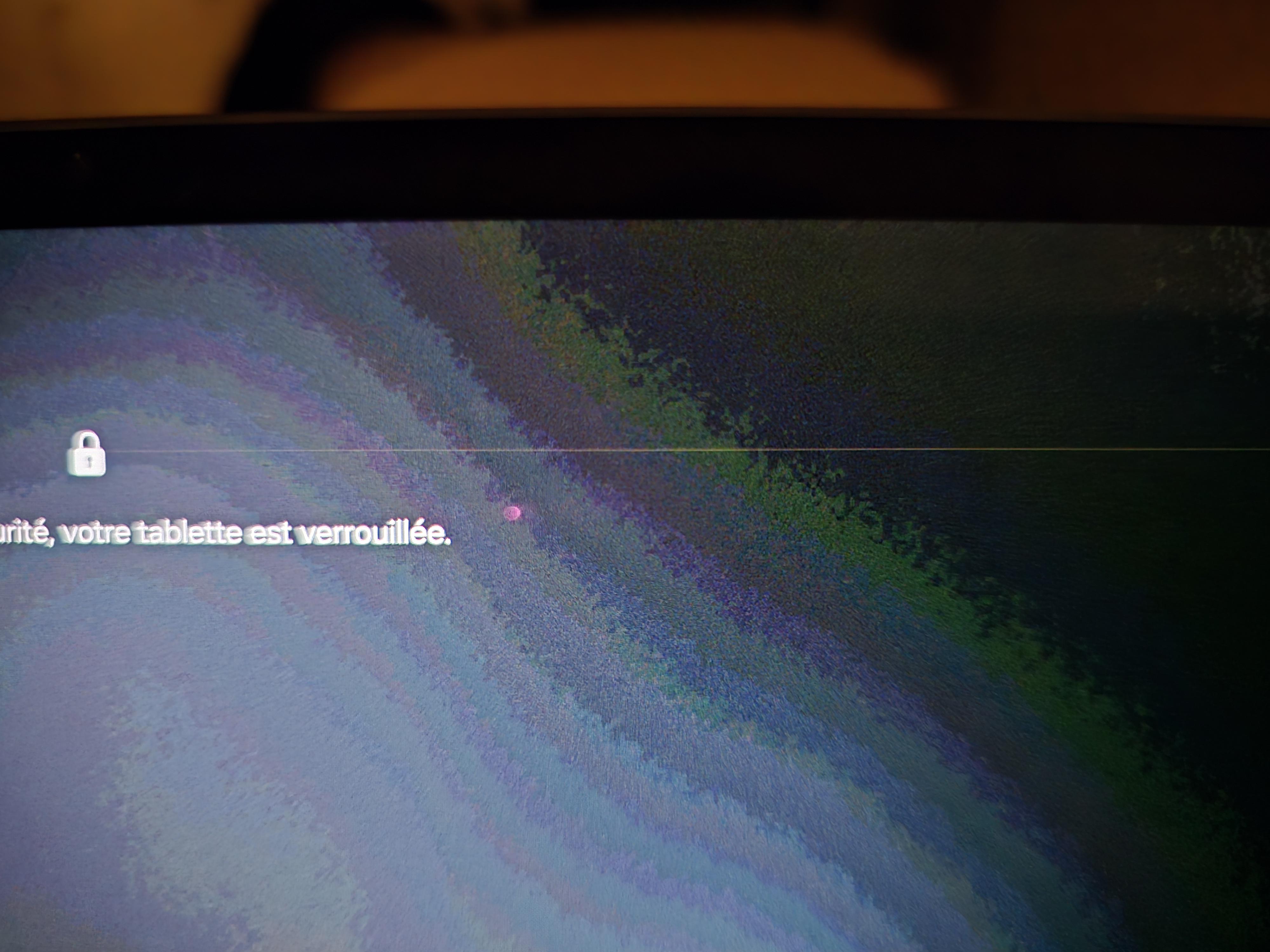
I recently noticed a very thin white line on my Galaxy Tab S12+ while watching a 16:9 video. In landscape, it’s near the top of the display, below the magnetic S Pen attachment area. It runs from one edge to about the middle of the screen.

It’s faint in person and easiest to see at low brightness. When I turn the brightness up, like more than 20% I can no longer see it.

It’s visible in multiple apps and on the lock screen. It’s still there after restarting the tablet.

When I rotate the tablet to portrait, the line becomes vertical and stays in exactly the same physical spot on the display.

I don’t see it when the display is off.

The attached photo makes the line look much brighter and more obvious than it is in person. In normal use, it’s easy to miss.

Has anyone else seen this on a Tab S12+ or another Galaxy Tab? If so, did it stay the same or get worse over time? If you took it in for service, what did they find?


r/GalaxyTab • • 6h ago

S10+ mouse recommendation?

1 Upvotes

Just recently bought a S10+ with a keyboard for only $800 cad. Will be using it for school and some slight photo editing so the track pad won't be enough for me. Is there any other recommended mouse aside from the logitech pebble 2? If so, I'd like to know your experience!

Also, are there any other accessories I should buy? Considering I'll be using it on the daily as a portable laptop replacement.


r/GalaxyTab • • 16h ago

Accessories recommended accesories with a S10+ and S10 lite tab

6 Upvotes

I recently bought a galaxy tab S10+ a couple days ago, I wonder if these need screen protector or is it okay to let it be as it is, does adding a screen guard reduce the quality of the amoled display experience in someway?

Which is the best book cover i can get in Germany? I find the Samsung smart book cover a bit pricey, but also like the idea of a detachable cover. Is there any other cheaper option that's also as good with different angles for viewing?


r/GalaxyTab • • 8h ago

Wallpapers

1 Upvotes

From where do u guys download wallpapers (specifically for s11u)


r/GalaxyTab • • 10h ago

Setups Galaxy Tab S12 Prices

1 Upvotes

Hey guys, I'm just here to talk and ask questions about some stuff. So I have a Tab S8+ and will be meaning to replace it for college. My current cart has the s12+, Samsung Care + and the Buds 4 pro alongside the keyboard case and a few more freebies all for 81k PHP. Which mind you, is less than a single tablet at my local experience store which is 86k PHP.

Now since I have my education discount I've been meaning to ask if theres any other ways I can get this number down? I have one working voucher code: GCB4SHAREIGN But I could add one more if I ever find one.

I'll also be getting the Dux Ducis Folio Case for my tablet so I'll have my protection and keyboard, will probably keep the free keyboard in storage. Still questioning whether or not I will be replacing the nib of my pen with plastic and getting a matte screen protector like my current setup with my S8+.

Overall what thoughts do we have about this little rant of mine? And any advice on more ways to get savings, or advice on when to buy this would really help.

Thanks!


r/GalaxyTab • • 11h ago

Question Typing field being covered by toolbar or keyboard

1 Upvotes

I have this issue where if I have a physical keyboard connected, and ready to type in MS Teams, the toolbar covers the typing field where it usually adjusts itself upward to be visible. I notice I needed to have the on screen keyboard to show even if physical keyboard is connected to correct this.

Anyone else having the same issue? I would like to have my toolbar still visible to see keyword corrections and bringing up toolbar options while using physical keyboard, but at times this bug is frustrating.


r/GalaxyTab • • 18h ago

Discussion Considering the present situation, how much do you pay for the tabs below?

Post image
3 Upvotes

Since I see so many people asking about pricing, I thought I would put this together to help everyone plan their budgets better.

  1. Galaxy Tab A11 Series

- Galaxy Tab A11: 4GB + 64GB / 8GB + 128GB (Wi-Fi, LTE/4G)

- Galaxy Tab A11+: 6GB + 128GB / 8GB + 256GB (Wi-Fi, 5G)

2. Galaxy Tab S10 Series

- Galaxy Tab S10+: 12GB + 256GB / 12GB + 512GB (Wi-Fi, 5G)

- Galaxy Tab S10 Ultra: 12GB + 256GB / 12GB + 512GB / 16GB + 1TB (Wi-Fi, 5G)

- Galaxy Tab S10 FE: 8GB + 128GB / 12GB + 256GB (Wi-Fi, 5G)

- Galaxy Tab S10 FE+: 8GB + 128GB / 12GB + 256GB (Wi-Fi, 5G)

- Galaxy Tab S10 Lite: 6GB + 128GB / 8GB + 256GB (Wi-Fi, LTE/4G)

3. Galaxy Tab S11 Series

- Galaxy Tab S11: 12GB + 128GB / 12GB + 256GB / 12GB + 512GB (Wi-Fi, 5G)

- Galaxy Tab S11 Ultra: 12GB + 256GB / 12GB + 512GB / 16GB + 1TB (Wi-Fi, 5G)

I didn't add the S9 and S12 series as the S9 is not available in most places and the S12 cannot be found at discounted prices. Feel free to ask or add the missing series as well.