r/GetComputerHelp • u/mitchawitch • 9d ago
The Flickering - Please make it stop
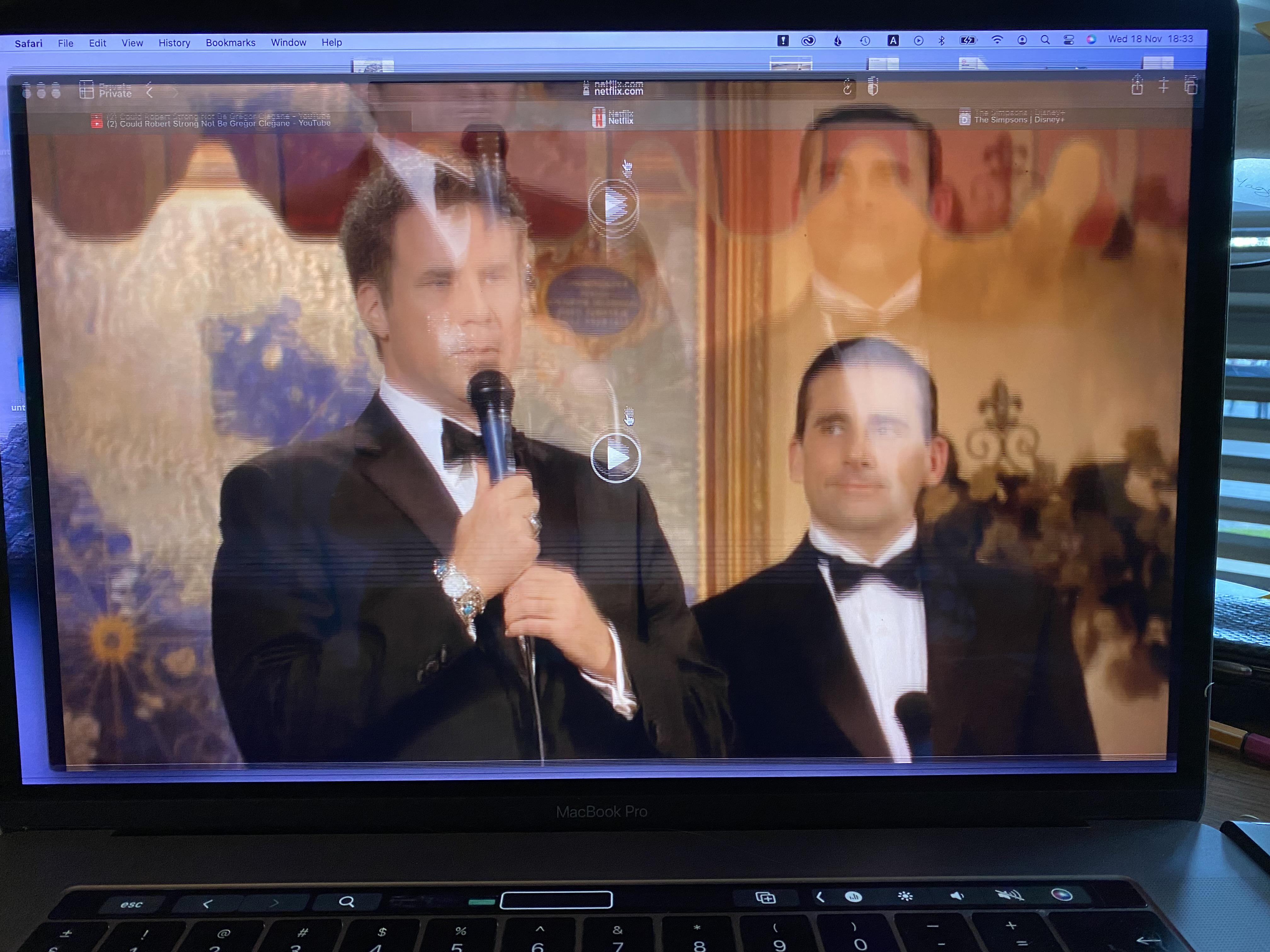
MacBook Pro 2016 model - Hand-me-down from my dad a few years ago, only started using it this year.
He says it never happened while he used it, must have been something I did, although it started flickering since I used it the first time. Have tried toggling display setting but it just goes back to this.
It makes working on in impossible, no matter what program I use, it starts flickering after awhile.
Is it a graphic card problem? A wiring problem? Aliens?
Any help or advice would be appreciated! Can naturally share more details (P.s. not really a techy at all)
Thanks!
1
u/Agerak 9d ago
Could be a gpu, cable, or display issue.
Does the same issue occur on an external monitor? If not then the GPU is likely fine which leaves cabline or display.
If you're comfortable, open it up and reseat connections from the display to the systemboard. If there is no change, check for damage/wear on the cable through the hinge. If it's worn through or looks damaged you can see if it's a replaceable component. On most windows laptops it is, not sure about macs though.
If all else fails then you'd be looking at getting a replacement LCD assembly. These generally have options with and without the cables. I'd recommend getting one with cables.
Alternatively, you can use the laptop connected to an external monitor and disable the internal display and use it like a desktop. Not ideal functionality wise, but the cheapest solution to a working system.