r/GetComputerHelp • u/Character-Staff-5841 • 8d ago
Can any one help to fix this problem??

1
Upvotes
r/GetComputerHelp • u/Character-Staff-5841 • 8d ago
r/GetComputerHelp • u/HunterJoe05 • 8d ago
My PC has 3 monitors. I was using it the other day for an online class, I was in a zoom meeting on my first monitor and had chrome pulled up on my second. I started a video for class on my second monitor and everything on my PC froze. I could not move my mouse, type, pull up task manager, or even use the power button to shut it off. After a few minutes of waiting I cut power to my PC and turned it on. When I did so only my second monitor turned on. I rejoined my class and when it ended I just turned off my PC. When I turned it on today I expected shutting it down and turning it back on to fix the issue but I can’t get the PC the detect my other monitors. I am going to explain what I did to trouble shoot it, I apologize if it is confusing because it confuses me.
Updated drivers
Drain residual power
I messed with the cables and found that if I take the cable form the working monitor and plug it into the another monitors display port it works, but it has to stay in the same port of the PC. But if I take the cable the is originally plugged into one monitor keep it plugged in to the monitor and move it to the port of the PC that was working it will not work. I have to use the same cable in the same port, then plug it into different monitors. I understand the way I have just described this is confusing. Please let me know if you need more clarification. I can try it film a video. Any help would be approached
r/GetComputerHelp • u/BrainEatingAmoeba01 • 8d ago
r/GetComputerHelp • u/occtmasta • 8d ago
I sold a PC with an RTX 5060 Ti, Ryzen 5 5600, 2×8GB RAM, 600W, 1TB NVMe, and a 90mm air cooler. I packaged it with everything installed (GPU and cooler etc), but used Instapak to secure everything in place. It was working perfectly fine before shipping, but now after he received it, it boots but doesn't show display. He tried different monitors, displayport and HDMI (plugged in GPU not motherboard), reseated RAM and made sure all cables are seated properly, but it still has no display. The motherboard has no debug lights btw. He sent me this video but I don't see anything broken or loose. Any idea how to fix this?
r/GetComputerHelp • u/Mountain-Half5897 • 8d ago
Is there a way to control my laptop while i am on work and the laptop was turned of then like my desktop was on cloud edit something and be saved when automatically after connecting to the internet
r/GetComputerHelp • u/SpookySoulGeek • 9d ago
The Acer monitor my gf uses for her desktop PC randomly will have the green acer logo pop up over evwrything else on thw monitor. clarity, not the black background with the logo, just the green lwtters acer itself. only way she can makw it go away if to unplug and replug it back in. It also will sometimes display 60hz in top left corner. she uses two monitors in her set up, this is lefthand monitor
r/GetComputerHelp • u/fddertyfddrydswasdy • 9d ago

DIT WITTE SCHERM KRIJG IK ALLEEN ALS IK HEM ZONDER OPLADER GEBRUIK!
hij start gewoon op je ziet dan gewoon het scherm goed het logo zie je bij het opstarten zonder oplader en dan als ik inlog komt dit witte scherm opeens.
En als het witte scherm er is en als ik hem dan in de oplader doe dan blijft hij wit maar als ik hem helemaal uit zet en dan met oplader aan zet dan doet hij het perfect!.
Pls help snel ik heb hem echt nodig voor een school project!.
IK HEB NOG GARANTIE MAAR DAT DUURD ZO LANG EN IK HEB HEM NU ZSM GEBRUIKEN VOOR SCHOOL EN KAN HEM GEEN 4 weken missen
r/GetComputerHelp • u/mitchawitch • 9d ago
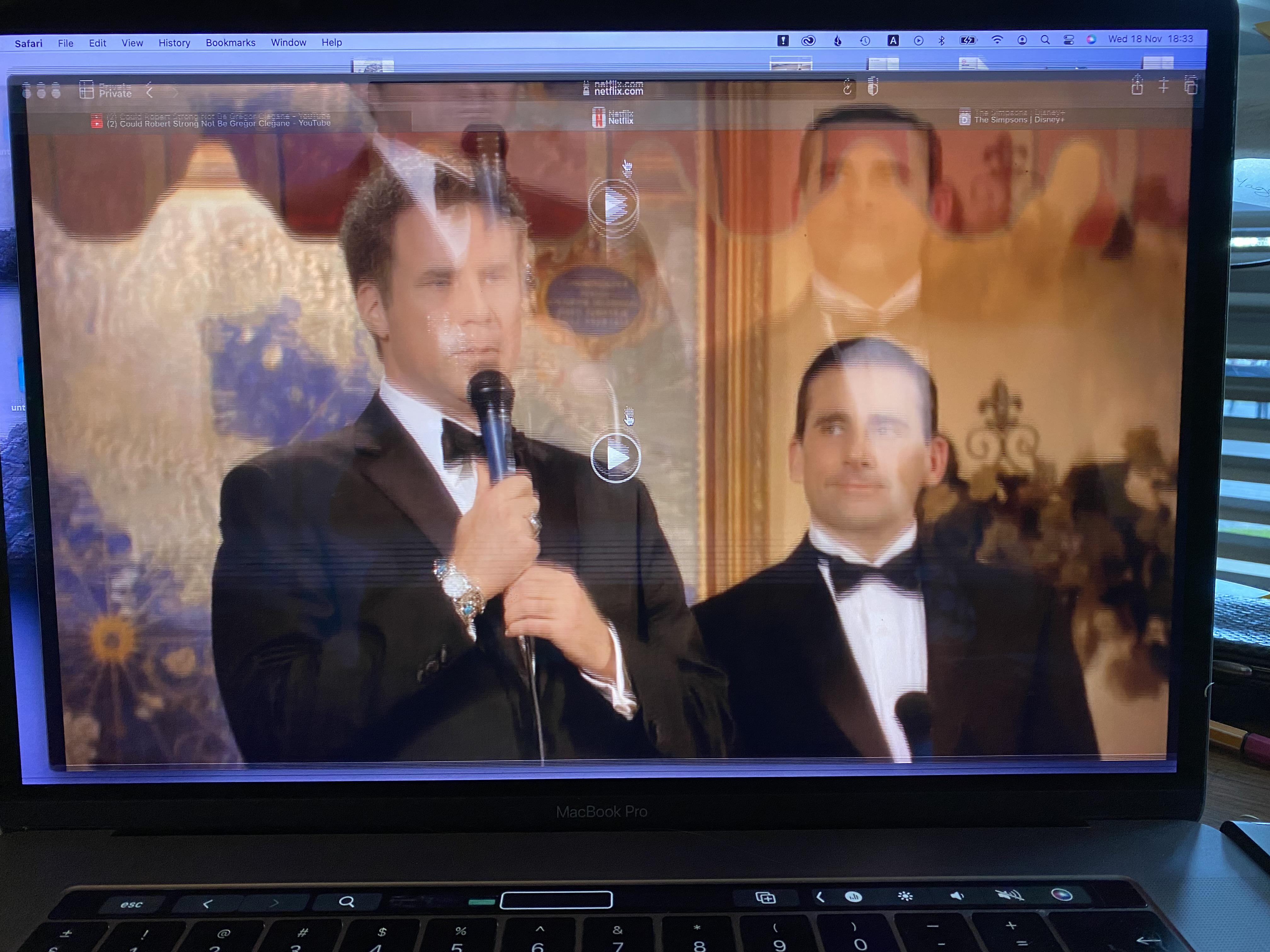
MacBook Pro 2016 model - Hand-me-down from my dad a few years ago, only started using it this year.
He says it never happened while he used it, must have been something I did, although it started flickering since I used it the first time. Have tried toggling display setting but it just goes back to this.
It makes working on in impossible, no matter what program I use, it starts flickering after awhile.
Is it a graphic card problem? A wiring problem? Aliens?
Any help or advice would be appreciated! Can naturally share more details (P.s. not really a techy at all)
Thanks!
r/GetComputerHelp • u/Head-Lengthiness6800 • 9d ago
Any help is appreciated
r/GetComputerHelp • u/luke56slasher • 9d ago
r/GetComputerHelp • • 9d ago
r/GetComputerHelp • u/crashbandicoot74 • 9d ago
r/GetComputerHelp • u/chokemebabyy • 9d ago

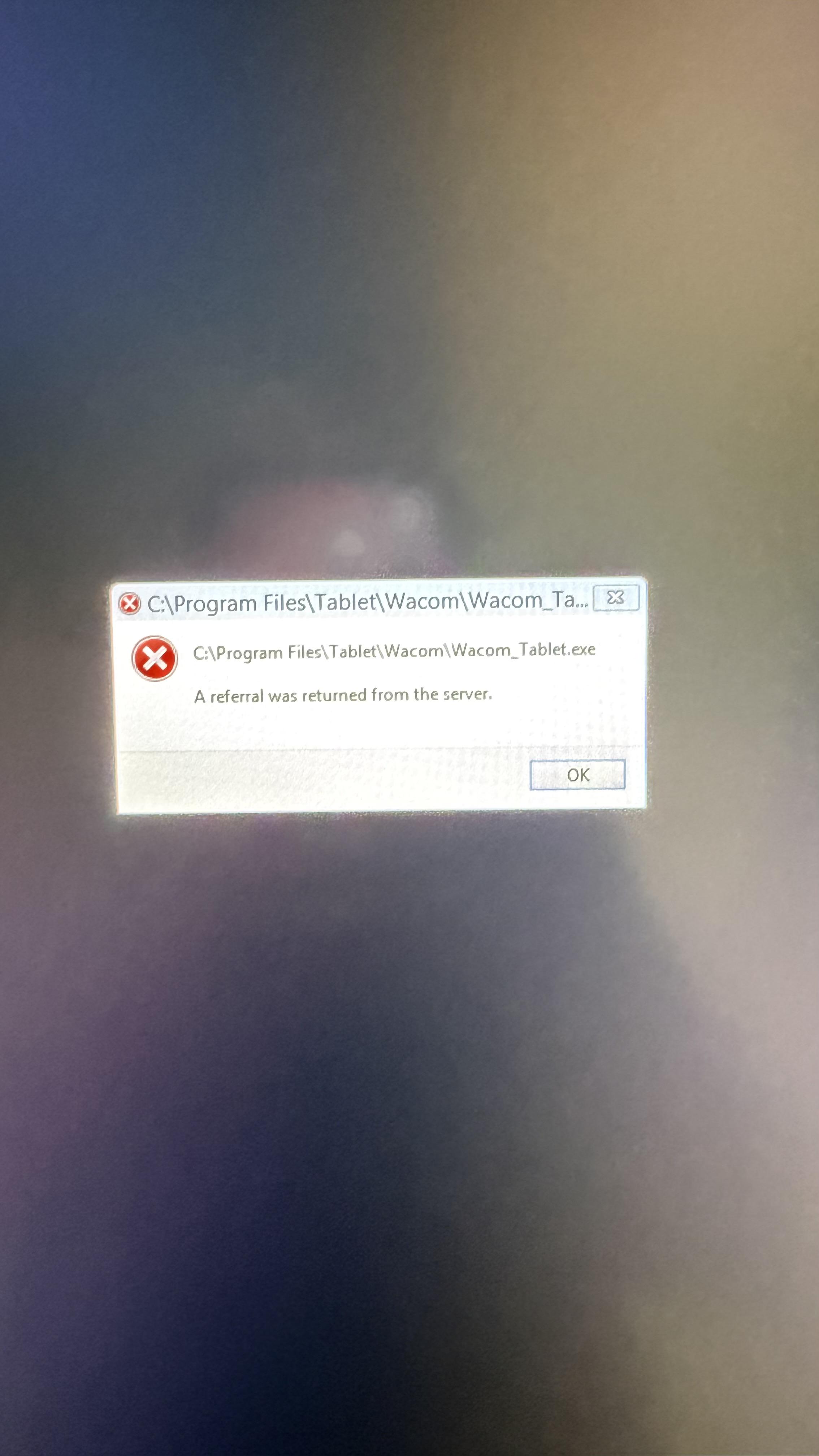
Ive had this monitor for 5 years now so I no longer have any warranty. Today i was playing a game when it randomly went off. If i remember it right half the screen flashed an image of my games' menu screen for a second which was what i was looking at a few seconds before. Now its black and wont turn on and clicking the button below the monitor sometimes causes blue flashes to appear which i managed to catch on camera after pressing the button for several minutes.
Usually theres a red settings popup that comes on when i click the bottom monitor button too but that doesn't appear anymore. Im thinking of contacting LG to get it repaired. Would the costs be worth it or is there anything more i could do? Could it be a GPU issue because for the past few days my screen and computer randomly crashes, and restarting the power turns it on fine. The crashes only happens when im playing high graphical games but not while im watching a movie or on youtube.
r/GetComputerHelp • u/sandbojunkie • 9d ago
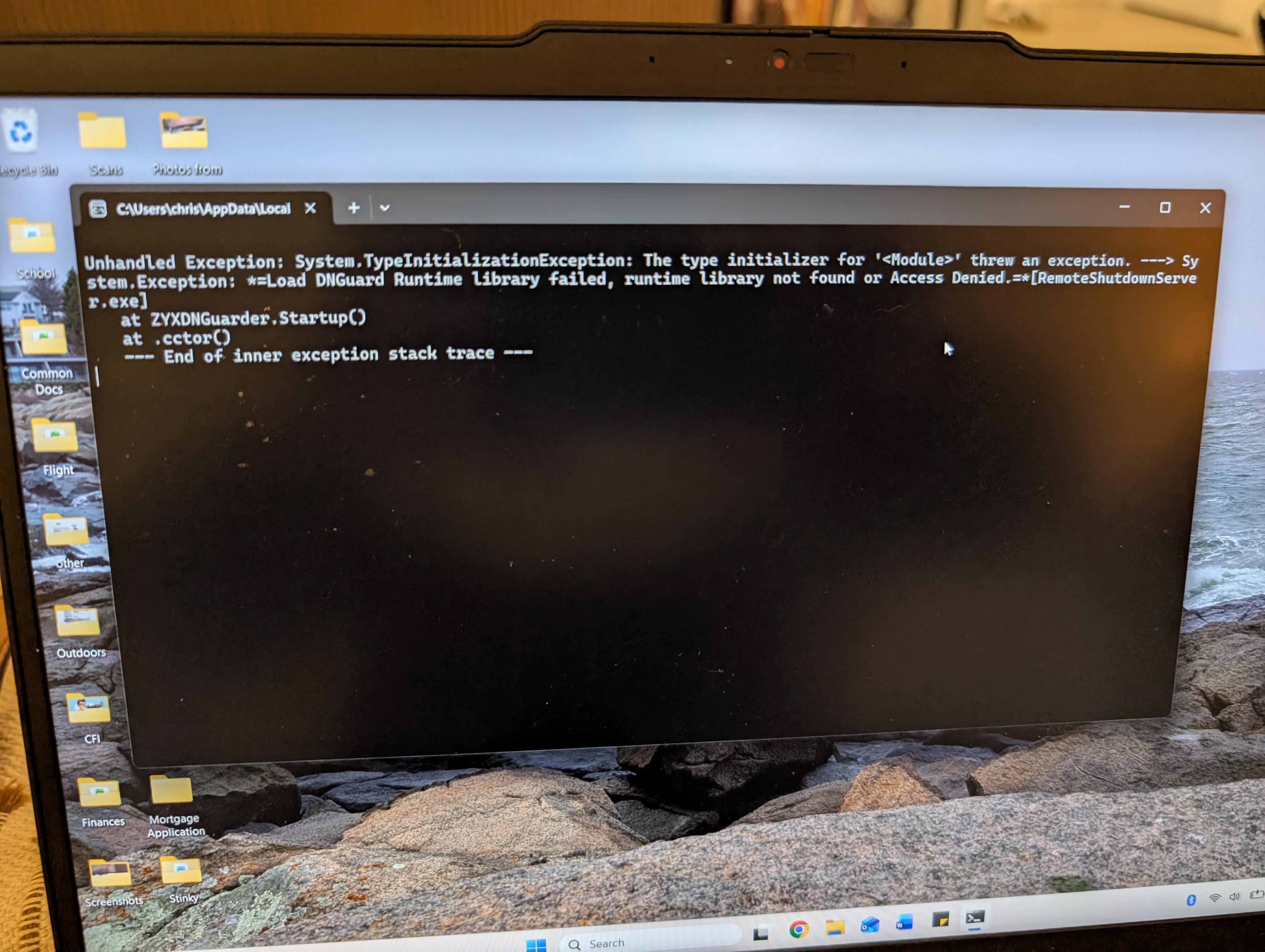
This opens multiple times very rapidly on every startup. Any idea what's going on?
r/GetComputerHelp • u/Throatybee • 10d ago
Monitor: Samsung Odyssey OLED G8 G80SH 27", firmware 1002.2 (latest)
GPU: RTX 4080 Super, driver [621.24], clean install with DDU
DP Cable : 1.4a VESA certified (Supports 4k 240hz)
I run 4K, 240Hz, 10-bit over DisplayPort. A “Not Optimum Mode” message flashes on screen for a split second and then disappears. It comes in bursts. Sometimes it shows 5-10 times per minute, sometimes not at all for a whole day. The screen does not go black, only the message appears. After using the computer for a while, I noticed that this warning no longer appeared.
What I tried:
It looks like a DP 1.4 + DSC link issue. I disabled DSC on monitor. Didnt work.
Does anyone with a G80SH have the same problem? Did switching to HDMI 2.1 fix it for you? Do you have any suggestions to fix it? Thanks!
r/GetComputerHelp • u/BonnerPopper • 10d ago

I’ve been at it for 5hour talking to ai, YouTube videos, looking through Reddit and can’t figure out why I can’t get my 3rd display to work
If it works it will turn off one of my other screens, please help, if you chat I can help explain better
r/GetComputerHelp • u/BrilliantDig3524 • 10d ago
r/GetComputerHelp • u/Tofei_ • 10d ago
This started happening 2-3 weeks ago and I have no idea what might've triggered it. My laptop keeps forcibly dimming down the brightness to 20% every 5-10 minutes or so and its infuriating. Looked up a couple of solutions but they either don't work or the settings aren't available in my laptop. then today, I had my laptop's brightness at 0% and it brought it up to 20%???, I'm using windows11, here are the the things i have tried out so far:
turned off lower screen brightness when using battery saver
turned off dynamic lighting
turned off adaptive brightness
Non of these things worked and my laptop keeps defaulting to 20% brightness no matter what I do.
r/GetComputerHelp • u/Resident_Mousse_4596 • 10d ago
r/GetComputerHelp • u/roveriant1 • 10d ago

Hello everyone can I ask how to fix this? My laptop camera wouldn't turn on when I was in Teams and Messenger. Apparently it says to ensure no other applications or website isn't using my camera. I also already checked my settings and nothing seems wrong.
r/GetComputerHelp • u/HaruStraife • 10d ago