r/GnomeRice • u/Agreeable-Fan4094 • 17h ago
Screenshot Edge Islands: a beautiful customizable Quick Settings panel for GNOME Shell 51
8
Upvotes
r/GnomeRice • u/Emotional-Suit3881 • 7d ago
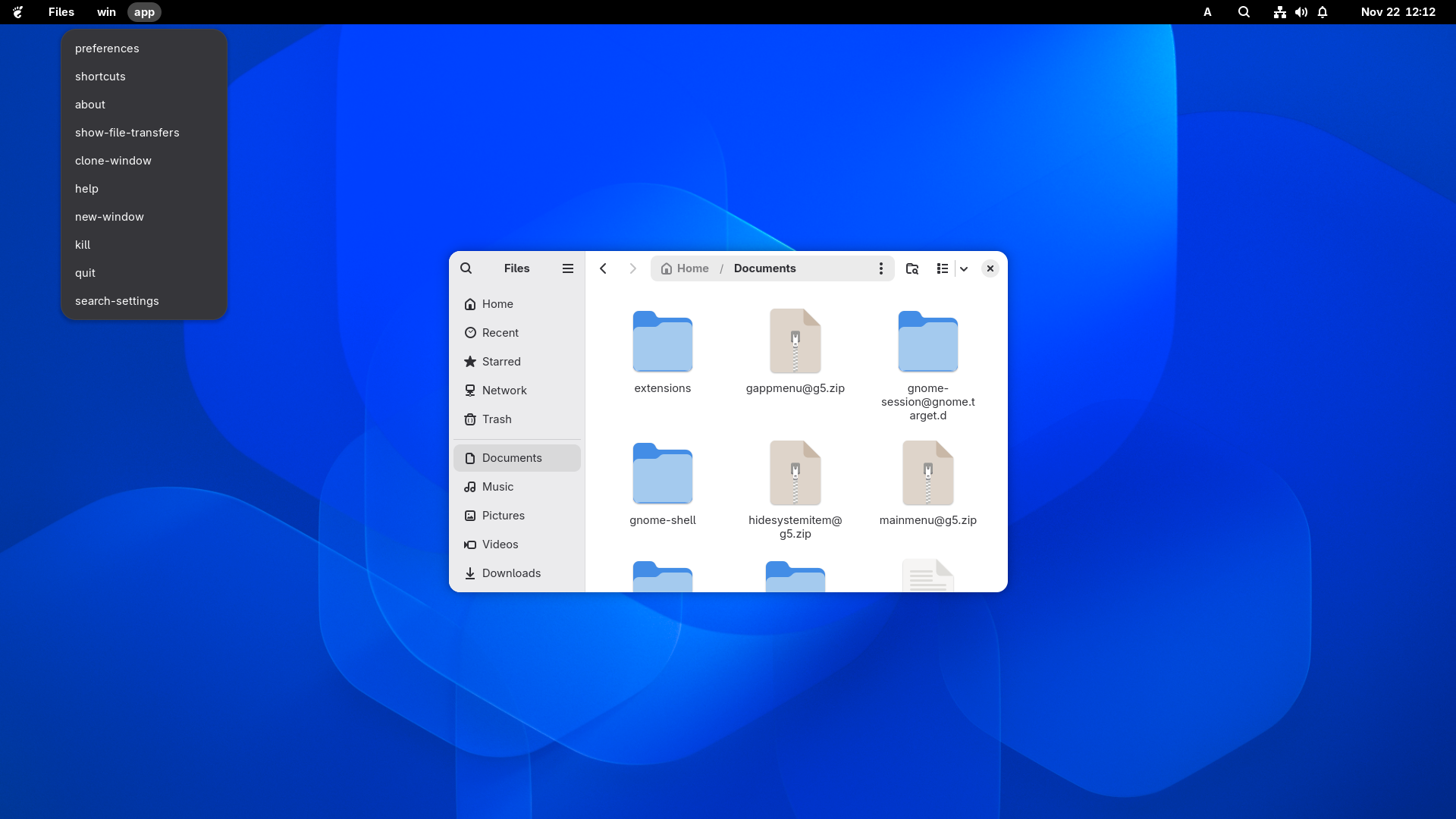
Under active development
r/GnomeRice • u/Emotional-Suit3881 • 11d ago

Development of G5 5.1 is continuing.
More updates will follow as development progresses.
r/GnomeRice • u/kigory2 • 19d ago

don't look at my ram usage people hate that
r/GnomeRice • u/Potential_Ad4169 • 24d ago

I built Desktop World Clocks because I wanted to glance at my desktop and see what time it was for the people I work with. Each clock can show a city name like “London” or a label like “UK team.” The clocks sit on the wallpaper, behind my windows, and let clicks pass through.
I’ve updated the docs with the results from testing on Fedora 45. The full automated test suite passed on GNOME Shell 51.1, including the preferences window and image backgrounds. The version on GNOME Extensions already supports GNOME 49, 50, and 51. If you have it installed, you’re all set.
I like the right-aligned layout because the last digits line up and I can scan the times at a glance. You can keep everything in one list or put a separate group in each corner. All the clocks share one timer and read the system time.
If you try it on GNOME 51 with a second monitor, I’d love to hear whether the clocks stay where you expect when you unplug it or wake your laptop. I couldn’t verify those two things \in the test VM.
Install from GNOME Extensions · Screenshots, source, and test results on GitHub
r/GnomeRice • u/IceTheEnderman • 29d ago

r/GnomeRice • u/Light_Sorcerer_1337 • Oct 26 '26

little things like this make a huge difference imo
r/GnomeRice • u/toji_s_ • Oct 24 '26
r/GnomeRice • u/toji_s_ • Oct 22 '26
r/GnomeRice • u/IceTheEnderman • Oct 22 '26

GNOME 95 shall make peace between Windows and Linux 🥹
r/GnomeRice • u/mhat202 • Oct 21 '26


r/GnomeRice • u/raimundoneto • Oct 19 '26

Extensions:
- Blur my Shell
- Dynamic Music Pill
- Just Perfection
- QuickNotes
- Tiling Shell
- Vertical App Grid.
To order extensions icons on topbar I used the extension Top Bar Organizer Plus.
r/GnomeRice • u/narkagni • Oct 15 '26
r/GnomeRice • u/narkagni • Oct 04 '26
r/GnomeRice • u/Silent_Echo_2005 • Sep 25 '26

I’m happy to share a new update for Ambed Fly, a lightweight GNOME Shell extension that adds animated flies and ladybugs to your desktop.
This release introduces ladybugs for the first time, along with improvements to movement and animations, more control over the number and type of creatures, and further optimizations to keep the extension lightweight.
What’s new?
- Improved fly movement and animations.
- New animated ladybugs that can both walk and fly.
- Ability to control the number and type of creatures.
- More natural interaction with mouse movement.
- Improved interaction with moving windows.
- Lightweight and unobtrusive.
- Support for GNOME 45–50.
The idea is simple: make your GNOME desktop feel a little more alive without getting in the way of how you use it.
GNOME Extensions :
https://extensions.gnome.org/extension/10787/ambed-fly/
I’d be happy to hear your feedback, especially ideas for improving the movement and adding more creatures to the desktop in the future.
You can also check out the source code on GitHub, try it yourself, modify it, and contribute to the project.
GitHub :
https://github.com/walid-rouibah/ambed-fly
● I will post a video demonstrating the Ambed Fly extension in the comments
r/GnomeRice
•
u/SingleContext5311
•
Sep 22 '26

Gnome is a great DE, the applications as well. But they lack that extra flair.
Theming is troublesome. There are always some things that look out of place. And they tend to break after gnome-updates. So keeping your theme as close at it gets to the default Adwaita theme is the only practical way.
I found out that you do not need to change that much. Just Blur-My-Shell (gnome extension) and a small gtk.css-file you can drop in the '.config/gtk-4.0' file.
How to do it:
open a text-editor and past the following code into it:
window {
    background: color-mix(in srgb,  55%,  9%);
}
.sidebar-pane,
.sidebar,
.navigation-sidebar {
    background: transparent;
}
.content-pane {
    background: color-mix(in srgb,  70%,  1%);
}
.card {
    background-color: color-mix(in srgb,  70%,  1%);
}
list.boxed-list,
list.boxed-list-separate > row {
    background-color: color-mix(in srgb,  70%,  1%);
}

button.flat:checked,
toggle-group > toggle:checked,
tab:selected,
row:selected {
    background: color-mix(in srgb, transparent,  15%);
    color: color-mix(in srgb,  65%,  45%);/*var(--accent-fg-color);*/
}
 (prefers-color-scheme: dark) {
    window {
        background: color-mix(in srgb,  55%,  3%);
    }

    .sidebar-pane,
    .sidebar,
    .navigation-sidebar {
        background: transparent;
    }

    .content-pane {
        background: color-mix(in srgb,  100%,  20%);
    }

    .card {
        background-color: color-mix(in srgb,  70%,  1%);
    }

    list.boxed-list,
    list.boxed-list-separate > row {
        background-color: color-mix(in srgb,  80%,  10%);
    }

    .content-pane {
        background: color-mix(in srgb,  70%,  1%);
    }

   button.flat:checked,
    toggle-group > toggle:checked,
    tab:selected,
    row:selected {
        background: color-mix(in srgb,  10%,  70%);
        /*box-shadow: 0 0 10px color-mix(in srgb,  10%,  70%);*/
        color: ;
    }

    banner revealer widget {
        background-color: color-mix(in srgb, u/accent_bg_color 30%, transparent);
    }

    statuspage {
        background: transparent;
    }

}
Save the file as 'gtk.css'.
2. If you have not got the latest Blur-my-shell, then you can download it from the github page: link
3. activate the popup-blur in BMS.
4. Make sure you have the standard default light theme activated
5. Drop the gtk.css-file we have made into the '.config/gtk-4.0'-file.
6. logout and -in.
The desktop should now be as intended in the screenshots. You can play with the settings of the popup-blur in BMS to get a result to your liking.
Be aware: Changing themes will remove the gtk.css file in .config/gtk-4.0 ! You will need to reiterate the steps to make it work again.
Some more info on the screenshots:
Wallpaper link
Font: Roboto UI weight=450 (12pt) link
Gnome extensions used:
r/GnomeRice • u/WSTxda • Sep 21 '26

r/GnomeRice • u/zasprex • Aug 13 '26

This is my desktop setup I've been trying to make it look as modern and sleek as possible and this is where I landed
and before anyone complains about macOS icons I’m using them because they are honestly among the most clean modern and visually consistent icons out there along with a few others If you don't like macOS aesthetics go ahead and design a fully consistent better looking icon pack yourself bring it over and I'll gladly use it
anyway I’m looking for tips and ideas on how to improve the overall look even further
I'm currently running gnome 50 on wayland
r/GnomeRice • u/WSTxda • Aug 01 '26
r/GnomeRice • u/unlikely-contender • Jul 29 '26

It's a lifestyle
r/GnomeRice • u/Far_Mulberry_7443 • Jul 15 '26
r/GnomeRice • u/Far_Mulberry_7443 • Jul 01 '26
r/GnomeRice • u/why_is_this_my_user • Jun 28 '26

took a few time to make it work, BUT! it works

