r/HiDPI_monitors • • 7h ago

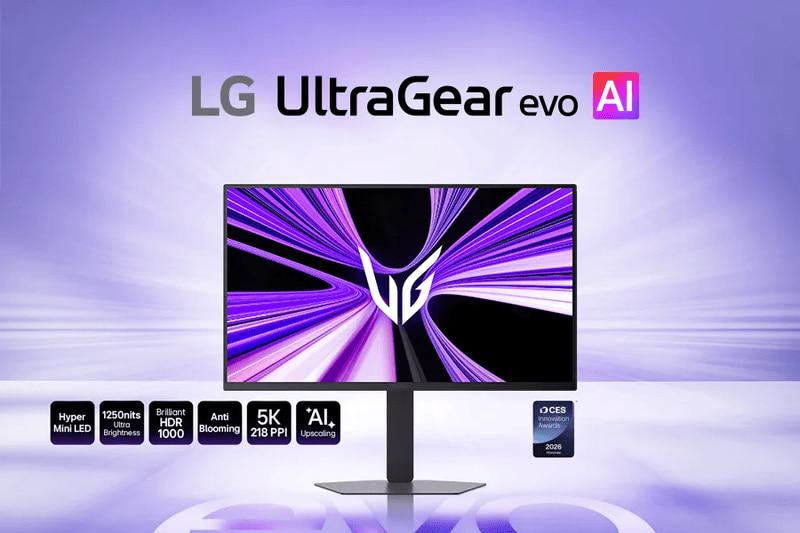
LG 27GM950b now worth it with Price 799$ ??

Post image
16 Upvotes

Hello guys i want buy it i have oled 5k2k 45, and i want to try the 5k monitor in a 27-inch size. How is it now in Nov? Did they fix the bugs of HDR and other things? And am I going to notice a difference in quality?


r/HiDPI_monitors • • 3d ago

Discussion Q: What do you do with your 32" 6K 60Hz display?

8 Upvotes

I'm guessing not serious gaming... so what do you use it for?

I use my 2025 ASUS ProART PA32QCV 32" 6K on 2026 MBA 15" M5 16GB/512GB for

  • 50.6 MP RAW image workflow
  • Browsing
  • Civ
  • Video streaming
  • Spreadsheets

r/HiDPI_monitors • • 5d ago

Purchase advice 5K Mac Monitor: Samsung, Kuycon, Meirro, or...?

4 Upvotes

Hi folks,

Taking the time and money to upgrade my setup from a Samsung 4k monitor that I found by the side of the road about five years ago (no, really).

I am upgrading from an M2 Mac Mini to an M6, if this matters, but I would like 5K/218ppi for proper display scaling.

I do not want to spend the $1,500 on an Apple Studio Display - even used ones in my area are well over $1,000.

I only do very light photo/video editing, which is to say that I am not a professional and therefore color accuracy is not paramount to me. I do minimal gaming so I don't really care about refresh rate either. It's not that these AREN'T important, it's just that they aren't my priorities. I mostly use my computer for music recording and editing.

I've got it narrowed down to a couple here but I'm open to suggestions.

  1. Samsung Viewfinity S80HF, $499. This is the cheapest option I can find, on sale for Black Friday. I have generally had good luck with Samsung monitors in the past - and really none of their other products - however, candidly, this thing is really ugly looking. Very hard to find any reviews of it. I really don't have any other issues with it, it seems like it will do the job, just ugly.

60Hz 5K IPS, 1000:1 contrast, matte finish, 350 nits brightness, 5ms response time, 218ppi, sRGB color gamut 0.99, HDR10.

2. Kuycon G27x SE, $590 shipped after tariffs. People seem to like Kuycon monitors here and elsewhere, and this one is the cheapest 5k they have. Looks nicer than the Viewfinity but still not one of the primo offerings from Kuycon. Biggest downside is if anything goes wrong with it I have to ship it back to China and don't have US customer service, big gamble for almost six hundred bucks.

75Hz 5K IPS, 2000:1 contrast, glossy finish, 450 nits brightness, 8ms response time, 218ppi, sRGB color gamut 0.99, HDR.

3. Meirro 5K Pro, $799. On the one hand, this is beautiful. On the other hand, it's a completely unknown quantity since it's preorder only and people haven't done any reviews yet. The 6K monitors seem to have been very hit or miss in terms of quality control, but it looks like the good ones have been REALLY good and ClickClack has been taking care of people on returns/refunds/exchanges/etc. Looks great, good specs.

60Hz 5K IPS, 2000:1 native, "hybrid" anti-reflective glossy finish, 500 nits brightness, 14ms response time, 218ppi, sRGB color gamut 0.99, HDR implied but not specifically advertised.

So, they're all similar in that they're hard to find reviews of, same ppi and color gamut, the differences seem to be in the presentation/packaging (build materials, screen coating, and brightness). EDIT: brightness does not matter to me. I see that my current monitor is 300 nits brightness, and the dimmest monitor here on my list is 350 nits. My current 300 nits is PLENTY bright for me.

I'm almost leaning towards the Samsung but could be talked into something else. What do y'all think, given the choice between these three? Or is there a dark horse I should be looking at? I am not interested in BenQ or ASUS but could have my arm twisted if they were really good and much cheaper than any of the above, like, sub-$400.

Thank you!

r/HiDPI_monitors • • 5d ago

Question 5k 27” 120hz + vs 6k 32” 60hz

9 Upvotes

Hi guys,
I’m currently planning my new home office setup and can’t decide between a 32-inch 6K 60Hz display and a 27-inch 5K 120Hz+ display. The setup will be powered by a Mac Mini M6.
I’ll mainly be using it for work (I’m an accountant), so lots of Excel, accounting software, PDFs, and general multitasking. No gaming at all.
My main concern is whether 120Hz actually makes a noticeable difference in eye comfort during long working days. I feel like 120Hz would be easier on the eyes, especially with all the scrolling through spreadsheets and documents.
On the other hand, the extra screen real estate of a 32-inch display would be very welcome. Unfortunately, there are basically no 32-inch 6K 120Hz options out there.
So my question is: Is the difference between 60Hz and 120Hz really that noticeable for office work, or am I overthinking it and should I just go for the bigger display?
Would love to hear from people who have used both, especially for productivity rather than gaming.


r/HiDPI_monitors • • 5d ago

Purchase advice Is a $499 for Samsung Odyssey G80HF 5K a Good deal?

2 Upvotes

I see that best buy has Black Friday sales going on. I have a dock and don't particularly care about power delivery. I think it does 5k 120hz over hdmi and DisplayPort.
I do some light photo editing but mostly software dev. How are the colors? The Matte screen okay?


r/HiDPI_monitors • • 5d ago

New product Meirro Pro Display 5K

8 Upvotes

Not sure if it has been mentioned before, but looks like there's a new Meirro display in 27" 5K. It comes with a hybrid finish, whatever that means and starts at 749 USD.
Link: https://www.meirro.com/specs/5k


r/HiDPI_monitors • • 5d ago

Purchase advice LG 32U990A vs. Kuycon G32P

3 Upvotes

I am looking to pull the trigger on a 6K 32" Monitor but I can't make up my mind. With Black Friday, both of these are pretty much the same price here in Germany (around 1300 EUR atm).

One I can get from Amazon (or LG itself) whilst the other I have to order at ClickClack.io which makes me a bit uneasy.

I do like the Glossy of the Kuycon, despite being in a fairly bright room. I really like the design as well and it hard to believe Asus and LG still pull out designs as bad as that in 2026.

But I have also read review re Display uniformity etc. with Kuycon and it will be impossible to get ahold of anyone if there is an issue.

Does anyone have first-hand experience regarding those two monitors? I really can't make up my mind between nice design and glossy, vs. Fugly but better Support.

Appreciate your insights.

Edit: I am also aware of the Meirro Pro, however, I have a separate MacMini so the abilty to change inputs is a must have.


r/HiDPI_monitors • • 5d ago

New product Japannext 6K JN-X6K2

Thumbnail
notebookcheck.net
9 Upvotes

Thoughts anyone?


r/HiDPI_monitors • • 5d ago

Purchase advice What's the safest 4K+ monitor to buy if I don't want to play "panel lottery" or listen to coil whine?

5 Upvotes

As a background, I previously owned the Dell U3219Q and loved it. It had great color, excellent panel uniformity, and decent enough contrast. I previously tried the BenQ MA320U and quickly returned it because the color uniformity was terrible and I could see obvious darkness near the edges.

I recently moved to Thailand and it's time to buy a new monitor. Unfortunately here, retailers generally do not accept returns unless there is a serious problem. So I am not able to exchange a unit if the "panel lottery" doens't work out.

Based on my past experience with the BenQ MA320U and Dell U3219Q, the Dell U2725QE or U3225QE seem like a very safe buy. I was ready to pull the trigger until I saw reviews complaining of coil whine and other quality issues. I am very noise-sensitive and would be very unhappy if I got a noisy unit.

I'm also interested in the LG Ultrafine 6k Evo or any other 4K+ monitor, really, so long as it has good color uniformity, minimal coil whine, and there is little variance in production quality.

Short of paying $1,600+ for an Apple Studio Display, is there any other monitor that is a low-risk purchase given my situation?


r/HiDPI_monitors • • 5d ago

Video review ViewSonic VP2488-4K (23.7″ 4K monitor) — video review by Ruslan Tulupov

Thumbnail
youtube.com
5 Upvotes

r/HiDPI_monitors • • 6d ago

Issue LG 32U990A-S: Setup Advice

1 Upvotes

Hi All -

I purchased the LG 6K 32" 32U990A-S thru LG's Partner Store (great price on the monitor right now). Setting it up, the colors look good, the matte screen doesn't bother me, but I've run into an odd issue with my Logitech webcam.

My setup:

- Thunderbolt 5 connection from the top Thunderbolt 5 port to my MacBook - provides power and video

- Webcam connected using a USB-A to USB-C adapter

It works inconsistently. Originally, it was working OK, but I was having problems with the monitor waking up out of sleep - switching from the LG supplied thunderbolt cable to an Anker thunderbolt cable that I had solved that - but now, the webcam either doesn't work (no image, no light on the camera) at all, or works briefly, with choppy video, and then powers off.

In terms of settings on the monitor, I have

USB Selection: Thunderbolt

USB Switch: Thunderbolt

Thunderbolt OUT: Off

I like the performance of the monitor but getting everything functioning properly has me considering returning it.

Anyone have any suggestions on the above?

Thanks in advance!


r/HiDPI_monitors • • 6d ago

New product Asus ProArt PA24US — prof. 23.6″ 4K monitor: 187 ppi, IPS, anti-glare, 60Hz, 1000:1, 350/600 cd/m² (SDR/HDR), DisplayHDR 600, HDR10, HLG, 99% Adobe RGB, 95% DCI-P3, 100% sRGB, ΔE<1, flicker-free, PiP/PbP, 12G-SDI, 2xHDMI2.0, DP1.4, USB-C (DP Alt, 80W), USB hub (2x), audio out, 2x2W spk, 10×10-cm mnt

Thumbnail
asus.com
9 Upvotes

r/HiDPI_monitors • • 6d ago

Purchase advice Looking for LCD desktop panel, around 24" 4K with no PWM and FRC.

7 Upvotes

This is repost from another sub.

Looking for an IPS LCD monitor, around 24" 4K with no PWM and FRC and some positive eye filters. I wouldn't mind proper brightness unformity and would prefer (but not limit myself to) matte finish, as I need it for reading mainly. I know that such displays are very hard to come by but perhaps this community knows something? Last ones I've found were from around 2015 (literally one Samsung panel mounted by few brands) and in fact I could be interesting in purchse (note I'm from EU).

Definitive most of recent panels are confirmed to be using FRC, and many "flicker-free" displays still have PWM, just at higher frequencies.


r/HiDPI_monitors • • 7d ago

Question Questions about G80HS M5 MacBook Pro for elderly parent

4 Upvotes

Hi, I’ve been tasked by my elderly father to get him a new MacBook Pro and monitor. He’d like a screen larger than 27 inch. He’d use it for general reading and web browsing.

I’ve found this monitor has all the specs of 6k natural scaling resolution, high refresh rate for that ProMotion feeling, large size, IPS panel for crisp text.

I’m not savvy with Mac or Apple at all. But I’ve tried to do some research.

So my understand is this monitor would be a great pairing with an M5 Pro MacBook Pro and there wouldn’t be any issues with this pairing. Please correct me if I’m wrong.

The correct setup would be to connect the monitor to a docking station via DP 2.1 and then docking station to MacBook Pro via Thunderbolt 5. Is this right?

Then would wireless Apple keyboard and mouse pair to his MacBook automatically when he is near them or plugs it into the docking station? I’m not quite sure how apples wireless peripherals would work here. He would disconnect the MacBook and use it as a portable laptop as well.

This setup would also charge the computer because it’s plugged in the dock via thunderbolt 5?

Would audio still come out of the MacBook Pro while clamshelled and attached to the dock? He doesn’t really care about external speakers but some audio is required. He’d like to use it clamshell style and not open when using the desktop.

He’d also probably do a UI scaling to make icons and text and everything larger. Is it recommended to use a certain setting or scaling like 200% or something to retain correct ratios? Would the computer automatically recognize when it’s docked and using the monitor and scale appropriately automatically each time?

This is a new type of setup to me and it sounds all peaches and cream on paper from what I’ve researched but have no practical experience and just want everything to go super smoothly so he’s happy with it and I don’t have to return things or spend hours on troubleshooting.

Thank you


r/HiDPI_monitors • • 8d ago

Purchase advice Has anyone tried the G80HF monitor on mac?

3 Upvotes

So the G80HF is a 5k 165hz 27 inch gaming display, and I’m planning on buying it if it goes on sale this black friday. The specs look promising, but has anyone tried it?


r/HiDPI_monitors • • 8d ago

New product KTC 32" 6k Mini LED showcasing at CES

Thumbnail
techradar.com
57 Upvotes

Looks like the only upcoming 6k Mini LED (potentially glossy?) coming to the market, and for a likely very affordable price based on their past releases. Based on reviews around here and r/Monitors, KTC seems like a relatively reliable brand as well, at least compared to other 3rd party OEM monitor with limited exchange/refund policies.


r/HiDPI_monitors • • 8d ago

Article What is Apple CMF(Color Matching Functions) and what’s still missing

Thumbnail
fullanalysis.substack.com
4 Upvotes

r/HiDPI_monitors • • 9d ago

Purchase advice Macbook M2 Pro & RTX3070 - Dual Mode Monitor Setup Review

1 Upvotes

[Apologies for long post!]

Hi all,

I have been looking at better displays for my macbook, since fonts look awful in pdf’s right now on my very old 24inch 1080 Benq.

With my research I stumbled on Dual mode monitors, with the option of connecting my macbook (coding & photo editing (5k)) & desktop (gaming (1440p) + windows/linux usage (5k)).

I have found the Asus (XG27JCG) & LG (27GM950B) as the primary suggested options.

My current eye is the Asus one, it has a built in KVM + lower price.

My current pc setup has 3 monitors currently:
- left: MSI 27’ 1080p Curved 120hz - HDMI
- center: LG Ultragear 27 inch QHD 144hz - DP
- right (vertical): <same as center>

Macbook:
- left: unused
- center: new monitor 5k, if possible @ 120hz
- right: if possible existing LG if not disabled

Desktop:
- left: existing center lg to the left
- center: new monitor: gaming @1440p/144hz, 5k/120hz
- right: existing LG

Q1: Is the above setup possible?

Q2: Do you guys have any suggestions or tweaks or warnings before going this direction?

Q3: Anything to be aware of, like coatings, etc (noticed on quick read of subreddit)?

Thanks!


r/HiDPI_monitors • • 10d ago

Question Automatic switching macOS color profiles?

0 Upvotes

Been really pleased with my Kuycon G27P so far, but I do have exactly one complaint about it at this point: pretty much every time I wake my computer (Mac mini) from sleep, the color profile is no longer properly configured. It says it’s still the Kuycon color profile that I have installed, but everything looks weird and wrong (like Finder window file list background gray is way too low-contrast). If I switch the color profile to Display P3 and then back to the Kuycon one, it’s fine again.

Is there some sort of way to automate switching to the one and back when I wake my computer? It seems like from everything I’ve looked up and found online that there’s no real way to automate this process, but I’m hoping I’ve missed something here.


r/HiDPI_monitors • • 10d ago

Purchase advice LG 27GM950B-B vs Apple Display XDR as a software engineer

21 Upvotes

On the edge of buying one or the other. I'm a software engineer who spend 8+ hours a day behind his monitors. Due to black friday, I can now buy the XDR for 2700 euro's and the LG one is 900 euro. So a big difference.

Like I said I will only use them for work/productivity. Work is coding & ui/ux design. Mostly coding. I might prefer dual monitor setup, but I'm ok to start with 1 monitor first.

The thoughts I have:
- There is a window behind me, so not sure if glossy of the XDR is going to bite me

- with dual XDR I can daisy chain and have 1 cable to my macbook. With dual LG I probably have to buy a new TB5 dock in order to have 1 cable (perhaps also a good set of speakers)

- LG is SDR only and I might not use the local dimming since I use it for productivity, while XDR can deal with it.

- XDR doesn't have fans

So the real advantage of XDR over the LG might only be the local dimming implementation, but does cost 1800 euro more.


r/HiDPI_monitors • • 10d ago

Question Kuycon P20 owners: could someone share the calibration reports from the included USB drive?

1 Upvotes

Hi everyone,

I own a Kuycon P20 (28.2-inch, 4500 × 3000), but I've misplaced the USB drive that came with it. I noticed in a review that the drive includes color calibration reports.

If you still have your P20 USB drive, would you be willing to share those reports and any ICC/ICM color profile included on it? A download link here or via Reddit message would be much appreciated.

I understand that a factory report or profile may be specific to the individual monitor, so I'm mainly looking to see what files were provided.

Thank you!


r/HiDPI_monitors • • 11d ago

Purchase advice Samsung G8 G80HS

6 Upvotes

Hey folks

I haven’t purchased a new monitor in years. After my current 32 inch benq 4k IPs monitor started giving way.. I was looking for a monitor and came across a seemingly good deal - Samsung G80hs 32 6k for $500. I just impulse purchased it - without digging too much into it.

I only use computer for productivity - like reading docs, attending meetings, etc. No gaming. Maybe occasionally watch videos here and there.

The monitor is not yet delivered. And I am thinking if this is a reasonable enough choice for the price? Or should I also look at some other options and potentially return the package unopened when it delivers in a week’s time.

If anyone has experience with this monitor and is willing to share.. I would love to know.

Thank yo

Update 1: monitor got delivered early. Experimented with it for couple of hours. 6k is def much better for test clarity and readability. At 4k of my old monitor - there was fuzziness hence I had to always scale up the text. But with 6k I am able to use 4k at 1:1 scaling. I haven’t been able to test with full 6k yet as there was no usb-c to dvi cable. The hdmi from my MacBook Pro could only push 4k (seemingly). I haven’t ordered a 80gig cable- will take. A couple of days to get here. The white on the monitor isn’t that great - compared to Mack book pro screen. But I would rather take the higher ppi. Will add more updates as time goes on


r/HiDPI_monitors • • 13d ago

Question Kuycon G32P panel uniformity?

Post image
2 Upvotes

Is this about as good as I can expect or?


r/HiDPI_monitors • • 15d ago

Question Can anyone explain why 4K to 5K feels like a much more minor difference than 1440p to 4K?

6 Upvotes

I used to use a 2010 27" iMac for a while, which has a 1440p screen that I found very nice at the time. Unfortunately the GPU died on me, so for a bit I used a 24" 1080p screen with my MacBook. Needless to say, this was awful. I think it was a combination of the lower pixel density and the fact that I was running a newer version of macOS that was less optimized for LoDPI, but it felt much worse than the iMac.

So I decided to upgrade. I was very tempted to go up to 5K because I heard about the strange scaling that happens with 4K if you use it with the same UI scale as a 1440p monitor. But I had a limited budget, so I went with a 27" 4K monitor. This is what most people would consider MidDPI.

I expected to have a mediocre experience. Hell, some people online even said a 1440p monitor would be better than 4K. But despite that, I find it to be excellent! I genuinely struggle to make out individual pixels, while I distinctly remember seeing much of the pixel grid on the iMac. Out of curiosity, I went to the Apple Store to try out their Studio Display. Honestly, the sharpness seems only marginally better than my 4K monitor, and the nanotexture version looks almost identical in sharpness (probably because of the graininess that it adds).

Can anyone explain why this is? Do I just have mediocre eyesight, or is it maybe that I'm using my 4K monitor from too far away? Or is it more that I'd appreciate the difference between 4K and 5K the more and more I use it? I did only use the Studio Displays for like 10-15 minutes.

Don't get me wrong, I'm not complaining! I was planning on eventually upgrading to a 5K monitor but now I feel like I don't need to do that. It's just that everything I understood was that the difference between 4K and 5K on macOS would be much bigger than it ended up being.