r/homecockpits • • 5h ago

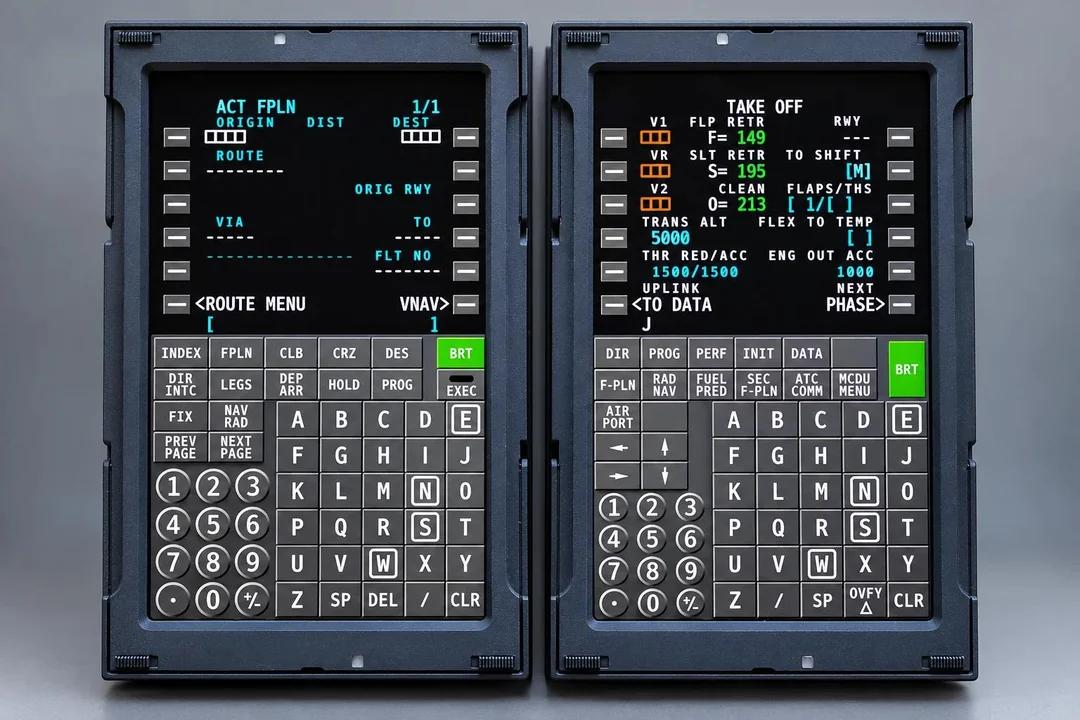
Got my hands on a CDU from a 737-300, thoughts on power it?

Thumbnail
gallery
106 Upvotes

Good news is Thanks to the help of a tech and documents he had we were able to figure out the pinout

5v ac for lighting

115v 400hz for the main power

Since the lights are just incondesoint bulbs 5v dc worked but for main power I assume that not going to be the case where DC works in place of AC

Any ideas or experience on powering this thing up, I’ve seen inverters online that convert DC 28v to the 115v 400hz but all the ones I’ve found currently for sale are overpriced and untested


r/homecockpits • • 6h ago

F16 control panel SNSR and control board

19 Upvotes

I2c, with differential. All rj45 cabling to keep the nightmare of custom cables away. In this example its a simple F16, SNSR panel, with switches and backlight control.
The control board auto detects the panel plugged in, and the panels are hot swappable and detect upon plugin.


r/homecockpits • • 6h ago

Testing DIY clockwork flight sim VOR ✈️

19 Upvotes

r/homecockpits • • 18h ago

Cessna 172 style Airspeed Indicator

Thumbnail
gallery
89 Upvotes

I'm a teen developing a modular, USB-C plug-and-play Textron Aviation S3325-6 style airspeed indicator for home flight simulator cockpits.

The gauge is 3D-printed, features a working stepper-driven needle, and connects directly to your PC. Custom software or a Mobiflight config and a USB-C cable are included.

It's designed for flight simulation only, not real aircraft use.

I'm currently gauging interest and looking for feedback from the home cockpit community. Planned price: 79 EUR.

For transparency, a few parts of the ASI are based on Captain Bob's designs, which I give him full credit for. We also have a royalty arrangement sketched out for when the product enters production.


r/homecockpits • • 6h ago

Landing in Toronto on 4screens with higher FPS than GTA6

Thumbnail
gallery
6 Upvotes

7800x3d 7900xtx 64gb 6000mt RAM.


r/homecockpits • • 20h ago

IDENTIFICATION/SALE

Thumbnail
gallery
11 Upvotes

I got this 737-500 standby attitude indicator that used to bean aircraft part but then was converted to a trainer part. Looks like a Thales H341ANM1. Relatively good condition. Does anyone know how much it would be worth?


r/homecockpits • • 8h ago

I built a free tool to compare civil flight-sim hardware by sim, aircraft & desk space (early version – looking for feedback)

Thumbnail
reddit.com
0 Upvotes

r/homecockpits • • 1d ago

My CJ4 Standby Is Alive!

42 Upvotes

Built a Standalone CJ4 Standby Instrument That Talks Directly to MSFS 2024

One last project before heading out for Thanksgiving!

I've been working on a replica of the Goodrich GH-3100 standby instrument for my full-scale Citation CJ4 home cockpit. After finishing the mechanical design and 3D-printing the housing, I decided to tackle the software.

Rather than using a pop-out window from MSFS, I built a standalone application that renders the entire instrument using vector graphics and receives live flight data directly from the simulator.

A small bridge application reads attitude, airspeed, altitude, heading, and slip data from MSFS 2024 at 30 Hz and sends it over the network to the display.

The video shows the instrument running on my desk while I adjust the barometric setting in the sim. You can see the indicated altitude responding in real time.

It's a fairly simple demonstration, but this was my first real attempt at developing software that communicates directly with MSFS, so seeing it work was a pretty satisfying milestone!

The display also includes the standby's independent baro setting and menu functions, modeled after the real GH-3100. Next up is a custom PCB to connect the physical rotary encoder and buttons.

I've also just received a huge shipment of newly manufactured cockpit panels, so there should be plenty of assembly and testing updates after Thanksgiving.

For anyone building custom instruments, have you gone the pop-out route, used something like Air Manager or Glassout, or developed your own display software? Curious to hear what others are doing.

I'm documenting the entire CJ4 build and sharing the project resources at https://525charlie.com

Happy Thanksgiving to everyone following along!


r/homecockpits • • 17h ago

Button Box

Thumbnail reddit.com
2 Upvotes

r/homecockpits • • 1d ago

First prints looking amazing(F16 MIP)

Post image
10 Upvotes

Not a whole cockpit lol, but Im building my version of Main instrument panel on the f16 for DCS


r/homecockpits • • 1d ago

✈️ Introducing VortexLab – Custom Desktop Cockpit Panels for Flight Sim Enthusiasts!

Thumbnail
gallery
23 Upvotes

I've been working on building VortexLab, a Canadian brand focused on designing and 3D-printing desktop cockpit panels for home flight simulators.

The goal is simple: bring a more realistic cockpit experience to your desk without needing a full-size simulator setup.

Here's what we're working on:

🛫 AIRBUS A320 DESKTOP PANEL
Captain-side main instrument panel featuring PFD, ND, ECAM and SD across two 15.6" monitors.
Starting at US$349.

🛩️ CESSNA SIX-PACK PANEL
Classic six flight instruments on a single 15.6" portable monitor.
Starting at US$100.

✈️ BOEING DESKTOP PANEL
Currently in development. More details coming soon!

🇨🇦 All panels are designed and 3D-printed to order in Canada.

I'd love to hear from fellow simmers:

  • Which aircraft do you primarily fly?
  • What cockpit hardware would you like to see next?
  • What features would make these panels more useful for your setup?

EXPLORE VORTEXLAB:

🌐 Website: https://vortex-lab.co/
📸 Instagram: https://www.instagram.com/vortexlab3d/
▶️ YouTube: https://www.youtube.com/channel/UCf5TGpG4zSLOABa2T10-8TQ

Thanks for supporting a small Canadian flight-sim hardware project!

Note: FCU, throttle, sidestick and gauge software shown are not included.


r/homecockpits • • 2d ago

Work in Progress

Post image
30 Upvotes

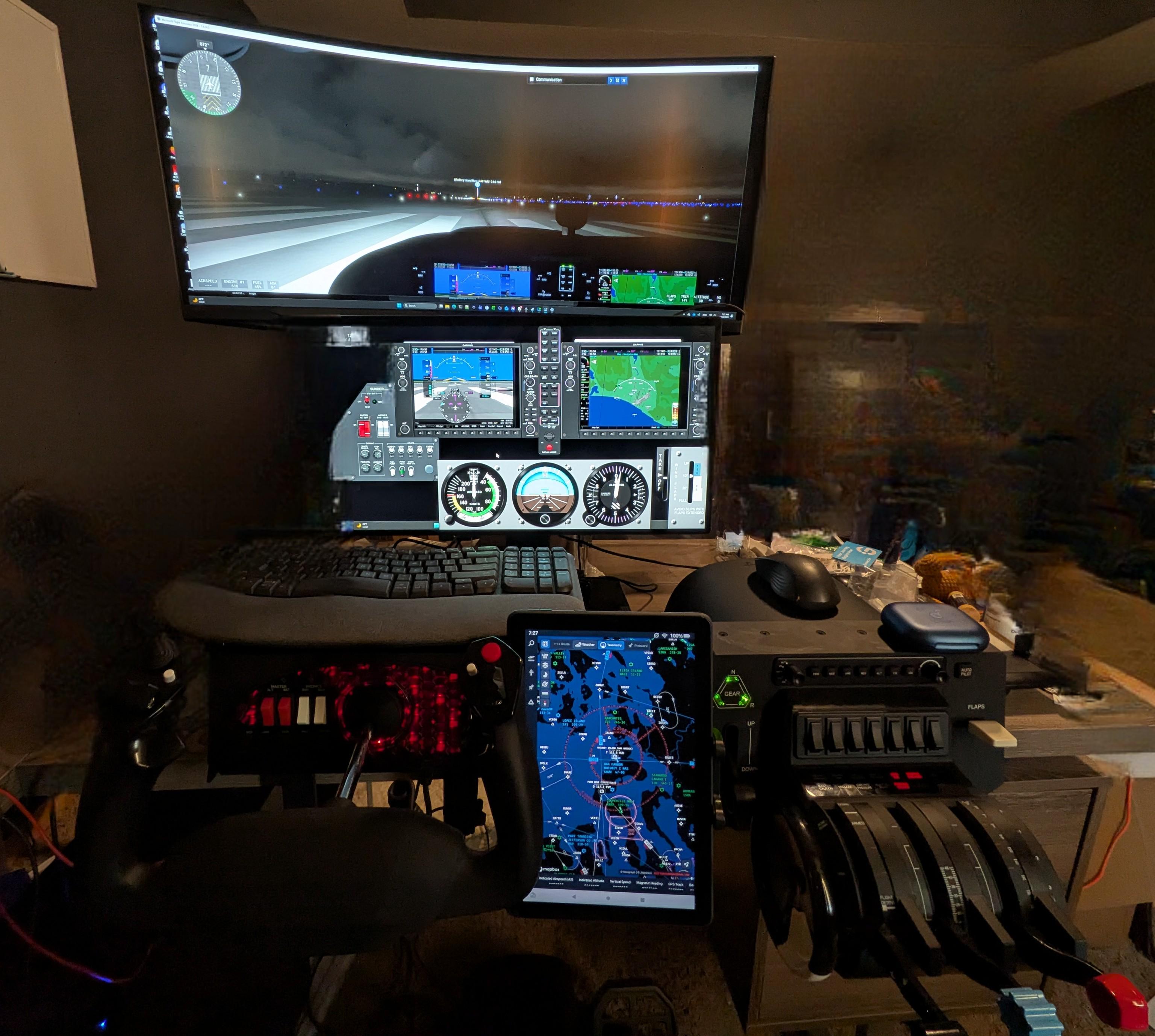
While still trying to finish moving our home office into a real office and figure out what to do with both our family's estates I decided to Frankenstein something.

What I really need is finding a cockpit setup I can use that will play nice with HOTAS but also my Honeycomb set. I am adding a 2nd touch screen to sit below the curved monitor and likely will go bigger with it. Tablet between yoke and throttle running EFB and checklists

Happy for suggestions!


r/homecockpits • • 2d ago

Flight Sim Wings Sims

Post image
24 Upvotes

Hey you guys! I wanted to share a little about FlightSimWings, a company I’ve been working with that manufactures Cessna 172 flight simulators.
We’ve developed some really interesting simulator systems, we have FAA approved AATD’s as well as other simulators that are not FAA approved yet and much cheaper but hyperrealistic. We also have interchangeable instrument panels, so you can switch between a traditional six-pack with a GNS 530, dual Garmin G5s, and a Garmin G1000 configuration.
The simulators are built with a realistic C172 cockpit, detailed instrument displays, and a three-screen visual system. They’re designed for both realistic home simulation and flight training as well. Here is our website. We are just getting started up and making a lot of progress.
Website: https://www.flightsimwings.com


r/homecockpits • • 1d ago

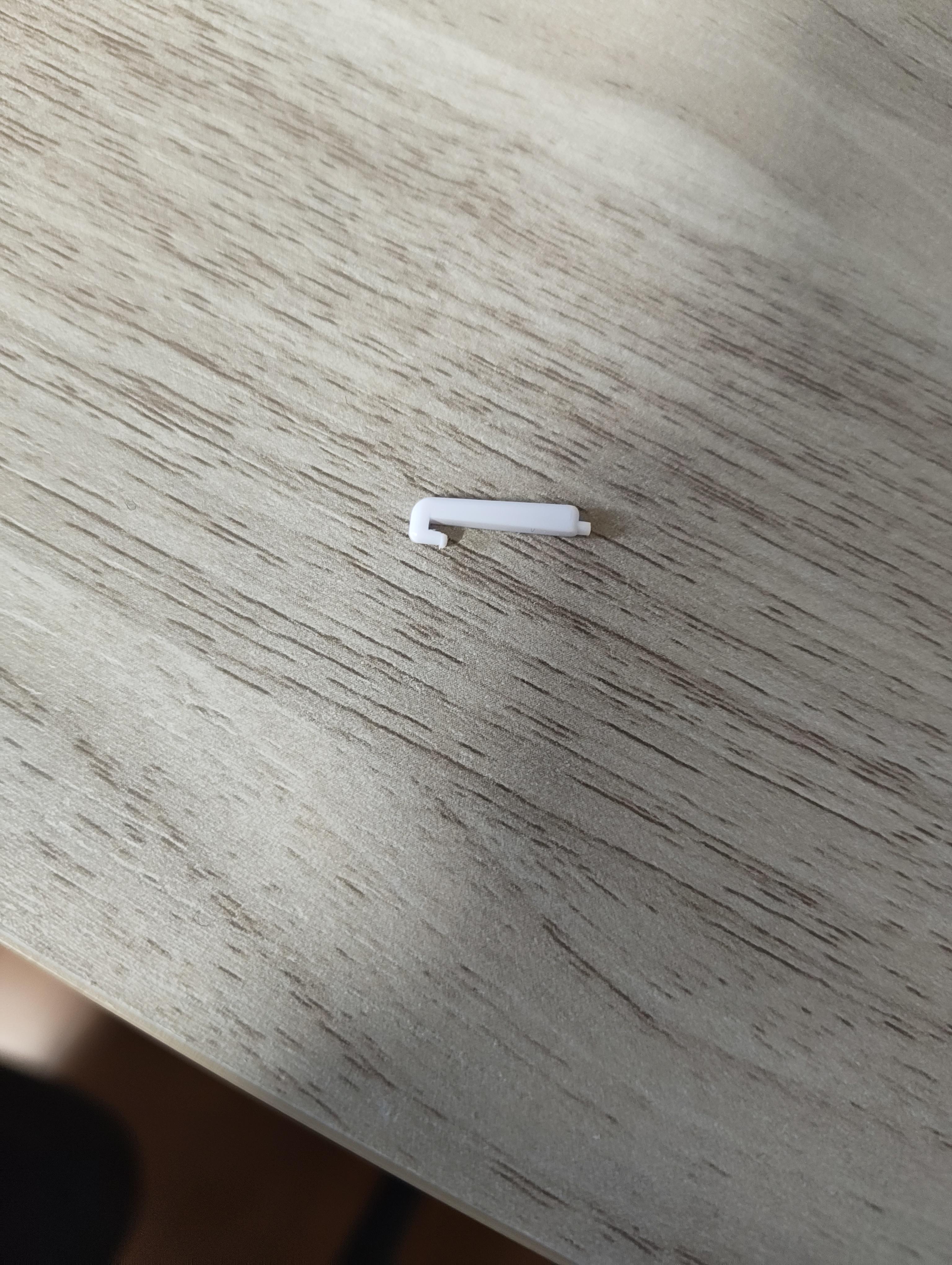
What is this?

Post image
0 Upvotes

r/homecockpits • • 3d ago

LAS TFMC — the touchscreen FMC/CDU is finally available to download

Post image
106 Upvotes

Hi Guys,

A couple of weeks ago I posted about the touchscreen FMC/CDU I'd been developing in my shed, and I was rather surprised by the amount of interest it received!

A few people said they'd like to give it a try, so I'm pleased to say LAS TFMC Release 1.1 is now available to download.

For anyone who missed the original post, it's a standalone FMC/CDU running on a Raspberry Pi 5, supporting different aircraft across MSFS, X-Plane and ProSim.

It's not screen scraping or a remote display. TFMC receives the CDU data from the simulator through its own connectors and renders everything independently on the Pi.

Currently supported:

  • MSFS: PMDG 737, 777 and Fenix A320
  • X-Plane: Native 737, Zibo 737 and ToLiss A320
  • ProSim: CDU and FANS configurations

One thing I added relatively late in development is Monitor Mode.

I realised that asking people to buy a particular touchscreen and build an enclosure before they could even try the software was a bit much!

So now, if TFMC doesn't detect the dedicated touchscreen, it can run on an ordinary monitor using a mouse.

It's the complete software, not a limited demo. You'll still need a Raspberry Pi 5, but there's no need to buy the screen or print anything to try it.

As promised, the software is free for private, non-commercial use.

The 3D-print files are finished, but I'm still documenting the recommended print settings, so those will follow separately.

Everything is available here:

https://liquidalpha.com/downloads/

I've tested this rather extensively on my own setup, but now comes the interesting bit — seeing how it works for other people!

If you give it a try, I'd be interested to hear how you get on, including anything that doesn't work as expected.

Thanks again for all the encouragement on the original post.

Cheers!


r/homecockpits • • 3d ago

Well that a pretty interesting VOR 😇

23 Upvotes

NEW sim module coming out very soon. 3D printable fully functional. stay tuned


r/homecockpits • • 3d ago

Multimonitors

6 Upvotes

Hello Capts

I know how to set up multimonitors, but my question is, how do you angle the cameras so the center line is seeing from the Capt and the Copilot side??


r/homecockpits • • 3d ago

737 master caution glarewing panel

4 Upvotes

Hi guys,

I really love the 737 and I would like to build a home cockpit and little by little ( also with some luck we could get some new panels for the 737 from WinCtrl) i would like to build one.

There's just a little question.

Where could I get a plug and play 737 master caution panel.

I have tried looking online but I wasn't able to find anything so far...

Thanks a lot!


r/homecockpits • • 3d ago

Winctrl 737 hardware

Thumbnail reddit.com
2 Upvotes

737 hardware

Hi guys, do you think next year or later we would get the same Winctrl hardware for the 737 that we got for the airbus ?

I would love to see a 737 throttle( if it's not mechanized with the auto throttle etc it's still gonna be great).

Maybe also an overhead panel and glareshield panel.

What's your opinion?


r/homecockpits • • 3d ago

HeavyPro 1.2 update!

2 Upvotes

Hey!

We can annouunce that Heavypro has been updated to version 1.2.

The update is pushed 1.20, it makes the aircraft more responsive while in slower speeds as before it felt very sluggish. 100% support for AzurPoly C160 is added, thanks to AzurPoly for providing it. Lighter Fenix flare.

Read more about it here: https://rotaidem.com/addons/rotaidem-heavypro

Want to check out heavypro? Here!

Join the discord for 24/7 support! https://rotaidem.com/discord

best,
rotaidem


r/homecockpits • • 5d ago

I finished my Falcon 20 throttle project

Thumbnail
gallery
203 Upvotes

It was a lot more work then I originally estimated, but that's usually how these things go.

The throttles work, the thrust reverser levers work, the original speedbrake and trim panel work. As you can see I added 2 custom switch panels, about half of the switches being originally from Falcons.

Everything is wired up to a Leo Bodnar 32 input joystick interface board, so it was essentially all plug and play. Just a lot of wiring. Throttles and speedbrake are using 60 degree hall effect rotary potentiometers.

I recycled a few aircraft connectors so if I need to remove any panels in the future, I can easily disconnect them at a cannon plug and seperate it from the board. This will make modification and repair in the future much easier.

I gotta say it's works and feels great. I knew it would be an upgrade from my Bravo quadrant but its even better then i thought, it really adds a level of immersion, even if I'm flying around a 737.


r/homecockpits • • 4d ago

Keeping the cockpit visible on one screen while dimming another

2 Upvotes

I built FlightOLED Guardian, a free, open-source Windows utility for MSFS and X-Plane 12. For home cockpits, the feature I’d most like feedback on is per-display selection: dim the OLED showing a static cockpit view during cruise while leaving another screen visible for charts or instruments. There are also joystick shortcuts to start or postpone dimming.

How do you divide cockpit views and instruments across your displays? I’d be interested in layouts the current display picker should handle better.

https://github.com/erencevikk/FlightOLEDGuardian/releases/tag/v0.5.2


r/homecockpits • • 6d ago

Minimalistic home cockpit complete

Thumbnail gallery
173 Upvotes

r/homecockpits • • 7d ago

Should i make my homecockpit multi PC?

Thumbnail
gallery
126 Upvotes

So I am 16, Ive built a full a320 cockpit. It's pretty much complete. Filled with winctrl, rowsfire, sim guages and sl3 simulations parts. However it runs but not very well, the PC sometimes crashes and things just don't work sometimes. Every now and then too msfs20 won't boort and my gpu will disable itself for safety reasons ( I have integrated graphics) my specs are gpu rx7700xt CPU Ryzen 7 5700G and then 32gb of ram. Should I buy a £300-£500 secondary PC? Will it work? I'm just not too sure. Id appreciate any advice. Thanks, Ryan. ​​