r/HowToMen • • 52m ago

[App][Giveaway][Promo] Open with: link & file chooser

Thumbnail
gallery
17 Upvotes

Hi r/droidappshowcase, I'm Vojislav, the solo Android developer behind Open with (and Bottom notifications, plus a few other apps).

I built it because Android keeps choosing for me. Since Android 12 it rarely even asks which app should open a link, so things land in the wrong browser, the wrong account, or a viewer I never use. And the old "open with" list I relied on is mostly gone.

App name:

Open with

https://youtube.com/shorts/GkEs1Znle-I

What it does:

Open with sits between Android and your apps. When a link, file or share arrives, it either opens it straight away in the app you picked, or shows a small chooser at the bottom of the screen with the apps that fit, with an optional countdown that any touch pauses. Choose every time, or set up rules once and let everything open where it should, with nothing on screen.

Private tabs from any app:

Chrome, Brave, Vivaldi and Opera don't let other apps open a link in a private tab, they open an empty one at most. Open with does it for you: switch on Private in the chooser and tap a browser, or let a rule open a website privately every time. Firefox takes the link straight in; for Chrome-based browsers and Opera, the optional accessibility service types it into the new private tab.

Your privacy comes first:

Open with never sends your links or files anywhere. Everything it decides, it decides on your phone. The one exception: a Google Maps short link (maps.app.goo.gl) that the app you picked can't open is looked up with Google, to find the place it points to.

No ads, no trackers, no analytics.

No account, no sign-up, no email.

It asks Android for the list of installed apps, so it can offer any app, not just the ones Android suggests. That list is used on your phone only and never leaves it. To catch web links it becomes your default browser (Android has no other way to hand an app every link), and then passes each link on to the browser or app you chose. No notification access. The one optional extra is an accessibility service, off until you switch it on, used only to type a link into a new private tab in Chrome-based browsers and Opera.

Rules, the part I use most:

"When something like this arrives, open it there" - and the most specific rule wins. A few I set up in the first five minutes:

Links from Slack or Teams in the browser I'm signed into for work during office hours, everything else in my personal one

YouTube links always in YouTube Morphe

Never offer Chrome for Amazon links

Always ask before my bank's pages, and nowhere else

PDFs from my email app straight into my PDF app

Addresses from messages straight into Waze

Podcast links into my podcast app when my headphones are in, the browser otherwise

Shopping sites always in a private tab, so they don't follow me around

Match a website by name, wildcard (*.example.com), address prefix, a word it contains, or a regex. Scope a rule to a content type, a file name, or the app it came from. Rules can also depend on the day and time, on a mode you switch on (Work, Personal or your own, by hand, from the home screen icon, on a schedule, or by itself with your network: Wi-Fi, mobile data, no connection, roaming or a mobile network you name), or on whether headphones or Bluetooth audio are connected. They can copy the link too, open it in a private tab, save a copy of a file to a folder, or only save it. Rules name themselves as you build them ("github.com → Firefox"), or you give them your own name and icon. An Always ask rule can have its own countdown, its own look and Private already on. Setting up a second phone, or a colleague's? Share rules sends the ones you pick as one file, and Import rules on the other phone adds them next to the rules already there, with the modes they use.

And you don't have to go to settings for most of it: tap New rule in the chooser to build one from the link in front of you, start from one of 26 ready-made templates, or hold any app in the chooser to make a rule on the spot or to use that app for the next 10 minutes or the next 5 links. Or switch on Suggest rules: when you keep picking the same app for a website, a sender or a content type, Open with offers the rule for you (it counts websites by name only, on your phone).

What else you can do:

Links, streams, live streams, images, audio, video, PDFs, ebooks, comic books, Word, Excel and PowerPoint files, text, archives, APKs, torrents, calendar files, contact cards, GPS tracks, map locations, navigation, email addresses, phone numbers, text messages, 2FA setup links, crypto payment links, Play Store links, web searches and shared items each get their own page: a default app (just star it), "open without asking", hidden apps, sort order and their own countdown

Add your own file types, each with its own icon

Pick ANY installed app, not just the ones that claim the content: a notepad for text files, the Amazon app for Amazon links

Style the chooser: Material You colours or your own, highlight colour, outlines and button shapes, grid or list, apps filled from the left or the right, size and position on screen, over 40 open and close animations, all with a live preview

Your buttons, your way: switch each chooser button on or off, drag it into your own order and give it your own icon, the icons beside the link included

Open a link in a private tab, even in Chrome, Brave, Vivaldi and Opera, which don't allow it from other apps: switch on Private in the chooser and tap a browser, or hold one. Remember Private keeps it on for your next links

Copy, edit or share a link before it opens, show it as a QR code, hand it to your download manager, or tap Later to send it to your read-later or notes app

Add your own send buttons that hand a link to any app in one tap, with that app's icon or one you pick. Share with offers Open with's own share list, and Edit rule opens the rule that decided the chooser

When something you share contains a link, Open as link opens it like a tapped link. A street address, phone number or email address in shared text opens the same way, and when there are several, the chooser lists them so you pick one

In-app views: open them in your real browser, pick the apps that do the opposite, and let the chooser remember your choice per app or for all

Copy a map location, phone number or email address, add it to your contacts, or save a copy of a file

"Why isn't this working?" checks your setup, names the app that holds a website, and shows the steps for your phone

Diagnostics tells you which rule would win for any link, and a check-up on the Rules tab points out rules that can never apply, and why

App compatibility shows what each app can open, and why one never shows up in the chooser

Safer links:

A link whose website name could pass for another never opens by itself: the chooser shows a warning with the real name

Clean takes the tracking out of a link with one tap, or switch it on for every link

Change links: your own changes before an app is chosen. Embed sites like fxtwitter.com or kkinstagram.com go back to the original site, a YouTube Shorts link opens as a normal video, an Instagram Reel as a post, or a parameter is taken out. Start from a template or write your own; each change happens by itself, or the chooser offers the original and each version

Change the link for an app: for apps that take a link only in their own form, such as with text added in front, they always get it that way

An app that throws a link straight back at Open with is marked in the chooser and never picked for you, so links can't bounce in a loop

2FA setup links go to your authenticator like any other link, but their secret never shows on screen or in the log

Edit lists a link's parts: tap one to open just that, or remove the ones you don't want

A few things to know:

Free covers everything for web links: every kind of website rule (with times, modes and headphones), private tabs, Change links, rule suggestions, any app as the target, the countdown, the chooser's buttons, temporary choices and every look and animation, plus Diagnostics, backup and restore and Android TV. Pro is a single one-time purchase, no subscription: files, maps, email, calls, messages, shares, web searches and every other content type with all the same settings, and your own file types.

The app is available in 50 languages: Arabic, Bengali, Bulgarian, Catalan, Chinese (Simplified), Croatian, Czech, Danish, Dutch, English, Estonian, Finnish, French, German, Greek, Gujarati, Hebrew, Hindi, Hungarian, Icelandic, Indonesian, Italian, Japanese, Kannada, Korean, Latvian, Lithuanian, Malayalam, Marathi, Norwegian, Persian, Polish, Portuguese (Brazil and Portugal), Punjabi, Romanian, Russian, Serbian (Cyrillic and Latin), Slovak, Slovenian, Spanish, Swahili, Swedish, Tamil, Telugu, Thai, Turkish, Ukrainian, Urdu, Vietnamese and Zulu. If something reads wrong in yours, please tell me.

Works on Android 10 and newer, on phones, tablets and Android TV

With TalkBack on, the chooser doesn't race you with a countdown: it says which app is selected and waits for your choice

Using a work profile? Install Open with in it too; each side has its own rules

Some apps keep their own website links for themselves, and some phones need a setting changed before links reach Open with. The help screen tells you which, and how to fix it

🎁 20 Lifetime Pro codes

This is first come, first served, not a random draw.

To claim one:

Upvote this post so more people in the community can find it.

Comment with the link or file you're tired of opening in the wrong app - a work link, a PDF, an address, or something else.

Then send me a Reddit direct message after commenting.

Why these steps?

They’re simple on purpose, and each one helps me in a different way. Upvotes help the post reach people who might find the app useful. Your comment tells me which links and files people really struggle with, so I can fix and improve the right things first. The direct message is just so I can send your code privately.

As a solo developer, I mostly need honest feedback from people who use the app day to day. If something is confusing, broken, or missing, please say so. That’s what makes the next update better for everyone.

The first 20 eligible people who complete the above steps receive one code by direct message, while supplies last.

The codes come with no strings attached. That said, if the app earns a place on your phone, I'd be truly grateful for a rating or review on Google Play - the app has no ads and no marketing budget, so reviews are genuinely how it gets found, and every single one means a lot to a solo developer.

Honest feedback is always welcome too, including criticism - here, by email, or in the review itself.

I have a 2 year old toddler, so I might not be able to respond immediately.

And I'm from Europe, so please take into account time difference as well.

Google Play:

https://play.google.com/store/apps/details?id=com.openwith.app

My other apps, if you're curious:

https://play.google.com/store/apps/details?id=com.bottomnotifications.app

https://play.google.com/store/apps/details?id=com.omnideck.app

https://play.google.com/store/apps/details?id=com.cordless.app

Giveaway rules:

Opens when this post is published and closes when 20 codes have been distributed. You must be at least 18 and able to redeem a Google Play promo code in your country. One code per person and Reddit account. Codes have no cash value, cannot be exchanged, and must be redeemed by the expiry provided in the direct message. Void where prohibited. By entering, participants release Reddit, Inc. from liability related to this promotion. This giveaway is not sponsored, endorsed, administered by, or associated with Reddit.
r/HowToMen • • 1h ago

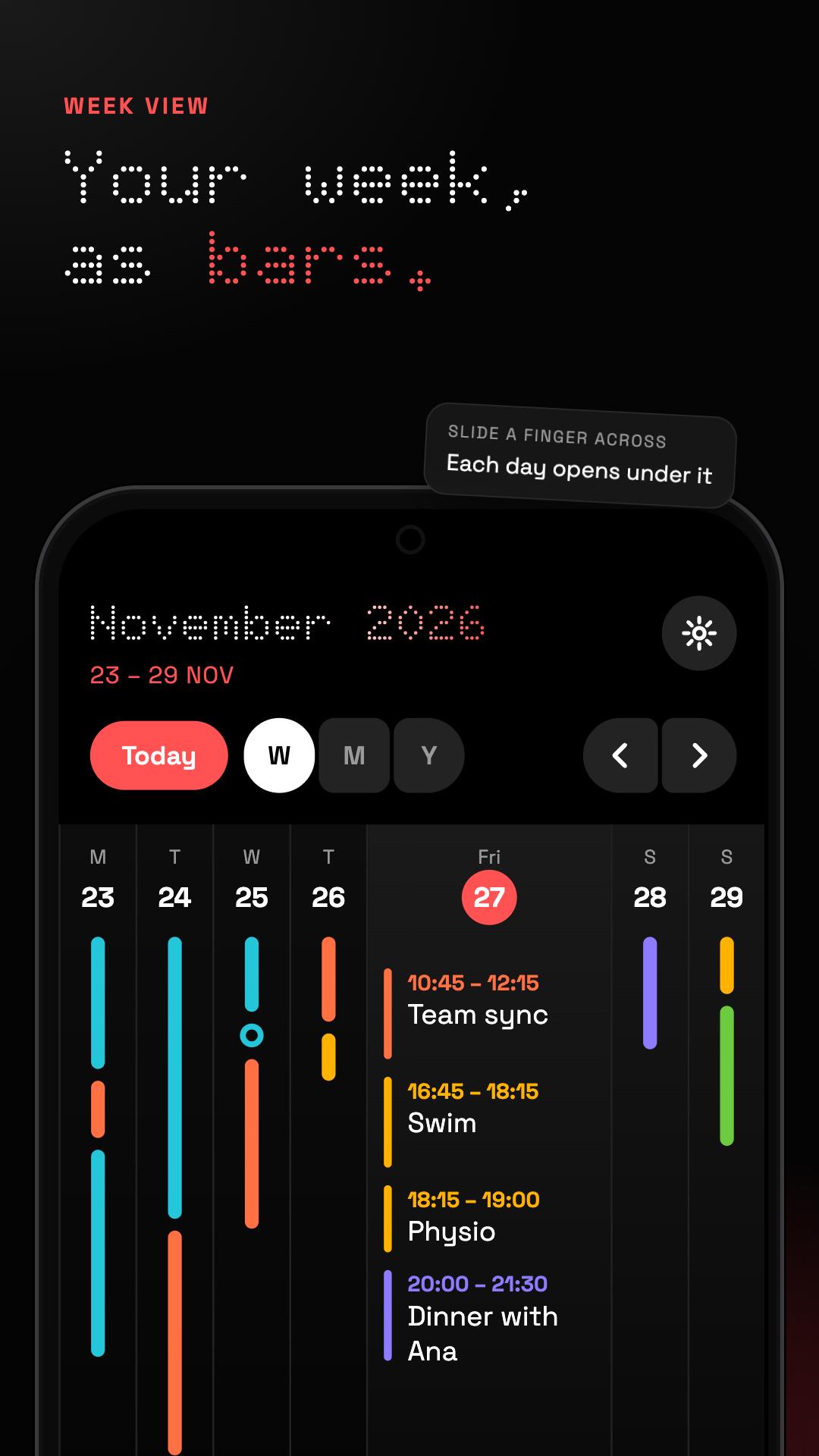
[APP][PROMO] I built a calendar app that shows your whole week at a glance, and I'm giving away 50 free Pro codes

Post image
13 Upvotes

Hey guys, I'm the solo dev behind Calendar Lens, an Android calendar app I just released. I built it because I wanted something that shows how a week or month is actually shaping up—not a wall of tiny text.

What it does differently:

  • Week view with bars: Each day gets a bar for what's on it, so you can see which days are packed and which are free before you read a single title.
  • Month, year, and agenda views: Switch between them seamlessly and tap any day to expand its events.
  • Home screen widgets: Month, month list, week, year, and agenda widgets—each with a manual refresh button.
  • Works with the calendars you already have: It syncs directly with your existing device calendars (Google, Outlook, etc.), so there's nothing to migrate.
  • Minimalist design: A clean black-and-white look with a single red accent. It's meant to be calm, not busy.

Pricing & Giveaway

The app is free. Pro is a one-time purchase (no subscription) that unlocks most of the widgets and extra tools.

🎁 Pro Giveaway: I have 50 Pro promo codes to give away! DM me and I'll send one to the first 50 people. All I ask in return is honest feedback, and a Play Store review if you like it.

Download: Get it on Google Play

Happy to answer any questions here! Tell me what features you'd want in a calendar and I'll look into adding them.


r/HowToMen • • 2h ago

[Promoción][Gratis]Hopsie – un launcher donde los íconos de tu app cobran vida. Gratis para testers del 21 al 28 de noviembre

1 Upvotes

r/HowToMen • • 3h ago

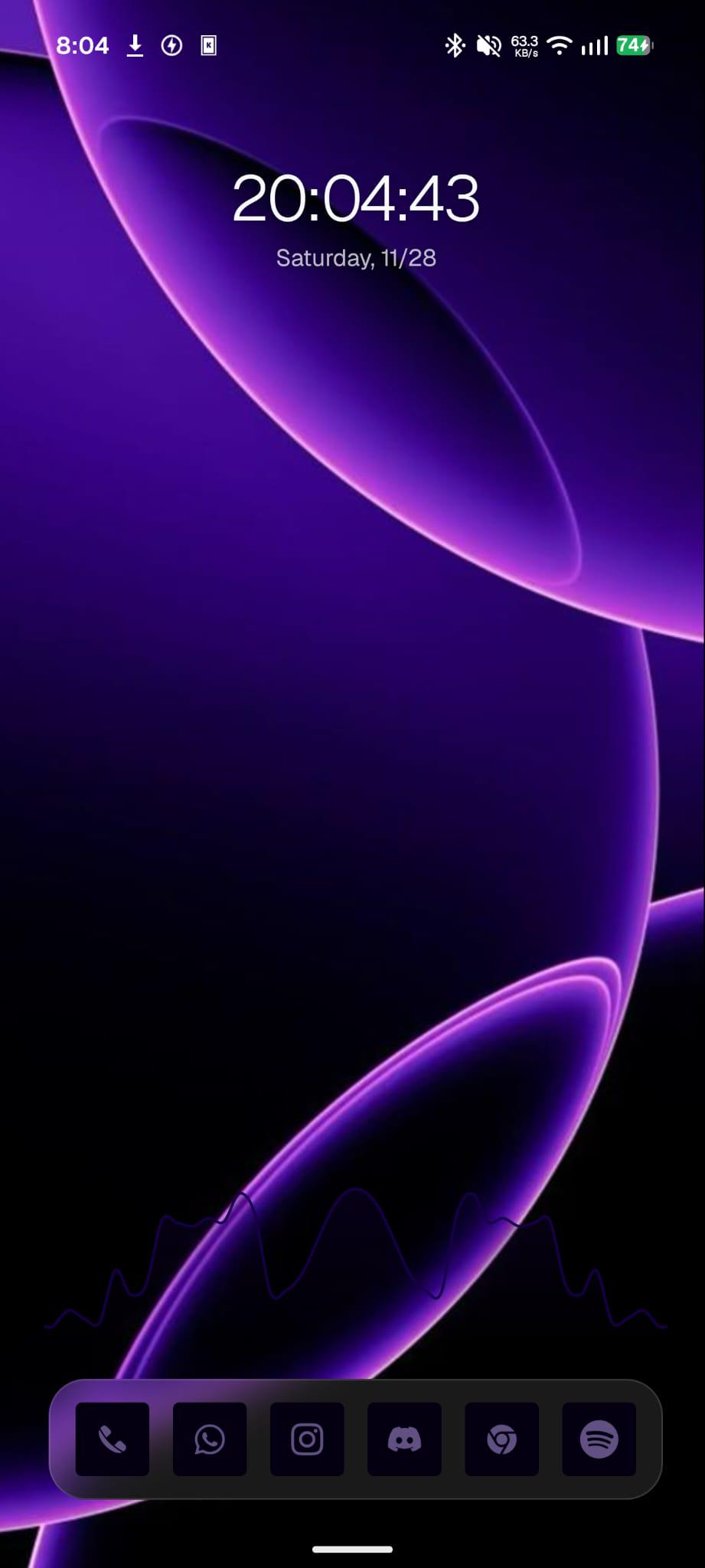
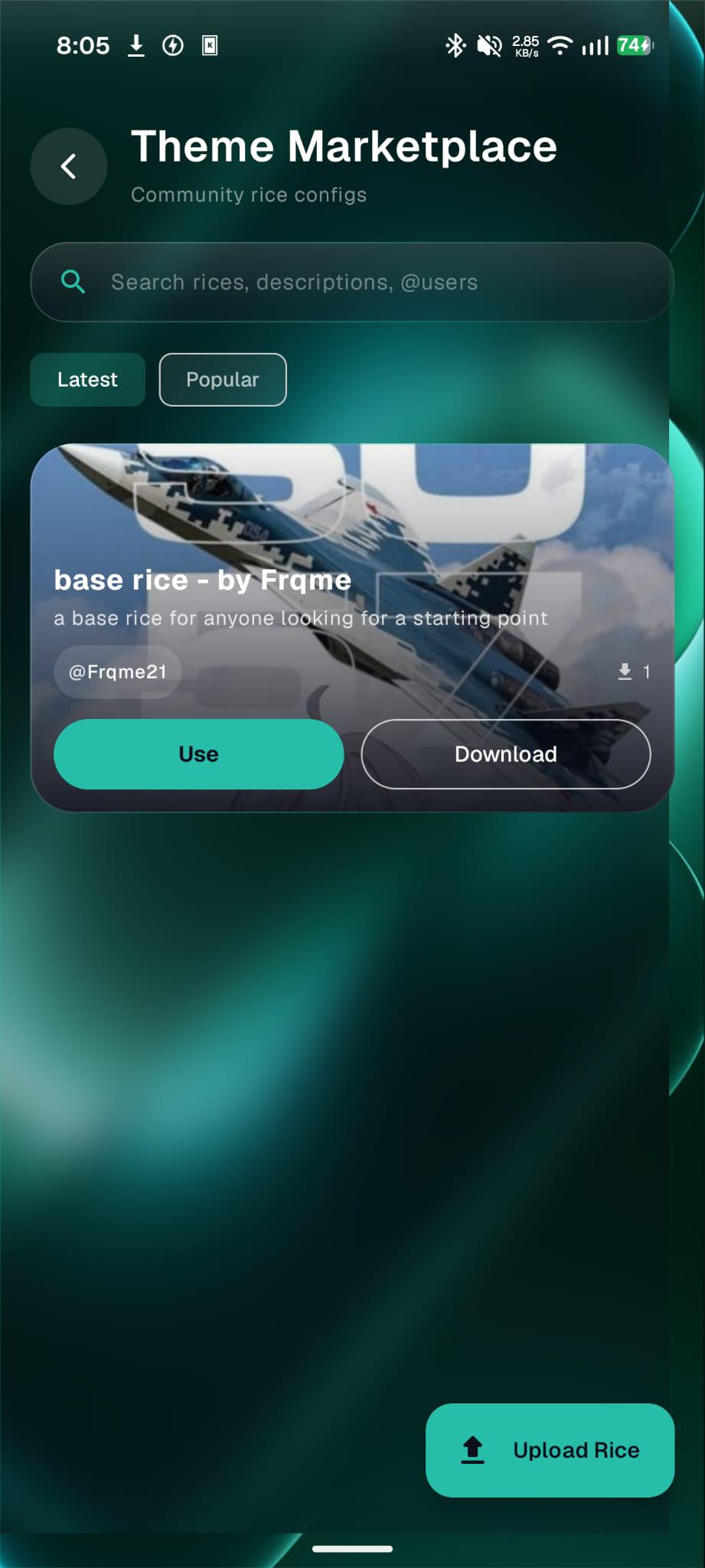
[App] [Promo] open-source launcher inspired by Wayland/hyprland rices - Nori Launcher v1.0 (2.95 MB signed APK, zero ads, free forever).

4 Upvotes
  • stereo Cava audio visualizer widget right on the home screen (3 looks)
  • Nothing-style bento app categories, A-Z scrubber, Spotlight + inline math
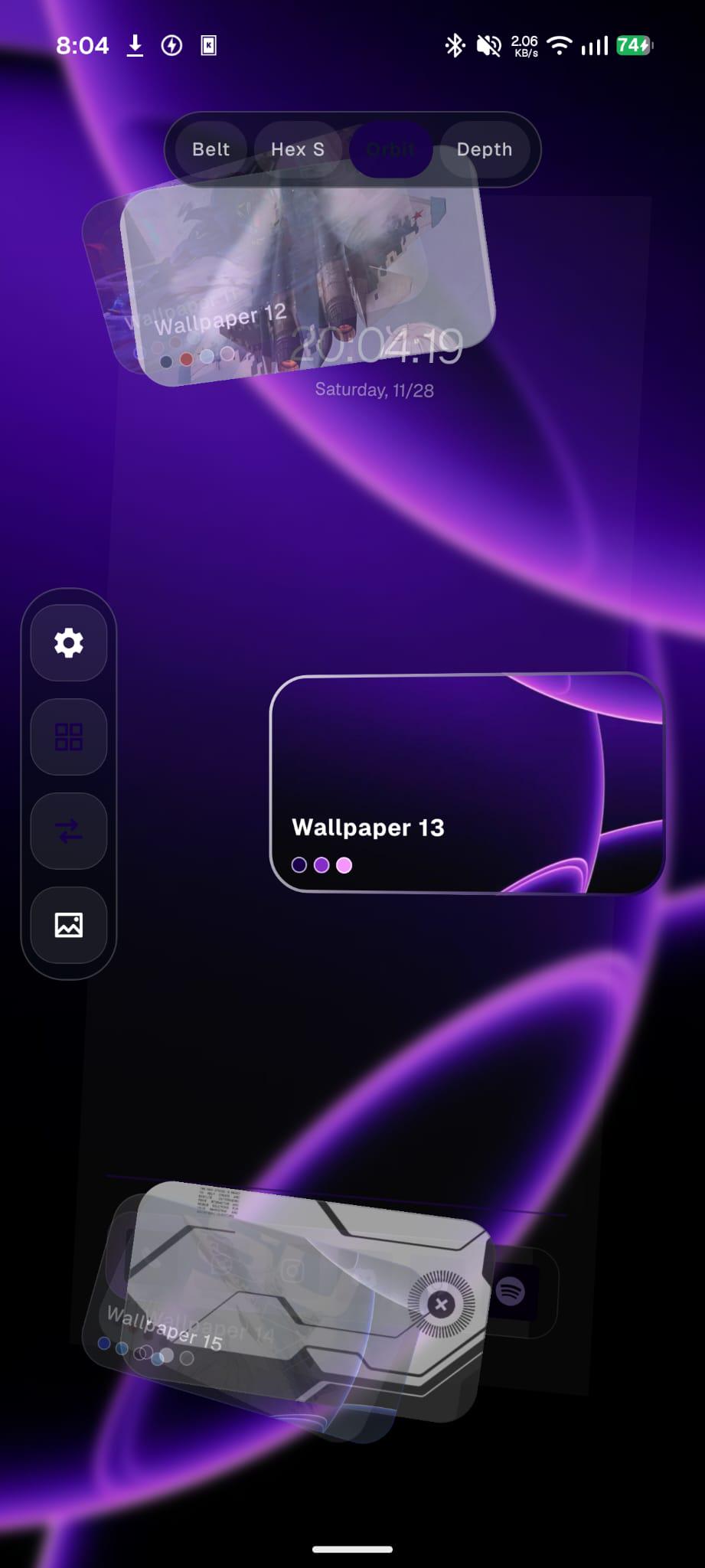
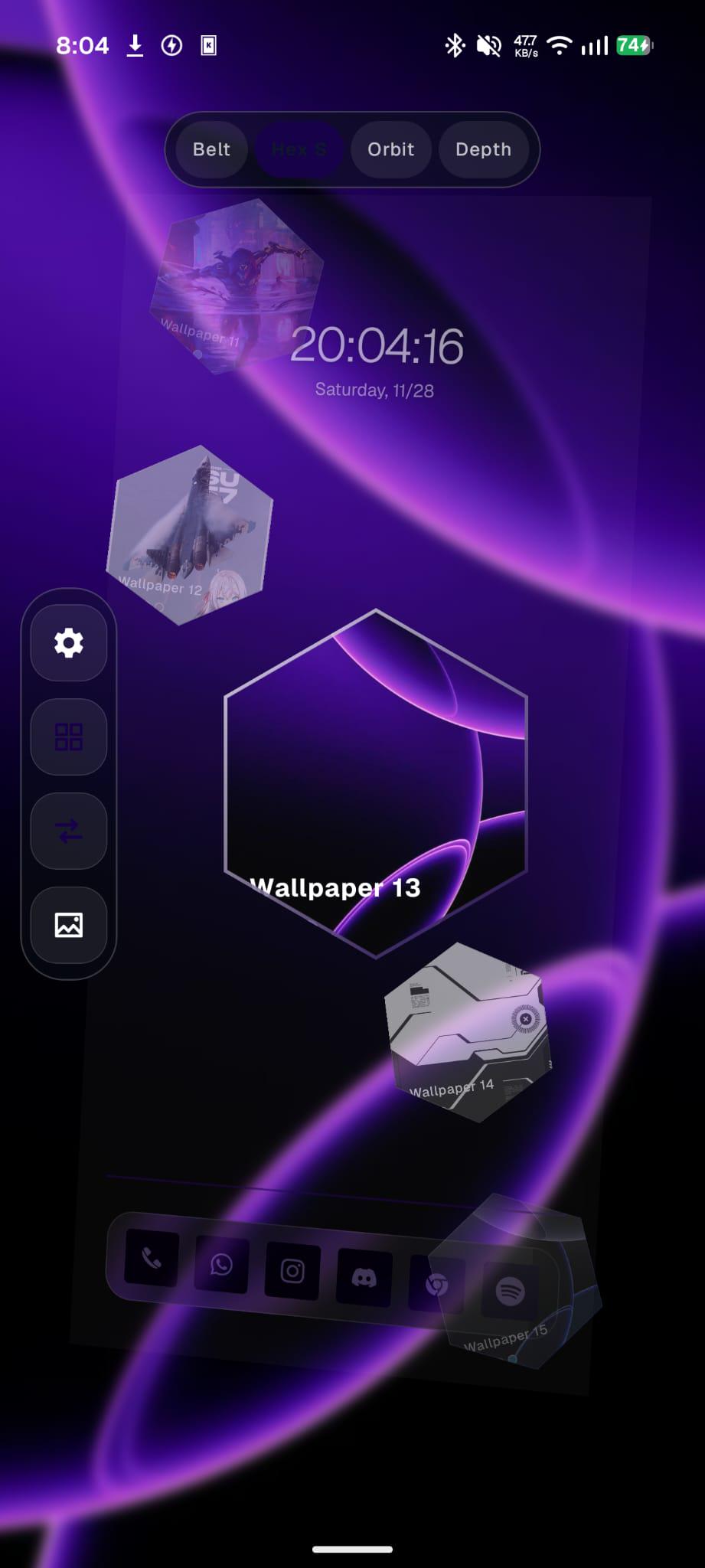
  • swww circular iris wallpaper transitions + 4 switchers (Hex S-Curve, Belt, Orbit Arc, Depth Deck) + 3D gyro parallax
  • Resizable bento icons & folders, external AppWidgetHost widgets, and portable .nori themes + live Theme Marketplace

website: https://nori-launcher.pages.dev
GitHub & APK (v1.0): https://github.com/frqme21/nori


r/HowToMen • • 4h ago

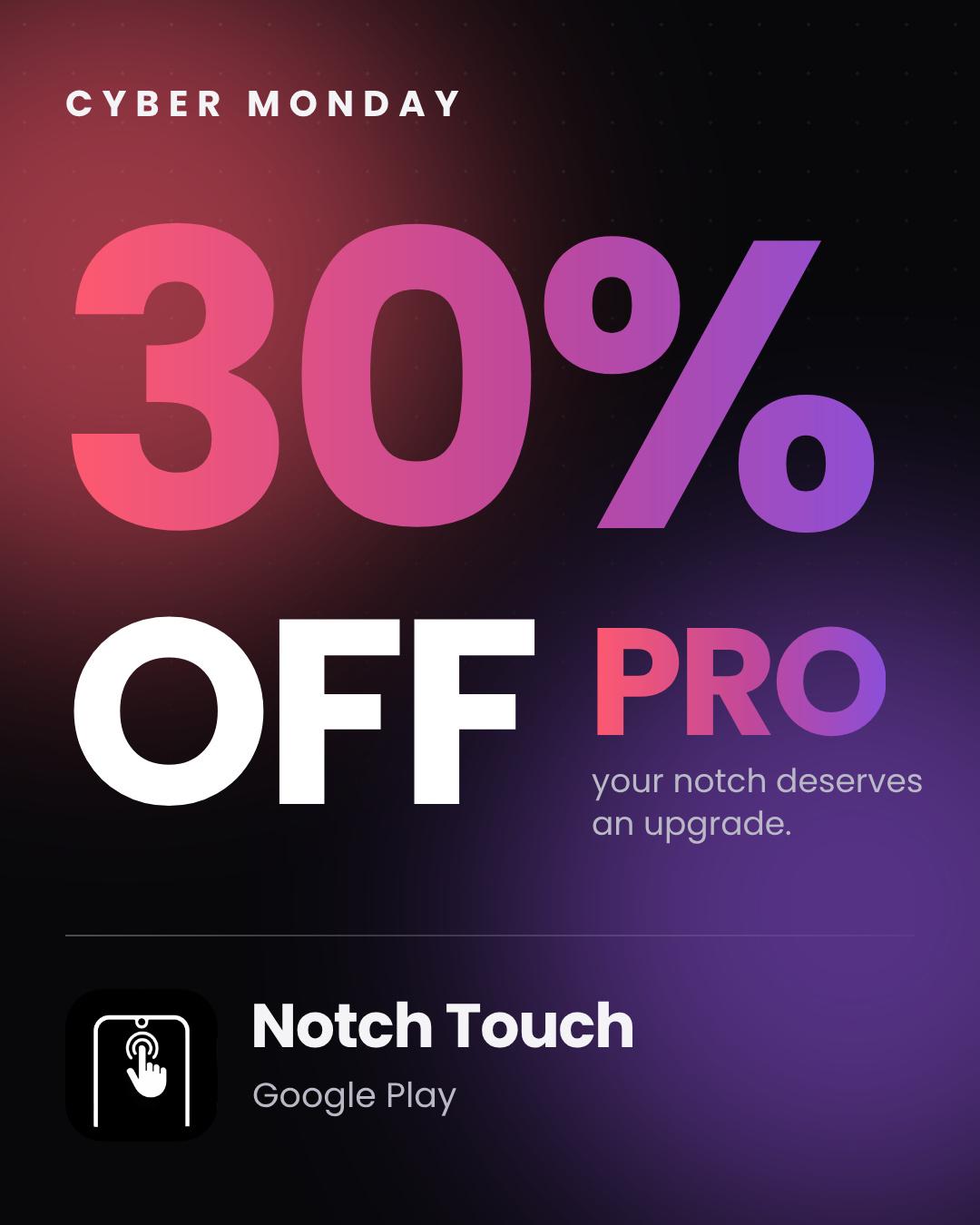
Notch Touch Pro is 30% off for Cyber Monday [App][Promo]

Post image
1 Upvotes

Hi my Howtomen people!

Quick update since the 200k post: Notch Touch has now crossed 350k downloads. I still can't really wrap my head around it. Thank you to everyone who downloaded it, sent feedback, reported bugs and told a friend. It means a lot to me :D

A LOT has been added since then, so here's a recap in case you missed any of it:

- Notch Halo: a glowing ring around your camera hole for charging, notification pulses and timer progress, with colors, thickness and speed you can customize

- Notch notifications: messages pop out of your camera cutout in a small pill, with a privacy toggle to hide the text. You choose which apps use it

- Notch Cues: a little pill confirms your gestures, like silent/vibrate, flashlight, bluetooth, volume and the new quick dial confirmation

- Floating notes, notes saved to any folder on your phone , and a smarter clipboard with a widget and instant paste

- Tasker and MacroDroid tasks right inside the notch menu

- A reworked notch setup: it now detects your camera notch automatically, with sliders to fine tune it. Should help on fold phones and unusual screens too

- Landscape mode support

- Deep app shortcuts (beta), so a gesture can jump straight to things like creating a calendar event

- Gestures that open links

To say thanks, for Cyber Monday Notch Touch Pro is 30% off! Pro unlocks all the pro features plus higher AI chatbot limits. If you've been enjoying the free version and want to support the app, this is the best time to do it.

The sale is live for a limited time only, until Tuesday 12:00 PM UTC.

Here's the app link: https://play.google.com/store/apps/details?id=com.chaos.notchtouch&hl=en_IN

One small ask: less than 0.5% of everyone using the app has left a review on the Play Store. If Notch Touch has been useful to you, an honest review (good or bad) helps me improve it and helps other people find the app.

Thanks again for all the love and support. 350k still feels unreal 💙


r/HowToMen • • 4h ago

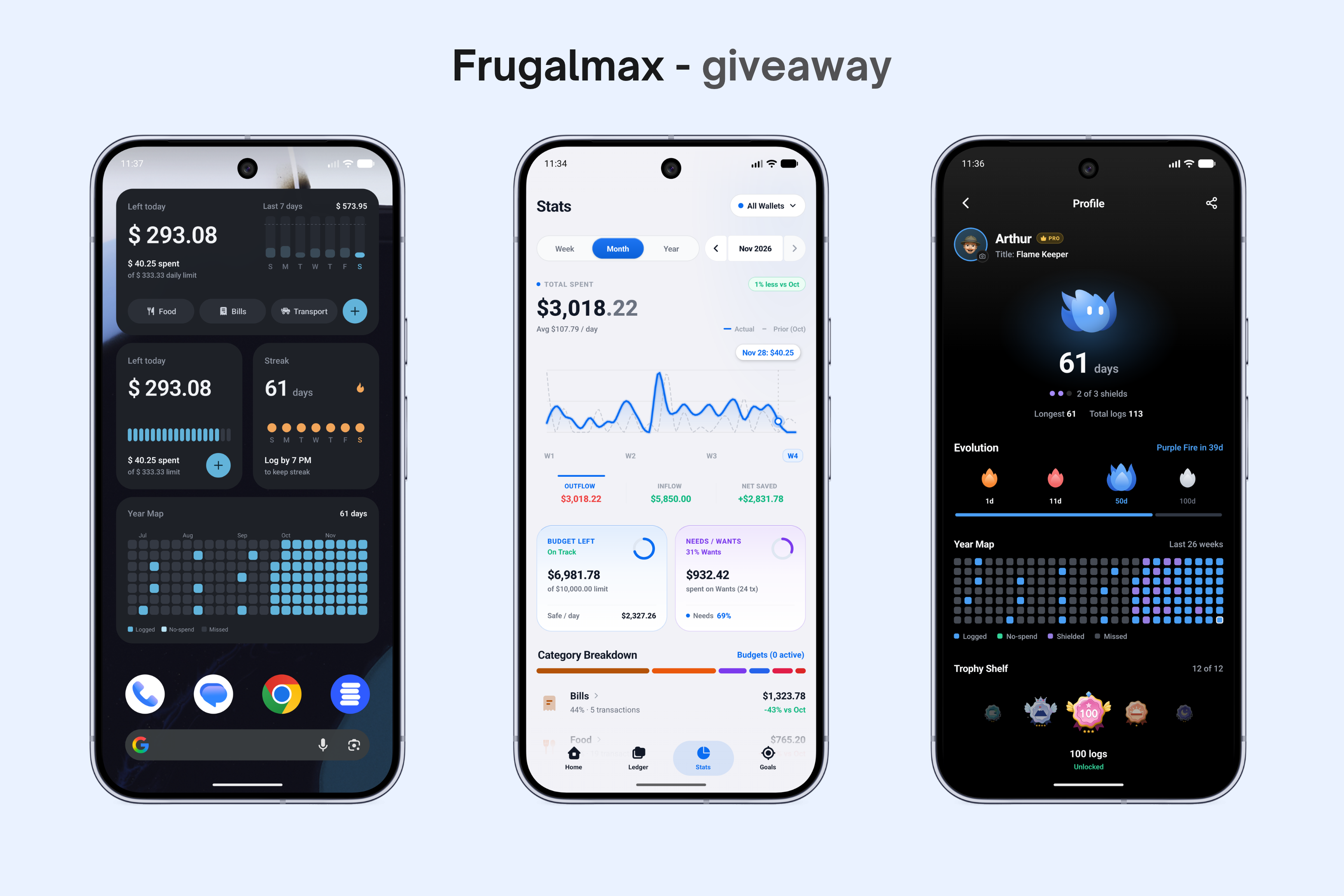
[App] [Promo] Frugalmax v2.8.0 - Local AI Budget & Expense Tracker (Lifetime Pro Giveaway)

Post image
42 Upvotes

Hey everyone! I'm the solo developer behind Frugalmax. A while back I shared my offline-first Android expense tracker here and got some great feedback, so I'm back with our biggest update yet (v2.8.0).

Frugalmax helps you track spending in seconds without ever linking a bank account. Everything is stored locally on your phone in SQLite, and the built-in LogMax AI runs 100% on-device.

What's new in v2.8.0:

  • On-Device PDF Bank Statement Import (Pro): Import PDF statements directly on your phone with zero cloud uploads, plus improved CSV import.
  • Credit Card Wallets & Transfers: Track credit card balances and limits, and transfer money cleanly between wallets.
  • Tags, Refunds & Bulk Editing: Tag transactions, mark refunds, edit multiple entries at once, duplicate in 1 tap, and log faster with 1-tap presets.
  • Custom Budget Cycles & Flexible Recurring Rules: Align your budget cycle to your actual payday, set flexible recurring intervals with custom reminder times, and get due-date alerts.
  • Free Custom Categories: Custom categories are now free for everyone, alongside an expanded set of default categories.
  • Challenges, Year Map & Trophy Shelf: Take on savings/spending challenges, track your year on a heatmap, and withdraw from savings goals when needed.
  • 5 Android Home-Screen Widgets & Receipt Gallery: Pin quick-log, streak, or Year Map widgets, search transactions, and browse receipts grouped by date.

Core features:

  • LogMax On-Device AI: Ask questions about your spending, remaining budgets, or trends completely offline.
  • Fast Capture: Offline receipt OCR (with editable AI item quantities), voice logging, grocery barcode scanner, floating Quick Log, and Android Share Target for bank SMS.
  • 11 Languages: English, Bahasa Indonesia, Español, Português, Français, Deutsch, Türkçe, 日本語, 한국어, Italiano, and 繁體中文.

Privacy & Pricing:

Your records stay local on your device by default (cloud sync is optional).

  • Frugalmax Free: Unlimited local transactions, free custom categories, offline receipt OCR, CSV & .fmax exports.
  • Local Pro (One-time Lifetime Pass): Unlocks on-device LogMax LLM & voice, on-device PDF statement import, expanded limits, and PDF/XLSX exports (pricing varies by region).
  • Cloud Pro (Monthly / Yearly): Adds encrypted cloud sync, shared wallets, and email receipt forwarding.

Google Play: https://play.google.com/store/apps/details?id=com.andrx.frugalmax

Giveaway: I'm giving away free Lifetime Local Pro promo codes for this update. to enter, upvote the post and comment below with which v2.8.0 feature you'd use most (or your honest feedback after trying the app), and I'll DM the codes!


r/HowToMen • • 5h ago

Sneak peek: we designed 3 fonts of our own for Alphabet Launcher 🎈

Post image
2 Upvotes

🍁 Thanksgiving sale: 50% off until December 1.

Google Play: https://play.google.com/store/apps/details?id=com.aklova.alphabetlauncher


r/HowToMen • • 6h ago

realistic clock

Post image
3 Upvotes

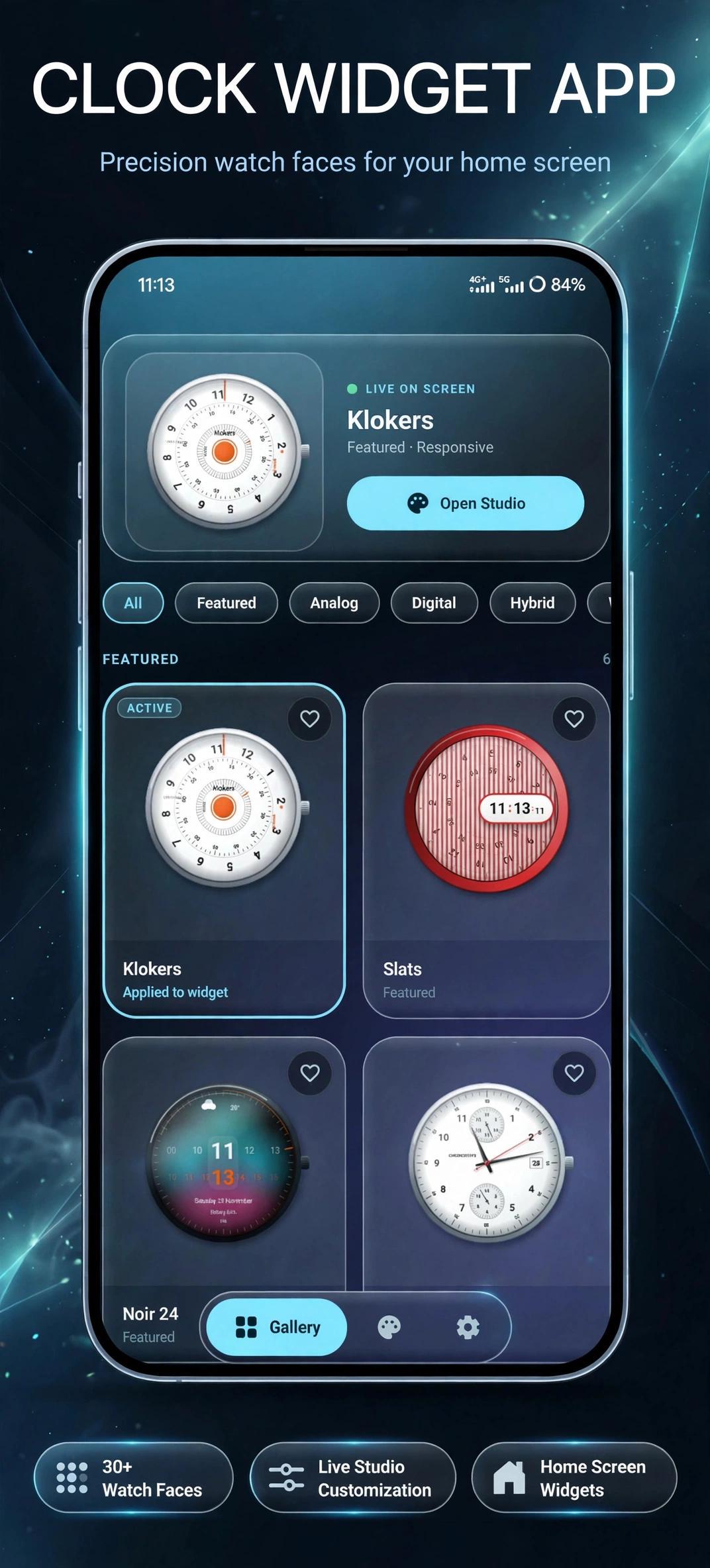
Hi, I built Dial — real watch dials for your Android home screen.

Not a flat clock widget. Actual watch faces: chronographs, minimal dials, dot-matrix, word clocks. 26 of them.

Every face is customisable in Studio — colours, hands, complications, size. One tap and it's live on your home screen.

Free, no ads, no account. Android only.

Get it here: https://github.com/Bhavesh-suthar-1-1-1/clock-widget/releases


r/HowToMen • • 6h ago

dial widget app

2 Upvotes

Hi, I built Dial — real watch dials for your Android home screen.

Not a flat clock widget. Actual watch faces: chronographs, minimal dials, dot-matrix, word clocks. 26 of them.

Every face is customisable in Studio — colours, hands, complications, size. One tap and it's live on your home screen.

Free, no ads, no account. Android only.

Get it here: https://github.com/Bhavesh-suthar-1-1-1/clock-widget/releases


r/HowToMen • • 7h ago

[Android] [€24.99 → Free Lifetime] Real Meteo : Weather Forecasts, Live Widgets & Premium Features - Ads remain

Post image
5 Upvotes

🌤️ Looking for a weather app with detailed forecasts, useful widgets and weather insights?

I'm the solo Android developer behind Real Meteo, and I'm giving away 100 FREE Premium Lifetime upgrades, normally worth €24.99 each! 🎁

🌦️ What can you do with Real Meteo?

  • Current Weather — temperature, feels-like, humidity, wind, pressure, UV and visibility.
  • Hourly Forecasts — track weather changes over the next 24 hours.
  • 7-Day Forecasts — plan your week ahead.
  • Weather Details — precipitation probability, sunrise, sunset and moon phases.
  • Favorite Cities — keep track of your favorite locations worldwide.
  • Weather Widgets — multiple layouts for your Android home screen.
  • Weather Notifications — optional daily updates and weather alerts.
  • Smart Caching — previously loaded weather information remains available temporarily offline.

👑 What does Premium Lifetime unlock?

  • Extended 14-day weather forecasts.
  • Interactive temperature graphs.
  • Rain probability and wind charts.
  • Smart weather suggestions.
  • Weather alerts.
  • Compare weather between favorite cities.
  • Customizable Premium widgets.

📢 IMPORTANT: ADS REMAIN! Premium unlocks additional features but does NOT remove advertisements. Ads help support ongoing development.

🎁 How to participate

  1. Comment below if you'd like to try Real Meteo.
  2. Send me a Reddit message with Real Meteo.
  3. I'll send you a free Premium Lifetime activation while availability lasts.

First come, first served. No purchase or review required.

I'd genuinely appreciate your honest feedback! How accurate are the forecasts for your location? Are the widgets useful? What would you improve?

Positive feedback and criticism are equally welcome. I'm building Real Meteo independently and want to make it better with help from actual users.

📲 Google Play:
https://play.google.com/store/apps/details?id=com.realmeteo.dc

🎁 100 FREE Premium Lifetime upgrades · €24.99 value each · ADS REMAIN

Thanks for supporting independent Android development! 🌤️💙


r/HowToMen • • 7h ago

[App][Promo] a fun timer app

2 Upvotes

shows different colours based on how much time is left (green-yellow-red)

link

https://play.google.com/store/apps/details?id=com.avithedev.app.Timora.Time.Manager


r/HowToMen • • 8h ago

[App][Promo] SleepStop an Android app that stops your podcast or audiobook when you fall asleep, and with a Garmin watch it rewinds to where you dozed off

2 Upvotes

Developer here. I fall asleep to audiobooks and podcasts almost every night, and for years the morning looked the same: the book had kept playing for an hour or two, I had no idea where I'd stopped hearing it, and I spent ten minutes scrubbing back and forth trying to find a sentence I remembered.

Sleep timers never really fixed it. Set 20 minutes and it cuts off right when the story gets good. Set 60 and I sleep through three chapters. Some nights I'm out in five minutes, some nights it takes an hour, so no fixed number works.

So I built SleepStop. It has two parts, and you can use just the first one.

PART 1: THE PHONE APP (Android)

SleepStop sits in the background and stops whatever is playing on the phone: Audible, Spotify, YouTube, Pocket Casts, audiobook apps, anything that plays audio. You don't connect it to each app and you don't change how you listen. You start your book or podcast the way you always do, then tap START in SleepStop, or turn on the option that starts it on its own every night.

App: https://play.google.com/store/apps/details?id=app.sleepstop.ws

PART 2: THE GARMIN WATCH APP (optional)

If you have a Garmin, you install the SleepStop watch app from the Connect IQ Store and pair it in the phone app once. After that you just wear the watch to bed as usual.

The watch measures, and SleepStop detects when you really fall asleep. Not when a timer runs out, but when you actually drift off. It also adapts to you over the nights, so it gets better at your own way of falling asleep.

Watch App: https://apps.garmin.com/apps/57247def-3a3c-4caf-bb72-bbf6363b6054

WHAT HAPPENS AT NIGHT

  1. You start your audiobook or podcast and go to bed.
  2. You fall asleep somewhere in the middle of a chapter.
  3. SleepStop detects it and the phone stops the audio and winds the audio back to about where you dozed off .
  4. In the morning you press play and carry on from a part you actually remember.

OTHER DETAILS

- Android only for now.

- No account, no ads.

- Independent app, I'm one developer, not affiliated with Garmin.

I'd love feedback, especially from Garmin owners.


r/HowToMen • • 9h ago

[App] AbsentMotion - FOSS alternative to Alight Motion

Post image
1 Upvotes

Found AbsentMotion - a free, open-source video, motion graphics, and animation editor that feels very close to Alight Motion in layout and workflow, and runs across Android, Windows, macOS, and Linux

​Multi-layer timeline, keyframes, motion tracking, 200+ visual effects (plus custom effects), vector shapes/editing, text tools, 3D objects, and advanced audio controls

​Exports to video, frame sequences, GIFs, or single still frames — with no subscriptions, paywalls, ads, tracking, accounts, or internet needed

​Personally, I often use it as a photo editor too (for example, making Spotify playlist covers), and it's definitely worth trying out

github.com/Comett1225/AbsentMotion


r/HowToMen • • 9h ago

[Android] [€9.99 → FREE] Smart Remind Premium Lifetime Giveaway – 100 Free Activations (Ads Remain)

7 Upvotes

🔔 Never miss a task again! Build better habits and organize your daily routine with Smart Remind.

I'm the solo Android developer behind Smart Remind, and I'm giving away 100 FREE Premium Lifetime activations! 🎁

⏰ Smart reminders and notifications

  • Create one-time and recurring reminders.
  • Daily, weekly, monthly and custom schedules.
  • Snooze notifications or mark tasks done directly.
  • Track upcoming, completed and overdue reminders.
  • Search reminders and use the monthly calendar.

⭐ Built-in habit tracker

  • Create count-based, yes/no and duration habits.
  • Set goals and track daily progress.
  • Customize your habit day reset.
  • Receive daily habit notifications.
  • View weekly and monthly habit summaries.

📱 Android home screen widgets

Track habits and quickly create reminders using Habits and Smart Add widgets.

👑 Premium Lifetime (€9.99 → FREE)

  • Unlimited reminders and habits.
  • Custom notification sounds and colors.
  • Low, medium and high priorities.
  • Custom emojis.
  • Weekly and monthly habit summaries.

🔒 No account required. Your reminders and habits are stored locally. Core features work offline.

⚠️ IMPORTANT: ADS REMAIN!

Premium Lifetime unlocks additional features but does NOT remove ads. Ad-free access is available separately through Remove Ads or Monthly Supporter.

🎁 How to get FREE Premium access

  1. Comment below saying you'd like to try Smart Remind.
  2. Send me a Reddit Message with Smart Remind.
  3. I'll send you the activation details while available.

100 available · First come, first served!

No purchase or review required. Honest feedback is always welcome!

💬 What's more important in a reminder app: recurring notifications, habit tracking or home screen widgets? I'd love to hear your suggestions!

📲 Google Play:
https://play.google.com/store/apps/details?id=com.smartreminddc.app

🎁 €9.99 → FREE · Premium Lifetime · Ads remain.

Thanks for supporting independent Android development! 🔔


r/HowToMen • • 9h ago

[App][Giveaway] I'm giving 10 people Stride Premium (my Android step counter app)

Post image
6 Upvotes

Hi everyone, I'm the solo developer behind Stride, a step counter app for Android. It's on Google Play and GitHub, and I'm running a giveaway to say thanks to users and to hear what you actually want next.

**Prize:** Stride Premium for 10 winners. Play Store users get a Play promo code, and GitHub users get a license key.

**How to enter:** fill out the form at above link with your name, email, which version you use (Play Store or GitHub), and answers to a few short questions about how Stride works for you. It's free and takes about 2 minutes.

**How winners are chosen:** I read every entry and pick the 10 with the most useful, specific feedback. Honest criticism is welcome and won't hurt your chances. There's no need to post anything publicly, and ratings, reviews, upvotes, and GitHub stars have no effect on winning.

**Closes:** Dec 05, 2026, 11:59 PM IST. Winners are emailed and listed on the results page. Full rules are on the giveaway page.

Happy to answer questions in the comments, and feel free to tell me what you'd like to see in Stride next.

Google Play
https://play.google.com/store/apps/details?id=com.vythera.stride

GitHub
https://github.com/NikhilKain/stride


r/HowToMen • • 10h ago

One4home

1 Upvotes

j'ai acheté la version à vie. comment faire pour personnaliser les icônes des dossiers dock et fenêtres ?


r/HowToMen • • 10h ago

[App][Promotion] The prettiest audiobook player on Android, for the books you already own

Post image
6 Upvotes

Tome is the prettiest and easiest to use audiobook player you'll find on Android. I built it because every player I tried for my own M4B and MP3 files was either ugly or a pain to use.

Every book takes its colors from its cover. It remembers exactly where you stopped in every book, rewinds a few seconds after a pause, and fades out at the end of a chapter when you fall asleep. No account, no ads, works offline.

Try it on your own library and tell me what I got wrong. I read every comment, and the best ideas get built.

https://play.google.com/store/apps/details?id=dev.ruslanbabaiev.tome


r/HowToMen • • 11h ago

[App][Promo]Levels - 100 Volume Steps, Studio DSP Equalizer & Fluid 120Hz Audio Control for Android

20 Upvotes

Stock Android's 15-step volume curve is often either too quiet or too loud, and built-in equalizers rarely offer true audio headroom protection. I built Levels to bridge the gap between pro audio control and clean system aesthetics.

Key Highlights:

  • 100 Granular Volume Steps: True 1% step precision across all system streams, ideal for sensitive IEMs and Bluetooth DACs.
  • Shizuku Integration: Seamless rootless system-level volume hook and per-app audio control without needing root or continuous ADB connections.
  • Studio DSP Equalizer: Multi-band parametric EQ, -1.5 dBFS true-peak limiter to prevent clipping, and dynamic Fletcher-Munson loudness compensation.
  • Fluid 120Hz Engine: Zero-relayout GPU capsule sliders designed from scratch to eliminate frame drops and visual jitter.
  • Android 17 Subtle Haptics: Tactile linear resonant actuator (LRA) low-ticks with magnetic stops at 0% and 100%, without heavy motor thuds.
  • Per-App Volume & Device Curation: Manage individual app levels independently with automatic profile tuning tailored to your hardware.
  • Privacy-First: No ads, no tracking, full Material You dynamic theming.

10 Promo Code Giveaway: Drop a comment below with your current device and your most-wanted audio feature. 10 winners will be randomly selected and messaged on December 1st.

If you care about audio fidelity and tactile precision, give it a shot. You will not regret having actual control over your sound.

Play Store: https://play.google.com/store/apps/details?id=com.shenron.levels.volume


r/HowToMen • • 11h ago

[PROMO]

Post image
1 Upvotes

Studly is an all-in-one student productivity app to manage studies, tasks, notes, attendance and focus sessions.

Plan smarter, track progress and stay consistent. 🚀

Github Link; https://github.com/irtizah713-rgb/Studly


r/HowToMen • • 11h ago

Alphabet Launcher: bugs you reported, to be fixed in the next update 🛠️

Thumbnail
reddit.com
3 Upvotes

🍁 Thanksgiving sale: 50% off until December 1.

Google Play: https://play.google.com/store/apps/details?id=com.aklova.alphabetlauncher


r/HowToMen • • 13h ago

My app just crossed 1.800 dowlaonds THANK you all

Thumbnail
github.com
2 Upvotes

If you want to help with feedback this will help me so much


r/HowToMen • • 13h ago

Animatry - Lossless Geometry Live Wallpaper

2 Upvotes

r/HowToMen • • 13h ago

[Promo] [App] Speeddock - Privacy-first Edge Gesture & Productivity Dock (Happy to test back!)

Thumbnail
gallery
14 Upvotes

Speed Dock — an all-in-one invisible edge-dock and gesture productivity suite built completely offline and privacy-first (zero accounts, zero tracking, zero servers).

★ REWARD FOR TESTERS- Every tester who installs Speed Dock and keeps it active throughout the full 14-day closed test will receive a free Lifetime Pro key once production launches.
Every feature in Speed Dock is free to unlock and use — core docks work free forever with zero time limits, and all Pro zones, gestures, safety blockers, and sensor triggers can be unlocked for 14 hours at a time simply by watching an optional ad (supported by ads, or 1-tap Lifetime Pro upgrade).

What Speed dock provides
• 9 customizable screen-edge & notch trigger zones (with Braille Pulse visual cues & Material You / app-adaptive colors)
• 12 touch gestures per zone (Taps, Double/Triple Tap, Long Press, 4 Swipes, 4 Swipe-and-Hold gestures)
• 70+ built-in actions across Navigation, Multitasking, Media, Utilities, Camera & Dev Tools
• 4 motion sensor triggers (Shake, Double Wrist Twist, Flip Down, Air Wave Proximity) + Hardware Button remapping (Vol+, Vol-, Combo, Power)

UNIQUE & STANDOUT FEATURES
▸ Eagle Vision: Hands-free head-tilt & facial-gesture navigation processed 100% in on-device RAM
▸ Virtual Trackpad: Floating precision cursor with speed acceleration for large screens
▸ Privacy Curtain & Panic Cloak: Dimming screen privacy veil with an adjustable reading slit, stealth mute & double-tap decoy screen
▸ Per-App Gesture Overrides: Map the exact same edge swipe to do different actions depending on which app is open
▸ Magic Text Studio: Instant text transforms + optional Bring-Your-Own-Key (BYOK) Gemini AI (AES-256 hardware KeyStore encrypted)
▸ On-Screen Vision Tools: Instant Smart OCR, Offline Screen Translation (ML Kit), Screen Color Eyedropper & Read Screen Aloud
▸ Floating Power Overlays: True Dock, VolBright HUD, Mini Notes, Calculator, Stopwatch, Pomodoro & Snippet Paster
▸ Dev & Safety Suite: Live CPU/RAM/Thermal Vital Stats, Offline Network Diagnostics (Ping/DNS/Port Check), Touch Guard, Keyboard Zone Blocker & Fullscreen/Landscape auto-hide

HOW TO JOIN

  1. Join Google Group: Join group first
  2. Join on Android: Wait for some time after joining the group and then download the app using same email
  3. Join on Web: Wait for some time after joining the group and then download the app using same email

r/HowToMen • • 15h ago

Fondra - AI photo search

1 Upvotes

In android, there was this big issue where if you wanted to search your gallery for photos you needed to backup all your photos on the cloud.

I solved this with Fondra. Everything stays on your device and is even smarter than all of the tools out there! ⁠it learns who is important to you and creates memories over time. Check it out: Fondra


r/HowToMen • • 16h ago

[Update] [App] [Promotion] Folio — 100% offline expense & budget ledger (AMOLED Dark Mode, zero ads, zero internet permission)

2 Upvotes

Original Post: https://www.reddit.com/r/HowToMen/comments/1y3w6v5/app_promotion_folio_100_offline_expense_budget/?source=notification

Quick update after 1,500+ views — huge thanks to everyone here who checked out Folio and shared feedback!

**What's happened so far:**

- We're up to 100 installs from the community, and it's been awesome seeing how many people care about a genuinely zero-`INTERNET`-permission finance app.

- Based on early Reddit feedback, I'm actively lining up the next update, top requests so far include [e.g., a daily nudge notification to log expenses with a quick snooze button / home screen widgets / custom backup folder tweaks].

If you've tried the Interactive Demo Mode or started using Folio with AMOLED Dark Mode, I'd love to hear what feels smooth and what still feels clunky so I can prioritize the next release!