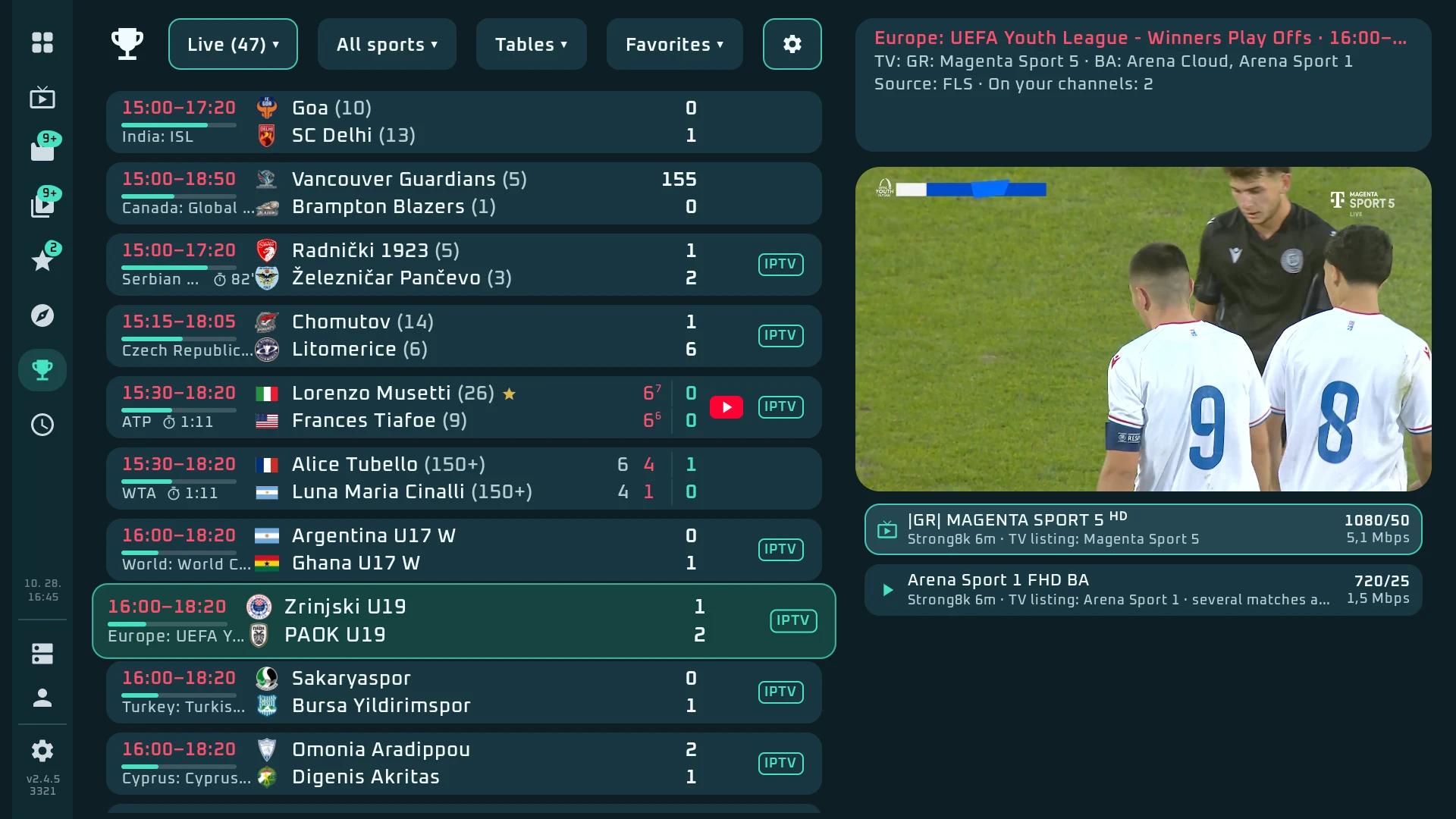
Hi all!
Here's what's new in IPTV AiSubs since 2.5.4.
What it is
- An IPTV player for Android TV / Google TV, Fire TV and phones: M3U, Xtream and Stalker, EPG, catch-up, recording, timeshift, favourites, Multiview, plus Stremio addons and TMDB.
- Live AI subtitles and voice-over in your language, on live TV and films (Soniox, Gladia, OpenAI, Gemini, Deepgram).
- A WebUI you open from your phone or computer to set everything up comfortably.
- Completely free: no ads, no subscription, no in-app purchases, no account, no data collection. The AI subtitles run on your own API key, which you pay the AI provider for directly.
- It's only a player: no channels or content are included.
Completely reworked Multiview!
You can add up to 12 channels, really easily. The channels you add can be saved as a list that you can open and edit later. You can build such a list from any channel list: every channel's long-press OK menu has "Add to Multiview", to an existing list or a new one. You start Multiview from the player – you can even bring up your recently watched channels there and add them to Multiview. E.g. you want to keep an eye on several sports channels: add them to an MV list and you can easily watch them all at once. A long press on OK switches the focused one to a bigger screen, which is more interesting. Another long OK and it goes back, or you can switch it to another channel. You can put together as many MV lists as you like from your favourite channels. If your hardware can't keep up, there's Load mode: set how many channels keep playing live, and for the rest set how many seconds apart they show a new frame.
Settings has been completely redone too. The WebUI and the in-app settings now have almost the same items. Some things may still be more comfortable to edit from the WebUI, but almost everything is available in the app too, and where it isn't, the page gives you a QR code that opens the WebUI right away. The menu system is clearer and got a search bar: if you can't find something, search for part of a word and it takes you to that menu item.
The little setting chips on the screen got even more customisable. Set up exactly which ones you need for Live TV and which ones when you're playing a movie, and where they sit on the screen.
EPG assignment to channels has gone pro. Any channel's long-press menu opens the new EPG window: you see the channel's programmes and where its guide comes from (which source, matched by hand or automatically). If it's not right, "Assign another EPG" lists every EPG source's match on its own row, with what's on now and how far ahead its guide goes, so you see which one is better. You can look into its programmes before assigning it, and the one you pick becomes the channel's primary EPG. The search is lightning fast too, under a second even on a TV box. On the WebUI the provider channel list got an EPG column as well.
Channel search is turbocharged. You can now open it from Settings and from the player's Quick settings too, full size. Under the small preview you see the channel's resolution, fps and Mbps, so when you try a channel you know right away what quality it comes in. If you don't feel like typing, just browse it like the Live TV folder column: providers on the left, folders and channels on the right. One more OK opens the channel or adds it to your favourites.
Also new
- Quality variants as one row (4K · HD · SD): a preferred quality, and a quality button in the player.
- TV guide many times faster; it can keep only your favourite or visible channels' guide.
- Automatic reload of a live channel after a stream error.
- Player: live TV can be paused, Reload button; stopping a timeshift asks whether to save it, and a REC mark shows a running recording.
- Right key: the channel's programme list in place of the channel list; the quick list shows the current programme beside the channels.
- Quick settings rebuilt, with the AI translator switch always in the header.
- Channel menus: the same items in every list, and a renamed channel keeps its new name everywhere.
- M3U: DRM-protected channels (Widevine, PlayReady, ClearKey).
- Subtitles you pick come on without stopping the film; Settings open over the playing picture.
- Fully translated into 30 languages, with Portuguese (Portugal) added.
- Faster: Live Sport, the "Live" guide rows, large provider refreshes.
Get it