r/IPTVAiSubs • • 2d ago

IPTV AiSubs 2.6.1 beta (3847) Full Teletext support 🤣, including AI-powered translation! TXT subtitles too!

3 Upvotes

This beta brings Private lists — channel lists of your own, edited on the WebUI — with an iptv-org channel search through a new addon. Teletext arrives as subtitles and as full pages, a stream's own qualities can be chosen, and Live AI works on HEVC (fMP4) streams.

What's new

  • Private lists (WebUI → IPTV › Private lists): add channels by address, text or M3U file, folders, copy from other lists, save as M3U, link check.
  • iptv-org channel search in Private lists: by name, country and category; followed searches stay up to date. Install the AiSubs iptv-org addon: WebUI → Addons → Browse addons → Recommended.
  • Teletext: subtitles as a subtitle track, the full teletext viewer (Subtitles → Teletext…), pages translated by AI.
  • The stream's own qualities on the Quality chip — every version, even one the device may not play.
  • Live AI on HEVC (fMP4) streams too.
  • Fonts for large text: Atkinson Hyperlegible and Roboto Condensed (Settings → Appearance).
  • Soniox: all of its 60 languages, Punjabi among them.
  • Also: automatic zoom by the broadcaster's AFD, track roles in the menus, every audio and subtitle track on HLS, exact frame rate, a Copy button for the API keys on the WebUI, and live channels reload at once when the stream stalls.

How to get it Fire TV / APK only: Settings → Profiles & device → Updates → Beta updates on, and the app offers 3847. The normal download stays on 2.6.0. Direct download: https://github.com/noahqsoft/iptv-aisubs-releases/releases/tag/v2.6.1-beta.3847


r/IPTVAiSubs • • 4d ago

IPTV AiSubs 2.6.0 – free IPTV player for Android TV, Fire TV and phones with live AI subtitles: reworked Multiview (up to 12 channels), new Settings, pro EPG matching

Thumbnail
gallery
11 Upvotes

Hi all!
Here's what's new in IPTV AiSubs since 2.5.4.

What it is

  • An IPTV player for Android TV / Google TV, Fire TV and phones: M3U, Xtream and Stalker, EPG, catch-up, recording, timeshift, favourites, Multiview, plus Stremio addons and TMDB.
  • Live AI subtitles and voice-over in your language, on live TV and films (Soniox, Gladia, OpenAI, Gemini, Deepgram).
  • A WebUI you open from your phone or computer to set everything up comfortably.
  • Completely free: no ads, no subscription, no in-app purchases, no account, no data collection. The AI subtitles run on your own API key, which you pay the AI provider for directly.
  • It's only a player: no channels or content are included.

Completely reworked Multiview!

You can add up to 12 channels, really easily. The channels you add can be saved as a list that you can open and edit later. You can build such a list from any channel list: every channel's long-press OK menu has "Add to Multiview", to an existing list or a new one. You start Multiview from the player – you can even bring up your recently watched channels there and add them to Multiview. E.g. you want to keep an eye on several sports channels: add them to an MV list and you can easily watch them all at once. A long press on OK switches the focused one to a bigger screen, which is more interesting. Another long OK and it goes back, or you can switch it to another channel. You can put together as many MV lists as you like from your favourite channels. If your hardware can't keep up, there's Load mode: set how many channels keep playing live, and for the rest set how many seconds apart they show a new frame.

Settings has been completely redone too. The WebUI and the in-app settings now have almost the same items. Some things may still be more comfortable to edit from the WebUI, but almost everything is available in the app too, and where it isn't, the page gives you a QR code that opens the WebUI right away. The menu system is clearer and got a search bar: if you can't find something, search for part of a word and it takes you to that menu item.

The little setting chips on the screen got even more customisable. Set up exactly which ones you need for Live TV and which ones when you're playing a movie, and where they sit on the screen.

EPG assignment to channels has gone pro. Any channel's long-press menu opens the new EPG window: you see the channel's programmes and where its guide comes from (which source, matched by hand or automatically). If it's not right, "Assign another EPG" lists every EPG source's match on its own row, with what's on now and how far ahead its guide goes, so you see which one is better. You can look into its programmes before assigning it, and the one you pick becomes the channel's primary EPG. The search is lightning fast too, under a second even on a TV box. On the WebUI the provider channel list got an EPG column as well.

Channel search is turbocharged. You can now open it from Settings and from the player's Quick settings too, full size. Under the small preview you see the channel's resolution, fps and Mbps, so when you try a channel you know right away what quality it comes in. If you don't feel like typing, just browse it like the Live TV folder column: providers on the left, folders and channels on the right. One more OK opens the channel or adds it to your favourites.

Also new

  • Quality variants as one row (4K · HD · SD): a preferred quality, and a quality button in the player.
  • TV guide many times faster; it can keep only your favourite or visible channels' guide.
  • Automatic reload of a live channel after a stream error.
  • Player: live TV can be paused, Reload button; stopping a timeshift asks whether to save it, and a REC mark shows a running recording.
  • Right key: the channel's programme list in place of the channel list; the quick list shows the current programme beside the channels.
  • Quick settings rebuilt, with the AI translator switch always in the header.
  • Channel menus: the same items in every list, and a renamed channel keeps its new name everywhere.
  • M3U: DRM-protected channels (Widevine, PlayReady, ClearKey).
  • Subtitles you pick come on without stopping the film; Settings open over the playing picture.
  • Fully translated into 30 languages, with Portuguese (Portugal) added.
  • Faster: Live Sport, the "Live" guide rows, large provider refreshes.

Get it


r/IPTVAiSubs • • 6d ago

Missing images in VOD

1 Upvotes

After loading the VOD list, I don’t see any posters for the series or movies. Are the images failing to load?


r/IPTVAiSubs • • 6d ago

IPTV AiSubs 2.5.5 beta (3707) - Multiview up to 12 screens

Thumbnail
gallery
5 Upvotes

Multiview is rebuilt, with up to twelve channels and saved layouts, and Settings now open over the picture while it keeps playing.

Up to 12 screens running simultaneously – although you'll need some seriously powerful hardware for that!

Load Mode: You can choose how many channels play continuously and how many display periodically refreshed still images. The refresh interval is fully customizable, so even weaker hardware can handle a large number of screens at once.

Long-press OK on any screen to expand it to full size.

You can also save and restore your MultiView channel layouts. Create multiple MV setups with different channel combinations and instantly switch between them whenever you want!

What's new

  • Multiview, rebuilt. Start it from the channel playing, or continue a saved layout by its name. Up to twelve channels: from seven on, the small pictures stand beside and below the highlighted one. The focused picture has the sound and its own quality choice.
  • ECO settings: how many channels keep moving and how often the still ones refresh, kept with each saved layout.
  • Smooth exit: the chosen picture grows from its place to full screen and plays on in the same player.
  • Settings over the picture: from the quick settings and from a remote key set to open Settings, in the player too. Closing returns the focus where it was.
  • Fixes: Settings, channel switching, Live Sport.

How to get it Fire TV / APK only: Settings → Version and updates → Beta updates on, and the app offers 3707. The normal download stays on 2.5.4. Direct download: https://github.com/noahqsoft/iptv-aisubs-releases/releases/tag/v2.5.5-beta.3707

Discord: https://discord.gg/3QwnAdXhVV


r/IPTVAiSubs • • 7d ago

IPTV AiSubs 2.5.5 beta (3695)

3 Upvotes

A live channel now reloads by itself when it stops with an error, Live Sport's channel assignment shows the stream's details, and channel switching got lighter.

What's new

  • Automatic reload after a stream error. A live channel that was playing first retries on the spot, with the last picture kept on screen, then reloads with a fresh link, as Retry does. Up to three times per channel in ten minutes; after that the error panel shows as before.
  • Live Sport › Assign a channel: the small picture shows resolution, frame rate and bit rate. The panel stays open after assigning, and back on the match the focus lands on the first row.
  • Quality variants keep the provider's own word ("UHD" stays UHD beside "4K"), and a quality listed twice joins the row, numbered ("HD · HD 2").
  • Lighter channel switching: less background work, so the new channel starts loading sooner.

How to get it Fire TV / APK only: Settings → Version and updates → Beta updates on, and the app offers 3695. The normal download stays on 2.5.4. Direct download: https://github.com/noahqsoft/iptv-aisubs-releases/releases/tag/v2.5.5-beta.3695

Discord: https://discord.gg/3QwnAdXhVV


r/IPTVAiSubs • • 7d ago

IPTV AiSubs 2.5.5 beta (3689)

3 Upvotes

A channel's quality variants (4K, HD, SD) now show as one row, you choose which quality plays first, and the app is fully translated in every language.

What's new

  • One row per channel. "Rai 1 4K / HD / SD" become one row with the qualities after the name: Live TV folders, Favorite TV and the quick list. An unmarked name joins as "Basic".
  • Preferred quality (Best / Up to FHD / HD / SD) in the player's quick settings, in Settings and on the WebUI.
  • Quality button at the top of the player, Live Sport included. With no picture the next variant starts by itself; CH+/CH− skips the variants.
  • Every language complete: twenty more languages fully translated, with corrections.

How to get it Fire TV / APK only: Settings → Version and updates → Beta updates on, and the app offers 3689. The normal download stays on 2.5.4. Direct download: https://github.com/noahqsoft/iptv-aisubs-releases/releases/tag/v2.5.5-beta.3689


r/IPTVAiSubs • • 8d ago

IPTV AiSubs 2.5.5 beta (3682)

3 Upvotes

Seven languages are now complete in the app and the WebUI, Portuguese (Portugal) joins as a language of its own, and Live TV starts and switches providers much faster.

What's new

  • Complete translations. French, German, Italian, Spanish, Brazilian Portuguese, Polish and Turkish now cover every screen of the app and the WebUI.
  • Português (Portugal) is a separate app language beside Português (Brasil).
  • Language lists start with English, then your app language, then the rest in alphabetical order, everywhere.
  • Faster Live TV start and provider switching, and faster cloud sync of favourites.
  • Fixes: AI subtitles.

How to get it Fire TV / APK only: Settings → Version and updates → Beta updates on, and the app offers 3682. The normal download stays on 2.5.4.

Direct download: https://github.com/noahqsoft/iptv-aisubs-releases/releases/tag/v2.5.5-beta.3682

Discord: https://discord.gg/3QwnAdXhVV


r/IPTVAiSubs • • 10d ago

IPTV AiSubs 2.5.4: a completely free IPTV player with live AI subtitles for Android TV, Fire TV and phones – what's new since 2.4.5

Thumbnail
gallery
16 Upvotes

My last post here was about 2.4.5, so here's a roundup of everything since.

What it is

IPTV AiSubs is an IPTV player for Android TV / Google TV, Fire TV and phones.

  • Live TV from M3U, Xtream Codes and Stalker portals: TV guide (EPG), catch-up, recording, Multiview.
  • AI subtitles and voice-over: live speech recognition and translation into your language, as subtitles or read aloud, on live TV, films and your own files. Soniox, Gladia, OpenAI, Gemini or Deepgram, with your own key.
  • Movies and series from your provider and Stremio-compatible addons, with TMDB pages, ratings, trailers and episode tracking.
  • Live Sport: today's matches, with the channels in your own lists that show them.
  • Your media: SMB and WebDAV shares, downloads.
  • Web interface for setup from any browser on your network. Profiles, and sync between your devices over your own SMB/WebDAV storage.

It's completely free. For good.

No ads, no subscription, no in-app purchases, no Pro version. No account, no analytics, no telemetry: the app collects no data. The AI features run on your own API key, so you pay the AI service directly for what you use; everything else needs no key at all.

It's a player only: no channels or content included. Bring your own playlist or provider.

What's new since 2.4.5

AI subtitles and voice-over, rebuilt

  • Switching AI on no longer stops the picture. The first translated line comes in about 3 seconds, and the voice-over catches up by itself.
  • Works on provider movies and series, downloads and your own media too, and restarts quickly after seeking.
  • No extra connection: AI listens to what the player already receives, so single-connection accounts work too.
  • Image subtitles get translated too: Blu-ray PGS in MKV files and live DVB subtitles.
  • The voice-over syncs sooner and lags less. Each speaker keeps their voice more reliably, with fewer male/female mix-ups.
  • Translation with context: each sentence goes with the two before it (OpenAI or Gemini translator).
  • Optional: AI stays on when you switch channels.
  • Soniox v6, newer Gemini and OpenAI models.

Live TV and favourites

  • Search window: finds channels and folders in all your providers. Preview in the small picture, then open it or add it to your favourites, a whole folder at once if you like.
  • Favourites in three orders: Original, A–Z/Z–A and Custom. Arrange them on TV, on a phone, in the player and on the web.
  • Edit window: hide whole countries or single folders, and arrange your favourites in a two-list view.
  • Folders in your provider's own order (A–Z is still an option).
  • Refresh rate matched to the broadcast on TV, e.g. 50 Hz for a 25 fps channel on a 60 Hz screen: ask first, automatic or off.
  • Backup servers: when the main server fails, the provider moves to a working backup – channel list, guide and playback.
  • Multiview on single-connection accounts: the tiles take turns, within the limit.
  • EPG refresh button, with a choice of what to update.

Playback

  • Volume boost up to +12 dB, with a limiter; it can be remembered per channel.
  • Phones now play Dolby (AC-3, E-AC-3), DTS, TrueHD and MP2 audio; before, those were silent.
  • Skip intro and recap in series (TheIntroDB), and a jump to the extra scene after a film's credits.
  • Channel-switch info in three sizes and positions; a transparent control bar.

Getting around

  • TV: the auto-hidden side menu now comes over the picture on every page.
  • Phones get the TV's channel navigation: live picture above the list, swipe for folders, and the player swipes like the remote's arrow keys.
  • A provider level in the folder column.

Live Sport

  • Up to date when you open it: past matches no longer show as live.
  • Assign a channel to a match by hand, with search and a preview.
  • More channels per match, ranked by measured picture quality.
  • Favourites by section (players, teams, sports, leagues) and an "IPTV only" view.

Web interface

  • Carry your favourite folders over to another provider, e.g. a new subscription, or save them to a file.
  • Status and notes for each server of a provider.

Everything else

  • Arabic, with the whole layout mirrored right to left.
  • Crash report as a QR code on TV: scan it with your phone. The app never uploads anything.
  • Cloud sync: pair a phone by scanning the TV's QR code, with detailed progress.
  • Hidden folders per profile, synced if you want.
  • Leaner app (about 16% less code), and files play from more SMB shares.

Get it

  • Google Play (phones, Android TV, Google TV): IPTV AiSubs on Google Play – 2.5.4 lands there once Google approves it.
  • Fire TV and other boxes: Downloader code 6783914, or the APK from GitHub Releases.
  • Android 8.0 or newer. Fire TV: Fire OS devices; the newer Vega OS devices can't run Android apps.

Discord for questions, ideas and betas: https://discord.gg/44sT7nwm8M

Bug reports: GitHub issues

Feedback is welcome!


r/IPTVAiSubs • • 26d ago

[Android TV & Android] - AiSubs 2.4.5 - Live Sport gets a new look with one channel list, the channels' picture quality measured and ranked, and favourite leagues; the player's quick list gets the folders

Thumbnail
gallery
4 Upvotes

Discord: https://discord.gg/42U6amBUk

What's new

  • Live Sport channel quality: hold OK on a match's channel to measure its channels — resolution, frame rate, bit rate — and the best picture goes on top. Choose the order: language, quality or both.
  • Live Sport: one channel list beside the matches and in the match view, favourite leagues in the Favorites window (the Bundesliga, the ATP), Days ahead for a lighter page, and CH+/CH− through the match's channels.
  • Quick list folders: Left opens the folder column in the player, a further Left the country and the mode; the quick list and the channel list always stand on the same folder and channel.
  • Faster channel lists: the programme info of every row in view loads at once.
  • RSS: your favourites' releases are kept after the feed drops them, a series shows them episode by episode, and a nightly scan runs at an hour you choose.
  • History lists the channels of every provider of your profile.
  • Also: start on boot (APK), the clock and the playback time at the top or bottom center, a navigation tip on the TV channel list, addons in groups on the web interface, and a stale TV guide asks before it downloads.
  • Fixed: Live Sport, the phone preview picture, the web interface's Changes page.

Download

Full release notes: https://github.com/noahqsoft/iptv-aisubs-releases/releases/tag/v2.4.5


r/IPTVAiSubs • • 27d ago

Sports hub

2 Upvotes

Been trying different sports hubs and this is the one that always gives the best results for me , but the way you have to set it up is very annoying , every time I pick an option change , the sports /leagues resets to all of that sport , and for football that's about a hundred leagues to turn off again 🤦


r/IPTVAiSubs • • 27d ago

IPTV AiSubs 2.4.5 beta (3326)

Post image
5 Upvotes
  • RSS releases kept for later: a release of a film or series in your Favorites goes into a saved list, so it stays downloadable after the feed has dropped it. Where to watch shows it as before, marked saved once it has left the feed.
  • A series, episode by episode: an episode with RSS releases has a small RSS icon in the episode list, and its ▶ source picker has an RSS releases row with that episode's releases. What the picker offers is saved too.
  • Nightly RSS scan: RSS → Feeds → Nightly scan at an hour you choose (web interface: Network → RSS). Off until you set one.
  • Web interface: Torrent → Saved RSS releases: send a saved release to a torrent client, or delete it.
  • History lists the channels of every provider of your profile, each with its provider's mark, and the player's recent channels list shows the same. Clearing History clears all of it.
  • Web interface: addons in groups, in an order you set; the source list and the subtitle results follow it.
  • Live Sport: channel quality, measured. Hold OK on a match's channel (touch and hold on a phone) for its menu: choose its quality, the channels' order, or Measure their quality. Each channel is read for about two seconds: resolution, frame rate and bit rate at its right edge (e.g. 1080i/25, 4.8 Mbps). When it ends, the best one goes on top and plays in the small picture.
  • Live Sport channel order: Language, Language then quality, or Quality then language (default). Web interface: Live Sport → Channel order, and a measure button in each match's details.
  • Live Sport: one channel list, beside the matches and in the match view alike: OK puts a channel in the small picture, OK again plays it full screen. An info box over the picture lists every TV channel of the match.
  • Live Sport head: a cup and a Settings icon; the search moved into Favorites (+ Player, + Team).
  • Live Sport: Days ahead (settings, web too): 1, 2, 3 or 7 days of matches. Fewer days: a quicker page.
  • Live Sport on phones: upright, the small picture tops a match's page; on its side, the first tap shows the match on the right, the second opens it.

How to get it Fire TV / APK only: Settings → Version and updates → Beta updates on, and the app offers 3326. The normal download stays on 2.4.4. Direct download: https://github.com/noahqsoft/iptv-aisubs-releases/releases/tag/v2.4.5-beta.3326


r/IPTVAiSubs • • 27d ago

Can someone walk me through how I can set up the ai substitutes and how to obtain an API key

0 Upvotes

r/IPTVAiSubs • • Oct 26 '26

[Android TV & Android] AiSubs 2.4.4 --- Live Sports: A major update, with tons of new features, new sources, and new settings options.

Thumbnail
gallery
6 Upvotes

Discord: https://discord.gg/42U6amBUk

Search and favourites in Live Sport: a Favorites window with each team's and player's info and news / more leagues and tables from TV listings, places beside the names / ±10 s buttons and the playback time on the picture, and a faster Xtream refresh.

What's new

  • Live Sport search: teams and players by name, across every view and league; follow them with a star — a player on his own or with his club.
  • Favorites window: your players, teams and sports in one window; picking one shows its matches. Favourite sports work as a filter, and Info shows a favourite's next and last matches, results, record, place and news.
  • More in Live Sport: leagues and tables from TV listings, EuroLeague with live scores, places beside the names (league table, European cup, tennis ranking), the tennis round in the match header, and Guide events you can switch on or off.
  • Addons: a new version is shown in the addon list and taken in one press; Live Sport offers to update the sport addon.
  • Player: ±10 s buttons beside Pause (Quick menu → Other, off by default) and the playback time on the picture, in the corner you choose.
  • Xtream: a faster refresh that writes only what changed, and falls back to the provider's backup servers.
  • Reminders: a bell in the TV guide and in the player's guide; with the APK on a phone, reminders and recordings work with the app closed.
  • Fixed: Live Sport, provider groups, the provider picker, the addon manager, the refresh progress and memory use.

Download

Full release notes: https://github.com/noahqsoft/iptv-aisubs-releases/releases/tag/v2.4.4


r/IPTVAiSubs • • Oct 25 '26

AI Subtitles setup guide

2 Upvotes

I have put the Gemini API key but I am not sure how to get the subtitles to work. The captions button isnt clickable in all IPTV streams I have. It shows a message quickly and disappears about delay and HLS.

Isnt there a guide for me to follow? Can someone help me step by step to confirm what I am doing?


r/IPTVAiSubs • • Oct 23 '26

(Android TV & Android) IPTV AiSubs 2.4.3 (3240) - Reminders (TV guide and Live Sport), a Telegram message as well, More sports in Live Sport from the TV guide, Always-on clock and many more new features!

Thumbnail
gallery
13 Upvotes

Discord: https://discord.gg/42U6amBUk

This release brings reminders for programmes and matches — with a DVR recording for a match — the channel changes after a list refresh, new movies and series in the Library, tennis draws and more sports in Live Sport, and a longer, more accurate TV guide from the EPG sources you add.

What's new

  • Reminders: from the TV guide's programme window or a match's bell: an alert, or a switch to the channel at the start. A match can be recorded (DVR) too, and on Fire TV / APK a reminder can also message your Telegram through a bot of your own.
  • Channel changes: after a list refresh, the new, gone and renamed channels (Library → Channel changes; web interface: Providers → Changes).
  • New movies and series tiles in the Library, and a Favourites filter on the VOD grids.
  • Live Sport: tennis draws round by round; water polo, swimming, athletics, cycling, golf and more from your TV guides; each event's start and end with a progress bar; the channels in your languages first.
  • TV guide: 1 to 14 days ahead; when one source ends, the next one continues the channel; your added EPG sources in your order (web interface: EPG sources), with more accurate matching.
  • Always-on clock on the picture, in the corner you choose; running tasks on the TV menu; a faster channel change.
  • Fixed: the folder search in Movies and Series; presets no longer change the subtitle languages.

Download fro free:

Full release notes: https://github.com/noahqsoft/iptv-aisubs-releases/releases/tag/v2.4.3


r/IPTVAiSubs • • Oct 20 '26

Android TV & Android - IPTV AiSubs 2.4.1 - Live Sport: the day's matches paired with your own channels and EPG, with a live picture, live scores, tables and player profiles, on TV and phone.

Thumbnail
gallery
4 Upvotes

So many of you asked for it, and it's finally here: Live sports in the app!
To be honest, I'm not a big sports fan—except for tennis—but I tried to make something useful.
I like it :)

What's new

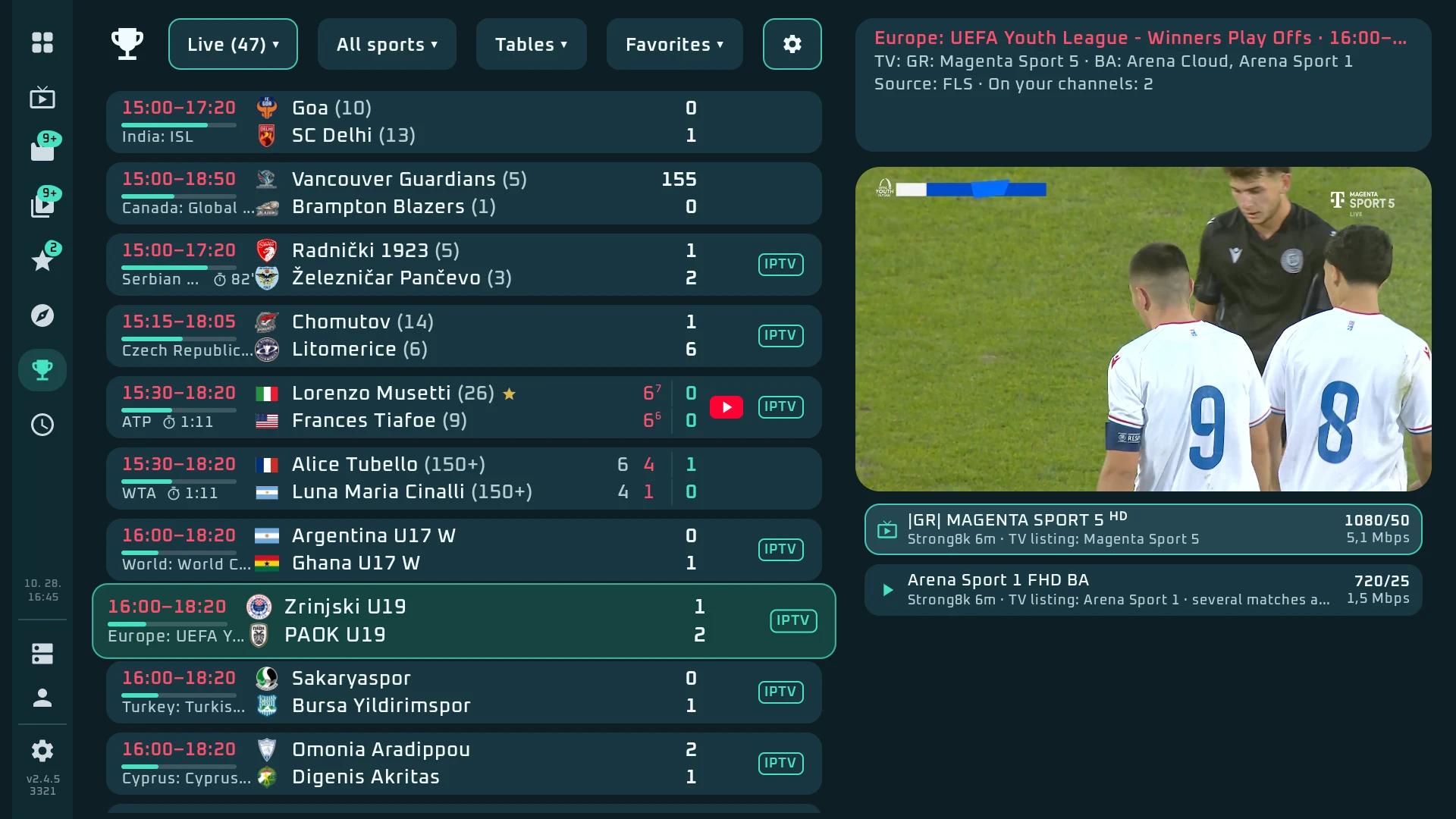
  • Live Sport: a new place in the menu. It reads today's matches from a sport addon and finds them on your channels and in your EPG: event channels named after the match, programmes naming both sides, and tour broadcasts. Every match shows which channels carry it, best first, with the provider and the quality.
  • Match view: the live picture of a channel on the right, the channels under it; on the left a live scoreboard, the live data (events, stats, lineups, player profiles, form, match report) or the league table. OK on a channel shows it in the small picture, OK again goes full screen.
  • Tables, results, follows: league tables from the Tables chip or a match, a side's results and coming matches from its menu, and followed teams and players with their own filter.
  • Tennis and Formula 1: ATP and WTA tours with a tennis scoreboard, time on court and tour broadcasts; race weekends with sessions, standings and driver profiles.
  • Live: scores arrive as they change, the channel search is fast and the last result is kept, so the page opens at once.
  • A sport addon is needed. The Fire TV build lists one in the addon browser's Recommended row; the menu item appears once an addon is installed. On Google Play, add a sport addon by its address.
  • Addons: browse and add addons inside the app, next to Add.
  • TV menu: on Back it opens over the content with the items' names beside the icons; the content behind it does not move.

Download

Full release notes: https://github.com/noahqsoft/iptv-aisubs-releases/releases/tag/v2.4.1


r/IPTVAiSubs • • Oct 16 '26

[Android TV & Android] IPTV AiSubs 2.3.3 - The provider VOD grid in the Favorites style, fast sorting and filtering, and a signal for what is new after every list refresh.

Thumbnail
gallery
4 Upvotes

What's new

  • VOD posters: provider movies and series use the Favorites poster grid with S/M/L size. A film shows its release date and the day the provider added it; a series its newest aired and newest available episode.
  • Order and filters: one row per criterion (Original, Title, Date, Added, Popularity, TMDB and IMDb rating); tapping the active one reverses it. The Discover filters work here too: time window, genre, minimum IMDb score, language, not watched.
  • Fast repeat sorting: a title index keeps what was resolved, so after the first scan every order and filter on a folder is near instant, even after a restart. Original is the default again; "For every folder" in the order menu makes your choice the default.
  • New titles: after a list refresh the Library tiles, the folder cards and a filled "N new" chip show what arrived, for films and series. The chip filters to the new ones; "Got it" acknowledges them, for all folders or for one folder.
  • On TV: Back on the side menu always offers to exit, and the media info on the details page is a compact chip.

The first start after updating optimizes the channel database once; on very large lists this takes a few tens of seconds. Download

Full release notes: https://github.com/noahqsoft/iptv-aisubs-releases/releases/tag/v2.3.3


r/IPTVAiSubs • • Oct 14 '26

[Android TV & Android] IPTV AiSubs 2.3.0 - Fully customisable colours, a rebuilt TV guide, and a much lighter app on TV boxes.

Thumbnail
gallery
7 Upvotes

What's new

  • Your own colours: change any of the app's colours, build a whole theme from five colours, save your palettes and share them by export/import.
  • TV guide: a live picture in the corner (first OK: small picture, second OK: full screen), folders as in Favorite TV, three lists (Favorites / All channels / Channels with catch-up), an adjustable time span, and a long OK on a channel jumps back to now.
  • Favorite TV and Live TV: the focused channel's programme shows at once, before OK. A long OK on a channel opens its full EPG with complete texts, catch-up and DVR recording.
  • Discover: one row at a time on TV with streaming service logos, a minimum IMDb rating filter, and Discover now has its own place in the side menu.
  • Addons: version, last update and a "New version" alert.
  • Smoother on TV boxes: much lighter cloud sync and fewer guide requests.

Coming from Google Play? This update also brings everything from 2.2: live timeshift you can keep as a recording, the compact TV layout with twice the rows and a slim icon menu, remote shortcuts (last channel, recent channels, own button layouts), whole-row navigation, your own 1–10 ratings with Simkl, IMDb scores for every title, and History in one timeline. Download

Full release notes: https://github.com/noahqsoft/iptv-aisubs-releases/releases/tag/v2.3.0


r/IPTVAiSubs • • Oct 13 '26

IPTV AiSubs 2.2.2 - New Compact TV layout

Thumbnail
gallery
6 Upvotes

Live timeshift (new)

  • Start timeshift on any live channel (player button or remote action): the channel is recorded to your recordings location, and you can pause and rewind back to where you started, however long ago
  • Keep it with DVR → Save current timeshift; otherwise it's deleted when you change channel or leave

Compact TV layout

  • New Compact spacing, now the default: twice as many rows in Live TV and Favorite TV, and the focused row opens up as a larger card
  • Compact rows in the quick list, recently watched channels, History and the file browser

Side menu

  • Slimmer icon-only menu, with the name under the focused icon
  • It can stay beside every page (Auto-hide off), and hides or shows instantly

Phone

  • Menu on every page, compact lists, the TV's quick channel list, small-screen view in landscape

Also

  • History: one timeline with TV/VOD marks
  • Discover: original language drop-down, simpler filter, Last 12 months
  • Watched / Unwatched filter with eye icons
  • Remote: Favorite VOD and Start timeshift actions; Discover now opens Discover
  • Smoother TMDB pages on TV

Download


r/IPTVAiSubs • • Oct 11 '26

IPTV AiSubs 2.2.0 - Faster, steadier TV navigation - Simkl sync of movie and series ratings

Thumbnail
gallery
6 Upvotes

Faster, steadier TV navigation with fade or scroll between card rows, your own 1–10 ratings with Simkl sync and IMDb rating by QR code, and a Library you can trim and reorder.

Discord: https://discord.gg/42U6amBUk

TV navigation

  • Fade or scroll between card rows: fade is the new default; switch under Settings → Playback & interface → TV browsing
  • Instant response to the remote, and the focus keeps its column between rows
  • Thinner focus border, steady card sizes, changed filters clearly marked
  • Faster cards: no duplicate downloads

Ratings

  • Your own 1–10 ratings for movies, series and episodes, per profile
  • Rate on IMDb: QR code on TV, the IMDb app on phones
  • Rate button in the player (Quick settings)
  • Simkl sync of movie and series ratings; ratings in backup and cloud sync

Discover, Favorites and Library

  • Choose and order the Library blocks
  • Series by date: latest episode first
  • Favorites: the header stays while scrolling
  • Back goes to the Movies/Series switch first in Favorites, My media and RSS
  • Fresher IMDb scores during the day

Trailers

  • ★ favorite button in the trailer reel
  • On phones: a seek bar, and Back closes the trailer

Web interface

  • Ratings in Title Finder, for titles and episodes
  • Interface page: choose and order the Library blocks

Download and full notes: https://github.com/noahqsoft/iptv-aisubs-releases/releases/tag/v2.2.0


r/IPTVAiSubs • • Oct 10 '26

IPTV AiSubs 2.1.18 - Simkl sync and many more

6 Upvotes

App

IPTV

Set a channel's number directly. Long-press OK on a channel in a Favorite TV folder and choose "Channel number". With continuous numbering, a number that belongs to another folder moves the channel into that folder, exactly to that number. Another provider's folder only accepts it if it is an MPF folder.

  • Move up / Move down works in A–Z order too. The first manual move switches the channel order to Custom, starting from the order you see.
  • Hidden groups stay hidden. Groups hidden on the web interface are left out of the channel browser, of search results across groups and of the catch-up groups in the TV guide. Nothing is deleted, and channels already in your favorites stay there.
  • The channel numbering mode (per folder, continuous or off) follows a change made on the web interface immediately.

Addons

  • Sources: one row per release. When an addon lists the same release in several resolutions, they share one row with a button for each (for example 1080p · 2.10 GiB, 720p · 1.38 GiB); ◀ ▶ switches between them.
  • Trailers for addon catalogs. Every addon catalog in Discover gets a Trailers menu. It plays the trailers of the list's titles in the order shown and follows the filter, order, time and genre settings.

Discover and trailers

Not seen switch. Hides watched movies, and ended or canceled series you have watched. Continuing series stay, because a new season is coming. The trailer reel skips them too.

  • Endless trailer reel. When a list ends, the next list starts; after the last one, the first one again.
  • Order by digital release date in Discover and in the movie and series favorites.
  • Longer time filters: last 60, 90 and 120 days. The trailers' "Now in cinemas" and "New on digital" lists follow the time filter; without one, "Now in cinemas" covers the last 120 days instead of 60.
  • Cinema rows without foreign re-releases. An old film re-released somewhere else (say, in Argentina) no longer shows up under "Now playing in cinemas" or "Coming soon".
  • Choose the trailer regions. The trailer lists (cinemas, digital releases, series) are collected from the countries you pick on the web interface, as many as you like; by default they follow the TMDB language (English → United States). A checkbox lets Discover's cinema rows use the same countries, so a row and its trailers match.
  • Rows glide. Moving between Discover rows scrolls at a steady, even pace instead of snapping. The rows ahead and behind are prepared in advance, and background loading (posters, scores, paging) pauses while the list moves, so the motion stays smooth.
  • TMDB trailer lists follow the Discover order, time and genre settings instead of a random order.
  • The Trailers menu moved to the end of the second row: Filter – Order – Time – Genre – Trailers.
  • The trailers' subtitle button shows whether subtitles exist and whether they are on.

Other

  • Loading instead of jumping lists. While a list's final order is being assembled (digital-date or IMDb sorting, the Not seen filter, a catalog's first page), placeholder cards of the exact final size stand in; you can already move across them, and the focus lands on the matching real card. The placeholders wave gently in the app's colors, and a card appears only once its poster and dates are final; the score badge fades in instead of popping up.
  • Simkl sync. Watched movies and episodes (with the real watch time) and favorites sync both ways with Simkl, for TMDB titles. Connect under Integrations on the web interface.
  • The seek bar shows the remaining time, with a minus sign, under the elapsed time.
  • Dates follow the format of the selected language.
  • The Discord community is linked under Support.

Web interface

IPTV

  • Favorites: a channel numbering selector and an "Add folder" field at the top of the list.
  • Channel numbers can be typed in every order (A–Z switches to Custom on the first change) and beyond the current page. With continuous numbering, a number of another folder moves the channel into that folder.
  • A ★ before each channel name shows which folders contain the channel, and copies or moves it into other folders — MPF folders included, so one list can collect channels from several providers.
  • Hide channel groups. Hide or Show per group, or for the selected groups. Hidden groups are greyed out and can be restored. The group list can show the original order or the visible groups first, and "Select on this page" picks the visible, the hidden or all groups.
  • Groups have an "Open" button, like favorite folders, instead of the small Browse link.

Other

  • System → Trailers has two tabs: Subtitles, and Regions with a searchable country list.
  • System → Picture is split into tabs: Resolution and refresh rate, Decoding.
  • A Simkl page under Integrations: connect, sync now and disconnect.
  • A Community section with the Discord link in Help.

r/IPTVAiSubs • • Oct 09 '26

IPTV AiSubs 2.1.17 - New, separate “Trailers” section on the “Discover” tile

Thumbnail
gallery
5 Upvotes

A brand-new feature: continuous trailer playback is now available in the “Discover” section:

Movies: Coming soon to theaters, Now in theaters, Coming soon to digital, New on digital, Digital releases from the past year.

Series: New series coming soon, New seasons coming soon, Most popular series, Ended in the last year.

Trailers play one after another. The TMDB page is immediately available for trailers, and you can easily add the show to your Favorites. You can go back and continue browsing the list of trailers.

Available on GitHub or via downloader code: 6783914

In the Play Store within 1–5 days, pending Google approval

https://github.com/noahqsoft/iptv-aisubs-releases


r/IPTVAiSubs • • Oct 07 '26

IPTV AiSubs 2.1.12 - Free Android TV & Android app

Thumbnail
gallery
14 Upvotes

What's new:
• Stalker: portal refusal reasons shown; moved and subfolder portals; more reliable channel loading

• AI subtitles: expired stream links renew automatically

• WebUI: Stalker device identity kept; Integrations in the main menu

• Episode list: wider, with TMDB and IMDb scores

• Episode details in a wider window; episode trailers from trailer addons too

• Addon sources in a wider window

• Unfinished playback returns to the source list

Github download
Downloader code: 6783914

https://github.com/noahqsoft/iptv-aisubs-releases


r/IPTVAiSubs • • Oct 04 '26

IPTV AiSubs 2.1.7 - IPTV, VOD, Media player, Torrent, RSS, WebDAV, SMB, Compatible with most Stremio add-ons, real time AI translate and now with completely redesigned web interface. Free premium app for Android TV & Android!

Thumbnail
gallery
6 Upvotes

I finally had time to completely revamp the web interface.

It’s now incomparably more convenient and user-friendly.

A few fixes were also made in the app:

The “Sources” section of the “My Media” tile previously didn’t correctly track the folders set in the File Browser. This now works correctly, and the “Sources” section has been given a “File Browser” button, making it much easier to edit folders.

In more detail:

• Redesigned web interface: side menu, day/night mode, phone-friendly

• Web interface: profile switch in the header, web and TV together

• Web interface: Finder searches TMDB or search-capable add-ons

• My media: sources organized by folder, with pinned names

• My media: File browser button in Sources

• Xtream: movies and series can be downloaded separately

This version can also be downloaded and updated here. Downloader code: 6783914


r/IPTVAiSubs • • Oct 03 '26

IPTV AiSubs 2.1.6 - Profiles and Sync

Thumbnail
gallery
3 Upvotes

Downloader code: 6783914

Version 2.1.6 will be available in the Play Store within a few days (version 2.1.4 is currently available there, which does not yet include the latest updates).

In this version, add-ons can finally be fully customized in profiles and synchronized across devices.

If your family members have different favorites, the app now manages not only IPTV favorites but also favorites for movies and TV shows from add-ons individually. Of course, for TV shows, episode tracking is now also personalized at the profile level. Profiles can be configured when syncing to another device.

Subtitle management has also been expanded; you can now adjust the font, in addition to the font weight, size, color, and background.

Subtitles can be translated into the desired language on the fly using AI.

Of course, major subtitle sites (e.g., opensubtitles.com) are also accessible, either directly using your own username and password or via an add-on.

Numerous UI improvements have also been made in this version.

The app is completely free to use, with no strings attached. It does not provide access to IPTV providers and does not include any add-ons!