r/MC707 • • May 02 '24 Bravo

Various Resources for the MC-707 and MC-101 Community

Thumbnail
github.com
15 Upvotes

r/MC707 • • 1d ago

MC-707 Owners: A Useful Equipment Guide

Post image
15 Upvotes

Hey everyone!

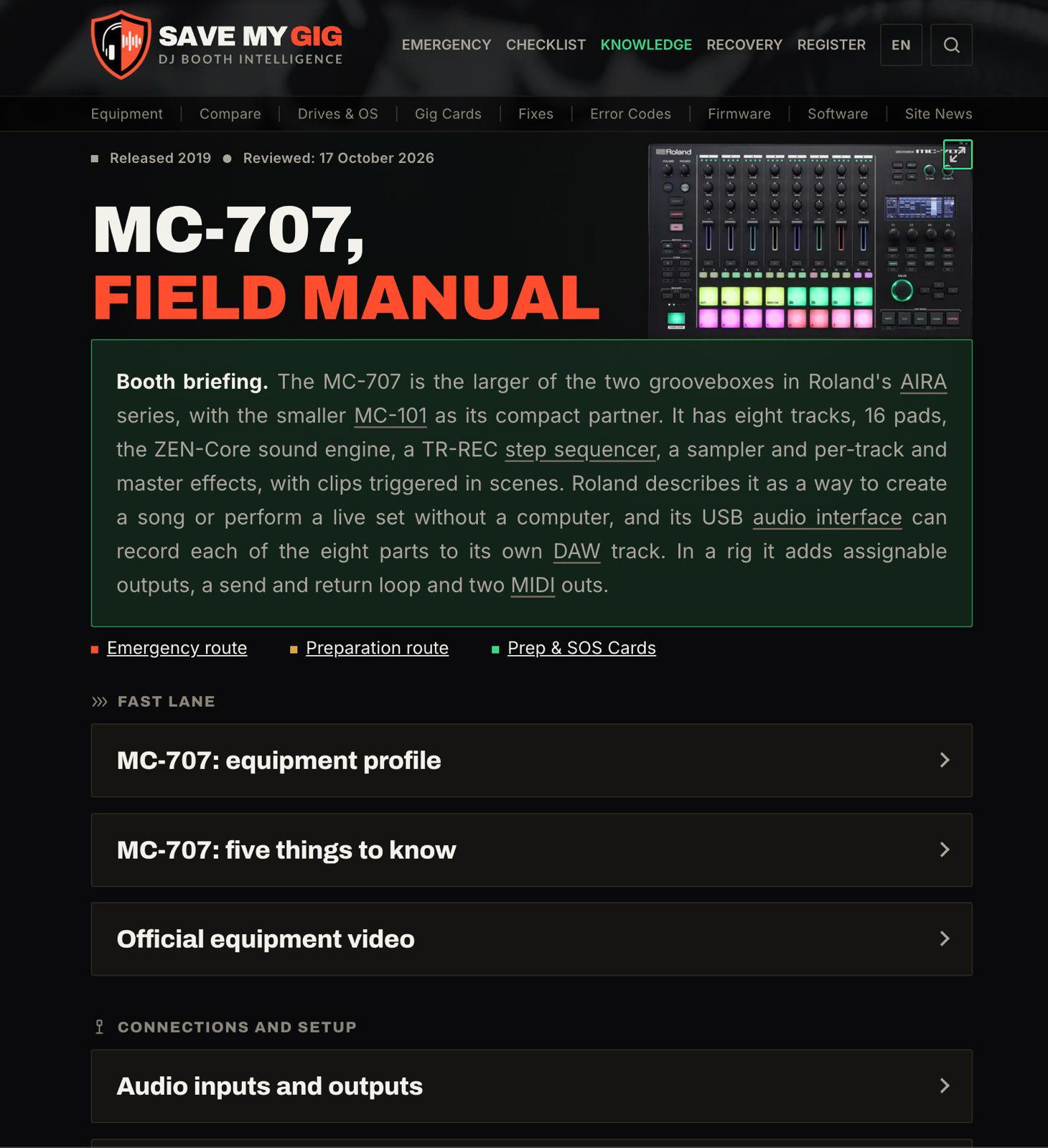
For anyone using the Roland MC-707, there’s a Field Manual on Save My Gig that might be useful: https://www.savemygig.com/knowledge/roland/mc-707

It covers quite a bit of practical information, including:

  • Audio connections and routing
  • MIDI connections and external gear
  • USB audio and computer connectivity
  • Power requirements
  • Firmware updates and known issues
  • Troubleshooting and practical tips

It’s a handy reference to keep around, especially if you use the MC-707 in a live or hybrid setup.

If there’s something missing or a particular topic you’d like to see covered in more detail, feel free to share your suggestions. Feedback from people who actually use the gear is the most valuable.

By the way, there are guides for other Roland equipment on Save My Gig too, so it’s worth having a look if you use other Roland gear.

Hope it’s useful!

FULL DUPLEX
r/DJBoothIntelligence


r/MC707 • • 1d ago

MC-107: Easy Mode

18 Upvotes

Some people have complained that installing my custom MC-707-like firmware for the MC-101 is complicated and scary, and TO THOSE COMPLAINERS I SAY:

Yeah, fair call. Here's an easier version: https://edco.github.io/mc-107/

[The usual disclaimers apply - I don't think this will brick your device, but I give no guarantees]

You supply the original file from the vendor firmware update, that page patches it in your own browser to add a bootloader, and packs it into a .zip with the necessary MC-107 patch files. Unzip it onto your SD card, flash the firmware, and reboot into MC-107.

When there are updated patches available (or you make your own) you just copy them to the SD card - no additional flashing required. Remove the files from your SD card and it boots back into stock MC-101 mode. Re-flash the stock firmware and even the bootloader is gone.

Meanwhile, u/RowdyVoyeur has taken my initial 8-track enabling patch, fixed some nasty issues, and added a raft of other features including deep pad editing, sample chopping, and more you can read about here: https://github.com/edco/mc-107#user-guide-drum-pad-deep-edit-wmt14-sample-tools--sample-chop

If you want to see how the sausage gets made, and perhaps try your own modifications, you can see the source of the patches here: https://github.com/edco/mc-107/tree/main/mc107

And if you want to see how the sausage-making machine was made, the bootloader code and various reverse engineering tools are here: https://github.com/edco/mc-101-re

EDIT: I forgot to mention - it's also supported in u/mendopnhc's MC-707 Toolbox - https://github.com/Mendo-707/mc707-toolbox


r/MC707 • • 3d ago

Audio inserts not working right for delay and reverb sends

3 Upvotes

I screwed up a setting sometime and can't figure out how to fix it. Help me out.

I have 2 external synths coming in to Ext In L and R, respectively. However I can't get both of them to work with the delay send at the same time.

If I press shift/input and change the Ext in to mono, then the synth in Ext in L works on the delay send. If I change Ext in to stereo, then the synth in Ext in R works on the delay send. What do I need to do to get them both working.

I have pressed input and scrolled the big wheel all the way down, so the generalized, non audio insert Ext in volume is at zero.

Both audio inserts can be heard, but the sends aren't working. What am I missing here?


r/MC707 • • 4d ago

MC-107 firmware patch

Thumbnail
reddit.com
38 Upvotes

The MC-107 patch (turning the MC-101 into an 8-track machine that can load/play/edit/save MC-707 projects) is now available at: https://github.com/edco/mc-101-re/tree/main/8-track

I'm not expecting many people to rush out and try it, since the installation process is a long way from user-friendly, but as a proof of concept, I reckon it's pretty neat.

The installation process is:

  • Download the original 1.82 firmware
  • Patch the original firmware so it can allow extraction of the bootrom
  • Install the bootrom extraction firmware and extract the bootrom
  • Patch the original firmware (using information from the bootrom) with the MC-107 patch
  • Install the MC-107 patched firmware

It's entirely possible to soft-brick your device doing this, but reasonably unlikely to put it in a completely unrecoverable state.


r/MC707 • • 4d ago

Phonon — 160 BPM Acid Techno | 100% DAWless Hardware Live

Thumbnail
reddit.com
2 Upvotes

r/MC707 • • 6d ago

recording midi tracks separately

2 Upvotes

dear community: Is there any free program for recording all the midi tracks of a tr8s separately?


r/MC707 • • 11d ago

Favorite ways to use Scatter?

7 Upvotes

I don't really use the scatter very much and haven't played with it too much outside of the presets.

How do you like to do it? Have you made any cool scatter patches different from the presets?


r/MC707 • • 14d ago

MC-707 SEND/RETURN unusually quiet even at 255. Is this normal?

2 Upvotes

I'm using a Roland MC-707 with an Eventide H90 connected through its stereo SEND/RETURN loop. Everything works, but the signal reaching the H90 seems surprisingly low.

I've gone through quite a few settings and I'm wondering whether this is simply how the MC-707's SEND output is designed or whether I'm missing something.

MC-707 configuration:

  • SEND/RETURN position: REVERB
  • SEND and RETURN: STEREO
  • Global SEND LEVEL: 255 (maximum)
  • Global RETURN LEVEL: 255 (maximum)
  • Individual track Reverb Send: usually at maximum to make the effect clearly audible
  • Tested with a single Tone track at full volume, filter fully open and no additional track effects or EQ cuts

Eventide H90:

  • All inputs and outputs set to LINE
  • Effects tested at 100% wet
  • No input clipping observed, only intermittent green signal LEDs
  • Switching the H90 input from LINE to INSTRUMENT actually made the signal quieter
  • Switching the output between LINE and INSTRUMENT made relatively little difference

What surprises me is how much gain I sometimes need inside the H90 to get a substantial effect.

For example, one program had:

  • Program input gain: +8 dB
  • Preset A input gain: +12 dB
  • Preset A output gain: +6 dB
  • Preset B input gain: +2 dB
  • Preset B output gain: 0 dB

Despite these considerable boosts, the effect was not excessively loud and the H90 showed no clipping.

I'm currently using what I believe are standard mono TS cables for the individual left and right connections.

My questions:

  1. Have other MC-707 users noticed an unusually low signal level from the SEND outputs?
  2. Is 255 the intended normal operating level for SEND/RETURN, or is there a documented unity gain setting somewhere in the 0–255 range?
  3. Are standard mono TS cables correct for the MC-707 SEND/RETURN connections, or could cable type affect the level?
  4. Is there any additional gain staging or attenuation in the MC-707's REVERB send routing that I may have overlooked?

I can get usable and sometimes excellent results, so this is not a case of the effects loop failing. I'm mainly trying to understand whether the level behaviour is normal and whether other users routinely run SEND and RETURN at maximum.

I'd be particularly interested in comparisons with other external effects processors connected to the MC-707.


r/MC707 • • 16d ago

MC707 Adapter & Power Bank Suggestions?

Post image
9 Upvotes

Just starting with the MC707 coming over from the MC101.

I make my best tracks when im chilling outside. I would really like to bring my MC707 outback with me.

I've seen some threads from a while ago suggesting *Birdcord* USB to 6v adapters. I'm in the U.S. and with shipping + tariffs the adapter is $26 from Austria! If that's truly the best option, then it is what it is and I'll order it.

Are there any reliable alternatives that can be bought in the U.S.? The MyVolts one ive heard people have had some issues with. Theres plenty on amazon, but I'm curious to know what everyone uses that's reliable.

Also, what kind of power bank should i use? I do have some that i use for my MC-101 just fine, but they are 5v input/output it seems.

What combos does everyone here use that they can recommend? Thanks!


r/MC707 • • 16d ago

Just to confirm: the MC-707 can sample in over the audio in or even USB, but the MC-101 can't?

3 Upvotes

Sorry if this was asked already, I've been trying to find the answer but couldn't


r/MC707 • • 16d ago

MC-107

60 Upvotes

Ever wish your 707 was smaller and harder to use? Sorry, I mean, ever wish the 101 had 8 tracks and could take your 707 projects on the go?

Progress is good, still working through some bugs.


r/MC707 • • 16d ago

Any thoughts?

3 Upvotes

I have an Instagram page if you want to check it out.

https://www.instagram.com/4emilsinclair?obrf=cHdqdXBlaHVmOWNz


r/MC707 • • 17d ago

Getting there soon

34 Upvotes

During the weekend the reverse-engineering effort has taken a few steps forward. Now at least I can boot into main menu, will take a lot of polish until in usable shape. Menus do work, transport not yet.

MC-707 emulator session in Linux env

r/MC707 • • 17d ago

MC707 / 101 Toolbox just about done. just small fixes and improvements now.

Post image
66 Upvotes

r/MC707 • • 20d ago

Bricked my MC101. Lucky I just bought the 707.

Post image
21 Upvotes

I'm an idiot. An update was still on my SD card on my MC101. Held the wrong button during startup [instead of storage]. It started updating, I panicked and turned it off...now my favorite piece of gear is bricked. It wont turn on at all. Tried several things.

Really lucky that I just bought the 707. Now i can spend some time with the slight learning curve. It will tide me over until hopefully i can send the mc101 to get repaired. The idea was to have the 707 in my studio and the mc101 as a portable device. I love the mc101 and it seems like repair would be maybe third or fourth of the cost of a used one.

Anyone have any experience with this situation?


r/MC707 • • 21d ago

Hello, world!

57 Upvotes

I suppose this really belongs in r/Mc707_Mc101 - but it was easier to fit this sub into the splash text! Anyhow, this is a completely unencrypted version of the stock firmware, with a small change just as a proof of concept. The exact same approach should work for the MC-707.

EDIT: Got the code in a somewhat presentable state, just having some folks take a look before I post more here.

EDIT2: Here's the repo: https://github.com/edco/mc-101-re


r/MC707 • • 27d ago

Firmware modding

Post image
77 Upvotes

Tried to mod firmware but core0 which handles ui logic is encrypted
Core1 however isn’t

So I’ve injected code into core1 to read memory during runtime and dump its uncompressed unencrypted content via USB-MIDI sysex
May take a while
Wish me luck ^^


r/MC707 • • 29d ago

MC-707 – Can I start playback from a specific measure in a Tone clip?

2 Upvotes

I'm editing a long Tone clip on my MC-707, and it's frustrating having to start playback from the beginning every time I want to hear changes I've made near the end. Or rec play on top .

Is there any way to start playback from a specific measure, or change the clip's start measure temporarily while editing?

I know I can navigate between measures in the step sequencer, but that doesn't seem to affect the playback position.

Am I missing something, or is this simply not possible on the MC-707


r/MC707 • • Oct 25 '26

Mc 707 into mono machine elektron

5 Upvotes

Can we turn the Roland MC-707 into an Elektron Monomachine? Custom firmware, hacking, workflow experiments?

I’ve been trying to push the Roland MC-707 towards the workflow and sound-design possibilities of the Elektron Monomachine SFX-60, and I’d love to hear from anyone who has explored something similar.

Has anyone experimented with custom firmware for the MC-707, reverse-engineered any part of its architecture, or come across a developer who has seriously investigated modifying how it works?

I’m particularly interested in:

  • More advanced and interactive sequencing, closer to the Elektron workflow.
  • Controlled randomisation and deeper parameter modulation.
  • Making tracks interact and transition into one another in more creative ways.
  • Finding ways to get closer to the Monomachine’s approach to building evolving, interconnected patterns.

My current problem: I can create tracks and patterns on the MC-707, but I’m getting stuck when it comes to making them flow into one another and interact musically in the way I’m looking for. I’m not sure whether I’m approaching the MC-707’s sequencing workflow incorrectly or whether I’m running into limitations of the machine itself.

Before giving up on the idea, I’d like to understand what’s technically possible.

I know the MC-707 and the Monomachine have very different architectures, so I’m not expecting an exact clone. I’m interested in exploring how far the MC-707 could be pushed, whether through existing features, clever workarounds, external tools, or potentially custom firmware.

Has anyone looked into this seriously? I’d be particularly interested in hearing from firmware developers, reverse-engineering enthusiasts, MC-707 owners who’ve pushed the machine beyond its intended workflow, or Monomachine users who’ve tried to recreate that experience on other hardware.

Even pointers to existing research, repositories, technical documentation, or people working on similar projects would be really useful.

Let’s discuss what’s actually possible, rather than just what’s available out of the box.

thanks


r/MC707 • • Oct 24 '26

MC707 toolbox now available for testing on linux/mac. let me know how it goes

Post image
44 Upvotes

r/MC707 • • Oct 25 '26

I don't use computers on stage anymore, it's only MC707 and synths (Wavestate/Multipoly/Hydra) now for me!

15 Upvotes

r/MC707 • • Oct 24 '26

MC-707 audio routing on Windows question

3 Upvotes

Hey everyone, I'm planning to get a MC-707 and would like to use its USB multitrack output but as I'm on Windows, I can't use the ASIO output of my audio interface while using the ASIO input of the MC-707, I looked for ways to make an aggregate audio device on Windows but the solutions I found (ASIO4ALL and VB-Matrix) seemed to be hardly working. My audio interface is a Soundcraft 12FX USB mixer that outputs 2 stereo channels via USB, I would just want to be able to plug my headphones into it and have Ableton Live output the processed MC-707 USB audio stream into the mixer. Would there be a good way to do that on Windows? Thanks for reading my wall of text!


r/MC707 • • Oct 23 '26

Template Blank Startup Project

7 Upvotes

Due to the firmware constraints on the 707, there are two options for loading a project on power up. INIT or LAST (found in the UTILITY > SETTINGS).

For myself I prefer to have an entirely black canvas that not even the INIT project offers.

***(The advanced script section) Sometimes I want to always load a main project I am working on, even though I may open other project briefly and perhaps not reload my main project before powering off the 707

Therefore (MAS OS users)

  1. Backup your MC707 SD card (just as a precaution, belt and braces folks)
  2. Load an INIT project, delete the two tracks (1 & 2).
  3. Save as BLANK (or whatever name you want).
  4. Set the LOAD PROJECT (in the CTRL of UTILITY - SETTINGS) to LAST
  5. Turn off the MC707, turn it back on, it will load your 'BLANK' template
  6. Connect your 707 in storage mode to your Computer
  7. Navigate to the 'PROJECT' folder
  8. Look for a file called startup.txt, preview will show the 'BLANK.txt' project
  9. Open a terminal window (cmd+space - typer terminal hit enter)
  10. Copy and run the code from the code window below

    for VOL in /Volumes/*; do FILE="$VOL/ROLAND/GROOVEBOX/PROJECT/startup.txt" if [ -f "$FILE" ]; then chflags uchg "$FILE" echo "Locked: $FILE" ls -lO "$FILE" break fi done

If you want to unlock the file later you can storage mode your MC707 and then open a terminal once more and run the code below.

for VOL in /Volumes/*; do
    FILE="$VOL/ROLAND/GROOVEBOX/PROJECT/startup.txt"
    if [ -f "$FILE" ]; then
        chflags nouchg "$FILE"
        echo "Unlocked: $FILE"
        ls -lO "$FILE"
        break
    fi
done

Eject your SD card from MAC Finder, you will have to detach your USB (or if you have switch USB cable or USB hub with individual switches, you can disable the port and the 707 will go back into normal mode).

Naturally you could whip out your SD card and plug it into your mac (card reader port or external reader) and then run the terminal commands that way.

Advanced: Set your startup project with the MC-707 Startup Project Manager (macOS)

If you’d rather choose a project from a numbered list than edit startup.txt yourself, use the MC-707 Startup Project Manager script attached here.

#!/bin/zsh
# MC-707 Startup Project Manager
emulate -LR zsh
setopt ERR_EXIT NO_UNSET PIPE_FAIL
readonly GROOVEBOX_REL='ROLAND/GROOVEBOX/PROJECT'
readonly STARTUP_NAME='startup.txt'
say() { print -r -- "$*"; }
die() { say "Error: $*" >&2; exit 1; }
setopt LOCAL_OPTIONS NULL_GLOB
matches=(/Volumes/*/${GROOVEBOX_REL}(N))
(( ${#matches} == 1 )) || {
  if (( ${#matches} == 0 )); then
    die "No mounted SD card contains /${GROOVEBOX_REL}. Insert the card and try again."
  else
    say "More than one mounted volume contains /${GROOVEBOX_REL}:" >&2
    printf '  %s\n' "${matches[@]}" >&2
    die "Unmount the other cards and try again."
  fi
}
project_dir=${matches[1]}
volume=${project_dir%%/${GROOVEBOX_REL}}
startup_file="$project_dir/$STARTUP_NAME"
[[ -d "$project_dir" ]] || die "Project folder is unavailable: $project_dir"
[[ -f "$startup_file" ]] || die "Cannot find $STARTUP_NAME in $project_dir"
projects=("$project_dir"/*.mpj(N))
(( ${#projects} > 0 )) || die "No .mpj projects found in $project_dir"
say "MC-707 SD card: $volume"
say "Project folder: $project_dir"
say "Current startup.txt:"
if [[ -s "$startup_file" ]]; then
  cat -- "$startup_file" || die "Could not read $startup_file"
else
  say "(empty)"
fi
say ""
say "Available projects:"
integer i=1
for project in "${projects[@]}"; do
  printf '  %d) %s\n' "$i" "${project:t:r}"
  (( i++ ))
done
say ""
while true; do
  printf 'Choose a project number (or q to quit): '
  IFS= read -r choice || die "No selection received."
  [[ "$choice" == [qQ] ]] && { say "Cancelled."; exit 0; }
  if [[ "$choice" == <-> ]] && (( choice >= 1 && choice <= ${#projects} )); then
    break
  fi
  say "Enter a number from 1 to ${#projects}, or q."
done
selected=${projects[$choice]}
basename=${selected:t}
snapshot=$(mktemp "${TMPDIR:-/tmp}/mc707-startup.XXXXXXXX") || die "Could not create a recovery snapshot."
cp "$startup_file" "$snapshot" || { rm -f "$snapshot"; die "Could not preserve the previous startup value."; }
changed=0
recovery() {
  local status=$?
  trap - EXIT HUP INT TERM
  if (( changed )); then
    say "An error occurred; attempting to restore the previous startup value and relock it." >&2
    chflags nouchg "$startup_file" 2>/dev/null || true
    cat "$snapshot" > "$startup_file" 2>/dev/null || true
    chflags uchg "$startup_file" 2>/dev/null || true
  fi
  rm -f "$snapshot"
  exit "$status"
}
trap recovery EXIT HUP INT TERM
changed=1
chflags nouchg "$startup_file" || die "Could not unlock $STARTUP_NAME. Check that the card is writable."
printf '%s' "$basename" > "$startup_file" || die "Could not write $STARTUP_NAME."
chflags uchg "$startup_file" || die "Could not relock $STARTUP_NAME."
actual=$(<"$startup_file") || die "Could not verify $STARTUP_NAME content."
[[ "$actual" == "$basename" ]] || die "Verification failed: stored value does not match '$basename'."
flags=$(stat -f '%Sf' "$startup_file") || die "Could not verify file flags."
[[ "$flags" == *uchg* ]] || die "Verification failed: $STARTUP_NAME is not locked (uchg)."
changed=0
rm -f "$snapshot"
trap - EXIT HUP INT TERM
say ""
say "Startup project set to: $basename"
say "Verified: .mpj extension included, no newline added, and uchg flag is set."
printf 'Eject the SD card now? [y/N] '
IFS= read -r eject_choice || eject_choice='n'
if [[ "$eject_choice" == [yY] ]]; then
  diskutil eject "$volume" || die "The startup project was updated, but macOS could not eject $volume."
  say "Ejected: $volume"
else
  say "Card left mounted. Eject it from Finder when ready."
fi
  1. Insert the SD card and wait for it to appear in Finder.
  2. Copy this code into a text editor (textedit), ensure you have plain text mode not rich text
  3. Save the file as 'MC707-Startup-Manager.command' the .command bit is important
  4. If macOS says you don’t have permission to execute it, open Terminal, type chmod +x (including the space), drag the saved file you created into the Terminal window, and press Return.
  5. Double-click the script. If macOS asks whether you’re sure you want to open it, Control-click the file in Finder, choose Open, and confirm.
  6. Check the card and current startup value shown in Terminal. Choose the number beside the project you want.
  7. The script unlocks startup.txt, writes the selected project’s full filename—including .mpj (for example, 01-AWORLD.mpj)—then relocks and verifies the file.
  8. Choose whether to eject the SD card when prompted. If you leave it mounted, eject it from Finder before removing it.

The script stops if it finds more than one matching card, so leave only the MC-707 card mounted. Keep the card connected until the script finishes.


r/MC707 • • Oct 21 '26

Servant of Light - Exhale (camidelaigua MC-707 remix 2025) | 1K special thanks video

Thumbnail
youtu.be
17 Upvotes