r/MINISFORUM • u/PrestigiousAd480 • 7h ago
USB-C PD mini-pc with Power Output 60W (not Input)
reddit.com
1
Upvotes
r/MINISFORUM • u/Cheap_Assistance8597 • 11h ago
Is it normal that the R9 8945HX Takes around 35-40W in Idle? Ingame as an example Fortnite i get 144 Fps capped at 97W but also 240 with no issues at 100W, its kinda weird especially the Idle Wattage, my Effective Clocks are averaging at 90Mhz
Cpu Usage at Idle: 1-2%
Ingame Lobbys at 120 Fps Cap 70-80W tested in Fortnite, Warzone and Overwatch 2
Ingame: 80-102W in nearly every Game even Story based Games with 30/60 Fps cap
r/MINISFORUM • u/Pauelito • 1d ago
I've just bought this guy, disabled CPU and system fans in by detaching the power, and found that the one in the PSU still renders the most unpleasant and loud part of the noise.
Is there a way to replace the PSU to quite one ?
r/MINISFORUM • u/bria26000 • 2d ago
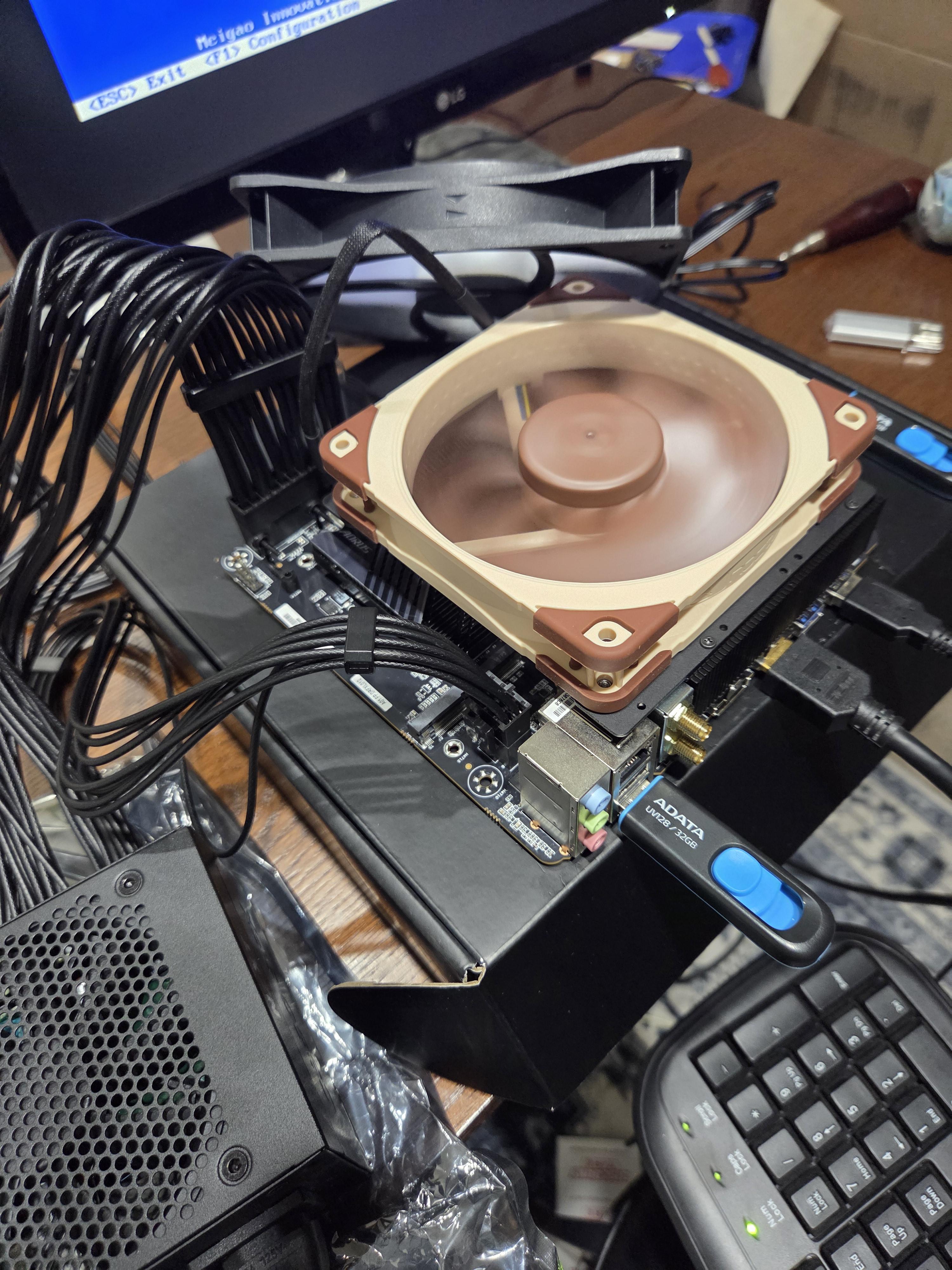
I'm trying to update to the bios to 1.17 on myBD895I SE and im currently on 1.15 but I can't find it anywhere in bios for bios update or firmware update? Any guidance would help thanks🙏🏻
r/MINISFORUM • u/yeboithomas • 4d ago
Hi, I wanted to share my positive experience with minisforum customer service! so future buyers have an extra point of reference for support.
Almost 2 years ago i bought a minisforum V3! and using the tablet has been a delight for me, I had none of the reported software issues, however im using linux (opensuse tumbleweed) so that might the reason
2 weeks ago one of the fans died due to a broken bearing. Additionally the battery had only 70% health left. So i contacted support with both problems. They could not repair it in europe, so I had to sent it to Hong Kong. Support arranged delivery through fedex and within 4 days! it arrived in hongkong (from netherlands). They fixed both issues, and after sending pictures of the fixed device, they asked if this was all that needed to be repaired before sending it back, which was nice. All communiction has been really nice and relatively quick (due to timezones its a bit slower but can't fault minisforum for that).
Before I had a lenove slim 5, and when that broke support was terrible. so kudos to minisforum! (in my experience at least)
r/MINISFORUM • u/bria26000 • 4d ago

I can't figure this out. I can't disable secure Boot, everything is greyed out and set password on the bios but its still all greyed out for me
r/MINISFORUM • u/carajean2725 • 4d ago
[SOLVED] So I bought the Deg2 to go with my Ai server which is running Zima OS. I connect everything make sure its tight. The TB5 switch is on. Tried 2 different powersupplies. Still no power. Power light on the deg2 never comes on but the red diag lights do. Stumped anyone else have this issue?
Posting this because I couldn't find a single working report of a Thunderbolt eGPU on ZimaOS, and this took days to figure out. Hopefully it saves someone else.
## My setup
* **Host:** Dell XPS 15 9510 (i9-11900H, 32 GB RAM, built-in RTX 3050 Ti Laptop 4 GB)
* **BIOS:** 1.48.0, "Thunderbolt (and PCIe behind TBT) Pre-boot Modules" ON, Thunderbolt security "none"
* **Port:** Left-side Thunderbolt 4 port (Tiger Lake integrated TB4)
* **OS:** ZimaOS 1.8.0 (Linux 6.18.9)
* **NVIDIA driver:** 580.105.08 (ZimaOS ships `open`, `legacy580` and `legacy470` branches)
* **Dock:** Minisforum DEG2 (Thunderbolt 5), shows up in Linux as `Micro Computer (HK) Tech. Ltd. TBGAA`
* **GPU:** RTX 3060 12 GB
* **PSU:** Standard ATX PSU (24-pin to the dock, PCIe 6+2 to the card)
* **Use:** Local LLM server (llama.cpp in Docker)
## Problem 1: the dock wouldn't power on at all
Red LEDs only, power button did nothing, no fans, and the laptop saw no Thunderbolt device. I tried two different PSUs with the same result. A **third PSU** started it right away. So if your DEG2 looks dead, try another PSU before you RMA it.
## Problem 2: once it powered on, the laptop froze every time
- **Booting with the dock attached** got through POST (slowly) and into Linux, then froze a few seconds in. The console stopped at a random systemd service each time, and SSH and the web UI never came up.
- **Hot-plugging after boot** froze the laptop instantly.
- The saved journal never caught the moment of the freeze. It always ended right after the journal flush to disk.
## How I found it
## The fix (ZimaOS)
`/usr` is read-only on ZimaOS, but `/etc` is writable and persists. So I made a patched copy of the selection script and pointed the service at it with a systemd drop-in.
mkdir -p /etc/nvidia-egpu
cp /usr/bin/nvidia-driver-select /etc/nvidia-egpu/select
chmod +x /etc/nvidia-egpu/select
# 1) force the proprietary 580 branch (inserts BRANCH="legacy580" right after the branch-priority block)
sed -i 's|^# Fall back when the chosen branch is missing from the image.|BRANCH="legacy580"\n&|' /etc/nvidia-egpu/select
# 2) load nvidia.ko with GSP firmware off (only the insmod line, not the [ -f ... ] checks!)
sed -i 's|insmod_if_unloaded nvidia "${MODULEDIR}/nvidia.ko" |&NVreg_EnableGpuFirmware=0 |' /etc/nvidia-egpu/select
# check: should show only the insmod line and the BRANCH line, then SYNTAX-OK
grep -nE '^BRANCH="legacy580"|EnableGpuFirmware' /etc/nvidia-egpu/select
sh -n /etc/nvidia-egpu/select && echo SYNTAX-OK
# point the service at the copy
mkdir -p /etc/systemd/system/nvidia-driver-select.service.d
printf '[Service]\nExecStart=\nExecStart=/etc/nvidia-egpu/select\n' > /etc/systemd/system/nvidia-driver-select.service.d/egpu.conf
systemctl daemon-reload
Reboot without the dock first and check:
head -n 1 /etc/nvidia/driver.conf # NVIDIA_BRANCH="legacy580"
grep EnableGpuFirmware /proc/driver/nvidia/params # EnableGpuFirmware: 0
nvidia-smi -L
Then power on the dock, plug it in, and boot. Both cards now show up:
GPU 0: NVIDIA GeForce RTX 3050 Ti Laptop GPU
GPU 1: NVIDIA GeForce RTX 3060 (12288 MiB)
**Undo:** `rm -r /etc/systemd/system/nvidia-driver-select.service.d /etc/nvidia-egpu && systemctl daemon-reload`, then reboot.
**On other distros:** the same idea is simpler. Use the proprietary (non-open) NVIDIA kernel modules and add `options nvidia NVreg_EnableGpuFirmware=0` in `/etc/modprobe.d/`. That option only exists on the proprietary modules and only for Turing/Ampere/Ada (not Blackwell).
## Result
llama.cpp (Qwen3.6-35B-A3B, IQ4_XS, MoE experts split between GPU and CPU with `--n-cpu-moe 19`) pinned to the 3060 by UUID: about **50 tokens/sec** generation, up from about 13 on the laptop's 3050 Ti. That's 10.9 of 12 GB VRAM used.
## Notes and caveats
- Power the dock **before** booting. I haven't tested hot-plug since the fix.
- A ZimaOS update may replace the original script. After updates, check that `nvidia-smi -L` still lists both GPUs.
- Things that did **not** help (before the driver fix): a different cable, unplugging the laptop charger, blocking `snd_hda_intel`/`thunderbolt`, and turning PCI runtime PM off.
- Things done along the way that may or may not matter: BIOS 1.37.0 to 1.48.0, and enabling TB Pre-boot Modules (that's what let the BIOS enumerate the card at boot).
r/MINISFORUM • u/Temporary-Regular-76 • 5d ago
Hello, I am interested in buying the MS-01 SE. I see the RAM speed in the blurb is for 3200 DDR4.
However, due to 'events' 3200 is £152 compared to 2600 being £112.
It'd be a Proxmox server without massive processing demand and mostly test builds or sandboxes for test software.
Given that use case, would the 2600 work happily in the system or is 3200 required? It's more the capacity that matters above the speed if I were honest (16GB doubles my current RAM cap).
Much obliged.
r/MINISFORUM • u/EveHerr • 5d ago

Find your next Mini PC, Gaming PC, AI Workstation, or NAS—and save up to 33% OFF with Flash Deals! ⚡
🎁 FREE gifts & accessory discounts
🛡️ Extended warranty benefits on eligible models
⭐ DOUBLE Reward Points
🔗 Shop Now:
🇺🇸 US: https://s.minisforum.com/3UilugZ
🇪🇺 EU: https://s.minisforum.com/4sJdXEt
🇯🇵 JP: https://s.minisforum.com/4z5cBp9
🇬🇧 UK: https://s.minisforum.com/4fgxBlE
🇫🇷 FR: https://s.minisforum.com/4j0ZlwX
🇨🇦 CA: https://s.minisforum.com/4imbYT6
🇦🇺 AU: https://s.minisforum.com/4zGxbgw
🇰🇷 KR: https://s.minisforum.com/4fesSkp
📅 November 11–30, 2026 (PST)
#MINISFORUM #BlackFriday2026 #BlackFridayDeals
r/MINISFORUM • u/nwoluna • 6d ago

Hello Minisforum Technical Support Team,
I own a Minisforum EliteMini B550 (Motherboard: Besstar Tech Limited, BIOS version: AMI Aptio V v2.22.1282, AGESA ComboAm4v2PI 1.2.0.7).
I recently upgraded the CPU from a Ryzen 7 5700G to an AMD Ryzen 7 5800X3D (which is officially supported on this model). With the previous Ryzen 7 5700G, my 64GB DDR4-3200 SO-DIMM kit (2x32GB Dual Rank, G.Skill F4-3200C22-32GRS, 1.20V JEDEC) ran natively at 3200 MT/s without any issues.
However, after installing the Ryzen 7 5800X3D, I am experiencing the following memory and BIOS issues:
Could you please assist with the following questions?
Thank you very much for your time and support.
Best regards,
r/MINISFORUM • u/jaganrao03 • 6d ago
r/MINISFORUM • u/JamesMTB-2025 • 6d ago
r/MINISFORUM • u/carbon_brz • 7d ago
Hey all, I just bought the N5 air and I’m running TrueNAS on it.
I’m very impressed with this thing. It works so much better than my actual NAS server for just about everything.
My question is - i can return the air. But is the pro worth it..? What kind of capabilities can I do with this within TrueNAS if I ever want to thinker with the N5/AI
Thanks all.
r/MINISFORUM • u/Individual_Dog_727 • 8d ago

r/MINISFORUM • u/daveMUFC • 8d ago
Just got this SFF and was excited to upgrade my 4070 G7 Pro, but it is so much louder when running any game!
I've found that min GPU fan speed is 50% and can't be lowered anymore. Have tried Adrenaline, Fan Control app etc.
So when the GPU is running at 50C+, fans will automatically ramp up to ~3000rpm instantly, which is very unnecessary.
Does anyone know a solution to this?
r/MINISFORUM • u/Radiant-Risk7615 • 9d ago
hi
any one successfully installed Xpenology on Minisforum N5 Air / Pro ?
do you recommend that ?
r/MINISFORUM • u/katineko • 9d ago
Hello,
I recently purchased a new Minisforum AI X1 standard barebones version mini PC (no SSD, RAM, or OS), and am trying to set it up correctly. I have already put 32GB of RAM and a 512GB SSD into the PC, but am unsure on what to do when I power it on. My old PC had Windows 11 Pro, but it came pre-installed,so I assume I am not able to move it to my new PC because it is OEM license.
I’m also guessing that when I first turn on my PC, it will open up to the BIOS. I could be wrong, though.
Do I need to purchase a new Windows 11 Pro license to get a new key to use during setup on this new PC? If so, where is a good place to buy a license?
I heard that doing a clean install of Windows is best, but how do I go about that? I have my SSD with my data from my old PC backed up, plus some data on my Google account as well. I hardly have anything on my Microsoft account. So, as far as back up goes, I believe I am okay. I am still a bit nervous, about losing data, however.
Just out of curiosity, is it also possible to keep your previous settings in Windows?
I would definitely appreciate any tutorials or advice. Thank you!
r/MINISFORUM • u/Radiant-Risk7615 • 9d ago
hello
i'm looking to buy a NAS device for my startup to run Supabase , n8n and my 10 employees portal using docker , and maybe some other small apps , i wanted to buy minisforum and i couldn't find any good one to buy
any suggestions & recommendation?
r/MINISFORUM • u/bruhmomentumstarter • 9d ago
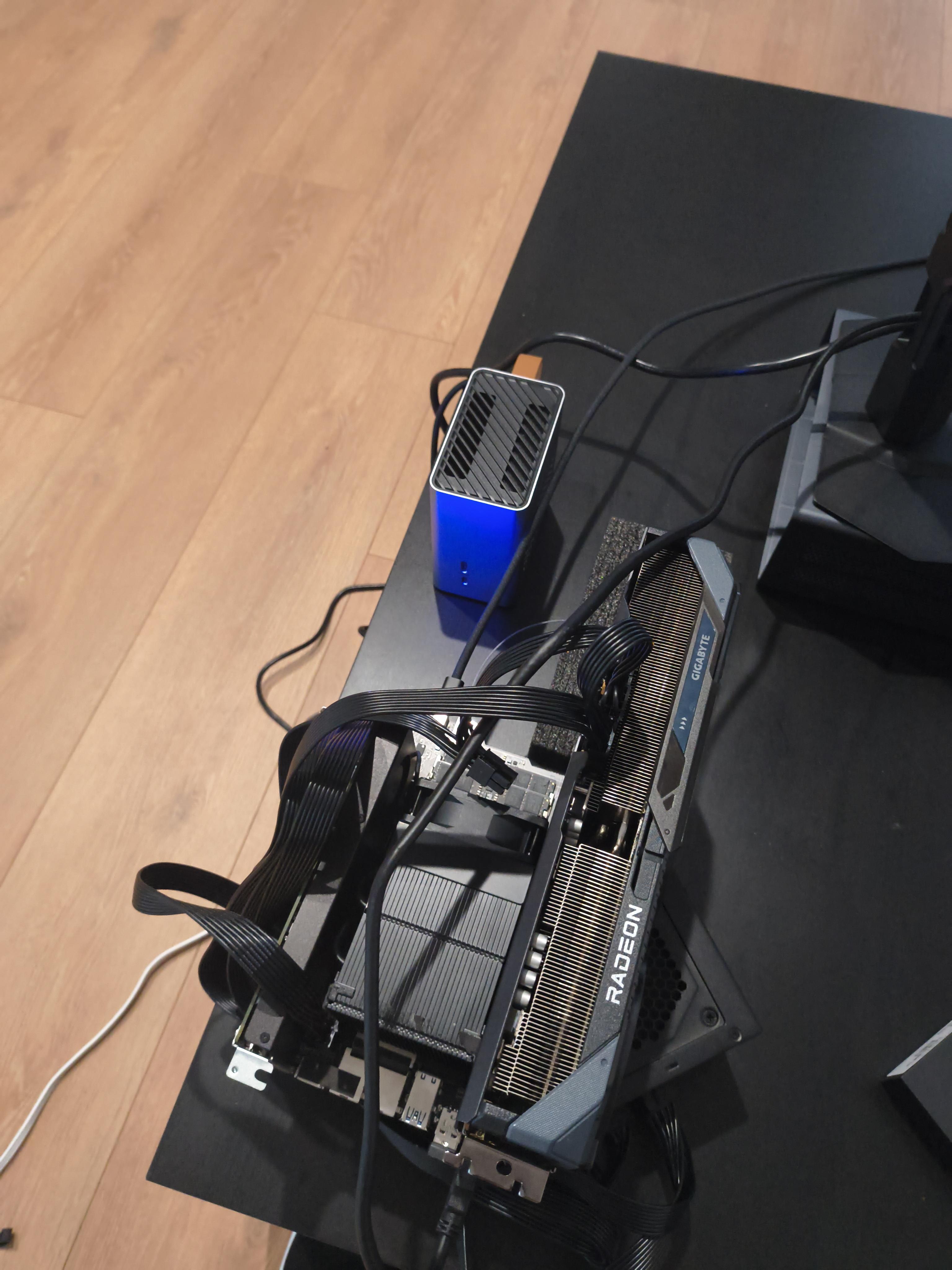
So I only have so much hardware. But I'm not gonna let this box sit there and look at me the way it does. So I'm going to compile a nvram var set script for 1.06 to fix everything. Currently, I need some people with more Thunderbolt 5 hardware to chip in. Or USB4v2. Client devices obviously, as I assume we all have host ms-02 ultras. Will update accordingly.
Bonus: naked ms-02 mounted to a PSU.
r/MINISFORUM • u/Silver-Hope2862 • 10d ago

Hey everyone, with how crazy component prices have gotten lately, I decided to hold off on any major hardware upgrades and focus entirely on maximizing the longevity of my current setup.
My previous 7L case was choking my hardware, with my GPU regularly hitting 83°C under heavy loads. I finally decided to migrate my setup into a vertical Lian Li B4 mATX Mesh case paired with a DeepCool PS650G 650W SFX power supply.
The thermal difference is night and day. Having direct airflow from the bottom fans completely chilled things out, and now my GPU maxes out at a cool 65°C while running much quieter.
Quick Specs:
- CPU / Motherboard: Ryzen 9 7945HX
- GPU: RTX 4060
- Case: Lian Li B4 mATX Mesh, vertical orientation
- Power Supply: DeepCool PS650G 650W
Still need to tackle the cable management rats' nest behind the scenes, but I'm just stoked to finally give these parts some proper breathing room while I save up for a future GPU upgrade down the line.
r/MINISFORUM • u/LightIntheApple • 10d ago
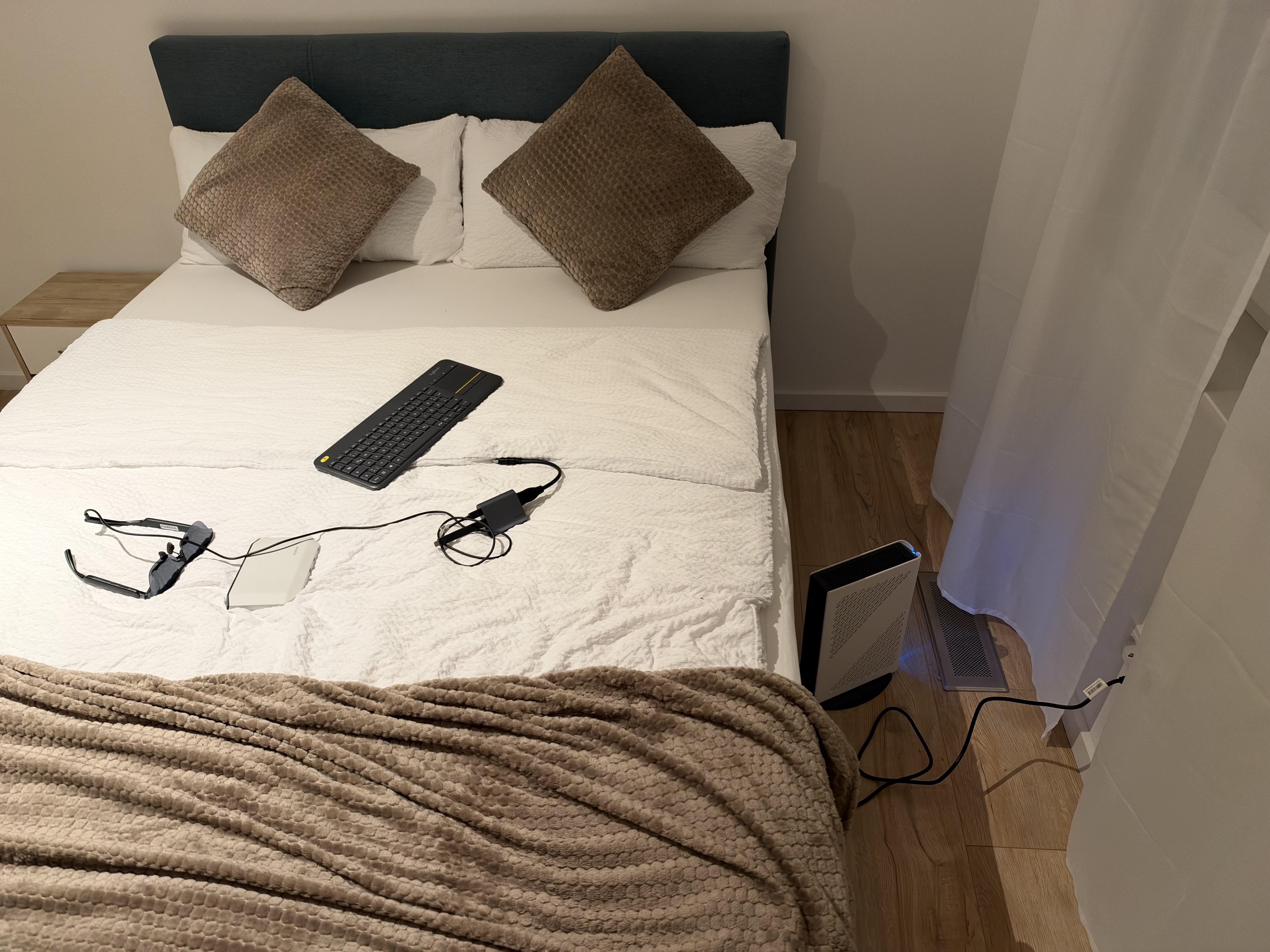
I took last weekend off to game a bit and took the g1 with me in my regular bag. Reminded me a bit good old lan times
r/MINISFORUM • u/Cheap_Assistance8597 • 10d ago

On the BD895i SE, the Product page shows an SSD Fan header, in the Bios theres also the SSD Fan Header PWM Control but it seems missing on my Board for some Reason
Also i put 2 Pictures, is it just on my Board or is it on every Board?
r/MINISFORUM • u/bruhmomentumstarter • 11d ago
I purchased a MS-02 Ultra 235HX barebones refurb for $479 a month ago on the MS website. Booted fine out of the box, perfect condition, even smelled new. My issues started when I tried to actually do anything with the computer. I will note some positives at the end, because there are some.
This is my biggest gripe with the MS-02 Ultra. And it's not just my machine, it's every MS-02 Ultra even the 285HX LM/ECC version. I have another thread on the MS reddit and there's plenty of documentation on this on the official GitHub. It's honestly kinda ridiculous cause we know the issue and the fix and a simple bios update would fix it. Everyone has to buy oculink adapters or settle for the rear TB4 for their eGPUs and docks.
2. CFG Lock and OC Lock are enabled:
My second biggest gripe, I bought a HX platform I want to be able to tune it. Especially buying the 235HX trying to get the best performance for my buck, I figured being able to tune the fabric and cores would bring me to core ultra 5 desktop performance. Nope. XTU fails to load cause of 2 NVRAM vars set to 1 and no option in bios to toggle them. Thanks MS
3. Bare bios in general:
Not enough config options in the bios. Simple as. This is a HX x70 platform. We should have options. It's meant to be a mini desktop server replacement. It sure as hell doesn't let you configure it like one.
4. Internal access mechanism is a ticking time bomb:
As said. Pulling the machine out to access it's internals produces too many metal shavings for my comfort. I would wager this is the reason for 90% of Minisforusms RMAs and otherwise general reliability issues with this box (which it's documented to have a high total failure rate, relatively) because every time you open it, it's producing a shower of metal shavings. Shame on you Minisforum, it almost seems purposeful. Same with your lack of bios options and support. I've been asking about issues for weeks with no resolve.
Okay so some good things: It turns on. It's quiet for the performance you get. IO is in theory best in class. It's sleek. That's about it. It has too many other issues for me to have anything else positive to say about this box. I regret buying it over another option for even $479. It needs major bios work, which Minisforum seems allergic to.
