r/MacOS • u/Icy-Complaint-7544 • 7d ago
Developer Saturday I built MultiScreenDock (free & open-source) so macOS shows a simultaneous Dock on every monitor — v1.5.0 now supports Bottom, Left & Right positions and Light/Dark Frosted Glass

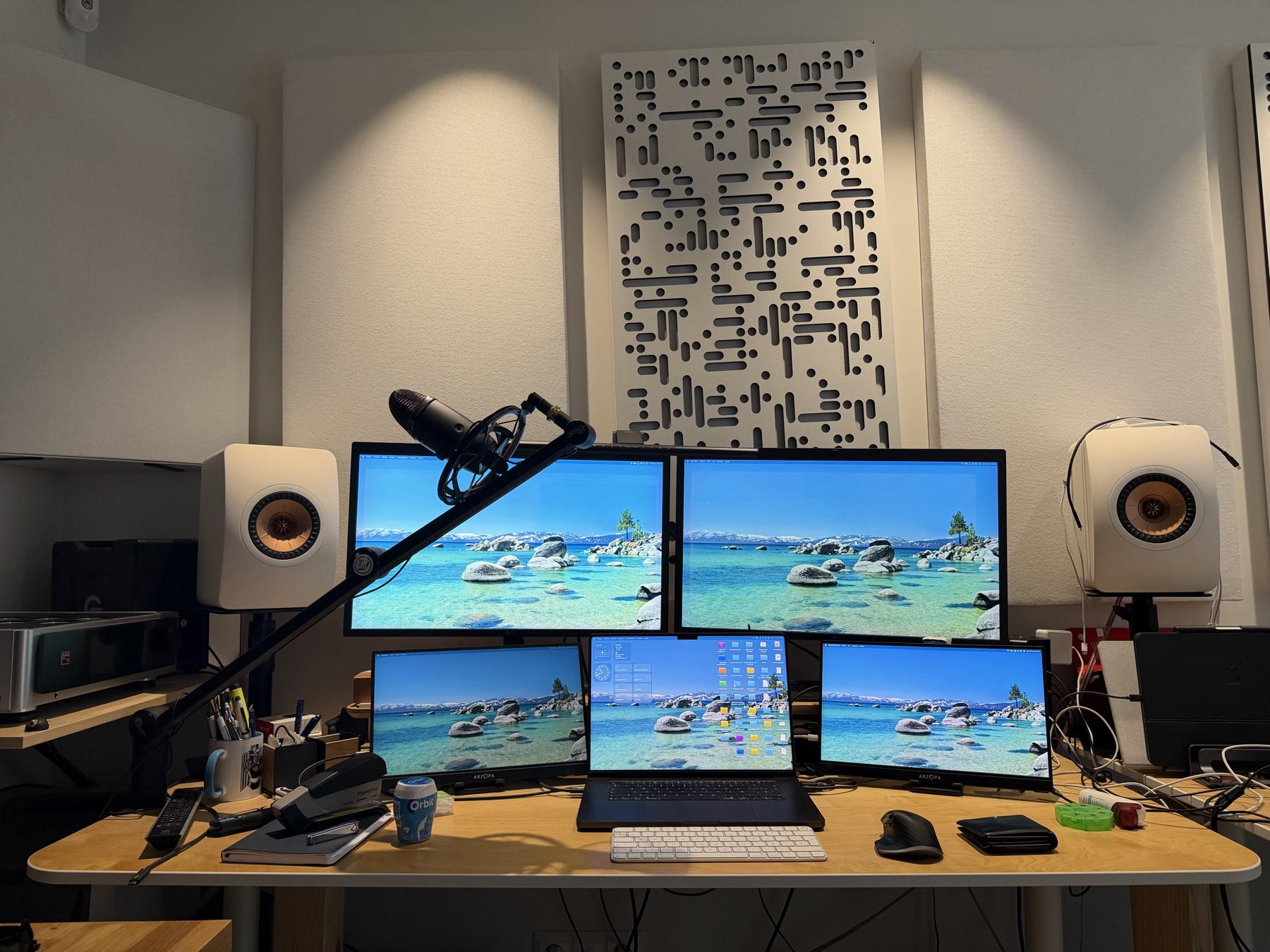
Hi r/MacOS!
I run a 5-monitor MacBook Pro setup (2× 27" 4K displays stacked above a 16" MacBook Pro and two 15.6" portable monitors), and Apple's native macOS Dock has two classic multi-monitor limitations:
- It only renders on one screen at a time, requiring an edge-dwell pause to jump between monitors.
- On vertically stacked upper monitors, it can never appear at all because moving your cursor down crosses into the lower display instead of hitting a bottom boundary.
So I built MultiScreenDock — a lightweight, 100% native Swift/AppKit menu-bar utility (MIT open-source, signed & Apple-notarized, 0% idle CPU, ~25 MB RAM, zero Accessibility or Screen Recording permissions) that puts a live, simultaneous Dock on every connected display.
What's new in v1.5.0 (shipped this week from community feedback):
- Bottom, Left & Right Dock Positions: Automatically follows your native macOS Dock orientation (
com.apple.dock.plist) or lets you pin MultiScreenDock to Bottom, Left, or Right, complete with vertical 120 Hz raised-cosine magnification. - Light Glass & Dark Glass Appearance: Follows macOS Light/Dark Mode live or locks to Light Glass or Dark Glass.
- 3 Visibility Modes: Smart Auto-Hide (stays visible when a display is clear and hides only when a window overlaps the Dock area), Edge Auto-Hide (with an anti-crossing filter for stacked displays), and Always Visible.
- Per-Display Fullscreen Auto-Suppression: Automatically hides on any monitor showing a fullscreen app or video while remaining active on your other screens.
- Interactive Folder Stacks: Click Downloads or any pinned folder to open Fan, Grid, or List stacks with QuickLook thumbnails, subfolder drill-down, and direct file drag-and-drop.
Links (100% Free & MIT Open Source):
- GitHub Repository & Releases: https://github.com/fgomsan/MultiScreenDock
- Website & Feature Tour: https://multiscreendock.fgomsan.here.now/
- Homebrew:
brew tap fgomsan/tap && brew install --cask multiscreendock
Happy to answer any questions or take feature requests!
5
Upvotes
•
u/github-guard 7d ago
🔍 GitHub Guard: Trust Report (Passed)
Here are the safety audit results for the linked repositories:
Repository: fgomsan/MultiScreenDock
Score: 3/6
1
u/Imn1che 7d ago
Interesting. Before building, did you try to validate if the macOS system dock can be manipulated to render on multiple screens simultaneously?
1
u/MaxGaav 7d ago edited 7d ago
Thank you for making this (and making it free)! Just downloaded it and so far it works wonderful!
I have two 27" monitors side by side. On the right monitor I have the Dock on the right side. And on the left monitor I have the Dock on the left side. This saves a lot of mouse traffic :)
Suggestions:
1
u/MaxGaav 5d ago
Would it also be possible to make an app for a second menu bar?
1
u/promo-guard 7d ago
🎉 Welcome to Developer Saturday, u/Icy-Complaint-7544! Your project is now live for the community to check out. Upvote, give feedback, and show some love to your fellow devs! 🚀
1
u/Competitive_Mix_587 7d ago
Following