r/MacOS • u/Worndownpie • 2d ago
Tips & Guides Mac OS higher than normal?
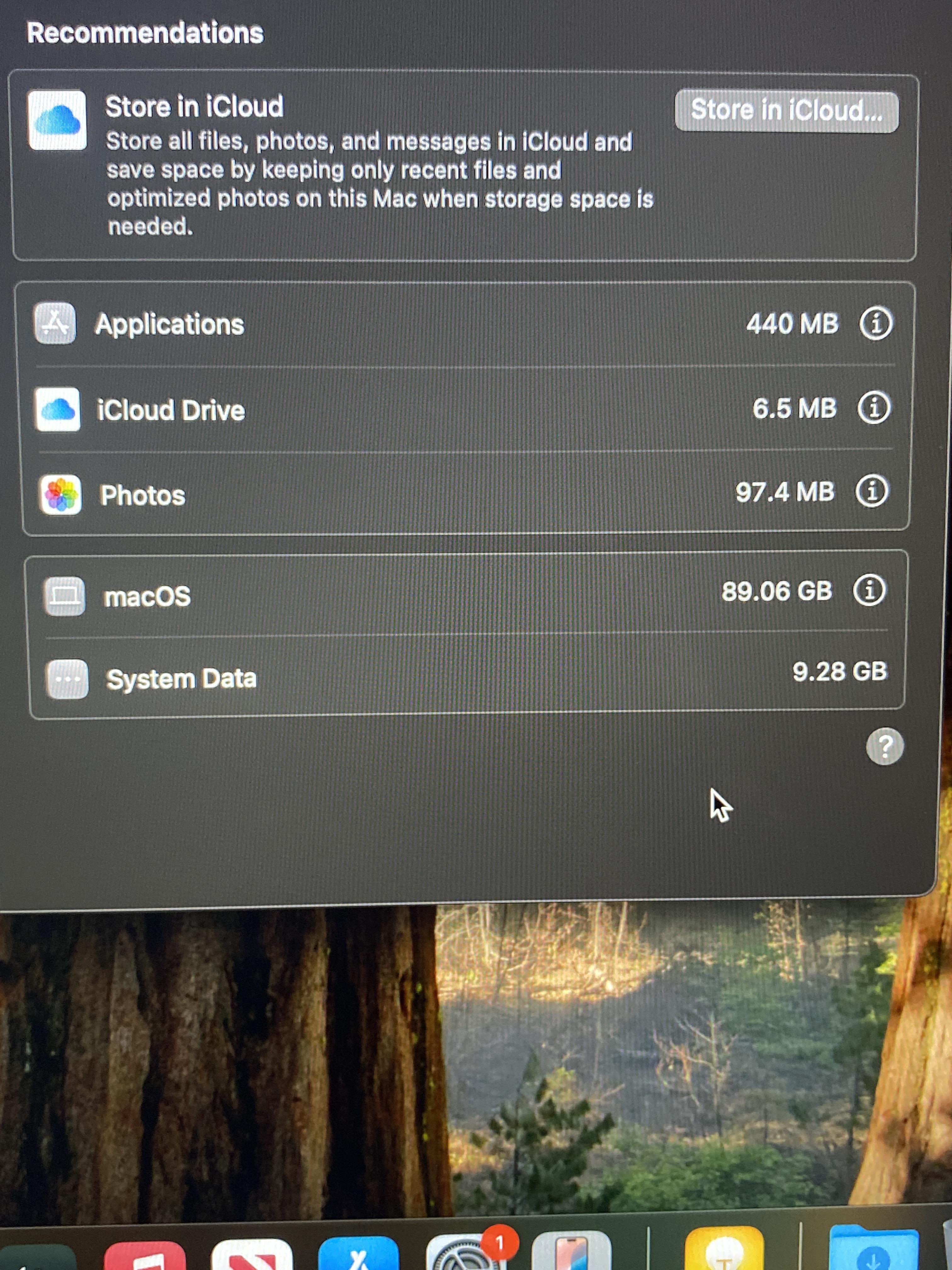
Hi there just recently bought a refurbished 2020 MacBook Air and I’m trying to update the software but I don’t have the storage, I’ve deleted all I can but the macOS GB is a lot higher than I’ve seen online and I have no idea what to do, any help or suggestions would be very very helpful and much appreciated!
0
Upvotes
2
u/cxtonreddit 2d ago
you could perhaps try mole https://github.com/tw93/Mole (foss cleaning project)
because almost 90gb absolutely isn't normal
2
u/cristi_baluta 1d ago
When you buy a new mac is better to install it fresh
2
u/NoLateArrivals 1d ago
Usually there were updates downloaded but not installed. Either they are waiting to install, or the updates failed.
It is weird that it was not resetted before you bought it.
You are sure it’s not connected to an iCloud account or MDM profile? In this case return it, it’s a brick.
1
u/d4nilim0n 2d ago
sometimes macOS freaks out and puts your apps used storage inside the “macOS” section.
1
u/mikeinnsw 2d ago
Yep .. evidence of multiple failed uprades
Back up with Time Machine and verify the backup. Visually check snapshots and run First Aid on the backup drive.
In recovery mode
Reinstall MacOs. .. this replaces MacOs
in
/Users/Shared
Delete old /Previously Relocated Items
These were used in old MacOs to reverse any upgrade .. we longer reverse upgrades we replaced them by old versions.. In any case you can't reverse.. the reverse..
1
u/Cafezeiro14 MacBook Air M4 1d ago
just use onyx. will solve this
1
u/rawaka MacBook Air 1d ago
Idk how it works. My MacBook has over 500gb system data.